Log data analysis
In many cases, you can find evidence of an attack in the log messages of devices, systems, and applications. The Wazuh log data analysis module receives logs through text files or Windows event logs. It can also directly receive logs via remote syslog, which is useful for firewalls and other such devices.
Additionally, the log data analysis module analyzes the log data received from agents. It performs decoding and rule matching on the received data. You can then use this processed log data for threat detection, prevention, and active response.
The log collector module helps to meet the following PCI DSS requirement:
Requirement 10 - Log and Monitor All Access to System Components and Cardholder Data: This control requires that user activities, including those by employees, contractors, consultants, internal and external vendors, and other third parties, be logged and monitored, and that the log data be stored for a specified period.
To help meet this requirement, the Wazuh agent collects logs from the endpoints on which it is deployed. The log analysis module also receives logs via syslog for network and other syslog-enabled devices. The logs received are decoded to extract relevant information from their fields. Afterward, the extracted information is compared against the ruleset to identify matches. Where the extracted information matches a rule, an alert is generated. Refer to the ruleset section for more information.
Wazuh also logs events that do not trigger an alert using the archive feature and the indexer's long-term storage. For more information on configuring log collection, see the Log data collection section.
Use cases
PCI DSS 10.2.4 requires that audit logs record the following details for each auditable event:
User identification.
Type of event.
Date and time.
Success and failure indication.
Origination of the event.
Identity or name of affected data, system component, resource, or service (for example, name and protocol).
The following are some Wazuh rules that help achieve this requirement:
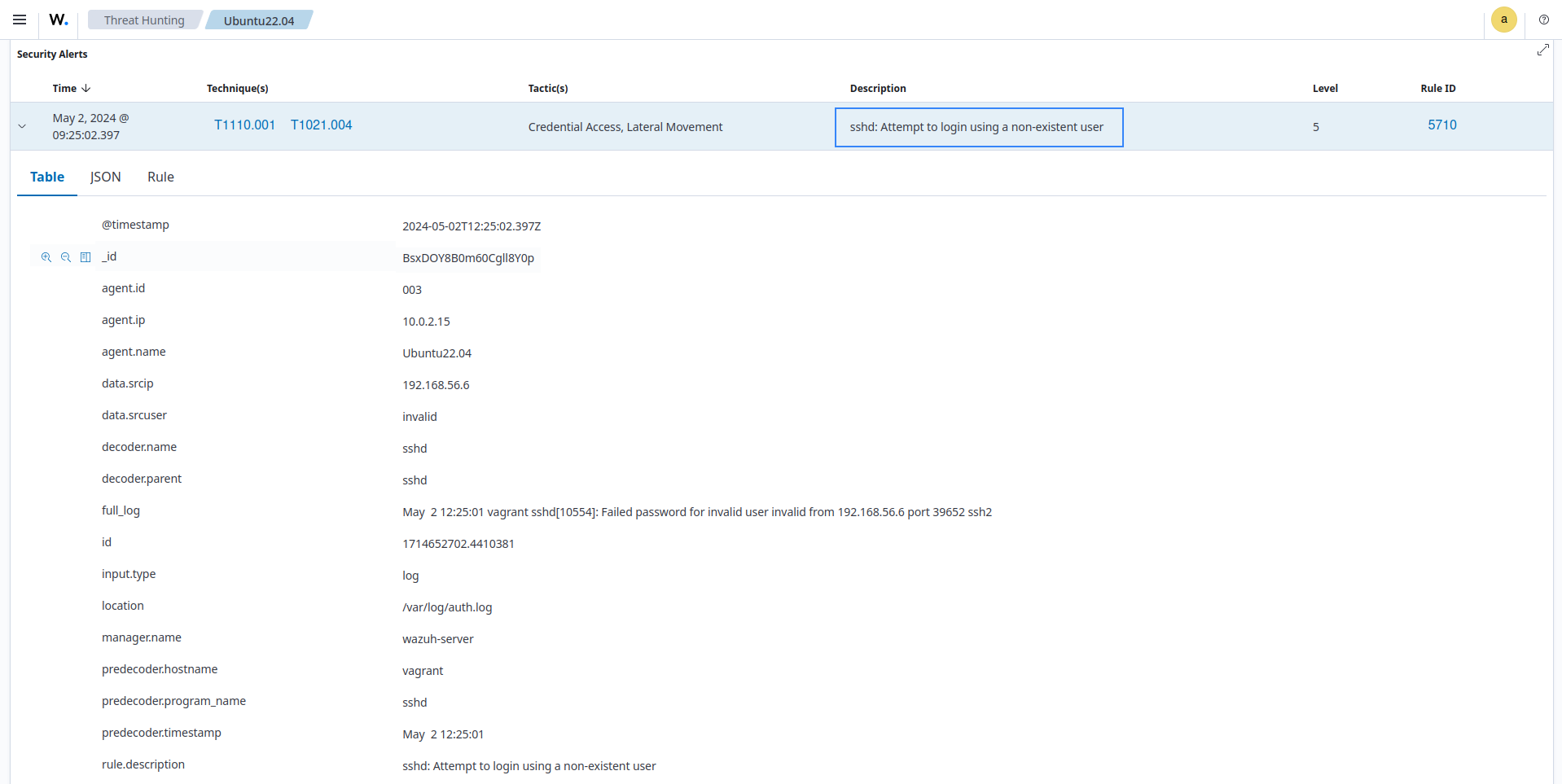
Rule 5710: sshd: Attempt to login using a non-existent user. This rule generates an alert when a non-existent user tries to log in to a system via SSH. The generated alert contains the information required by PCI DSS requirement 10.2.4 (user identification, event type, date and time, success or failure indication, event origin, and identity or name of the affected data, system component, resource, or service). The screenshot below shows the alert generated on the dashboard:
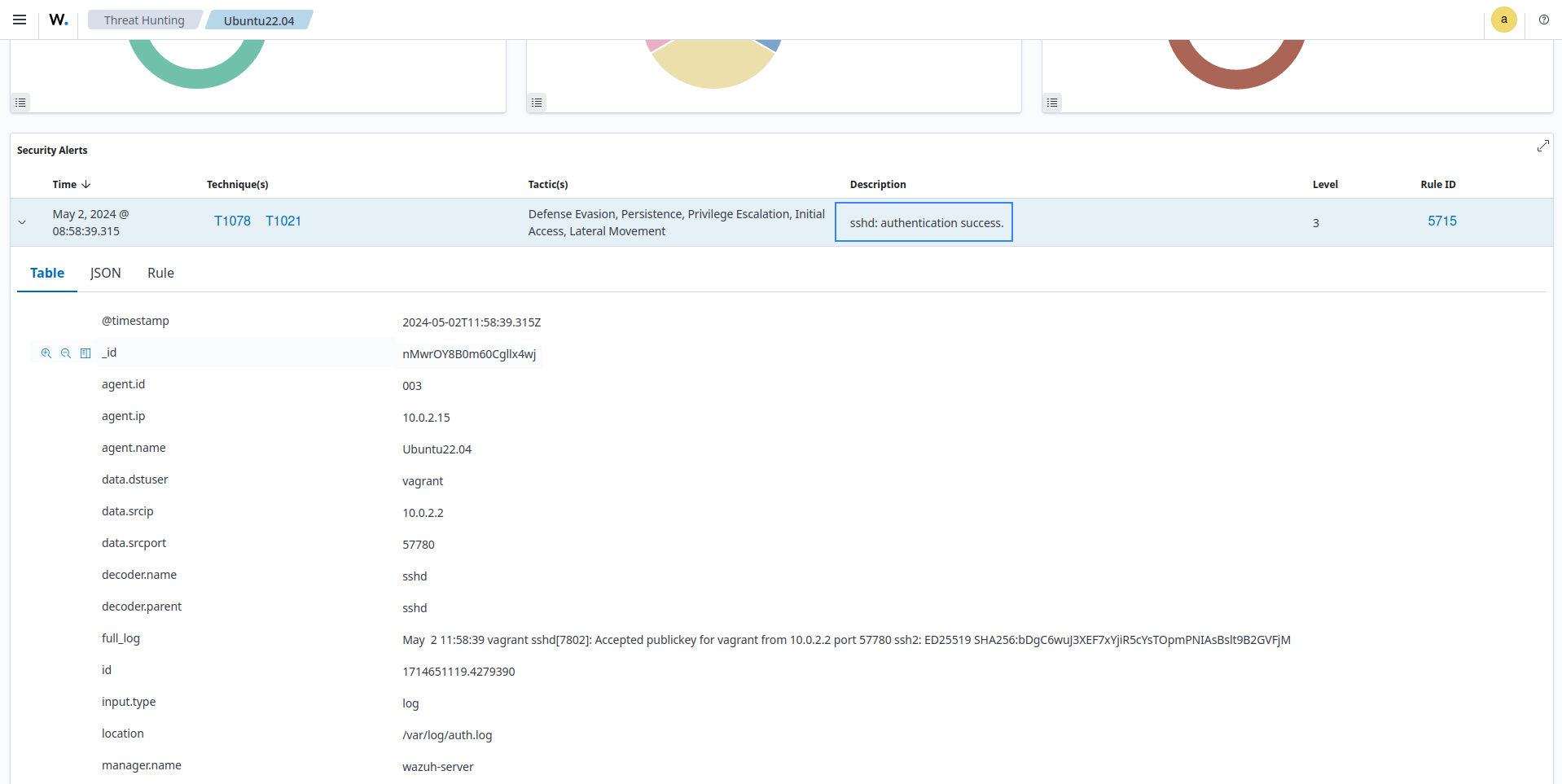
Rule 5715: sshd: authentication success. This rule generates an alert when a user successfully logs into a system via SSH. The generated alert contains the information required by PCI DSS requirement 10.2.5 (user identification, event type, date and time, success or failure indication, event origin, and identity or name of the affected data, system component, resource, or service). The screenshot below shows the alert generated on the dashboard:
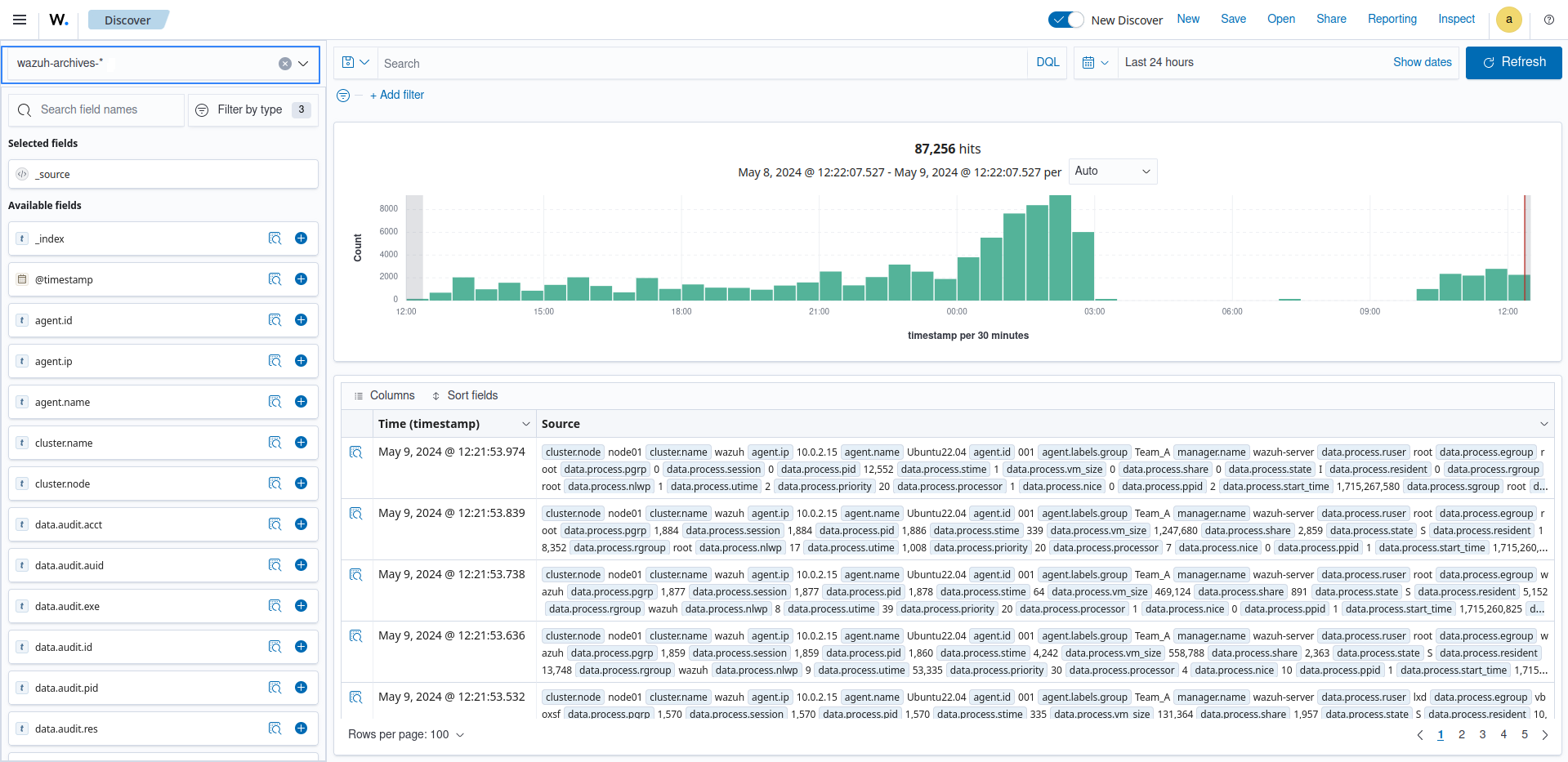
PCI DSS 10.5.1 requires that you retain audit log history for at least 12 months, with the most recent 3 months immediately available for analysis. You can achieve this by enabling Wazuh log archives and configuring index management policies. To enable Wazuh log archives, take the following steps:
Enable archives monitoring in the Wazuh indexer:
Set
<logall_json>yes</logall_json>in/var/ossec/etc/ossec.conf.Set
archives:enabledto true in/etc/filebeat/filebeat.yml:archives: enabled: true
Restart Filebeat:
# systemctl restart filebeat
Restart the Wazuh manager:
# systemctl restart wazuh-manager
Go to the Dashboard management > Dashboard Management.
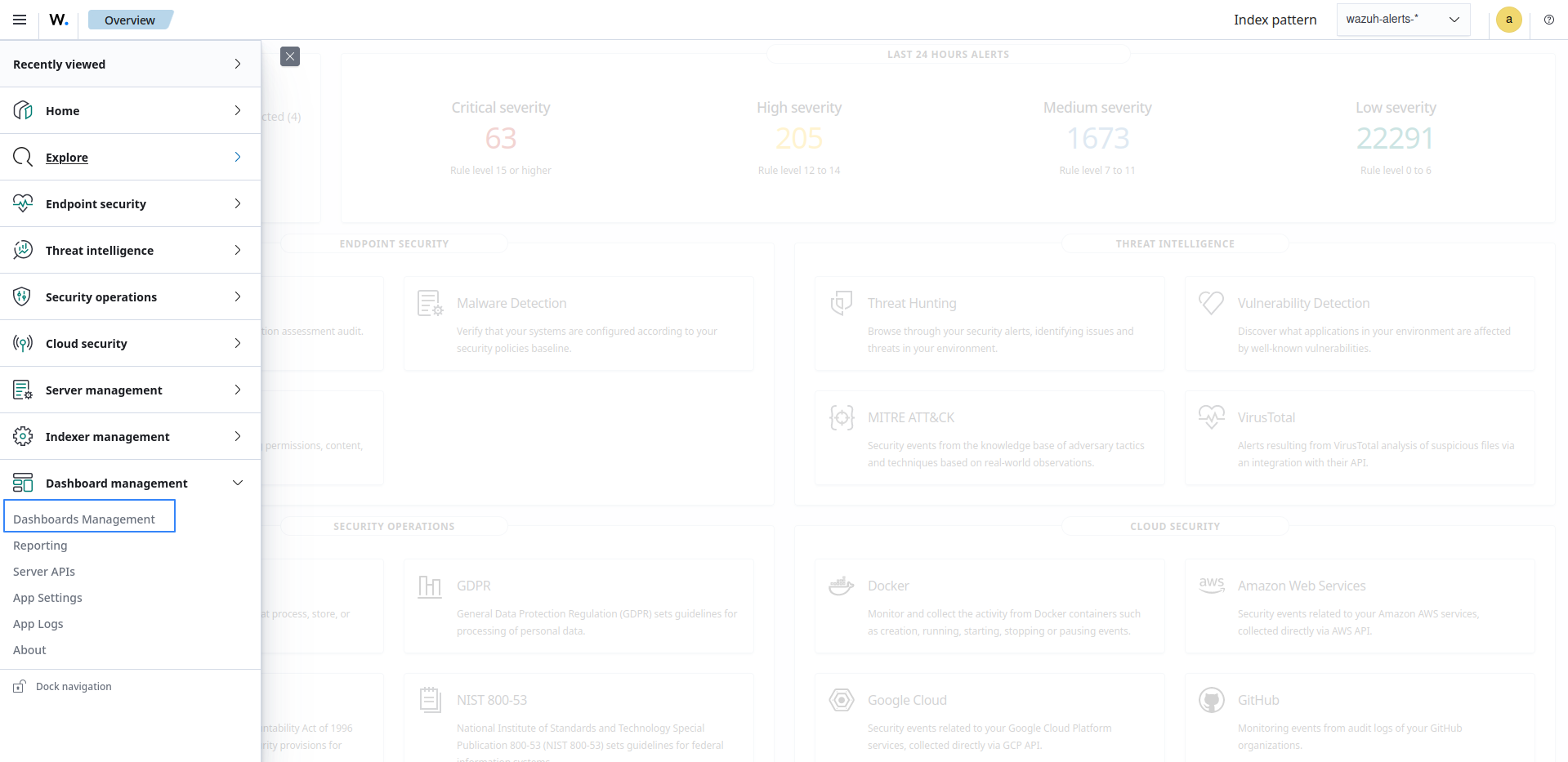
Choose Index Patterns and select Create index pattern. Use
wazuh-archives-*as the index pattern name.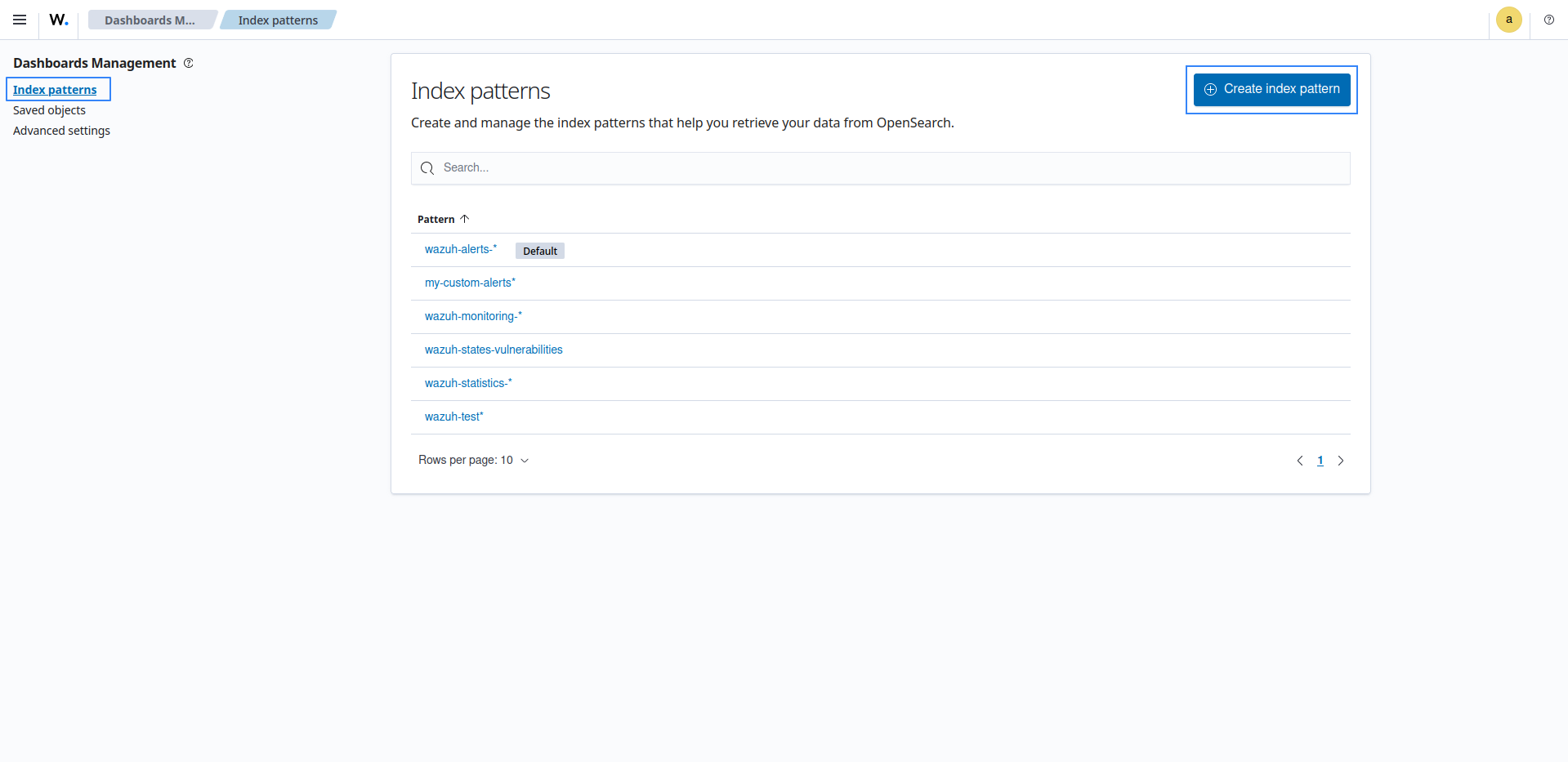
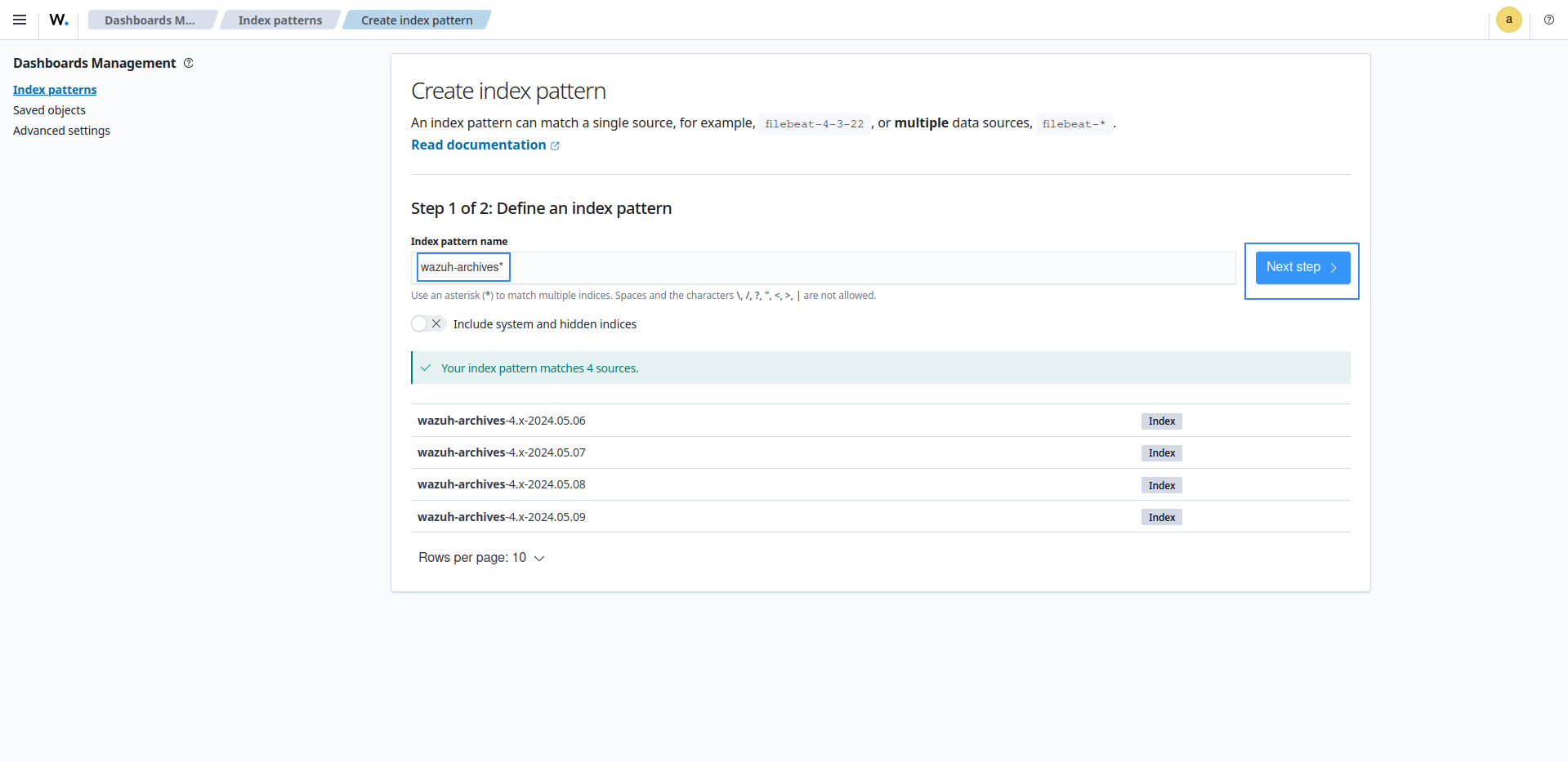
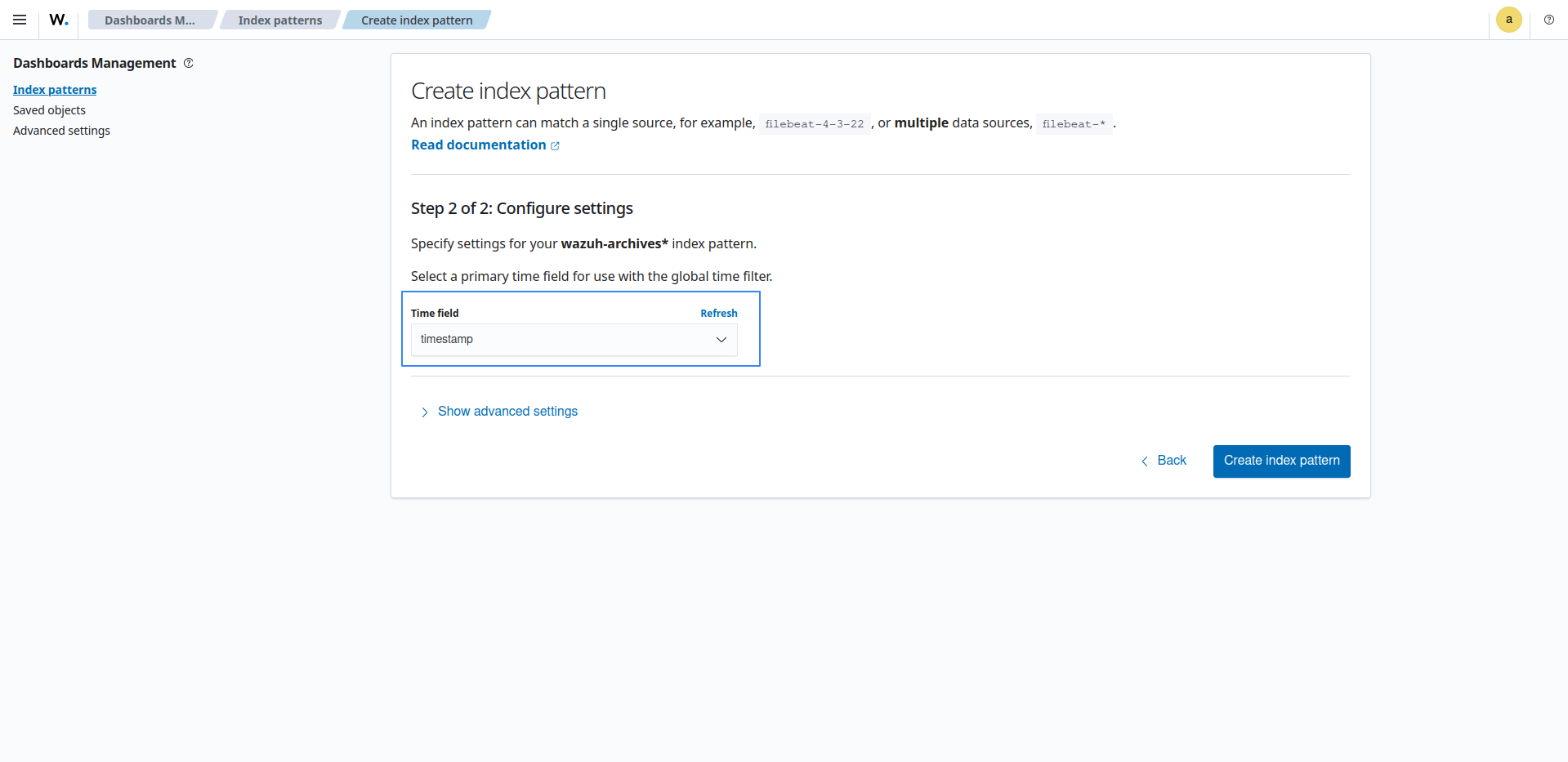
Select the timestamp as the primary time field for use with the global time filter, then proceed to create the index pattern.
Note
Be careful to choose timestamp instead of @timestamp.
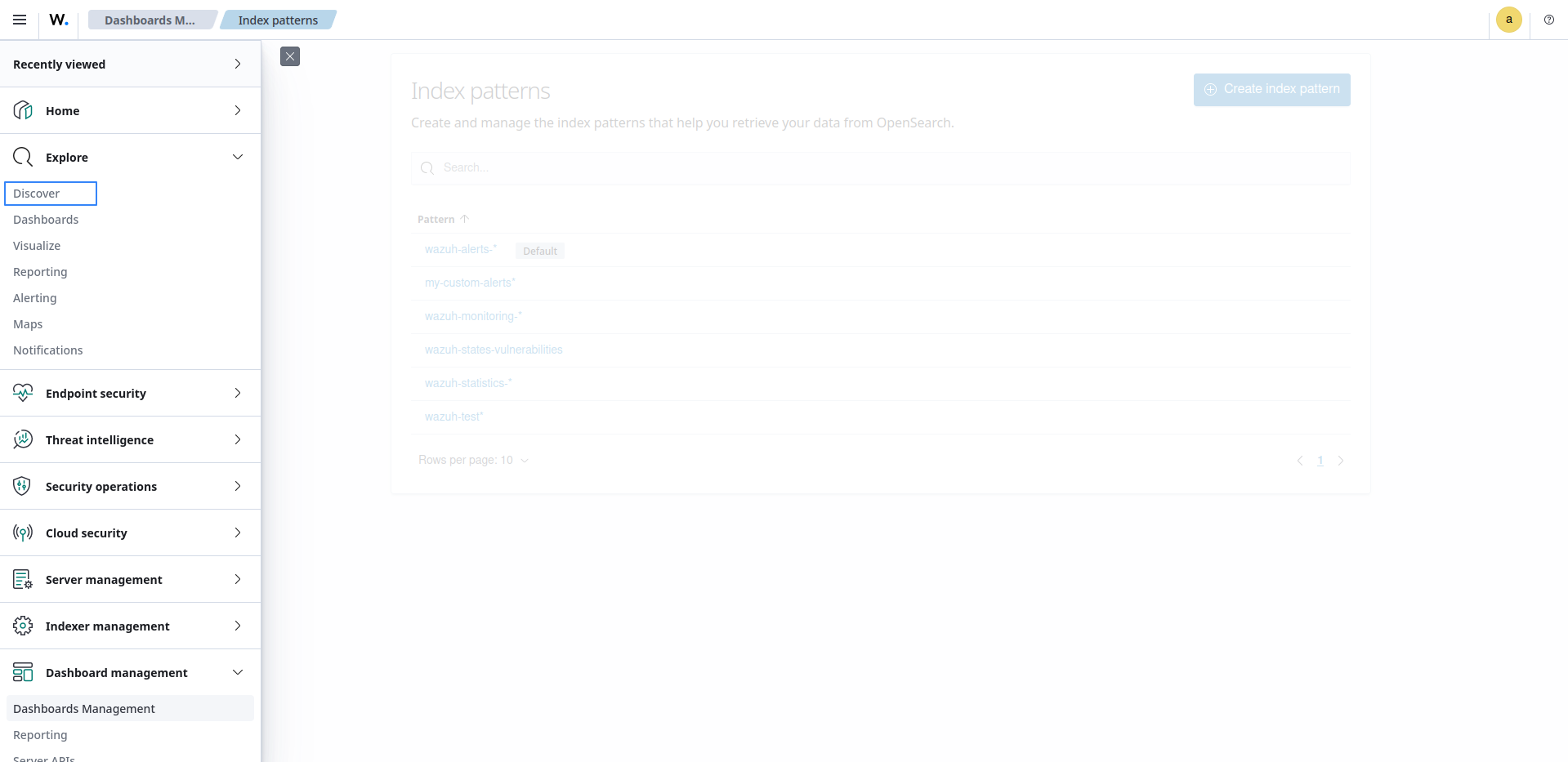
Open the menu and select Discover under OpenSearch Dashboards. Events should be getting reported there.
PCI DSS requirement 10.4.1 requires that the following audit logs be reviewed at least once daily:
All security events.
Logs of all system components that store, process, or transmit cardholder data (CHD) and/or sensitive authentication data (SAD).
Logs of all critical system components.
Logs of all servers and system components that perform security functions (for example, network security controls, intrusion-detection systems/intrusion-prevention systems (IDS/IPS), and authentication servers).
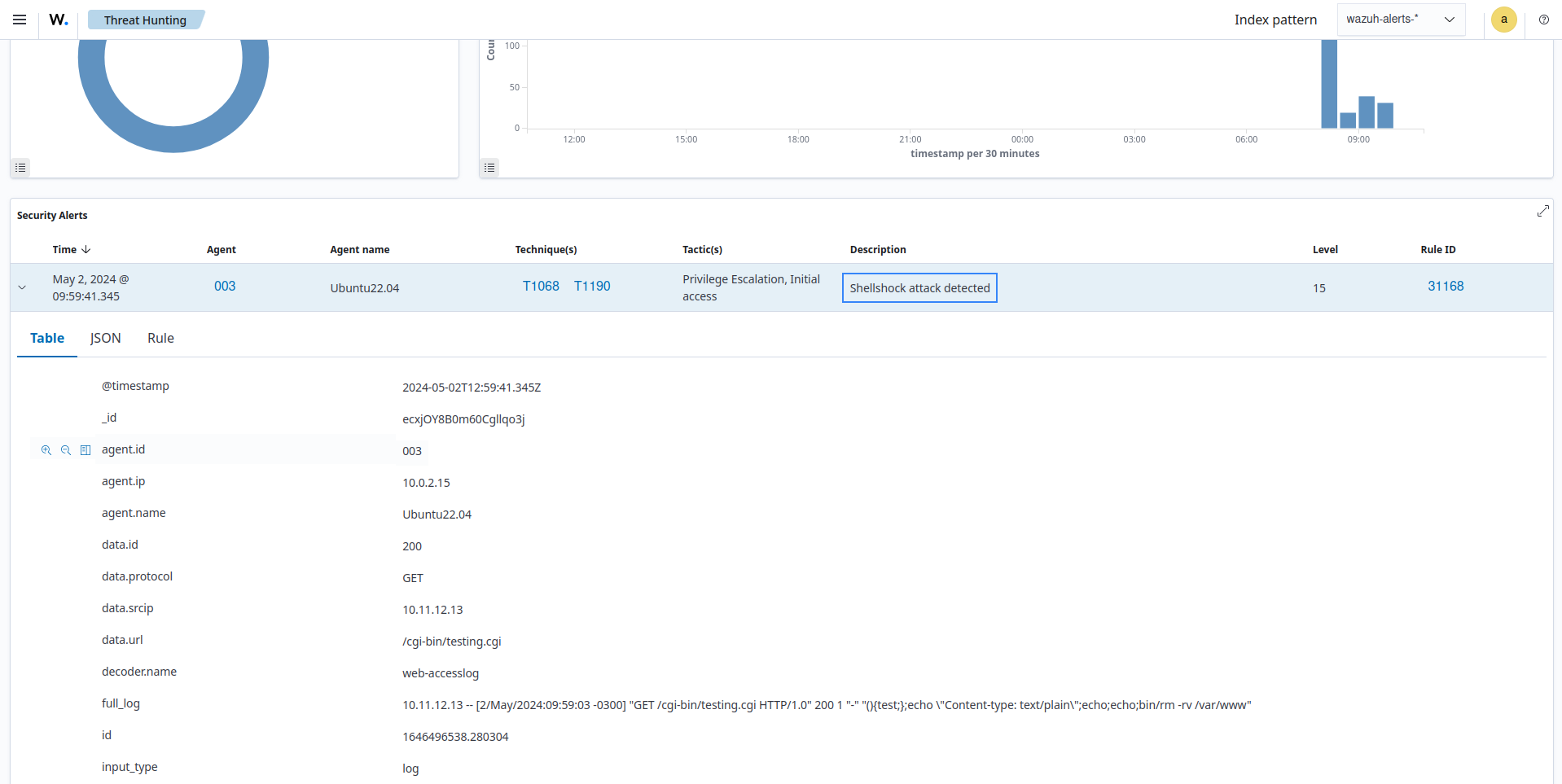
This requirement ensures that logs are analyzed for indicators of compromise at least once daily. The following are some Wazuh rules that may help in achieving this requirement:
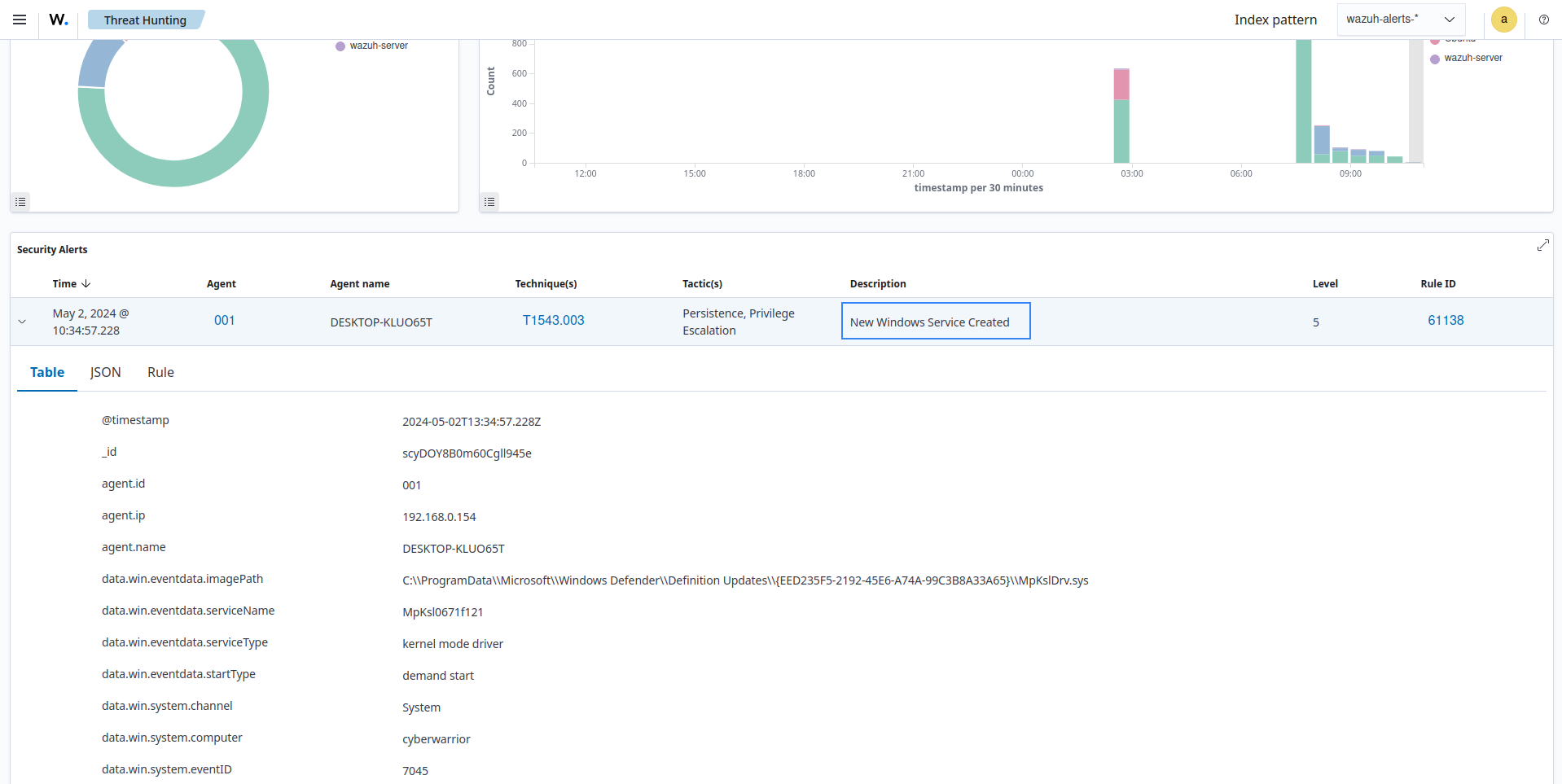
Rule 61138: New Windows Service Created. This rule generates an alert after the analysis engine analyzes the system logs from a Windows endpoint and determines that a new service was created.
Rule 31168: Shellshock attack detected. This rule will generate an alert when logs indicating a Shellshock attack from a WAF or web application are analyzed by the analysis engine.