Configure AWS credentials
Depending on the authentication option, the Wazuh module for AWS needs the credentials of an IAM identity to collect log data from AWS services. These credentials need to be stored in a file named .aws/credentials on the Wazuh agent.
You need to create the credentials file using the root user because the wazuh-modulesd daemon runs with root privileges. Make sure the .aws/credentials file is saved in the home directory of the root user, so the absolute file path is /root/.aws/credentials. This file is required for all authentication options except IAM roles for EC2 instances.
The following sections describe how to configure the Wazuh module for AWS to pull AWS services logs using these credentials.
Authentication options
Credentials can be loaded from different locations. You can specify the credentials in a file, assume an IAM role, or load them from other Boto3 supported locations.
This section describes the methods for adding AWS credentials to Wazuh and how to configure the Wazuh module for AWS to use them.
Profiles
Profiles are logical groups of configuration. You can set up multiple profiles in the following files.
/root/.aws/credentials: Each profile defines the access keys for the previously created IAM user./root/.aws/config: Each corresponding profile specifies an AWS region.
In the example below, the /root/.aws/credentials file defines the default, dev, and prod profiles.
[default]
aws_access_key_id=<DEFAULT_ACCESS_KEY_ID>
aws_secret_access_key=<DEFAULT_SECRET_ACCESS_KEY>

[dev]
aws_access_key_id=<DEV_ACCESS_KEY_ID>
aws_secret_access_key=<DEV_SECRET_ACCESS_KEY>

[prod]
aws_access_key_id=<PROD_ACCESS_KEY_ID>
aws_secret_access_key=<PROD_SECRET_ACCESS_KEY>
The /root/.aws/config file specifies the AWS region for each profile:
[default]
region = us-east-1

[profile dev]
region = us-east-1

[profile prod]
region = us-east-1
After setting up the profiles, define which one the Wazuh module for AWS uses to collect logs. Configure this inside the <wodle name="aws-s3"> block of the /var/ossec/etc/ossec.conf file of the Wazuh agent. The example below configures the module to pull AWS CloudTrail logs from the specified bucket using the prod profile.
<bucket type="cloudtrail">
  <name><WAZUH_AWS_BUCKET></name>
  <aws_profile>prod</aws_profile>
</bucket>
Save the changes and restart the Wazuh agent service to apply the changes:
# systemctl restart wazuh-agent
IAM roles
An IAM role is an identity within your AWS account with specific permissions. It is similar to an IAM user but is not associated with a specific person. Trusted entities can also use IAM roles to interact with different AWS services. AWS services, applications running on Amazon EC2 instances, and IAM users can assume an IAM role.
Note
This authentication method requires credentials from another authentication method, such as a profile, to assume the role.
This section shows how to create a sample IAM role with read-only permissions to pull data from a bucket:
Go to Services > Security, Identity, & Compliance > IAM.
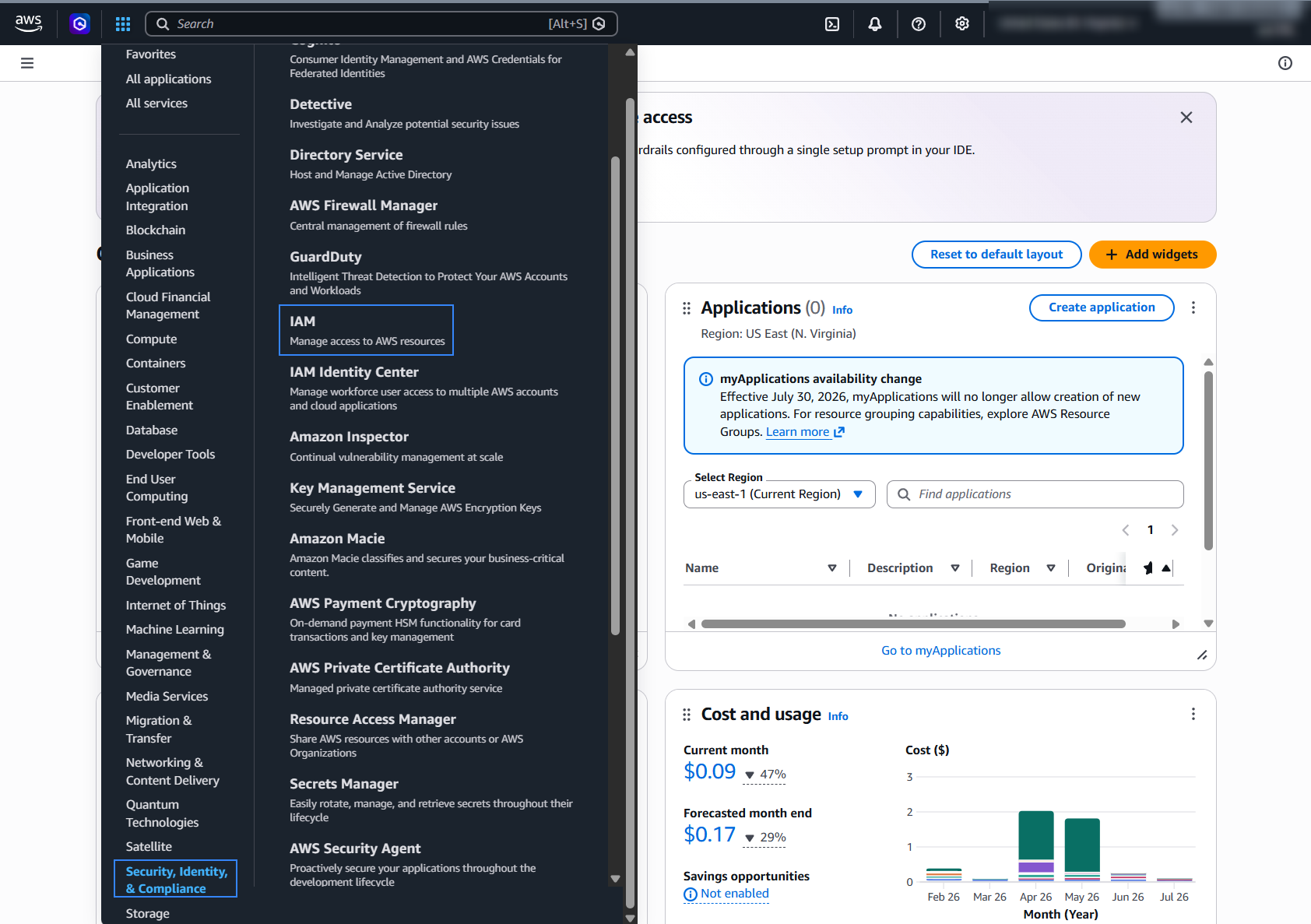
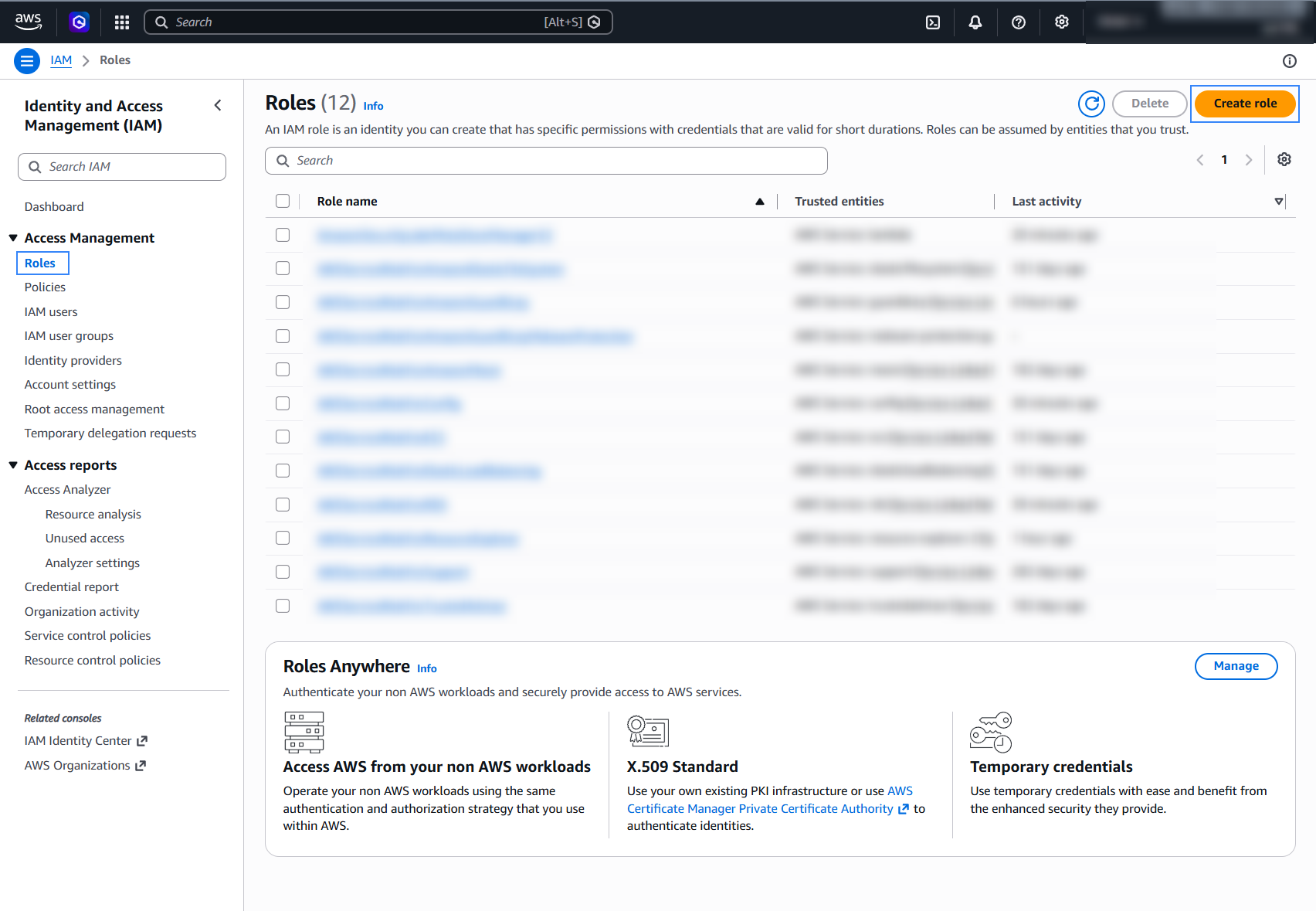
Go to Roles on the left side of the AWS console and click Create role.
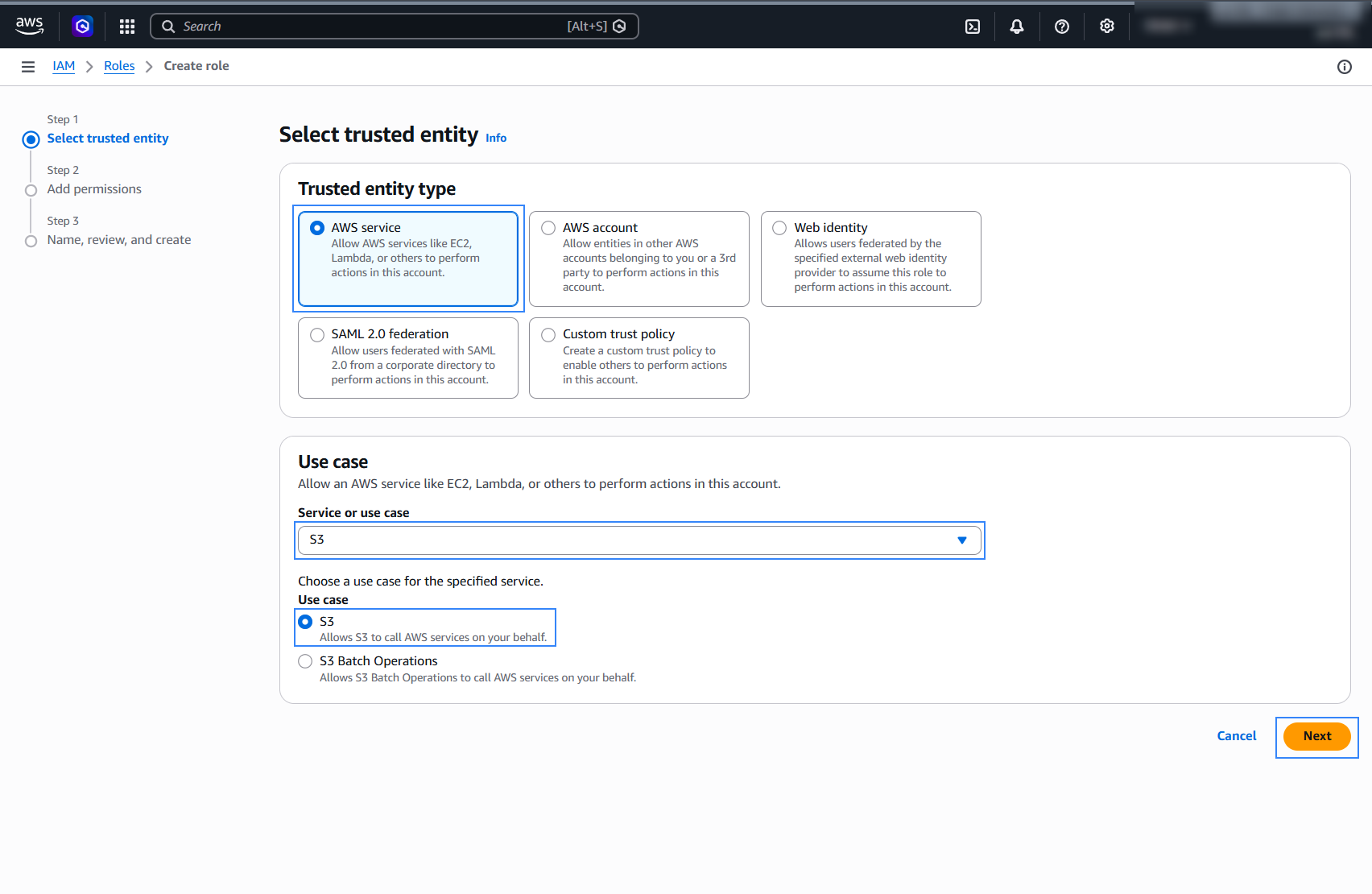
Select AWS service as Trusted entity type, S3 under Service or use case, then click Next.
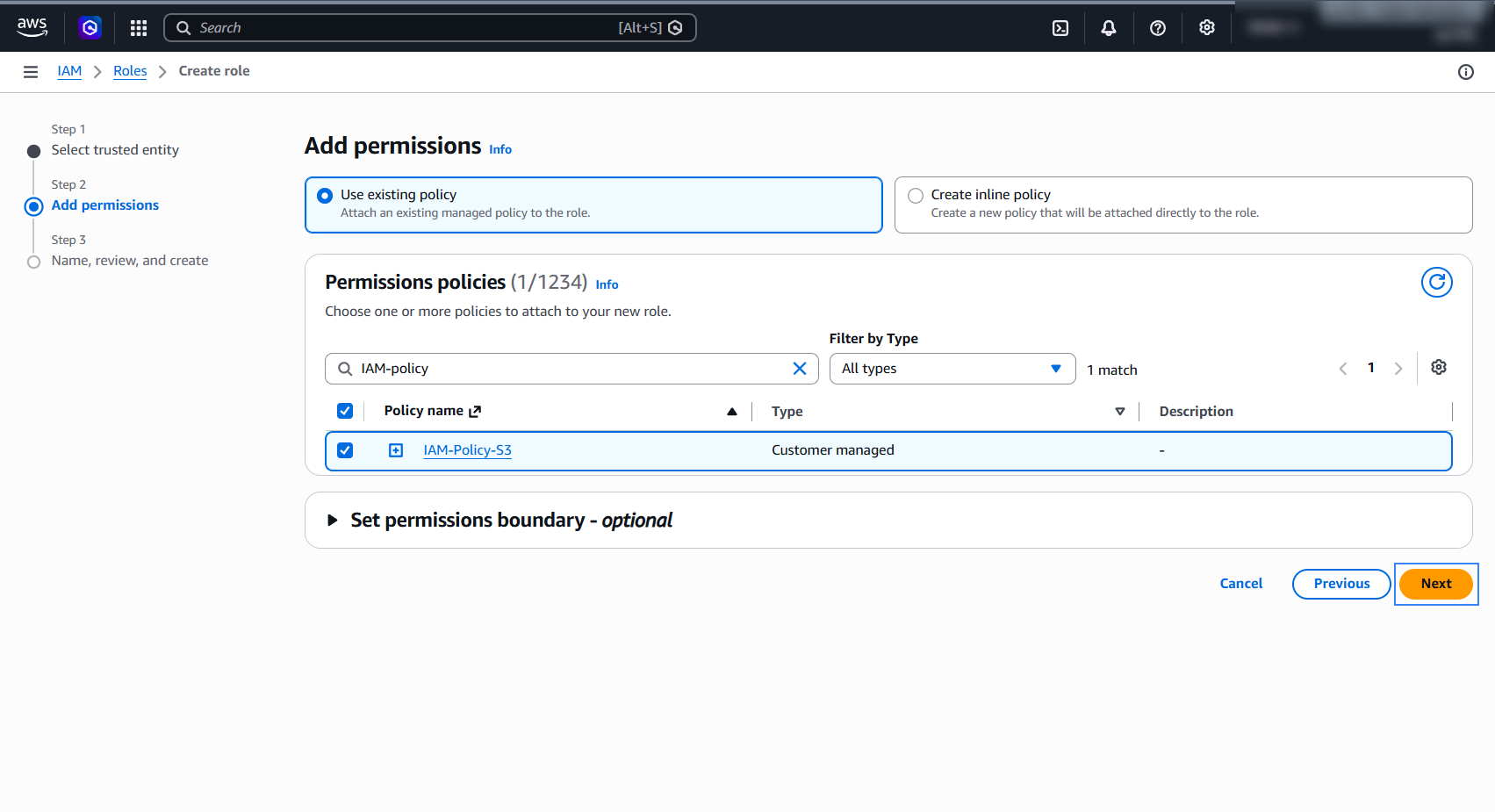
Select a previously created policy and click Next.
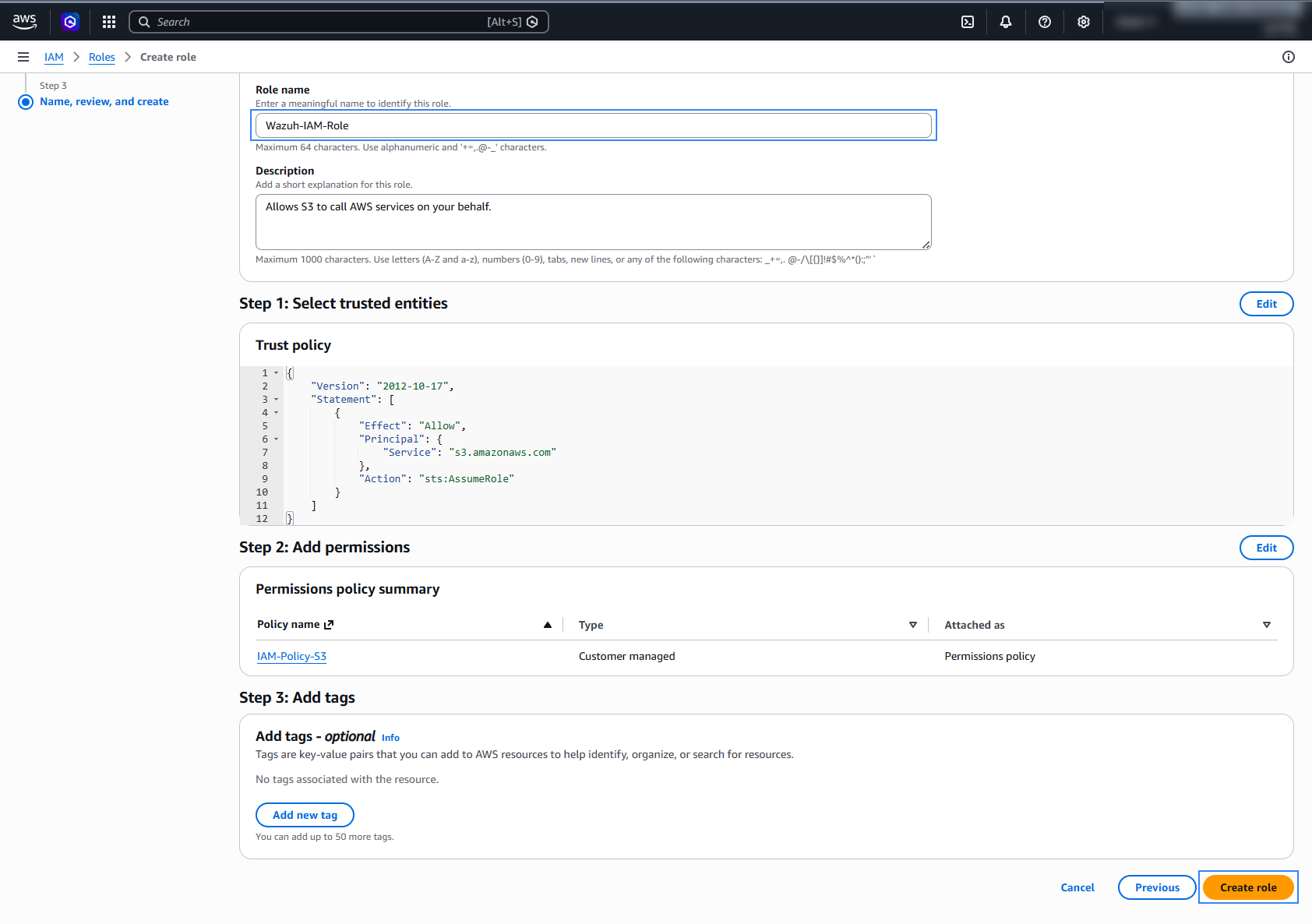
Give the role a descriptive name and click Create role.
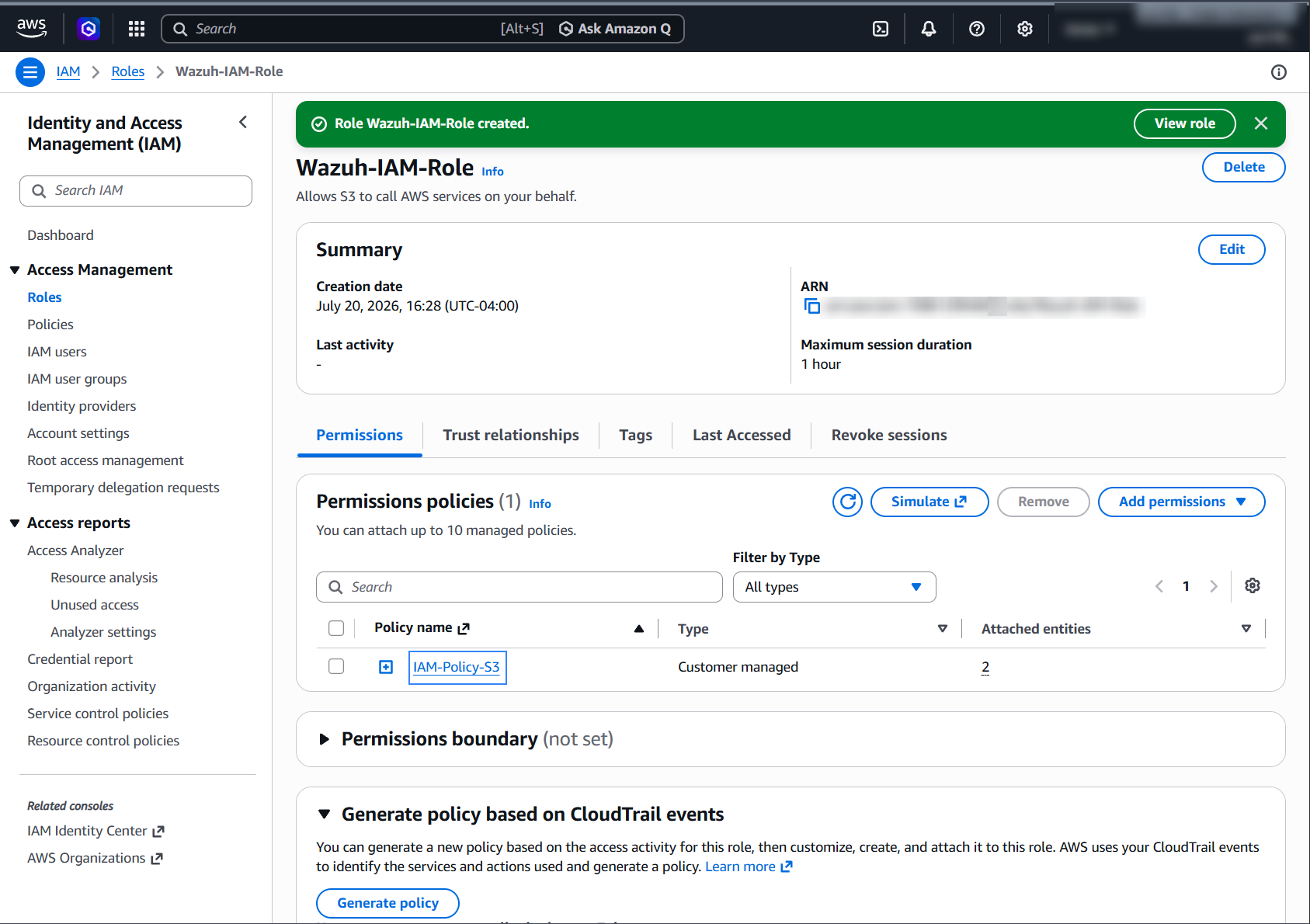
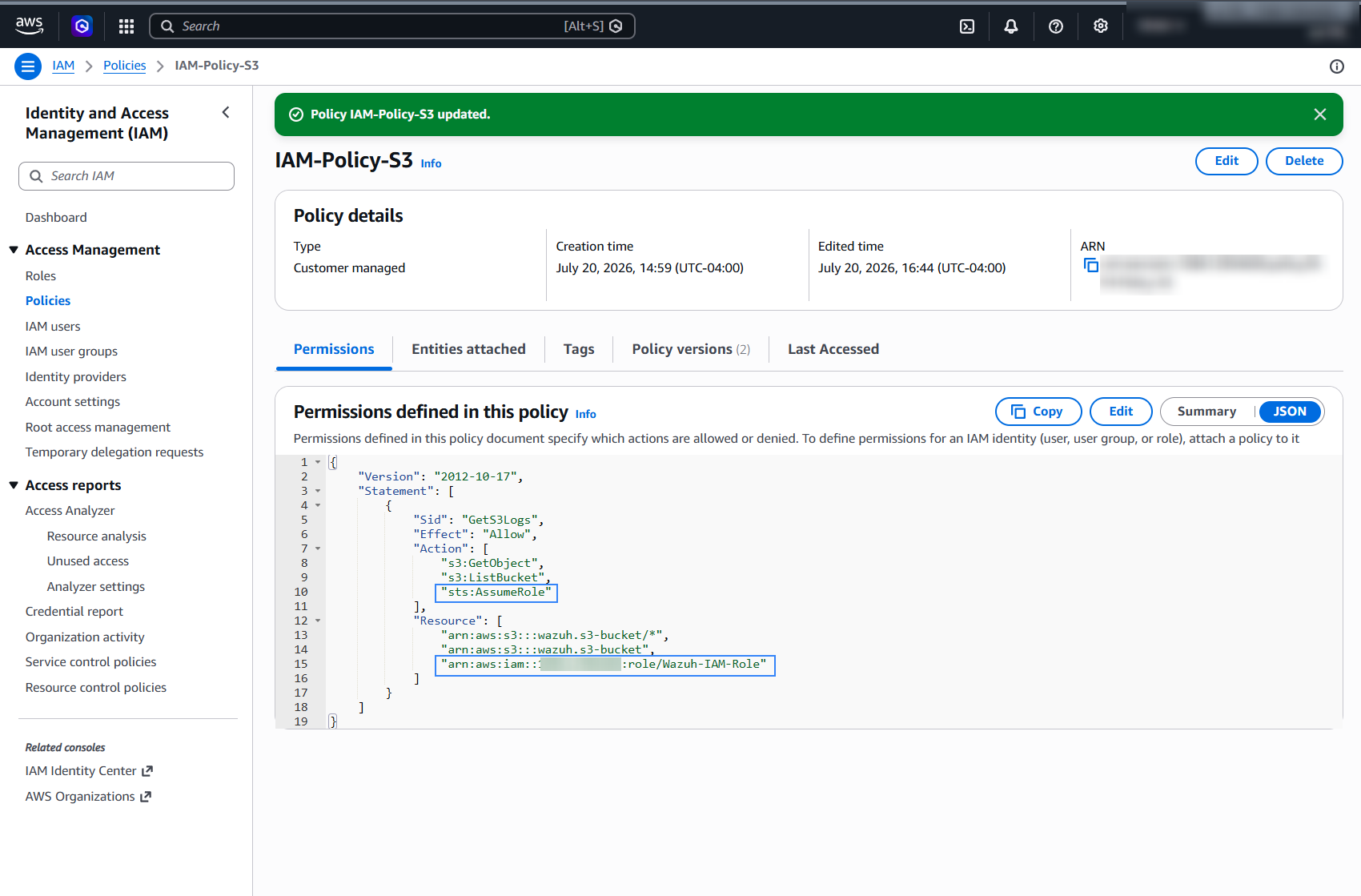
Access the role Summary and click its Policy name.
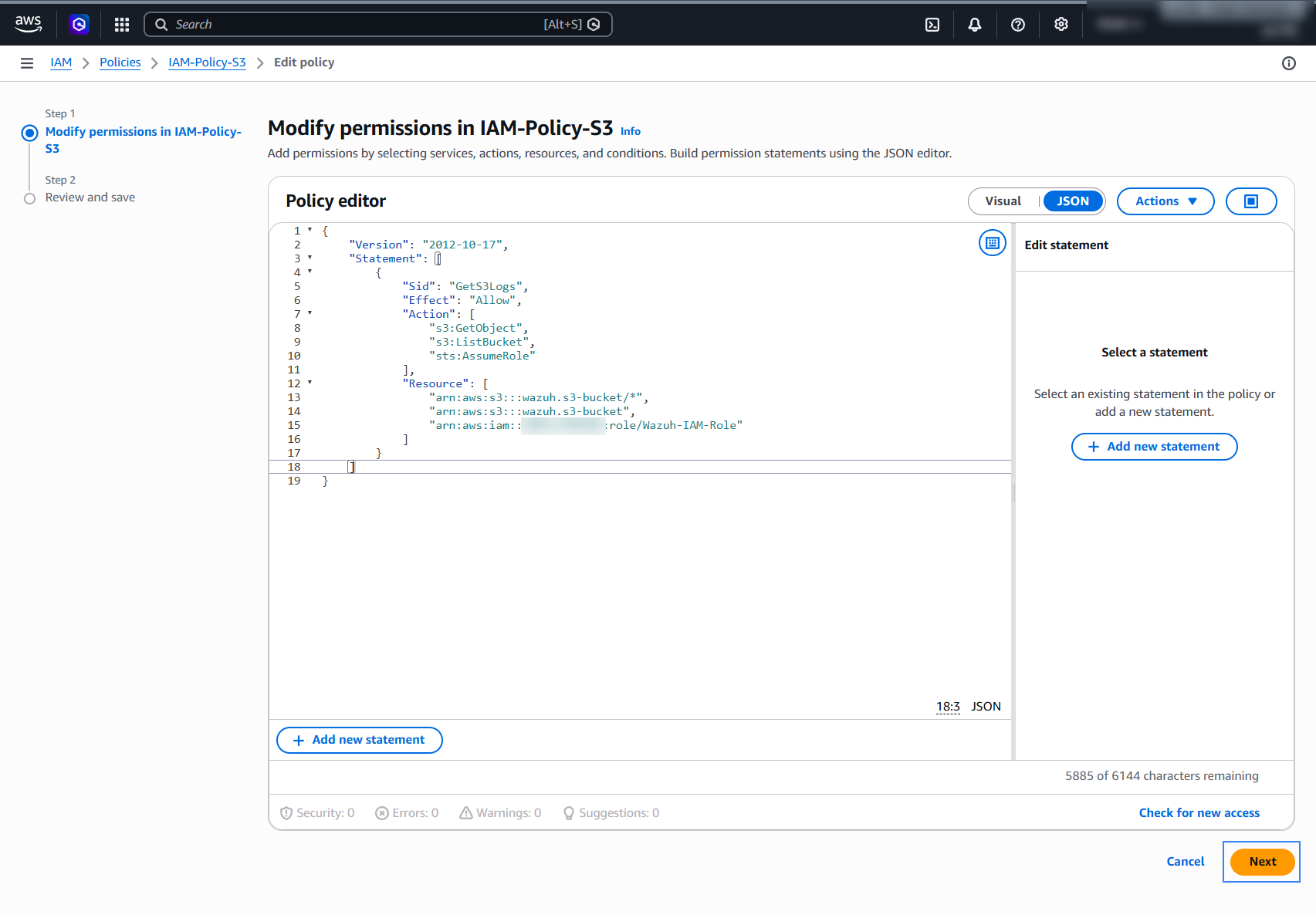
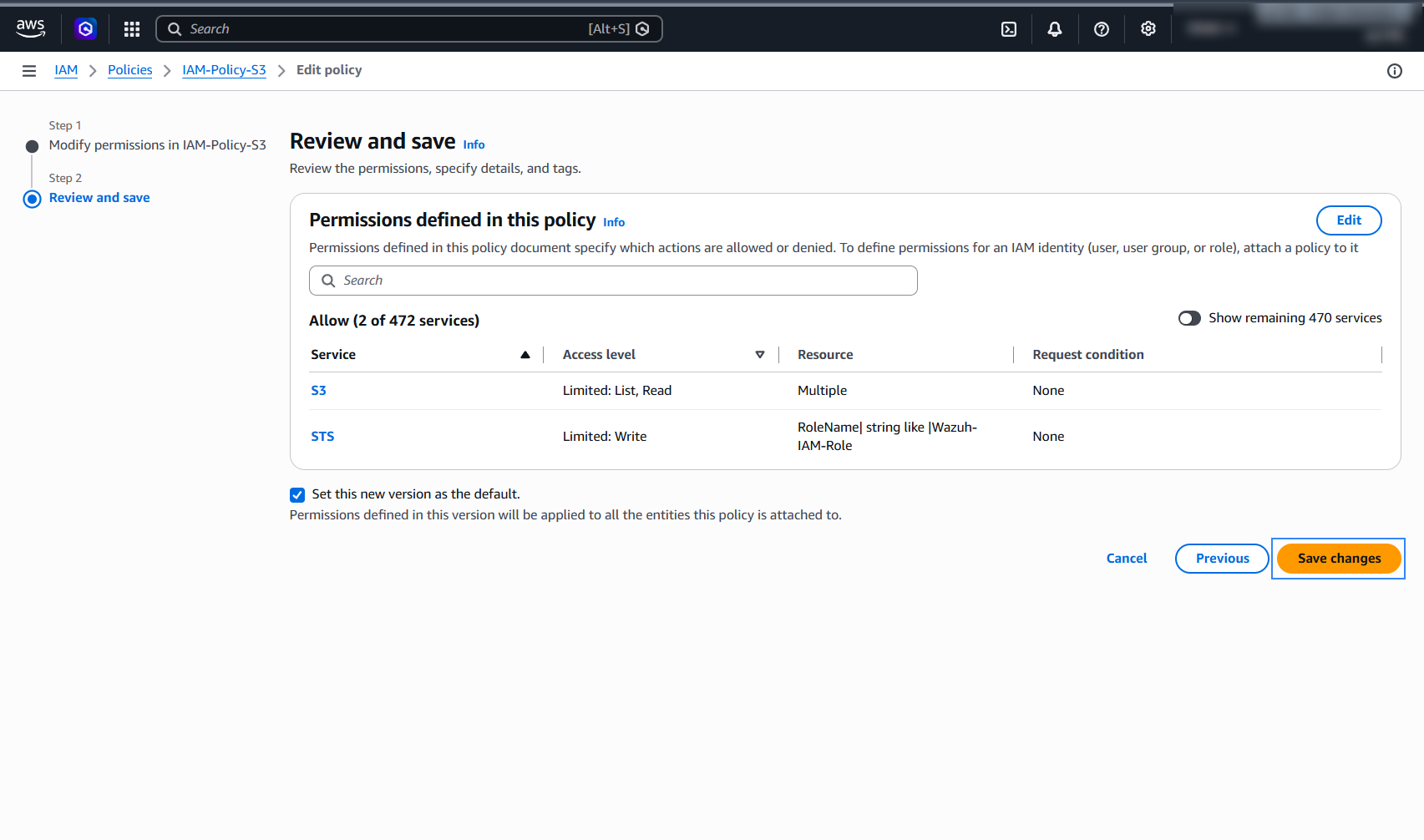
Switch to JSON view and edit the policy to allow the sts:AssumeRole action on the new role. The IAM user gets this permission because the same policy is attached to its user group.
{
    "Version": "2012-10-17",
    "Statement": [
        {
            "Sid": "GetS3Logs",
            "Effect": "Allow",
            "Action": [
                "s3:GetObject",
                "s3:ListBucket",
                "sts:AssumeRole"
            ],
            "Resource": [
                "arn:aws:s3:::<WAZUH_AWS_BUCKET>/*",
                "arn:aws:s3:::<WAZUH_AWS_BUCKET>",
                "arn:aws:iam::<ACCOUNT_ID>:role/Wazuh-IAM-Role"
            ]
        }
    ]
}
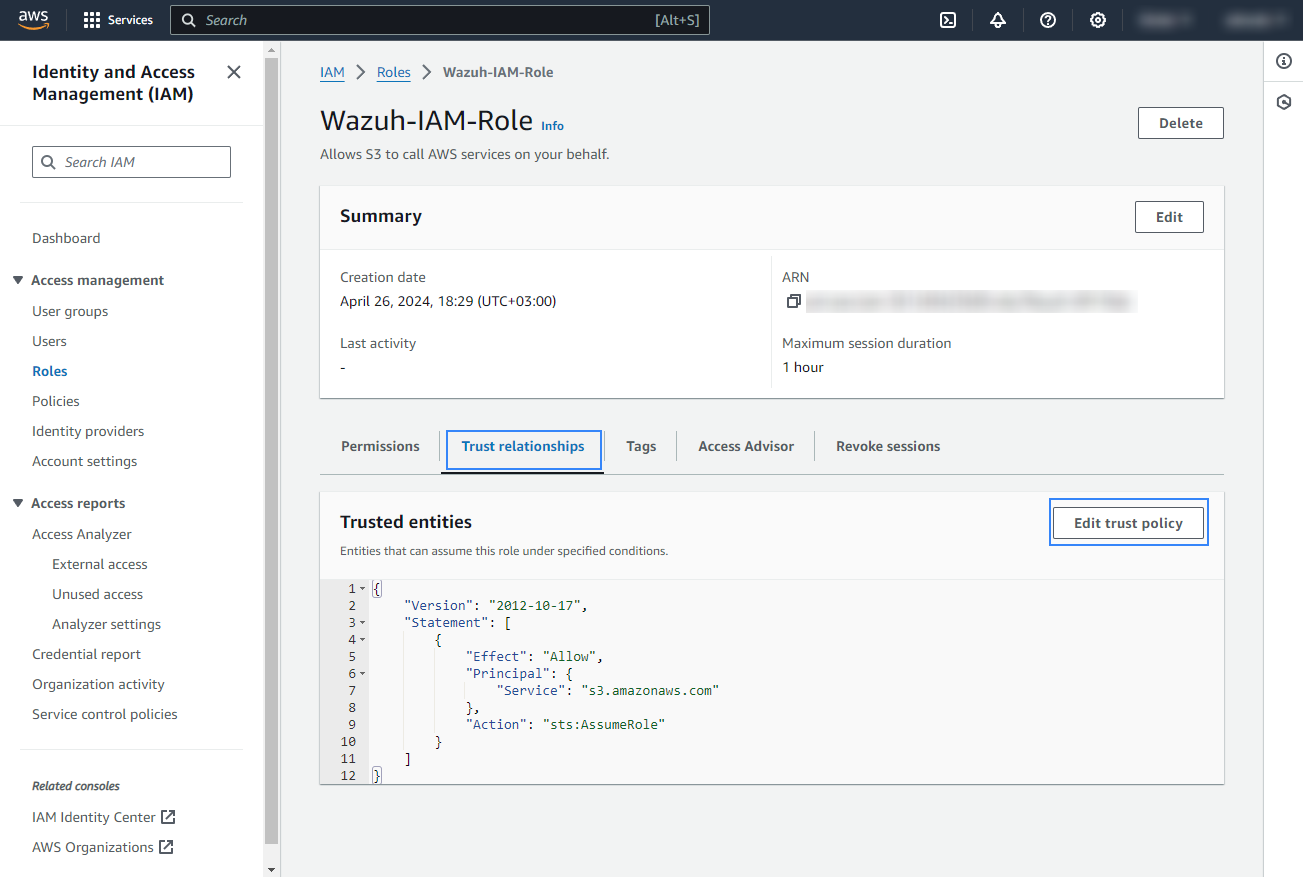
Go back to the role Summary, go to the Trust relationships tab, and click Edit trust policy.
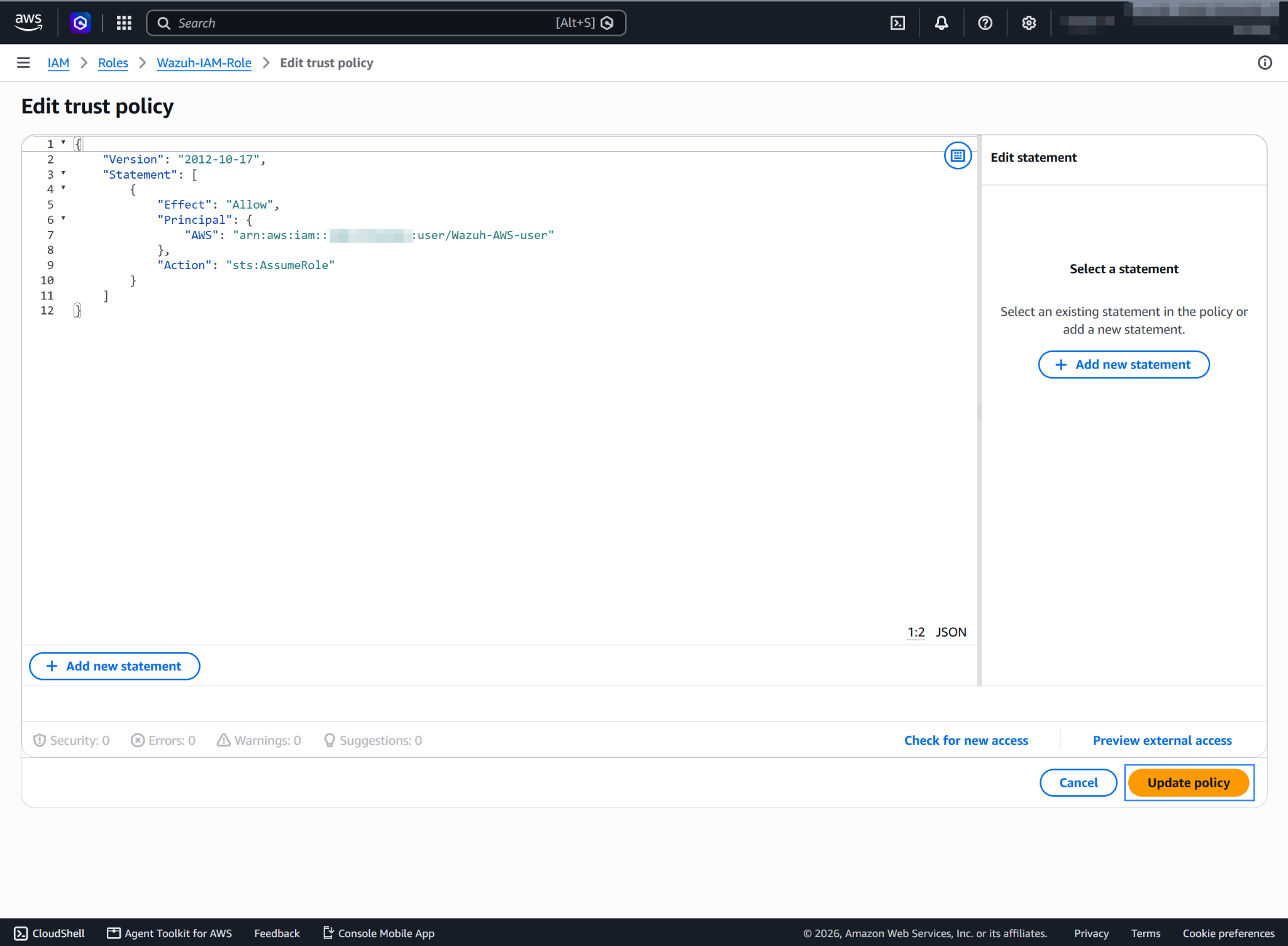
Add the AWS IAM user to the
Principalelement and click Update policy.{ "Version": "2012-10-17", "Statement": [ { "Effect": "Allow", "Principal": { "AWS": "arn:aws:iam::<ACCOUNT_ID>:user/Wazuh-AWS-user" }, "Action": "sts:AssumeRole" } ] }
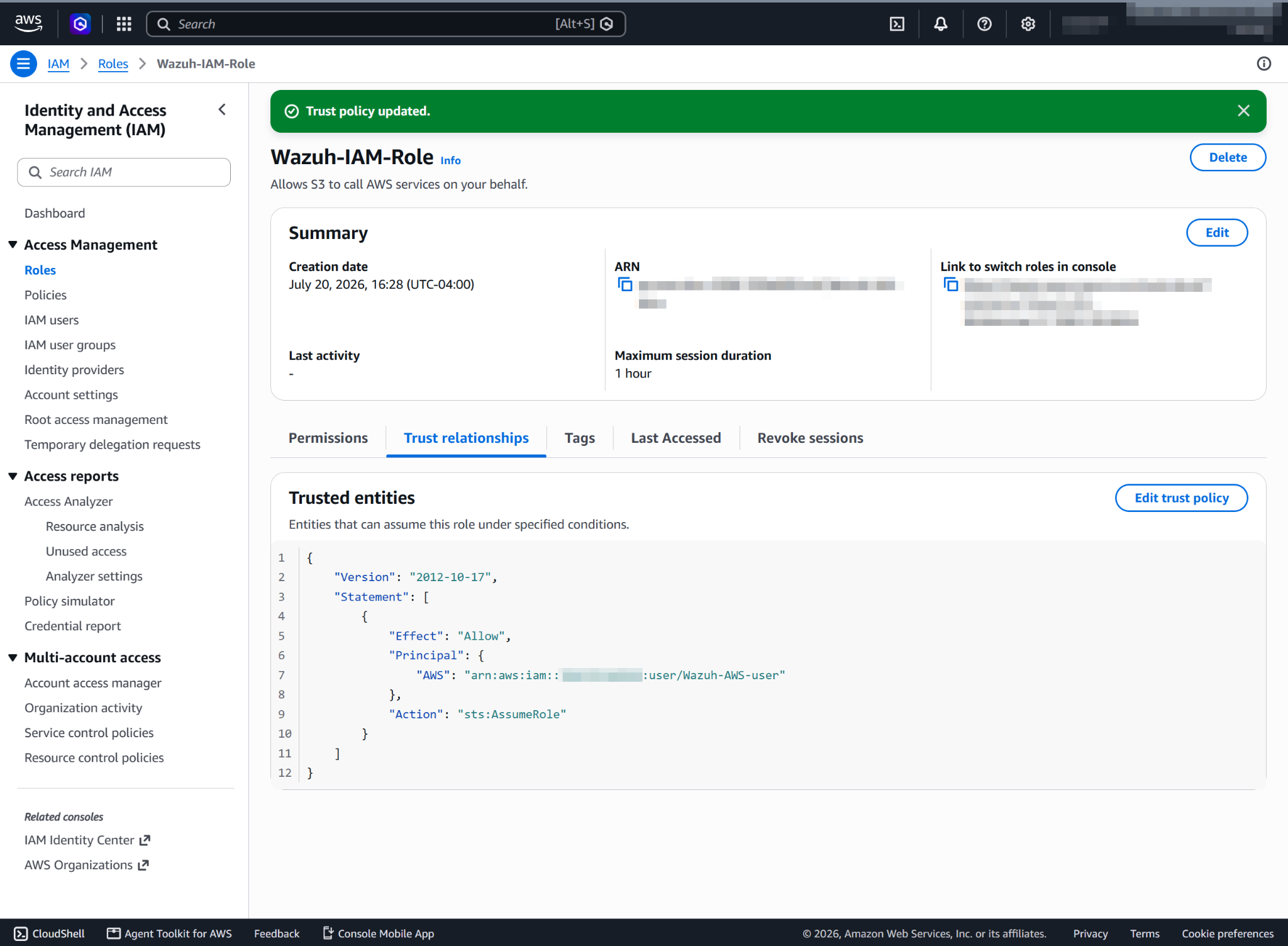
After updating the trust policy, copy the ARN of the role, because you need it to configure the Wazuh module for AWS.
Configure the Wazuh module for AWS inside the <wodle name="aws-s3"> block of the /var/ossec/etc/ossec.conf file of the Wazuh agent. The example below configures the Wazuh module for AWS to pull CloudTrail logs from the bucket using the default profile and the Wazuh-IAM-Role IAM role.
<bucket type="cloudtrail">
   <name><WAZUH_AWS_BUCKET></name>
   <aws_profile>default</aws_profile>
   <iam_role_arn>arn:aws:iam::<ACCOUNT_ID>:role/Wazuh-IAM-Role</iam_role_arn>
</bucket>
Save the changes and restart the Wazuh agent service to apply the changes:
# systemctl restart wazuh-agent
IAM roles for EC2 instances
You can assign IAM roles to EC2 instances, so you don't need authentication parameters in the /var/ossec/etc/ossec.conf file of the Wazuh agent. We recommend this configuration if the Wazuh agent runs on an EC2 instance. Find more information about IAM roles on EC2 instances in the official AWS documentation.
Add the configuration inside the <wodle name="aws-s3"> block of the /var/ossec/etc/ossec.conf file of the Wazuh agent. The example below configures the Wazuh module for AWS to pull CloudTrail logs from the bucket using the IAM roles for EC2 instances.
<bucket type="cloudtrail">
  <name><WAZUH_AWS_BUCKET></name>
</bucket>
Save the changes and restart the Wazuh agent service to apply the changes:
# systemctl restart wazuh-agent