Regulatory compliance
Regulatory compliance requires organizations to implement security controls that protect sensitive data, monitor systems, and detect security incidents. Compliance helps protect sensitive data, reduce security risk, and demonstrate that security controls meet regulatory requirements.
Wazuh helps you monitor systems, detect security issues, and collect evidence that supports compliance activities. It provides built-in capabilities that help you meet compliance requirements across multiple regulatory frameworks, including:
File integrity monitoring
Security Configuration Assessment (SCA)
Vulnerability detection
Malware detection
Active response
Wazuh includes out-of-the-box detection rules with compliance mappings for multiple regulatory frameworks and security standards. Supported frameworks include PCI DSS, HIPAA, GDPR, NIST SP 800-53, NIST SP 800-171, CMMC, ISO 27001, NIS2, FedRAMP, and TSC. Compliance mappings help security teams identify findings associated with specific requirements.
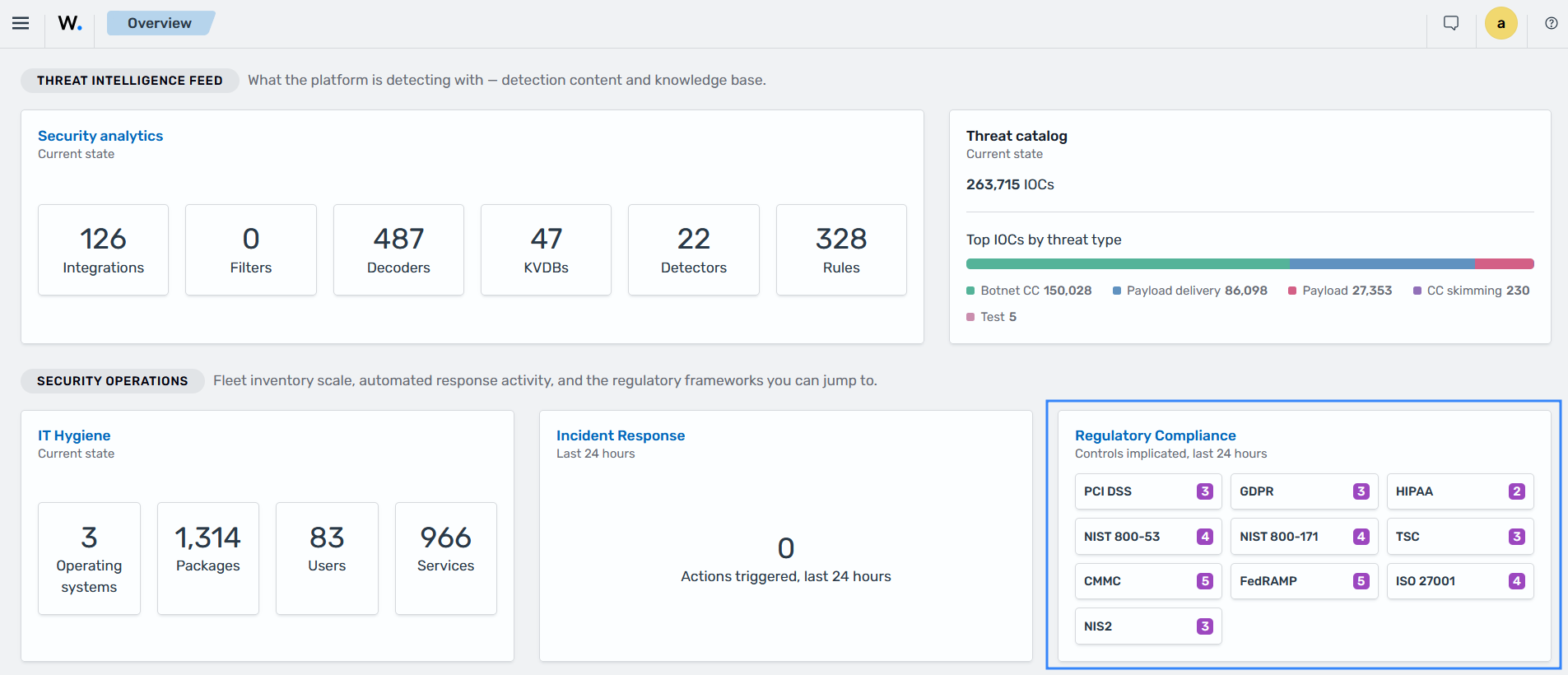
You can also create custom detection rules and map them to your organization's compliance requirements by adding compliance identifiers to the rule metadata. Custom compliance mappings extend Wazuh to cover internal policies and additional regulatory standards.
Assessing security configurations
Security Configuration Assessment (SCA) helps organizations verify that endpoint configurations meet defined security requirements. Wazuh agents evaluate systems against SCA policies containing checks for configuration settings, files, directories, registry keys, and running processes.
Wazuh includes SCA policies based on CIS Benchmarks and supports custom policies. Compliance metadata can be assigned to individual checks, allowing organizations to assess endpoint configurations against applicable requirements.
For example, an organization can use Wazuh SCA to identify insecure system configurations and verify whether endpoints meet its security baseline. Failed checks provide details about the configuration issue and recommended remediation.
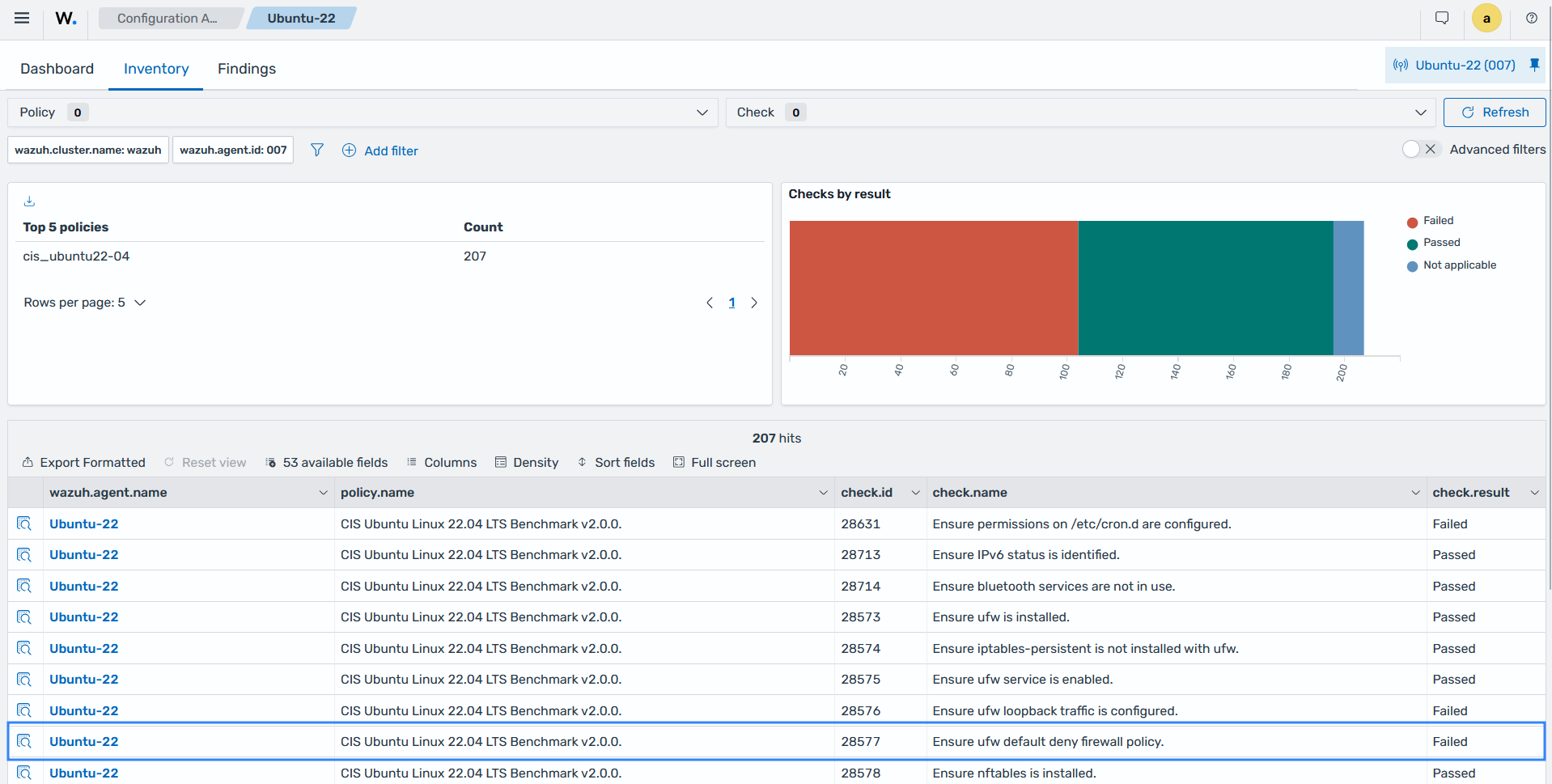
The Configuration Assessment section of the Wazuh dashboard shows a Failed result, after detecting an insecure endpoint configuration.
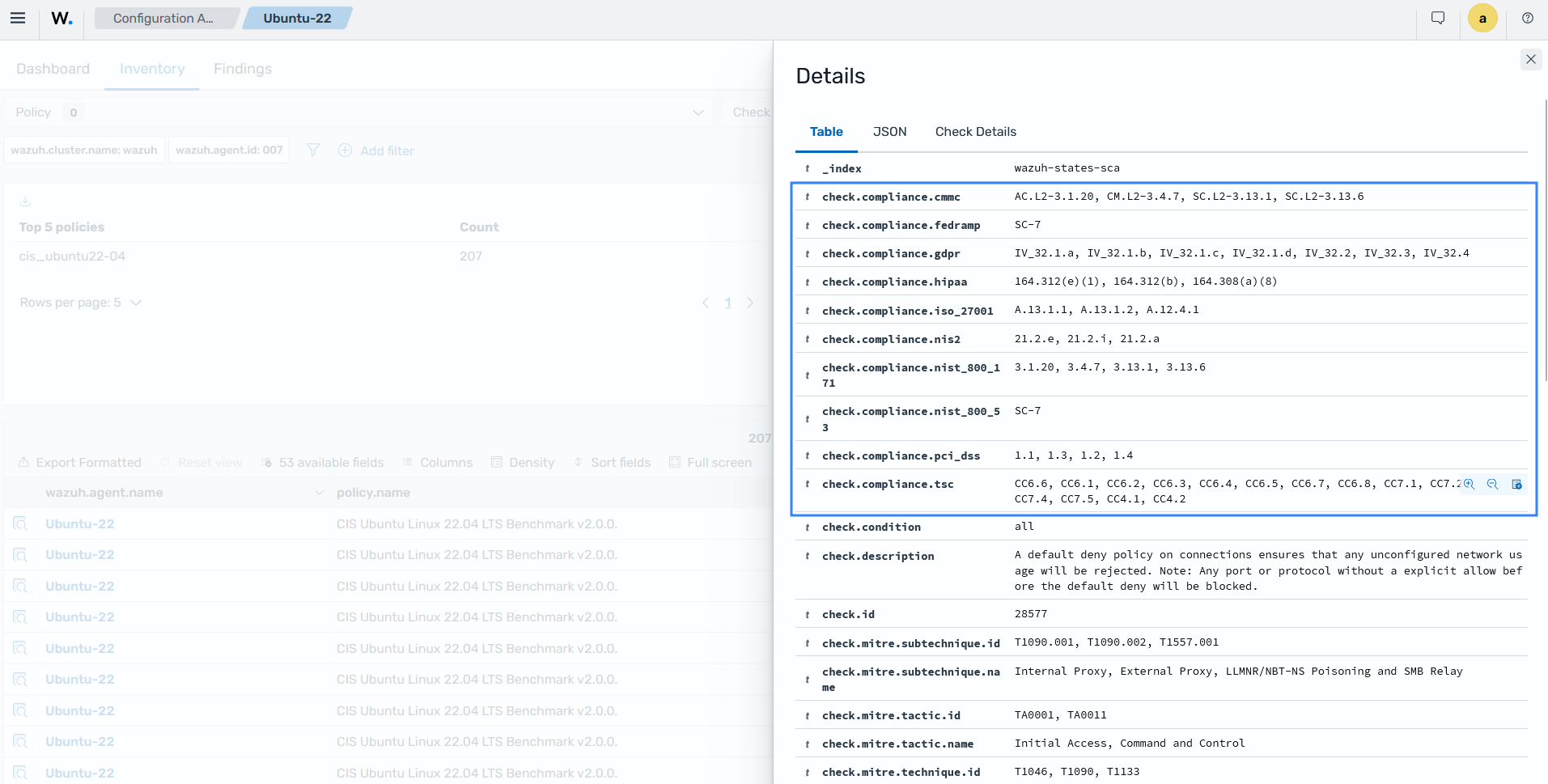
The finding details show the compliance requirements mapped to the detected activity, including PCI DSS, HIPAA, NIST SP 800-53, ISO 27001, and NIS2.
Monitoring file integrity for compliance evidence
File Integrity Monitoring (FIM) helps organizations monitor changes to critical files and directories. It detects file creation, modification, and deletion events and can record changes to file permissions, ownership, and other attributes. FIM also supports who-data collection, which identifies the user and process responsible for file changes. This information helps security teams investigate unauthorized changes and maintain evidence of configuration activity.
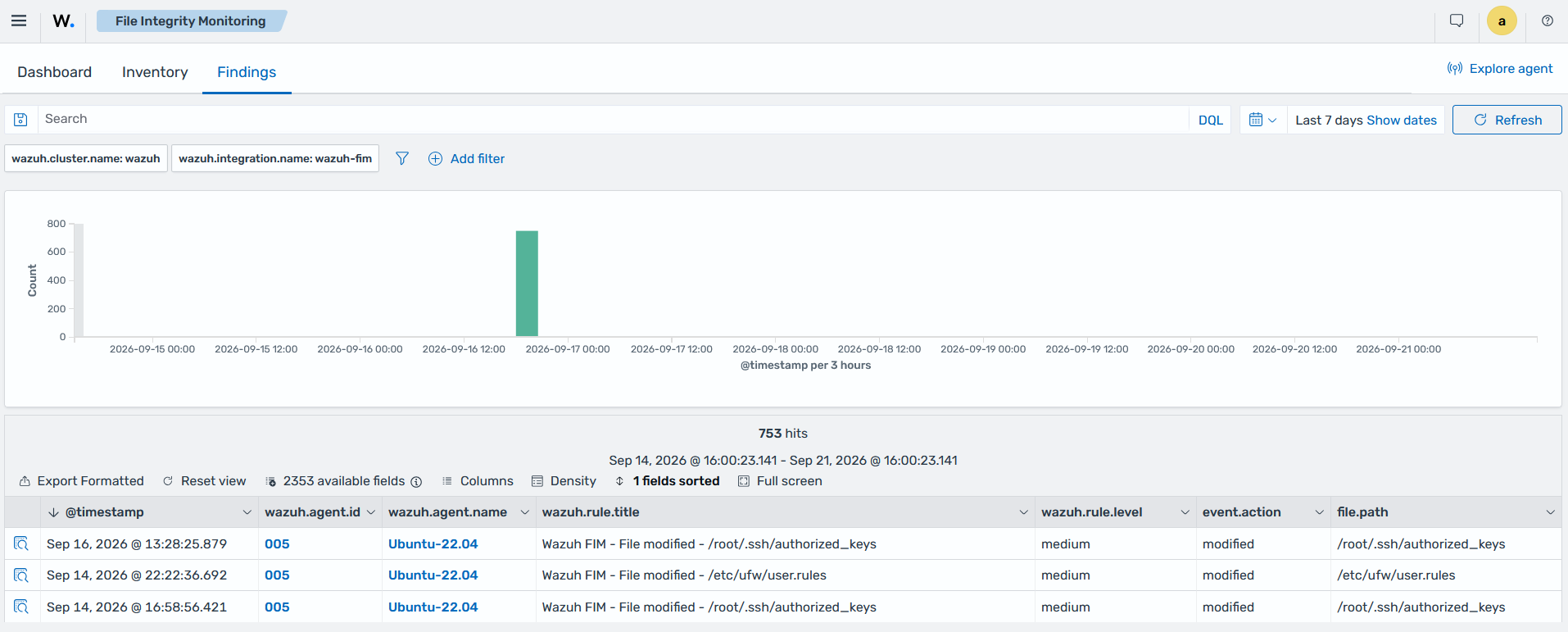
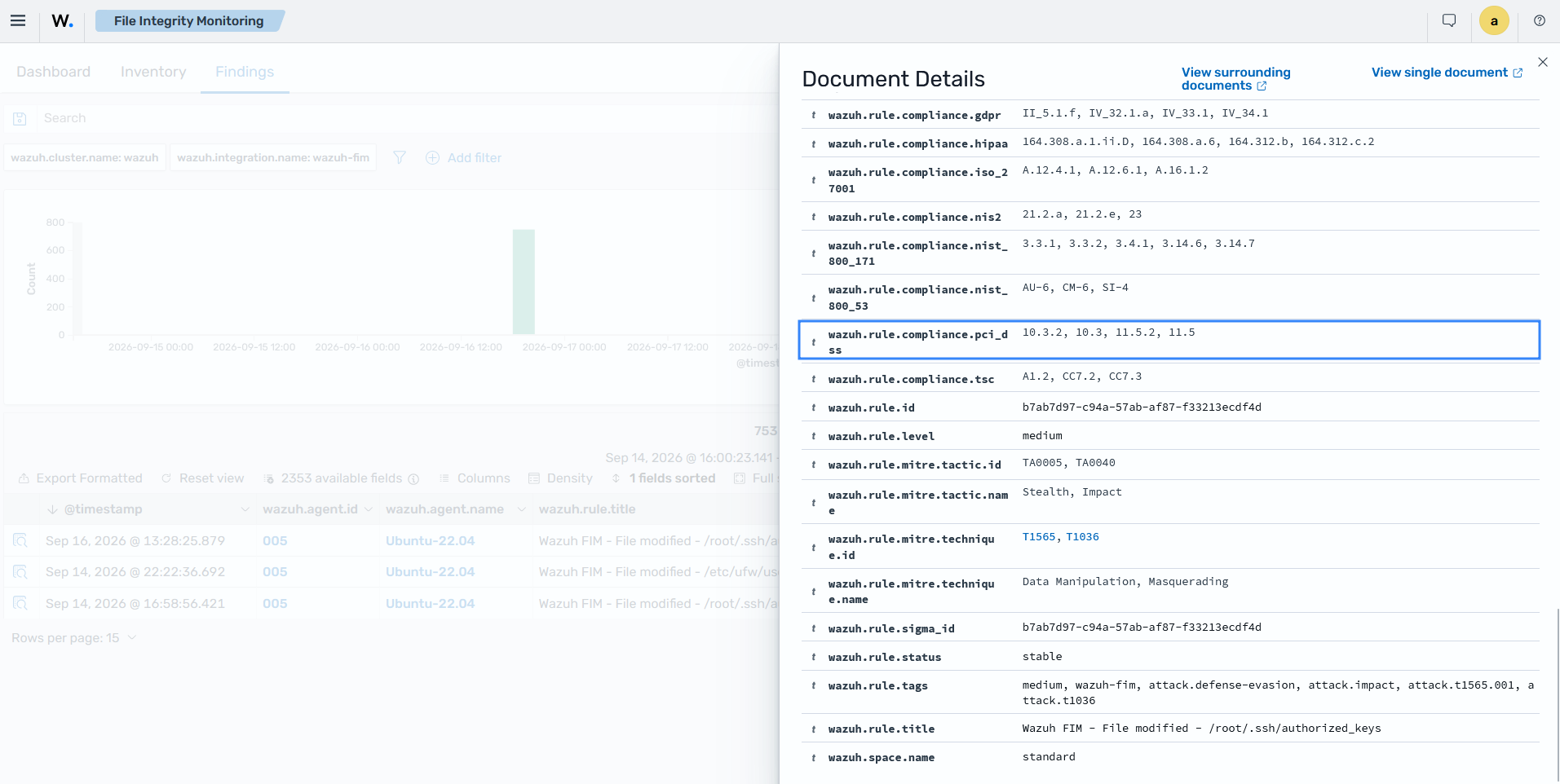
For example, organizations can monitor firewall configuration files to detect unauthorized changes. FIM supports controls such as PCI DSS 11.5.2, which requires mechanisms to detect unauthorized changes to critical files.
The Wazuh dashboard shows a file integrity finding when a change to a monitored configuration file is detected, helping security teams investigate changes and maintain records for compliance activities.
The finding details show the file integrity event and its mapped compliance requirements, including PCI DSS 11.5.2 for monitoring unauthorized file changes.
Identifying software vulnerabilities
Vulnerability detection helps organizations identify vulnerable software installed on monitored endpoints. Wazuh collects software inventory from agents and correlates installed packages with vulnerability intelligence to identify known vulnerabilities.
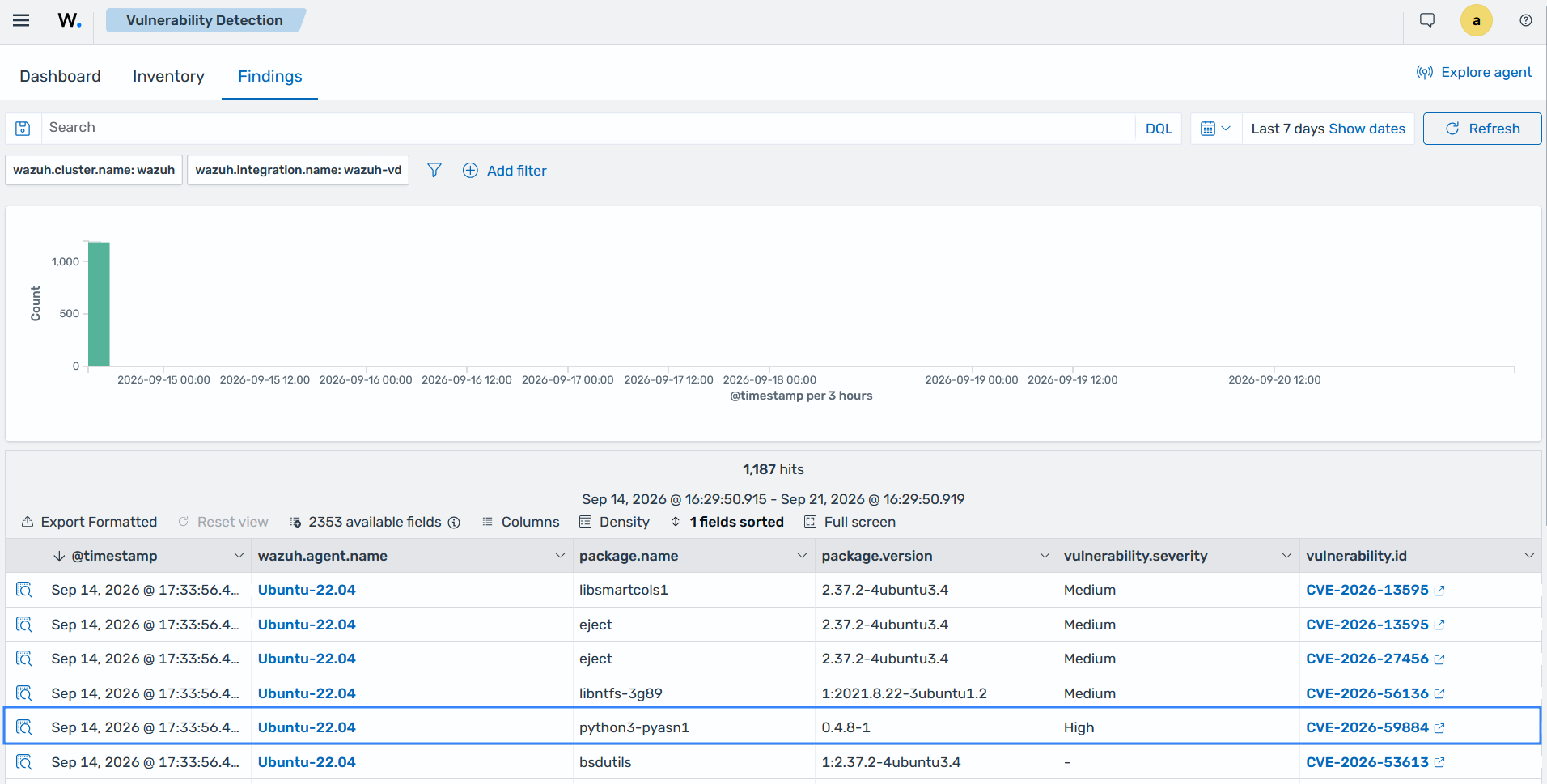
For example, an organization can use vulnerability findings to identify endpoints running software affected by a known CVE. Security teams can investigate the affected assets, prioritize remediation, and maintain evidence of vulnerability management activities.
The Wazuh dashboard shows a vulnerability finding for installed software, including the mapped compliance requirements associated with vulnerability management.
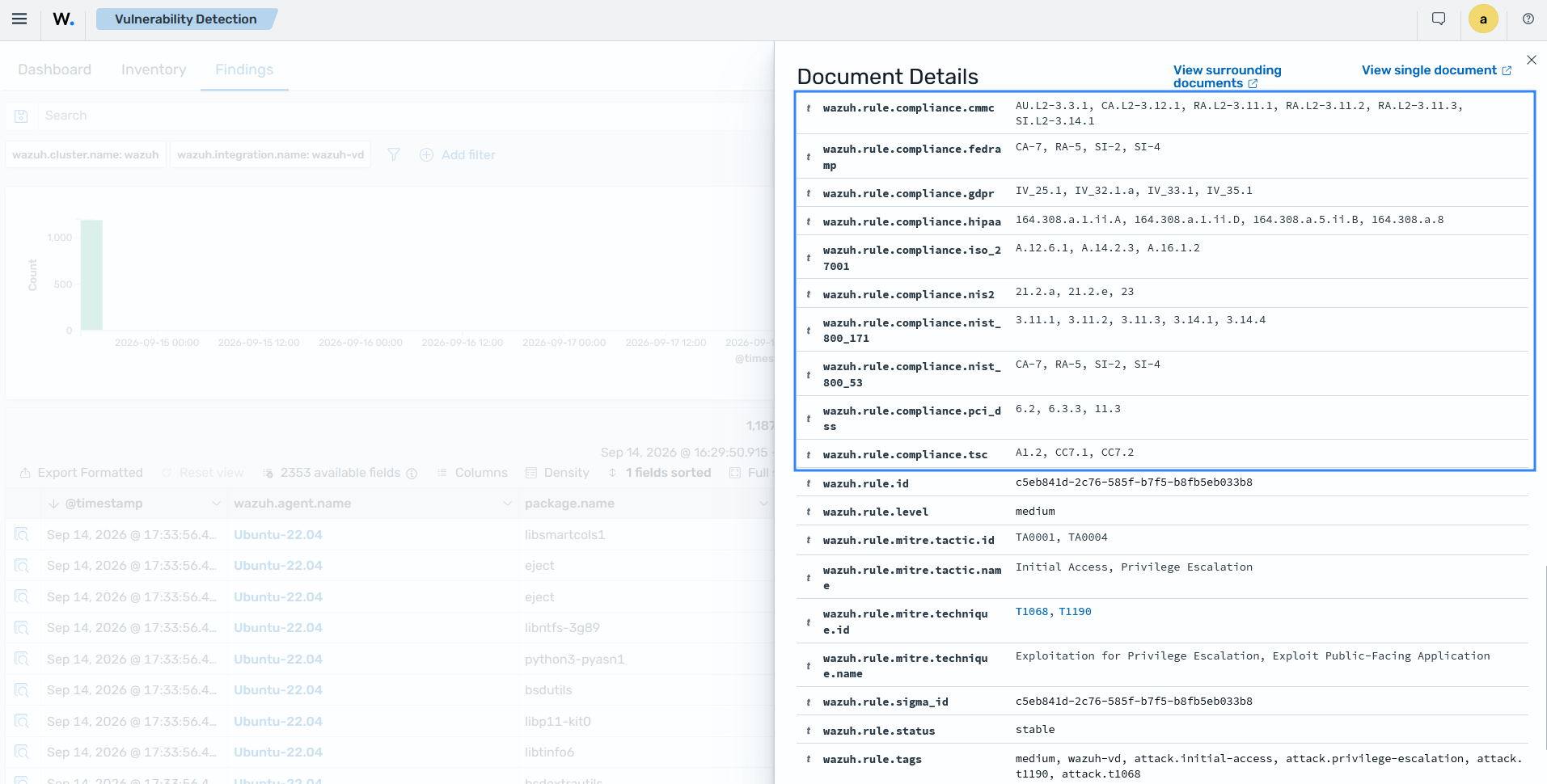
The finding details show the compliance requirements mapped to the detected activity, including PCI DSS, HIPAA, NIST SP 800-53, ISO 27001, NIS2, CMMC, FedRAMP, GDPR, and TSC.
Monitoring security events
Wazuh collects and analyzes operating system, application, and security logs from monitored systems. It can also receive data from network devices and applications through supported integrations and syslog sources.
Wazuh detection rules identify security events such as authentication failures, privilege changes, suspicious activity, system errors, and policy violations. These rules carry compliance mappings such as PCI DSS 10.x, HIPAA 164.312(b), and NIST SP 800-53 AU controls. Security teams can use the mappings to search for the security findings that relate to a specific requirement.
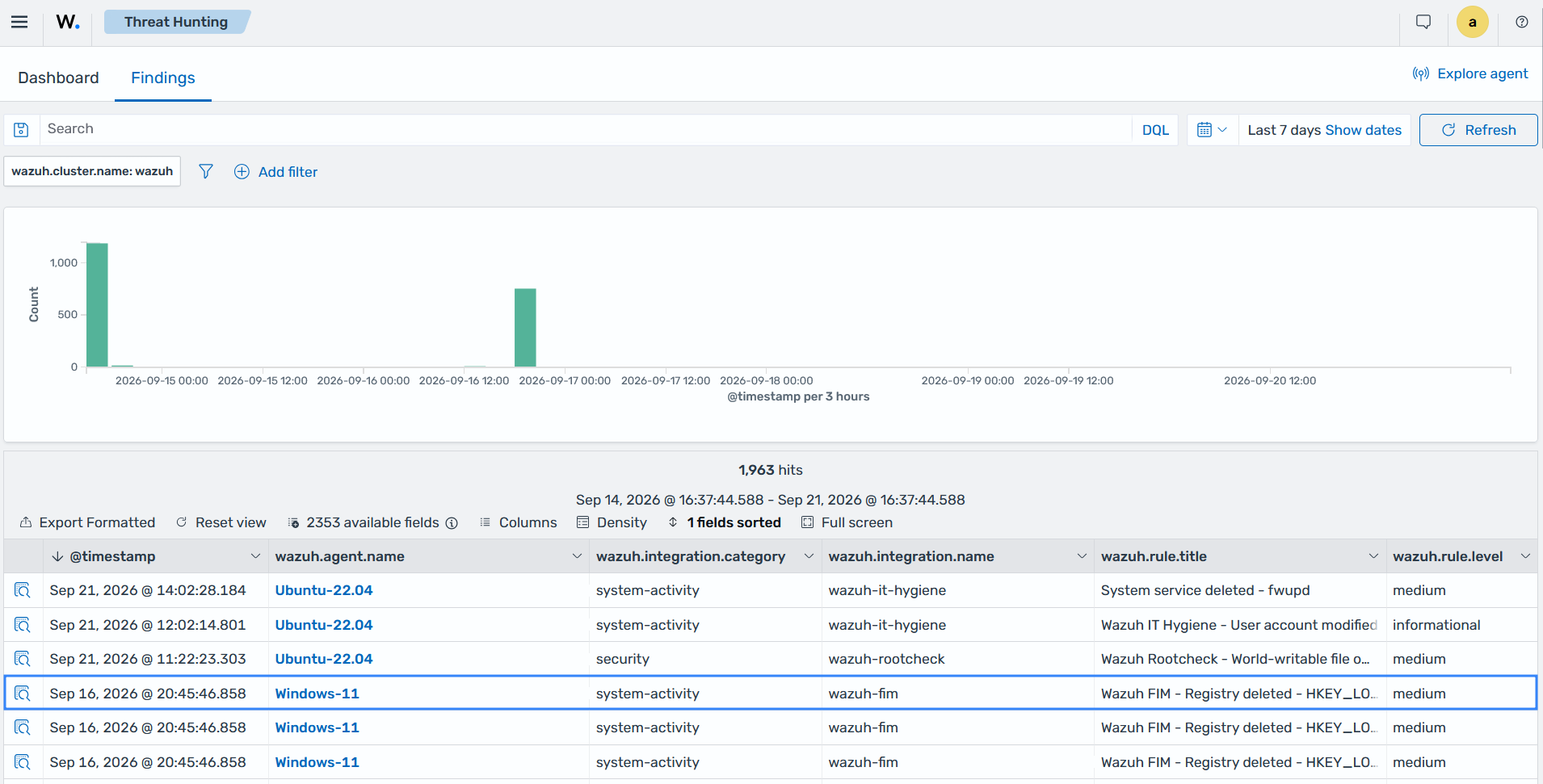
The Wazuh dashboard shows a finding for a deleted registry key on a Windows endpoint.
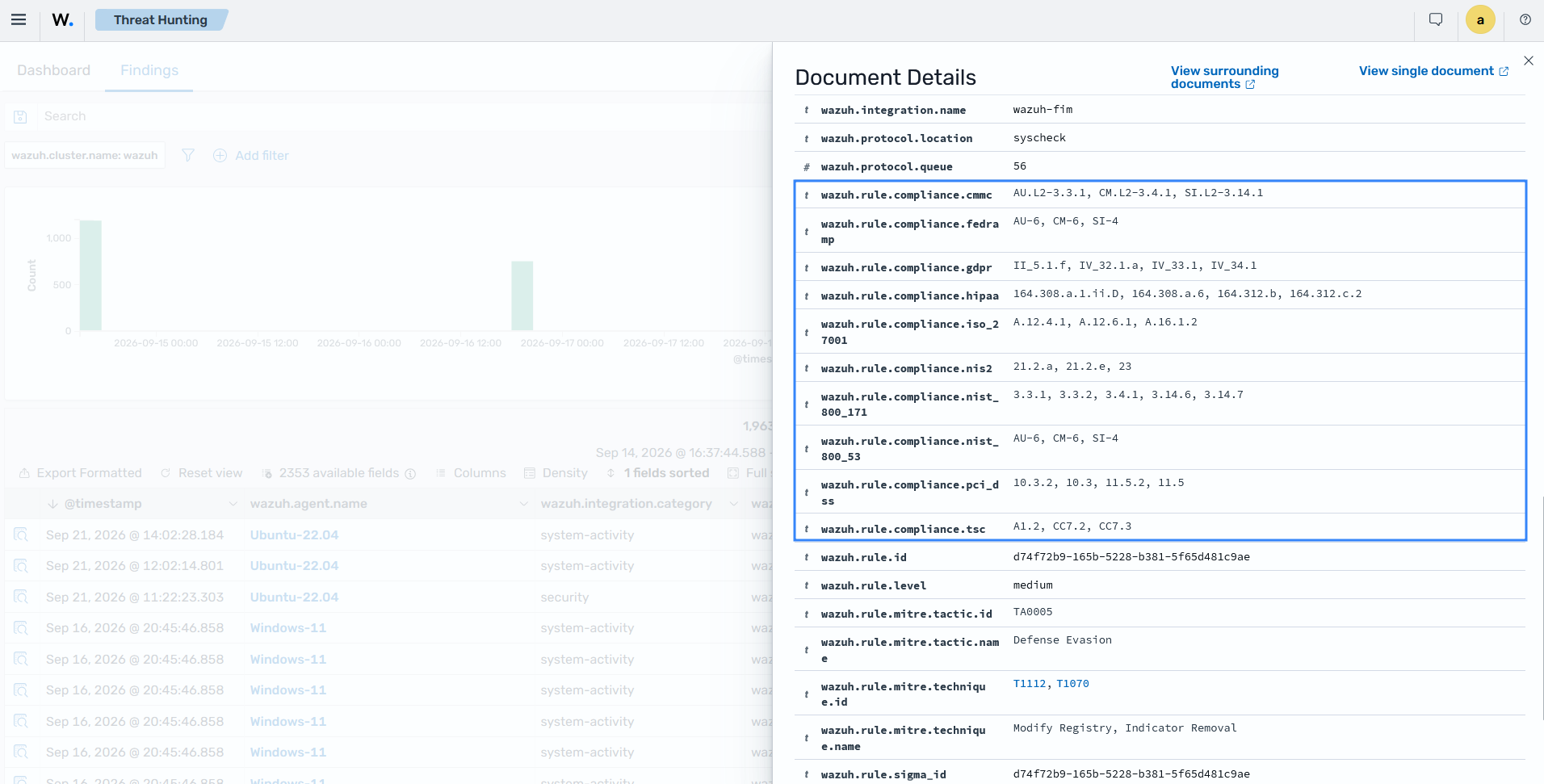
The finding details show the compliance requirements mapped to the detected activity, including PCI DSS, HIPAA, NIST SP 800-53, ISO 27001, NIS2, and others.
Detecting malware and indicators of compromise
Wazuh helps detect malware by analyzing endpoint activity, file changes, logs, and indicators of compromise. FIM can identify changes to monitored files, while threat intelligence can be used to compare file hashes and other observables against known indicators.
Security teams can combine malware detection with active response to automate configured actions when specific detection conditions are met.
Supporting compliance reporting
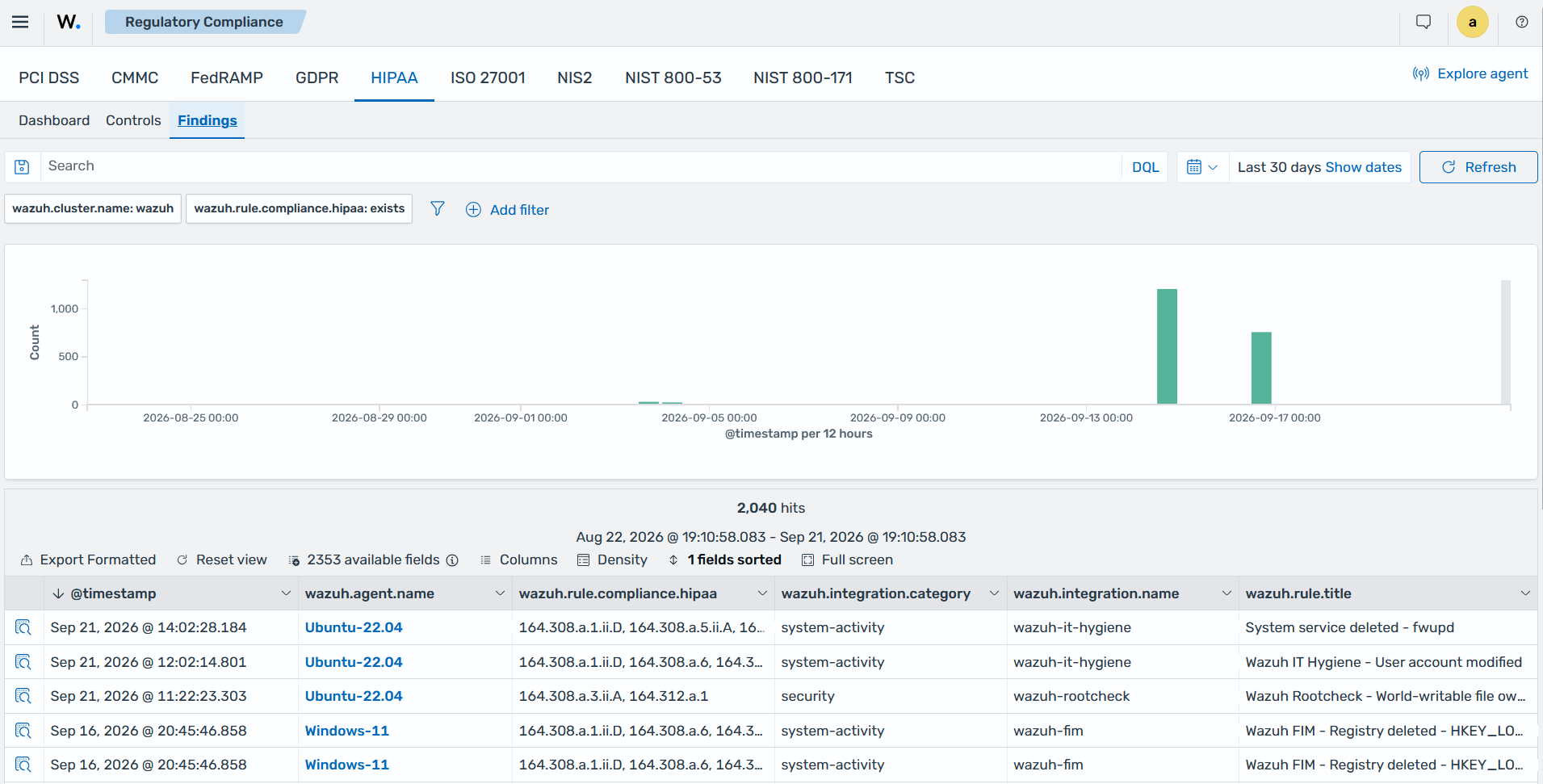
The Wazuh dashboard provides visibility into security findings and their associated compliance mappings. Security teams can filter findings by compliance framework or requirement to investigate violations and assess the security controls associated with those requirements.
Compliance mappings provide technical evidence that can support compliance activities, but they do not by themselves establish compliance. Organizations must also implement the required administrative, physical, and procedural controls and maintain appropriate evidence.
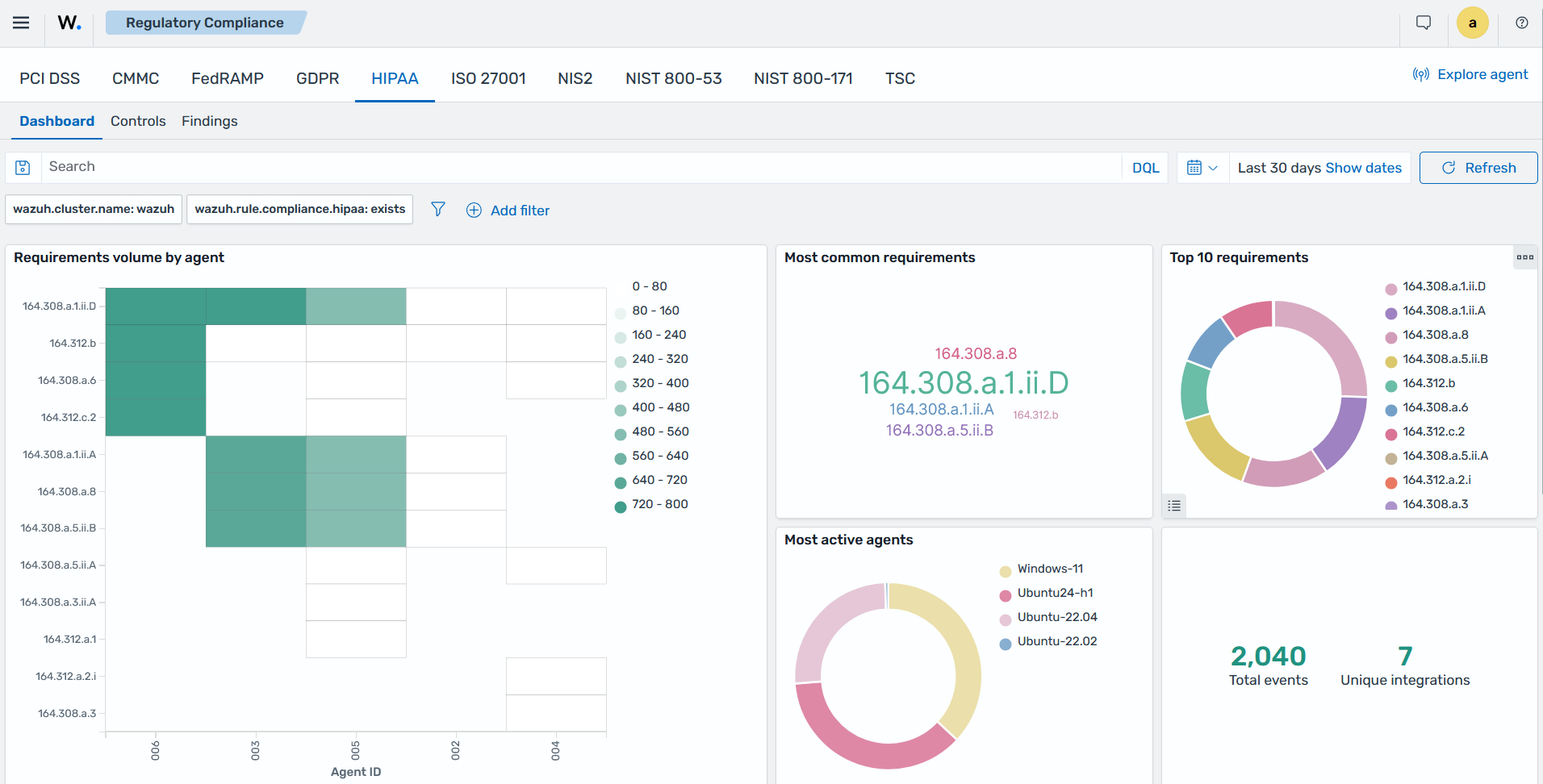
For example, security teams can review findings mapped to PCI DSS, HIPAA, NIST SP 800-53, or others. The associated endpoint, security event, and detection details can provide technical evidence for compliance assessments.