Log data analysis
The Wazuh log data analysis module collects and analyzes logs from multiple sources, such as applications, systems, network devices, and cloud workloads. This data helps in resource monitoring, threat detection, and automated response.
The Wazuh log data analysis module helps you comply with the following NIST 800-53 controls:
IA-4 Identifier management: "Common device identifiers include Media Access Control (MAC) addresses, Internet Protocol (IP) addresses, or device-unique token identifiers. The management of individual identifiers is not applicable to shared system accounts. Typically, individual identifiers are the usernames of the system accounts assigned to those individuals. In such instances, the account management activities of AC-2 use account names provided by IA-4. Identifier management also addresses individual identifiers not necessarily associated with system accounts. Preventing the reuse of identifiers implies preventing the assignment of previously used individual, group, role, service, or device identifiers to different individuals, groups, roles, services, or devices."
SI-4 System monitoring: "System monitoring includes external and internal monitoring. External monitoring includes the observation of events occurring at external interfaces to the system. Internal monitoring includes the observation of events occurring within the system. Organizations monitor systems by observing audit activities in real-time or by observing other system aspects such as access patterns, characteristics of access, and other actions. The monitoring objectives guide and inform the determination of the events. System monitoring capabilities are achieved through a variety of tools and techniques, including intrusion detection and prevention systems, malicious code protection software, scanning tools, audit record monitoring software, and network monitoring software."
The above NIST 800-53 controls require you to monitor system activities in your organization. Analysis of these activities helps you keep track of security incidents and occurrences within your infrastructure. The Wazuh log data analysis module analyzes logs and generates findings when it detects suspicious activities.
Use case
Detect failed authentication on Windows endpoints
Wazuh detects failed logon attempts on a monitored Windows endpoint, which is the observation of access patterns that SI-4 System monitoring requires. In this scenario, Wazuh detects failed logon attempts on a monitored Windows 11 endpoint.
Note
Remote Desktop hosting is not available on every Windows edition. Confirm the endpoint's edition supports it before you continue.
Select Start > Settings > System > Remote Desktop, and turn on Remote Desktop to enable RDP on the Windows 11 endpoint.
Open the Remote Desktop Connection application from another Windows endpoint on the same network.
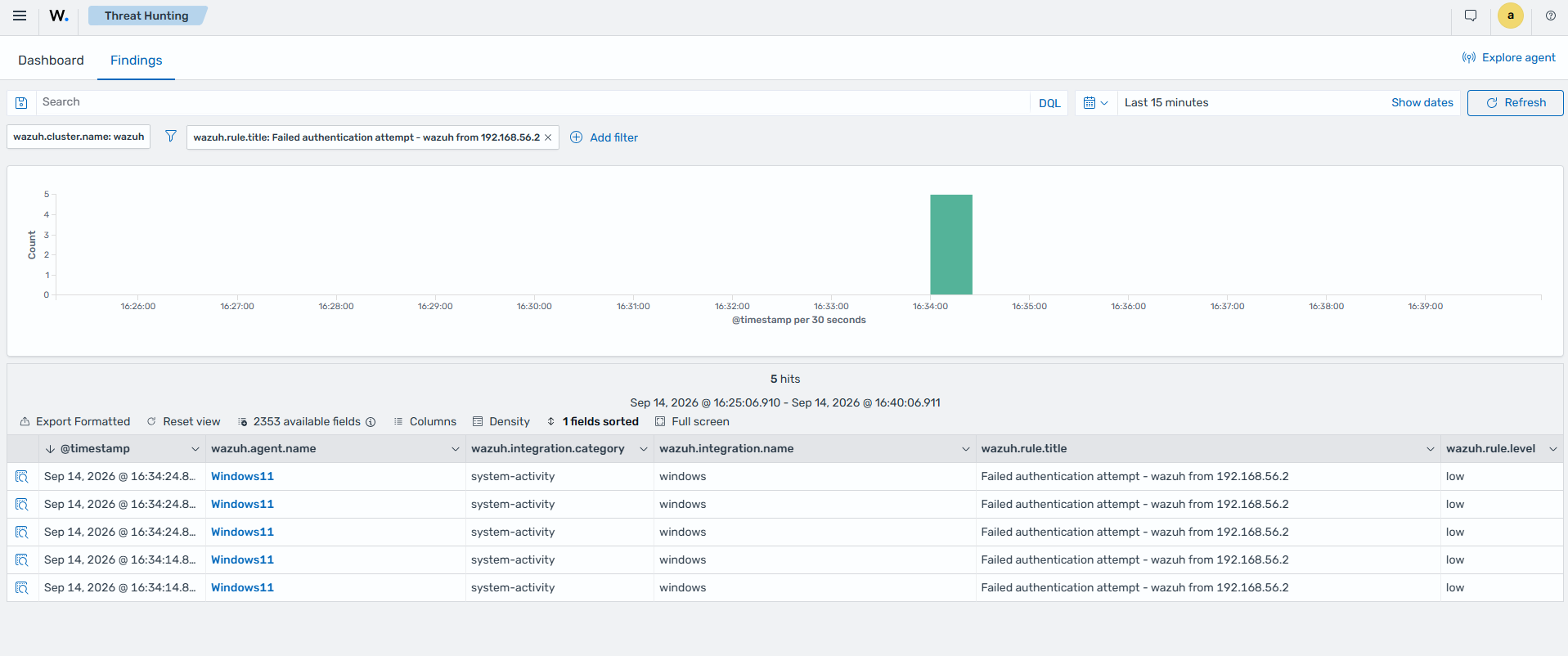
Perform five failed logon attempts against the monitored Windows endpoint.
Click the upper-left menu icon (☰) and go to Threat intelligence > Threat Hunting, then click the Findings tab.
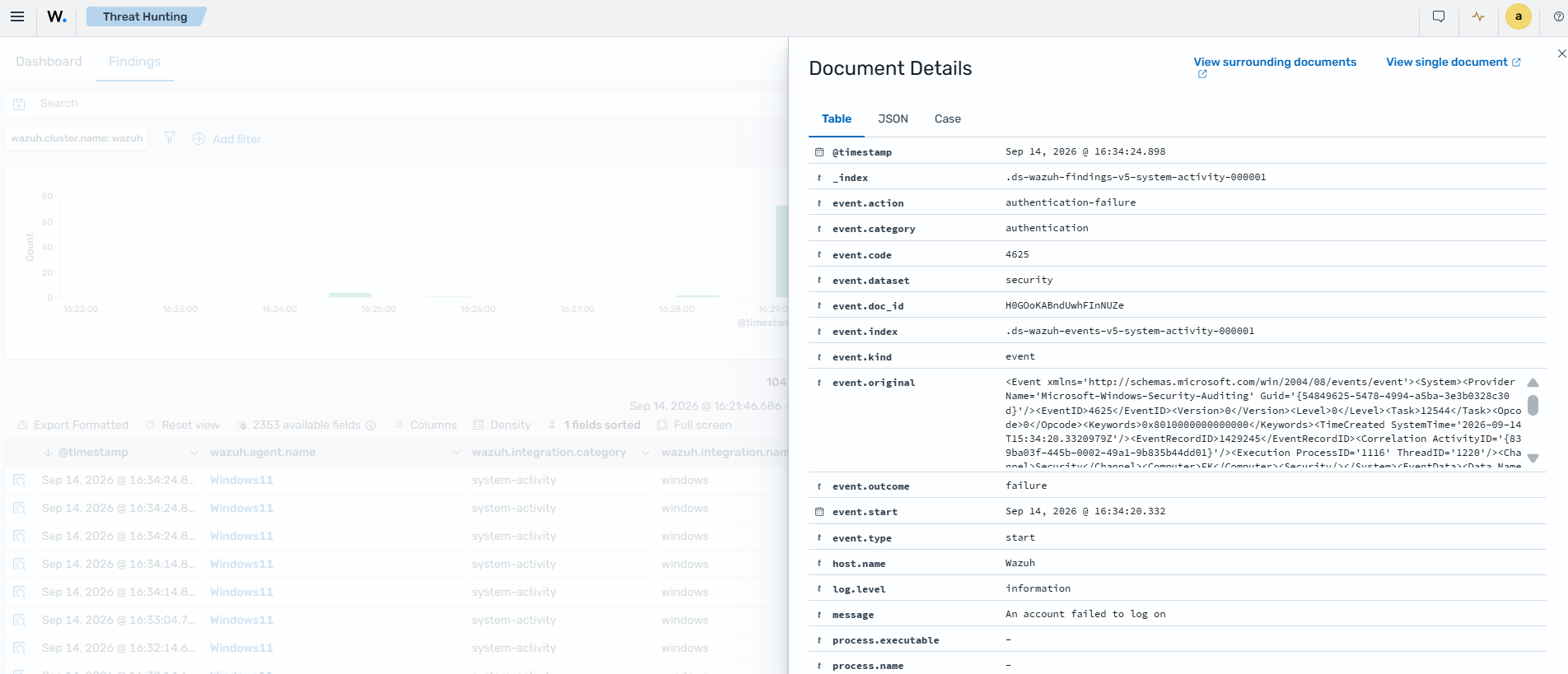
Expand one of the failed authentication findings.
Each failed attempt produces a Failed authentication attempt finding. The finding shows the target username in
user.name, the source IP address insource.ip, and the Windows event ID 4625.