Configuration assessment
Configuration assessment verifies whether endpoints comply with predefined configuration requirements and approved application usage. It compares endpoint configurations against industry standards and organizational policies to identify misconfigurations.
Regular configuration assessments help you maintain a secure and compliant environment. They surface weaknesses early, so you remediate them before attackers exploit them and before they grow into security incidents.
Wazuh SCA module
Wazuh provides a Security Configuration Assessment (SCA) module that scans endpoints for configuration issues. The Wazuh agent evaluates each endpoint against SCA policy files that contain predefined checks.
Wazuh includes SCA policies based on CIS Benchmarks by default. These policies provide security configuration checks based on recommended system-hardening practices.
The SCA module supports:
Security posture management: Identifies configuration issues that can weaken endpoint security.
Compliance monitoring: Assesses endpoint configurations against regulatory requirements, security standards, and organizational policies.
Continuous monitoring: Periodically evaluates endpoint configurations and reports changes in the assessment results.
Wazuh SCA policies
The Wazuh SCA module uses policies written in YAML format. Each policy contains checks, and each check contains one or more rules. These rules examine endpoint attributes such as files, directories, Windows registry keys, and running processes. In Wazuh 5.0, the module evaluates regular expressions in rules with Perl Compatible Regular Expressions (PCRE2). Each check has a unique numeric id, and its name field is the canonical check name.
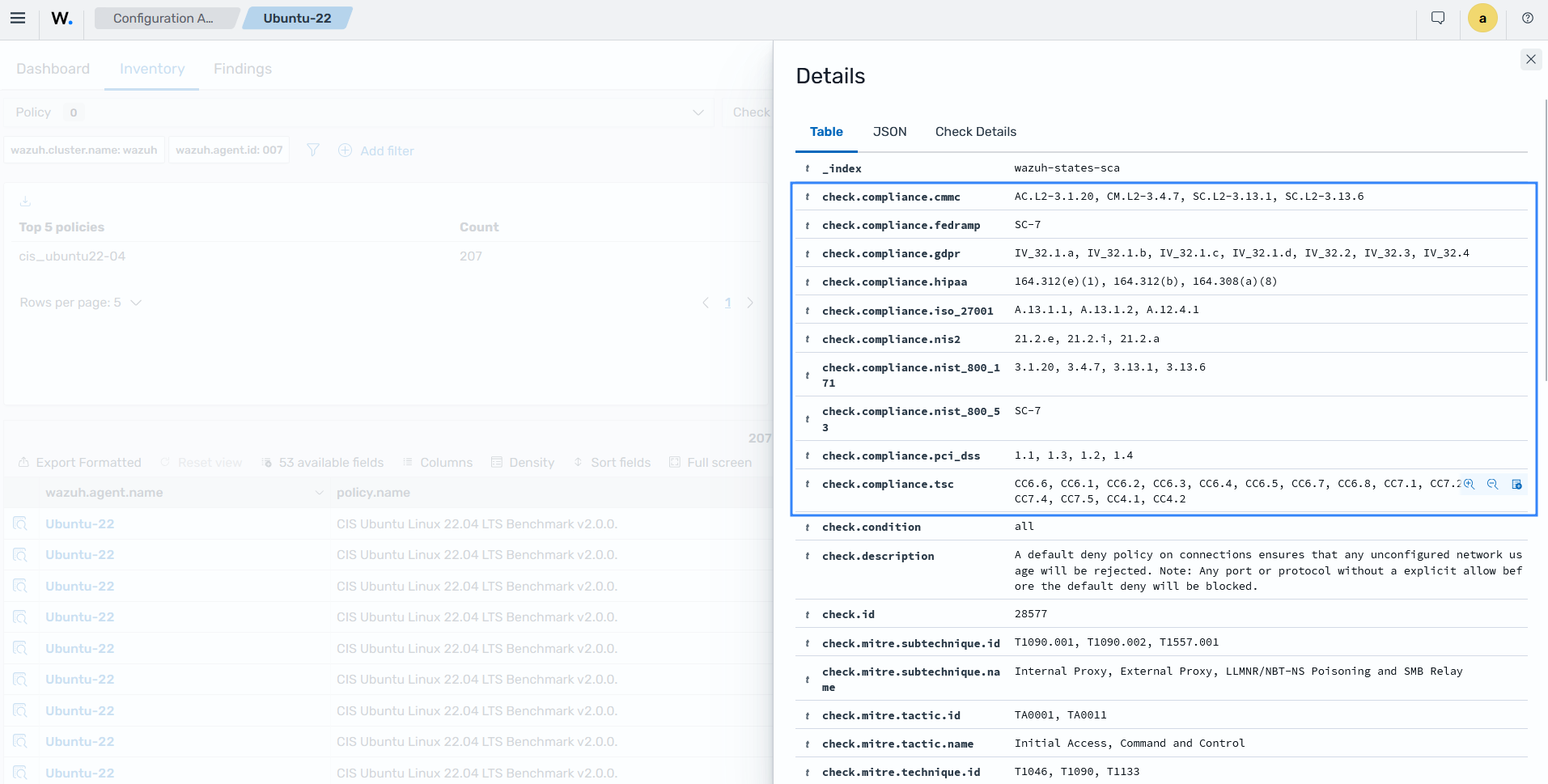
Each check can include compliance metadata in a compliance object with the cmmc, fedramp, gdpr, hipaa, iso_27001, nis2, nist_800_171, nist_800_53, pci_dss, or tsc object. MITRE ATT&CK data is stored separately in the mitre object, which contains tactic, technique, and subtechnique keys.
By default, the Wazuh agent scans every policy file with a .yaml or .yml extension in the ruleset/sca directory. The ruleset directory is located at the following paths:
Linux and Unix-based agents:
/var/ossec/ruleset/scaWindows agents:
C:\Program Files (x86)\ossec-agent\ruleset\scamacOS agents:
/Library/Ossec/ruleset/sca
Wazuh also lets you create custom policies to assess endpoints against your organization's security requirements.
Viewing SCA results
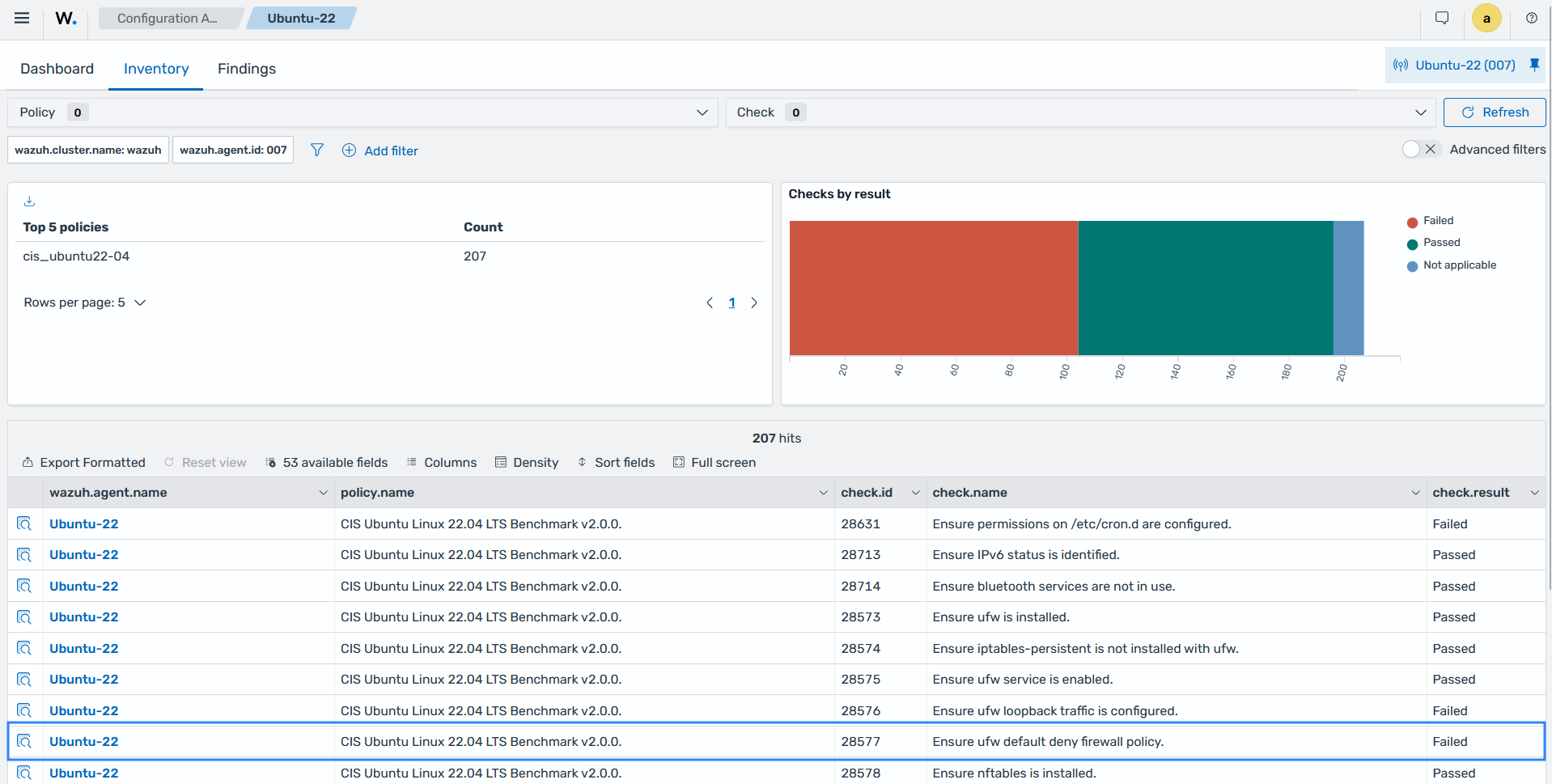
The Wazuh dashboard has a Configuration Assessment section that allows you to view SCA scan results for each monitored endpoint.
Hardening endpoints against CIS Benchmarks
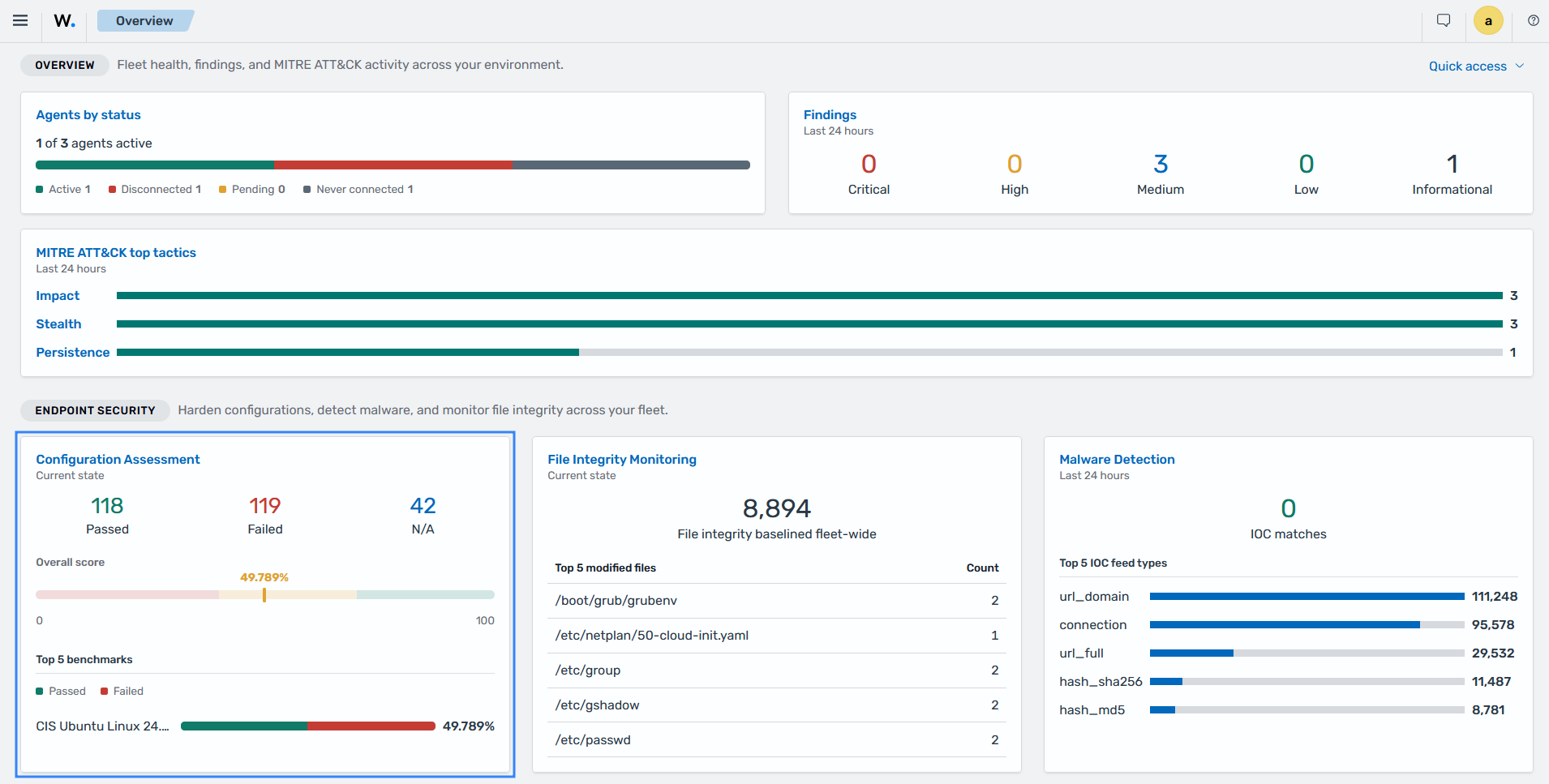
The SCA module ships stock policies based on the CIS Benchmarks, which define best practices for establishing a secure baseline configuration. The Wazuh agent evaluates each endpoint against the policy for its operating system. It reports which checks passed and failed, and a score calculated from the results.
Each failed check includes a rationale, a description, and remediation steps. You apply the remediation, and the next scan confirms the fix by changing the check result to Passed. The score gives you a measurable hardening level per endpoint and across your fleet.
By using the Wazuh SCA module, you can identify and remediate misconfigurations and verify that your endpoints comply with industry best practices. This approach helps strengthen your security posture and reduce the risk of security incidents.
Interpreting SCA results
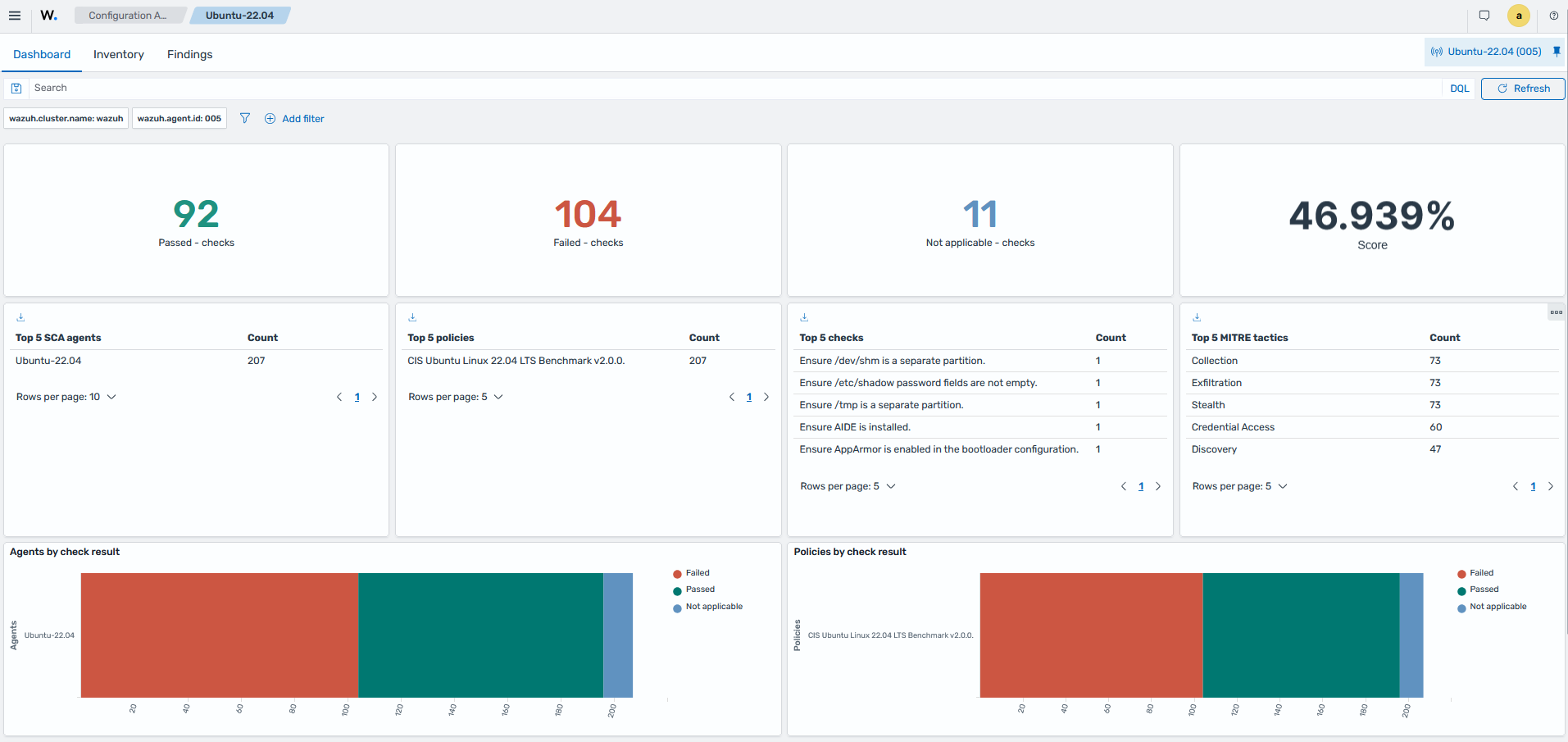
The following Wazuh dashboard image shows the results of the policy based on the CIS Benchmark for Ubuntu Linux 22.04 LTS. The scan evaluated 207 checks on the Ubuntu 22.04 endpoint: 92 passed, 104 failed, and 11 were not applicable. The dashboard shows a score of 46.939%, calculated as the 92 passed checks divided by the 196 applicable checks.
The following images show the description, rationale, and remediation steps for SCA check 28653 in the CIS Benchmark policy for Ubuntu Linux 22.04 LTS.
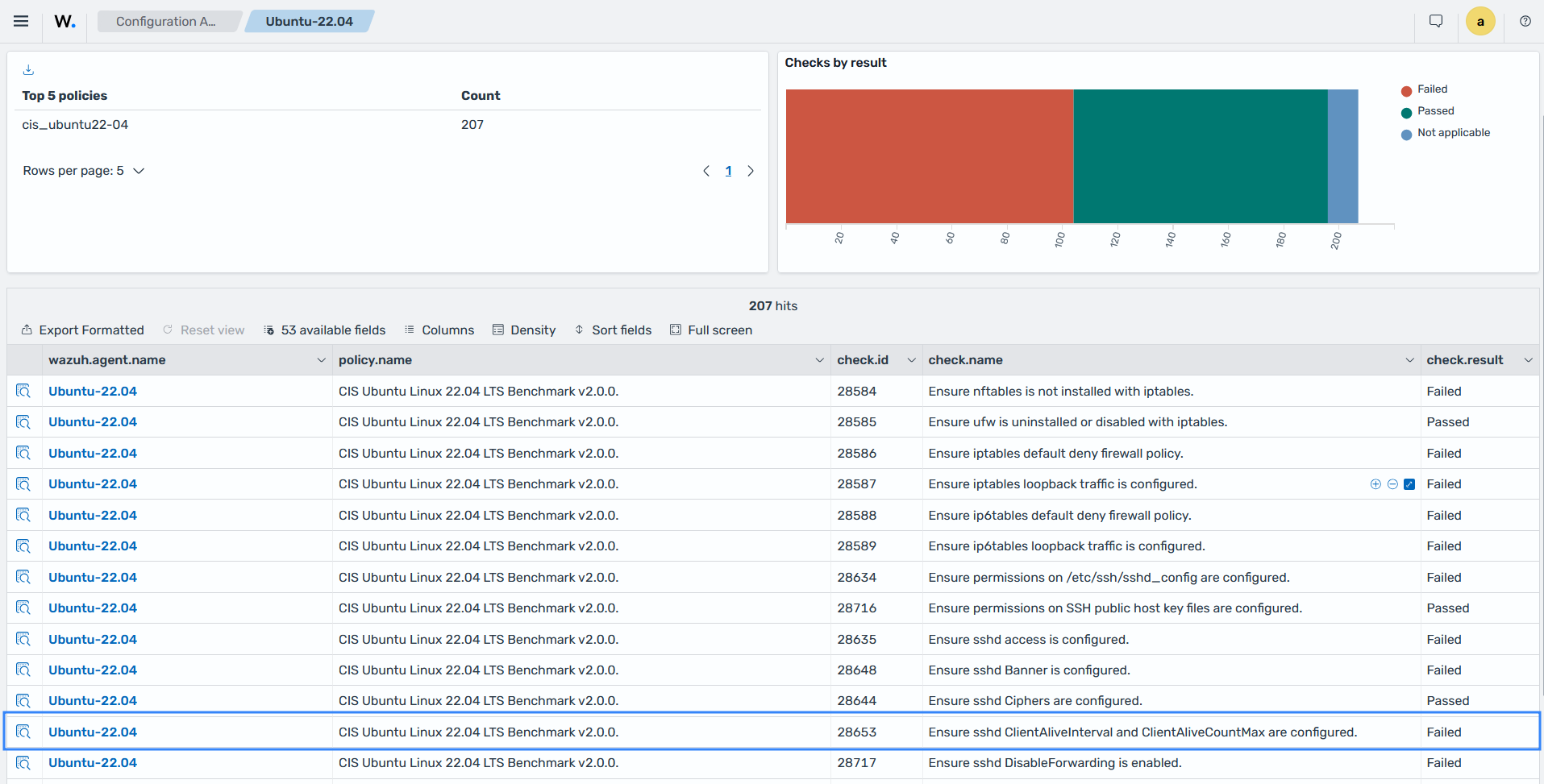
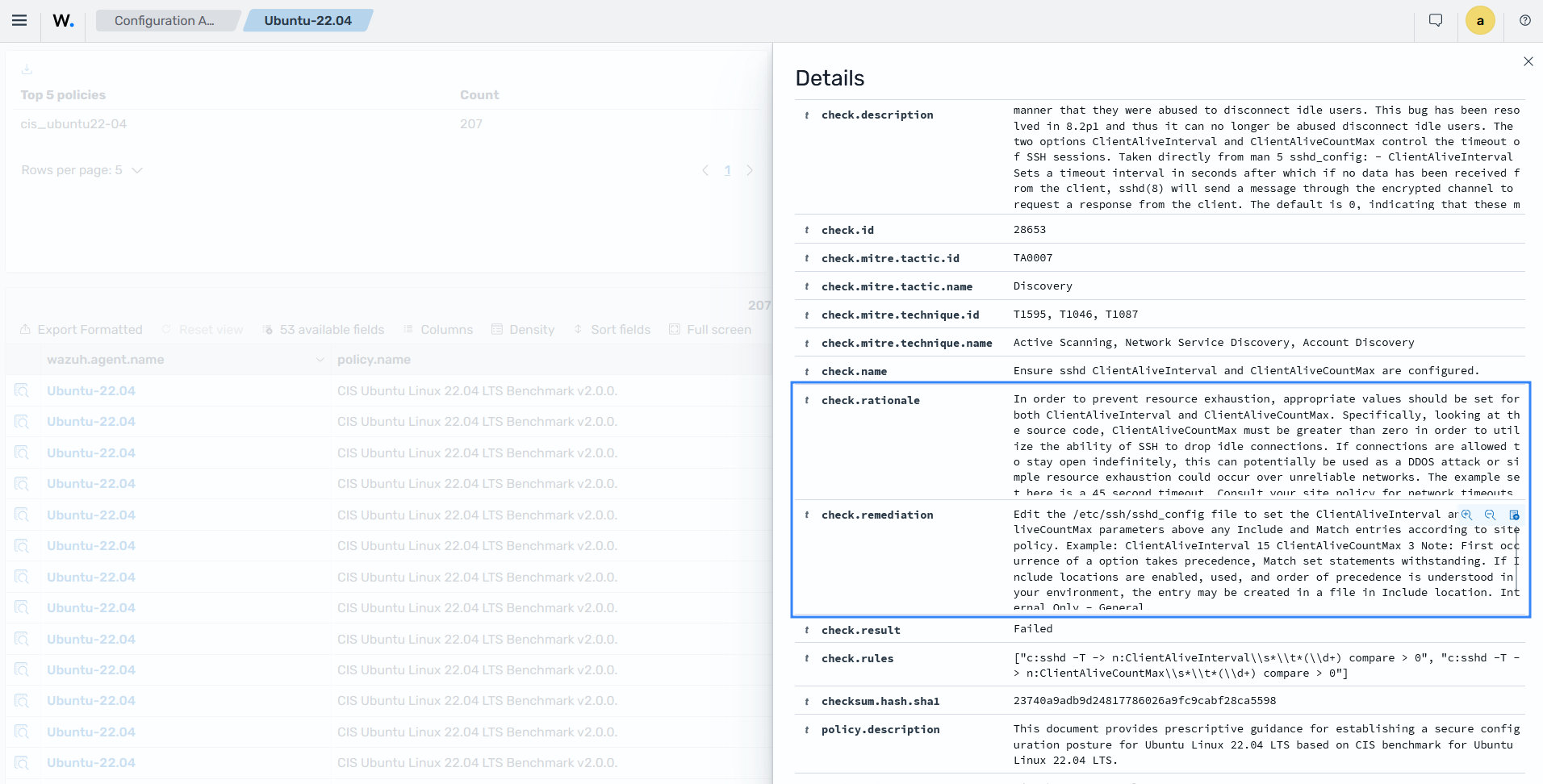
The above SCA scan result shows a Failed status because the ClientAliveInterval and ClientAliveCountMax settings for SSH are not configured. After you implement the remediation, the result changes to Passed, which improves the security of the endpoint.
Implementing SCA remediation steps
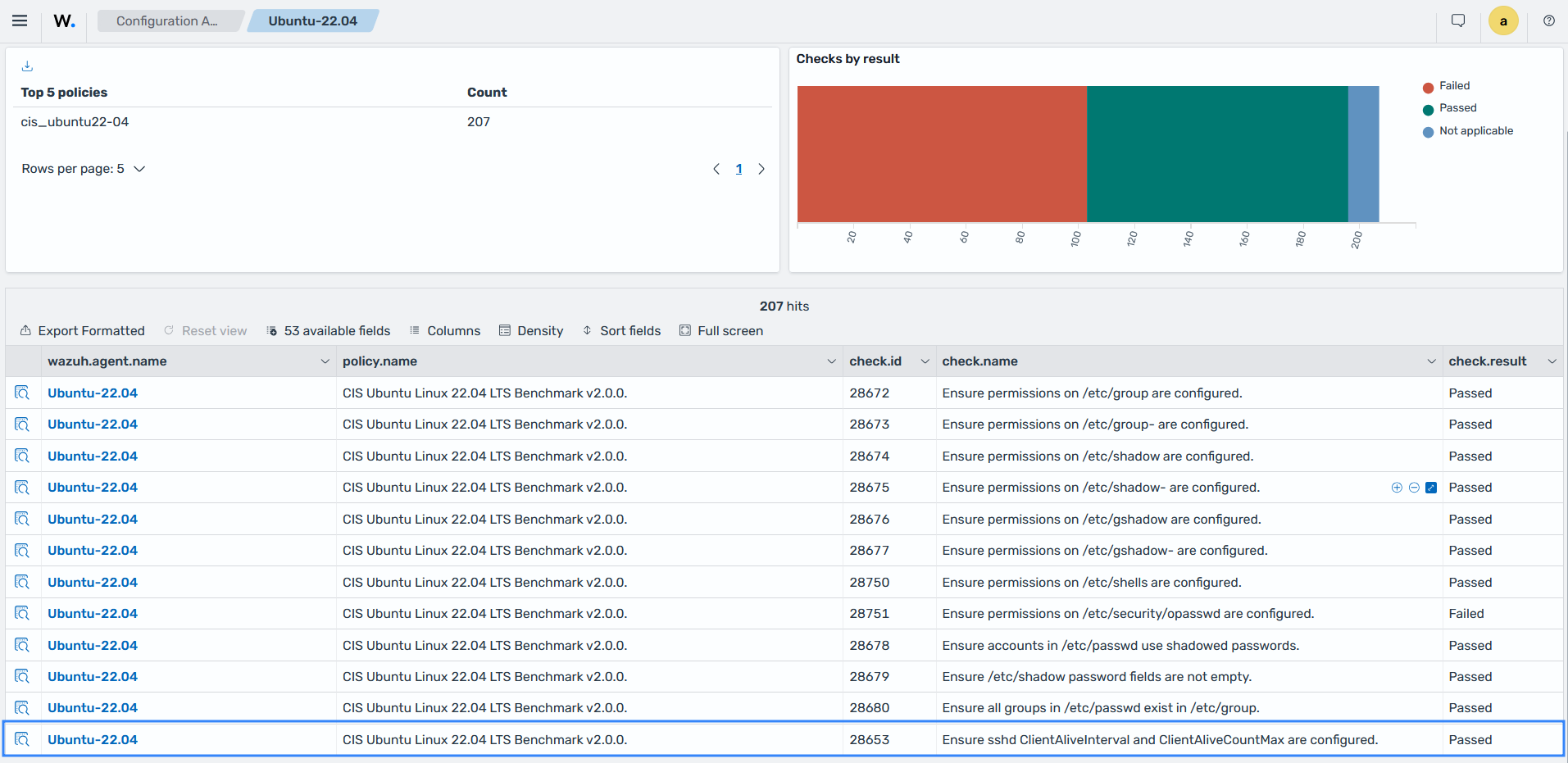
In the previous example, the remediation sets the ClientAliveInterval and ClientAliveCountMax options in the /etc/ssh/sshd_config file, which improves the endpoint security. The image below shows that check ID 28653 now has a Passed status.
Enforcing internal security policies with custom checks
Industry benchmarks might not cover requirements specific to your organization, such as required agent software, prohibited services, or internal password policies. You can create custom SCA policies in YAML. Each check contains rules that use Perl Compatible Regular Expressions (PCRE2) to evaluate files, directories, processes, registry keys, and command output.
Store custom policies in an administrator-managed directory outside the package-managed ruleset directory, and reference the directory in the SCA configuration. A custom policy assigned through shared agent groups applies the same organizational requirements to every endpoint in the group. Command rules in a shared policy run only when the sca.remote_commands internal option is enabled on the Wazuh agent.
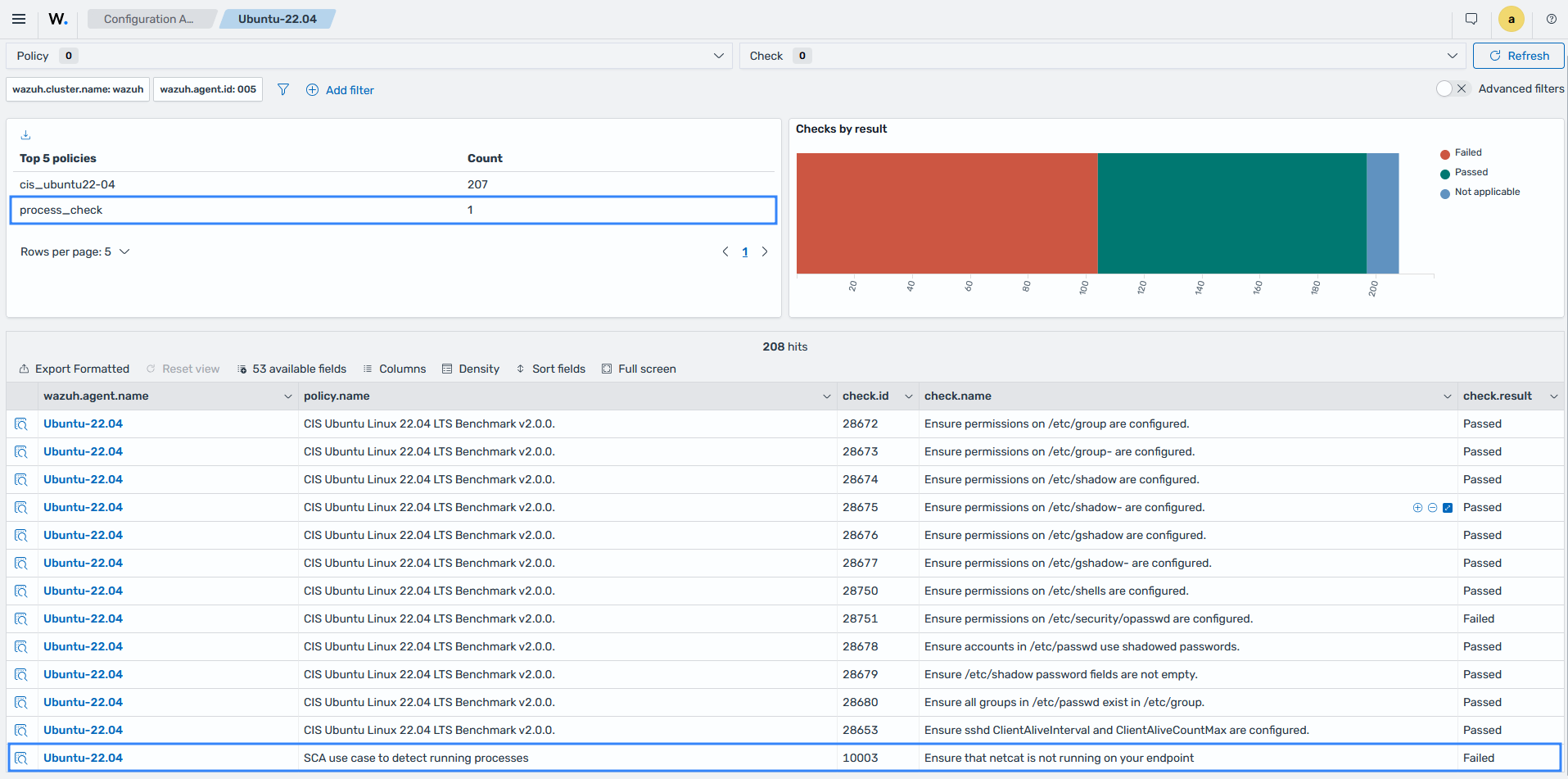
For example, the custom SCA policy process_check checks whether Netcat is running on an endpoint and marks the check as Failed when it is detected. The Configuration Assessment section of the Wazuh dashboard displays the policy and its check, as shown below.
Demonstrating regulatory compliance
SCA checks can include compliance metadata that maps them to requirements in supported regulatory frameworks and security standards. A failed check identifies a configuration weakness and the associated compliance requirements.
SCA results provide evidence of the security configuration of each monitored endpoint. Security teams can review check results, compliance mappings, scores, and generated reports to assess their configuration posture and track changes after remediation.
The two images below show the check description and its remediation guidance.