Syscollector information findings
Wazuh generates findings when the system inventory of a monitored endpoint changes. Wazuh ships built-in IT Hygiene rules that detect when an item, such as a package, process, service, network interface, user, or group, is added to, modified in, or removed from the system inventory. These rules are delivered through the Wazuh CTI platform and are enabled by default.
Title |
matched event.action values |
severity |
MITRE mapping |
Description |
|---|---|---|---|---|
Software package installed - |
|
Low |
Tactics TA0003 - Persistence, TA0002 - Execution
Techniques T1072 - Software Deployment Tools, T1059 - Command and Scripting Interpreter
|
Detects when a package is added to the IT Hygiene inventory. |
Wazuh IT Hygiene - Package uninstalled |
|
Informational |
Tactics TA0007 - Discovery
Techniques T1518 - Software Discovery
|
Detects when a package is removed from the IT Hygiene inventory. |
Wazuh IT Hygiene - Package updated |
|
Informational |
Tactics TA0007 - Discovery
Techniques T1518 - Software Discovery
|
Detects when a package is updated in the IT Hygiene inventory. |
New user account |
|
Low |
Tactics TA0003 - Persistence
Techniques T1136 - Create Account
|
Detects the creation of a new user account across any platform. |
Wazuh IT Hygiene - User account modified |
|
Informational |
Tactics TA0003 - Persistence
Techniques T1098 - Account Manipulation
|
Detects modification of a user account observed by the IT Hygiene inventory. |
Wazuh IT Hygiene - Group created |
|
Informational |
Tactics TA0003 - Persistence
Techniques T1098 - Account Manipulation
|
Detects creation of a new group observed by the IT Hygiene inventory. |
Wazuh IT Hygiene - Group modified |
|
Informational |
Tactics TA0003 - Persistence
Techniques T1098 - Account Manipulation
|
Detects modification of an existing group observed by the IT Hygiene inventory. |
Wazuh IT Hygiene - Group deleted |
|
Informational |
Tactics TA0040 - Impact
Techniques T1531 - Account Access Removal
|
Detects deletion of a group observed by the IT Hygiene inventory. |
System service installed - |
|
Low |
Tactics TA0003 - Persistence
Techniques T1543 - Create or Modify System Process
|
Detects installation of a new system service or daemon. |
System service started - |
|
Informational |
Tactics TA0002 - Execution, TA0003 - Persistence
Techniques T1543 - Create or Modify System Process
|
Detects when a system service or daemon is started. |
System service stopped - |
|
Medium |
Tactics TA0005 - Stealth, TA0040 - Impact
Techniques T1489 - Service Stop, T1543 - Create or Modify System Process
|
Detects when a system service or daemon is stopped. |
System service deleted - |
|
Medium |
Tactics TA0005 - Stealth, TA0040 - Impact
Techniques T1489 - Service Stop, T1543 - Create or Modify System Process
|
Detects deletion of a system service registration. |
Wazuh IT Hygiene - Service configuration changed |
|
Informational |
Tactics TA0003 - Persistence
Techniques T1543 - Create or Modify System Process
|
Detects a change in a service or daemon configuration observed by the IT Hygiene inventory. |
Wazuh IT Hygiene - Browser extension changed |
|
Informational |
Tactics TA0003 - Persistence
Techniques T1176 - Browser Extensions
|
Detects installation, removal, or update of a browser extension observed by the IT Hygiene inventory. |
Wazuh IT Hygiene - Hotfix uninstalled |
|
Low |
Tactics TA0112 - Defense Impairment
Techniques T1685 - Disable or Modify Tools
|
Detects removal of a Windows security update (hotfix) from the IT Hygiene inventory. |
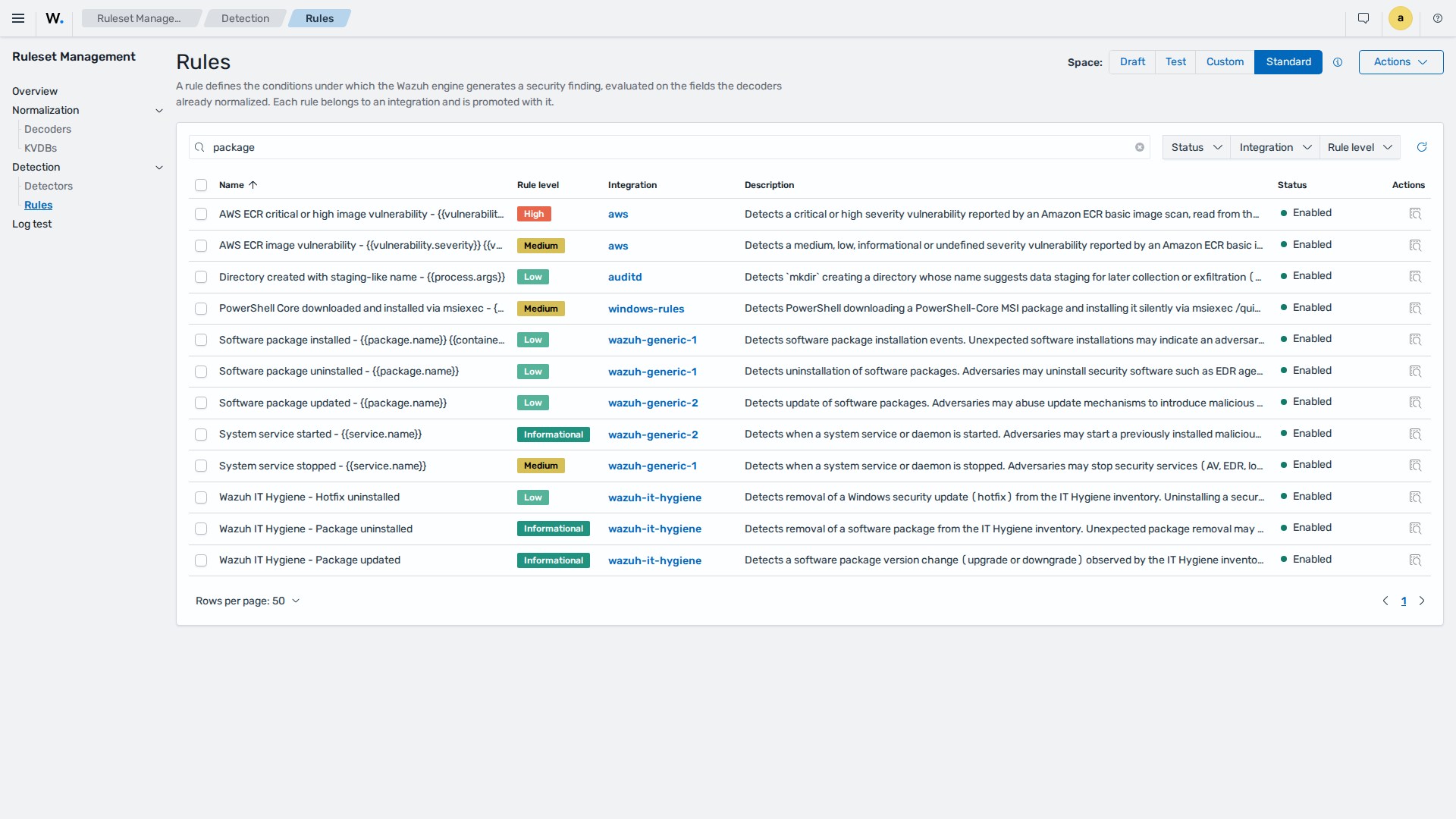
The Wazuh dashboard shows findings in the Findings tab of Security operations > IT Hygiene, and in Threat intelligence > Threat Hunting. Each finding includes the rule metadata, MITRE ATT&CK technique, and regulatory compliance mappings.
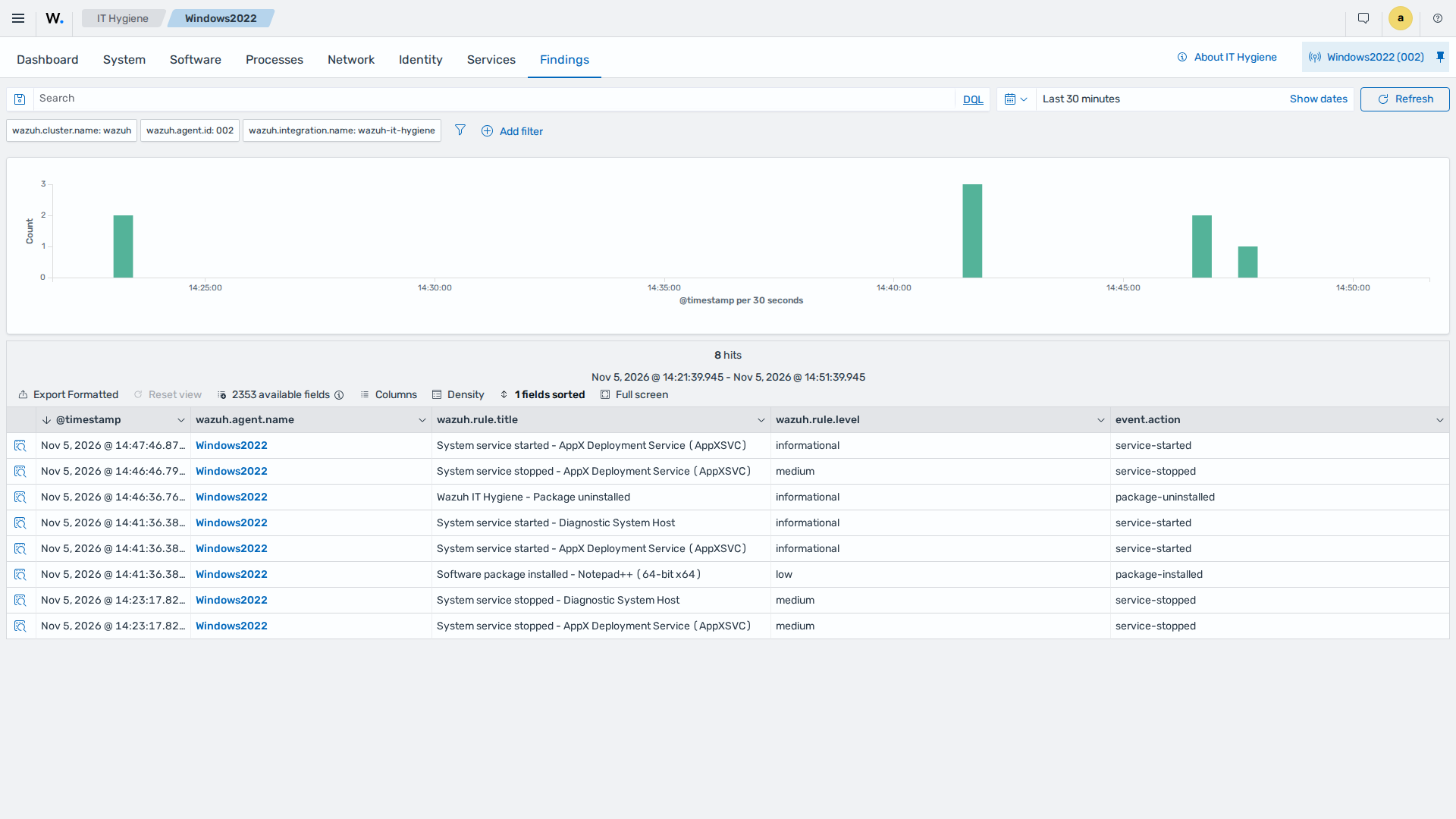
Sample finding. A "Package uninstalled" finding generated by uninstalling a package from a Windows endpoint:
{
  "_index": ".ds-wazuh-findings-v5-system-activity-000001",
  "_id": "EttmUZ8BW7rm8bj9baQR",
  "_score": null,
  "_source": {
    "wazuh": {
      "cluster": {
        "node": "node01",
        "name": "wazuh"
      },
      "protocol": {
        "location": "syscollector",
        "queue": 100
      },
      "agent": {
        "host": {
          "hostname": "Windows",
          "os": {
            "name": "Microsoft Windows 11 Pro",
            "type": "windows",
            "version": "10.0.26100.3775",
            "platform": "windows"
          },
          "architecture": "x86_64"
        },
        "name": "Windows-11",
        "groups": [
          "default"
        ],
        "id": "001",
        "version": "v5.0.0"
      },
      "integration": {
        "name": "wazuh-it-hygiene",
        "decoders": [
          "decoder/core-wazuh-message/0",
          "decoder/wazuh-it-hygiene/0"
        ],
        "category": "system-activity"
      },
      "rule": {
        "sigma_id": "fd5cbf76-0325-41a8-81bd-514adf087ee5",
        "level": "informational",
        "compliance": {
          "iso_27001": [
            "A.12.4.1",
            "A.12.6.1",
            "A.13.1.3",
            "A.16.1.2"
          ],
          "hipaa": [
            "164.308.a.1.ii.D",
            "164.308.a.6",
            "164.312.b"
          ],
          "pci_dss": [
            "6.2",
            "10.3",
            "11.3"
          ],
          "tsc": [
            "A1.2",
            "CC6.2",
            "CC7.2"
          ],
          "nis2": [
            "21.2.a",
            "21.2.e",
            "23"
          ],
          "nist_800_171": [
            "3.3.8",
            "3.4.1",
            "3.4.2",
            "3.4.7",
            "3.14.1"
          ],
          "fedramp": [
            "AU-6",
            "CA-7",
            "CM-3",
            "SI-4"
          ],
          "nist_800_53": [
            "AU-6",
            "CA-7",
            "CM-3",
            "SI-4"
          ],
          "cmmc": [
            "AU.L2-3.3.1",
            "CA.L2-3.12.1",
            "SC.L2-3.13.1",
            "SI.L2-3.14.1"
          ],
          "gdpr": [
            "II_5.1.b",
            "IV_32.1.a",
            "IV_33.1"
          ]
        },
        "mitre": {
          "technique": {
            "name": [
              "Software Discovery"
            ],
            "id": [
              "T1518"
            ]
          },
          "tactic": {
            "name": [
              "Discovery"
            ],
            "id": [
              "TA0007"
            ]
          }
        },
        "id": "fd5cbf76-0325-41a8-81bd-514adf087ee5",
        "title": "Wazuh IT Hygiene - Package uninstalled",
        "tags": [
          "informational",
          "wazuh-it-hygiene",
          "attack.discovery",
          "attack.t1518"
        ],
        "status": "stable"
      },
      "event": {
        "id": "c10abc30-3e6e-42d8-a5f3-36010ca15747"
      },
      "space": {
        "name": "standard"
      }
    },
    "@timestamp": "2026-07-11T13:33:56.284Z",
    "package": {
      "license": "Microsoft Corporation",
      "path": "C:\\Program Files\\WindowsApps\\Microsoft.OutlookForWindows_1.2024.529.200_x64__8wekyb3d8bbwe",
      "name": "Outlook (new)",
      "description": null,
      "type": "win",
      "version": "1.2024.529.200"
    },
    "event": {
      "original": "{\"collector\":\"dbsync_packages\",\"data\":{\"event\":{\"changed_fields\":[],\"created\":\"2026-07-11T13:33:55.821Z\",\"type\":\"deleted\"},\"package\":{\"architecture\":\"x86_64\",\"category\":null,\"description\":null,\"installed\":null,\"multiarch\":null,\"name\":\"Outlook (new)\",\"path\":\"C:\\\\Program Files\\\\WindowsApps\\\\Microsoft.OutlookForWindows_1.2024.529.200_x64__8wekyb3d8bbwe\",\"priority\":null,\"size\":0,\"source\":null,\"type\":\"win\",\"vendor\":\"Microsoft Corporation\",\"version\":\"1.2024.529.200\"}},\"module\":\"inventory\"}",
      "kind": "event",
      "action": "package-uninstalled",
      "index": ".ds-wazuh-events-v5-system-activity-000001",
      "type": [
        "info",
        "deletion"
      ],
      "category": [
        "package"
      ],
      "doc_id": "19tiUZ8BW7rm8bj9tKEd",
      "outcome": "success"
    }
  },
  "fields": {
    "@timestamp": [
      "2026-07-11T13:33:56.284Z"
    ]
  },
  "sort": [
    1783776836284,
    "Wazuh IT Hygiene - Package uninstalled"
  ]
}
Note
The initial scan does not generate findings. Findings are generated after a difference in results between the first and second Syscollector scans is detected. This second scan occurs when the configured interval is reached.
Searchable fields for system inventory findings
Findings follow the Wazuh Common Schema (WCS), aligned with the Elastic Common Schema (ECS). The findings data stream enforces a strict schema. System inventory findings populate a subset of it: a set of fields present in every finding regardless of what changed, plus a category-specific set of fields describing the changed item itself. You can use these fields in Threat Hunting searches, filters, and visualizations.
Fields present in every system inventory finding:
Field group |
Fields |
Notes |
|---|---|---|
Timestamp |
|
Time the finding was generated |
Event |
|
event.action carries the change semantics (package-installed, package-uninstalled, package-updated, user-created, service-deleted, and so on). event.doc_id and event.index reference the raw event document. |
Rule |
|
The IT Hygiene rule that generated the finding |
MITRE ATT&CK |
|
|
Compliance |
|
One array per framework |
Integration |
|
wazuh-it-hygiene / system-activity for this capability |
Agent |
|
The endpoint where the change occurred |
Cluster |
|
Fields describing the changed item itself, which differ by category. Only the fields for the category the finding concerns are present; a package finding has no user.* fields, and a user finding has no package.* fields. The category-specific fields follow the findings data stream schema, so some names differ from the states indices, such as package.license and user_agent.name. The category-specific fields are:
package.*for package and browser extension changes (withuser_agent.nameandfile.hash.sha256for browser extensions)process.*for processesuser.*for usersgroup.*for groupsservice.*for servicesinterface.*/network.*/source.*/destination.*for network changeshost.*for hardware and operating system information
The table below shows the package.* set in detail. The other categories follow the same pattern, populating their own states-index fields.
Field |
Type |
Example |
|---|---|---|
|
keyword |
|
|
keyword |
|
|
keyword |
|
|
keyword |
|
|
keyword |
|
|
keyword |
|
|
keyword |
(browser extension file hash) |
|
keyword |
|
|
keyword |
|
Note
event.original contains the raw agent event as a JSON string, but it is stored without indexing. You cannot search event.original; search the structured fields instead.
Example searches on the Threat Hunting dashboard:
wazuh.rule.title: "Wazuh IT Hygiene - Package uninstalled"
event.action: package-uninstalled and wazuh.agent.name: "Windows-11"
package.name: "Outlook (new)"
wazuh.rule.mitre.technique.id: T1518
wazuh.rule.compliance.pci_dss: "11.3"