Space
A space is the logical storage location where Wazuh keeps its detection content. Detection content defines how events are parsed, enriched, and evaluated. It includes decoders, KVDBs, rules, and other enrichment information. Wazuh provides four spaces: draft, test, custom, and standard. The standard space contains the official Wazuh detection content. The custom space contains the user-created detection content. This separation ensures that the Wazuh standard policy remains independent from the user-defined policy, keeping both processing pipelines isolated.
The draft, test, and custom spaces hold your custom content, but you create and edit content only in the draft space. The test and custom spaces are read-only: their content changes only when you promote content into them, as described in the promotion workflow below.
Space |
Description |
|---|---|
Draft |
A writable space for user-generated content where users can create, read, update, and delete resources. |
Test |
Read-only. Used for log test operations and content validation before final promotion. |
Custom |
Read-only. The final space for user content. Content promoted to this space is used by the Wazuh data analysis engine to actively decode and process logs. |
Standard |
Read-only content synced from the CTI API. This is the baseline detection content. |
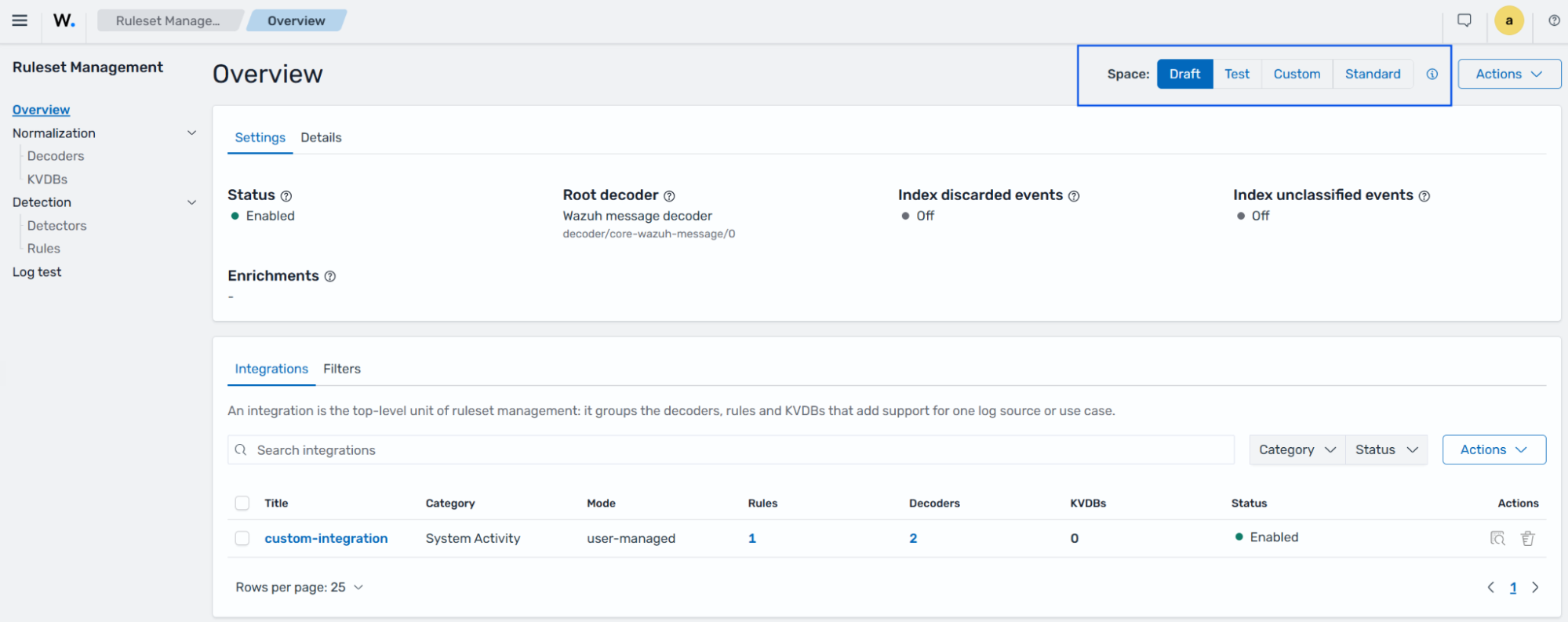
Promotion workflow
The promotion workflow moves content through the space chain (draft → test → custom) to ensure that changes are validated before they reach production.
Draft → Test: Content is promoted to the test space for validation and functional testing using the Wazuh Log test tool. Log test validates the decoders, KVDBs, detectors, and rules defined in the test, custom, and standard spaces.
Test → Custom: After successful validation, content is promoted to the custom space, where it becomes active in production. The Wazuh data analysis engine then uses the promoted content to decode, normalize, and analyze incoming events.
During each promotion, the content manager:
Deploys the updated content to the Wazuh data analysis engine.
Validates the configuration.
Triggers a configuration reload.
Updates the target space with the promoted content, and removes from it any content that's no longer in the source space.
This workflow helps teams validate changes in a controlled environment before deployment, ensuring consistent and up-to-date detection behavior across the Wazuh platform.
Removing promoted content
The test and custom spaces are read-only, so you can't delete content from them directly. Each promotion also removes from the target space anything that's no longer in the source space, so you remove promoted content through the draft space:
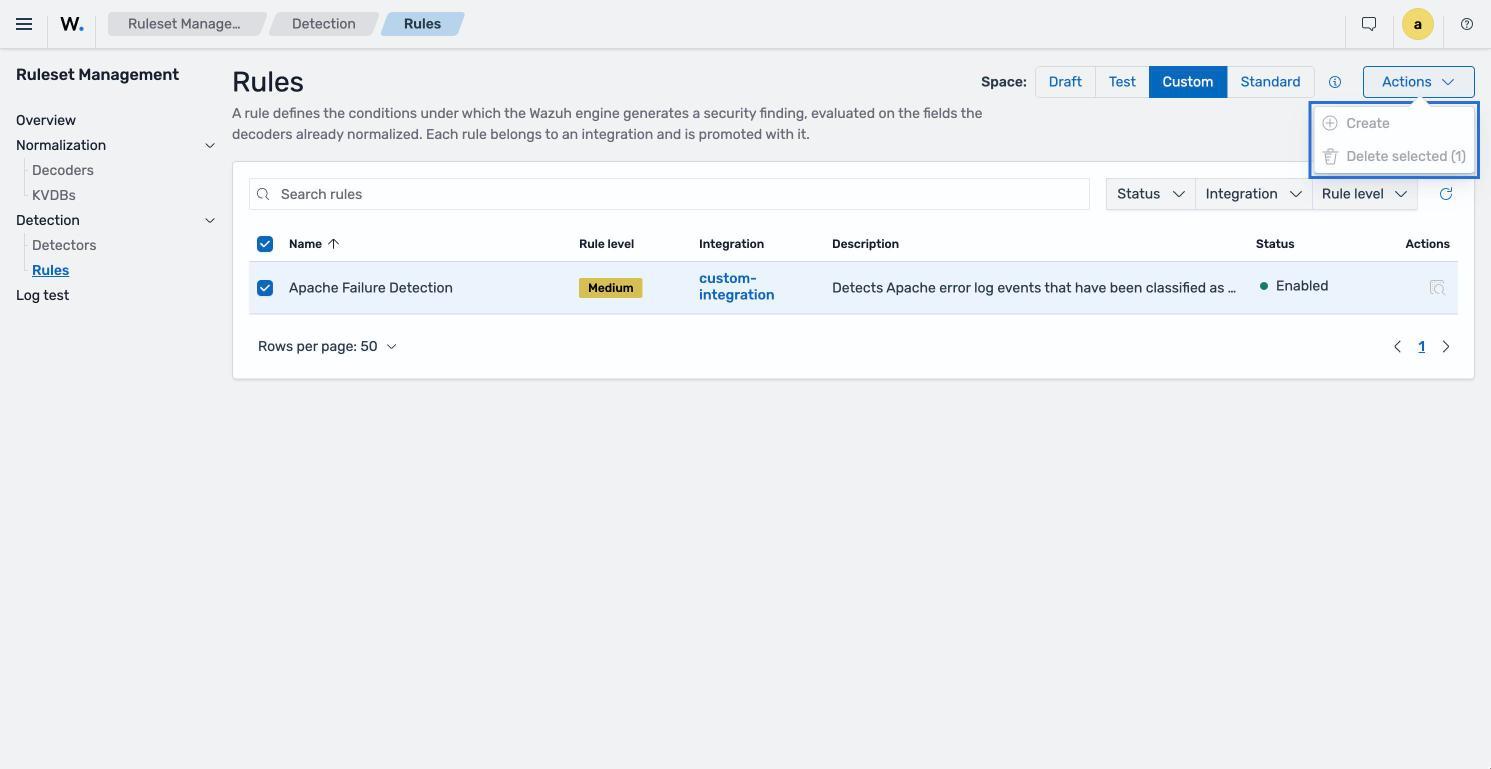
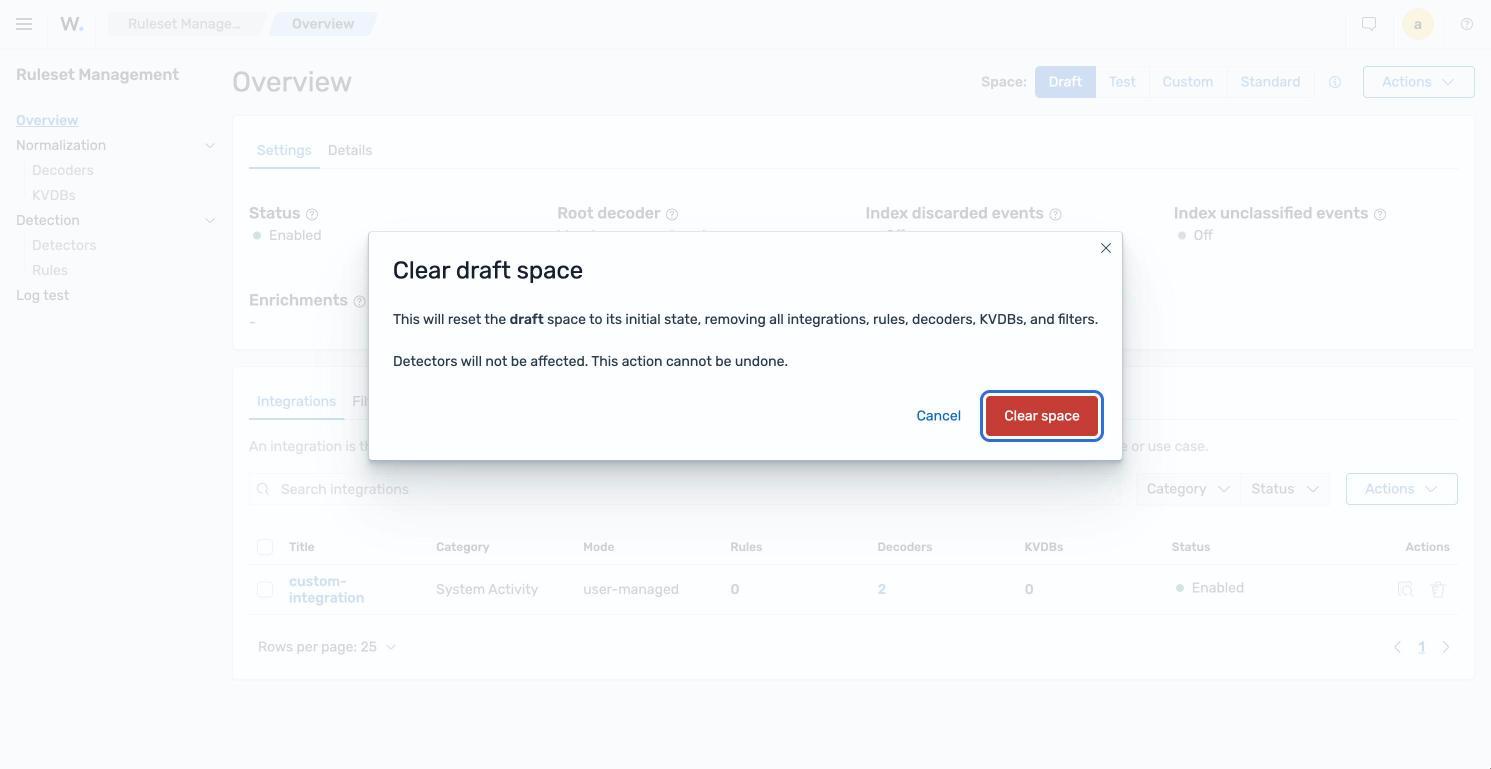
In the draft space, delete the integration, decoder, KVDB, filter, or rule. To remove all your custom content at once, go to Ruleset Management > Overview and click Actions > Clear space. This removes all integrations, rules, decoders, KVDBs, and filters from the draft space and unsets its root decoder. It doesn't affect detectors.
Go to Ruleset Management > Overview and click Actions > Promote. The Promote page lists the deleted content as
(remove). Promote the content from draft to test.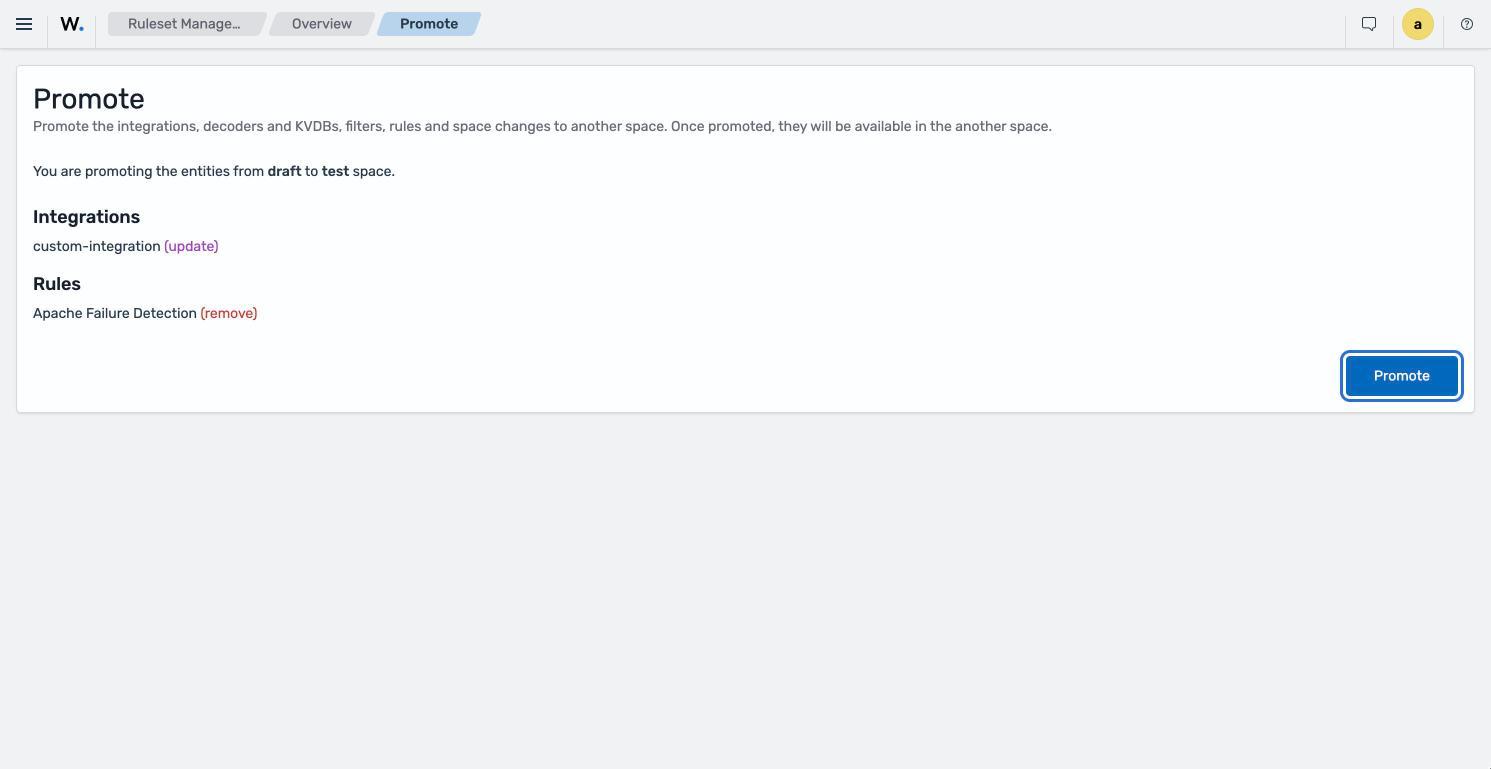
Select Test in the space selector and promote the content from test to custom.
Note
If the rule you remove is the only enabled rule of a detector, the promotion to custom fails with "Rule [
<RULE_ID>] cannot be promoted because it would leave detector [<DETECTOR_NAME>] without enabled rules." The promotion from draft to test still succeeds, so the rule is already gone from the test space but stays in the custom space. Stop or delete the detector (Actions > Stop detector or Delete on the detector page) before you start the removal.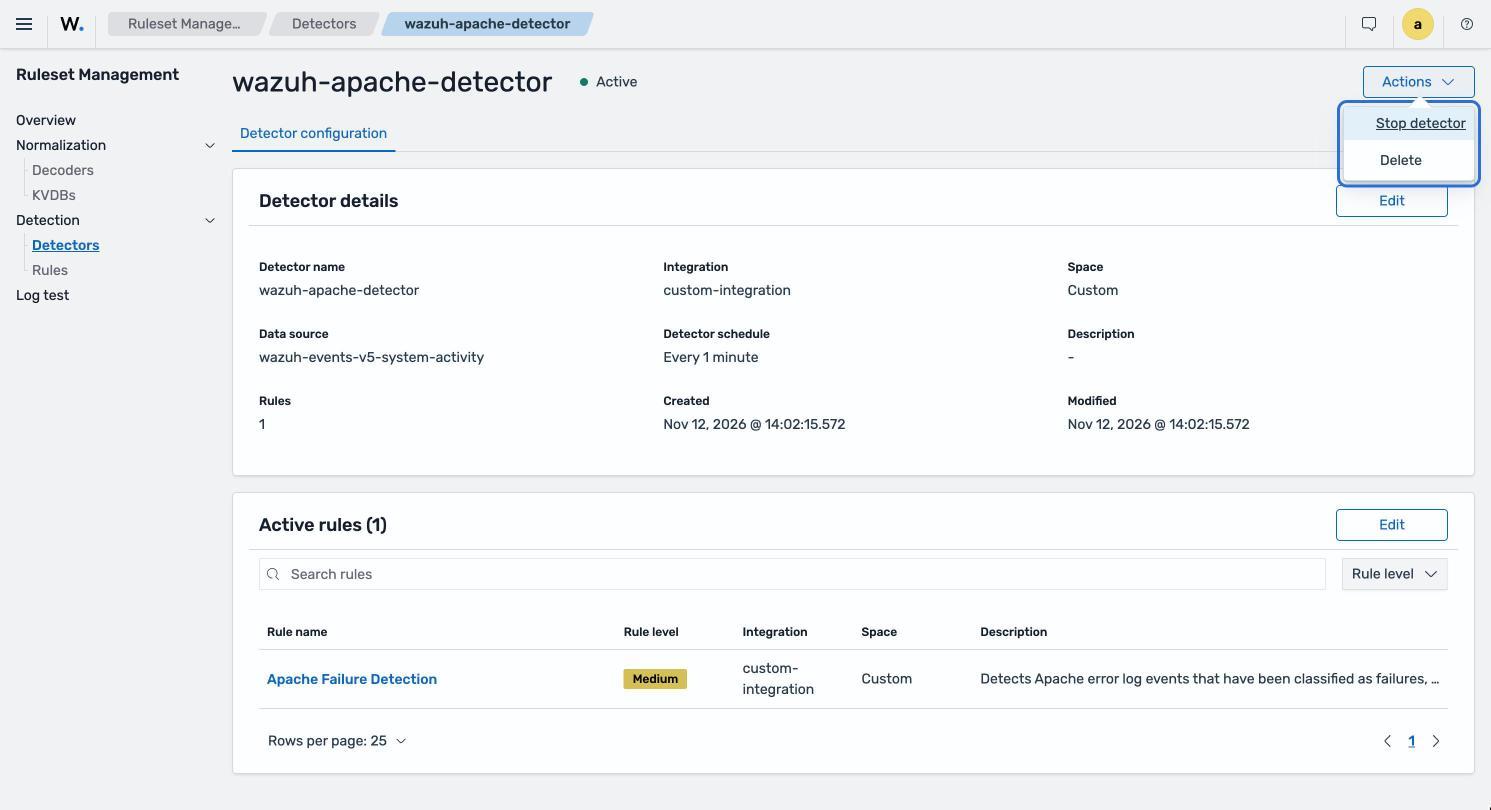
Note
You can't delete a decoder while it's the root decoder of the space. Clear the Root decoder field in Overview > Actions > Edit first, or use Clear space.