File integrity monitoring
File integrity monitoring (FIM) tracks changes to files and directories by detecting file creation, modification, and deletion events. It helps protect critical files by continuously monitoring their integrity and identifying changes that indicate unauthorized activity or a security incident.
The Wazuh File integrity monitoring capability monitors configured files and directories and records file creation, modification, and deletion events. When a monitored file changes, Wazuh compares its checksum against a previously recorded baseline and generates a finding if it detects a mismatch.
The FIM module supports real-time monitoring and scheduled scans, allowing you to monitor files according to their sensitivity and operational requirements.
Viewing FIM scan results
The Wazuh dashboard provides a File Integrity Monitoring section that displays file integrity events from monitored endpoints. It shows the synchronized file inventory for each endpoint and an overview of FIM activity across the environment. It also lists individual findings with details such as the agent name, file path, and type of change.
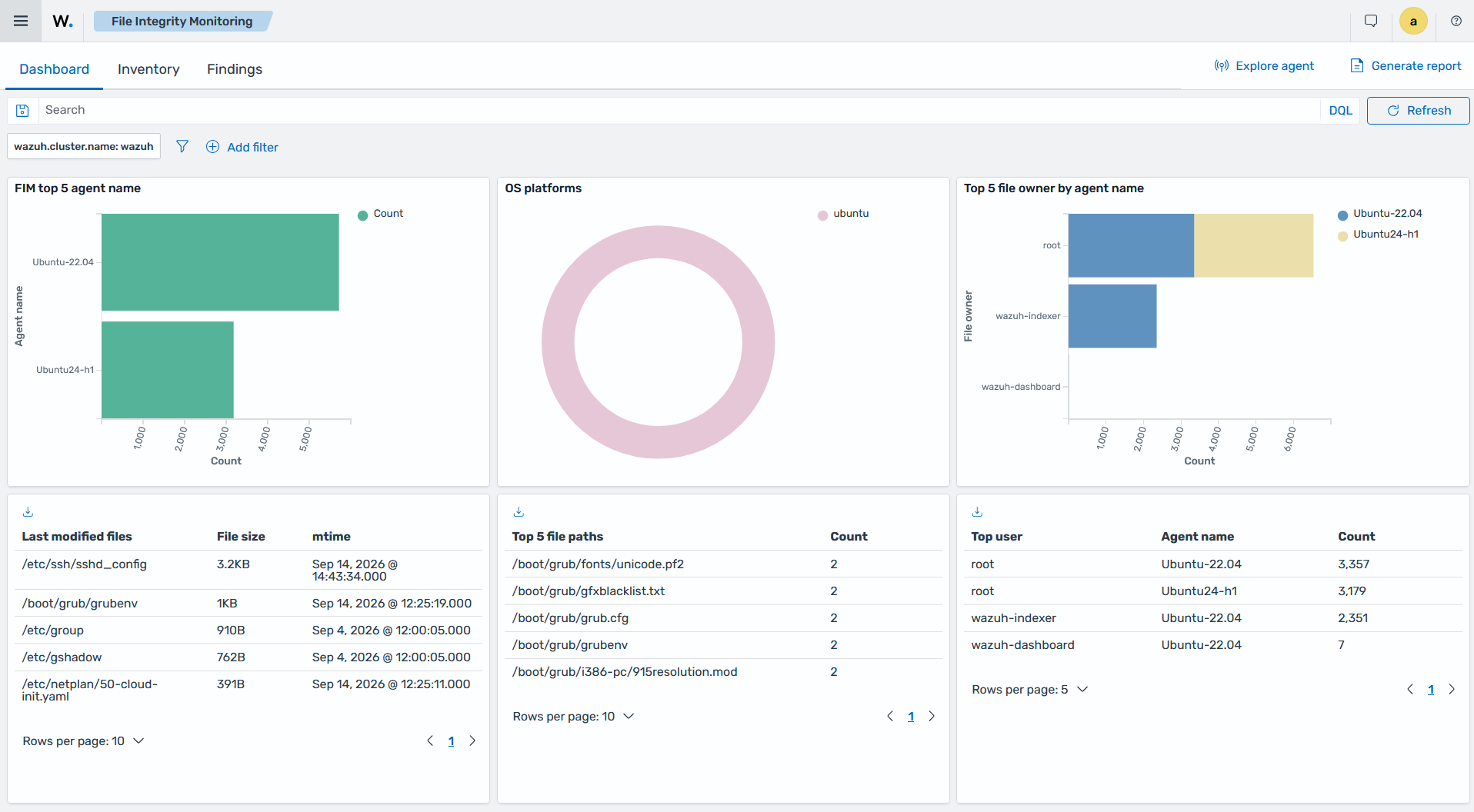
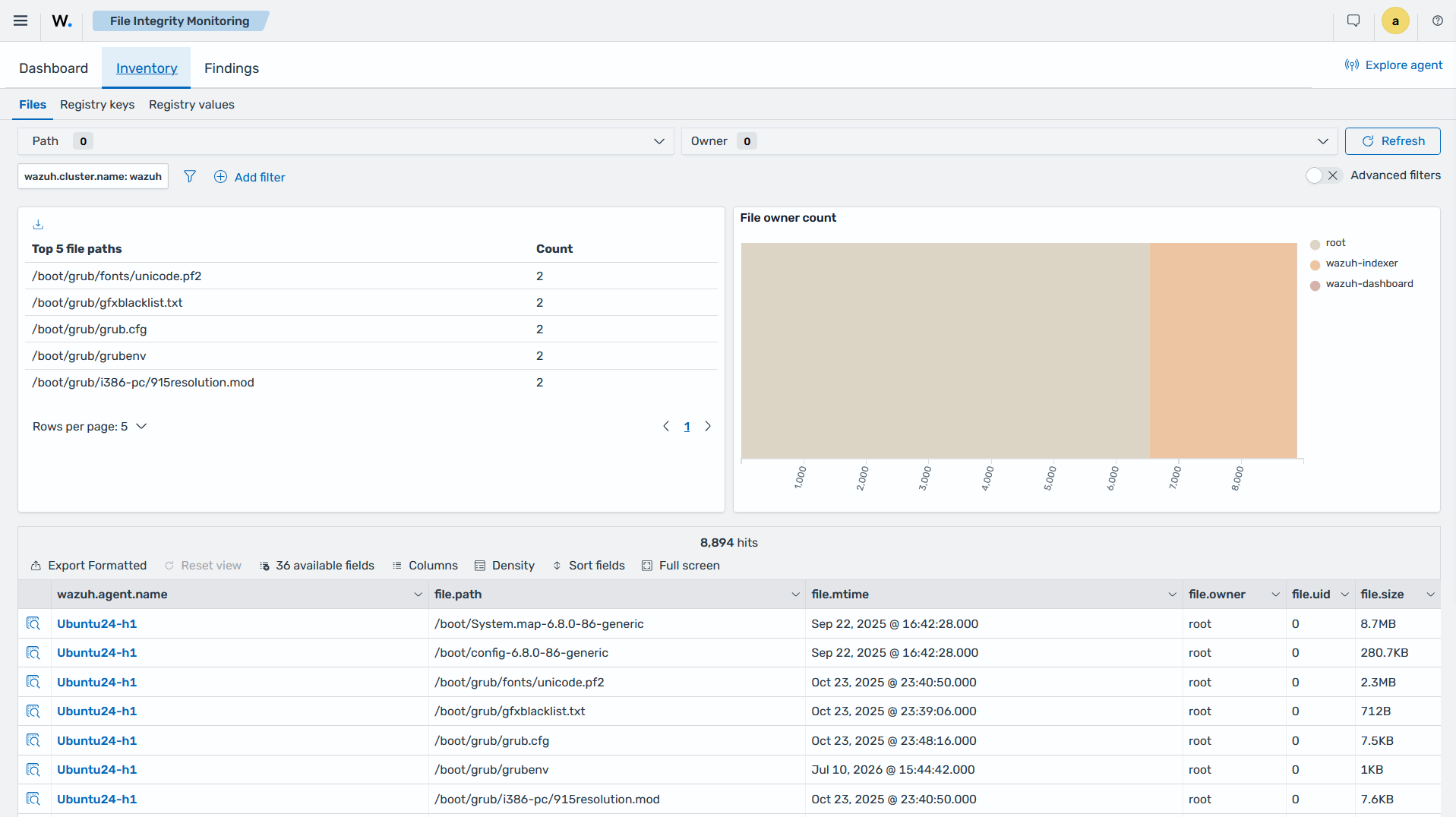
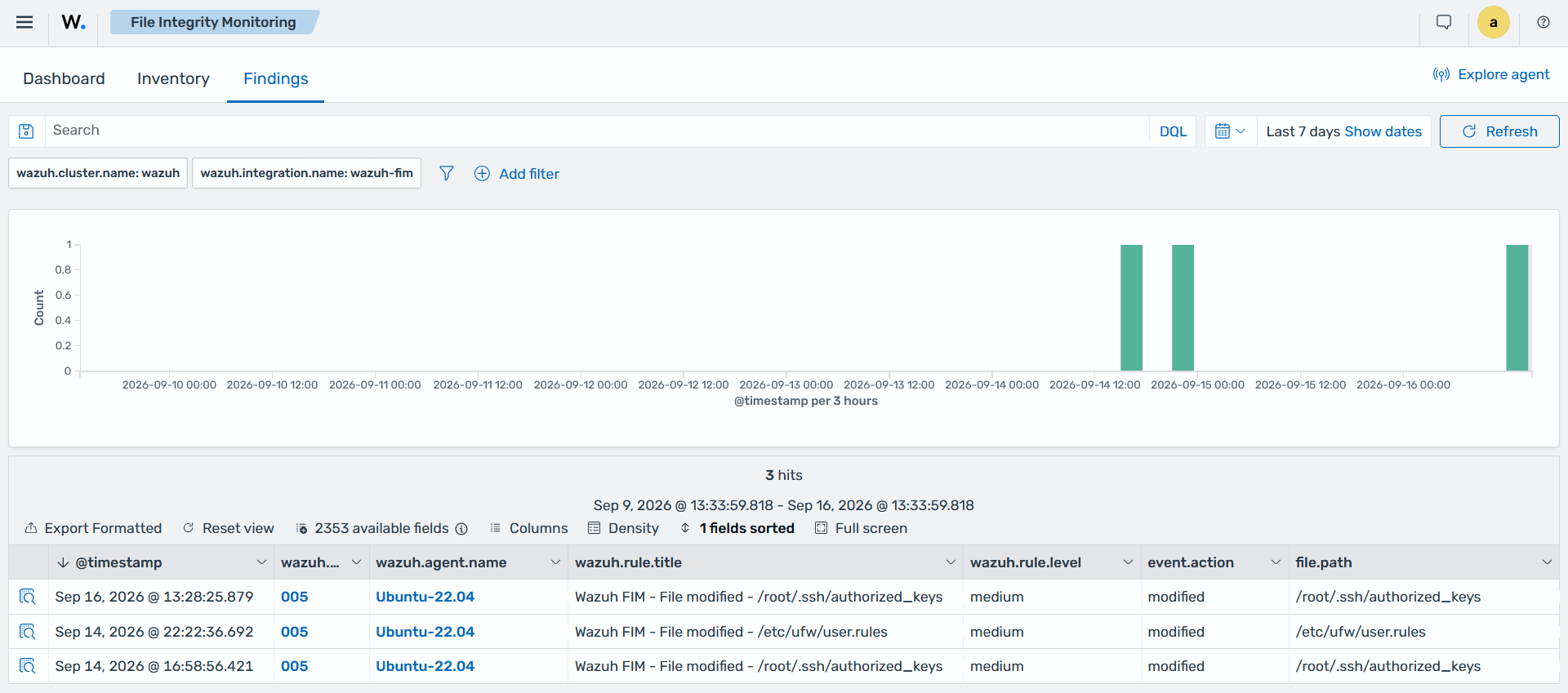
The Wazuh FIM dashboard contains three tabs for viewing FIM results, including Dashboard, Inventory, and Findings.
Dashboard: Shows an overview of the events triggered by the FIM module for all monitored endpoints. You can also streamline it to show the events for a selected monitored endpoint.
Inventory: Displays all files indexed by the FIM module. Each entry includes information such as the file name, last modification date, owner, user ID, and file size.
Findings: Shows findings generated by the FIM module. Each finding includes details such as the Wazuh agent name, the monitored file path, the FIM event action, and the event timestamp.
Monitoring file integrity
Configuration files and file attributes can change frequently across an IT infrastructure. Unvalidated changes can affect endpoint behavior and the applications running on them. The FIM module establishes a baseline for monitored files and detects changes by comparing their checksums and attributes against that baseline.
The FIM module supports real-time and scheduled monitoring, allowing organizations to monitor files according to their sensitivity and operational requirements. It also identifies the user and process responsible for a change. It records changes to the contents of monitored text files and collects selected file attributes. See the Advanced configuration options for details about these monitoring options.
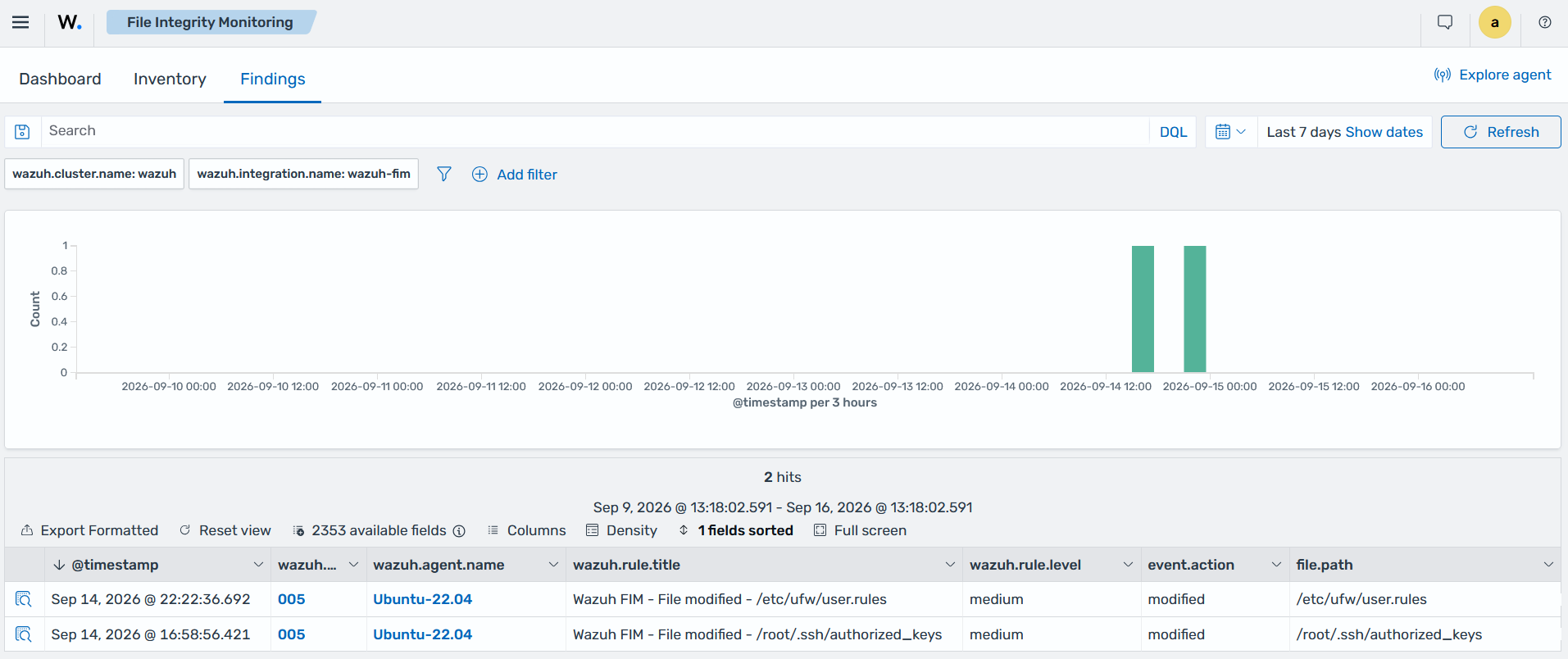
The following image shows an example of a finding generated when a monitored file changes on an Ubuntu endpoint.
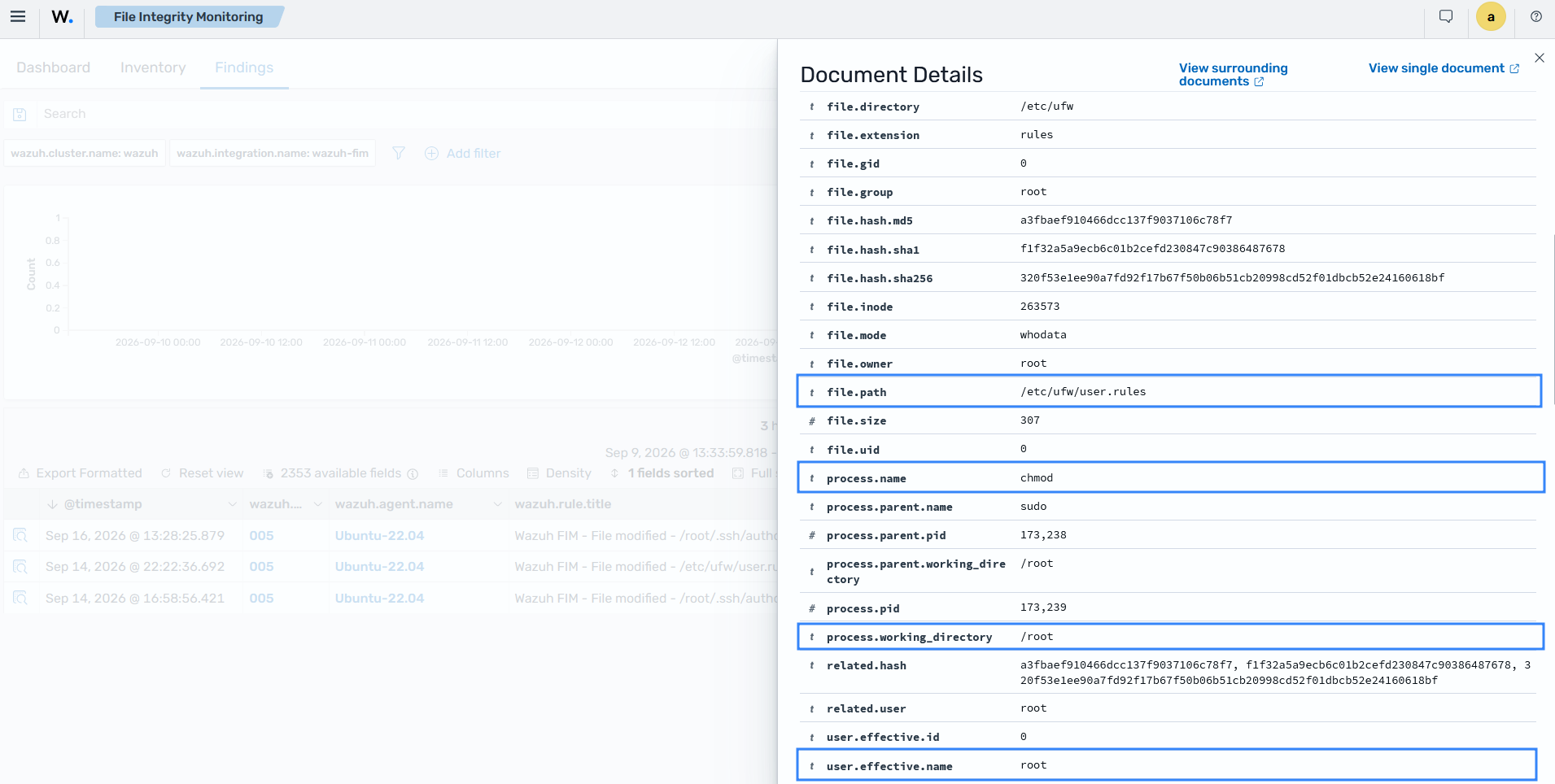
The who-data metadata in the finding shows that the root user ran the chmod command that changed the permissions of the /etc/ufw/user.rules file.
Detecting and responding to malware
The FIM module works with other Wazuh capabilities to detect and respond to malware.
The following combinations are available:
FIM and threat intelligence: The Wazuh normalization engine compares file hashes from FIM events against indicators of compromise from Wazuh Cyber Threat Intelligence (CTI). Custom decoders can also check hashes against your own Key-Value Databases (KVDBs). When a file hash matches an indicator, Wazuh adds the threat context to the event.
FIM and active response: An Alerting module in the Wazuh indexer matches FIM findings and triggers an Active Response channel. The Wazuh manager sends the response to the Wazuh agent as a task, and the agent runs the channel executable. A custom executable can delete a malicious file, which contains the threat immediately and reduces the Mean Time to Respond (MTTR).
FIM and YARA: A custom Active Response executable can run a YARA scan when FIM detects that a file was created or modified.
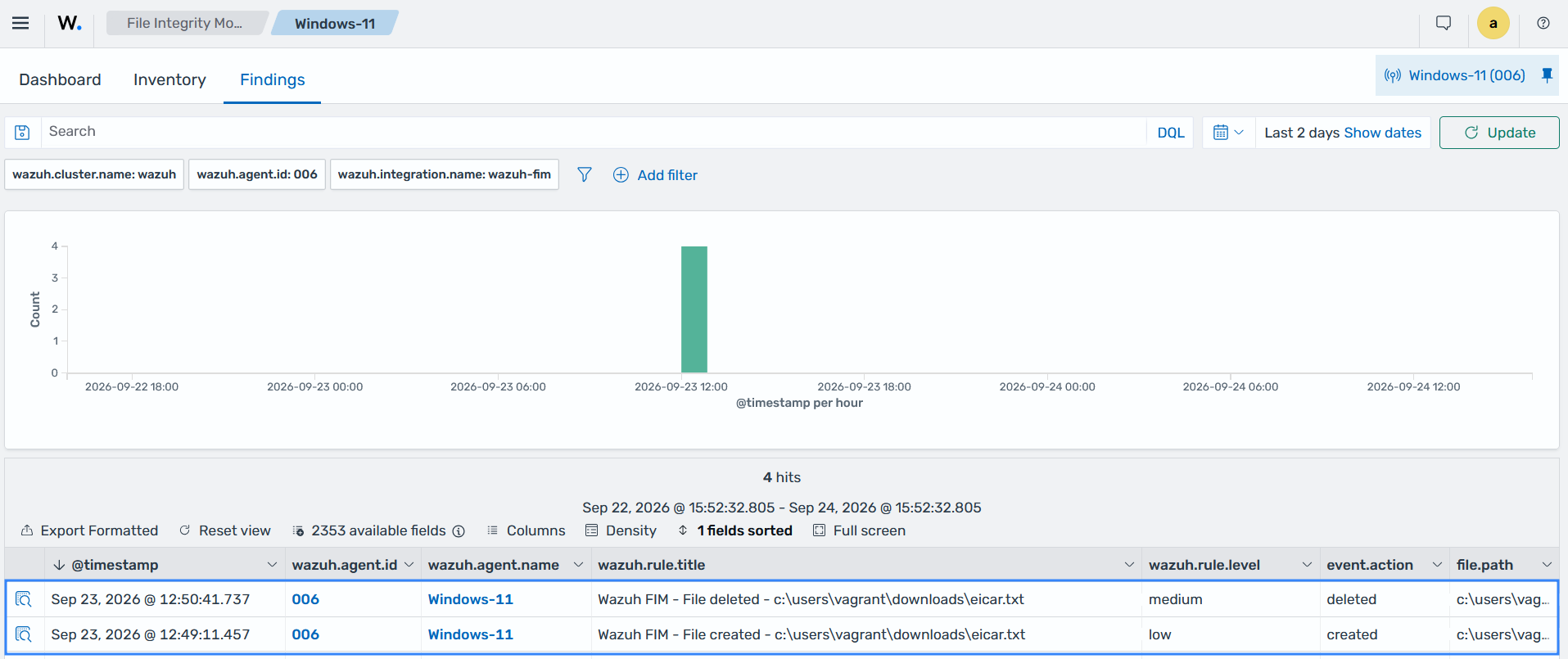
For example, the File Integrity Monitoring section of the Wazuh dashboard shows the detection and removal of the EICAR file. The file was in the C:\Users\<USER>\Downloads directory on a monitored Windows endpoint.
Monitoring the Windows Registry
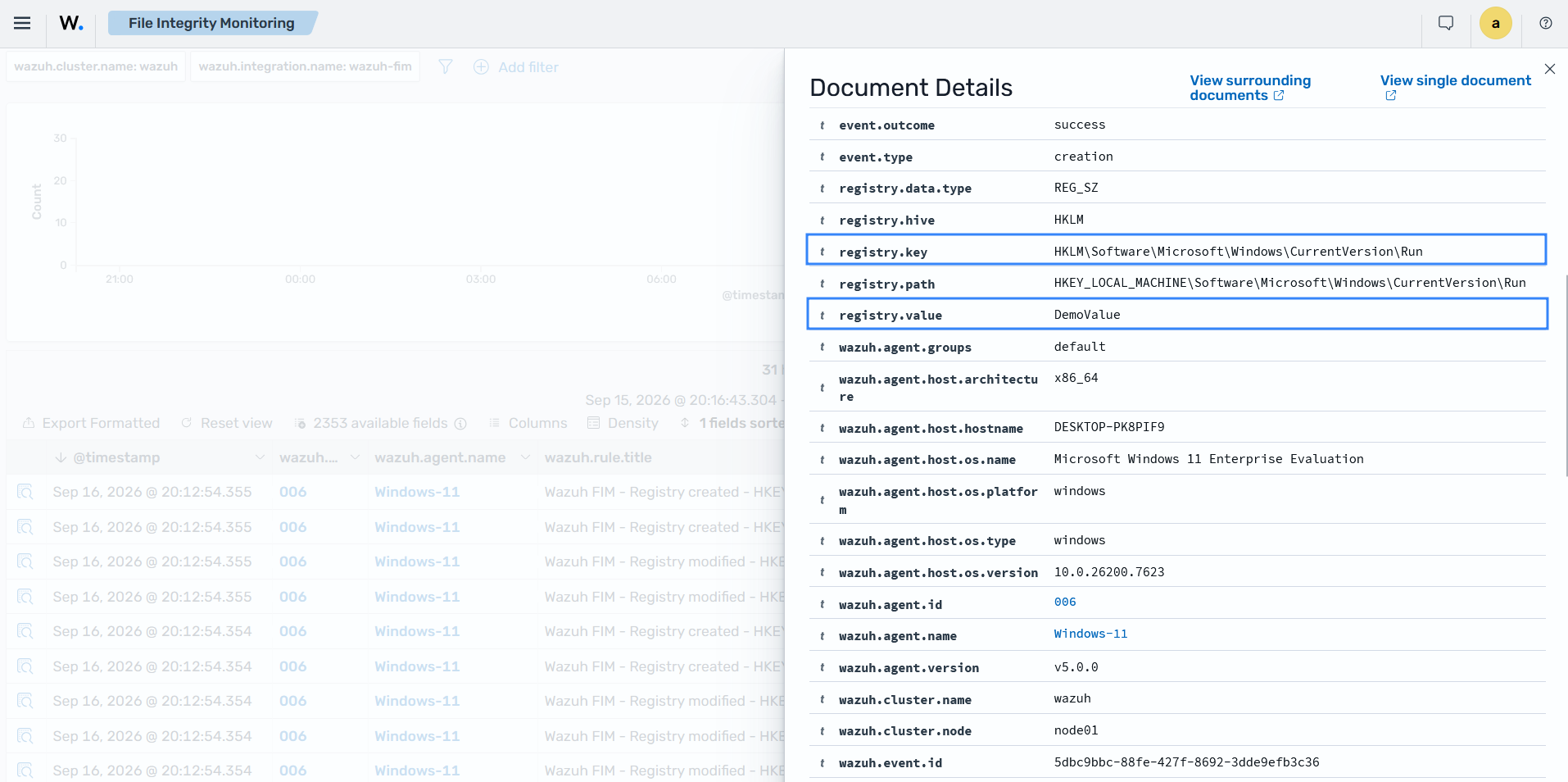
The FIM module scans Windows Registry entries and stores their checksums and attributes in a local database. It reports changes to registry values and can provide a detailed record of each modification. The report_changes attribute in the windows_registry option enables detailed change reporting. The check_all option controls which registry metadata the module records.
Threat actors commonly establish persistence by adding programs to the Run and RunOnce registry keys. The FIM module detects programs added to these startup keys, allowing you to investigate and remove unauthorized entries.
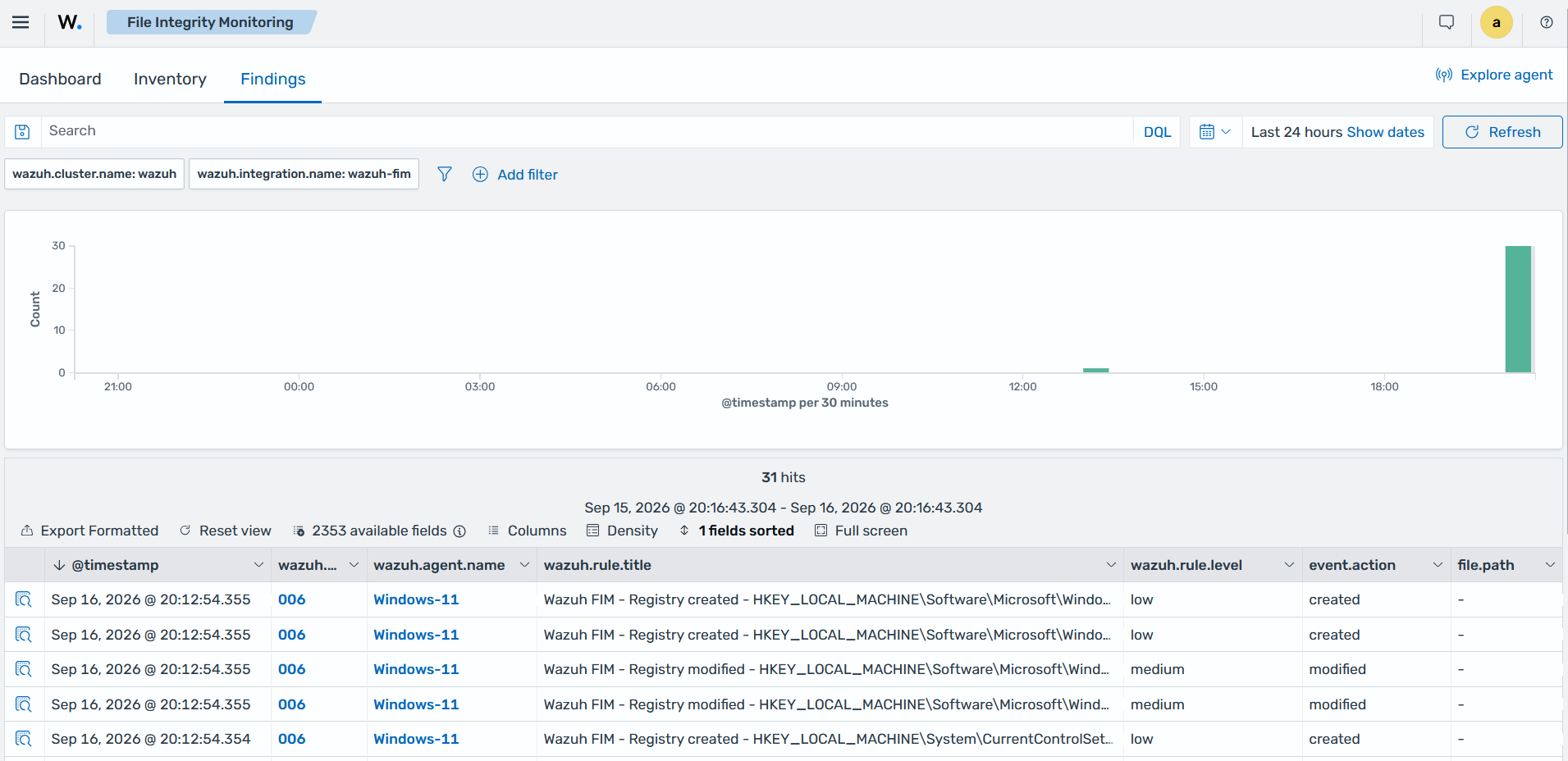
The expanded finding displays the modified field.
Meeting regulatory compliance
File integrity monitoring is a requirement in multiple regulations and security standards, including PCI DSS, HIPAA, TSC, and NIST SP 800-53.
The Wazuh FIM module monitors files and directories that store sensitive or critical data and reports changes to their contents, permissions, and other monitored attributes. These findings help organizations verify configuration changes and maintain records for compliance reporting.
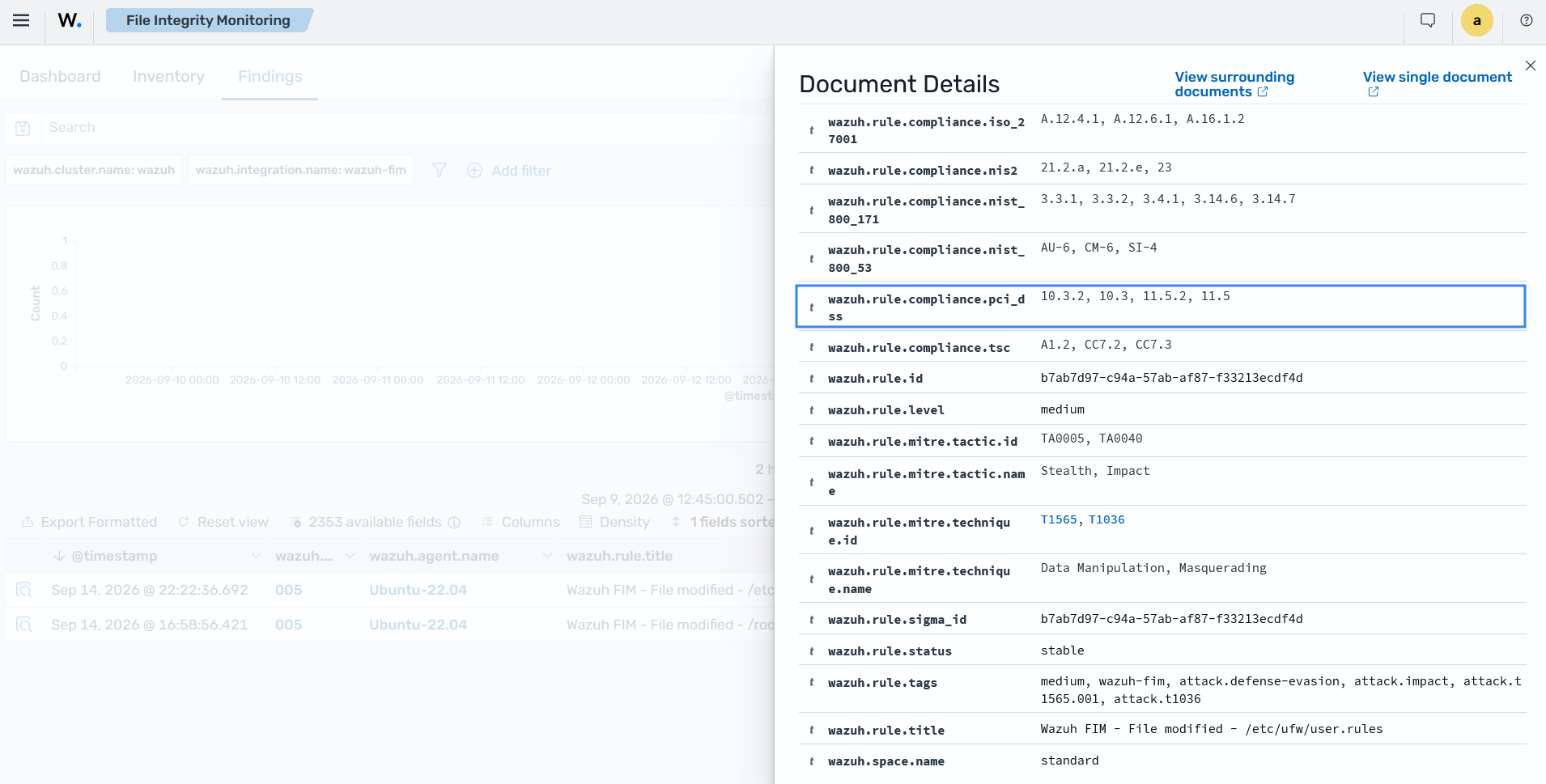
For example, Wazuh supports PCI DSS requirement 11.5.2 by detecting changes to critical files and configuration files. The image below shows a finding generated when the permissions of Uncomplicated Firewall (UFW) rule files change on a monitored endpoint.
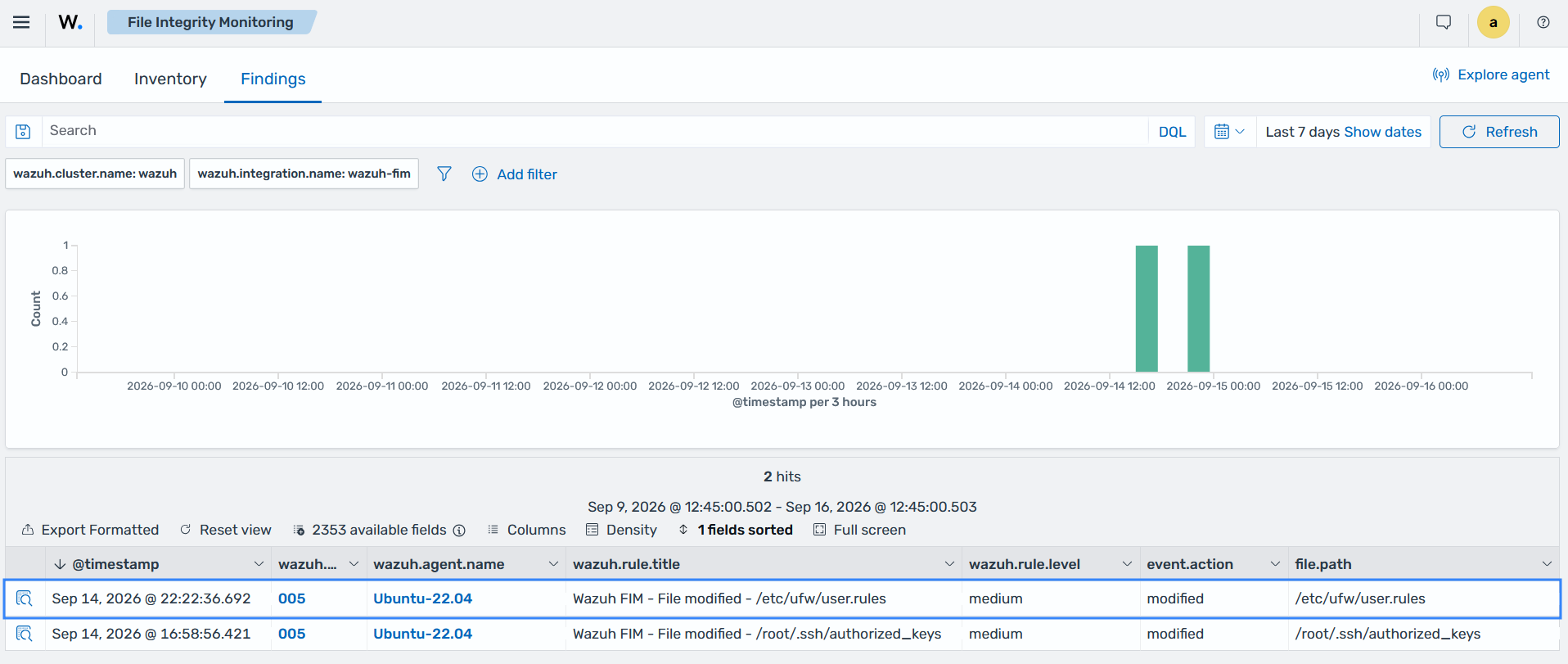
The finding details show the corresponding compliance requirement.