HIPAA § 164.308(a)(1)(ii)(A) - Risk analysis
The HIPAA § 164.308(a)(1)(ii)(A) requirement states, "Conduct an accurate and thorough assessment of the potential risks and vulnerabilities to the confidentiality, integrity, and availability of electronic protected health information held by the covered entity or business associate."
This requirement mandates identifying risks and vulnerabilities affecting systems containing healthcare information.
Wazuh supports this requirement using the vulnerability detection capability. The Wazuh Vulnerability Scanner module detects vulnerabilities in operating systems and applications on monitored endpoints. The Wazuh agent uses the Syscollector module to collect endpoint inventory, including operating system details and installed packages, and sends it to the Wazuh manager. The Vulnerability Scanner module analyzes the inventory against vulnerability intelligence synchronized from Wazuh Cyber Threat Intelligence (CTI) via the Wazuh indexer to identify vulnerable packages. See the vulnerability detection section for details on configuring vulnerability scans.
Use case: Detect vulnerabilities
This use case detects vulnerabilities on an Ubuntu 26.04 endpoint. The Syscollector and Vulnerability Scanner modules are enabled by default on the Ubuntu endpoint and the Wazuh manager, respectively. Make sure the endpoint has at least one installed package with a known vulnerability. Vulnerabilities appear on the Wazuh dashboard after the Wazuh agent sends its first inventory to the Wazuh manager and the Vulnerability Scanner module analyzes it. If all packages on the endpoint are up to date, the Inventory tab shows no vulnerabilities.
Wazuh dashboard
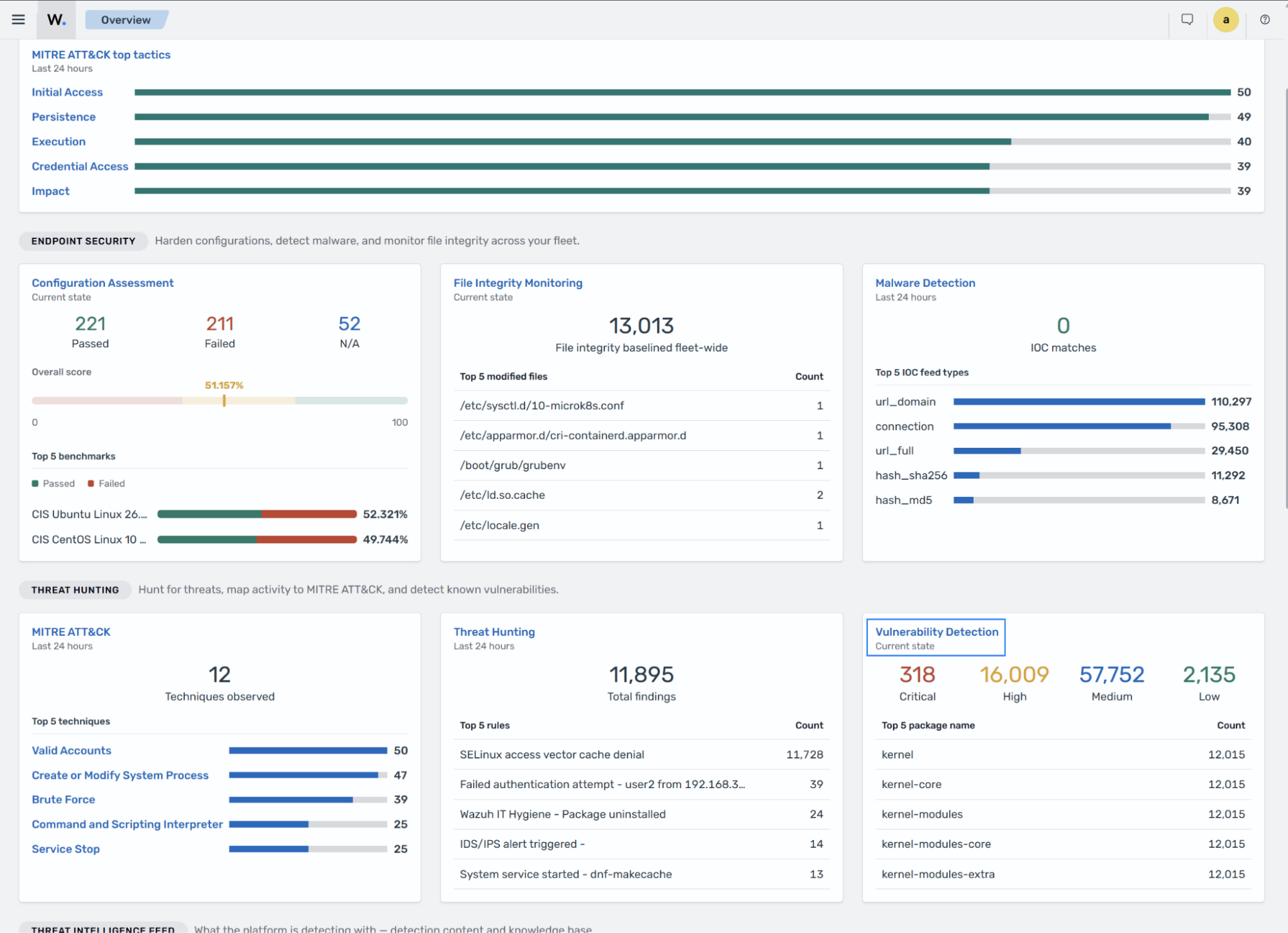
Navigate to Threat intelligence > Vulnerability Detection.
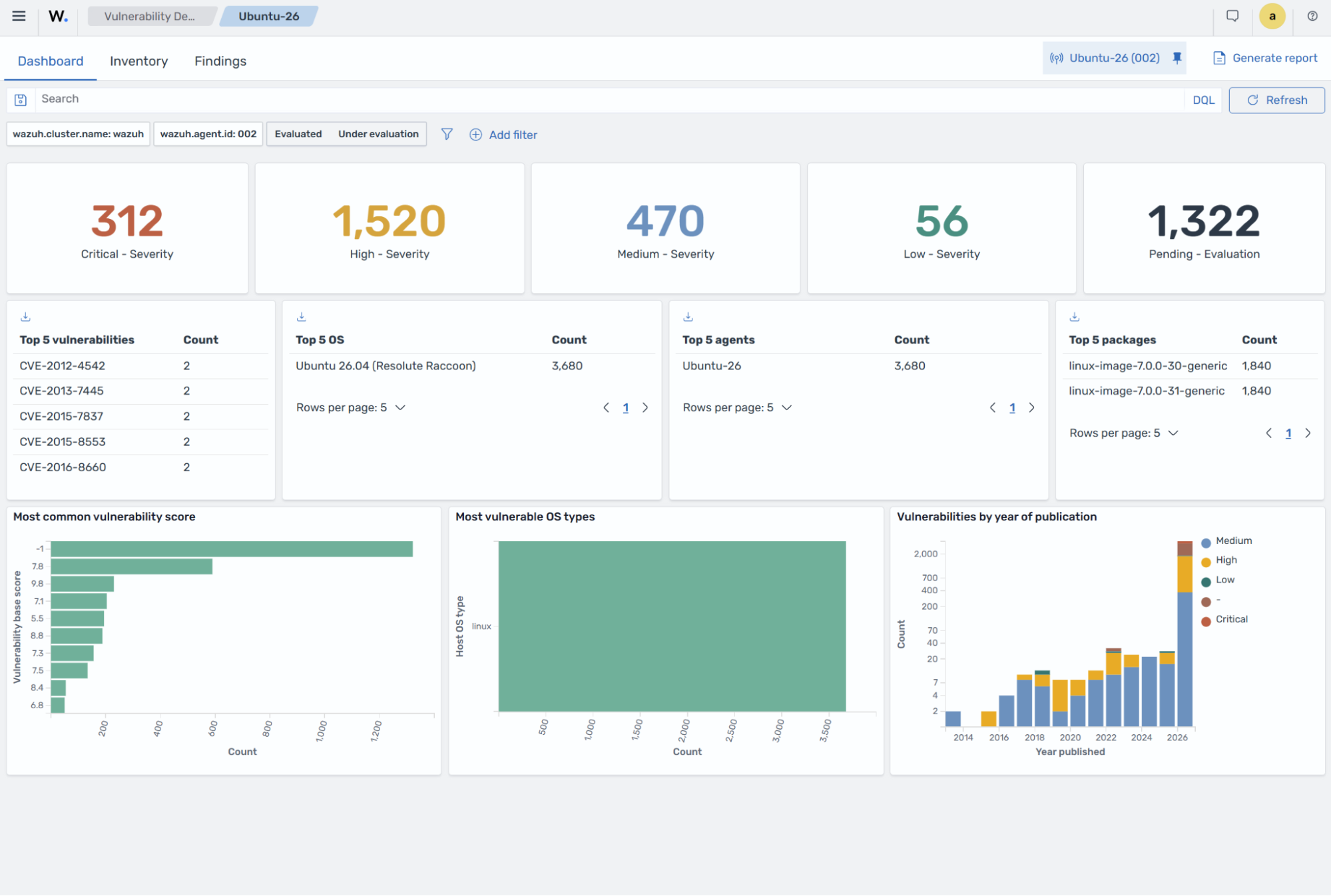
The Dashboard tab shows an overview that includes the top 5 vulnerabilities, agents, packages, and severity filters.
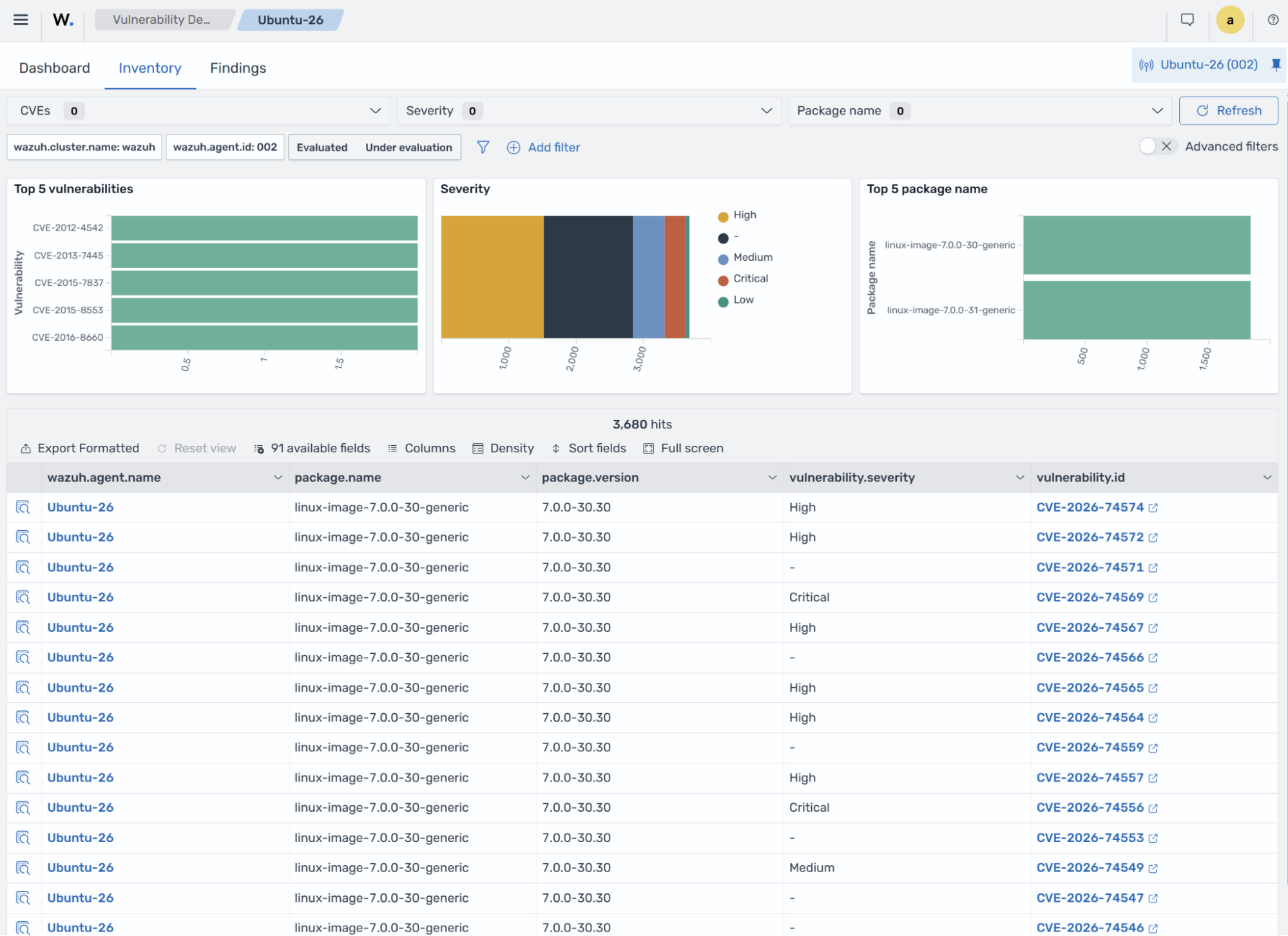
Click the Inventory tab to view details about detected vulnerabilities:
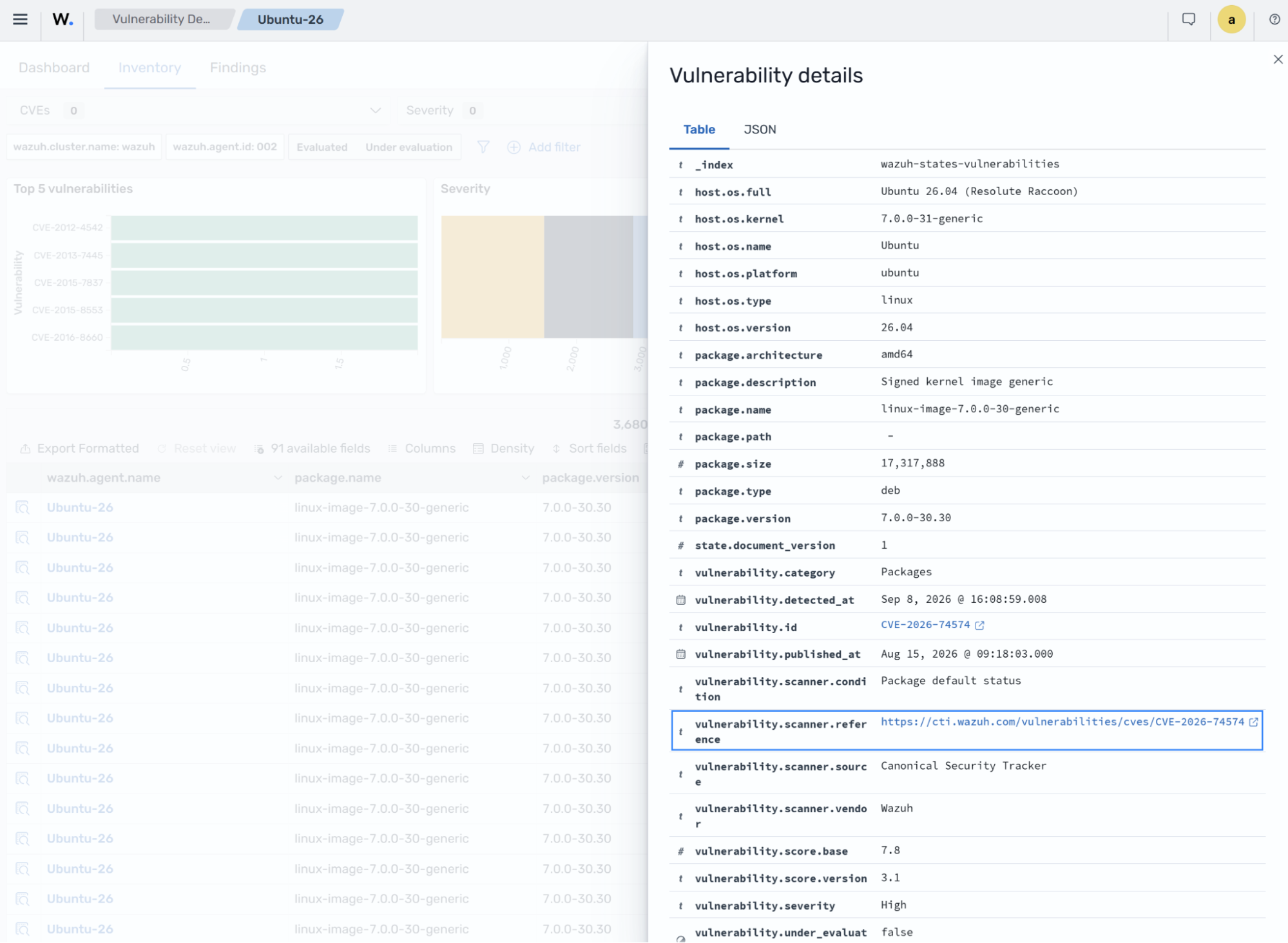
You can also access the Wazuh CTI platform by clicking the Inspect vulnerability details icon. Then, navigate to the
vulnerability.scanner.referencefield and click the provided URL to open the Wazuh CTI page, which contains detailed information about the vulnerability.