• Blog
  • Documentation
  • Contact us
Wazuh
  • Platform
    • Overview
    • XDR
    • SIEM
  • Cloud
  • CTI
  • Services
    • Professional support
    • Consulting services
    • Training courses
  • Partners
    • Become a partner
    • Find a partner
  • Company
    • Customers
    • About us
    • Our team
    • Resources
  • Community
    • Overview
    • Ambassadors
    • Events
    Search now!
    • Getting started
      • Components
        • Wazuh indexer
        • Wazuh manager
        • Wazuh dashboard
        • Wazuh agent
      • Architecture
      • Use cases
        • Configuration assessment
        • File integrity monitoring
        • Threat hunting
        • Log data analysis
        • Vulnerability detection
        • Incident response
        • Regulatory compliance
        • IT hygiene
        • Container security
    • Quickstart
    • Installation guide
      • Wazuh indexer
        • Assisted installation
        • Step-by-step installation
      • Wazuh manager
        • Assisted installation
        • Step-by-step installation
      • Wazuh dashboard
        • Assisted installation
        • Step-by-step installation
      • Wazuh agent
        • Linux
        • Windows
        • macOS
      • Packages list
      • Uninstalling Wazuh
        • Uninstalling the Wazuh central components
        • Uninstalling the Wazuh agent
    • Installation alternatives
      • Virtual machine (VM)
      • Deployment on Docker
        • Wazuh Docker deployment
        • Building Docker images locally
        • Wazuh Docker utilities
        • Upgrading the Wazuh Docker deployment
        • Uninstalling the Wazuh Docker deployment
      • Deployment on Kubernetes
        • Wazuh Kubernetes requirements and architecture
        • Deploying Wazuh on Kubernetes
        • Clean up
      • Offline installation guide
        • Install Wazuh components using the assisted method
        • Install Wazuh components step by step
        • Securing your Wazuh installation
        • Running Wazuh offline
        • Install Wazuh agents on hosts without Internet access
      • Installation from sources
        • Installing the Wazuh manager from sources
        • Installing the Wazuh agent from sources
      • Deployment with Ansible
        • Requirements
        • Deploying Wazuh
        • Roles
        • Variables reference
    • User manual
      • Wazuh manager
        • Wazuh manager architecture
        • Wazuh normalization engine
        • Wazuh indexer connector
        • Wazuh manager services
        • Logging
        • Reference
      • Wazuh manager API
        • Getting started
        • Wazuh manager API requests and responses
        • Practical examples of Wazuh manager API usage
        • Configuration
        • Securing the Wazuh manager API
        • Role-Based Access Control
          • How it works
          • Configuration
          • Authorization context
          • RBAC reference
        • Filtering data using Wazuh Query Language (WQL)
        • Wazuh manager API use cases
        • Reference
      • Wazuh indexer
        • Wazuh indices
        • Wazuh indexer modules
          • Setup module
          • Content Manager module
          • Reporting module
          • Security Analytics module
          • Notifications module
          • Alerting module
        • Wazuh Common Schema (WCS)
        • Wazuh Sigma rules
        • Index templates reference
        • Wazuh indexer tuning
        • Migrating Wazuh indices
        • Backup and restore
        • Security
      • Wazuh indexer cluster
        • Cluster architecture and node types
        • Required ports
        • Cluster configuration
        • Adding new Wazuh indexer nodes to a cluster
          • All-in-one deployment
          • Distributed deployment
          • New Wazuh indexer node
        • Cluster management
        • Removing a Wazuh indexer node
        • Troubleshooting
      • Wazuh indexer API
        • Getting started
        • Configuration
        • Securing the Wazuh indexer API
        • Use cases
        • Reference
      • Wazuh dashboard
        • Navigating the Wazuh dashboard
        • Wazuh dashboard configurations
        • Querying security information on the Wazuh dashboard
        • Certificates deployment
          • Configuring third-party SSL certificates
            • Configuring SSL certificates on the Wazuh dashboard with Let’s Encrypt
            • Configuring SSL certificates on the Wazuh dashboard with NGINX
        • Setting up custom branding
        • Troubleshooting
      • Wazuh agent
        • Wazuh agent enrollment
          • Requirements
          • Wazuh agent life cycle
          • Enrollment methods
            • Enrollment through agent configuration
              • Linux/Unix
              • Windows
              • macOS
            • Enrollment through the Wazuh manager API
              • Request the client key
              • Importing the client key to the Wazuh agent
          • Additional security options
            • Enroll Wazuh agents with password authentication
            • Wazuh manager identity verification
            • Wazuh agent identity verification
          • Deployment variables
            • Linux
            • Windows
            • macOS
            • Installing without a token
          • Troubleshooting
        • Wazuh agent connection
        • Wazuh agent administration
          • Query the Wazuh agent configuration
          • Group agents
          • List agents
          • Anti-tampering
          • Remove agents
          • Upgrade agents remotely
          • Upgrading the Wazuh agent
      • Data analysis
        • Data analysis components
          • Content management
          • Space
          • Integration
          • Events
          • Filters
          • Decoders
          • Key-Value Databases (KVDBs)
          • Enrichment
          • Rules
          • Detectors
          • Findings
        • Create a security analytics detection workflow
      • User administration
        • Password management
        • Wazuh RBAC - How to create and map internal users
        • Single Sign-On
          • Okta
          • Microsoft Entra ID
          • PingOne
          • Google Workspace
          • JumpCloud
          • OneLogin
          • Keycloak
          • authentik
        • Active Directory and LDAP integration
      • Capabilities
        • File integrity monitoring
          • How it works
          • Configuration
          • Interpreting FIM scans
          • Basic configuration options
          • Creating custom FIM rules
          • Advanced configuration options
          • Use cases
            • Detect malware persistence technique
            • Detect account manipulation
            • Monitor files at specific intervals
            • Report file changes
            • Monitor configuration changes
          • Windows Registry monitoring
        • Security Configuration Assessment
          • How it works
          • Configuration
          • Available SCA policies
          • Use cases
        • Active response
          • How it works
          • Types of active response
          • Configuration
          • Default active response scripts
          • Custom active response scripts
            • Python active response script sample
          • Migrating active response scripts from Wazuh 4.x to Wazuh 5.x
          • Use cases
            • Blocking web attacks with active response
            • Removing a malicious file with active response
        • Log data collection
          • How log data collection works
          • Configuring log collection
            • Collecting logs from a file
            • Collecting logs from operating systems
          • Log data analysis
          • Use cases
        • Vulnerability detection
          • How it works
          • Configuration
          • Use cases
        • Command monitoring
          • How it works
          • Requirements
          • Configuration
          • Security considerations
          • Use cases
            • Monitoring running processes
            • Monitoring disk space utilization
        • Container security
          • Monitoring Docker environments
          • Use cases
        • System inventory
          • How it works
          • Configuration
          • Viewing system inventory data
          • Generating system inventory reports
          • Available inventory fields
          • Syscollector information findings
          • Use cases
          • Compatibility matrix
        • Monitoring Linux system calls
          • How it works
          • Configuration
          • Use cases
            • Detect when the Audit daemon stops
            • Detect when the Audit daemon starts
            • Detect abnormal process termination
            • Detect a network interface entering promiscuous mode
      • Reference
        • Wazuh manager local configuration (wazuh-manager.conf)
          • global
          • logging
          • remote
          • auth
          • indexer
          • vulnerability-detection
          • task-manager
          • wdb
          • cluster
        • Wazuh agent local configuration (ossec.conf)
          • active-response
          • agent
          • agent-upgrade
          • anti_tampering
          • client
          • github
          • localfile
          • logging
          • ms-graph
          • office365
          • rootcheck
          • sca
          • socket
          • syscheck
          • wodle name="aws-s3"
          • wodle name="azure-logs"
          • wodle name="command"
          • wodle name="docker-listener"
          • wodle name="syscollector"
          • gcp-pubsub
          • gcp-bucket
        • Centralized configuration for Wazuh agents
        • Internal configuration
        • Daemons
          • wazuh-manager-analysisd
          • wazuh-manager-apid
          • wazuh-manager-authd
          • wazuh-manager-clusterd
          • wazuh-manager-db
          • wazuh-manager-modulesd
          • wazuh-manager-remoted
          • wazuh-agentd
          • wazuh-execd
          • wazuh-logcollector
          • wazuh-modulesd
          • wazuh-syscheckd
        • Tools
          • agent_groups
          • agent_upgrade
          • cluster_control
          • rbac_control
          • verify-agent-conf
          • wazuh-agent-auth
          • wazuh-control
          • wazuh-manager-certs
          • wazuh-manager-conf
          • wazuh-manager-control
          • wazuh-manager-keystore
          • wazuh-manager-resolve-credentials
        • Installation utilities
          • Wazuh Installation Assistant
          • Wazuh certs tool
          • Wazuh passwords tool
        • Unattended installation
        • Wazuh Common Schema (WCS)
          • How WCS works
          • How Wazuh uses WCS fields
          • Key WCS fields
          • WCS field reference
        • Statistics files
          • wazuh-agentd.state
          • wazuh-remoted.state
          • wazuh-analysisd.state
          • wazuh-logcollector.state
    • Wazuh CTI
      • How it works
      • Managing Wazuh CTI
      • Troubleshooting Wazuh CTI
    • Cloud security
      • Monitoring Amazon Web Services (AWS)
        • Monitoring AWS instances
        • Monitoring AWS-based services
          • Prerequisites
            • Install dependencies
            • Enable AWS integration on the Wazuh dashboard
            • Configure an S3 bucket
            • Configure AWS IAM identities
            • Configure AWS policy
            • Configure AWS credentials
            • Considerations for the Wazuh module for AWS configuration
          • Supported services
            • AWS CloudTrail
            • Amazon Virtual Private Cloud (VPC)
            • AWS Config
            • AWS Key Management Service (KMS)
            • Amazon Macie
            • AWS Trusted Advisor
            • Amazon GuardDuty
            • AWS WAF
            • Amazon S3 server access
            • Amazon Inspector
            • Amazon CloudWatch Logs
            • Amazon ECR image scanning
            • Cisco Umbrella
            • Elastic Load Balancers
              • Amazon Application Load Balancer (ALB)
              • Amazon Classic Load Balancer (CLB)
              • Amazon Network Load Balancer (NLB)
            • Amazon Security Lake
            • Custom Logs Buckets
            • AWS Security Hub CSPM
          • Troubleshooting the Wazuh module for AWS
      • Monitoring Microsoft Azure
        • Monitoring instances
        • Monitoring Microsoft Azure platform and services
          • Microsoft Azure Log Analytics
          • Microsoft Azure Storage
          • Microsoft Graph
        • Monitoring Microsoft Graph services with Wazuh
        • Microsoft Intune integration
      • Monitoring GitHub
        • Monitoring GitHub audit logs
      • Monitoring Google Cloud
        • Monitoring Google Cloud instances
        • Monitoring Google Cloud services
          • Prerequisites
            • Google Cloud requirements
            • Installing dependencies
            • gcloud Python script
            • Enabling the Google Cloud integration
            • Creating Google Cloud credentials
          • Monitoring Google Cloud Pub/Sub
          • Monitoring Google Cloud Storage buckets
      • Monitoring Office 365
        • Monitoring Office 365 audit logs
    • Regulatory compliance
      • Using Wazuh for PCI DSS compliance
        • Log data analysis
        • Configuration assessment
        • Malware detection
        • File integrity monitoring
        • Vulnerability detection
        • Active response
        • System inventory
      • Using Wazuh for GDPR compliance
        • GDPR II, Principles
        • GDPR III, Rights of the data subject
        • GDPR IV, Controller and processor
      • Using Wazuh for HIPAA compliance
        • HIPAA § 164.308(a)(1)(ii)(A) - Risk analysis
        • HIPAA § 164.308(a)(5)(ii)(B) - Protection from malicious software
        • HIPAA § 164.308(a)(6)(ii) - Response and reporting
        • HIPAA § 164.308(a)(8) - Evaluation
        • HIPAA § 164.312(a)(2)(iii) - Automatic logoff
        • HIPAA § 164.312(b) - Audit controls
        • HIPAA § 164.312(c)(2) - Mechanism to authenticate electronic protected health information
        • HIPAA § 164.312(d) - Person or entity authentication
      • Using Wazuh for NIST 800-53 compliance
        • Security analytics and reporting
        • Log data analysis
        • Security configuration assessment
        • Malware detection
        • File integrity monitoring
        • System inventory
        • Vulnerability detection
        • Active response
        • Threat intelligence
      • Using Wazuh for TSC compliance
        • Common Criteria 2.1 (COSO Principle 13)
        • Common Criteria 3.1 (COSO Principle 6)
        • Common criteria 5.1 (COSO Principle 10)
        • Common criteria 6.1
        • Common criteria 7.1
        • Common criteria 8.1
        • TSC additional criteria
          • Availability - A1.1
          • Processing integrity - PI1.4
    • Proof of Concept guide
      • File integrity monitoring
      • Vulnerability detection
      • Security configuration assessment
      • Monitoring Docker events
      • Detecting an SQL injection attack
      • Monitoring AWS infrastructure
      • Network IDS integration
      • Detecting a Cross-Site Scripting (XSS) attack
      • Detecting hidden processes
      • Blocking a known malicious actor
    • Migration guide
      • Migration planning
      • Wazuh indexer
      • Wazuh manager
      • Wazuh dashboard
      • Wazuh agents
    Attention This documentation covers an upcoming release that is still under development. For the current stable documentation, check out the latest version.
    • User manual
    • Wazuh dashboard
    • Navigating the Wazuh dashboard

    Navigating the Wazuh dashboard

    The Wazuh dashboard is designed to provide an overview of security-related incidents and activities across your environment. It aggregates and visualizes data from multiple sources, enabling administrators and security analysts to identify, investigate, and respond to potential threats. The Wazuh dashboard features a user-friendly interface that provides dashboards for endpoint security, threat intelligence, security operations, ruleset management, and cloud security.

    The Wazuh dashboard provides an overview of the security posture of monitored environments. It summarizes Wazuh agent status, security findings, and MITRE ATT&CK activity, providing quick access to the corresponding dashboard sections for further investigation.

    It also presents information across Wazuh capabilities, including configuration assessment, file integrity monitoring, malware detection, threat hunting, vulnerability detection, IT hygiene, incident response, and regulatory compliance. It also provides information about available threat intelligence content and access to supported cloud and SaaS integrations.
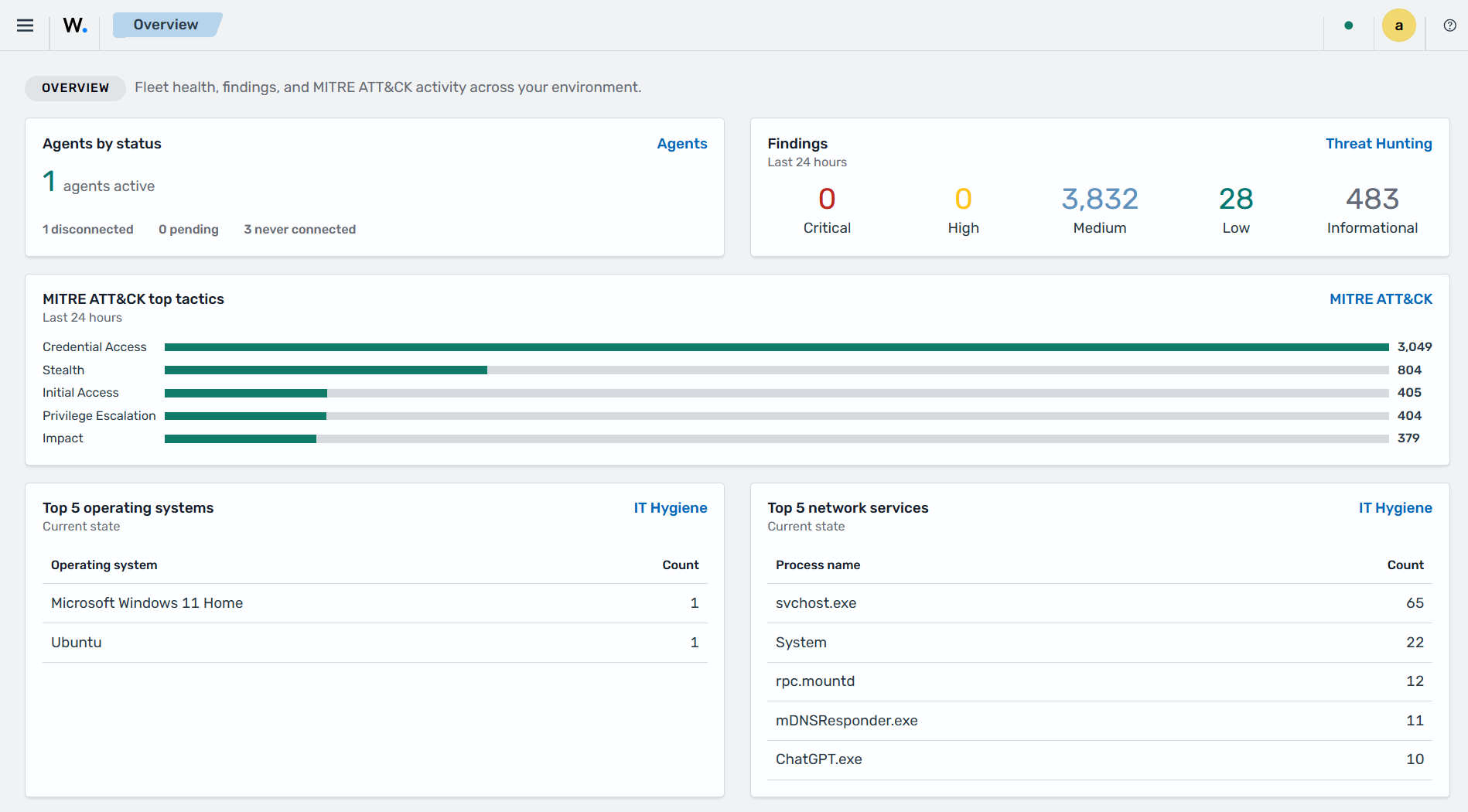
    Wazuh dashboard Overview

    Dashboards

    The Wazuh dashboard provides prebuilt visualizations and reports that help users monitor, analyze, and investigate security events across their environment. These dashboards present security, operational, and compliance data collected and processed by Wazuh. The Wazuh dashboard includes interactive dashboards for endpoint security, threat intelligence, security operations, cloud security, and ruleset management. It also provides management interfaces for Wazuh agents and central components, including the Wazuh manager, indexer, and dashboard.

    Click ☰ to open the menu. Home contains Overview and AI Assistant. Explore contains Discover, Dashboards, Visualize, Reporting, Alerting, Maps, Notifications, and Active Responses. The following sections describe the other menu groups.

    Endpoint security

    This section of the Wazuh dashboard provides dashboards for endpoint security capabilities, including configuration assessment, malware detection, and file integrity monitoring.

    Configuration Assessment

    This dashboard shows configuration assessment results, compliance status, failed checks, and security policy violations detected across monitored endpoints.
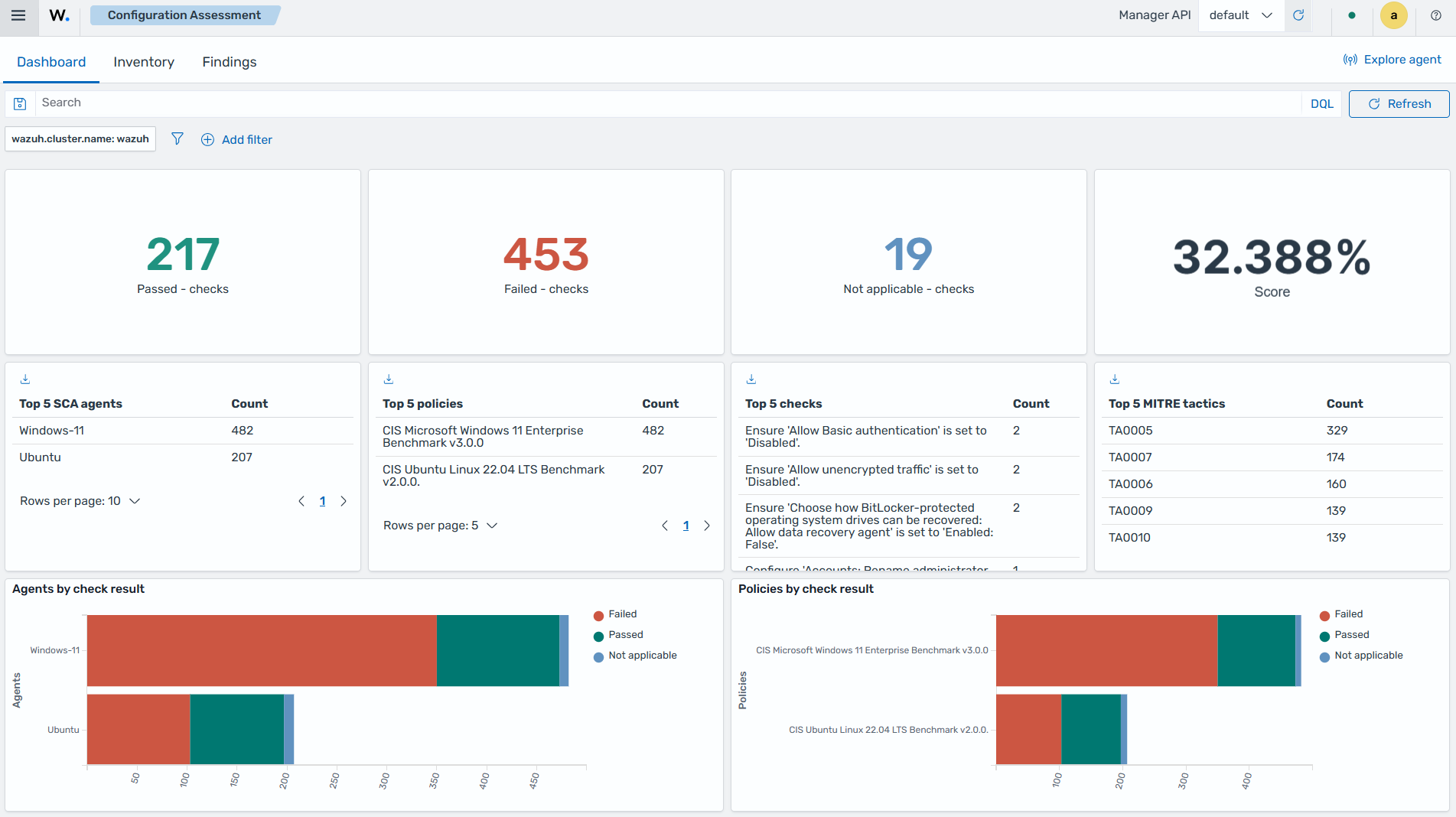
    Configuration Assessment

    Malware detection

    This dashboard shows malware detection events, threat intelligence matches, malicious file activity, and other indicators of compromise detected on monitored endpoints.
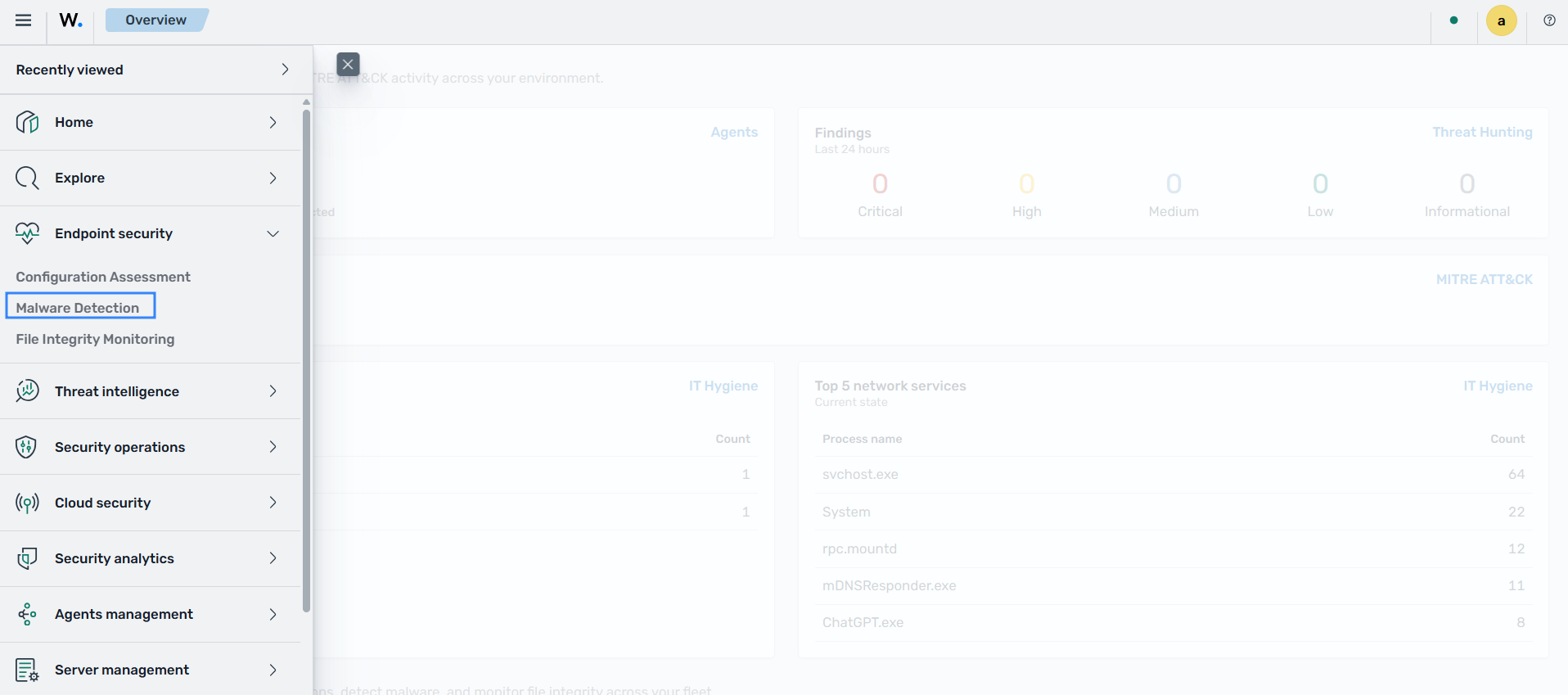
    Malware detection

    File integrity monitoring

    This dashboard shows file activity over time, monitored file inventory, and events related to changes in monitored files and directories.
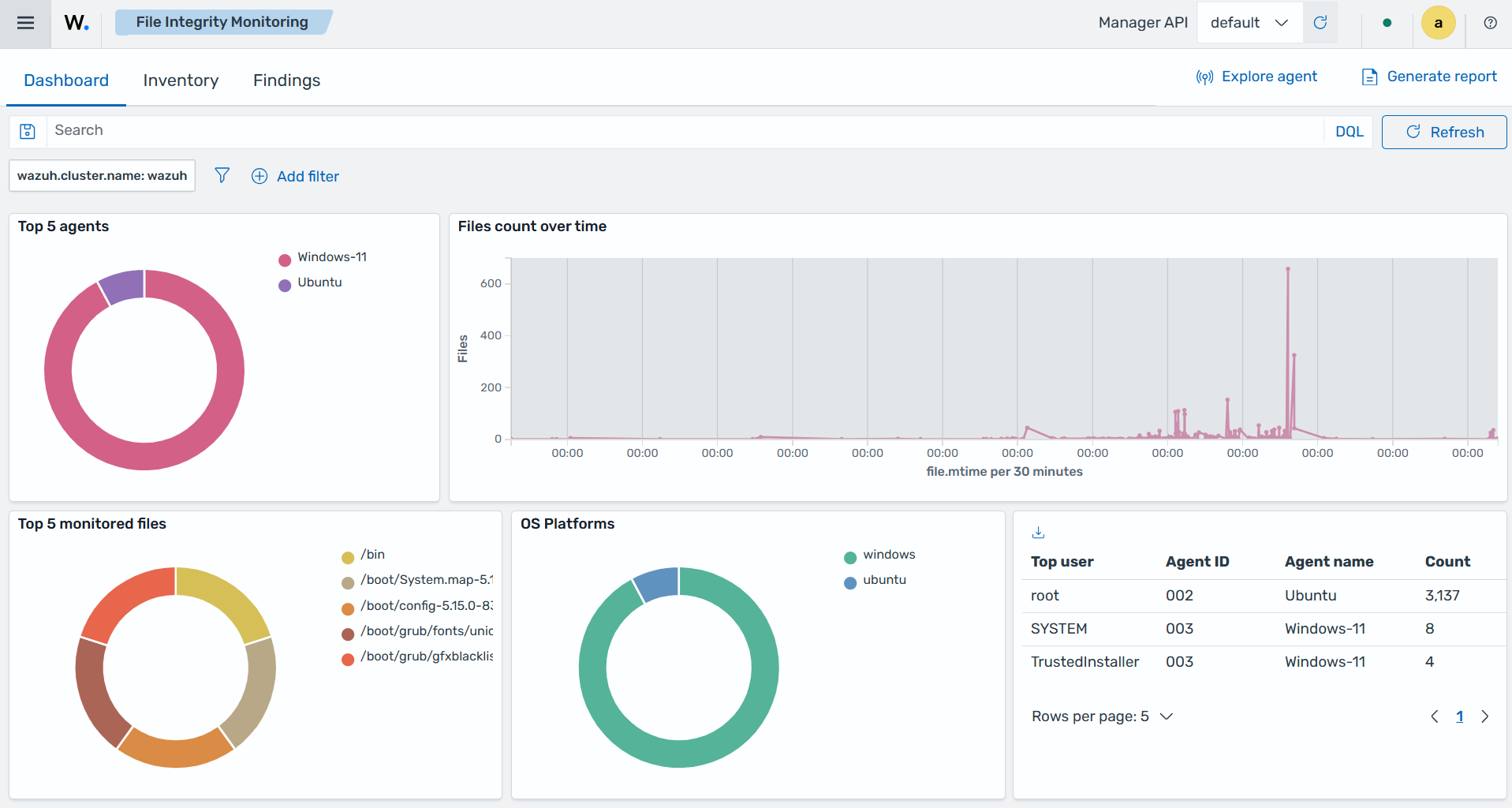
    File integrity monitoring

    Threat intelligence

    This section of the Wazuh dashboard provides dashboards for threat intelligence capabilities, including threat hunting, MITRE ATT&CK analysis, vulnerability detection, and case management. The Case Management dashboard shows investigation cases by status, severity, and priority on its Cases tab.

    Threat Hunting

    This dashboard provides visibility into security events and suspicious activity to support proactive threat investigation and analysis.
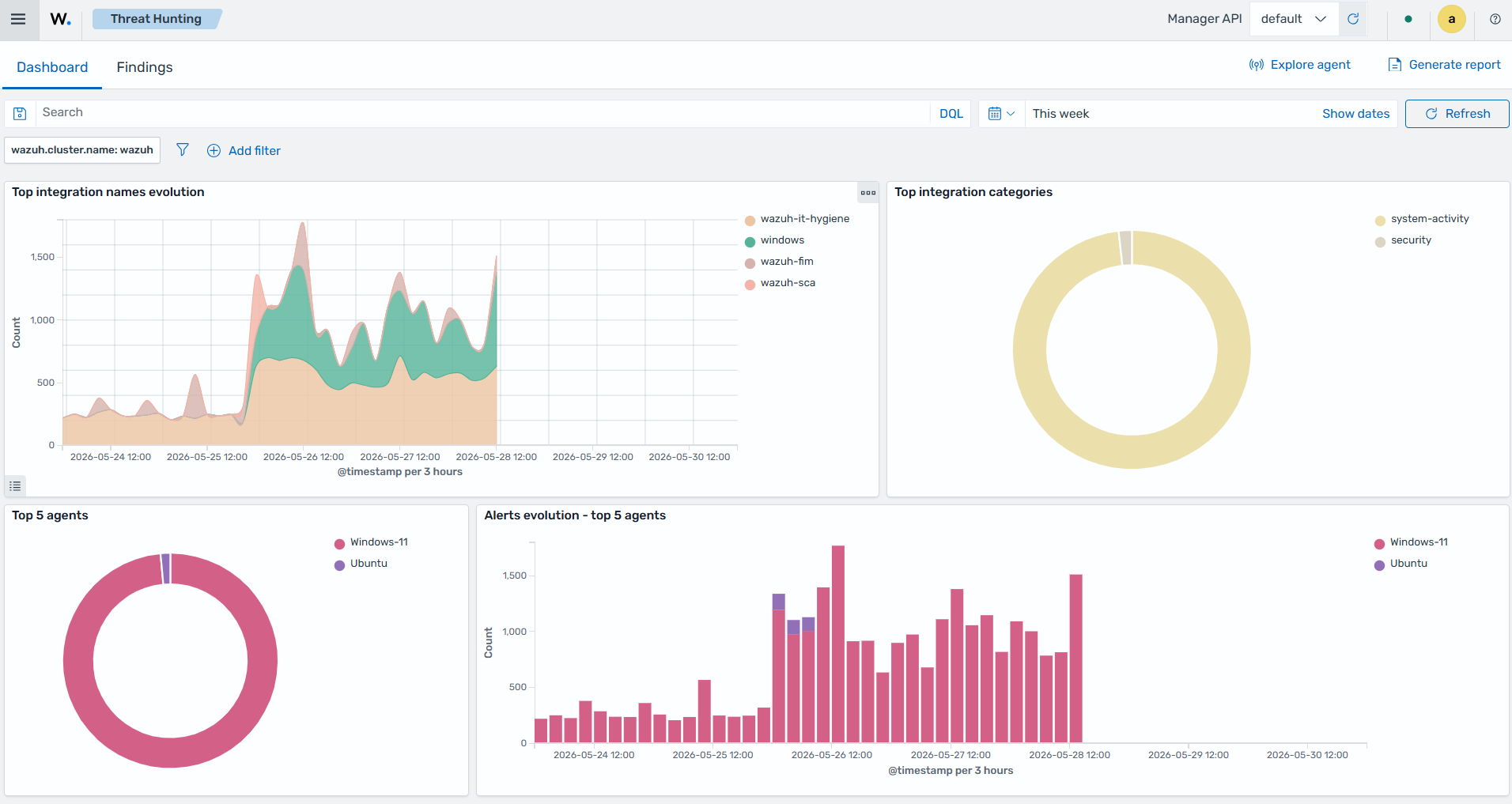
    Threat Hunting

    Vulnerability detection

    This dashboard shows detected vulnerabilities, affected endpoints, severity levels, and remediation-related information across monitored systems.
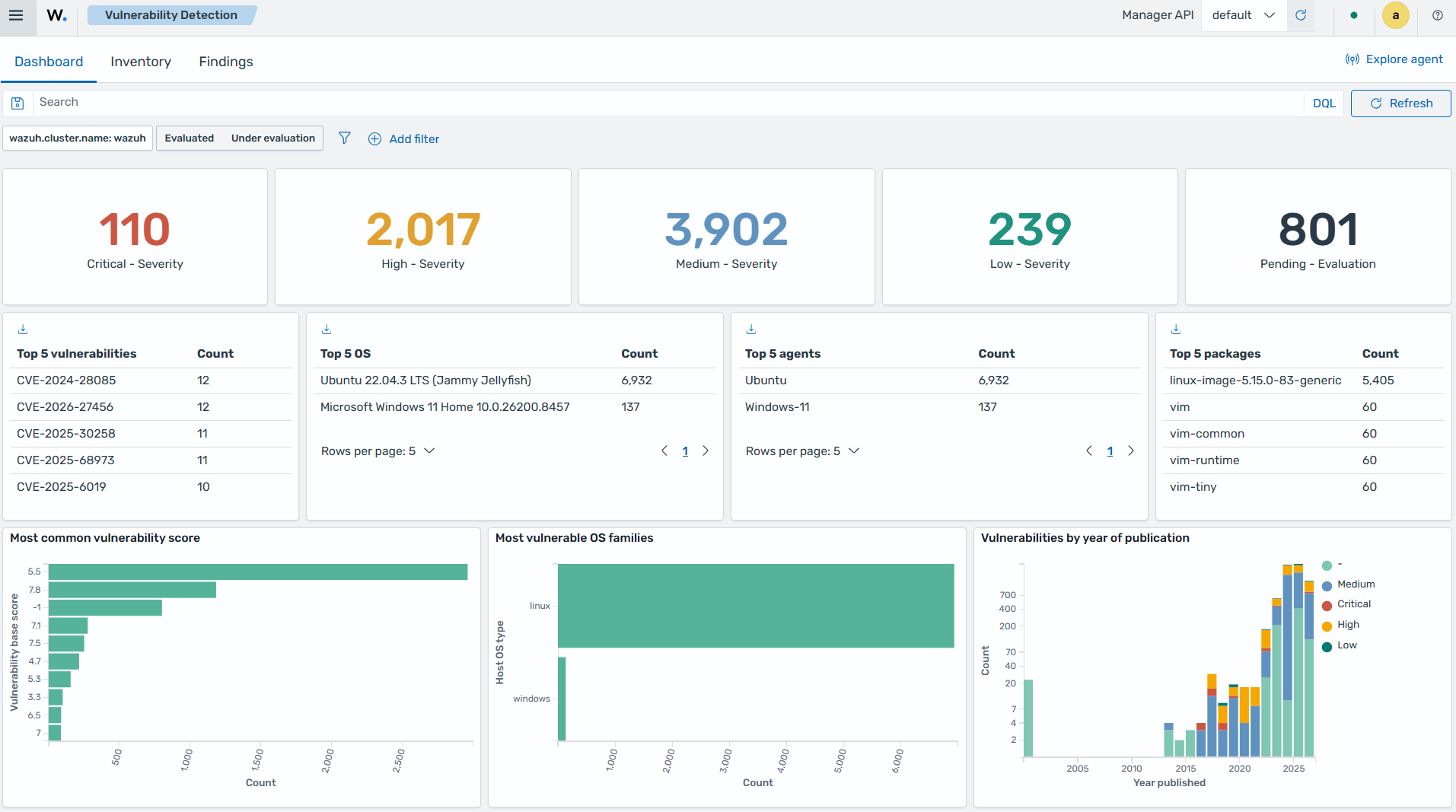
    Vulnerability detection

    MITRE ATT&CK

    This dashboard maps detected security events and techniques to the MITRE ATT&CK framework to support threat analysis and adversary behavior tracking.
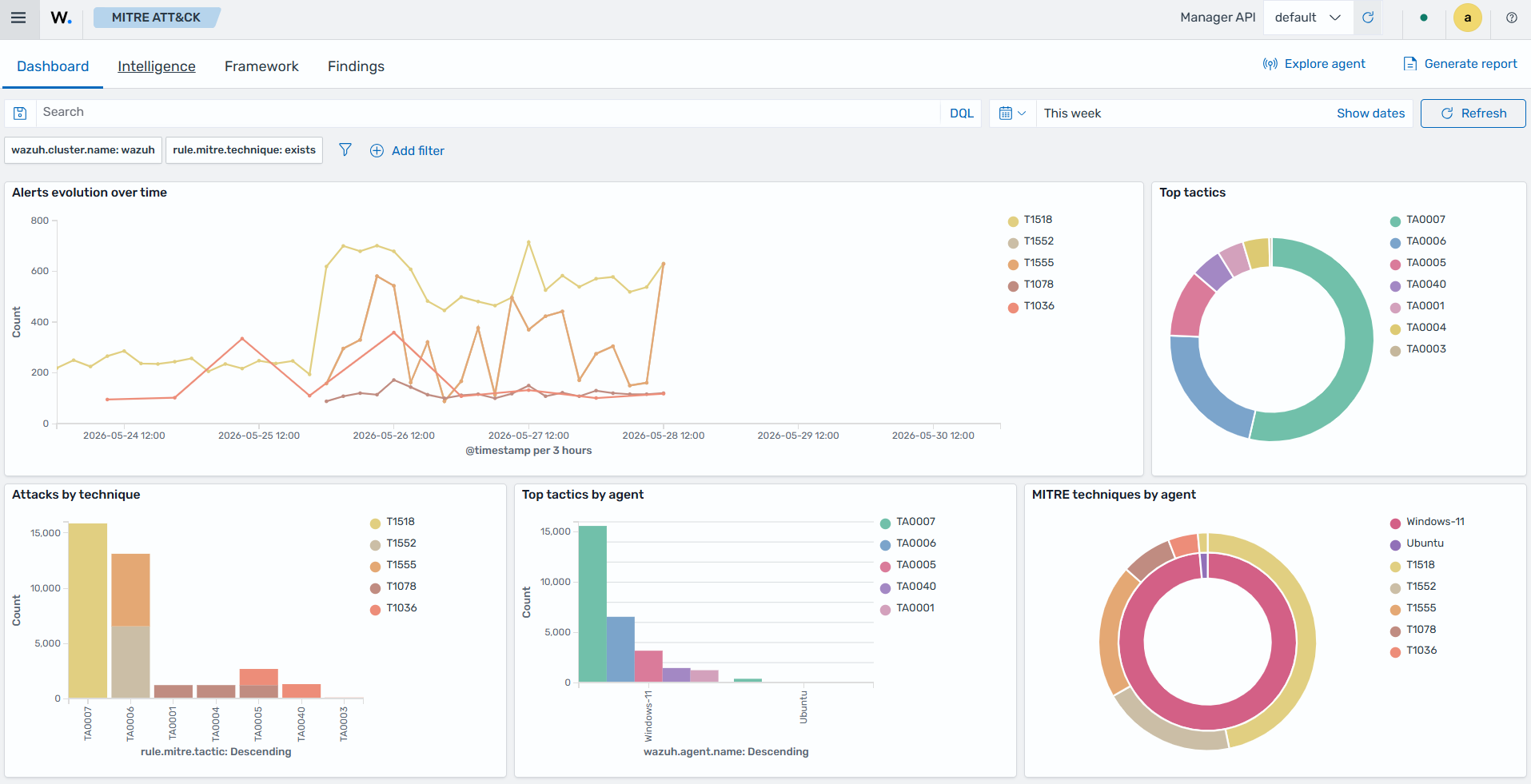
    MITRE ATT&CK

    Security operations

    This section shows dashboards for IT hygiene data, such as system inventory and vulnerabilities, as well as regulatory standards.

    IT Hygiene

    This dashboard shows IT hygiene data, including system inventory information, installed packages, running processes, open ports, and detected vulnerabilities across monitored endpoints.
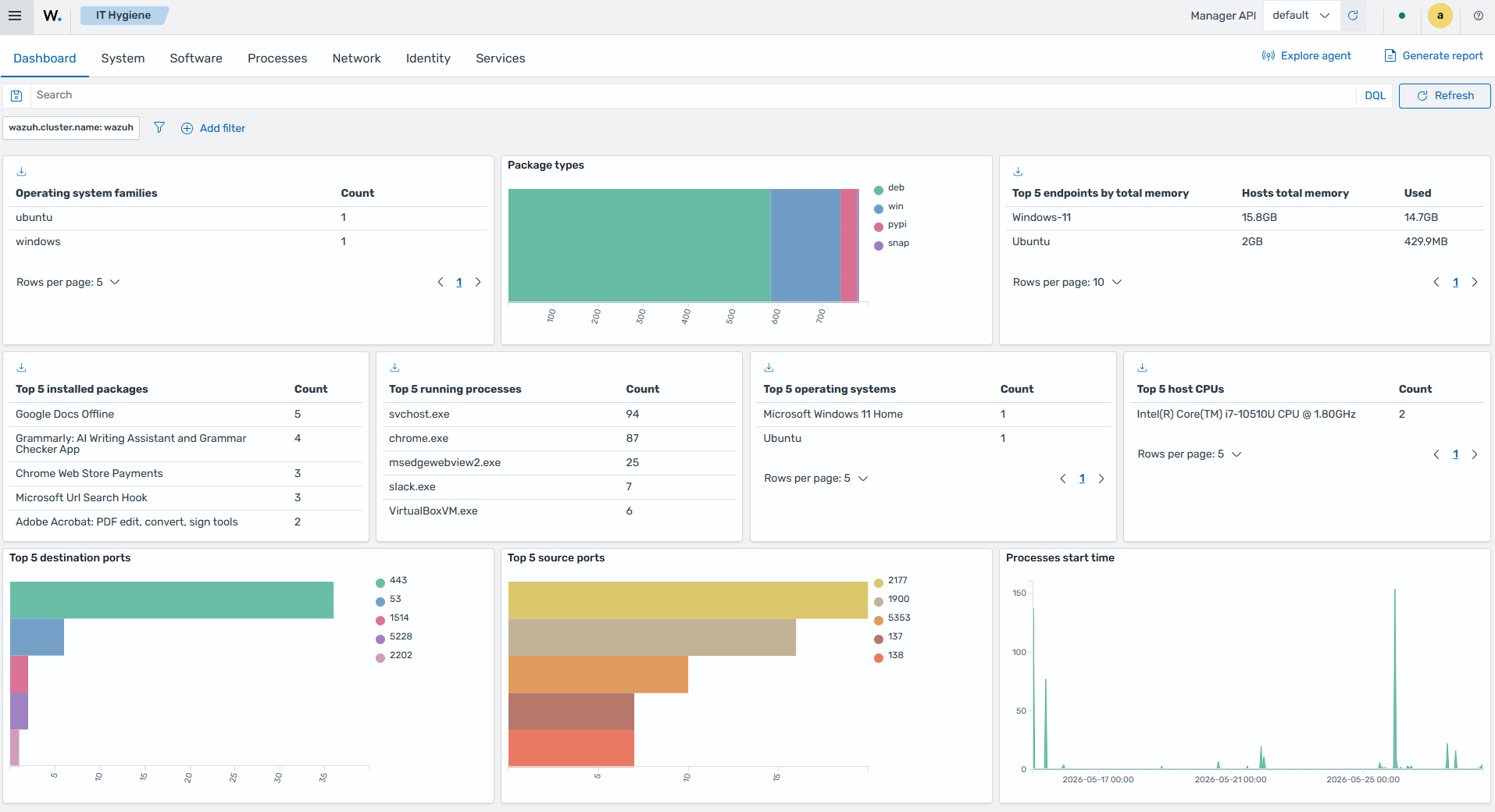
    IT Hygiene

    Regulatory compliance

    This dashboard shows compliance monitoring data mapped to regulatory frameworks: PCI DSS, CMMC, FedRAMP, GDPR, HIPAA, ISO 27001, NIS2, NIST 800-53, NIST 800-171, and TSC.
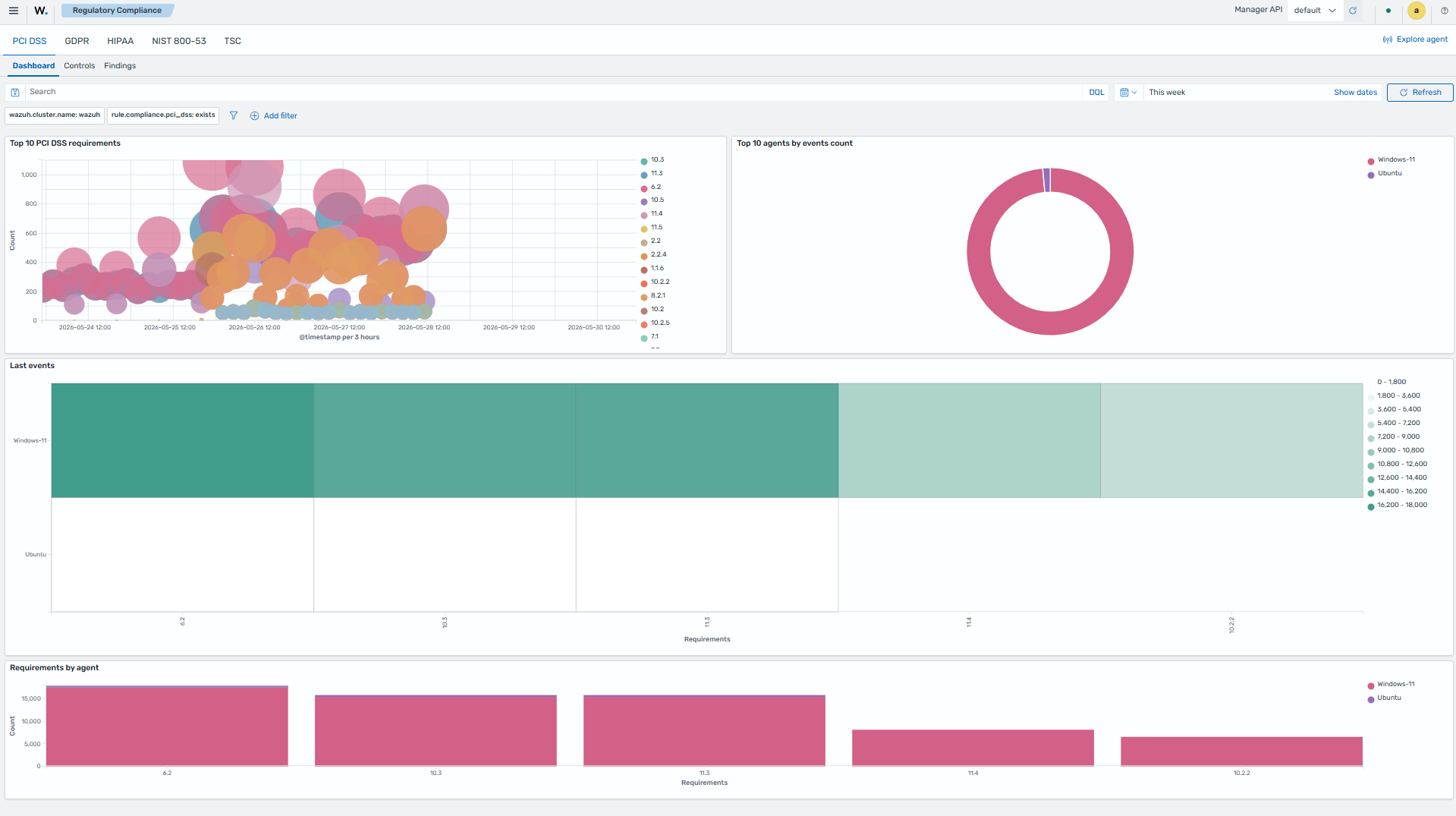
    Regulatory compliance

    Incident response

    This dashboard shows incident response activity, including the actions that active response scripts perform on monitored endpoints. The image below shows the Responses tab with the responses recorded after an active response script ran on a monitored endpoint.
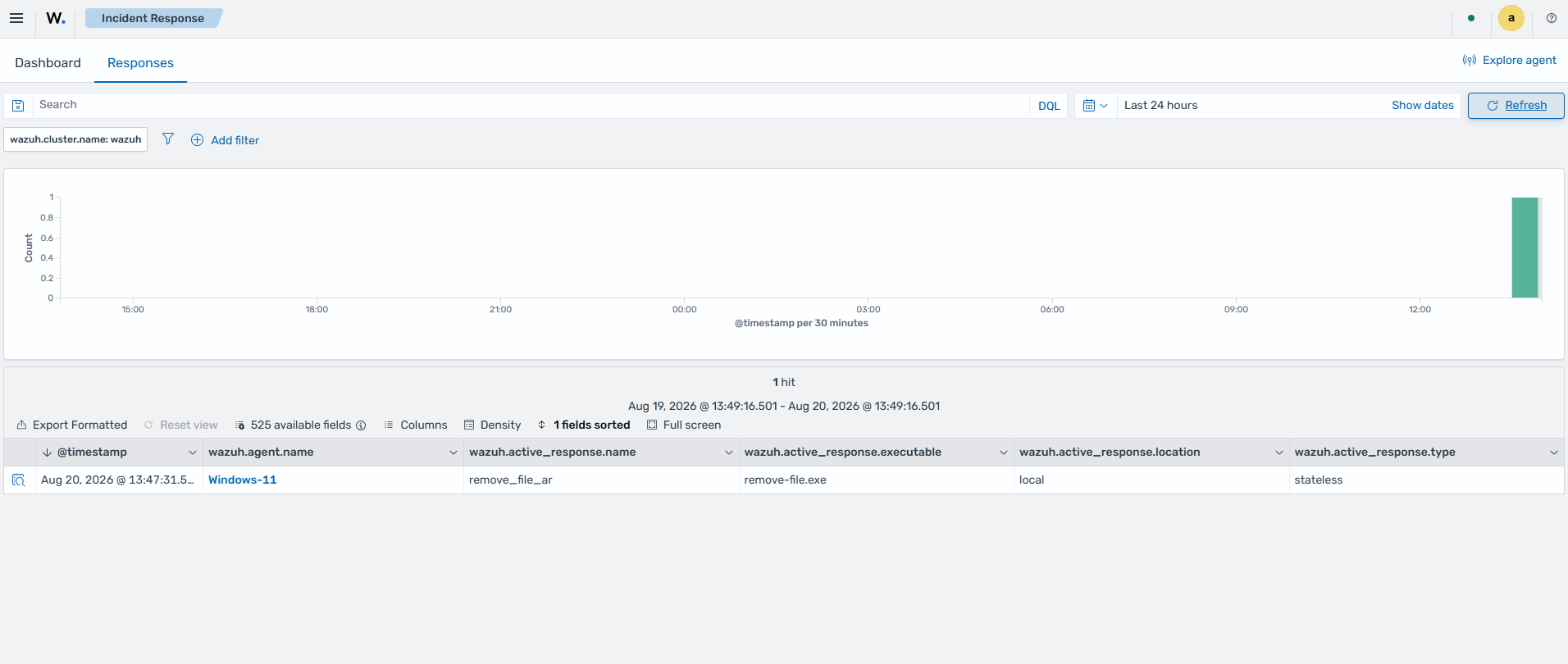
    Incident response

    Cloud security

    This section shows dashboards for monitoring cloud workloads, cloud service activity, security events, and compliance data across supported cloud platforms and services, including Docker, Amazon Web Services (AWS), Google Cloud, GitHub, Office 365, and Microsoft Graph API.
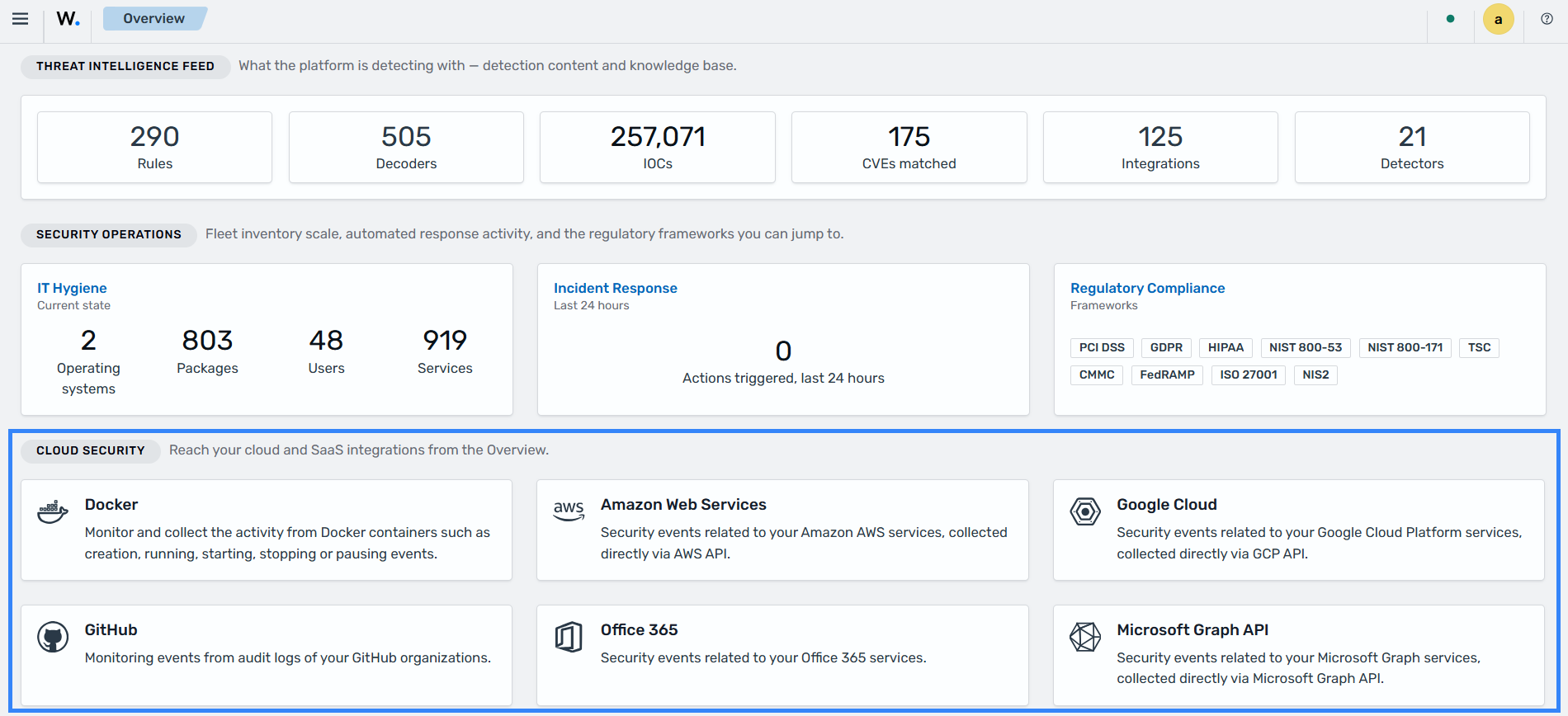
    Cloud security

    Ruleset management

    The Ruleset management section provides a centralized interface for managing integrations, decoders, key-value databases (KVDBs), detectors, and detection rules. It also includes a log test tool for testing Wazuh rules and decoders directly from the Wazuh dashboard.
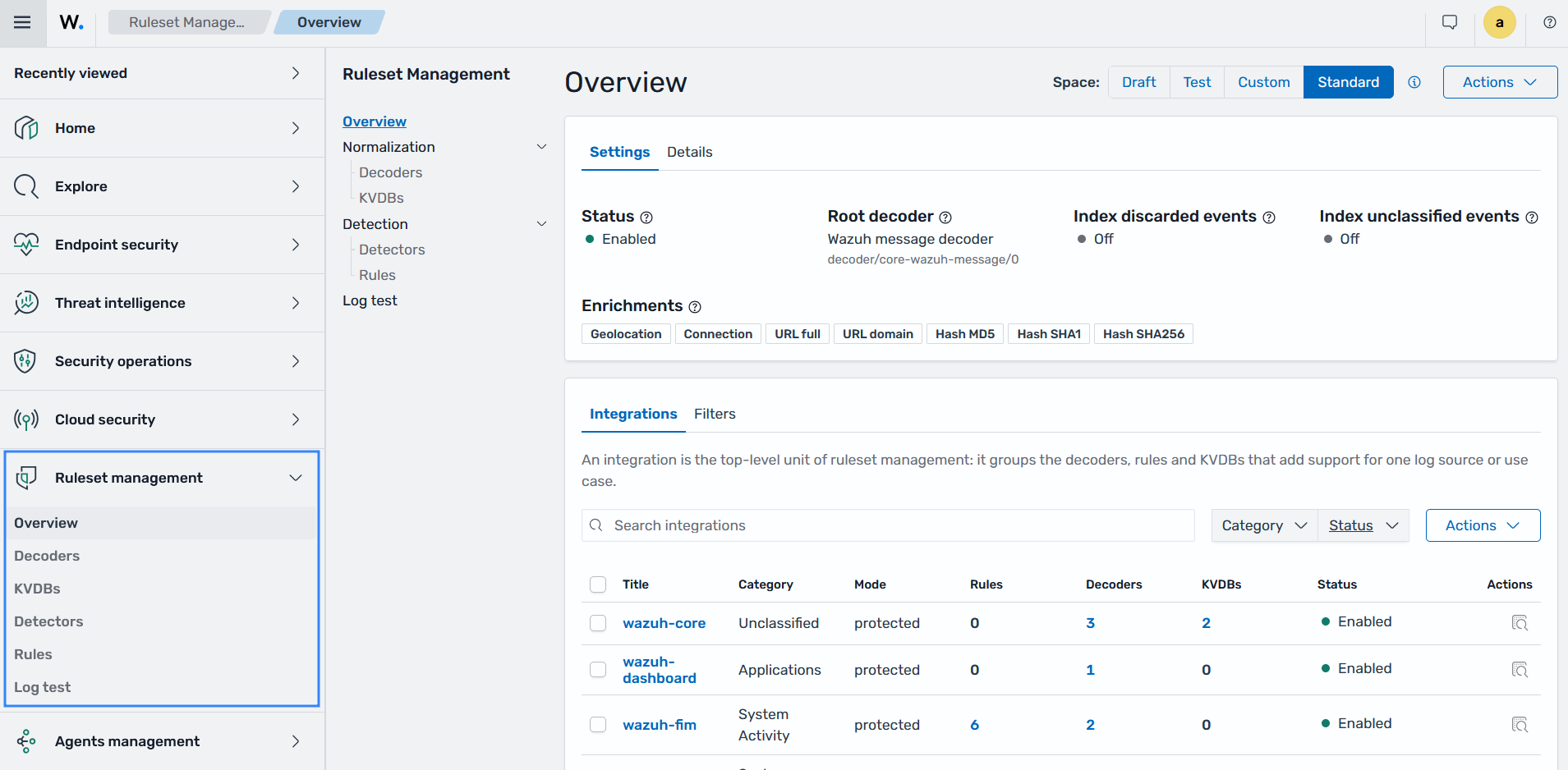
    Ruleset management

    Overview

    The Overview page lists the integrations in the space you select in Space (Draft, Test, Custom, or Standard), with their status and associated metadata. An integration is the top-level organizational unit in Ruleset management that groups related decoders, KVDBs, and rules for a specific log source or use case.
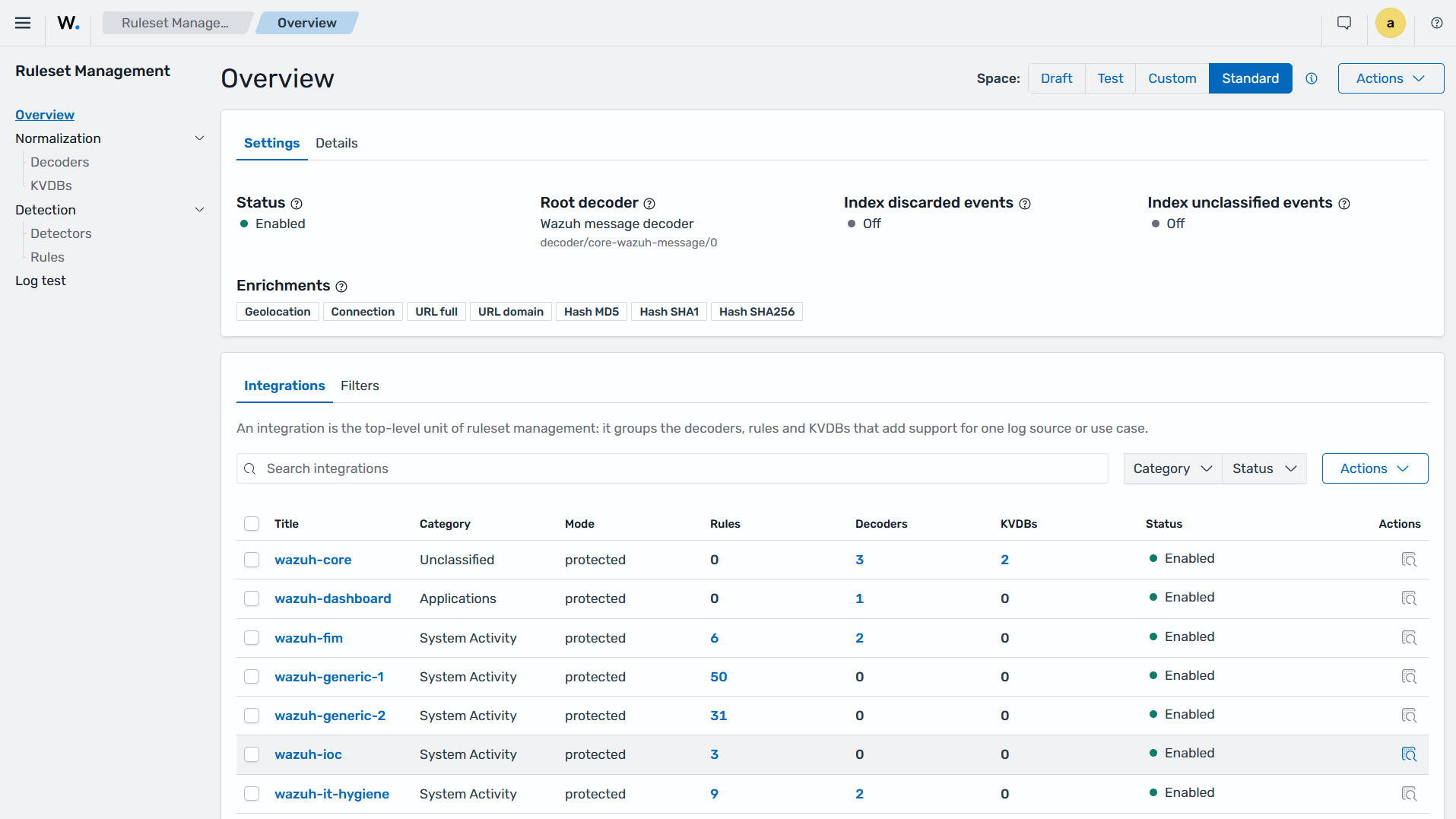
    Overview

    Decoders

    The Decoders section allows users to query existing decoders and manage custom decoders.
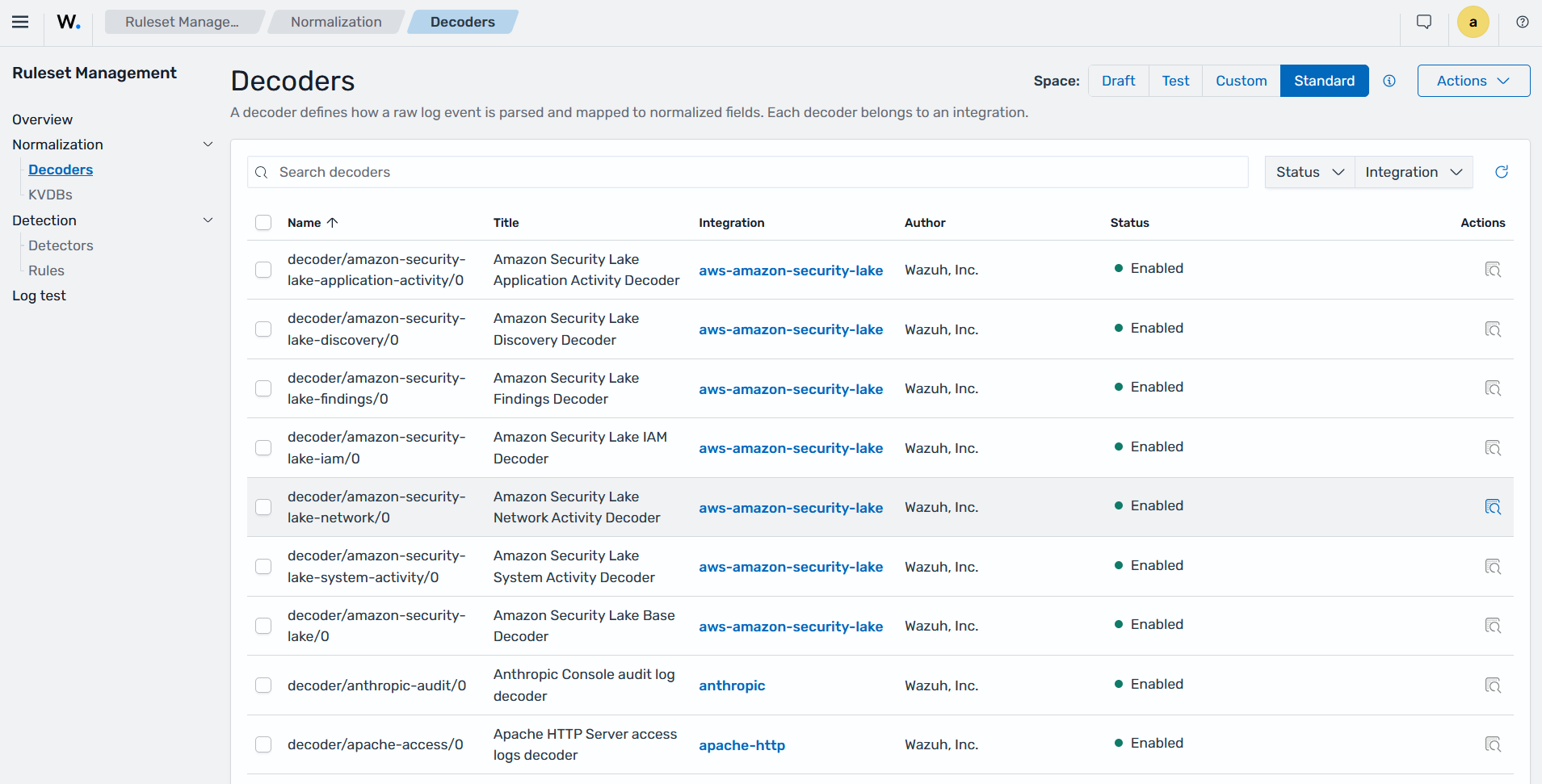
    Decoders page of Ruleset management

    KVDBs

    The KVDBs section allows users to query existing Key-Value Databases and manage custom KVDBs. A KVDB is a lookup table that can be referenced in the decoder or rule logic to enrich events with additional context. KVDB lists can act as either allow or deny lists and replace the Constant database lists used in Wazuh 4.x.
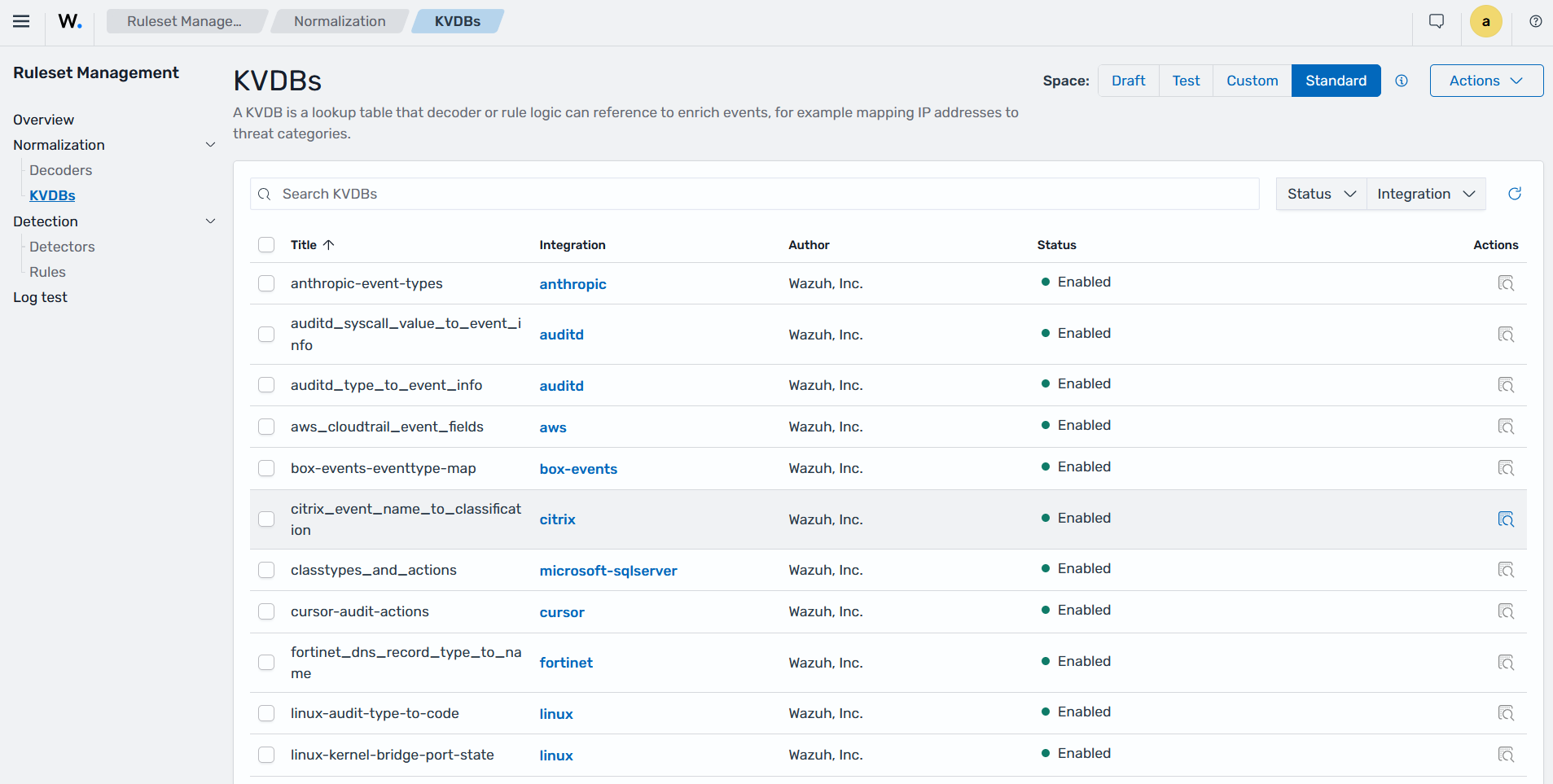
    KVDBs

    Detectors

    The Detectors section allows users to query existing detectors and manage custom detectors. A Detector connects detection rules to a specific data source (an index or alias) and runs continuously to identify security findings. This allows organizations to apply specific detection logic to selected log sources for continuous threat monitoring.
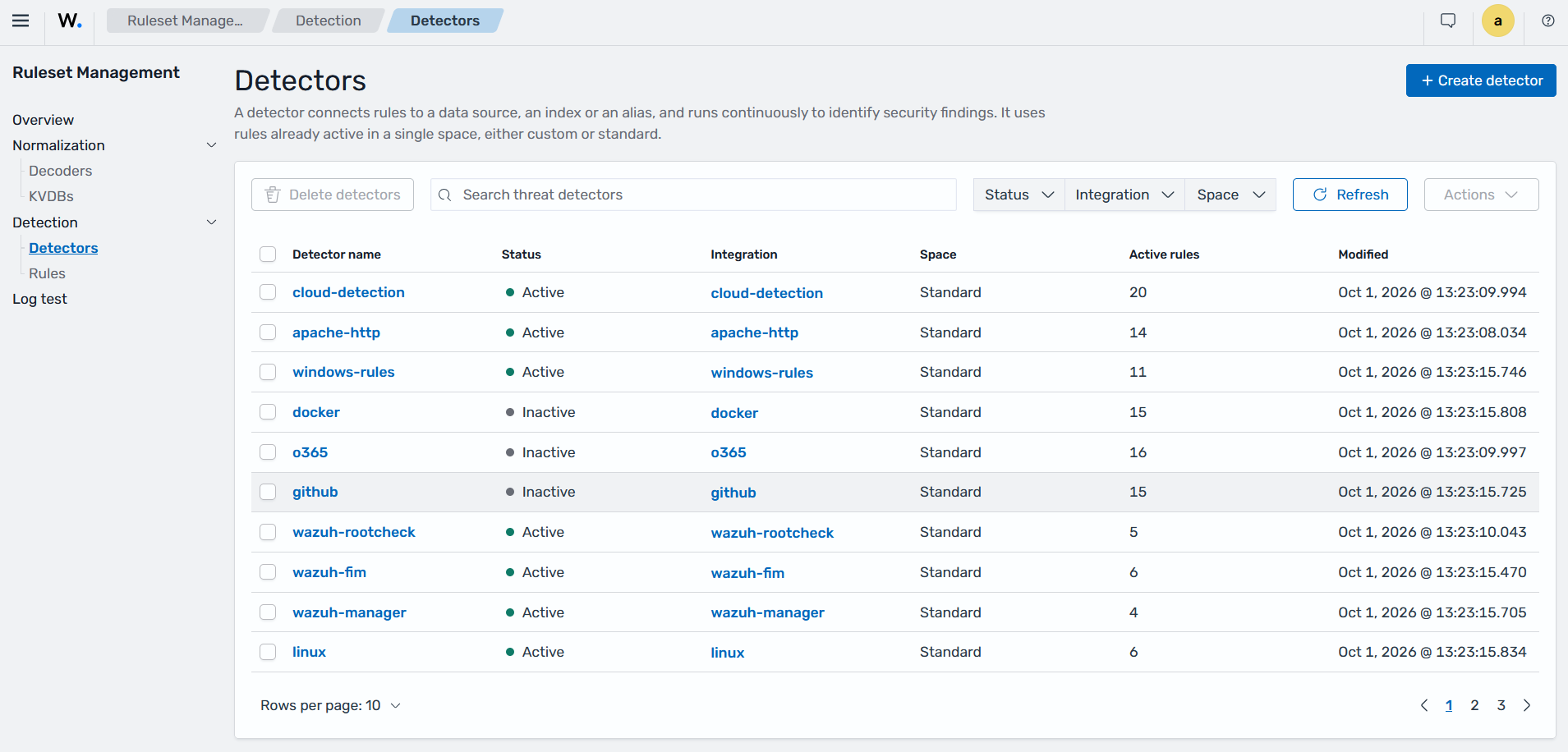
    Detectors page of Ruleset management

    Rules

    The Rules section allows users to query existing rules and manage custom rules.
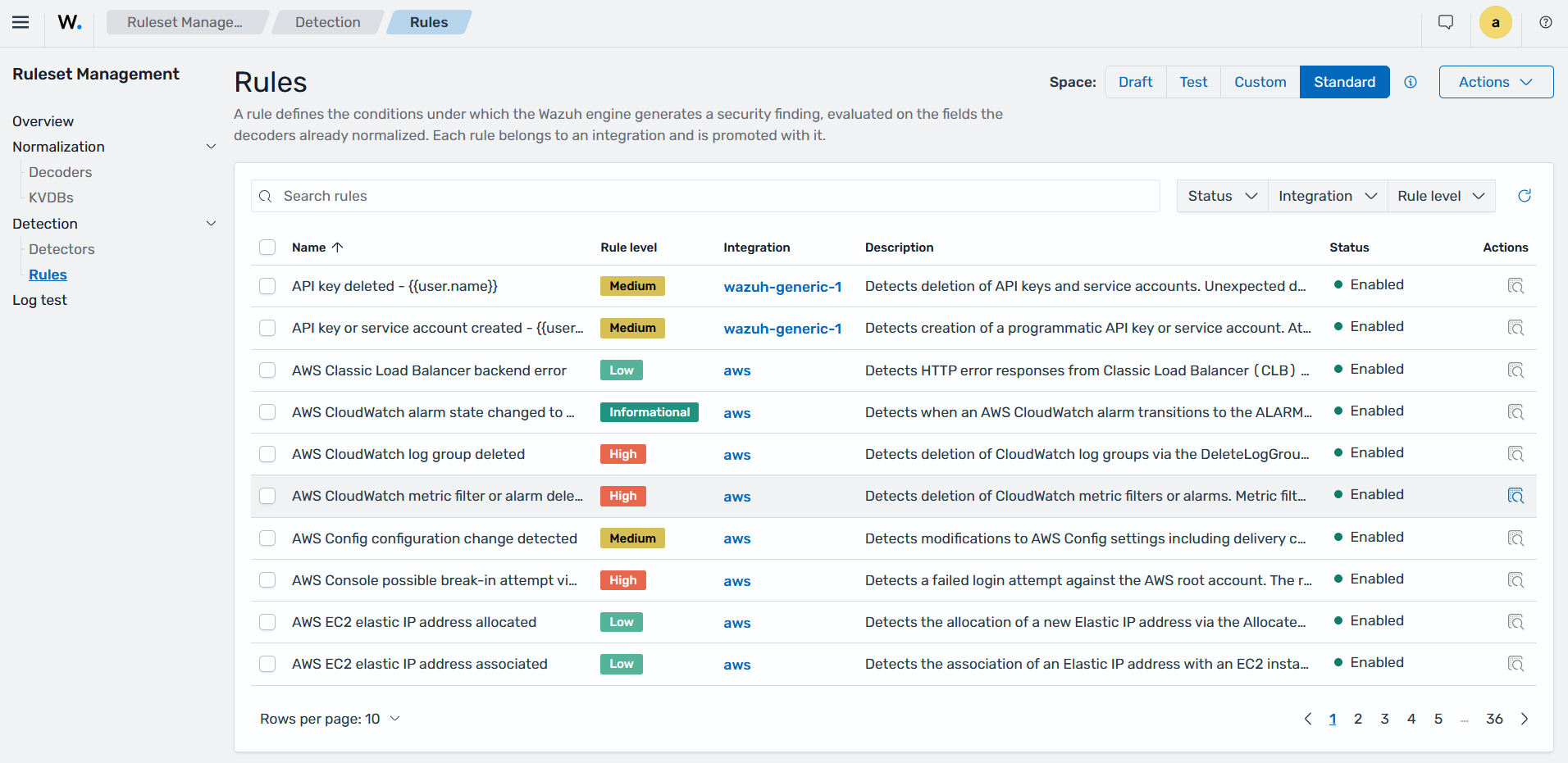
    Rules page of Ruleset management

    Log test

    The Wazuh Log test tool allows users to test Wazuh rules and decoders from the Wazuh dashboard.
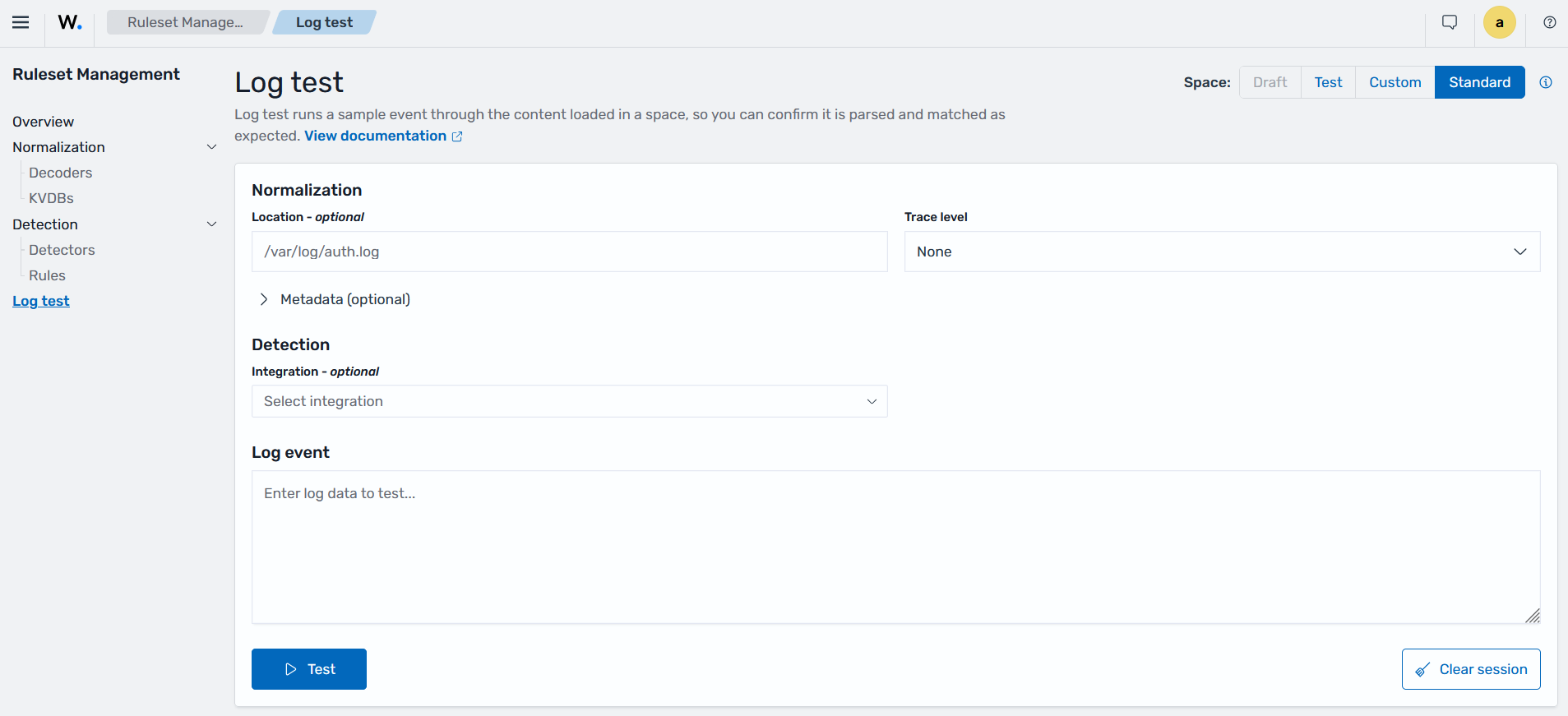
    Log test

    Agents management

    The Agents management section provides the Summary, Groups, and Enrollment tokens views for managing Wazuh agents.
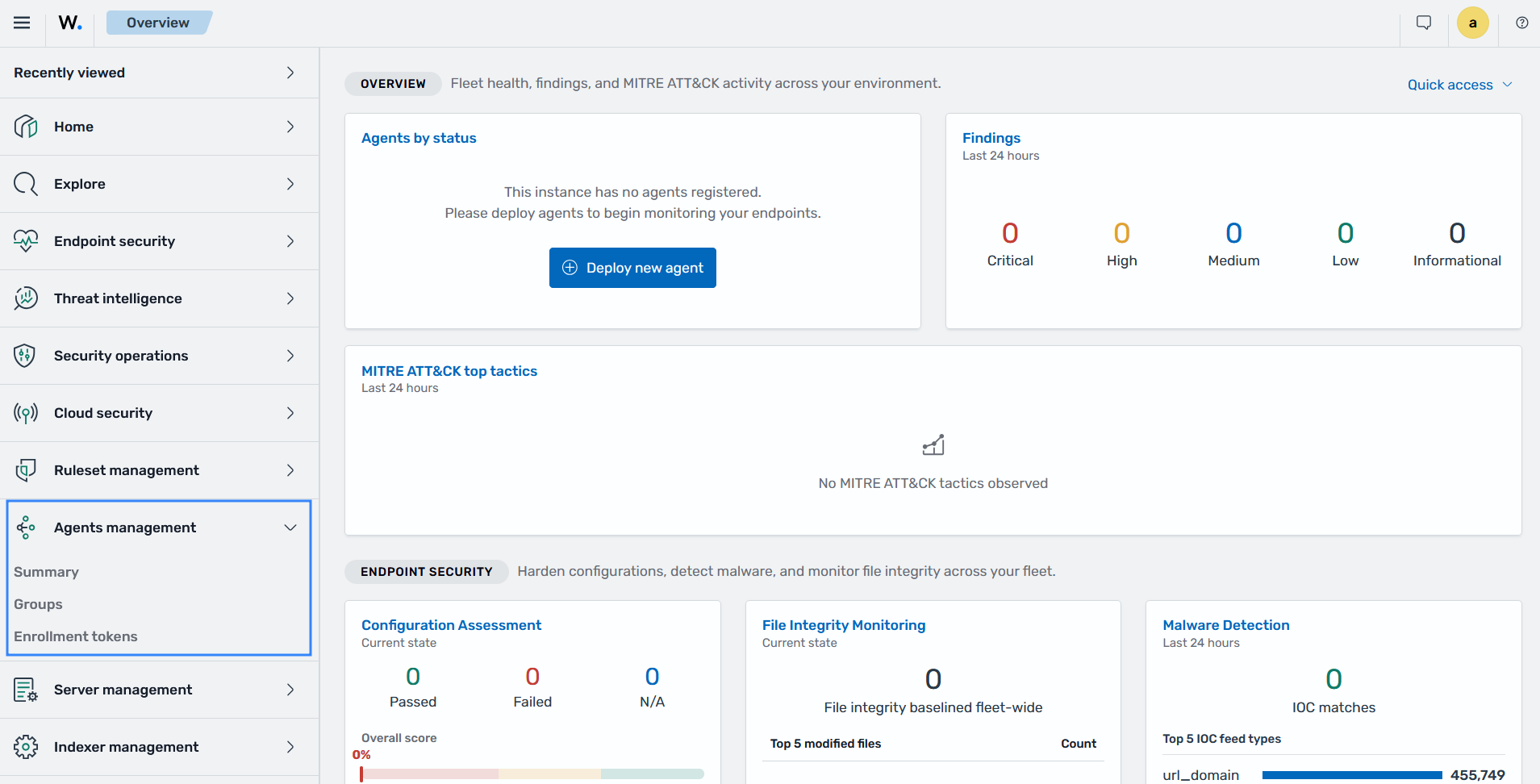
    Agents management

    Summary

    This section provides an overview of monitored endpoints and agent management options. It lists every enrolled Wazuh agent with its IP address, group membership, operating system, version, and connection status.

    You can view endpoint details, deploy Wazuh agents, organize them into groups, remove agents, upgrade agents, and perform actions on individual agents.
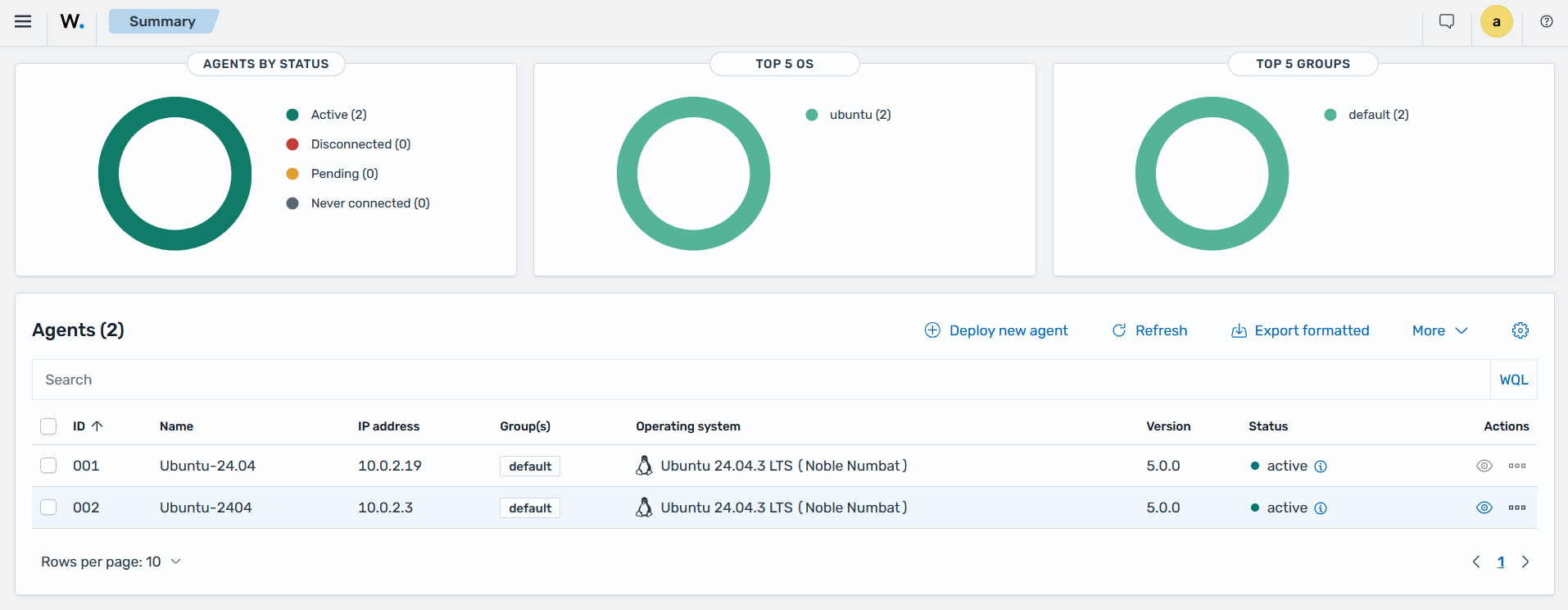
    Endpoints summary

    Groups

    This section describes how to manage agent groups from the Wazuh dashboard. An agent group organizes Wazuh agents that share a common purpose, such as a platform, location, or workload. Each group has a shared configuration that applies to every agent in the group.

    You can create groups, assign agents to one or more groups, and edit each group's shared configuration. The Wazuh manager stores the shared configuration centrally, and each agent retrieves its group configuration through its connection to the Wazuh manager. In a Wazuh manager cluster, the master node distributes the shared configuration to worker nodes.
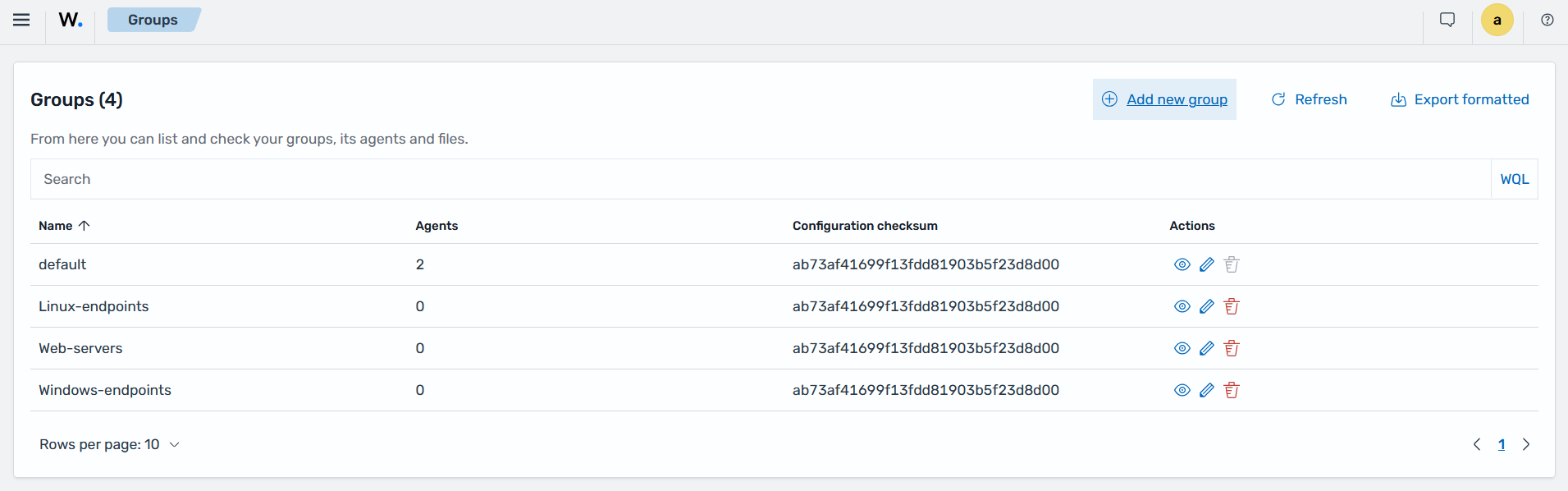
    Endpoint groups

    Enrollment tokens

    This section describes how to manage enrollment tokens from the Wazuh dashboard. An enrollment token is a credential that a Wazuh 5.x agent uses to enroll with the Wazuh manager. It carries the Wazuh manager address, the pin of the certificate authority to trust, and an enrollment credential. By default, a token can enroll any number of agents. To limit it, set Enrollments allowed when you create the token.

    The Wazuh dashboard manages tokens through the Wazuh manager API. You can create a token when deploying a new Wazuh agent, list active tokens, and revoke tokens that are no longer needed. Tokens expire after 30 days by default. In a Wazuh manager cluster, the master node creates, consumes, and revokes all tokens.
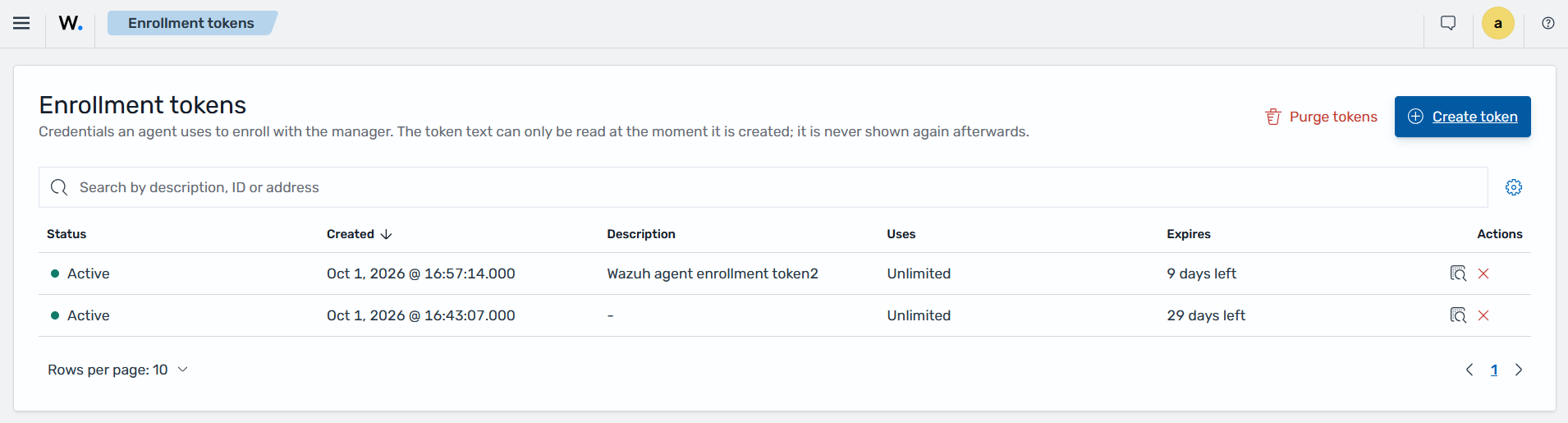
    Enrollment tokens

    Server management

    The Server management section provides options for managing the Wazuh manager and its security configuration. It includes Status, Statistics, Logs, Settings, Dev Tools, and API access control. Statistics shows Wazuh manager event-processing metrics, such as bytes and events received, events processed and dropped, events per second, and queue usage.
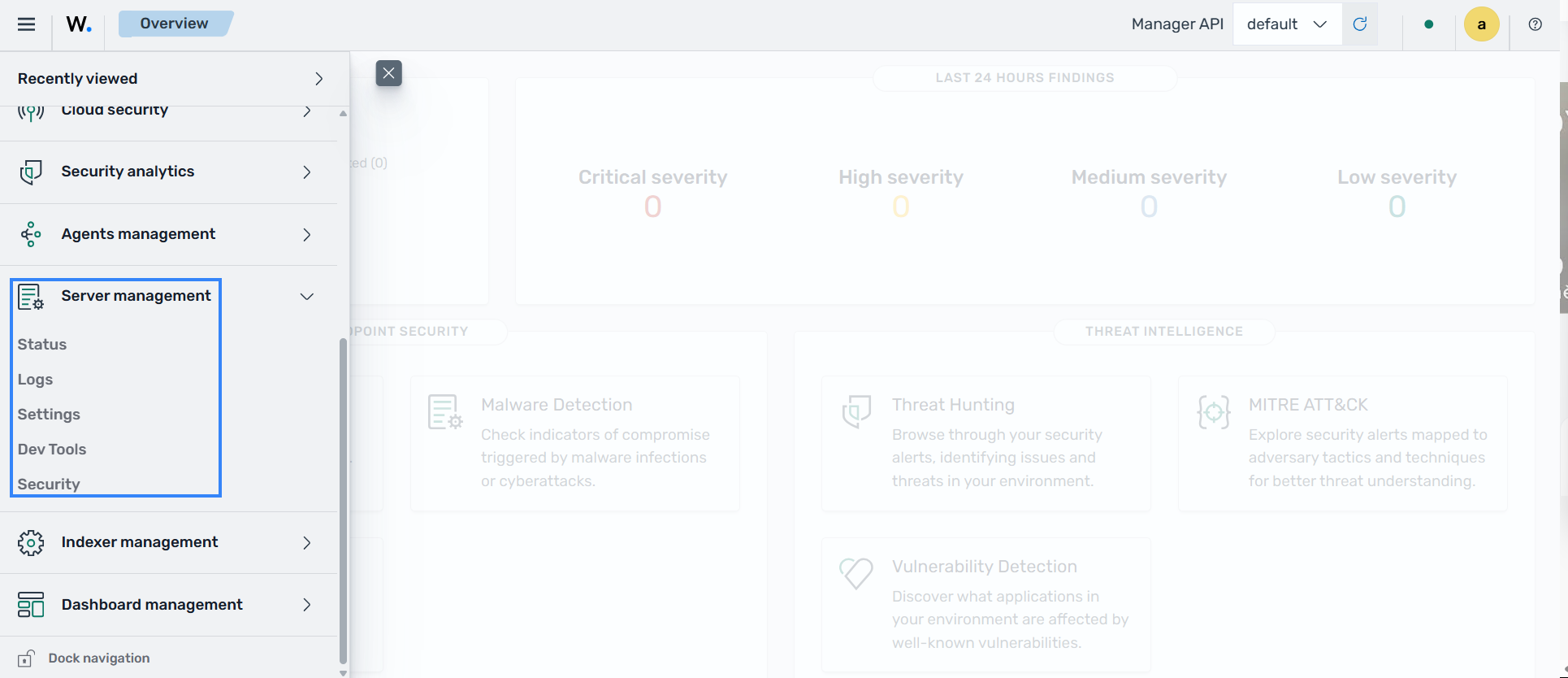
    Server management

    Status

    Users can view the status of different Wazuh daemons, the overall Wazuh agent status, Wazuh manager information, and more.
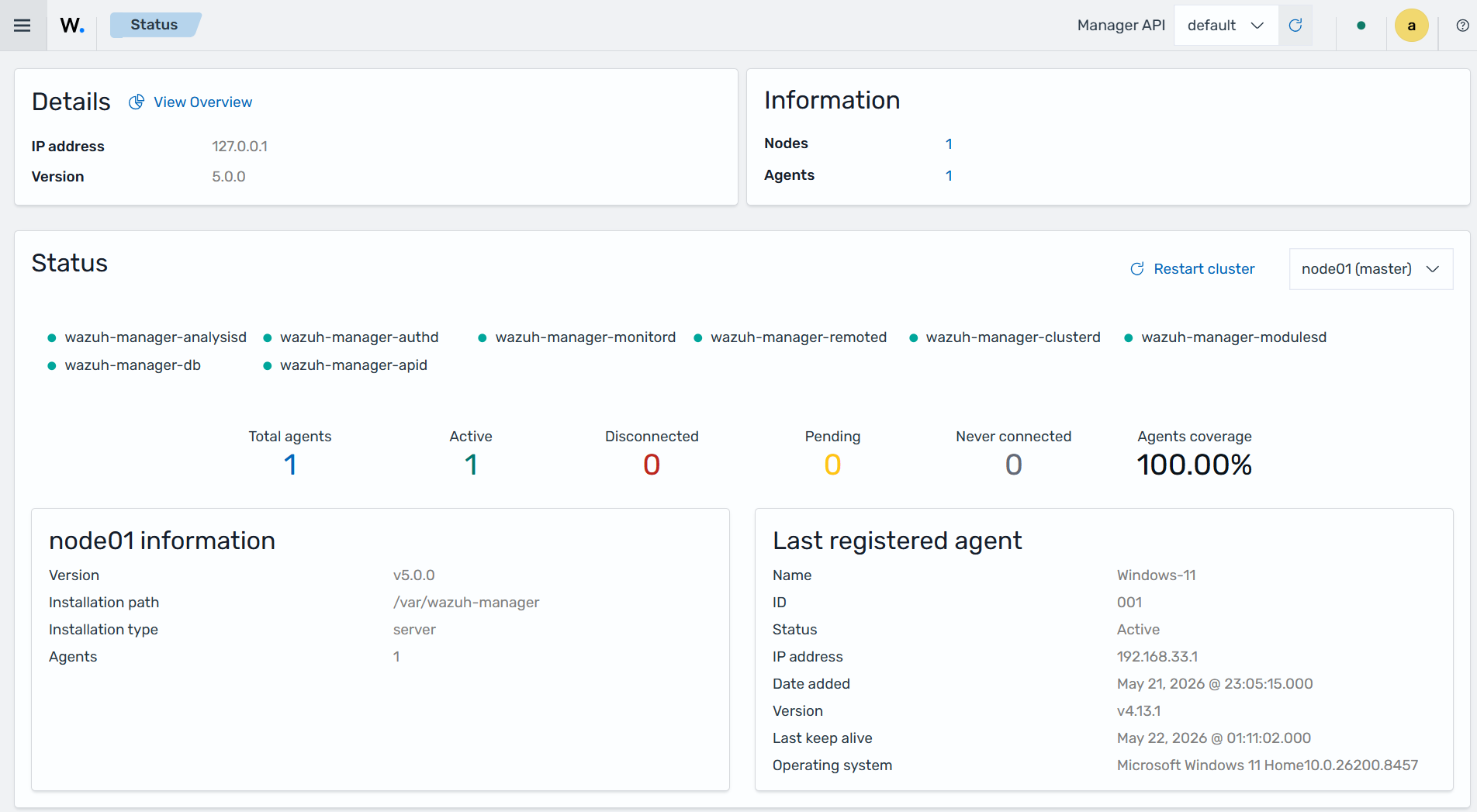
    Status page of Server management

    Logs

    The Logs page shows the Wazuh manager log, /var/wazuh-manager/logs/wazuh-manager.log. You can filter it by daemon, log level, and node, and turn on Realtime to follow new entries.
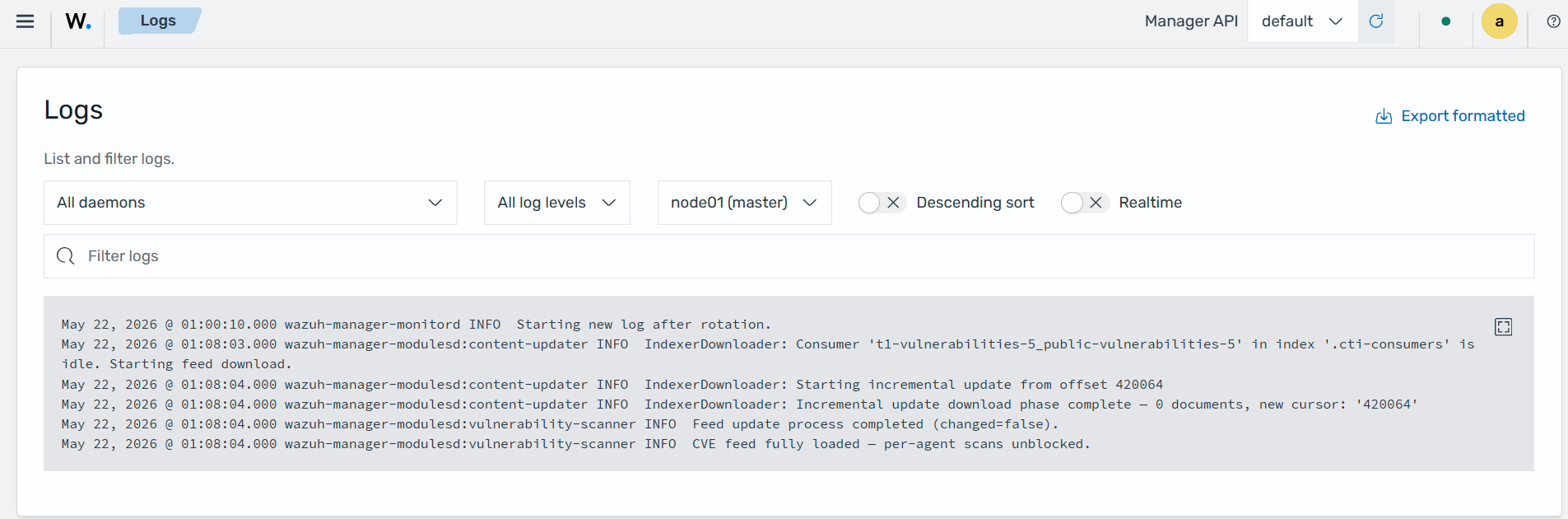
    Logs page of Server management

    Settings

    Users can modify the Wazuh manager configuration file located at /etc/wazuh-manager/wazuh-manager.conf from the Wazuh dashboard.
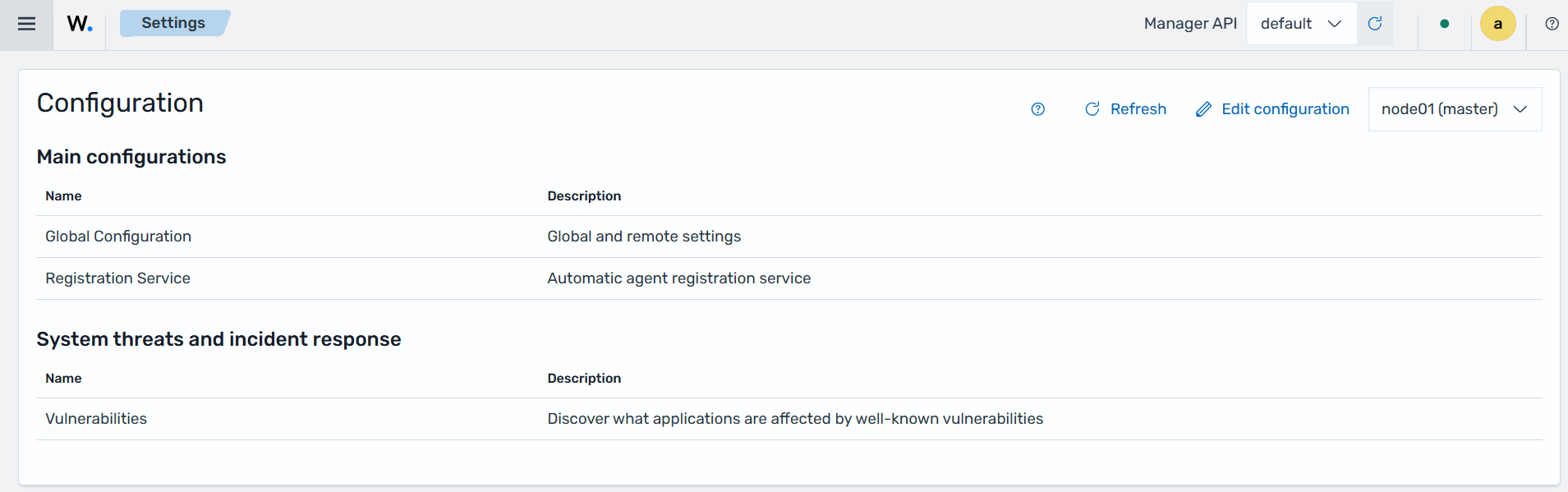
    Settings page of Server management

    Dev Tools

    This section allows users to send queries using the Wazuh manager API. It can be used to retrieve information and perform operations related to agent management, security configuration, cluster management, file integrity monitoring, security events, inventory data, vulnerabilities, and other Wazuh platform features.
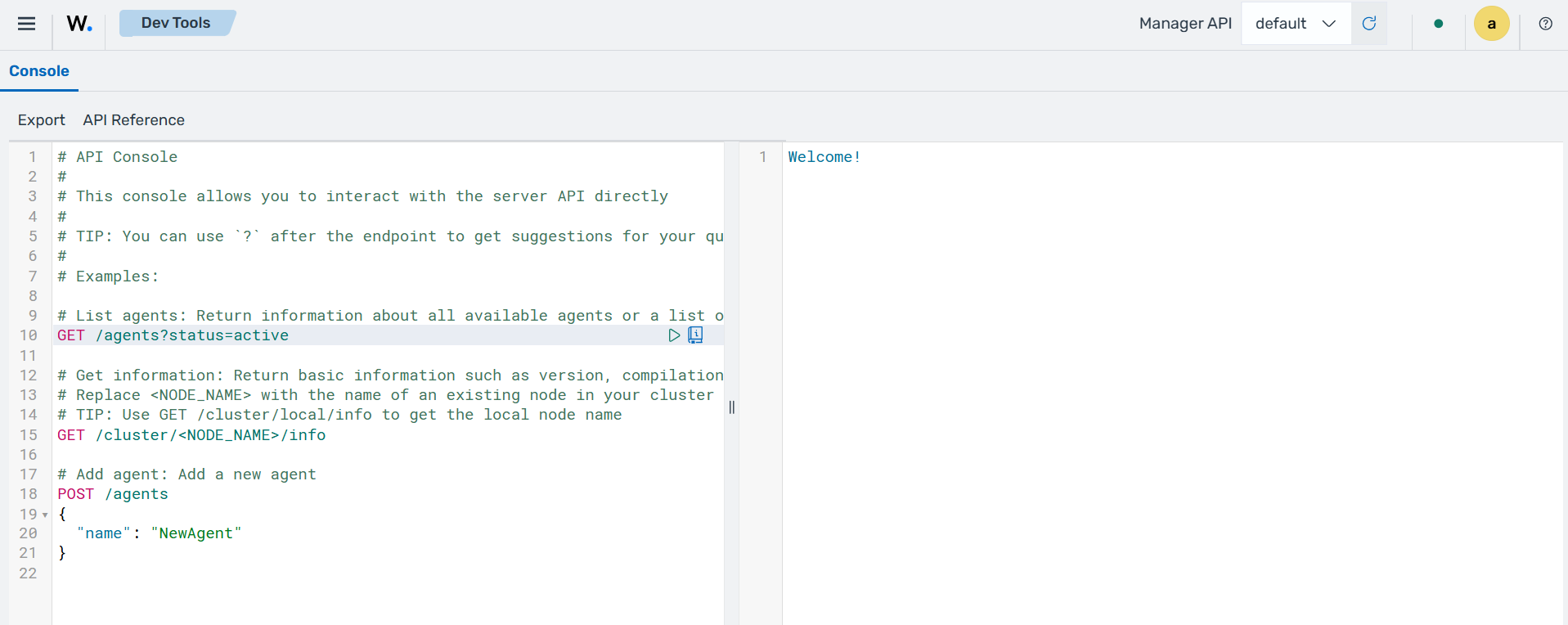
    Dev Tools

    API access control

    This section provides role-based access control (RBAC) configuration options for the Wazuh platform. It allows administrators to manage Wazuh manager API users, roles, role mappings, and policies used to control access to Wazuh resources and features.
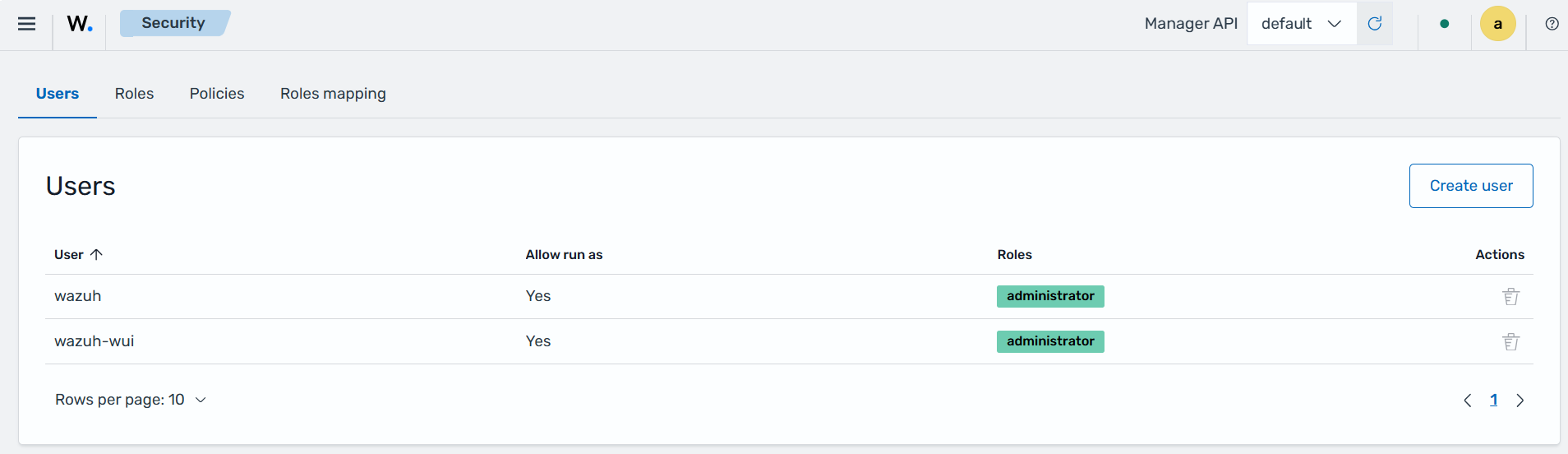
    API access control - Users

    The Roles tab shows the existing roles alongside the policies assigned to those roles. It also includes the option for creating roles.
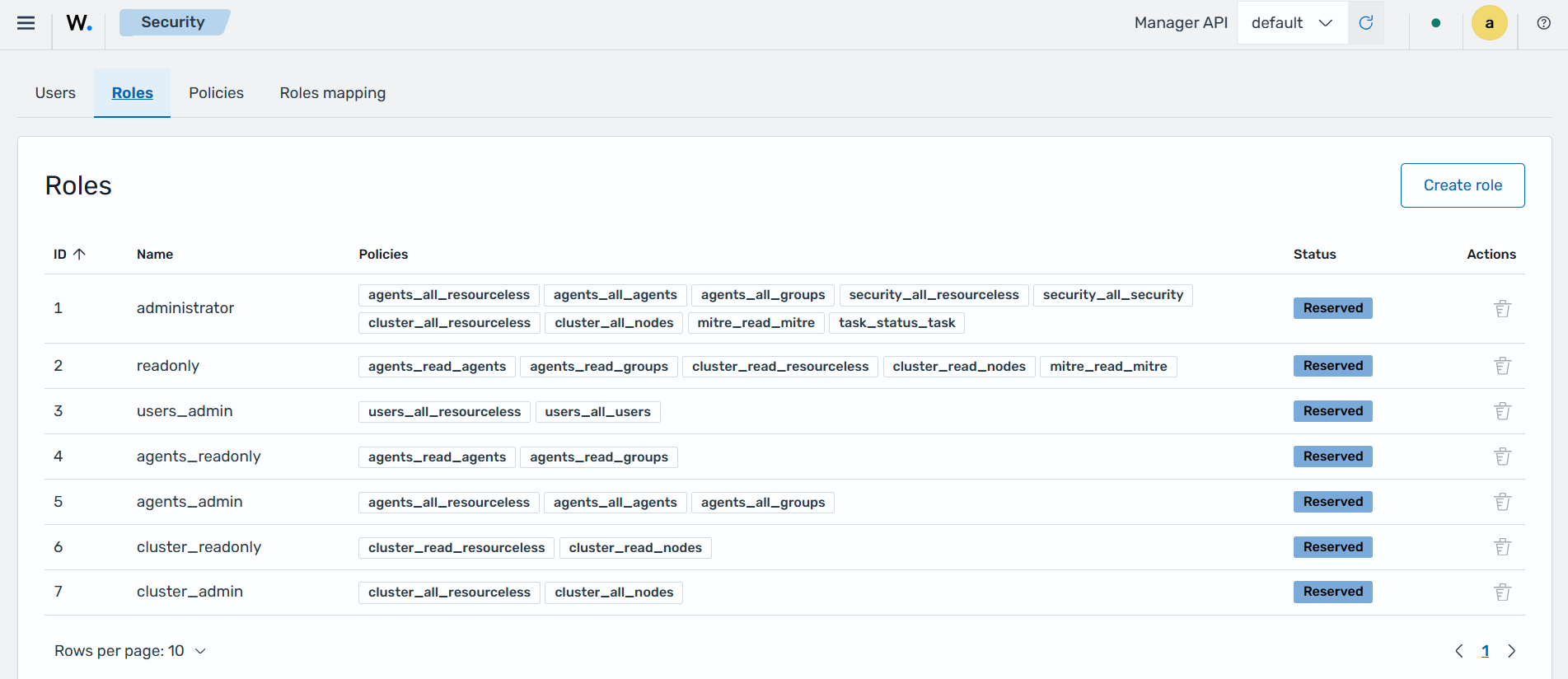
    API access control - Roles

    The Policies tab shows the policies that define the actions that can be performed by Wazuh manager API users. These policies are assigned to roles.
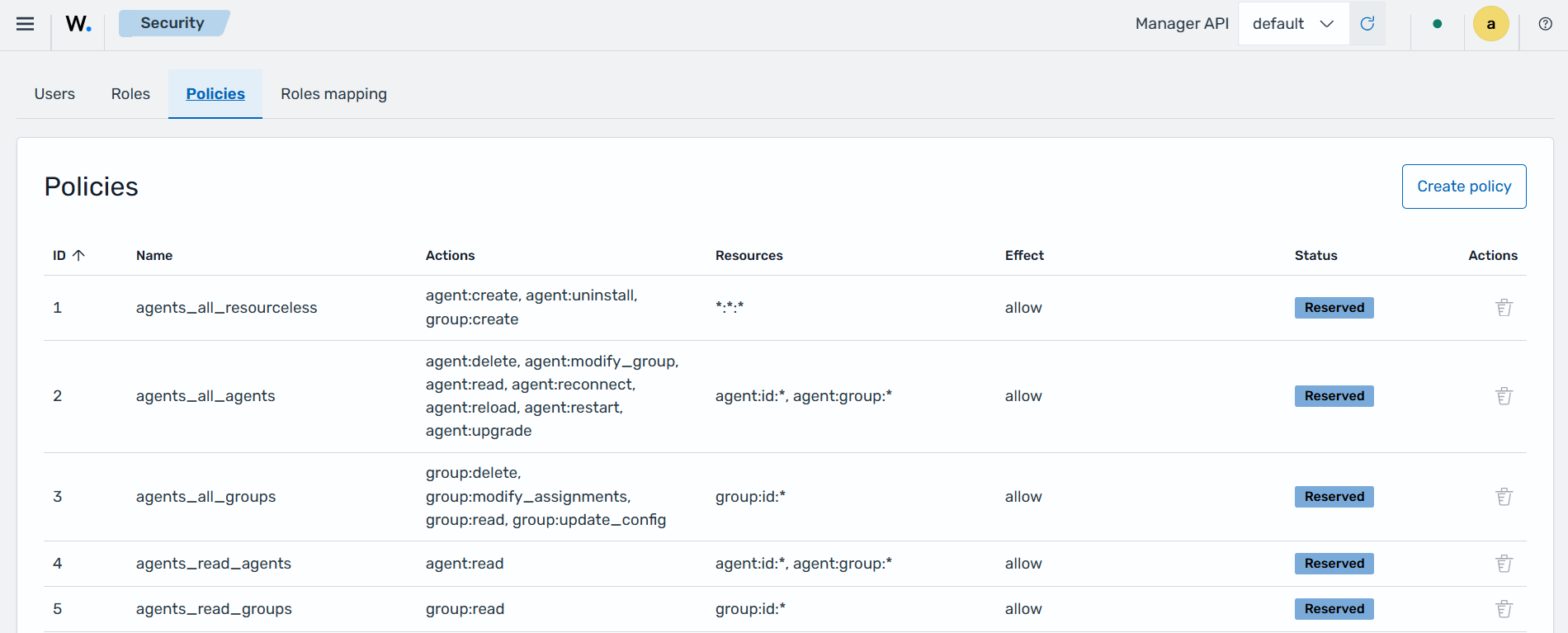
    API access control - Policies

    The Roles mapping tab gives Wazuh roles to the users who sign in to the Wazuh dashboard. Each role mapping gives its roles to the users who match its rules, such as a user name, backend role, or indexer role.
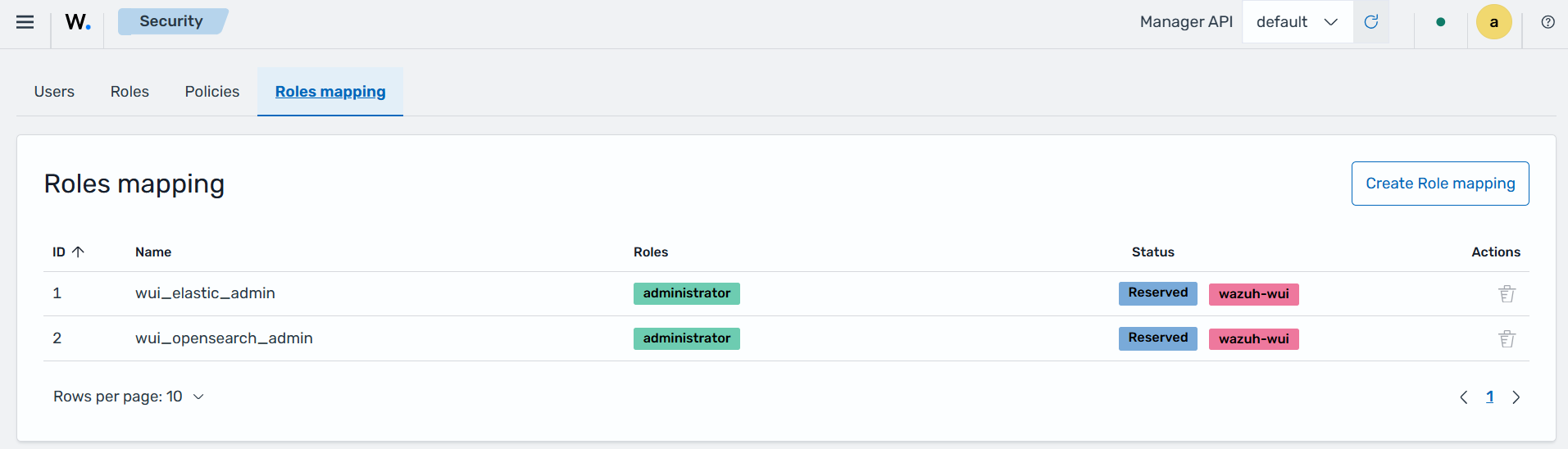
    API access control - Roles mapping

    Indexer management

    The Wazuh indexer is a scalable search and analytics engine that stores and indexes events forwarded by the Wazuh manager, enabling near real-time data analysis. It manages threat intelligence updates, including decoders, detection rules, vulnerability feeds, and Indicators of Compromise (IoCs) from the Wazuh Cyber Threat Intelligence (CTI) platform.
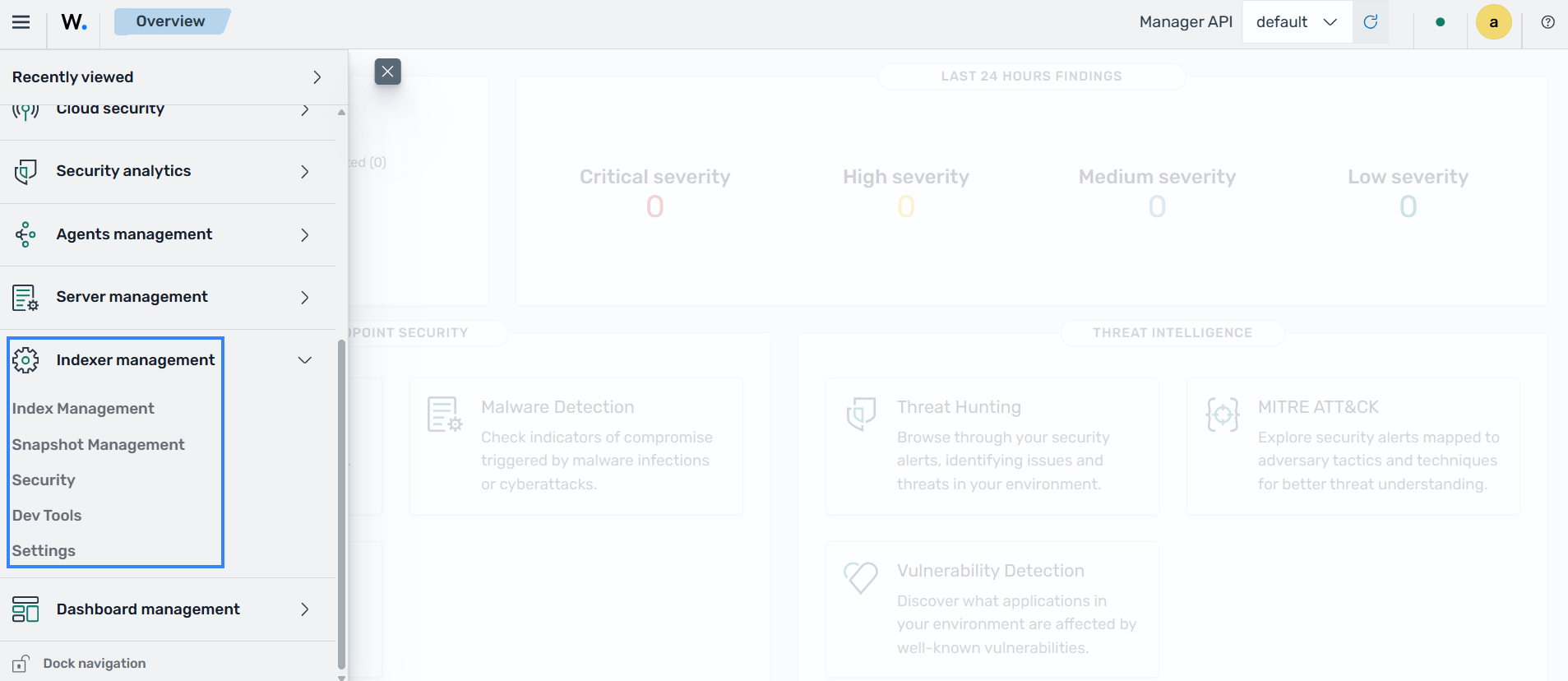
    Indexer management

    Index Management

    The Index Management section provides tools for managing the storage, organization, and lifecycle of data in the Wazuh indexer. It allows users to create and manage state management policies, indices, data streams, templates, aliases, rollup jobs, and transform jobs. Please see the Wazuh indexer documentation to find out more.
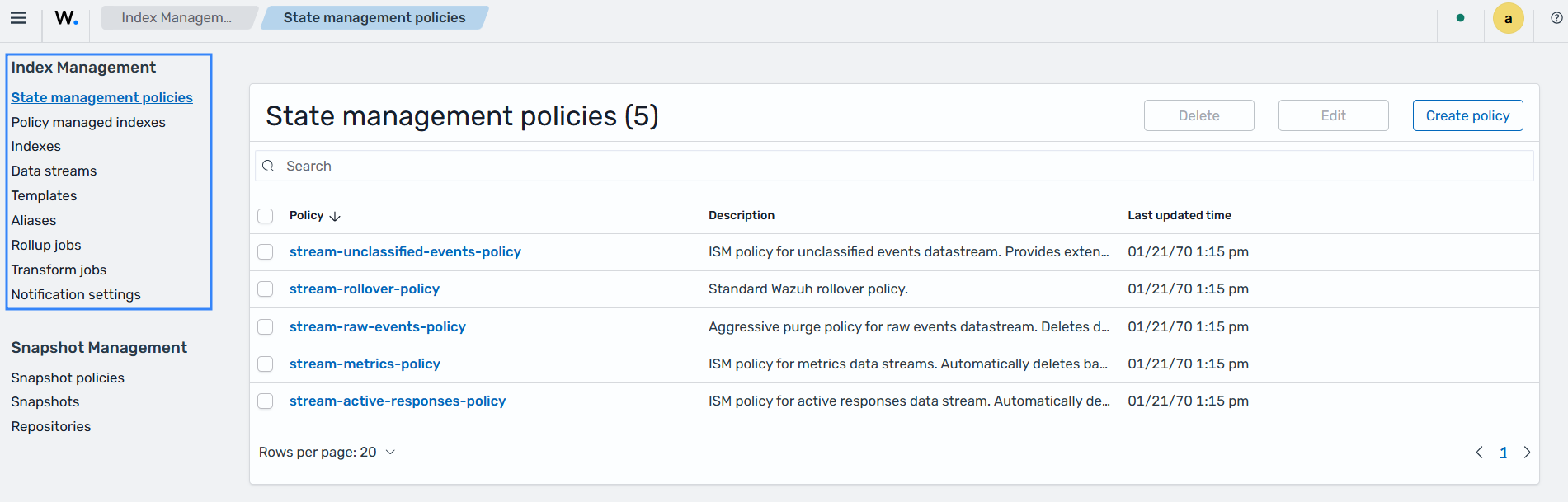
    Index management

    Snapshot Management

    The Snapshot Management section provides tools for creating, storing, and managing backups of data in the Wazuh indexer. It allows users to configure snapshot policies for automated backups, view and manage existing snapshots, and configure snapshot repositories where snapshots are stored.
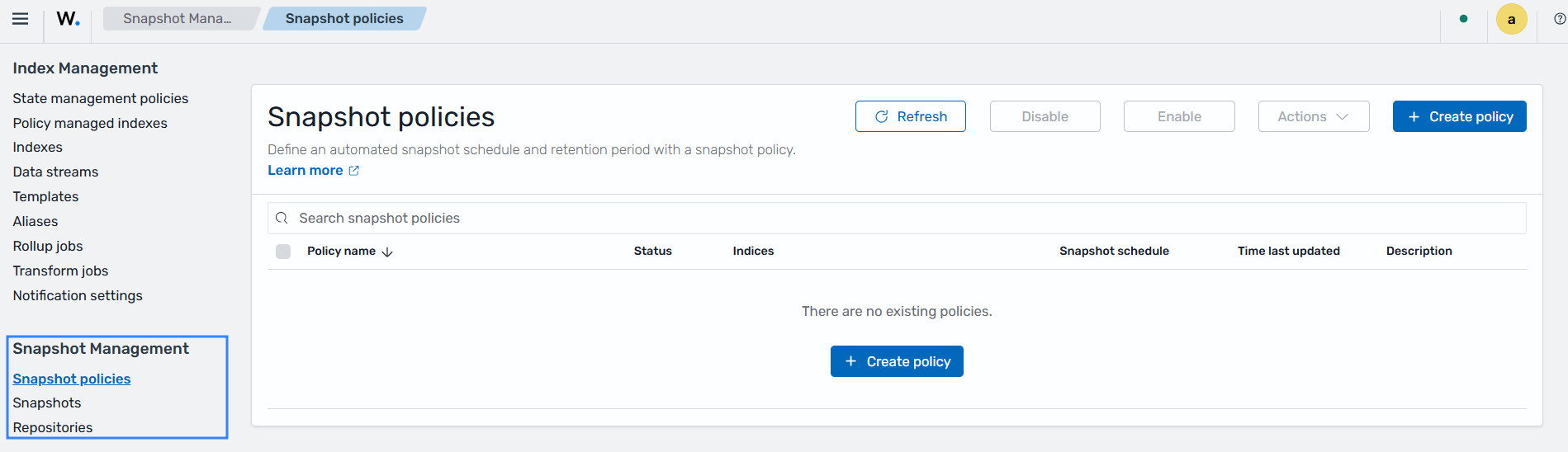
    Snapshot management

    Users and data access

    This section includes the configuration for access to Wazuh resources based on the roles and permissions assigned to the users. Please see the Wazuh RBAC documentation to find out more.
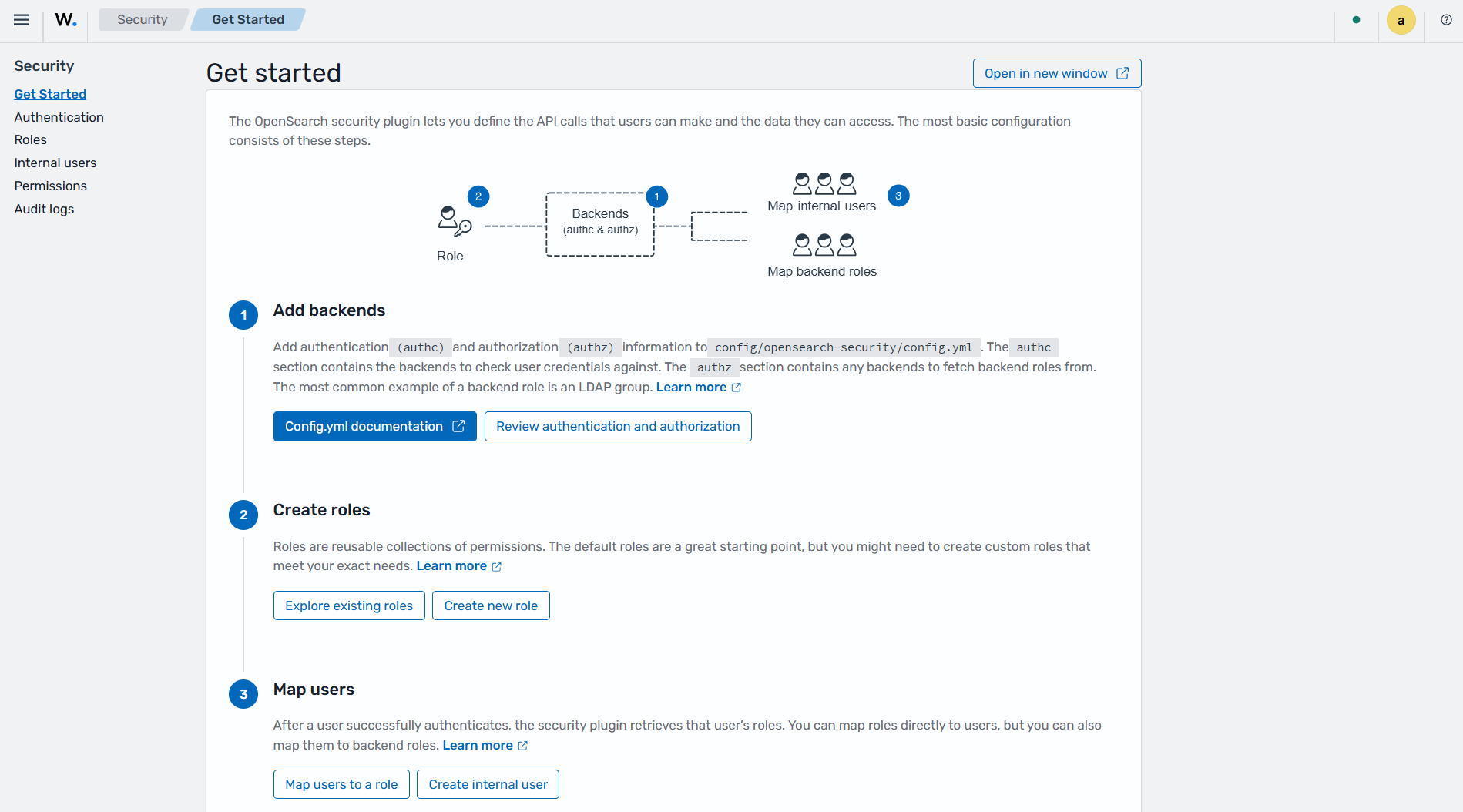
    Users and data access

    Dev Tools

    This section allows users to send queries using the Wazuh indexer API. It can be used for indexer operations such as cluster management, querying index data, troubleshooting issues, and debugging errors.
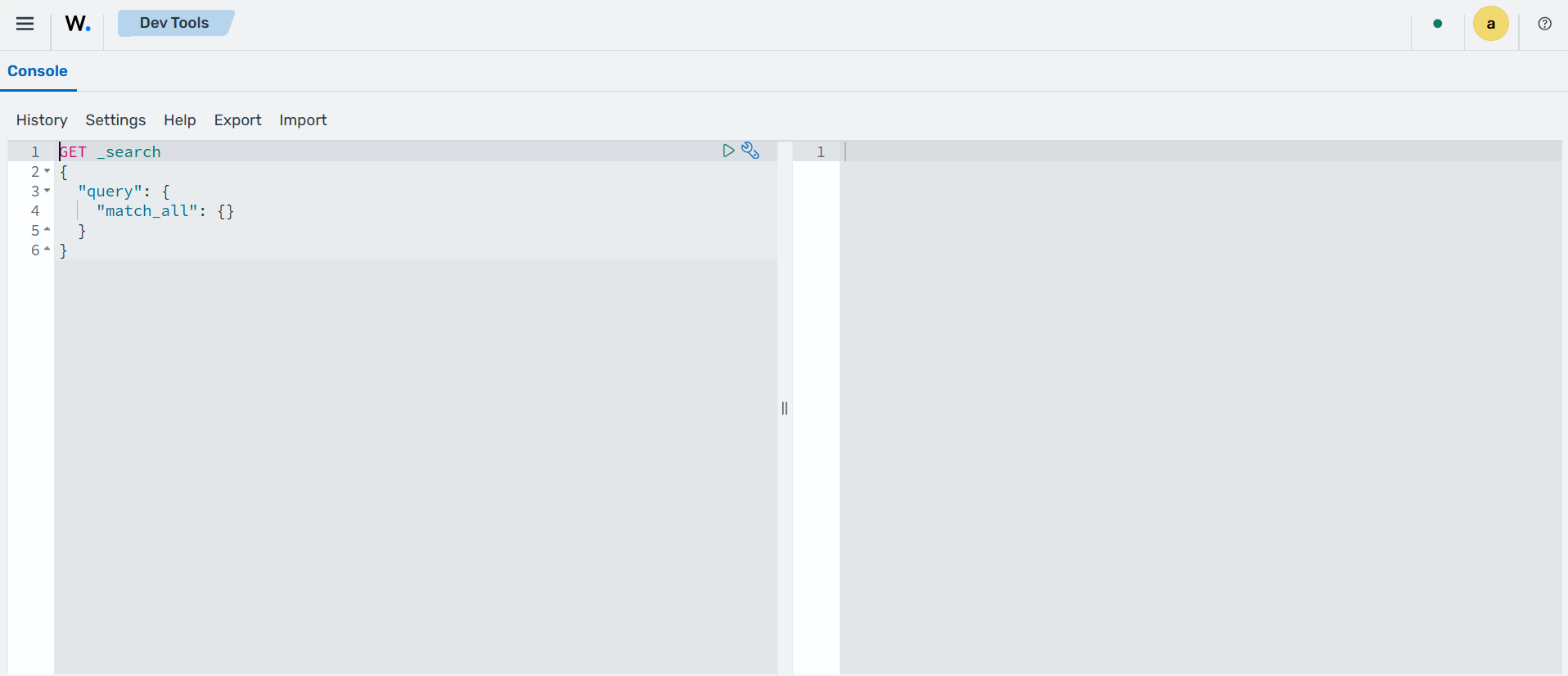
    Dev Tools - Indexer

    Settings

    This section allows you to enable or disable indexing of raw events into the wazuh-events-raw-v5 indices. The wazuh-events-raw-v5* index stores all events received from the Wazuh manager regardless of whether they trigger an alert. In Wazuh 4.x, similar data was stored in the wazuh-archives-* indices.

    Settings - Indexer

    Dashboard management

    The Dashboard management section includes Dashboards Management, Server API, About, and Health Check. Dashboards Management includes the options for creating and managing index patterns, data sources, saved objects, and advanced settings. Server API shows the Wazuh manager API connection that the Wazuh dashboard uses and its status. About shows the Wazuh dashboard version. Health Check shows the results of the checks the Wazuh dashboard runs on its saved objects, index patterns, and Wazuh manager API connection.
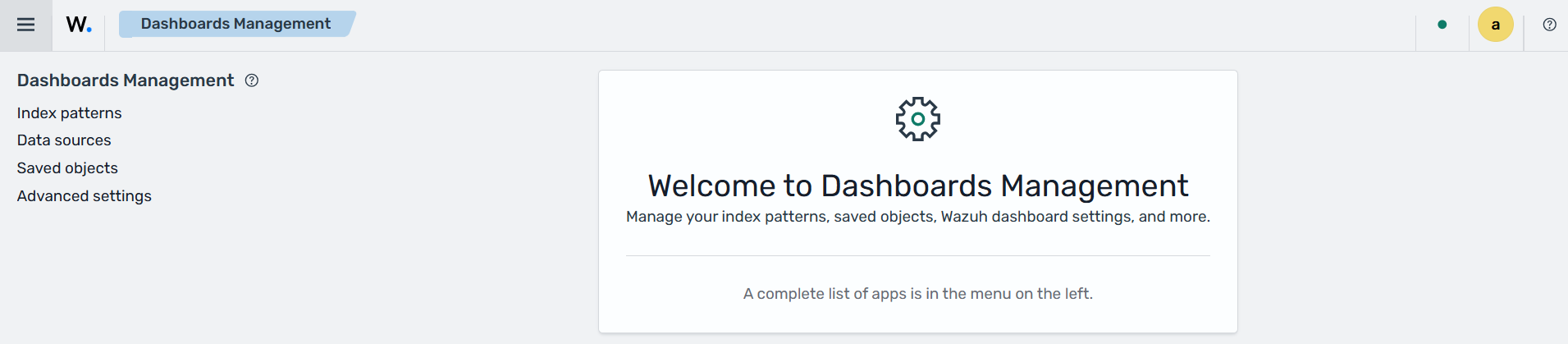
    Dashboard management

    Data sources

    The Data sources section allows you to manage direct query data source connections.
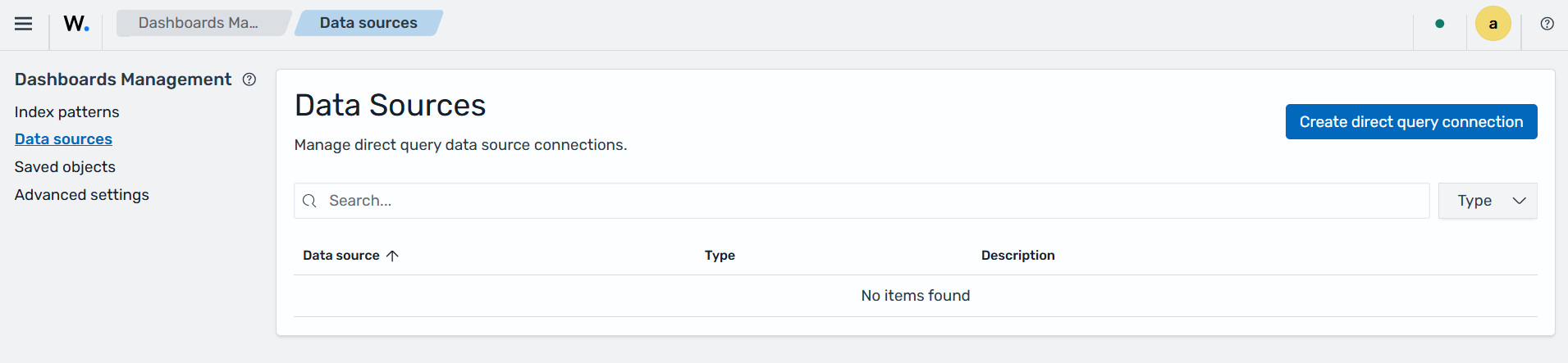
    Data sources

    Saved Objects

    The Saved Objects section allows users to query, import, and export existing saved objects.
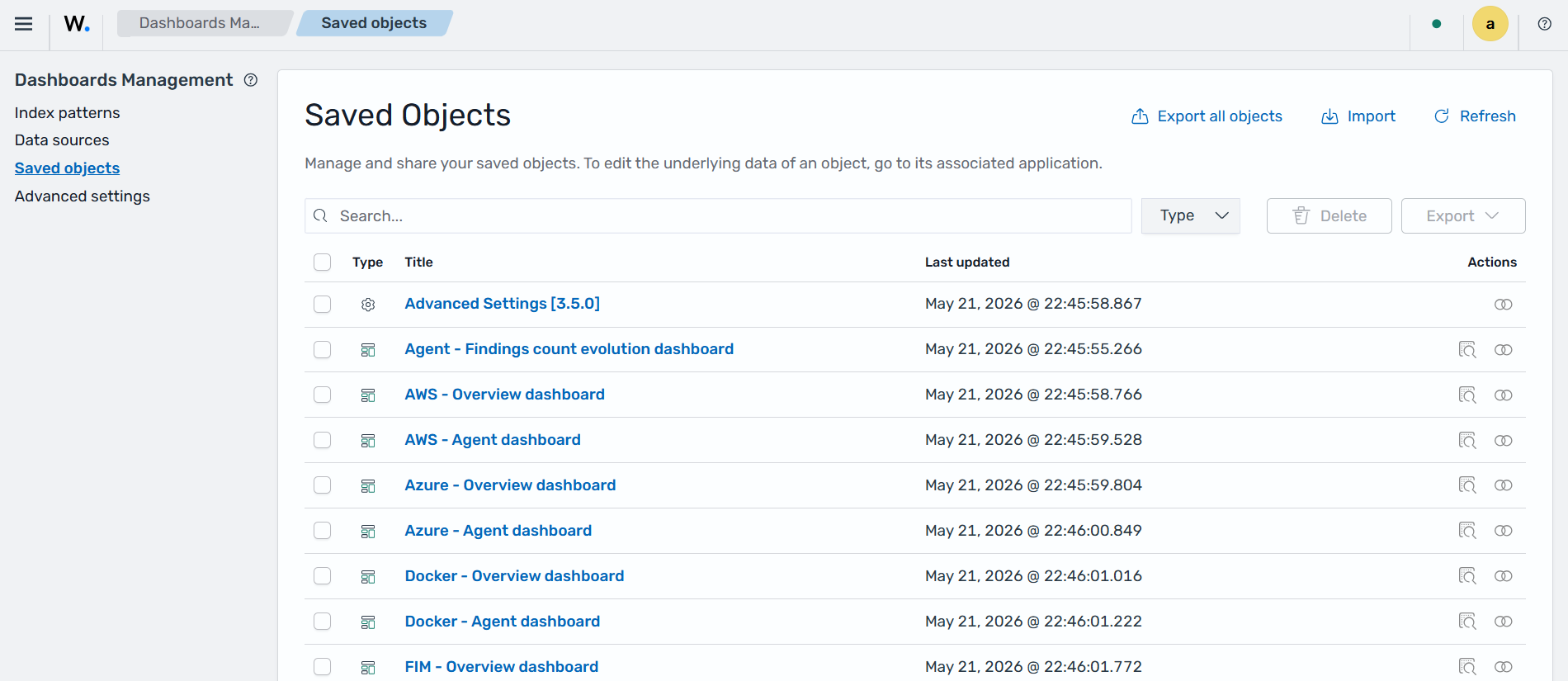
    Saved objects

    Advanced settings

    The Advanced Settings section provides options for customizing the behavior and appearance of the Wazuh dashboard. The settings are grouped into General, Appearance, Discover, Notifications, Reporting, Search, Timeline, VisBuilder, and Visualization. These settings help tailor the dashboard to specific monitoring, analysis, and operational requirements.
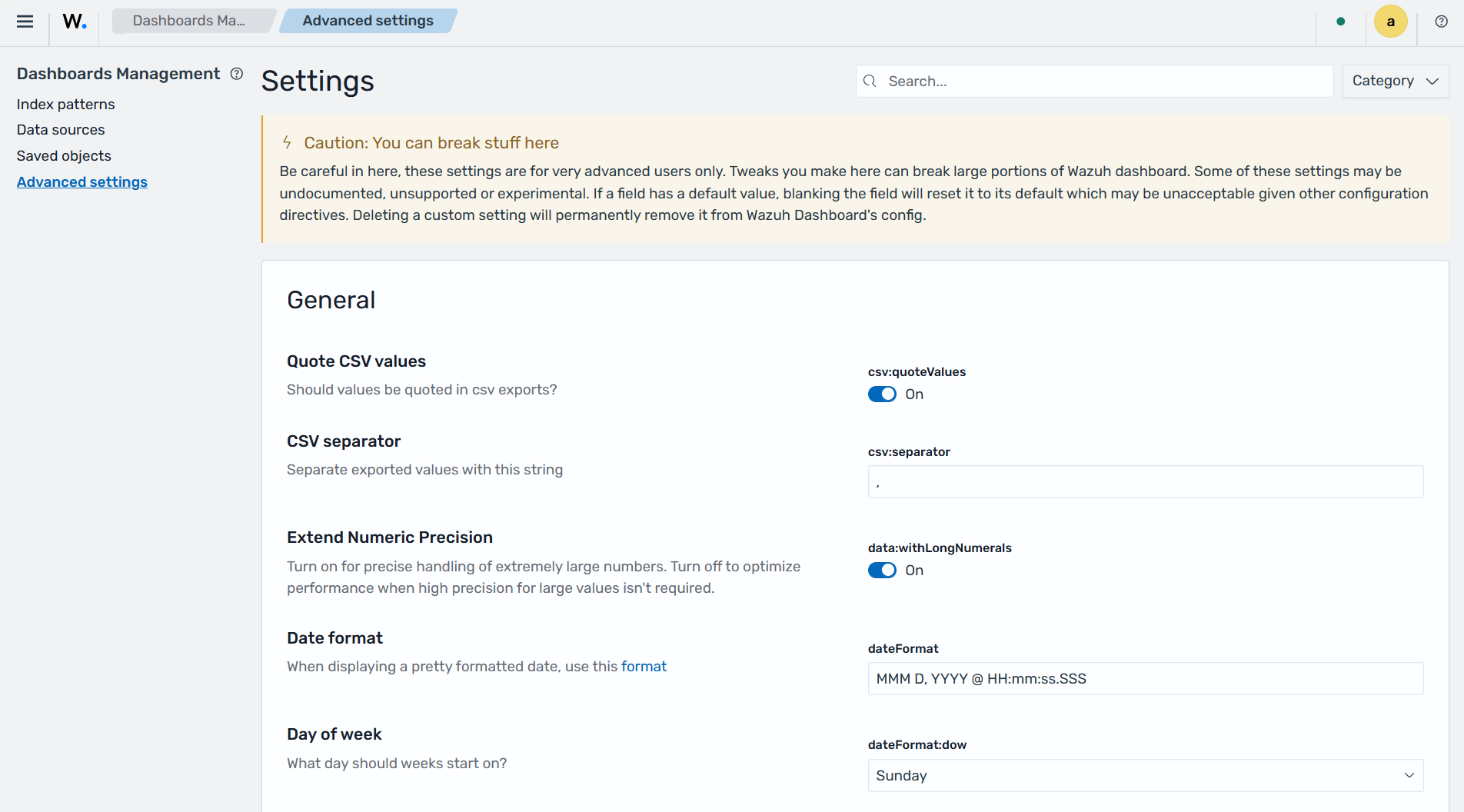
    Advanced settings
    Wazuh dashboard Wazuh dashboard configurations
    On this page
    • Navigating the Wazuh dashboard
      • Dashboards
        • Endpoint security
          • Configuration Assessment
          • Malware detection
          • File integrity monitoring
        • Threat intelligence
          • Threat Hunting
          • Vulnerability detection
          • MITRE ATT&CK
        • Security operations
          • IT Hygiene
          • Regulatory compliance
          • Incident response
        • Cloud security
        • Ruleset management
          • Overview
          • Decoders
          • KVDBs
          • Detectors
          • Rules
          • Log test
        • Agents management
          • Summary
          • Groups
          • Enrollment tokens
        • Server management
          • Status
          • Logs
          • Settings
          • Dev Tools
          • API access control
        • Indexer management
          • Index Management
          • Snapshot Management
          • Users and data access
          • Dev Tools
          • Settings
        • Dashboard management
          • Data sources
          • Saved Objects
          • Advanced settings
    Explore
    • Overview
    • XDR
    • SIEM
    Services
    • Wazuh Cloud
    • Professional support
    • Consulting services
    • Training courses
    Company
    • About us
    • Customers
    • Partners
    Documentation
    • Quickstart
    • Getting started
    • Installation guide
    Resources
    • Blog
    • Community
    • Legal
    © 2026 Wazuh Inc.
    Contact us
    +1 (844) 349 2984
    • X
    • LinkedIn
    • Reddit
    • GitHub
    • Discord
    • Slack
    • Mailing list
    Wazuh dashboard Overview
    Next image
    Wazuh dashboard Overview
    Image 1 of 41
    Configuration Assessment
    Previous image
    Next image
    Configuration Assessment
    Image 2 of 41
    Malware detection
    Previous image
    Next image
    Malware detection
    Image 3 of 41
    File integrity monitoring
    Previous image
    Next image
    File integrity monitoring
    Image 4 of 41
    Threat Hunting
    Previous image
    Next image
    Threat Hunting
    Image 5 of 41
    Vulnerability detection
    Previous image
    Next image
    Vulnerability detection
    Image 6 of 41
    MITRE ATT&CK
    Previous image
    Next image
    MITRE ATT&CK
    Image 7 of 41
    IT Hygiene
    Previous image
    Next image
    IT Hygiene
    Image 8 of 41
    Regulatory compliance
    Previous image
    Next image
    Regulatory compliance
    Image 9 of 41
    Incident response
    Previous image
    Next image
    Incident response
    Image 10 of 41
    Cloud security
    Previous image
    Next image
    Cloud security
    Image 11 of 41
    Ruleset management
    Previous image
    Next image
    Ruleset management
    Image 12 of 41
    Overview
    Previous image
    Next image
    Overview
    Image 13 of 41
    Decoders page of Ruleset management
    Previous image
    Next image
    Decoders
    Image 14 of 41
    KVDBs
    Previous image
    Next image
    KVDBs
    Image 15 of 41
    Detectors page of Ruleset management
    Previous image
    Next image
    Detectors
    Image 16 of 41
    Rules page of Ruleset management
    Previous image
    Next image
    Rules
    Image 17 of 41
    Log test
    Previous image
    Next image
    Log test
    Image 18 of 41
    Agents management
    Previous image
    Next image
    Agents management
    Image 19 of 41
    Endpoints summary
    Previous image
    Next image
    Endpoints summary
    Image 20 of 41
    Endpoint groups
    Previous image
    Next image
    Endpoint groups
    Image 21 of 41
    Enrollment tokens
    Previous image
    Next image
    Enrollment tokens
    Image 22 of 41
    Server management
    Previous image
    Next image
    Server management
    Image 23 of 41
    Status page of Server management
    Previous image
    Next image
    Status
    Image 24 of 41
    Logs page of Server management
    Previous image
    Next image
    Logs
    Image 25 of 41
    Settings page of Server management
    Previous image
    Next image
    Settings
    Image 26 of 41
    Dev Tools
    Previous image
    Next image
    Dev Tools
    Image 27 of 41
    API access control - Users
    Previous image
    Next image
    API access control - Users
    Image 28 of 41
    API access control - Roles
    Previous image
    Next image
    API access control - Roles
    Image 29 of 41
    API access control - Policies
    Previous image
    Next image
    API access control - Policies
    Image 30 of 41
    API access control - Roles mapping
    Previous image
    Next image
    API access control - Roles mapping
    Image 31 of 41
    Indexer management
    Previous image
    Next image
    Indexer management
    Image 32 of 41
    Index management
    Previous image
    Next image
    Index management
    Image 33 of 41
    Snapshot management
    Previous image
    Next image
    Snapshot management
    Image 34 of 41
    Users and data access
    Previous image
    Next image
    Users and data access
    Image 35 of 41
    Dev Tools - Indexer
    Previous image
    Next image
    Dev Tools - Indexer
    Image 36 of 41
    Settings - Indexer
    Previous image
    Next image
    Settings - Indexer
    Image 37 of 41
    Dashboard management
    Previous image
    Next image
    Dashboard management
    Image 38 of 41
    Data sources
    Previous image
    Next image
    Data sources
    Image 39 of 41
    Saved objects
    Previous image
    Next image
    Saved objects
    Image 40 of 41
    Advanced settings
    Previous image
    Advanced settings
    Image 41 of 41