Incident response
Incident response involves detecting, investigating, containing, and remediating security incidents to limit their impact on an organization. As environments generate increasing volumes of security events, security teams need centralized visibility and automated response capabilities to handle incidents efficiently.
Wazuh supports incident response by collecting security telemetry, generating findings from detected activity, and providing tools to investigate and respond to security incidents. The Wazuh Active Response module automates predefined response actions when configured detection rules are triggered. Security teams can use these capabilities to investigate suspicious activity, contain threats, and automate repetitive response tasks.
Investigating security incidents
Wazuh centralizes security findings from monitored endpoints and other configured data sources in the Wazuh dashboard. Security teams can search and filter findings by monitored endpoint, severity, event type, and other fields to investigate suspicious activity and identify affected assets.
The Threat Hunting section of the Wazuh dashboard shows security findings detected on monitored endpoints.
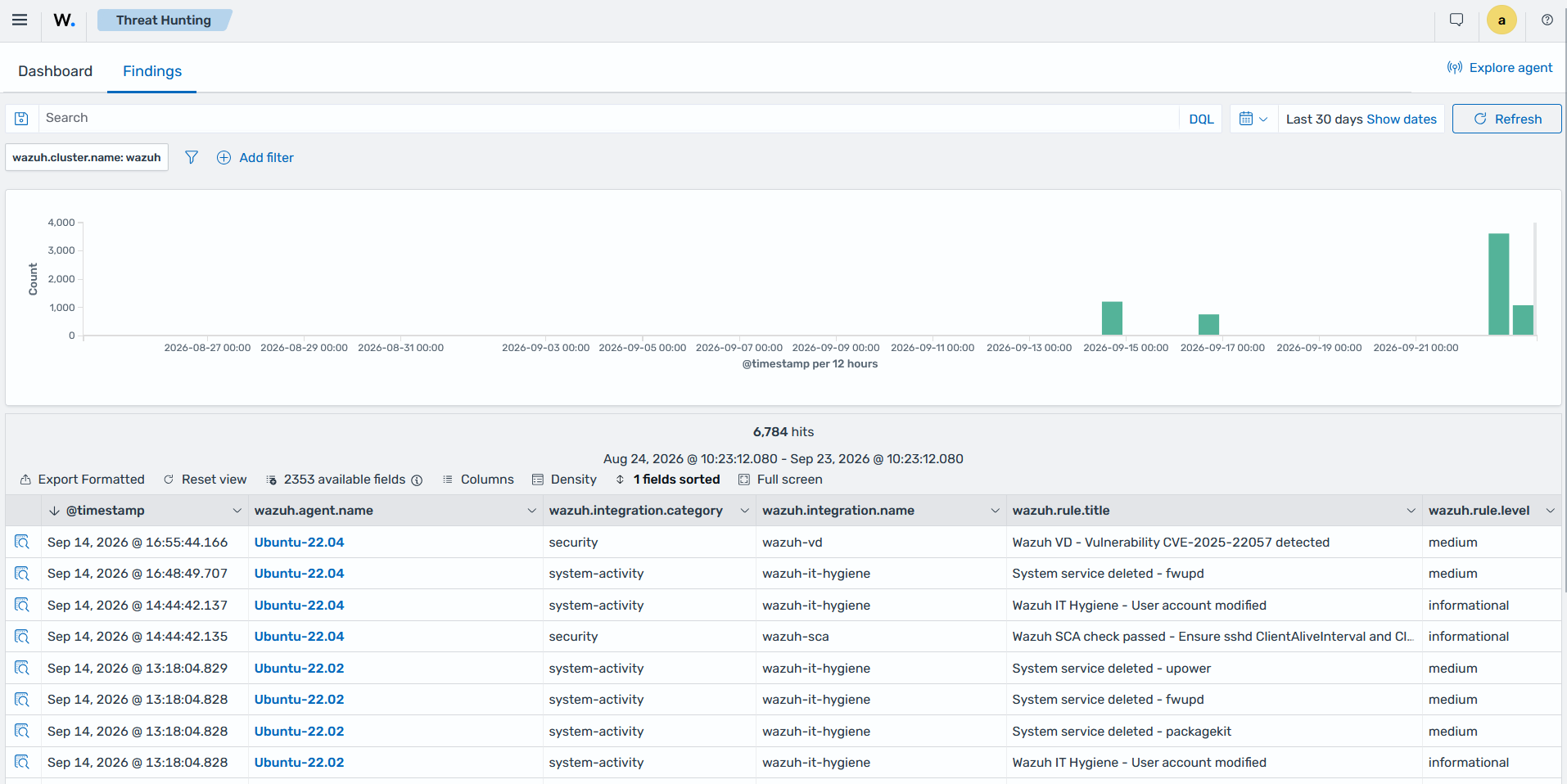
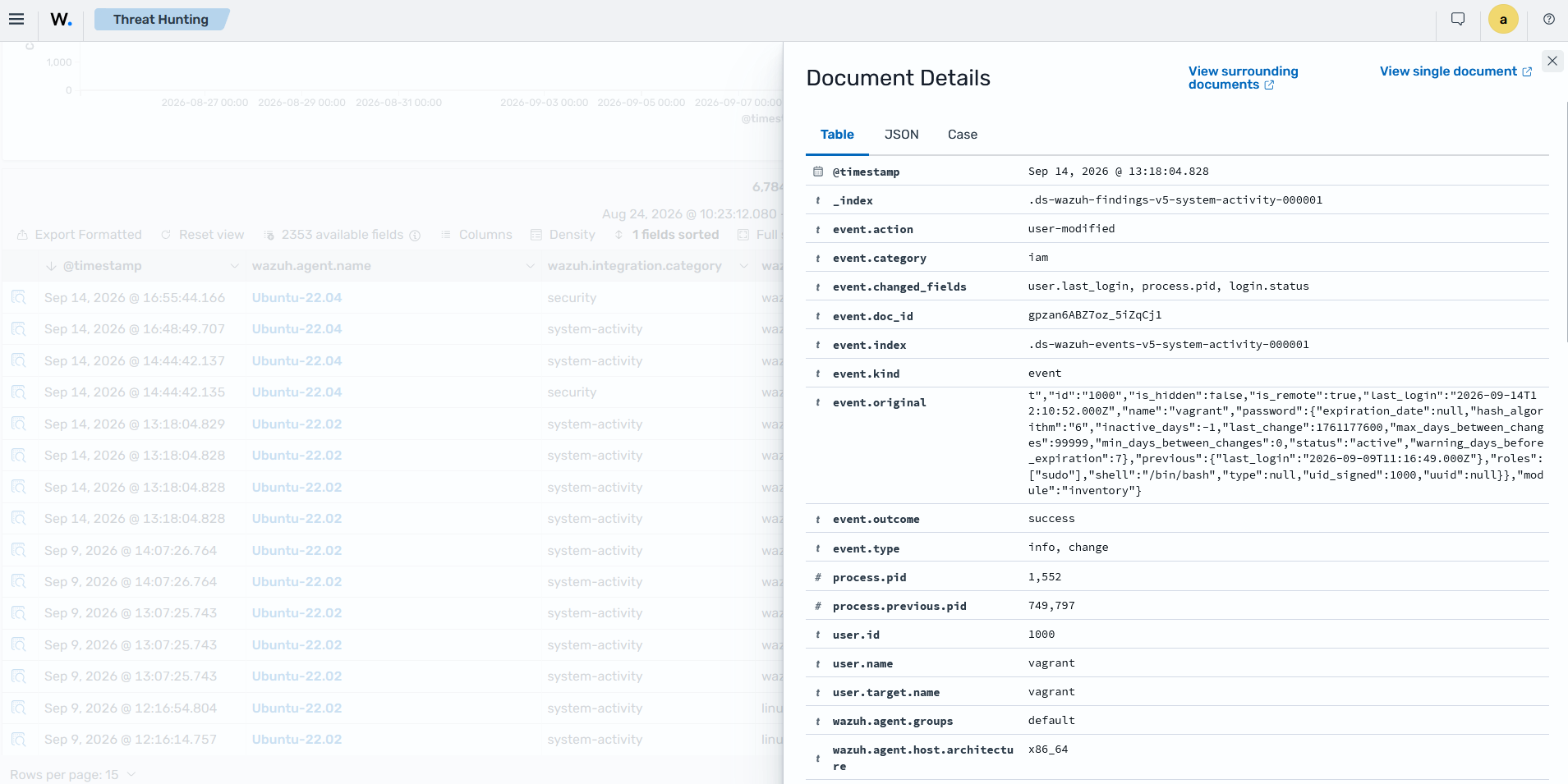
The finding details provide additional information about the detected activity, helping security teams determine what happened and identify the systems involved.
Responding to malware activity
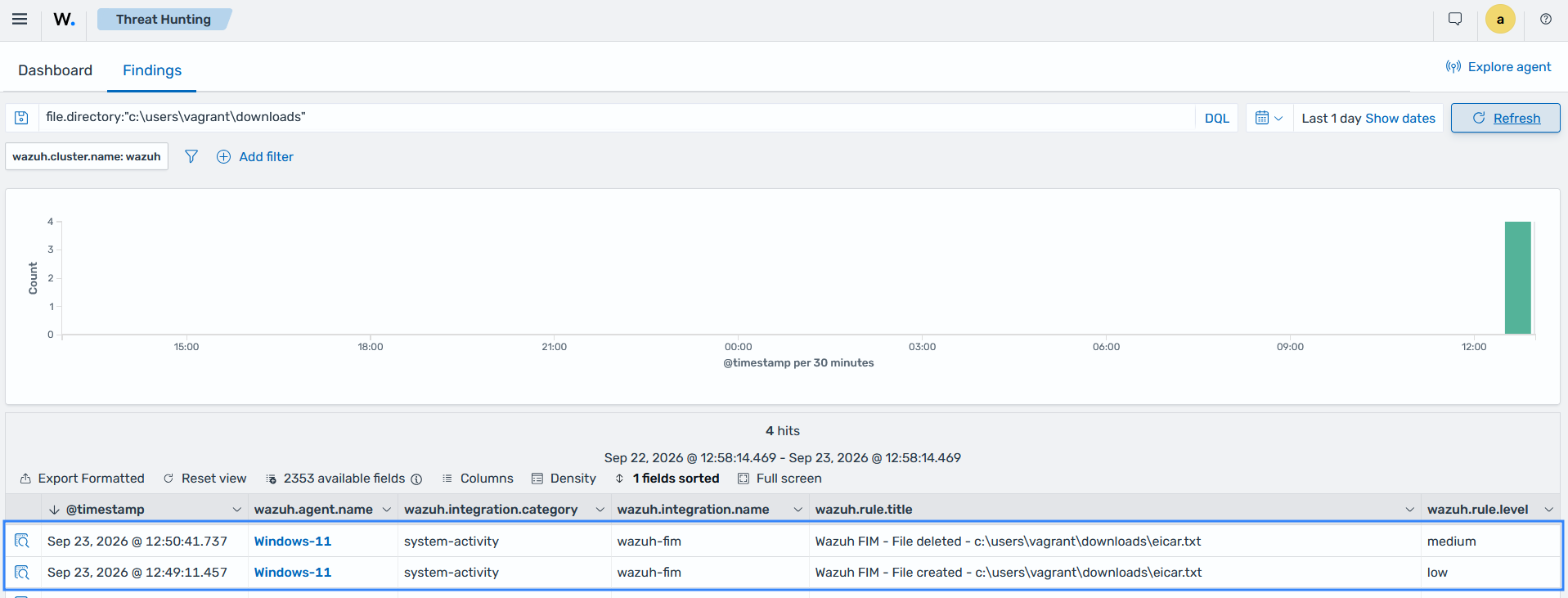
Wazuh detects malware-related activity using capabilities such as File Integrity Monitoring, threat intelligence, and security event analysis. Security teams can investigate the resulting findings and configure Active Response to perform predefined actions when specific detection rules are triggered.
For example, an organization can configure a response to remove a known malicious file or block an associated source address. The Threat Hunting section on the Wazuh dashboard below shows the removal of the EICAR file downloaded to a Windows endpoint.
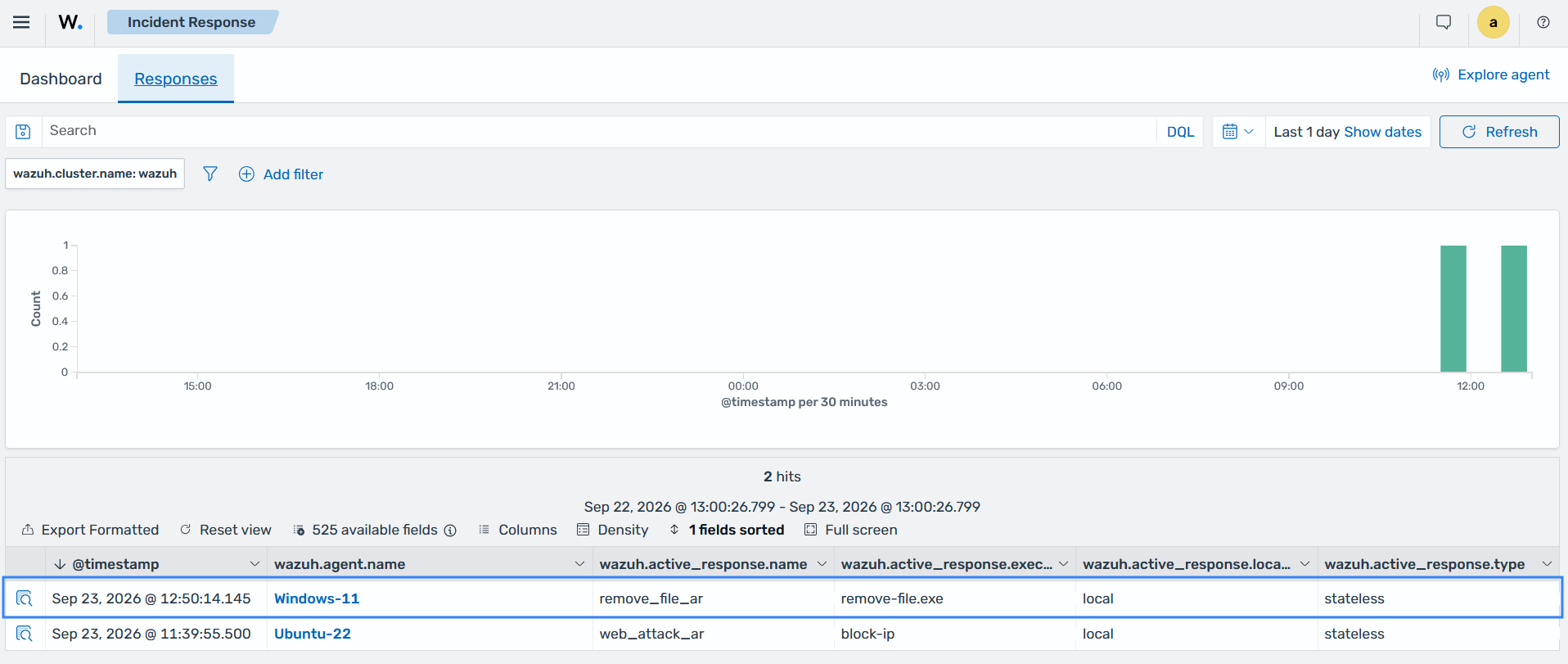
The Incident Response section on the Wazuh dashboard shows the active response action that is triggered to remove the suspicious file.
Containing threats with active response
Wazuh Active Response automatically executes configured actions when a detection rule matches specified activity. It can block a malicious IP address, disable a user account, or execute a custom script on the affected endpoint, depending on the configuration. Predefined containment actions reduce the time between threat detection and response, helping security teams contain threats more quickly.
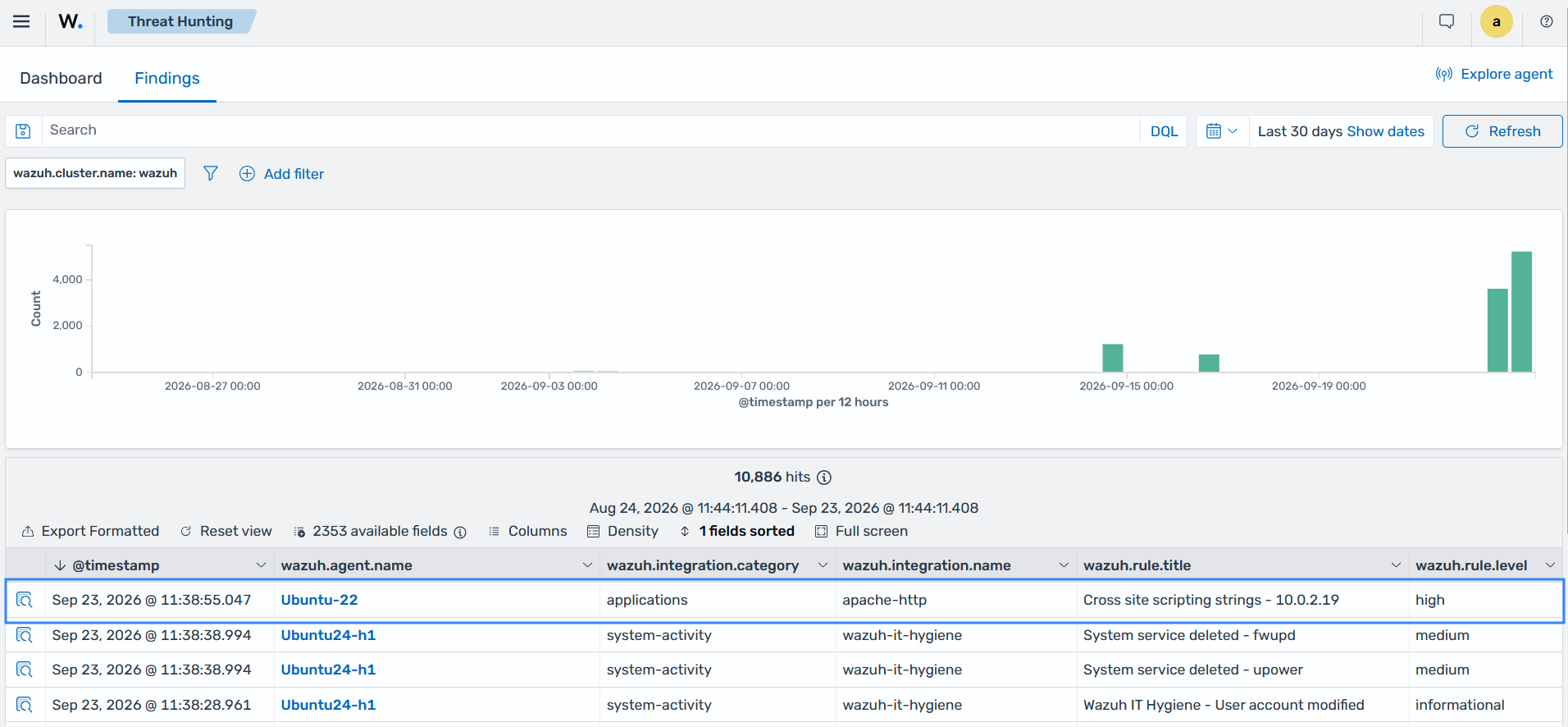
The Threat Hunting section on the Wazuh dashboard below shows the detection of a cross-site scripting attack against a monitored Ubuntu endpoint.
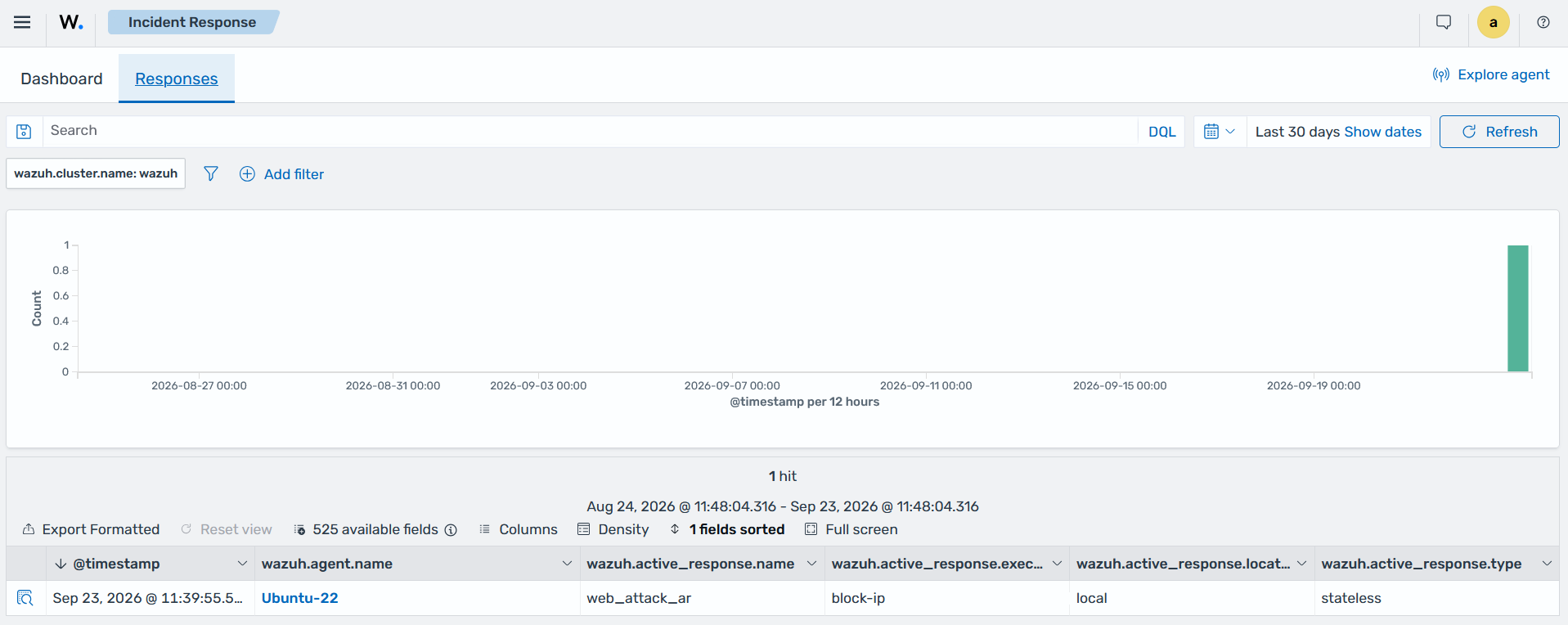
The Incident Response section on the Wazuh dashboard shows the active response action that is triggered to block the IP address of the endpoint that initiated the attack.
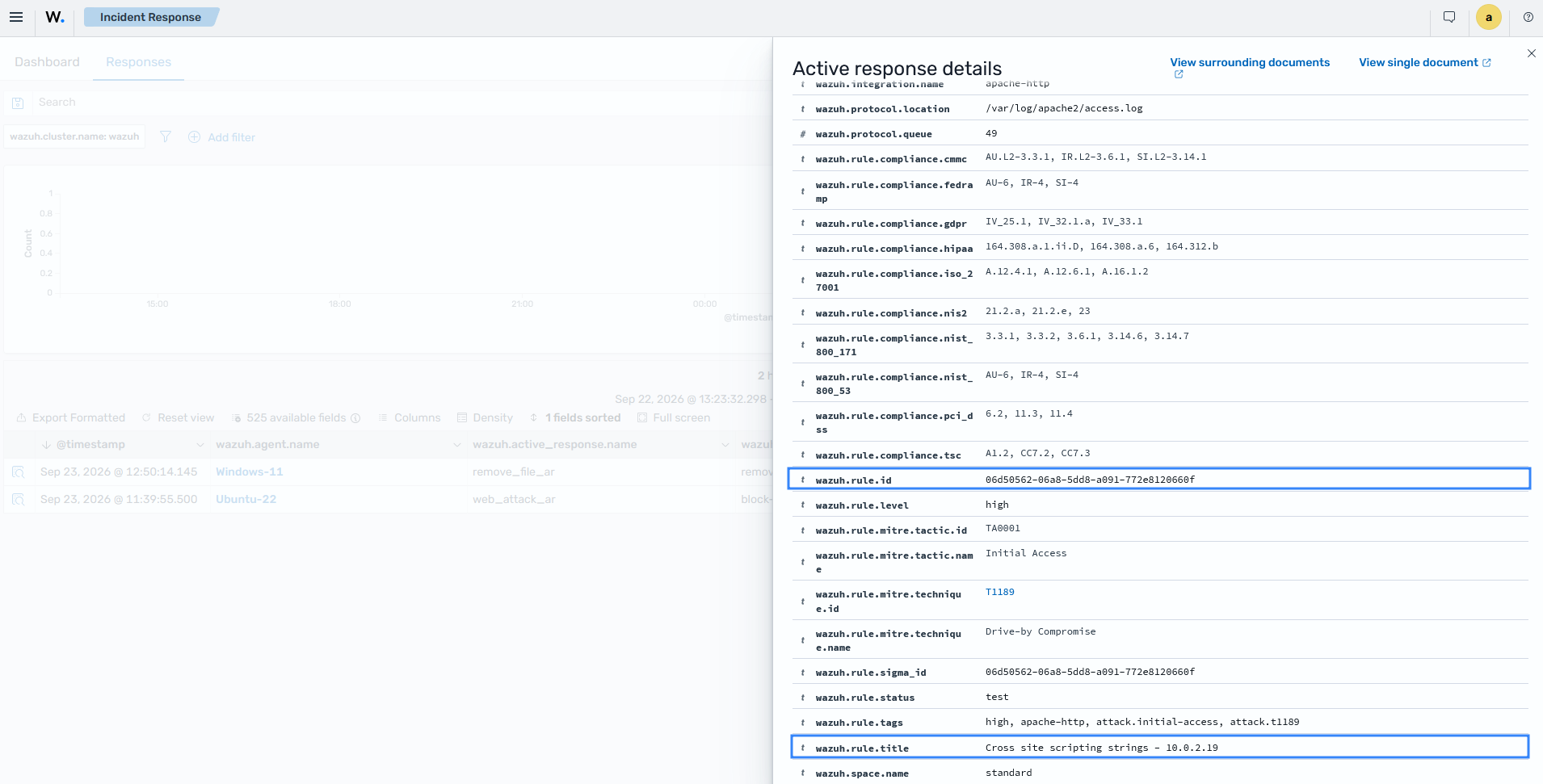
You can view details of active response findings, including the rule that triggered the response action and the IP address associated with the detected activity. These details help security teams understand why the response was triggered and investigate the associated activity.
Monitoring response actions
Wazuh provides visibility into security findings and configured response activity, allowing security teams to investigate whether predefined response actions were triggered for detected threats. This information helps teams review incident handling and verify that configured response procedures operated as expected.
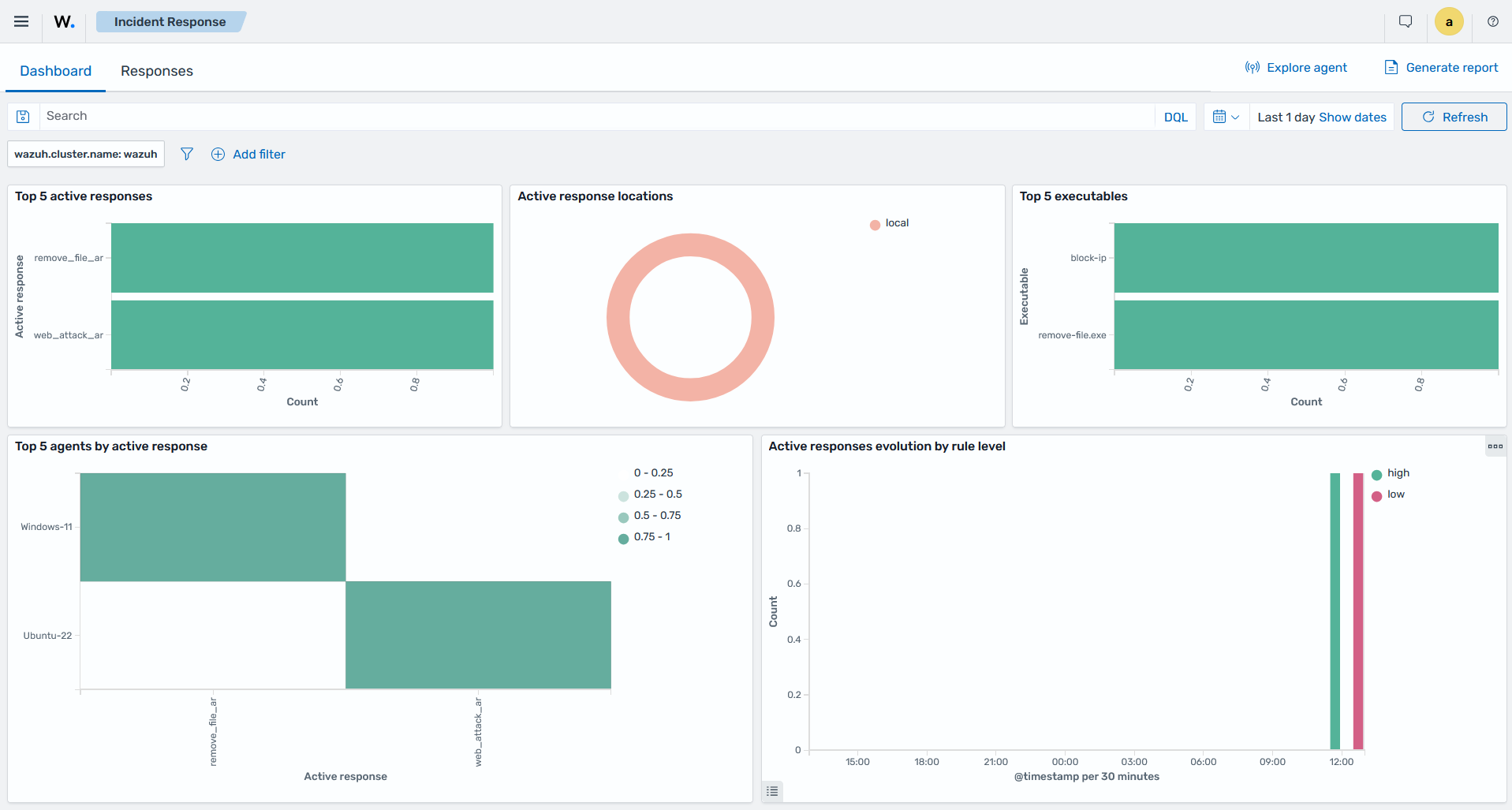
The Dashboard tab of the Incident Response section on the Wazuh dashboard below provides a summary of the active response actions triggered in your environment.
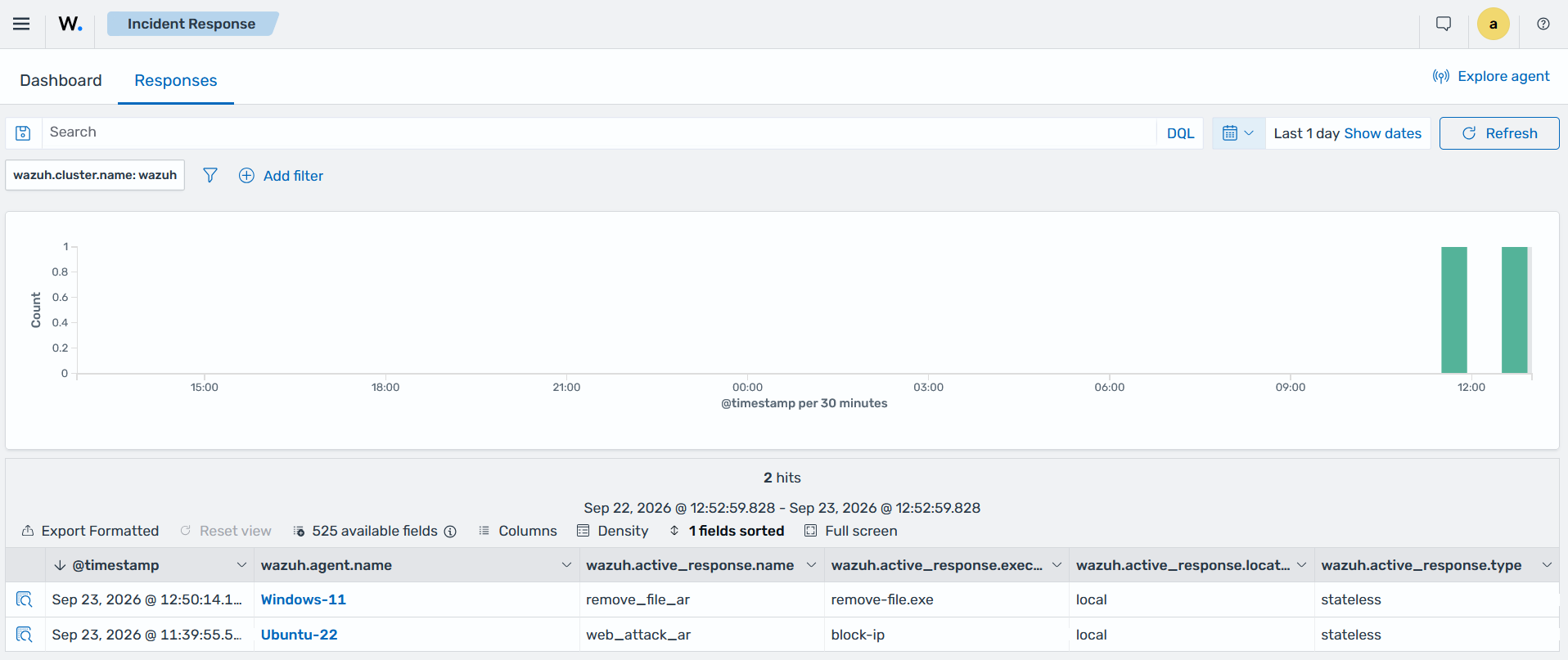
The Responses tab of the Incident Response section shows the active response actions triggered in your environment, allowing you to investigate any occurring incidents.
Automating incident response workflows
Organizations can create custom detection rules and associate them with active response actions to automate repetitive response tasks. This process allows security teams to define specific actions for known threats while retaining control over which detections trigger automated responses.
Predefined automated tasks allow security teams to handle recurring response actions consistently and focus manual investigation on incidents that require further analysis.