Vulnerability detection
Vulnerability detection helps organizations identify software with known security vulnerabilities before attackers can exploit it. Wazuh detects vulnerable operating systems and applications by collecting software inventory from monitored endpoints and correlating it with vulnerability intelligence from the Wazuh Cyber Threat Intelligence (CTI) platform.
The Wazuh agent collects software inventory through the Syscollector module and sends it to the Wazuh manager. The Vulnerability Scanner correlates this inventory with the latest CTI content synchronized through the Wazuh indexer and generates vulnerability findings for affected endpoints. The Wazuh dashboard displays the affected assets, CVEs, severity, and remediation information.
Wazuh supports vulnerability detection for Windows, Ubuntu, Debian, Red Hat Enterprise Linux, CentOS, Amazon Linux, Arch Linux, macOS, and multiple installed applications. See the compatibility matrix for the current list.
Identifying vulnerable software across endpoints
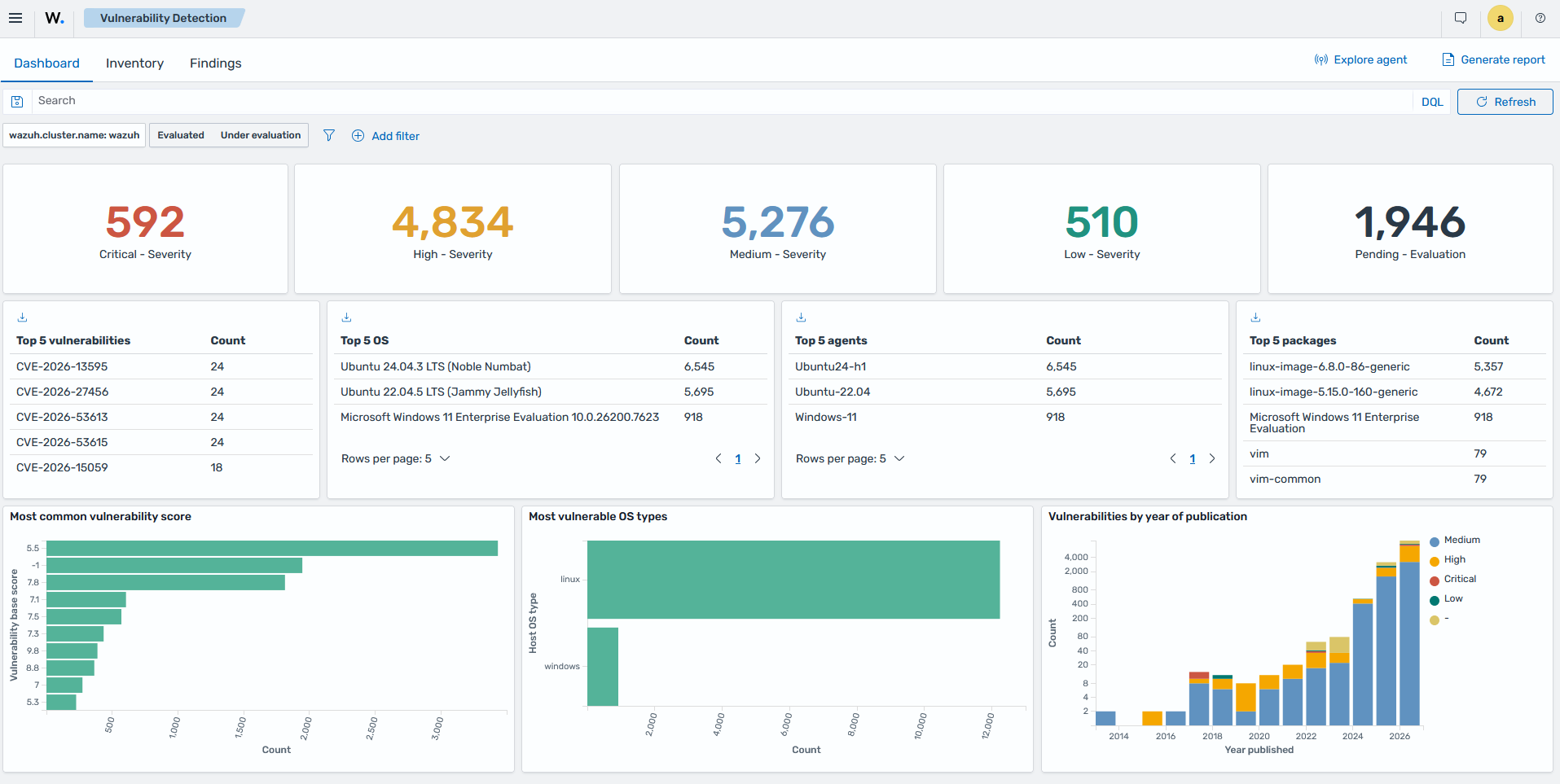
Wazuh provides centralized visibility into vulnerable software installed on monitored endpoints. It correlates software inventory with vulnerability intelligence and generates findings for endpoints affected by known CVEs. Organizations can use the Wazuh dashboard to identify affected endpoints, review the associated CVEs, prioritize remediation, and monitor the overall vulnerability posture of their environment.
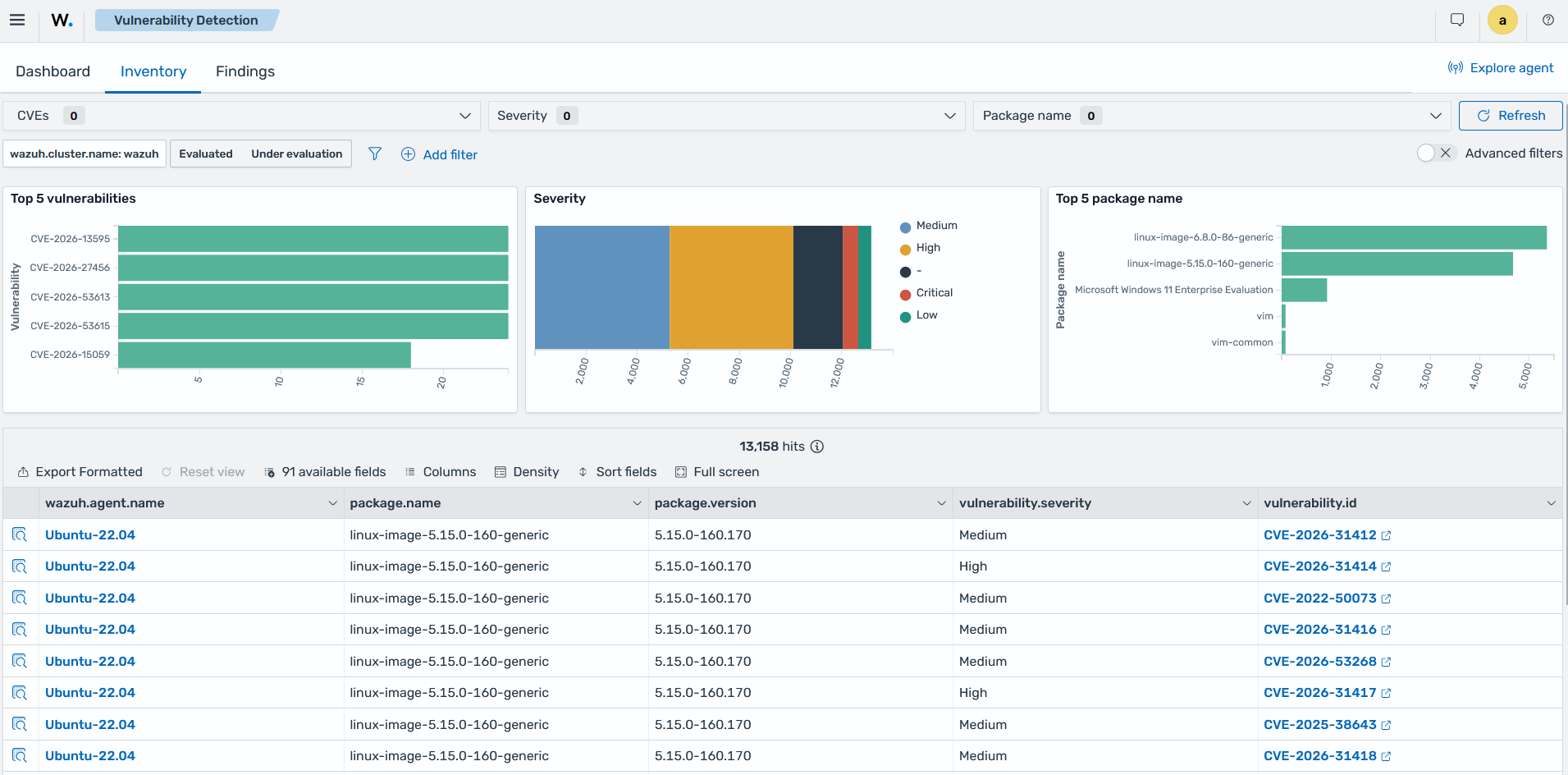
The Vulnerability Detection section of the Wazuh dashboard shows vulnerable endpoints and the number of detected vulnerabilities across your environment.
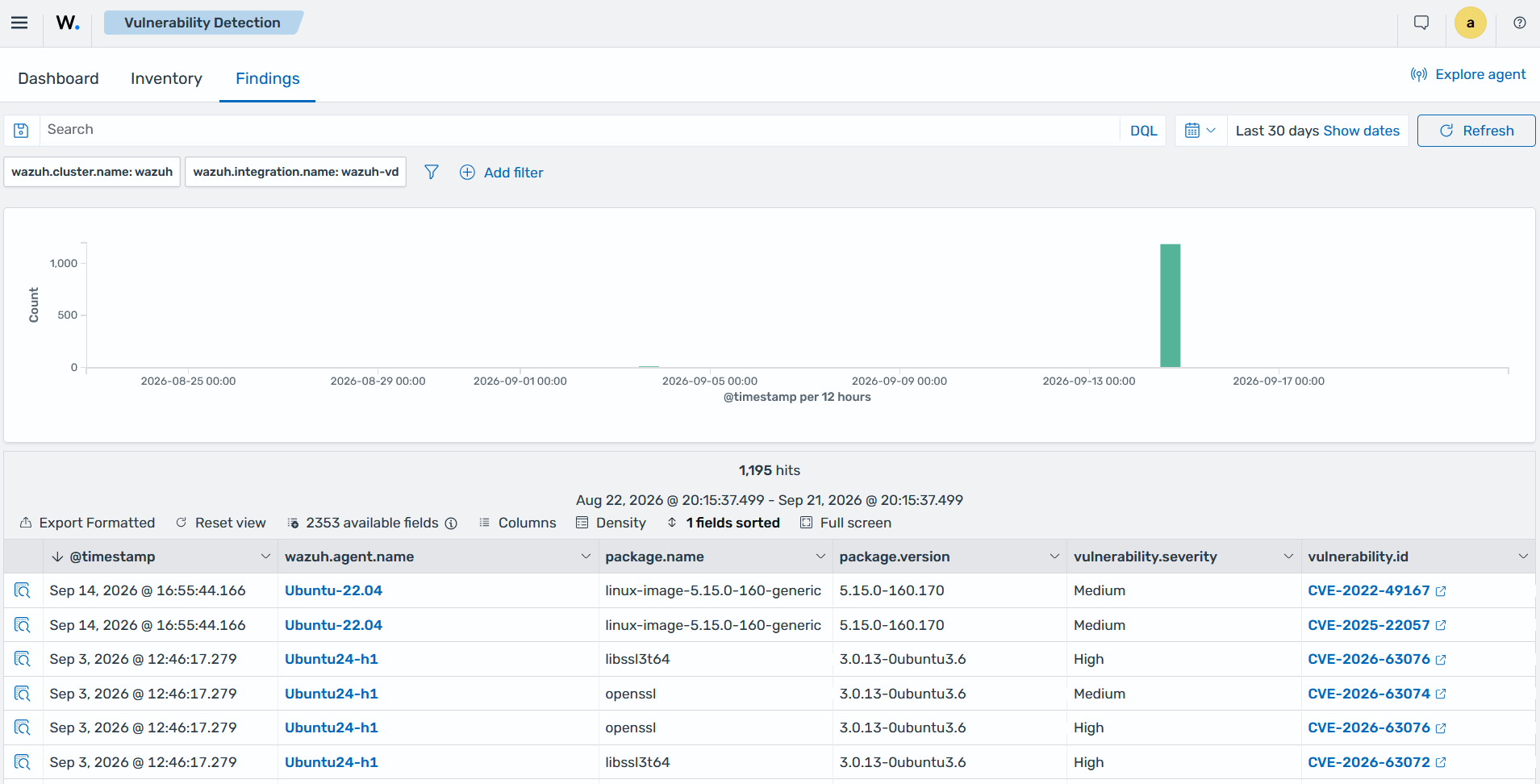
You can view vulnerability findings on the Findings tab of the Wazuh dashboard when new vulnerabilities are discovered.
Obtaining actionable intelligence from vulnerability findings
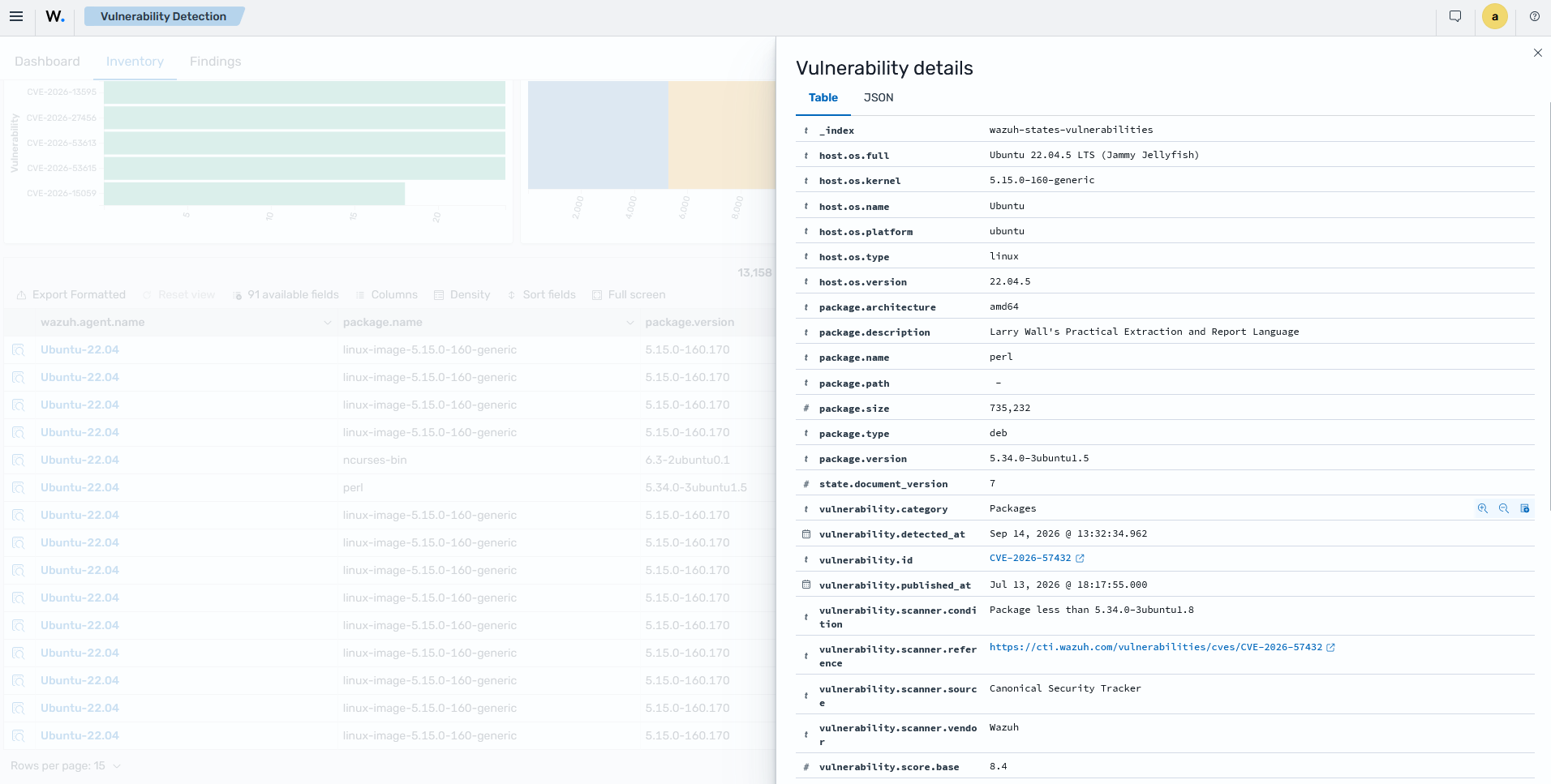
Wazuh vulnerability findings contain detailed information about each detected vulnerability, helping security analysts understand the associated risk and prioritize remediation activities.
A vulnerability finding includes the following information:
The vulnerability identifier (CVE).
The affected package or application, including its installed version.
The vulnerability severity and CVSS base score.
The vulnerability publication date.
A reference to the Wazuh CTI vulnerability page and the original vulnerability source.
Compliance mappings, including PCI DSS, ISO 27001, HIPAA, NIST SP 800-53, NIST SP 800-171, GDPR, FedRAMP, and others.
MITRE ATT&CK tactics and techniques associated with the vulnerability, where applicable.
The Wazuh dashboard displays the details of a vulnerability finding, providing the information needed to investigate and remediate the detected vulnerability.
Tracking vulnerability remediation
The Wazuh Vulnerability Scanner module helps organizations verify when previously detected vulnerabilities have been remediated. It detects when a security update or software upgrade resolves a known vulnerability and updates the vulnerability status accordingly.
In Windows endpoints, you can use the <hotfixes> option in the Syscollector module to detect installed security updates. It helps security teams track remediation progress and confirm that vulnerabilities have been resolved.
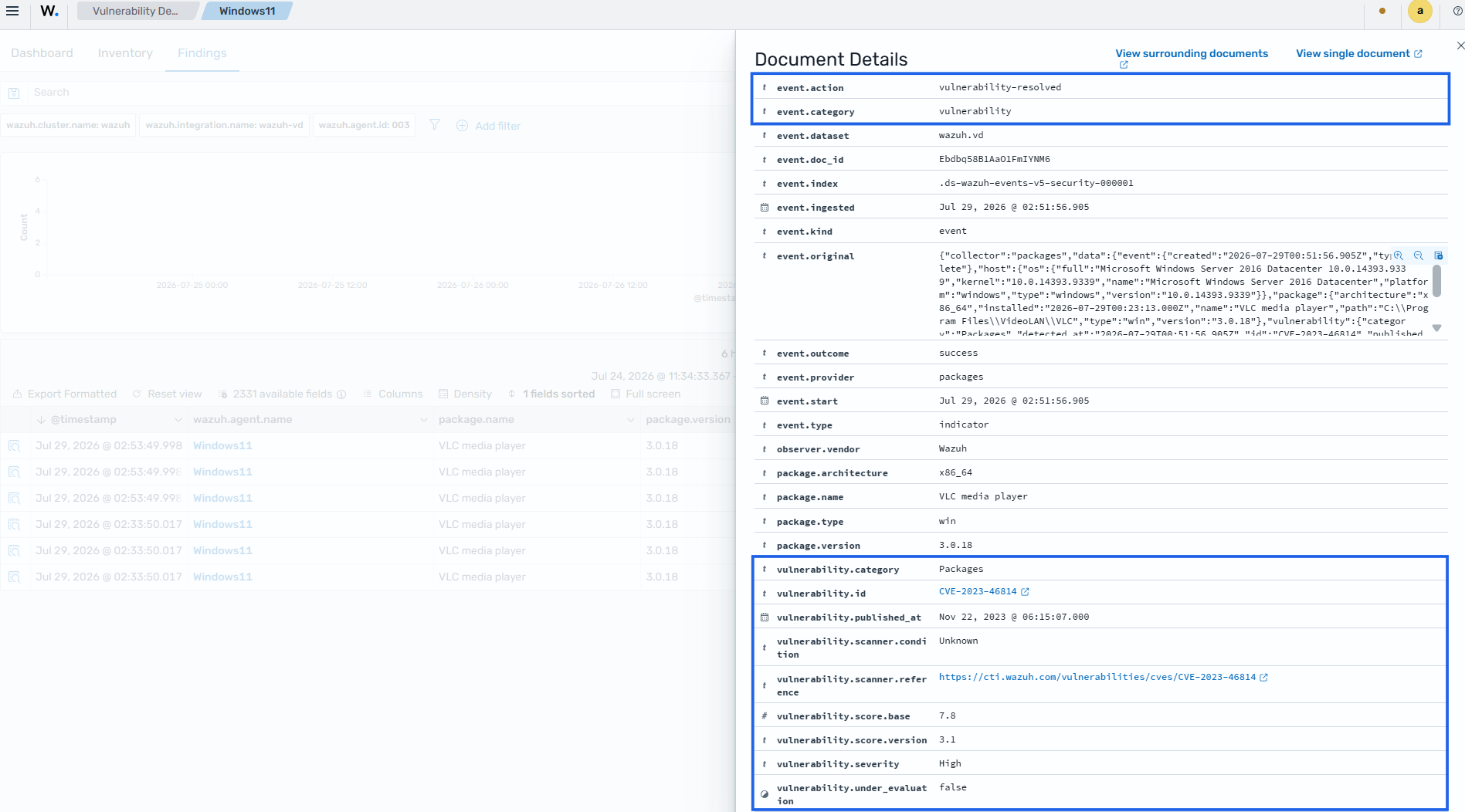
Using vulnerability reports to identify critical security issues
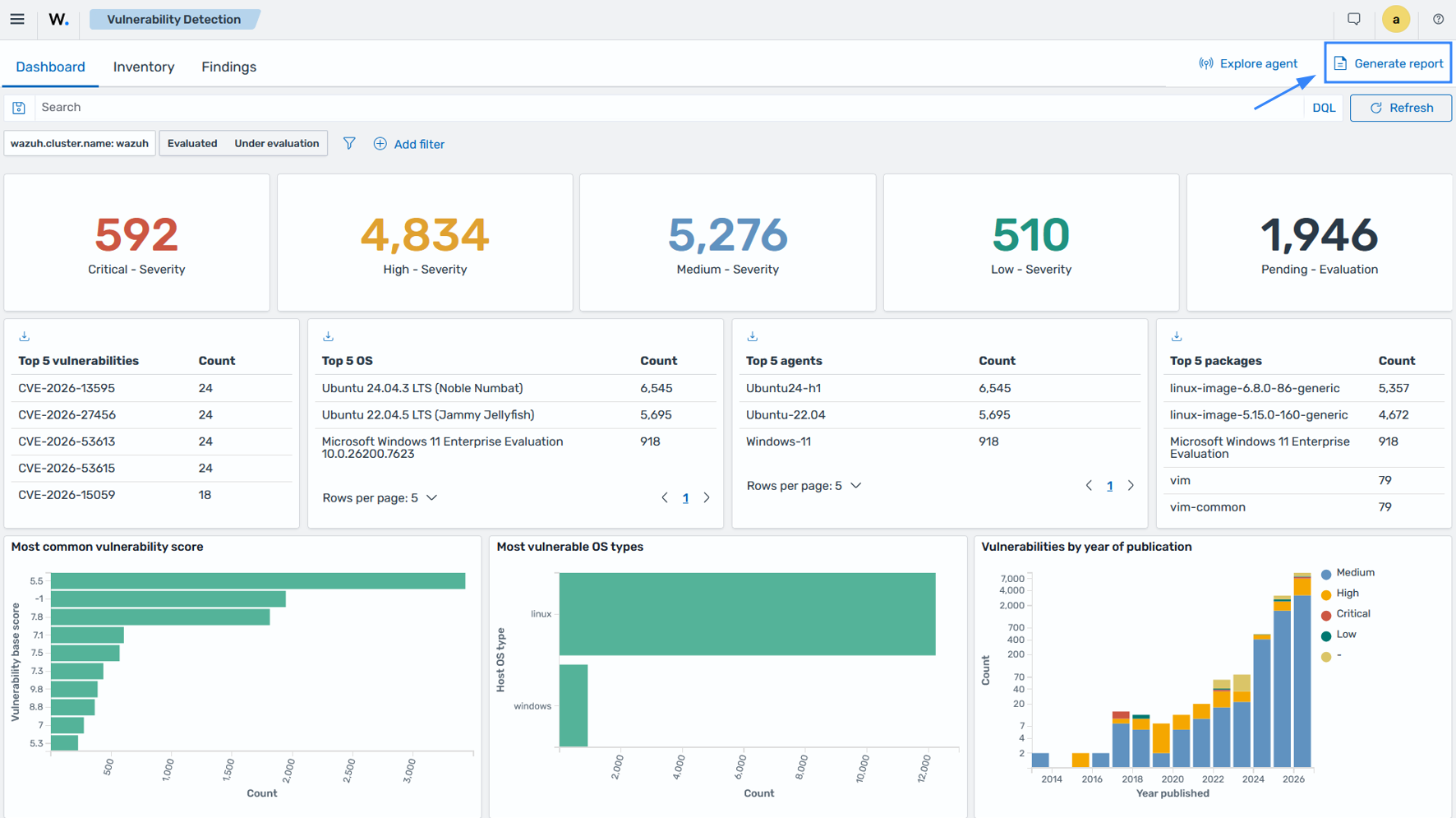
Wazuh allows users to generate vulnerability reports that summarize discovered and resolved vulnerabilities across monitored endpoints. These reports help security teams identify endpoints with unresolved vulnerabilities, track remediation progress, and prioritize critical security issues for investigation and patching.
You can generate a vulnerability detection report as shown below on the Wazuh dashboard.
Prioritizing remediation by severity
Wazuh categorizes detected vulnerabilities by severity, allowing organizations to prioritize remediation efforts. Security teams can filter findings by severity, operating system, package, CVE, or endpoint to focus on the most critical vulnerabilities first. These filters help organizations prioritize remediation activities based on the vulnerabilities affecting their monitored endpoints.
The Inventory tab in the Vulnerability Detection section of the Wazuh dashboard filters vulnerability findings by severity, helping security teams prioritize remediation.