Interpreting FIM scans
The Wazuh dashboard displays FIM events whenever a monitored file is added, modified, or deleted. To view them, go to Endpoint security → File Integrity Monitoring on the Wazuh dashboard. Results appear in the following tabs:
Dashboard
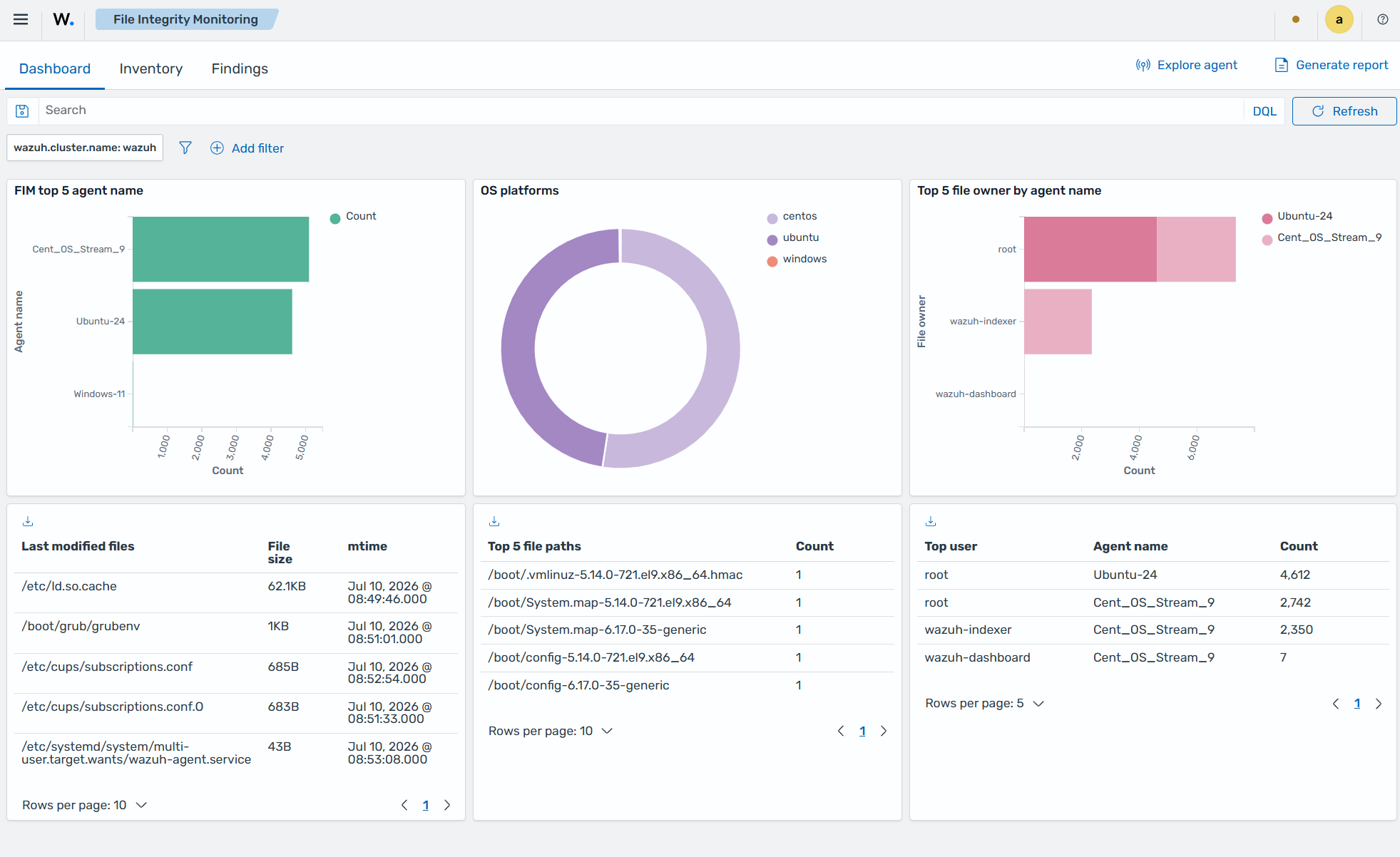
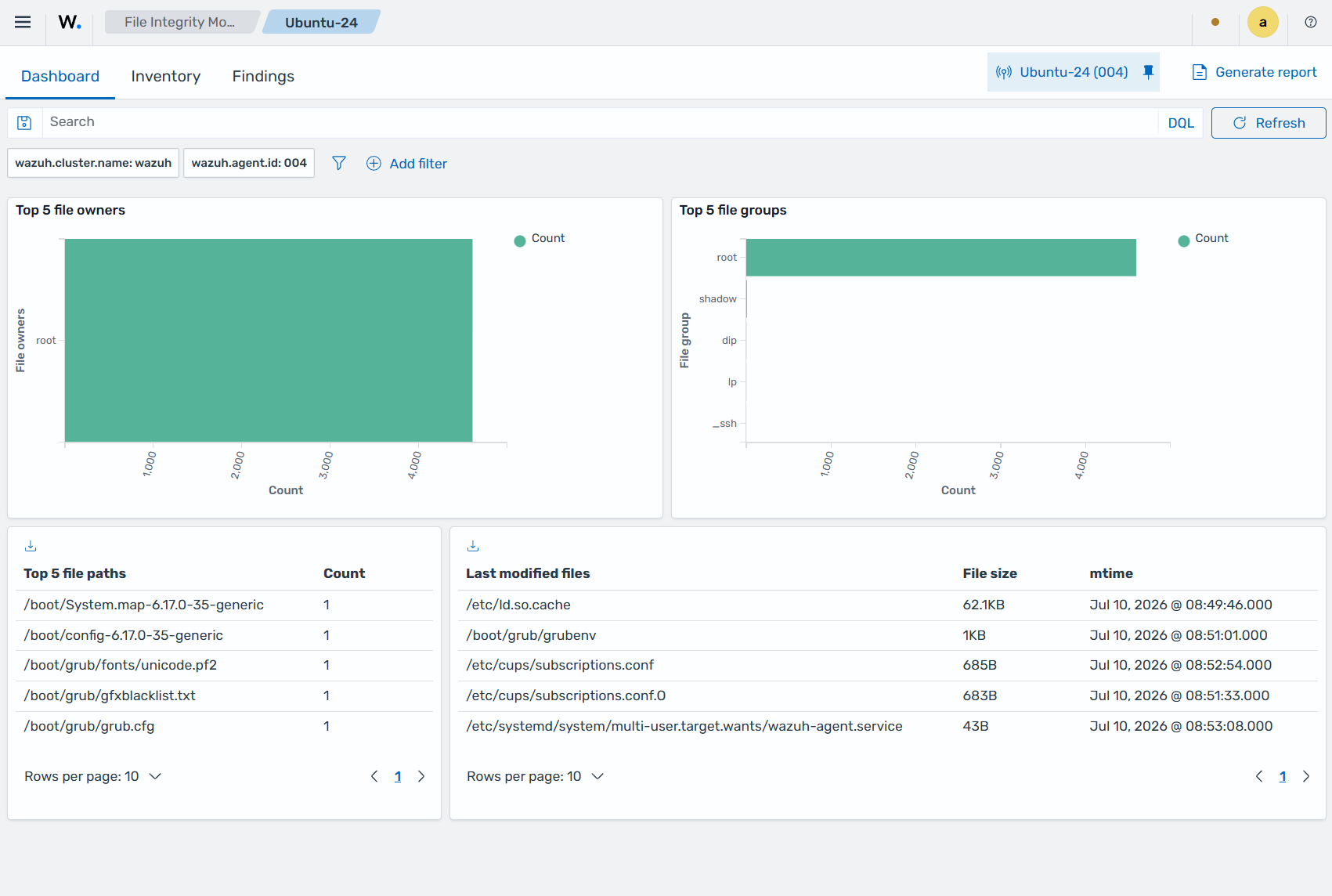
The Dashboard tab summarizes the current state of the files that the FIM module monitors, for all monitored endpoints or a single endpoint you select.
The image below shows the Dashboard tab for all monitored endpoints.
The image below shows the Dashboard tab for an Ubuntu endpoint.
Inventory
This section displays an inventory of all files the FIM module has indexed, including each file's path, modification date, owner, UID, and size.
The image below shows the file inventory of an Ubuntu endpoint.
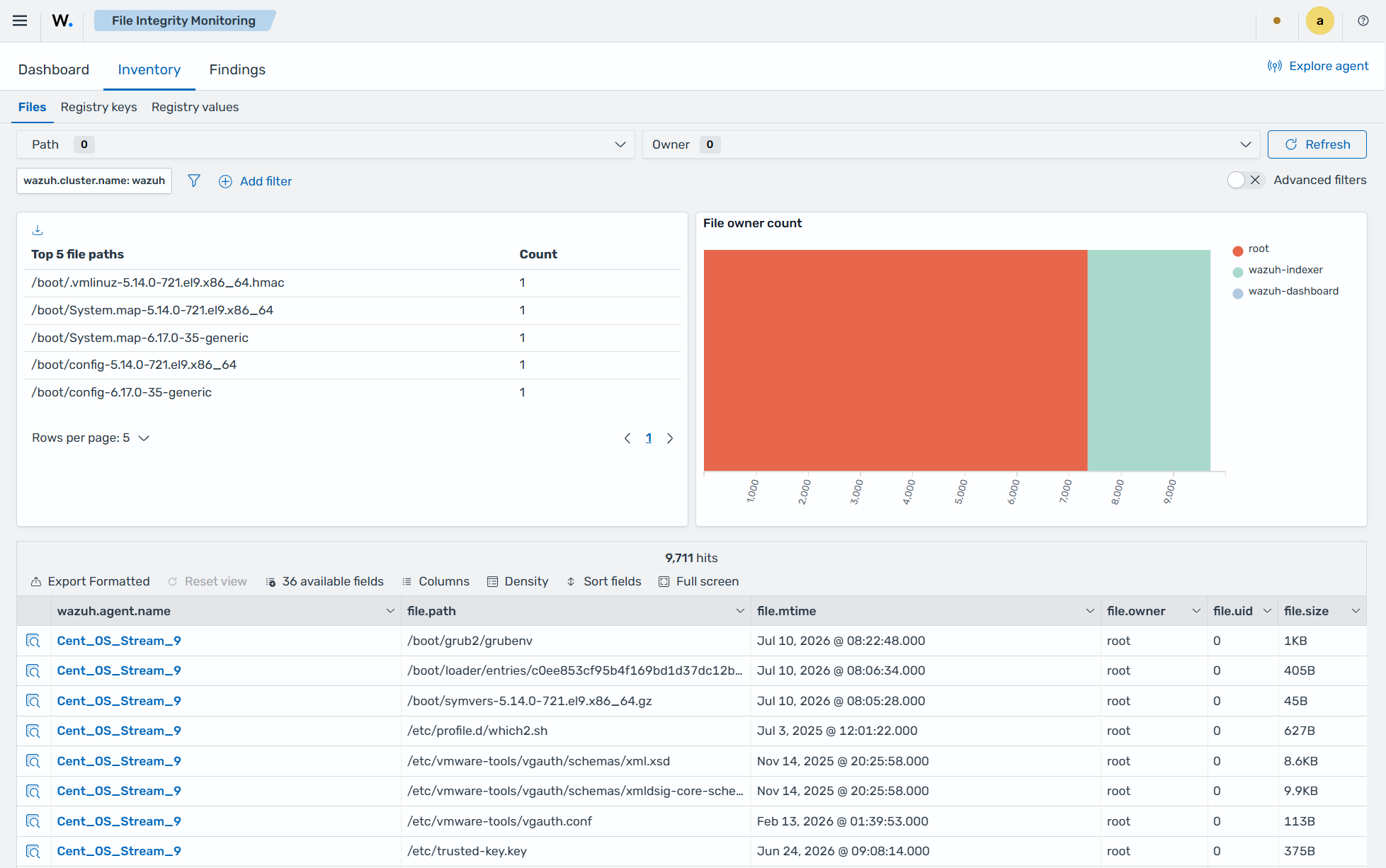
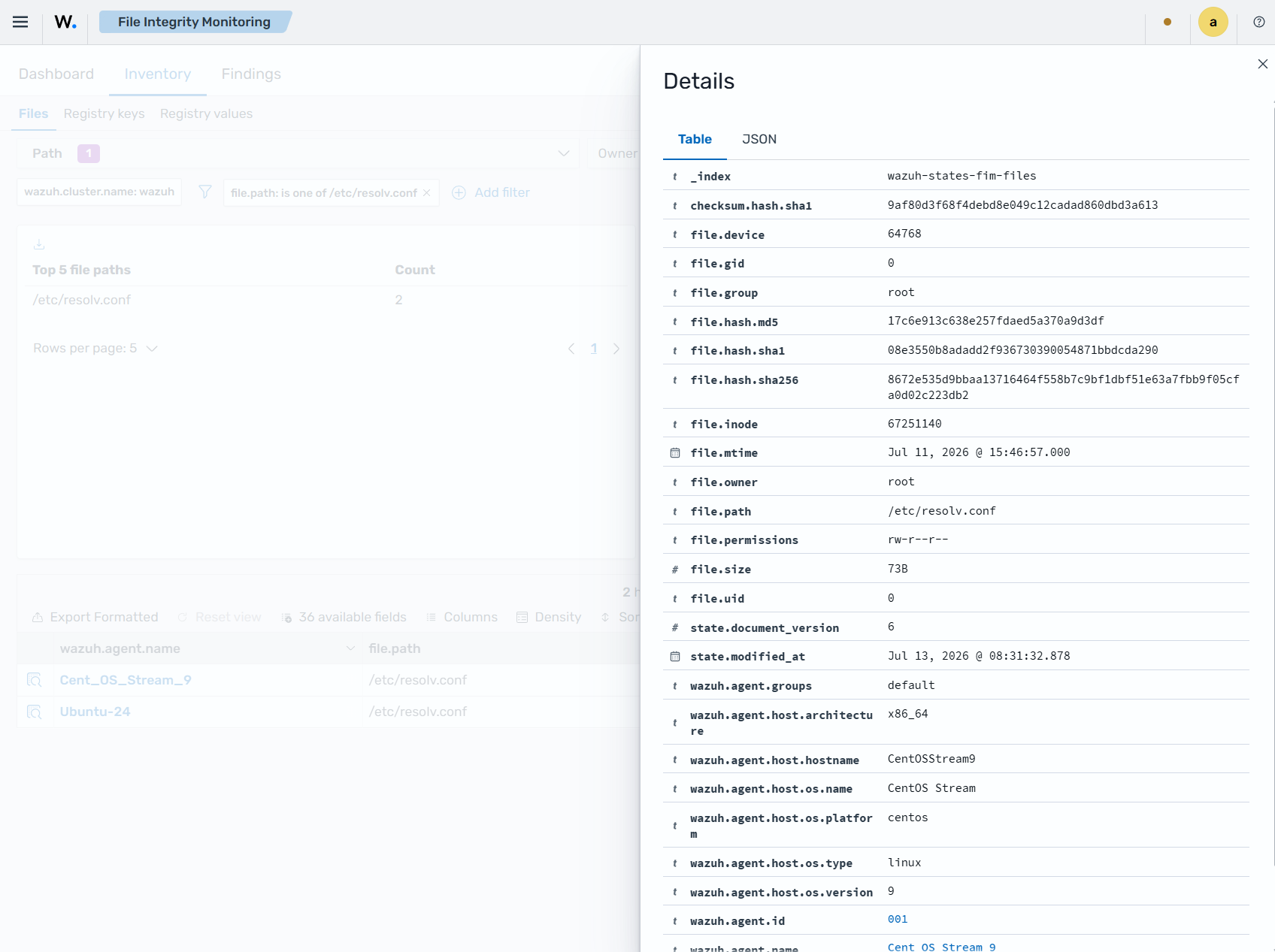
Click a file entry to view its attributes and other details. The image below shows the details for the /etc/resolv.conf file.
Findings
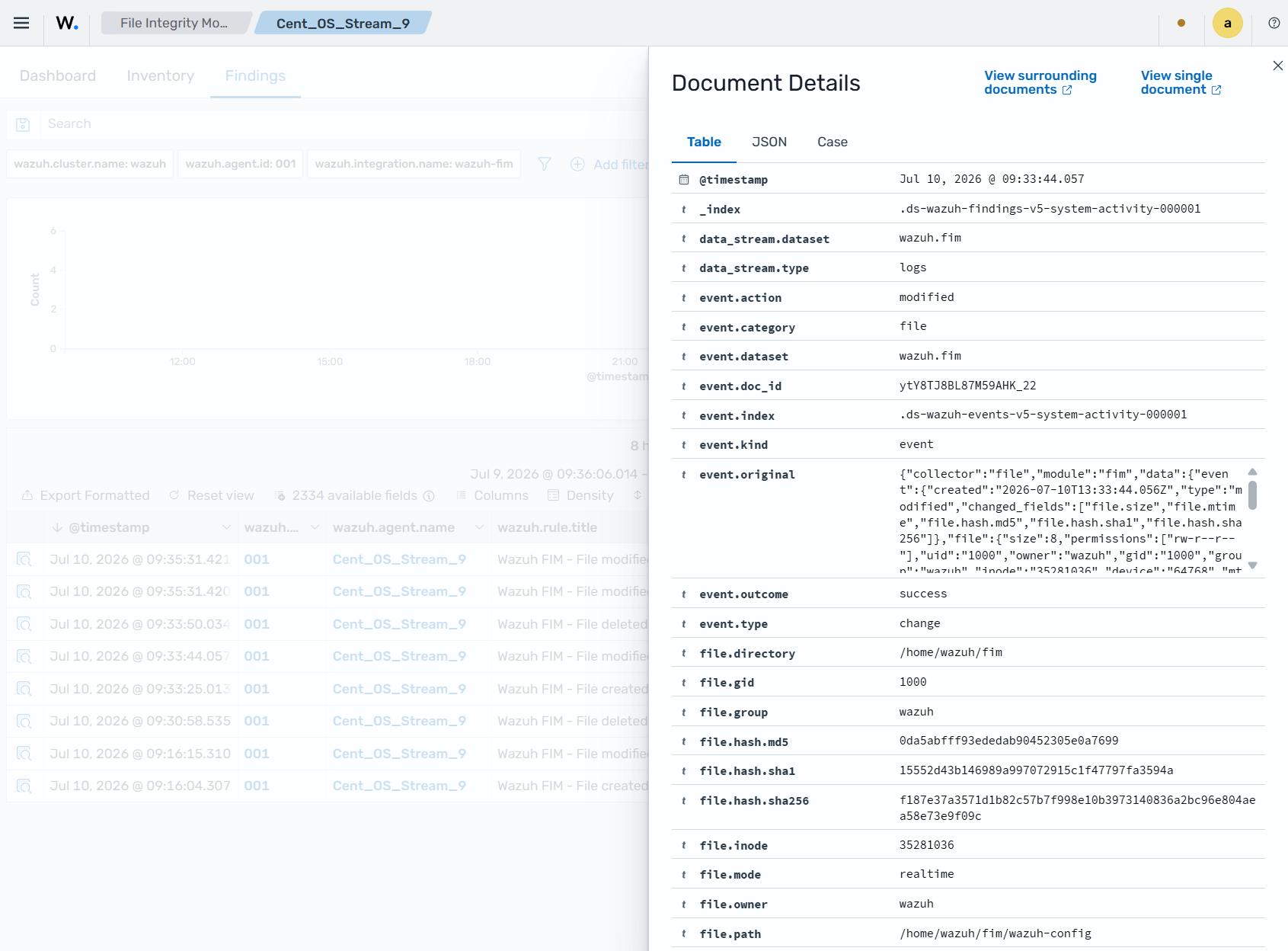
This section displays the Wazuh FIM findings. A finding is generated when a FIM event matches a Wazuh detection rule. It provides details such as the Wazuh agent name, the monitored file path, the type of FIM event, the rule title, and the rule level associated with the finding.
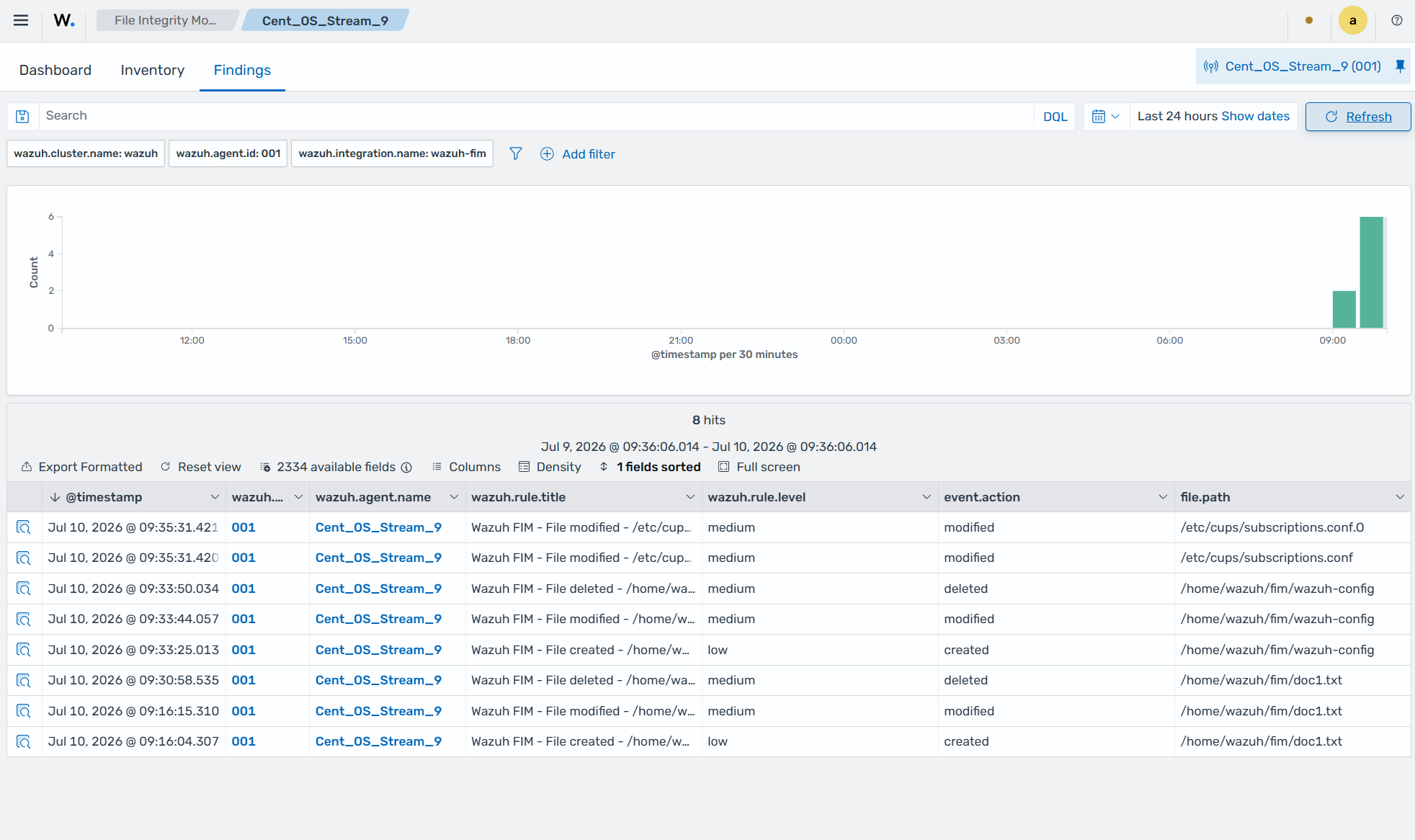
In addition, you can expand each finding entry to display additional information about the event that triggered the finding.