Detecting DNS queries to known malicious domains
Malware often resolves the domain of its command-and-control (C2) server before connecting to it. In this use case, Wazuh detects a DNS query for lopppooole.xyz, a C2 domain of the Gozi ISFB banking trojan listed in ThreatFox, on a Linux endpoint monitored with Suricata and on a Windows endpoint monitored with Sysmon.
Note
The test only performs a DNS lookup. The domain no longer resolves, so the endpoint does not connect to any malicious infrastructure.
Verify the IOC in the Wazuh CTI
The Wazuh CTI IOC list changes as indicators are added and retired. Before you test, confirm that the domain is in your IOC list. On the Wazuh dashboard, navigate to Indexer management → Dev Tools and run the following query:
GET wazuh-threatintel-enrichments/_search
{
  "query": {
    "term": {
      "document.name": "lopppooole.xyz"
    }
  }
}
The response contains a document of type url_domain for the domain. If the query returns no results, list recent domain IOCs and use one of them in the steps below:
GET wazuh-threatintel-enrichments/_search
{
  "size": 5,
  "sort": [ { "document.last_seen": "desc" } ],
  "_source": [ "document.name", "document.software.name" ],
  "query": {
    "term": {
      "document.type": "url_domain"
    }
  }
}
Configure the Linux endpoint
Perform the following steps on an Ubuntu 24.04 endpoint with Suricata installed.
Suricata 8.0 and later log DNS events in a new format by default. Set the DNS logging version to
2in theeve-logsection of the/etc/suricata/suricata.yamlfile so that the standard Suricata decoder extracts the queried domain:- dns: version: 2
Restart Suricata to apply the change:
# systemctl restart suricata
Add the following configuration to the Wazuh agent
/var/ossec/etc/ossec.conffile to collect the Suricata events:<ossec_config> <localfile> <log_format>json</log_format> <location>/var/log/suricata/eve.json</location> </localfile> </ossec_config>
Restart the Wazuh agent to apply the changes:
# systemctl restart wazuh-agent
On the Wazuh dashboard, go to Ruleset management → Overview, select the Standard space, and open the
suricataintegration. Click Actions → Enable. The Suricata integration is disabled by default, and Wazuh doesn't decode the Suricata events until you enable it.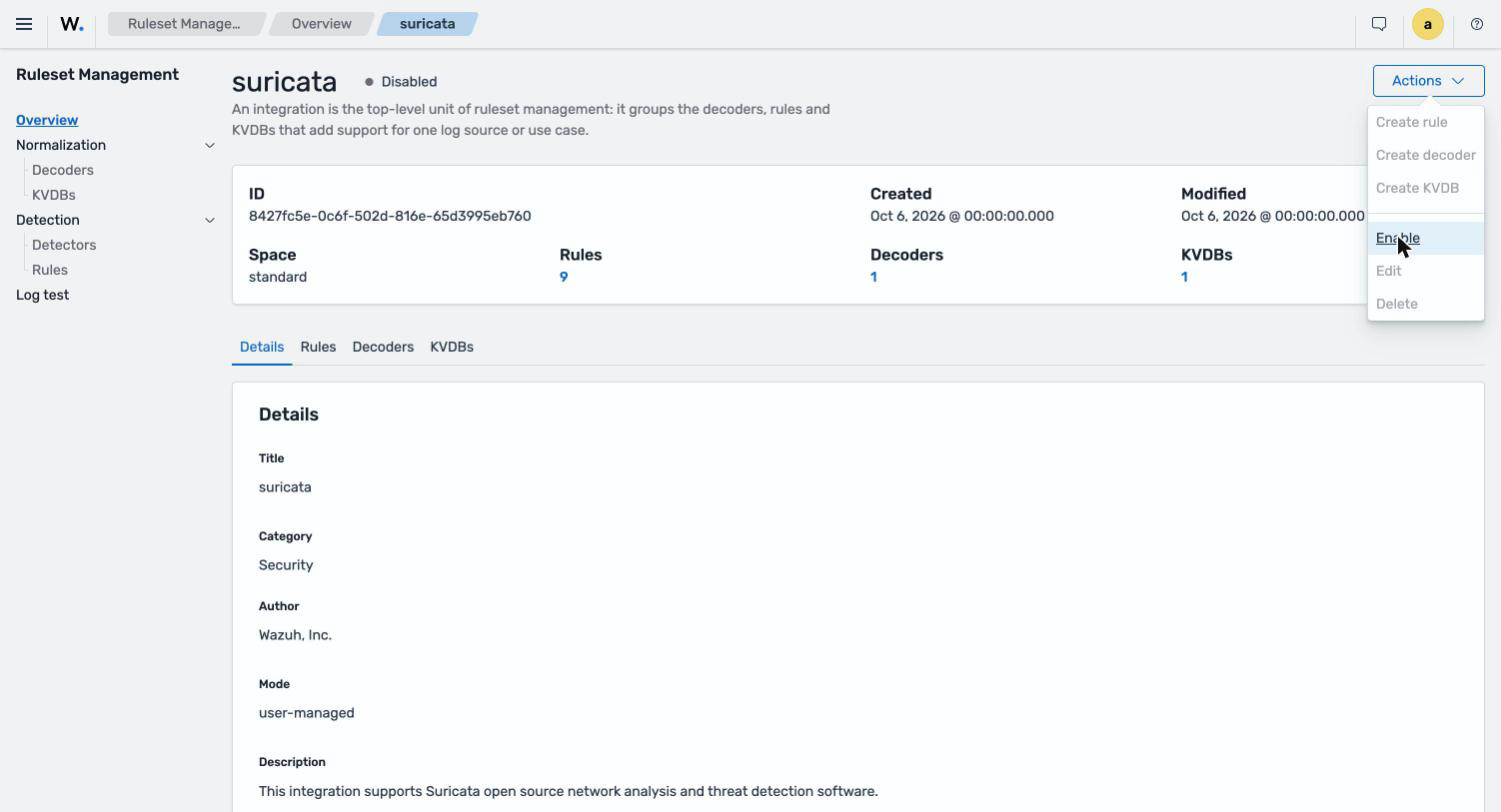
Configure the Windows endpoint
Perform the following steps on a Windows endpoint with Sysmon installed. Sysmon logs DNS queries as Event ID 22. If you use a custom Sysmon configuration, make sure it does not exclude DnsQuery events.
Add the following configuration to the Wazuh agent
C:\Program Files (x86)\ossec-agent\ossec.conffile to collect the Sysmon events:<ossec_config> <localfile> <location>Microsoft-Windows-Sysmon/Operational</location> <log_format>eventchannel</log_format> </localfile> </ossec_config>
Restart the Wazuh agent using PowerShell with administrator privileges:
> Restart-Service -Name WazuhSvc
Test the configuration
On the Linux endpoint, query the domain:
$ dig lopppooole.xyz
On the Windows endpoint, query the domain using PowerShell:
> Resolve-DnsName lopppooole.xyz
Visualize the findings
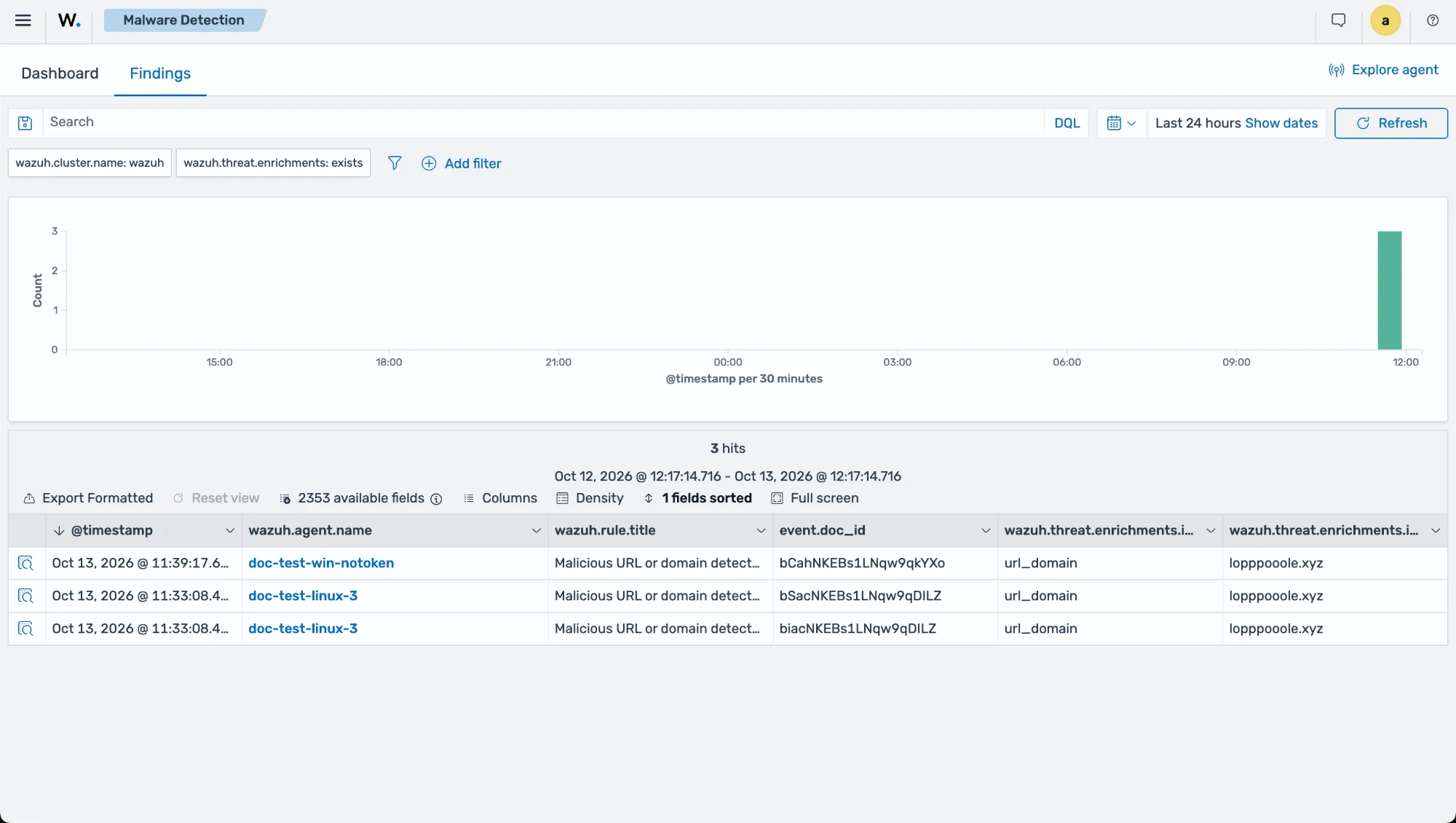
Navigate to Endpoint security → Malware Detection and select the Findings tab. A Malicious URL or domain detected - lopppooole.xyz finding appears for each endpoint. On the Linux endpoint, two findings appear because Suricata logs the DNS query and its answer.
Expand a finding to see the matched indicator under wazuh.threat.enrichments, including the malware family, the IOC feed, and the confidence score.
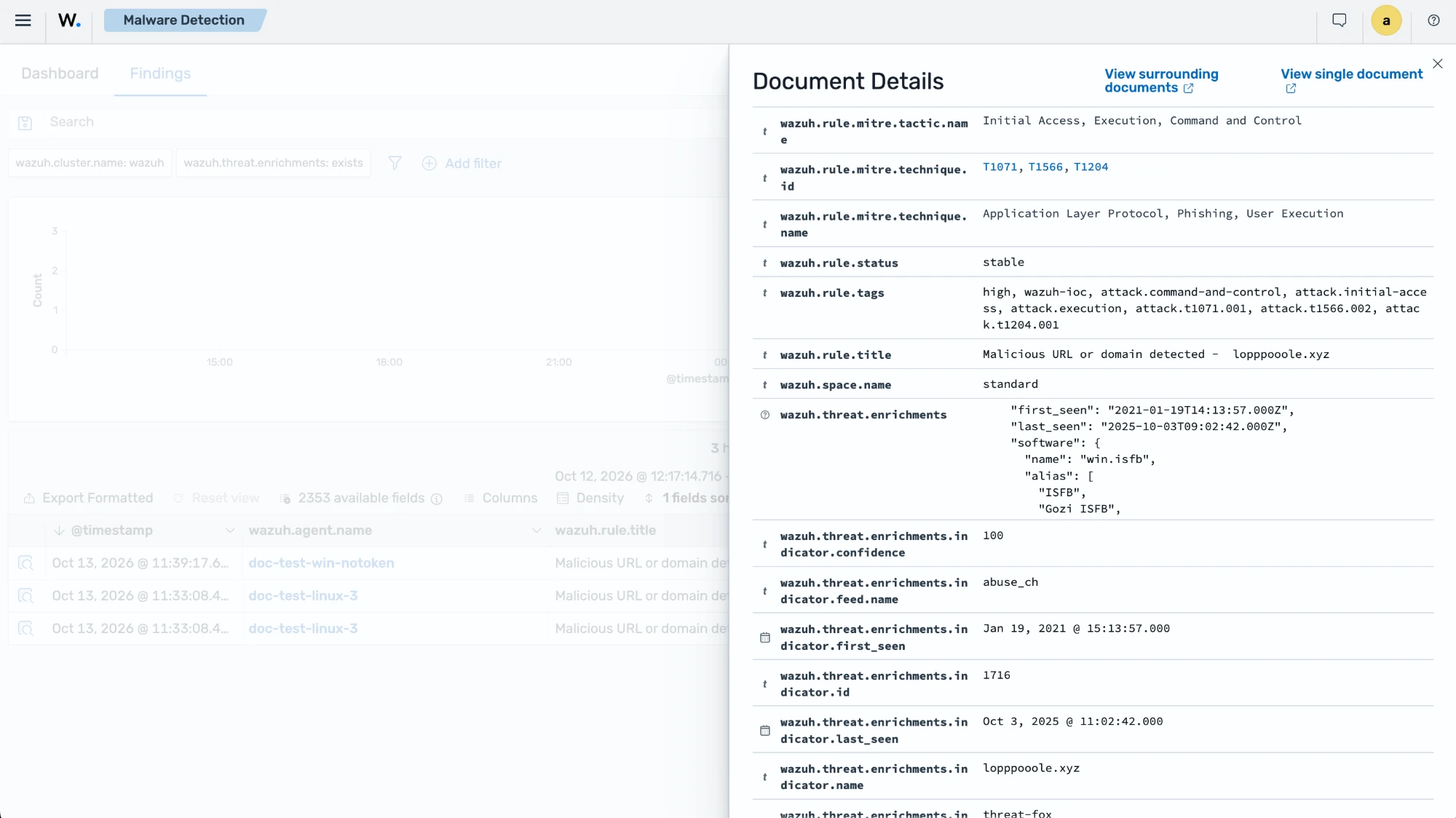
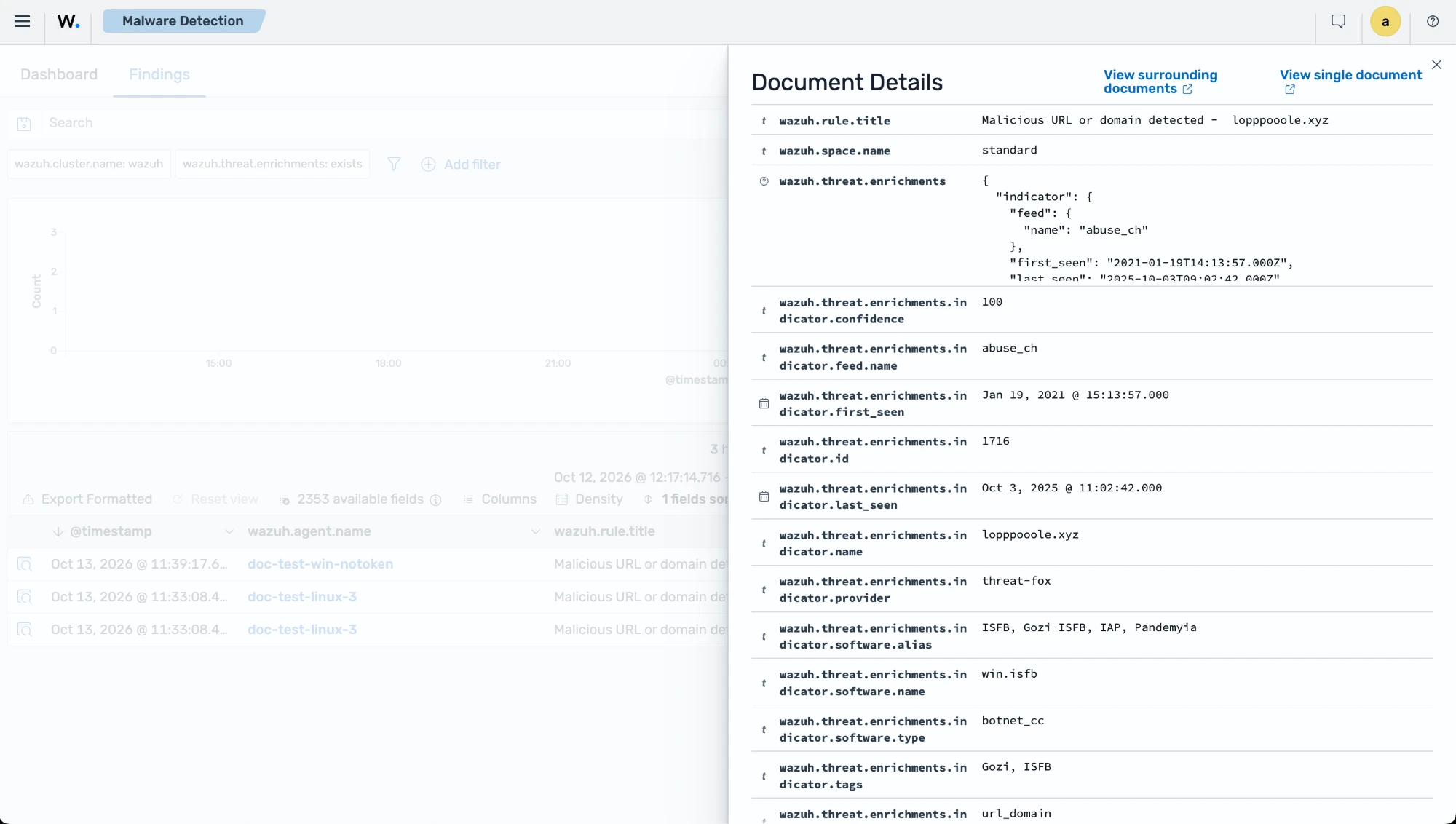
The following excerpt is from the finding generated on the Linux endpoint:
{
  "dns": {
    "question": {
      "name": "lopppooole.xyz",
      "type": "A"
    },
    "response_code": "NXDOMAIN"
  },
  "wazuh": {
    "integration": {
      "name": "suricata",
      "category": "security"
    },
    "rule": {
      "title": "Malicious URL or domain detected -  lopppooole.xyz",
      "level": "high"
    },
    "threat": {
      "enrichments": [
        {
          "indicator": {
            "name": "lopppooole.xyz",
            "type": "url_domain",
            "provider": "threat-fox",
            "confidence": 100,
            "feed": {
              "name": "abuse_ch"
            },
            "software": {
              "name": "win.isfb",
              "alias": ["ISFB", "Gozi ISFB", "IAP", "Pandemyia"],
              "type": "botnet_cc"
            },
            "tags": ["Gozi", "ISFB"]
          },
          "matched": {
            "field": "dns.question.name"
          }
        }
      ]
    }
  }
}