Amazon Virtual Private Cloud (VPC)
Amazon Virtual Private Cloud (Amazon VPC) lets users provision a logically isolated section of the AWS Cloud. There, they can launch AWS resources in a virtual network they define. Users have complete control over their virtual networking environment. That environment includes their IP address range, subnets, route tables, and network gateways. Users can use both IPv4 and IPv6 in their VPC for secure and easy access to resources and applications.
AWS configuration
The following sections cover how to configure the Amazon VPC service to integrate with Wazuh.
Amazon VPC configuration
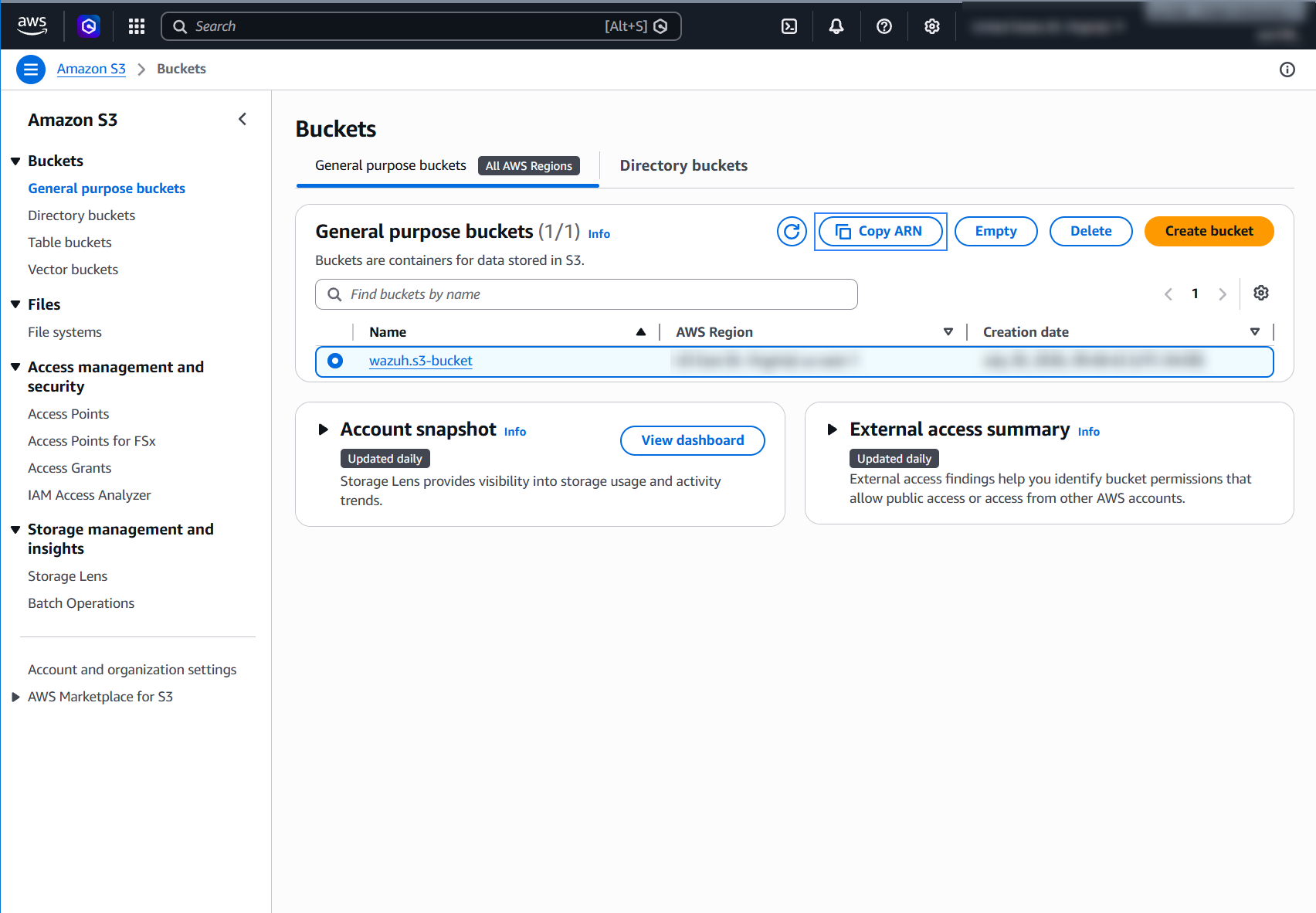
Select an existing S3 bucket or create a new one, then copy the Amazon Resource Name (ARN) of the S3 bucket.
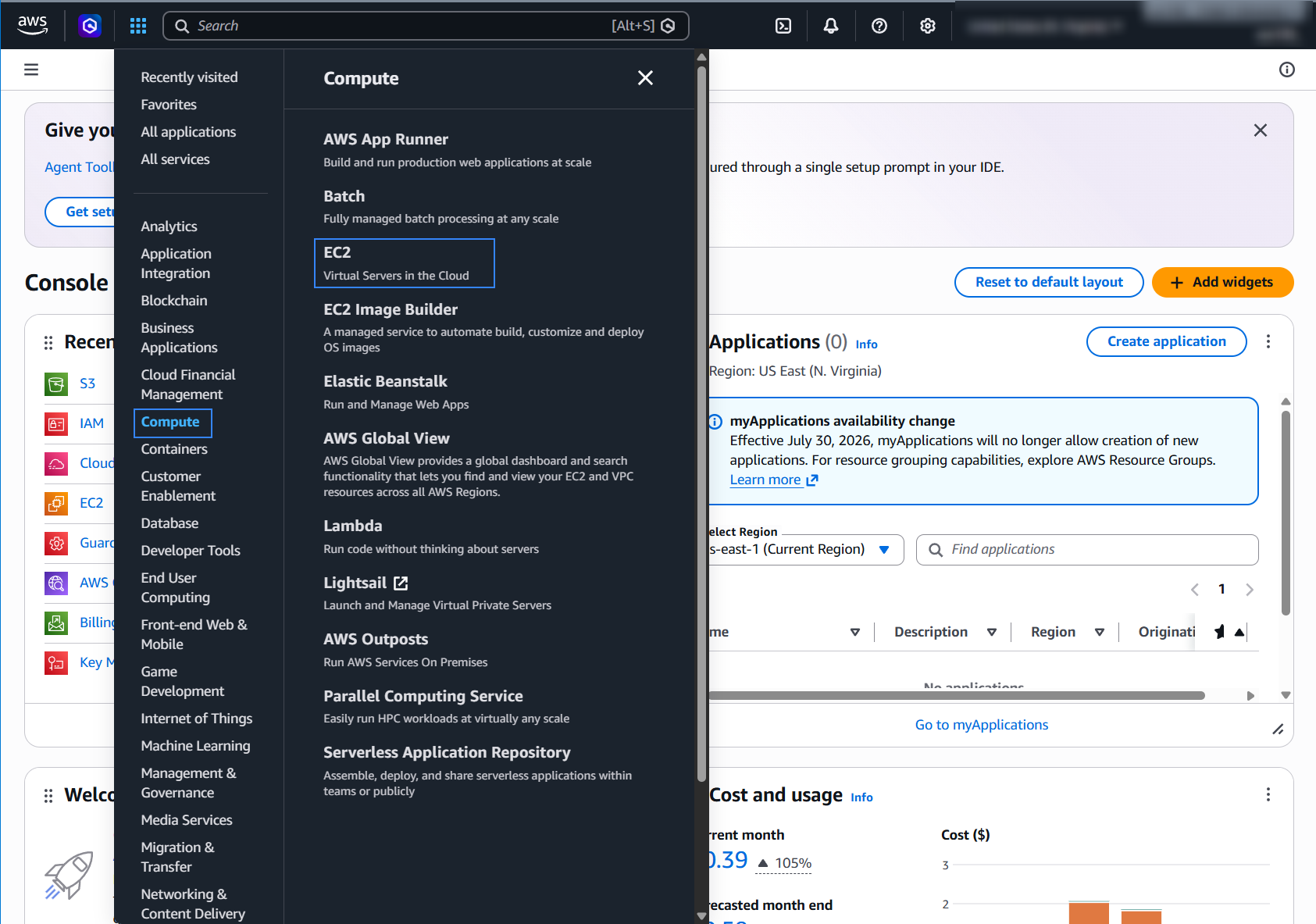
On your AWS console, go to Services > Compute > EC2.
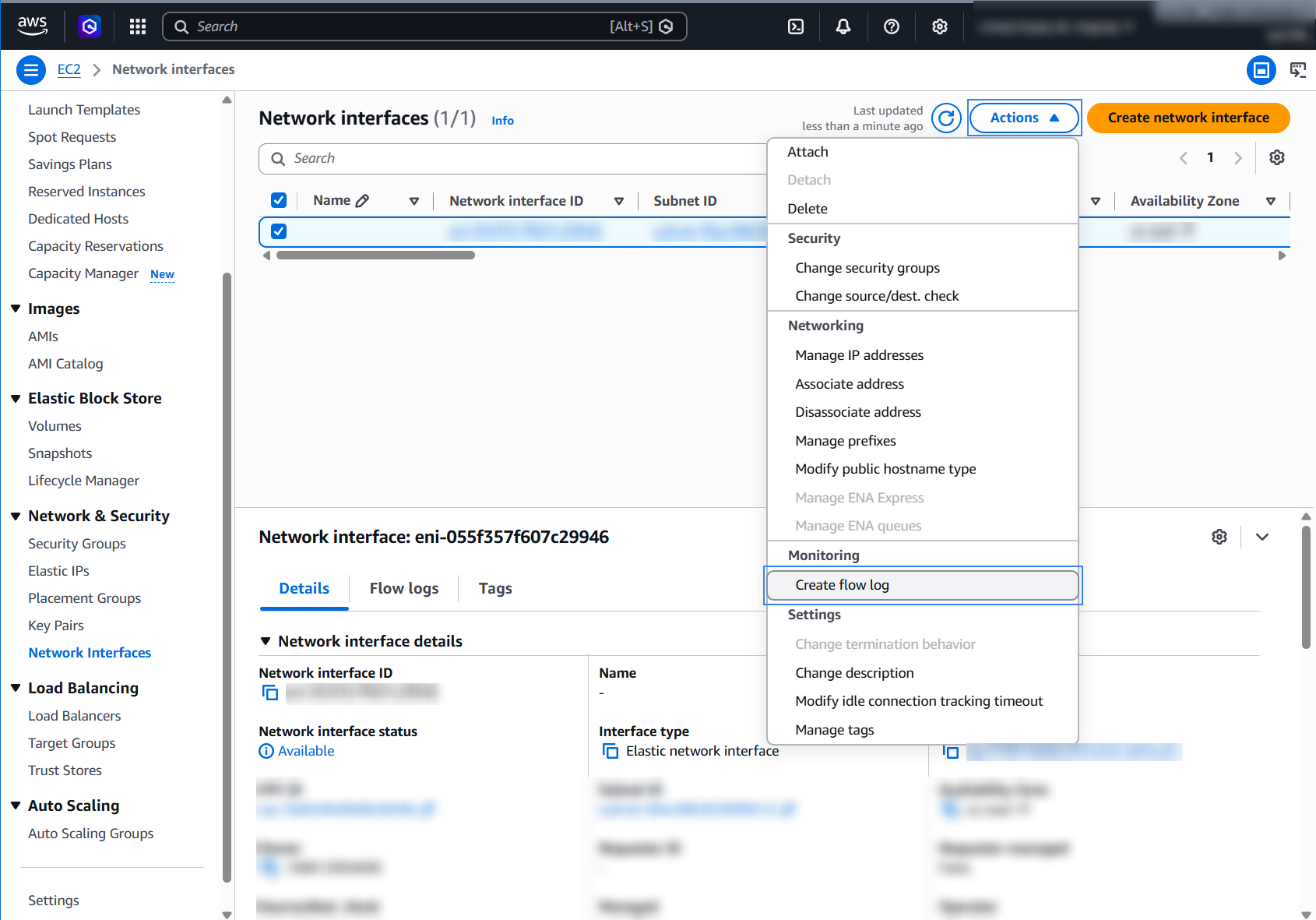
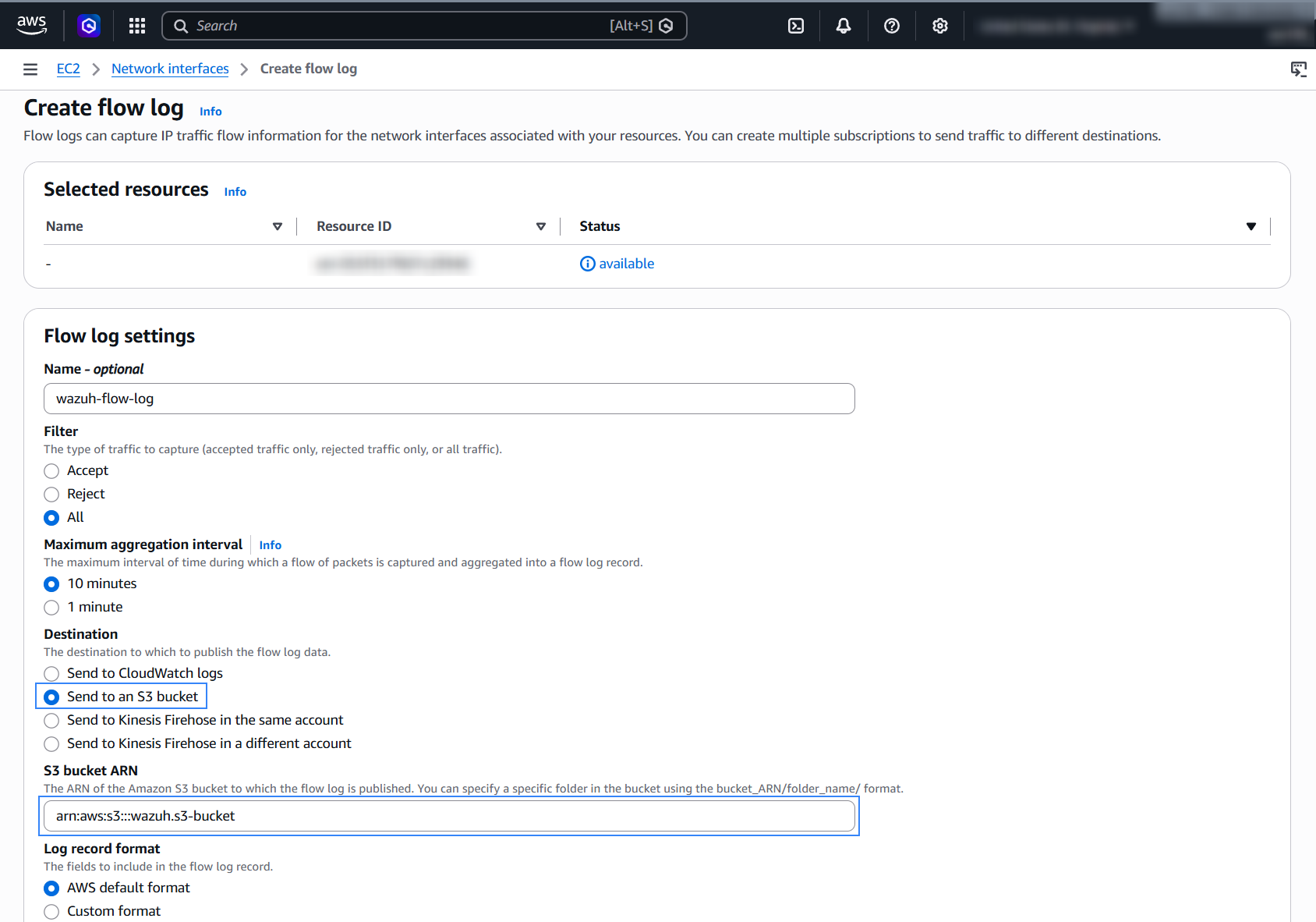
Go to Network & Security > Network Interfaces on the left menu. Select a network interface and select Create flow log on the Actions menu.
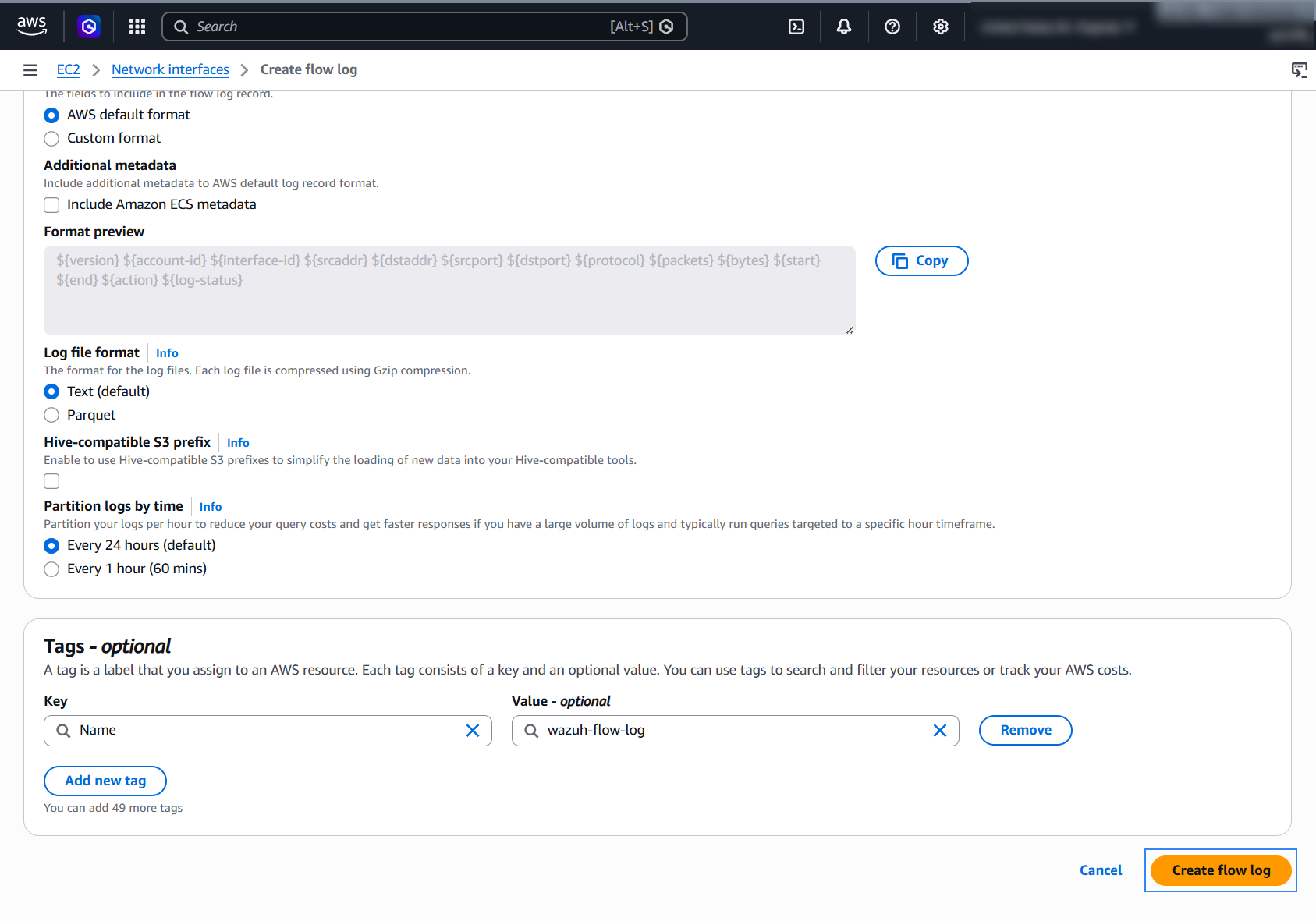
Set Filter to All so that the flow log records accepted and rejected traffic, and choose a Maximum aggregation interval. For Destination, select Send to an Amazon S3 bucket and paste the ARN of the bucket from step 1 in S3 bucket ARN. Keep AWS default format as the Log record format and click Create flow log.
Policy configuration
Follow the creating an AWS policy guide to create a policy using the Amazon Web Services console.
The policies below follow the principle of least privilege, so they give the AWS IAM user only the minimum permissions it needs.
To allow an AWS user to use the Wazuh module for AWS with read-only permissions, it must have a policy like the following attached:
{
    "Version": "2012-10-17",
    "Statement": [
        {
            "Sid": "VisualEditor0",
            "Effect": "Allow",
            "Action": [
                "s3:GetObject",
                "s3:ListBucket"
            ],
            "Resource": [
                "arn:aws:s3:::<WAZUH_AWS_BUCKET>/*",
                "arn:aws:s3:::<WAZUH_AWS_BUCKET>"
            ]
        },
        {
            "Sid": "DescribeFlowLogs",
            "Effect": "Allow",
            "Action": "ec2:DescribeFlowLogs",
            "Resource": "*"
        }
    ]
}
To delete the log files after Wazuh collects them, use the following policy instead:
{
    "Version": "2012-10-17",
    "Statement": [
        {
            "Sid": "VisualEditor0",
            "Effect": "Allow",
            "Action": [
                "s3:GetObject",
                "s3:ListBucket",
                "s3:DeleteObject"
            ],
            "Resource": [
                "arn:aws:s3:::<WAZUH_AWS_BUCKET>/*",
                "arn:aws:s3:::<WAZUH_AWS_BUCKET>"
            ]
        },
        {
            "Sid": "DescribeFlowLogs",
            "Effect": "Allow",
            "Action": "ec2:DescribeFlowLogs",
            "Resource": "*"
        }
    ]
}
Note
<WAZUH_AWS_BUCKET> is a placeholder. Replace it with the actual name of the bucket from which you want to retrieve logs.
Wazuh deletes the log files from the bucket only if you set remove_from_bucket to yes in the bucket configuration. This option is off by default and isn't in the sample configuration, so you need the second policy only if you turn it on.
After creating a policy, you can attach it directly to a user or to a group to which the user belongs. In attaching a policy to an IAM user group, you see how to attach a policy to a group. More information on how to use other methods is available in the AWS documentation.
Both policies above include the DescribeFlowLogs statement, because the Wazuh module for AWS calls ec2:DescribeFlowLogs to find the flow logs before it reads the bucket. If you prefer to grant this permission in a separate policy, remove the statement from the policy above and attach the following policy as well:
{
    "Version": "2012-10-17",
    "Statement": [
        {
            "Sid": "DescribeFlowLogs",
            "Effect": "Allow",
            "Action": "ec2:DescribeFlowLogs",
            "Resource": "*"
        }
    ]
}
Configure Wazuh to process Amazon VPC logs
Make sure that the AWS integrations are enabled on the Wazuh dashboard, as described in Enable AWS integration on the Wazuh dashboard.
Add the following Wazuh module for AWS configuration to the
/var/ossec/etc/ossec.conffile on the Wazuh agent. Replace<WAZUH_AWS_BUCKET>with the name of the S3 bucket. If the file already has a<wodle name="aws-s3">block, add only the<bucket>section to it:<wodle name="aws-s3"> <disabled>no</disabled> <interval>10m</interval> <run_on_start>yes</run_on_start> <skip_on_error>yes</skip_on_error> <bucket type="vpcflow"> <name><WAZUH_AWS_BUCKET></name> <aws_profile>default</aws_profile> </bucket> </wodle>
Note
This example uses the
aws_profileauthentication parameter. Check the Configure AWS credentials section to learn more about the different authentication options and how to use them.Save the changes and restart the Wazuh agent service to apply the changes.
# systemctl restart wazuh-agent
VPC use cases
Monitor changes to your VPCs, because they control how your AWS resources are isolated from the rest of your cloud infrastructure.
Create a VPC
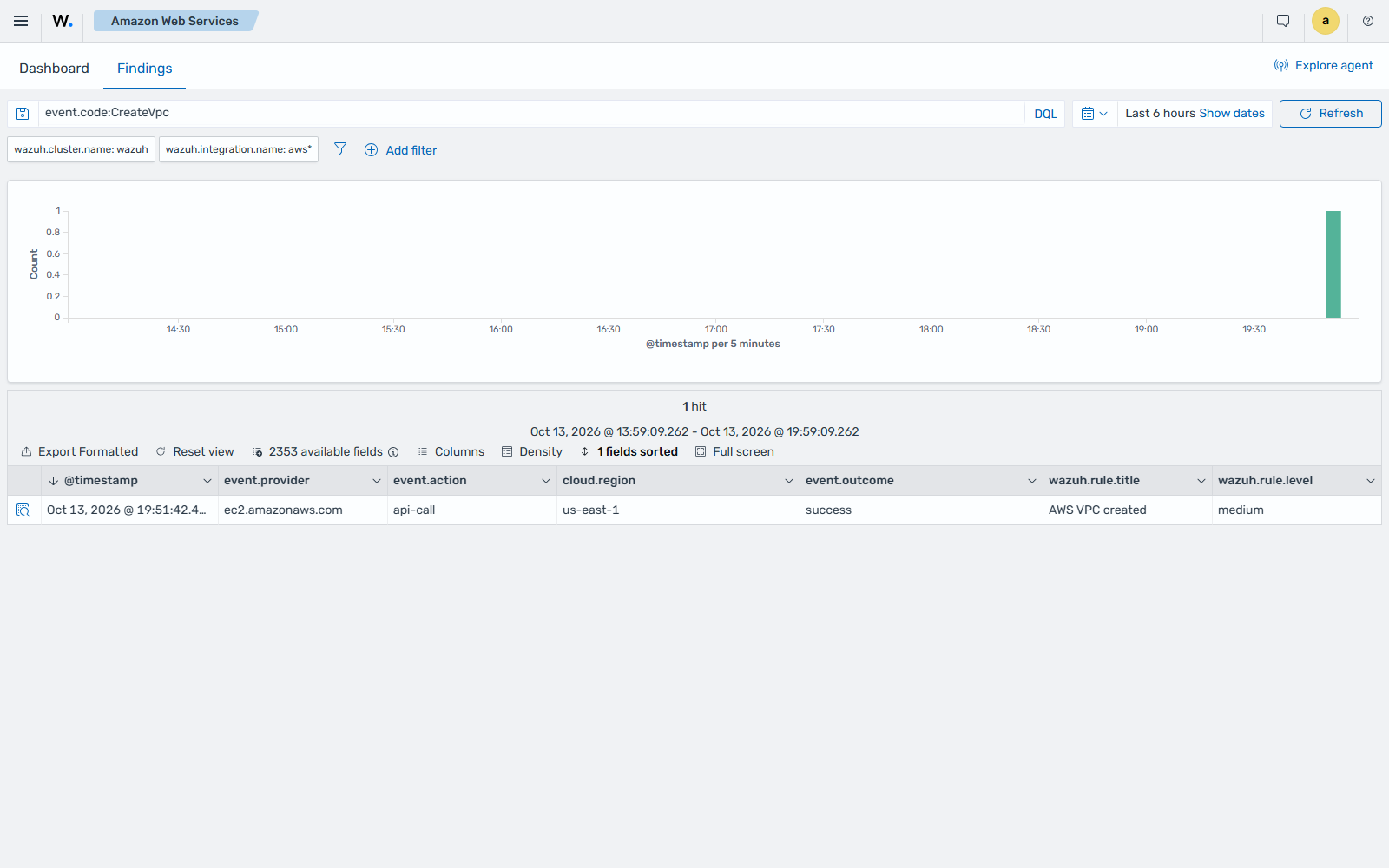
If a VPC is created, the AWS VPC created finding is shown on the Wazuh dashboard. This finding comes from AWS CloudTrail logs, so it needs the AWS CloudTrail configuration.
Monitor rejected network traffic
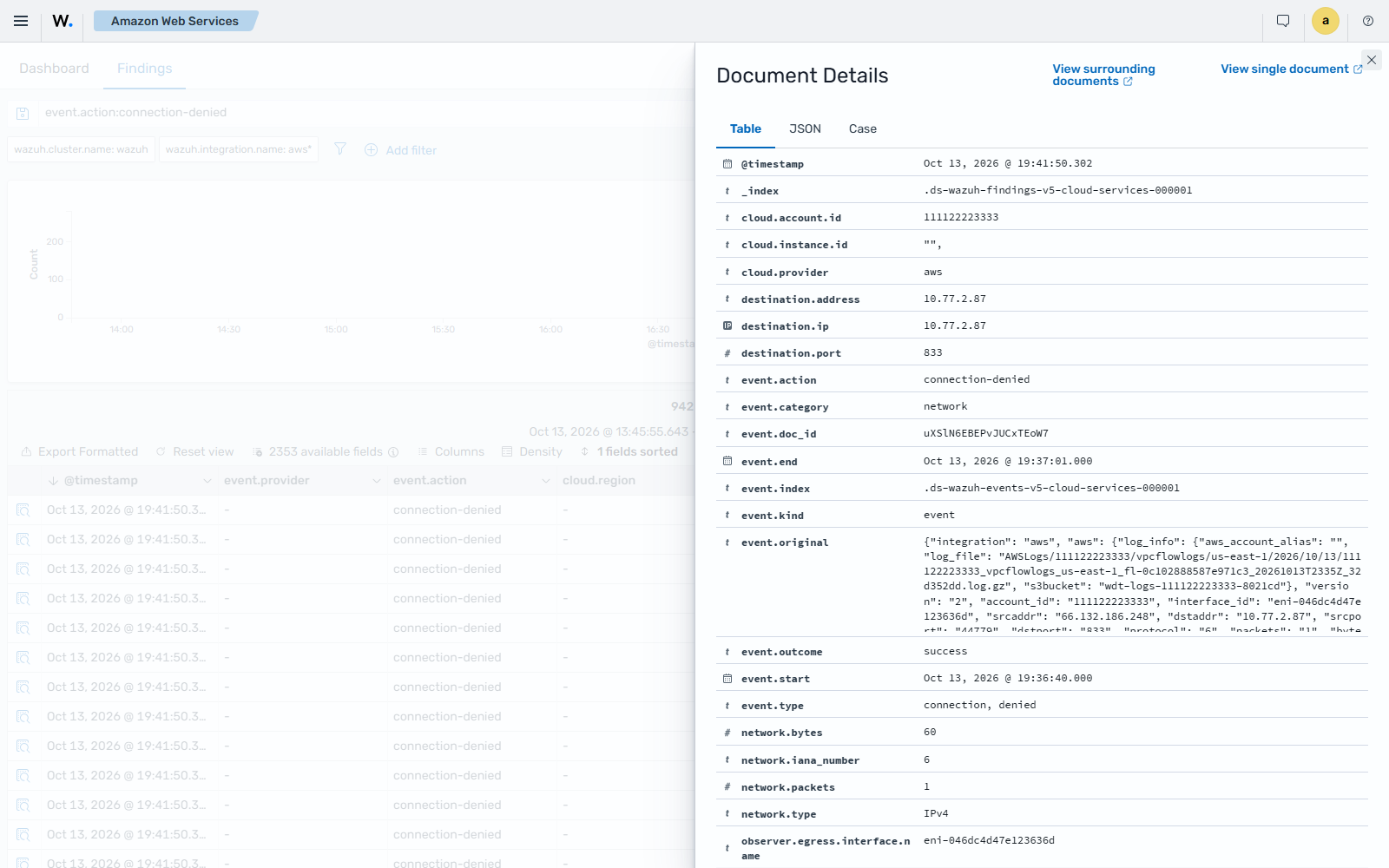
VPC flow logs record the IP traffic of the network interfaces in your VPC. When a security group or network ACL rejects a connection, the Cloud firewall or WAF connection denied or blocked finding is shown on the Wazuh dashboard. It shows the source and destination addresses and ports, and the protocol.
Accepted connections appear as events and don't raise findings. To see them, go to Explore > Discover, select the wazuh-events-v5* index pattern, and filter by wazuh.integration.decoders: decoder/aws-vpcflow/0 and event.action: connection-established.
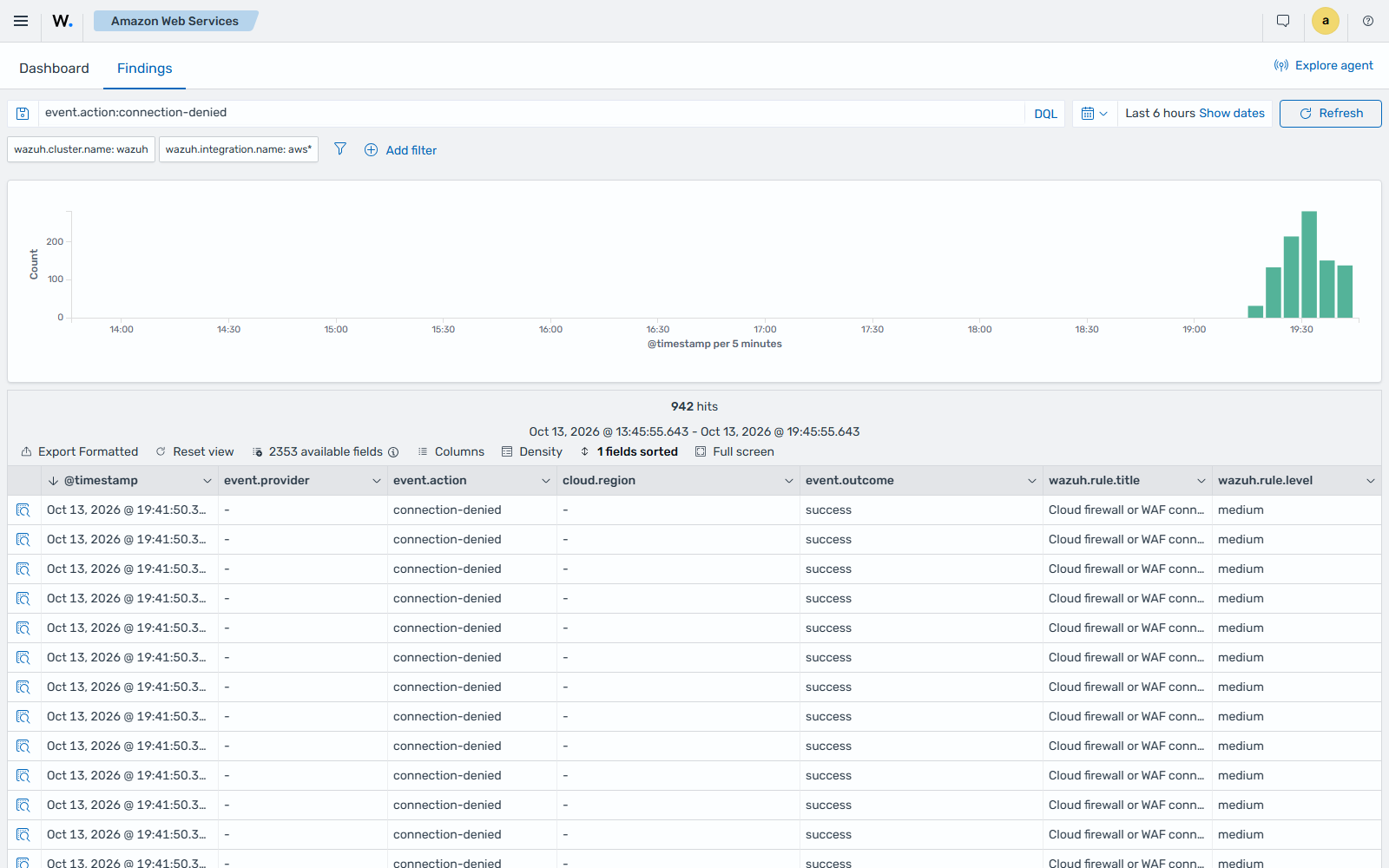
Expand the finding to see its details.