IT hygiene
IT hygiene involves maintaining the security, configuration, and visibility of IT assets throughout their lifecycle. Effective IT hygiene helps organizations identify security weaknesses, maintain approved configurations, and detect changes that can increase security risks.
Wazuh helps organizations maintain IT hygiene by collecting endpoint inventory, assessing configurations, monitoring files and processes, identifying vulnerable software, and providing centralized visibility into endpoint activity.
Monitoring system inventory
An up-to-date system inventory helps organizations maintain visibility into their IT assets and supports effective IT hygiene. Wazuh agents use the Syscollector module to collect information about hardware, operating systems, installed packages, running processes and services, network interfaces and ports, users, groups, and browser extensions.
Security teams can use this inventory to maintain visibility into their assets, identify unexpected changes, and investigate software or services that require attention.
You can also generate property-specific reports for a monitored endpoint. For example, you can get a report containing the list of installed software or a list of running processes on a monitored endpoint.
Monitoring system configurations
Secure system configurations are a core IT hygiene practice that helps organizations reduce their attack surface. The Wazuh Security Configuration Assessment (SCA) module periodically scans monitored endpoints against policies based on the Center for Internet Security (CIS) Benchmarks and other supported security policies. The scans identify security misconfigurations and configuration weaknesses across monitored endpoints.
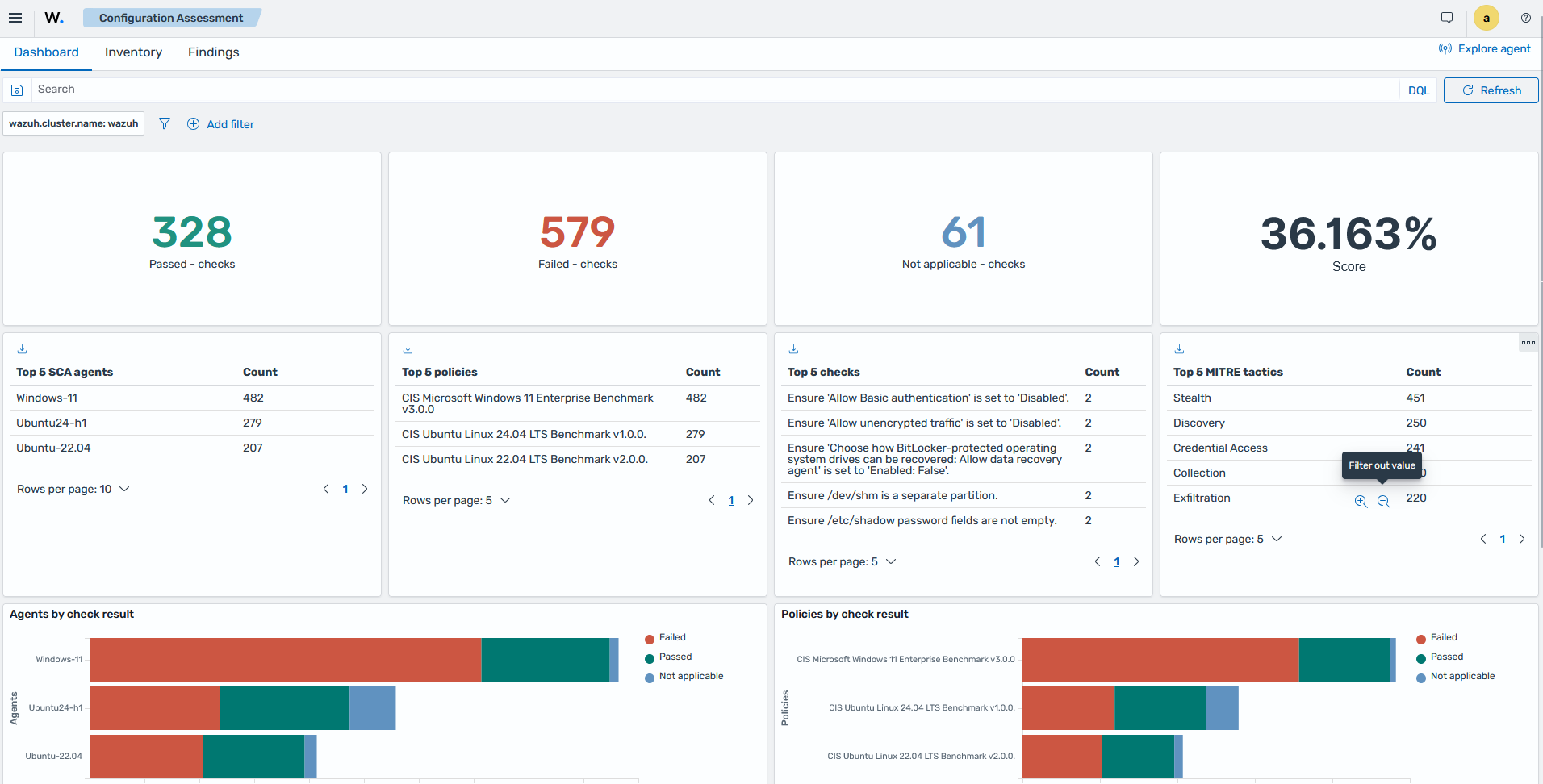
The Configuration Assessment section in the Wazuh dashboard displays the results of each SCA scan for every monitored endpoint. It shows the number of checks performed, passed, failed, and not applicable, along with an overall compliance score based on the applicable checks that passed.
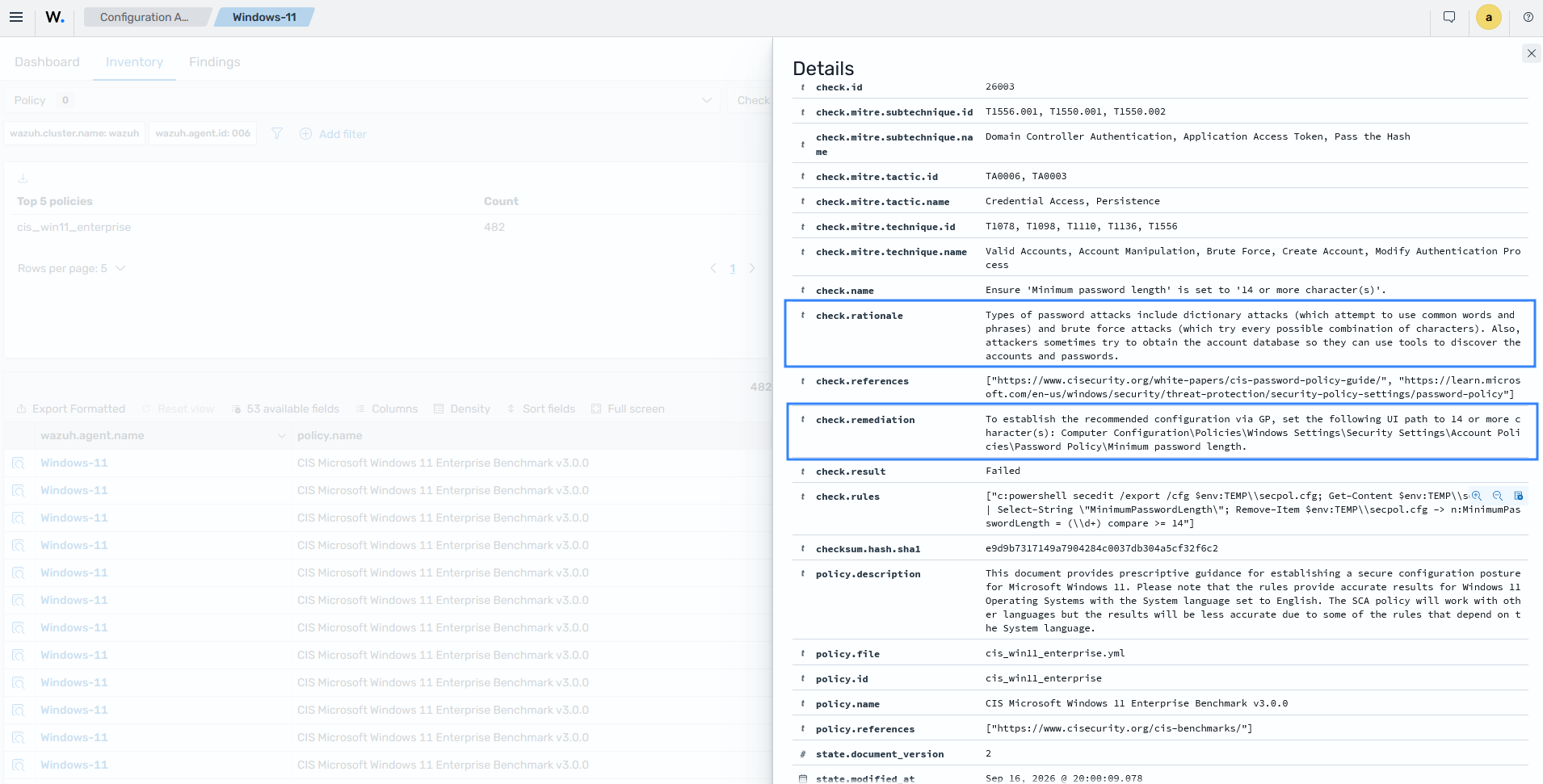
Security teams can review individual failed checks, view the rationale and remediation guidance, and generate a CSV report to support remediation activities. The report helps organizations identify configuration weaknesses, track remediation progress, and maintain secure endpoint configurations.
The following SCA scan result shows a failed check because the Windows password is below the 14-character minimum required by the CIS Benchmark policy applied to the endpoint. You can implement the remediation suggested in the report to improve the security posture.
Identifying vulnerable software for IT hygiene
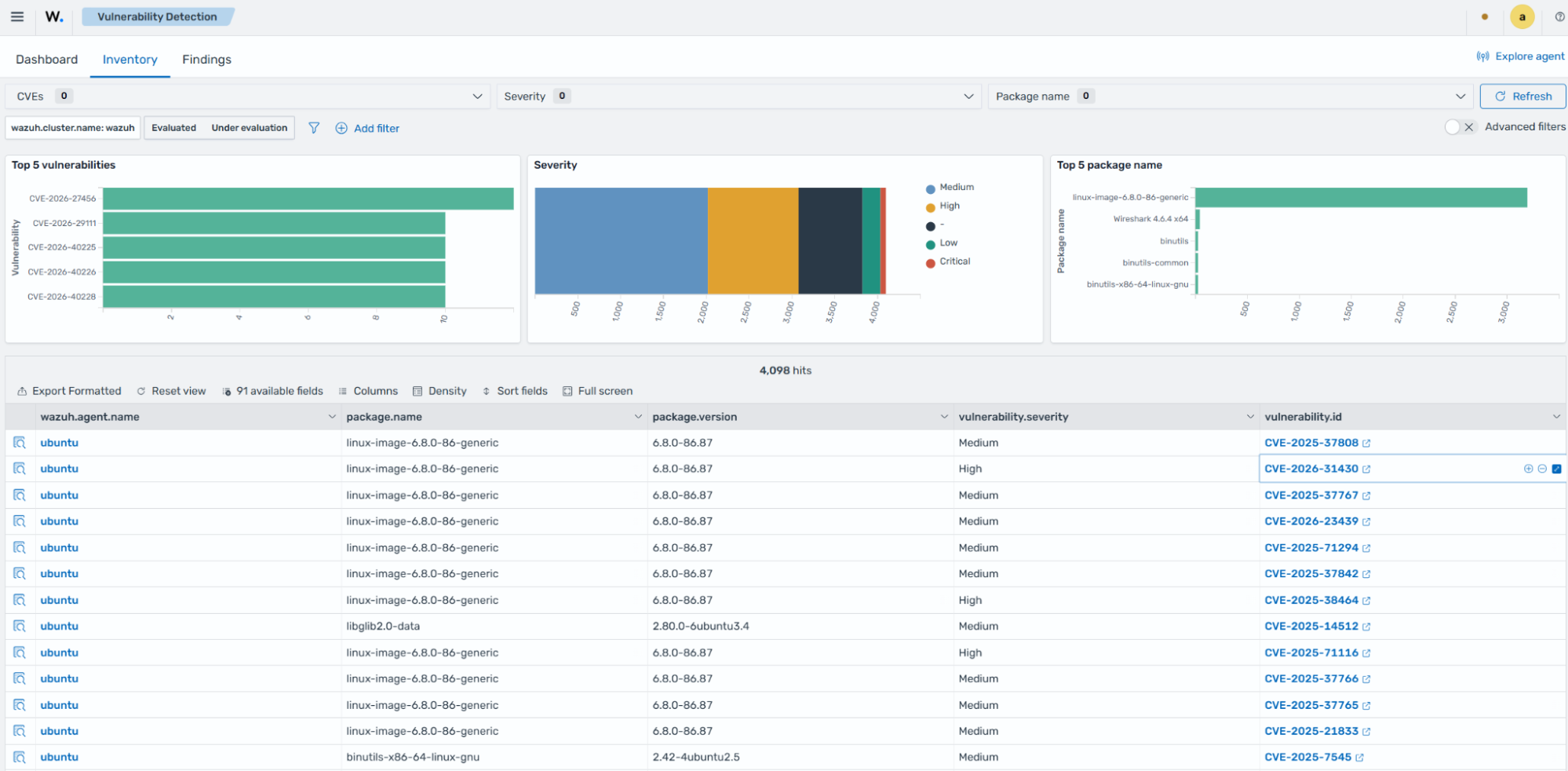
The Wazuh Vulnerability Scanner module identifies vulnerable applications by using vulnerability information available in the Wazuh CTI. Links to specific vulnerabilities on the Wazuh CTI are also available on each vulnerability ID.
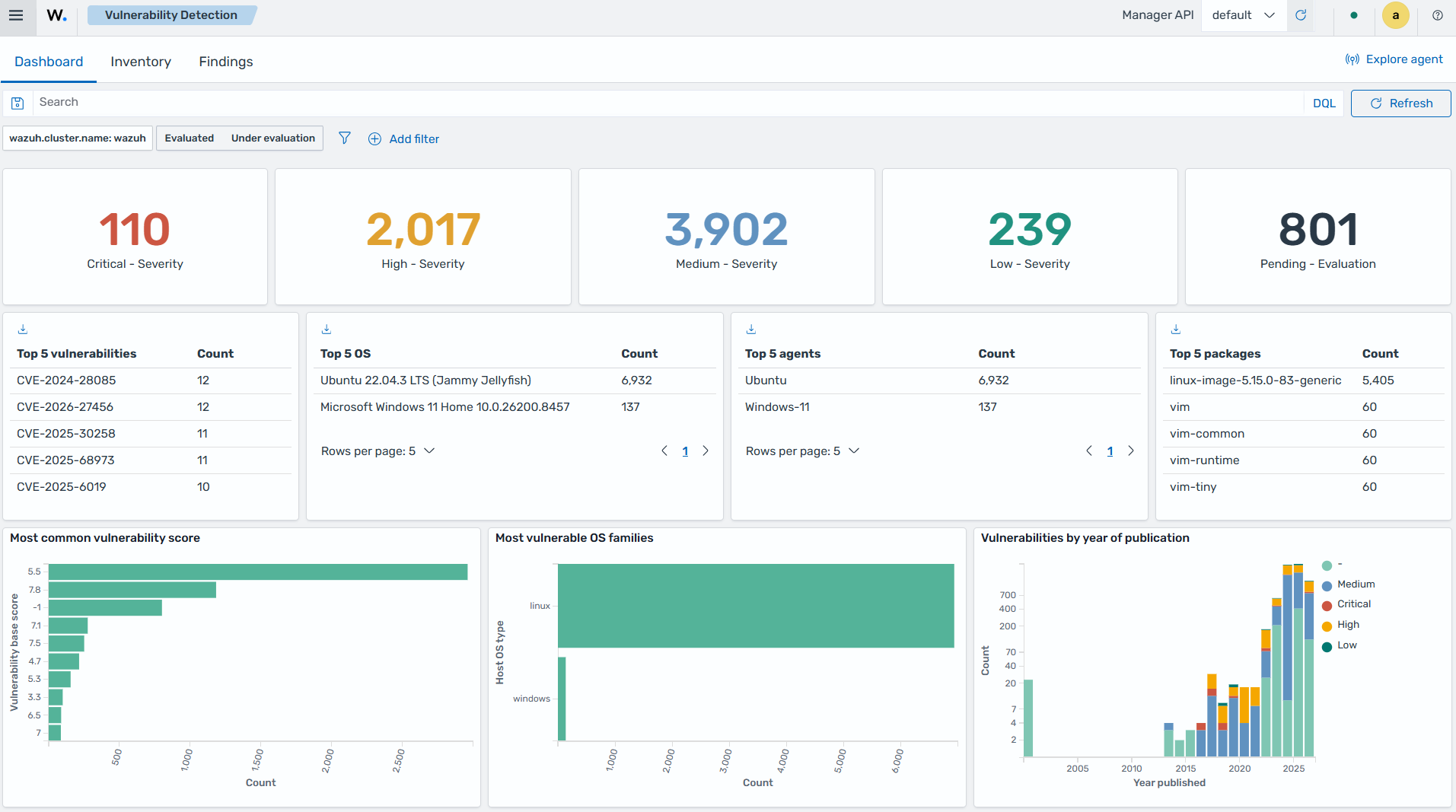
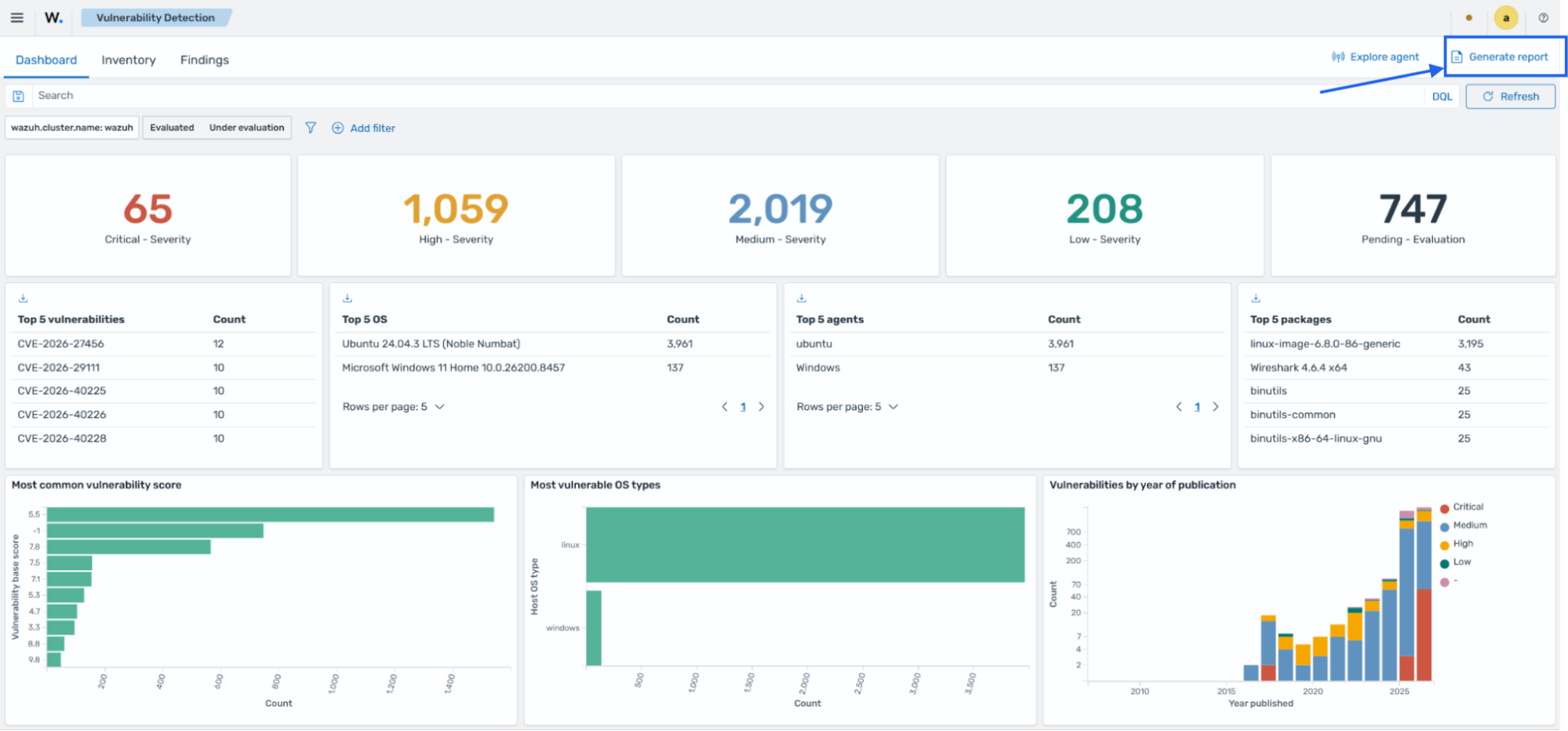
You can download a report that contains findings related to discovered and resolved vulnerabilities on a monitored endpoint from the Wazuh dashboard. This feature allows you to identify endpoints with unresolved vulnerabilities and keep track of remediation activities.
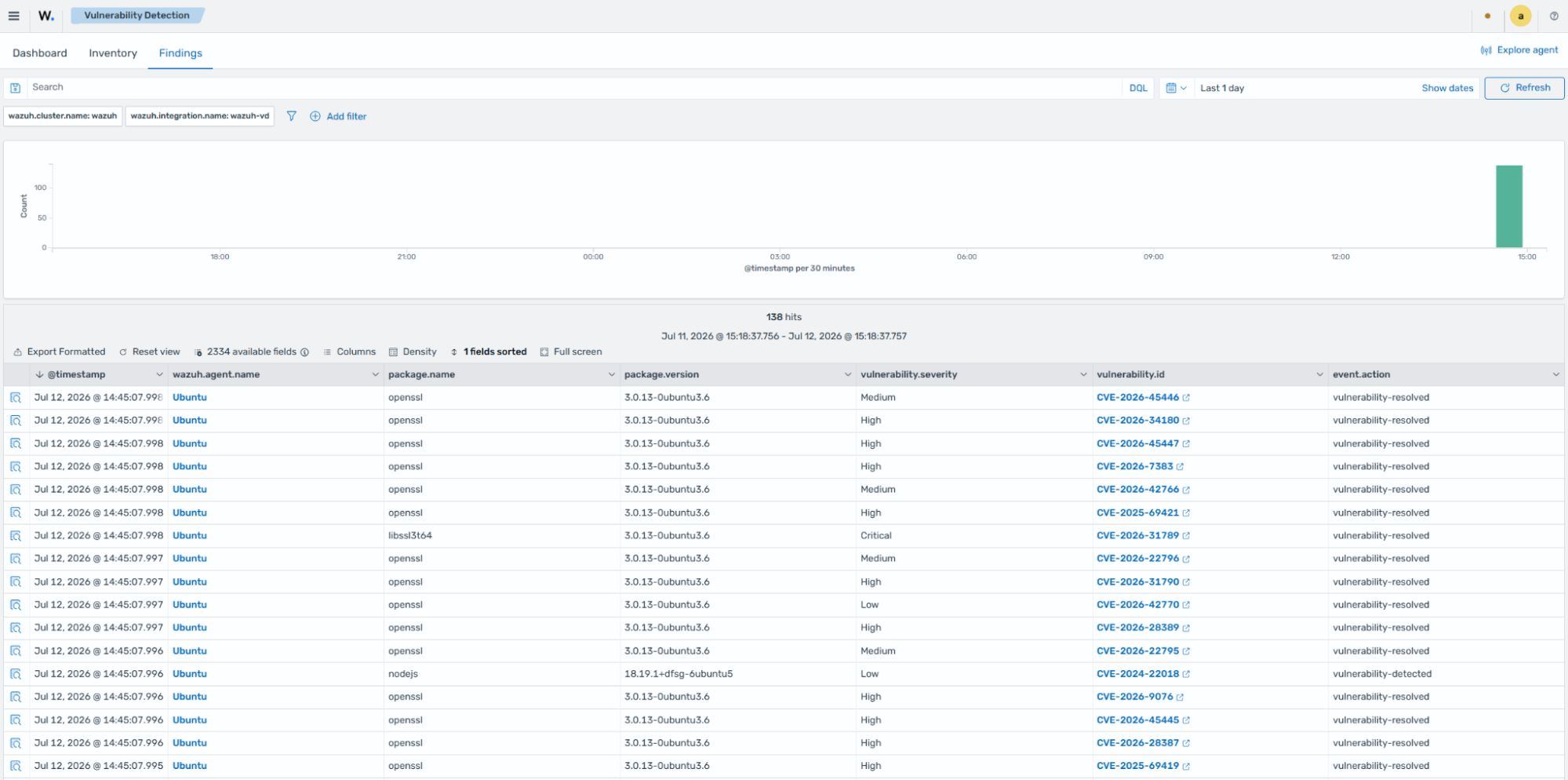
The Wazuh Vulnerability Scanner module also enables you to track remediation activities, which serves as a progress report on improving or maintaining IT hygiene. For example, when a vulnerability is remediated, Wazuh generates a finding that records the change.
Monitoring services and processes
Visibility into running processes and services helps organizations identify software executing on their endpoints. Unexpected processes, unauthorized services, or applications configured to start automatically can indicate poor IT hygiene, policy violations, misconfigurations, or malicious activity.
The Wazuh agent collects information about running processes and services on monitored endpoints and synchronizes the data with the Wazuh indexer. The Wazuh dashboard centralizes this information, allowing security teams to review processes and services across their environment without inspecting endpoints individually.
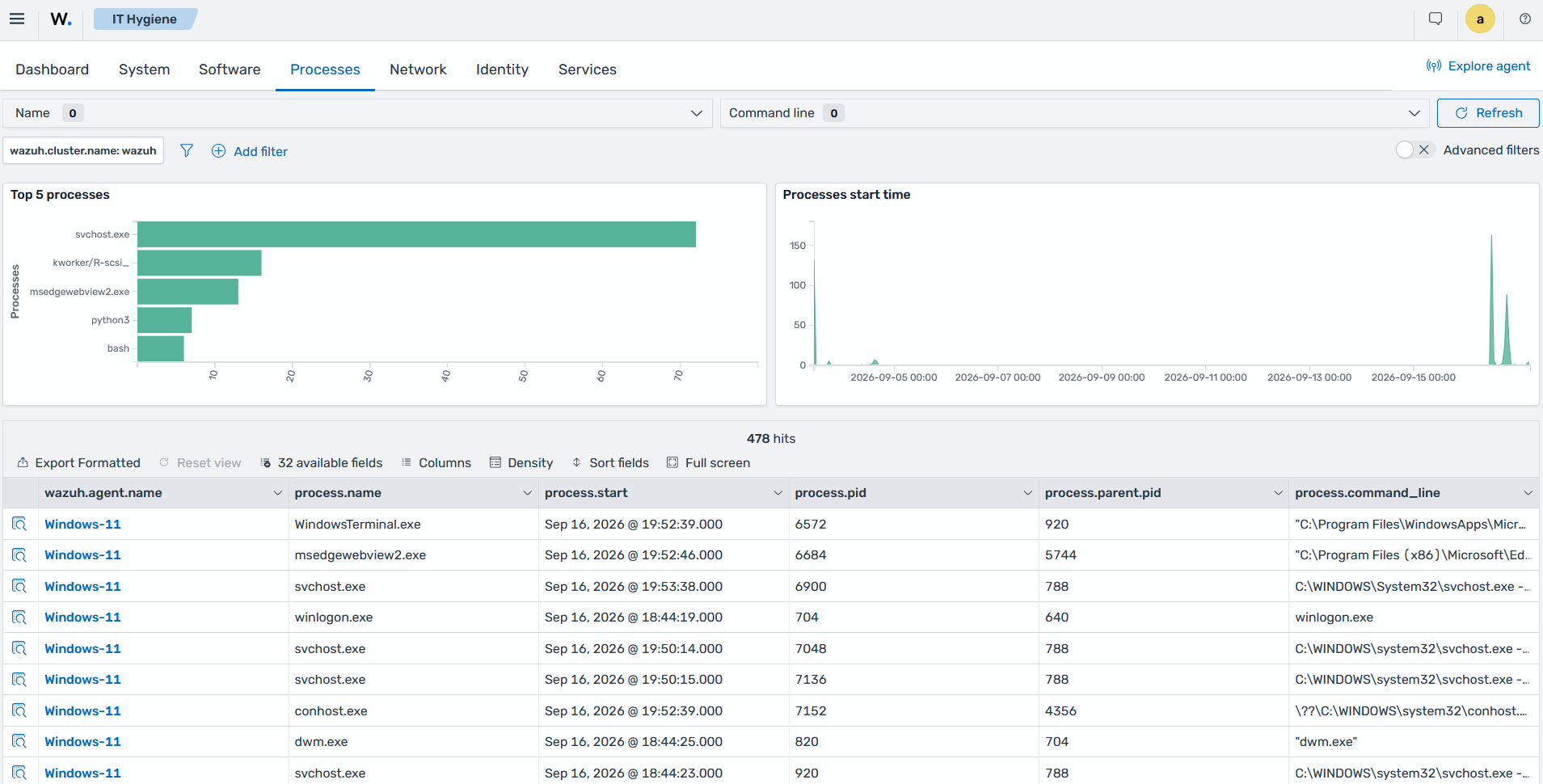
Security teams can use this inventory to identify unauthorized applications, investigate services configured to start automatically, and detect software that does not conform to the organization's approved software baseline. The process inventory provides details such as the process name, executable path, user, process identifier (PID), and start time. These details help analysts investigate suspicious processes and determine their potential impact on the endpoint.
Wazuh detection rules match process and service activity that requires investigation, such as unauthorized services, malicious processes, or activity associated with persistence and privilege escalation.
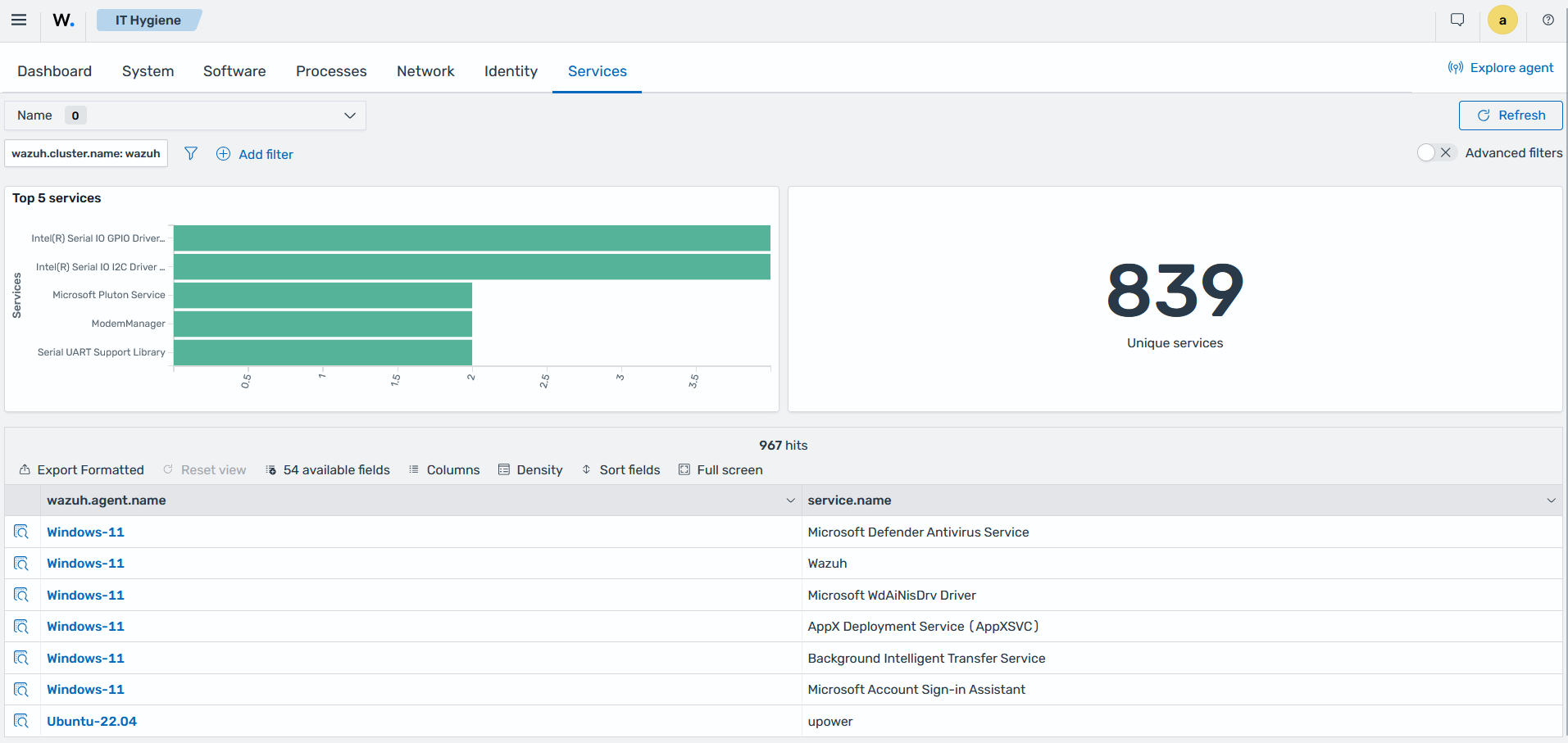
The Services tab of the IT Hygiene section displays the services installed on monitored endpoints, including their startup state and operational status.
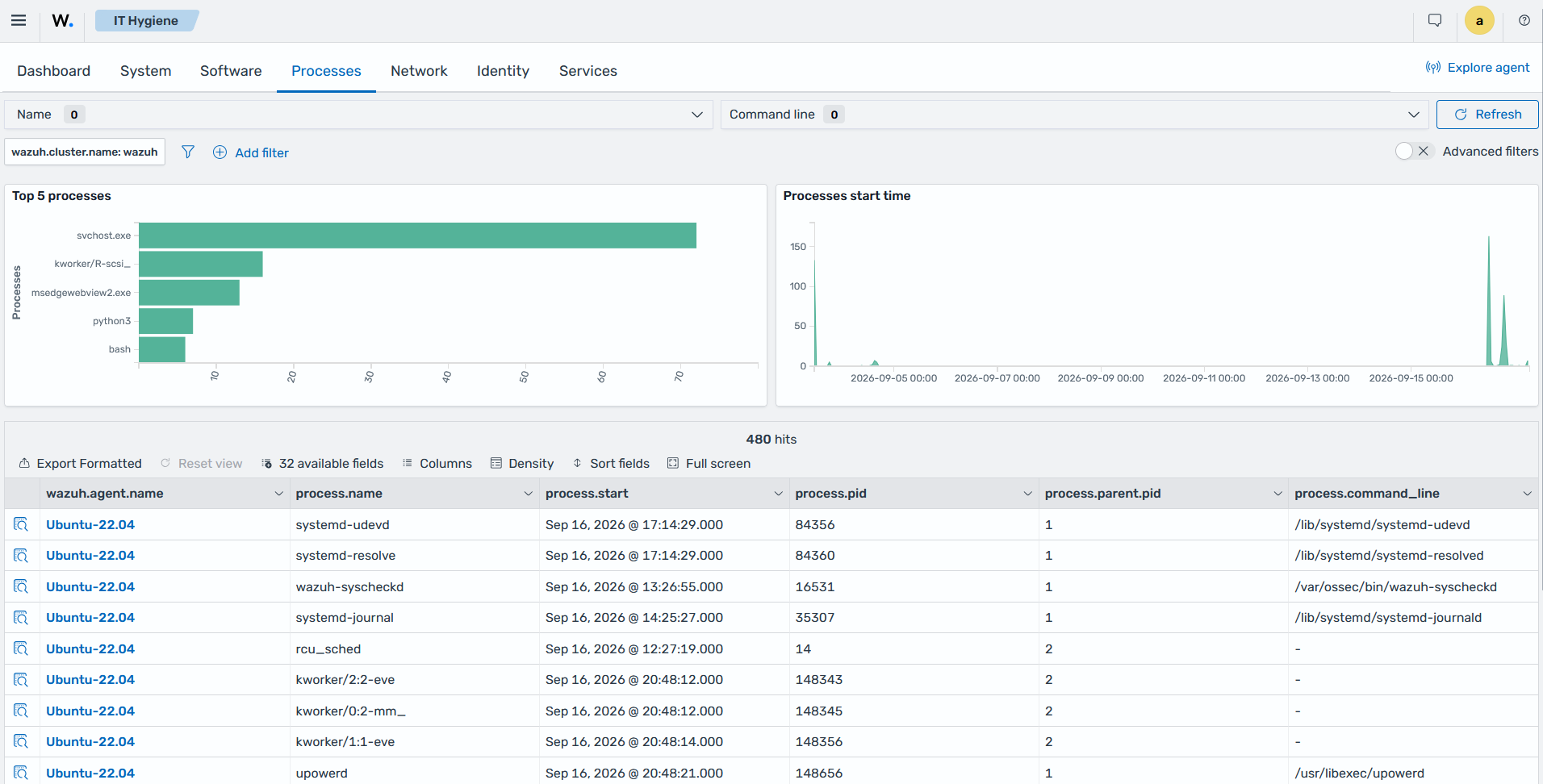
The Processes tab of the IT Hygiene section shows the running processes collected from monitored endpoints. The process inventory includes details such as the executable path, user, process ID, and endpoint where each process is running.
Monitoring network activity
Wazuh collects information about network interfaces and listening ports on monitored endpoints through the Syscollector module. This inventory helps organizations identify exposed services and maintain visibility into network-facing activity across their environment.
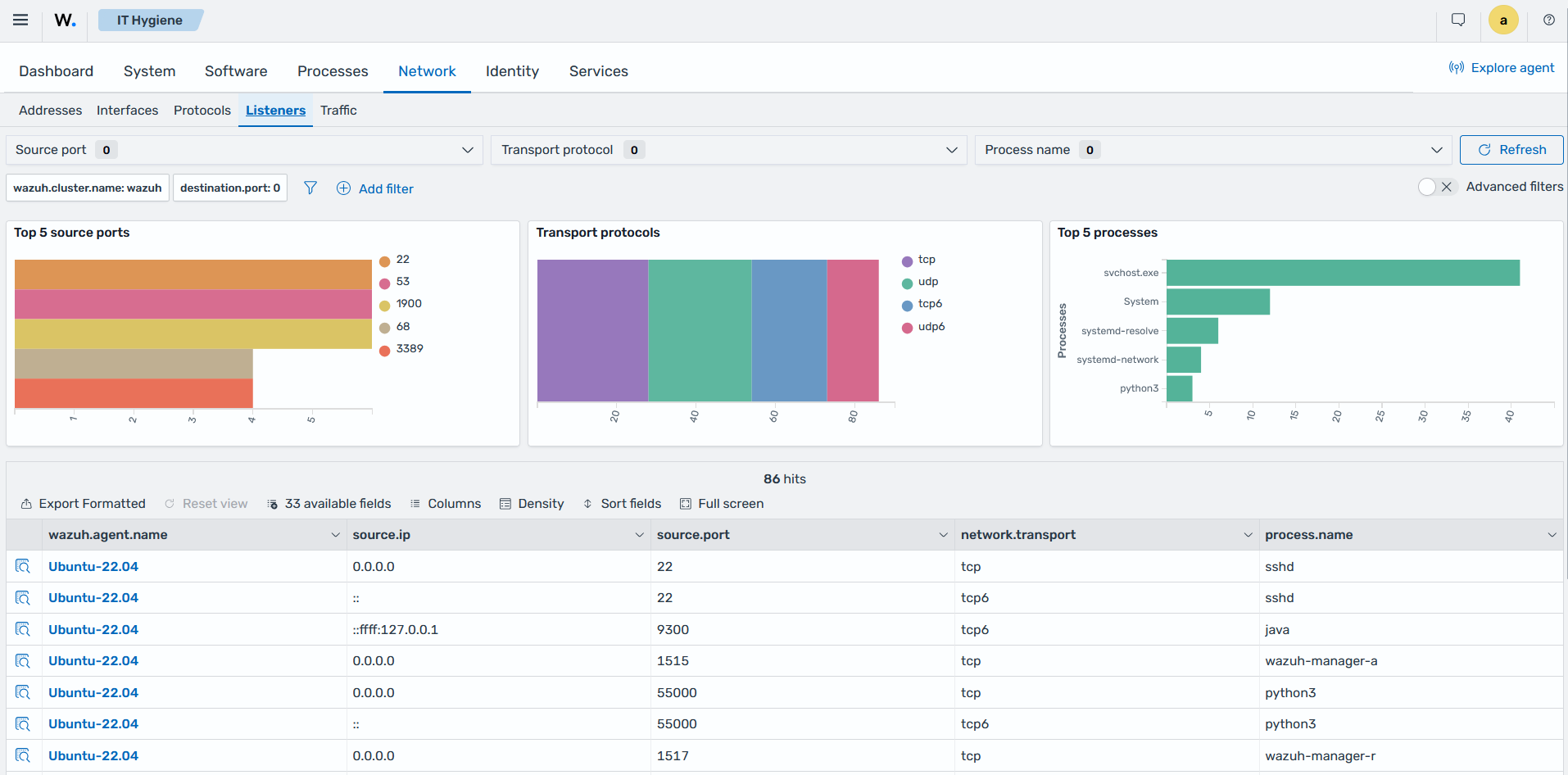
Security teams can use the Network tab of the IT Hygiene section in the Wazuh dashboard to review listening ports, associated processes, and network interfaces on monitored endpoints. Network visibility helps identify unexpected open ports, investigate exposed services, and detect unauthorized services that can increase the endpoint's attack surface.
The Network tab of the IT Hygiene section shows the network interfaces and listening ports collected from monitored endpoints.
Supporting regulatory compliance
Good IT hygiene helps organizations implement and monitor technical controls required by regulatory standards. Wazuh supports this process by providing visibility into endpoint configurations, file integrity, vulnerabilities, security events, and other activities associated with compliance requirements.
Wazuh maps Security Configuration Assessment (SCA) checks and security findings to supported compliance frameworks. These mappings help security teams identify findings associated with specific compliance requirements and prioritize remediation.
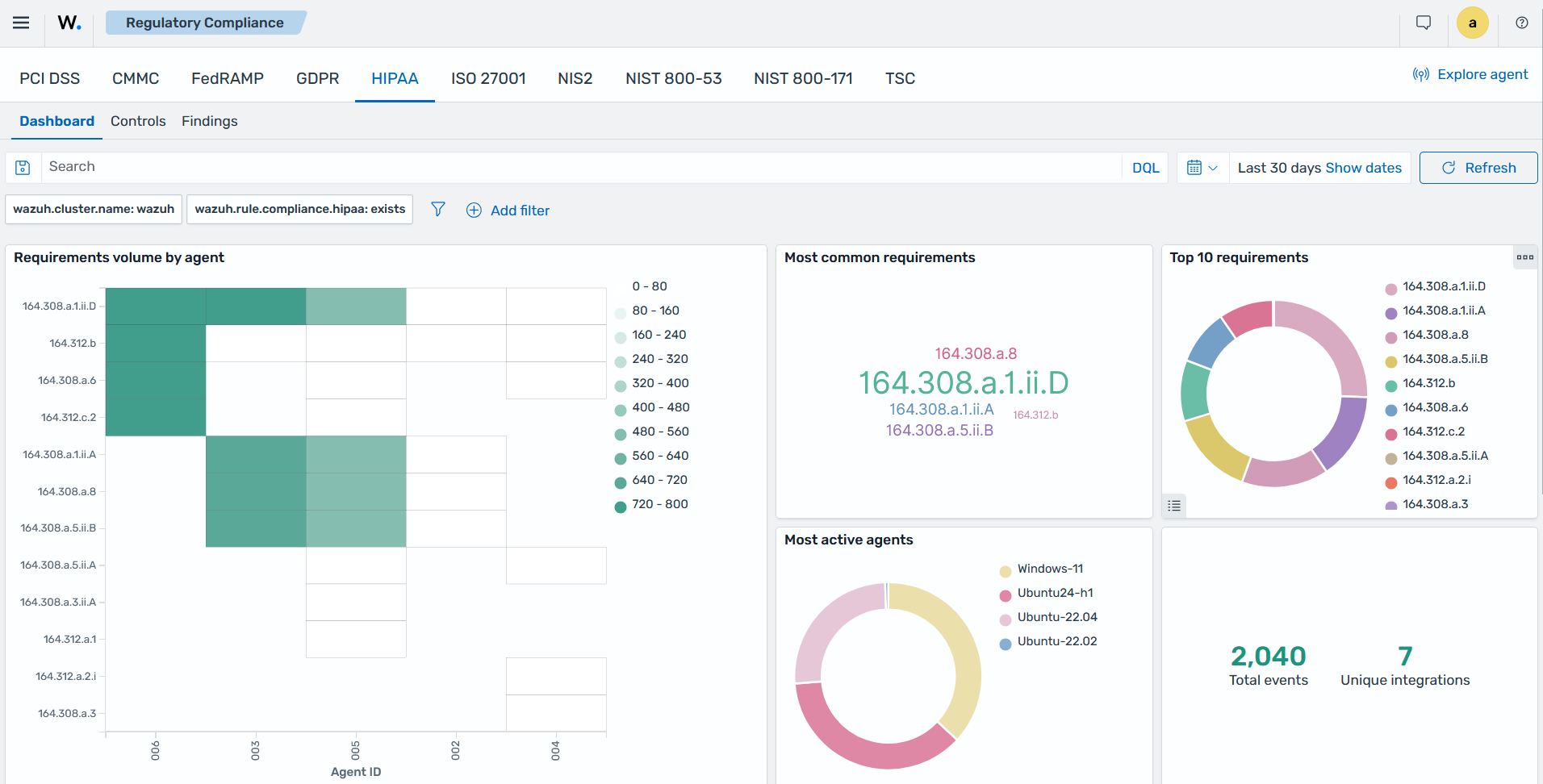
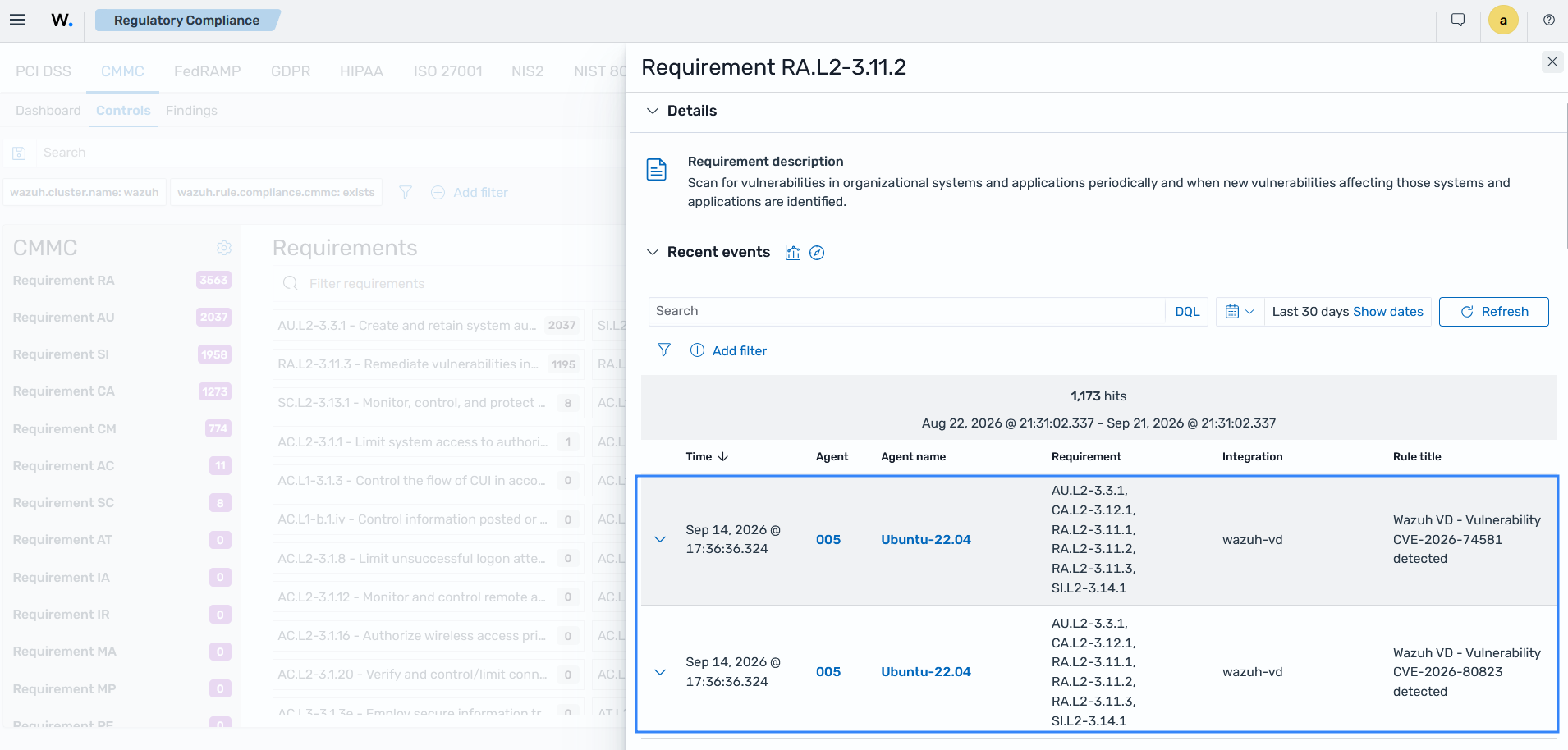
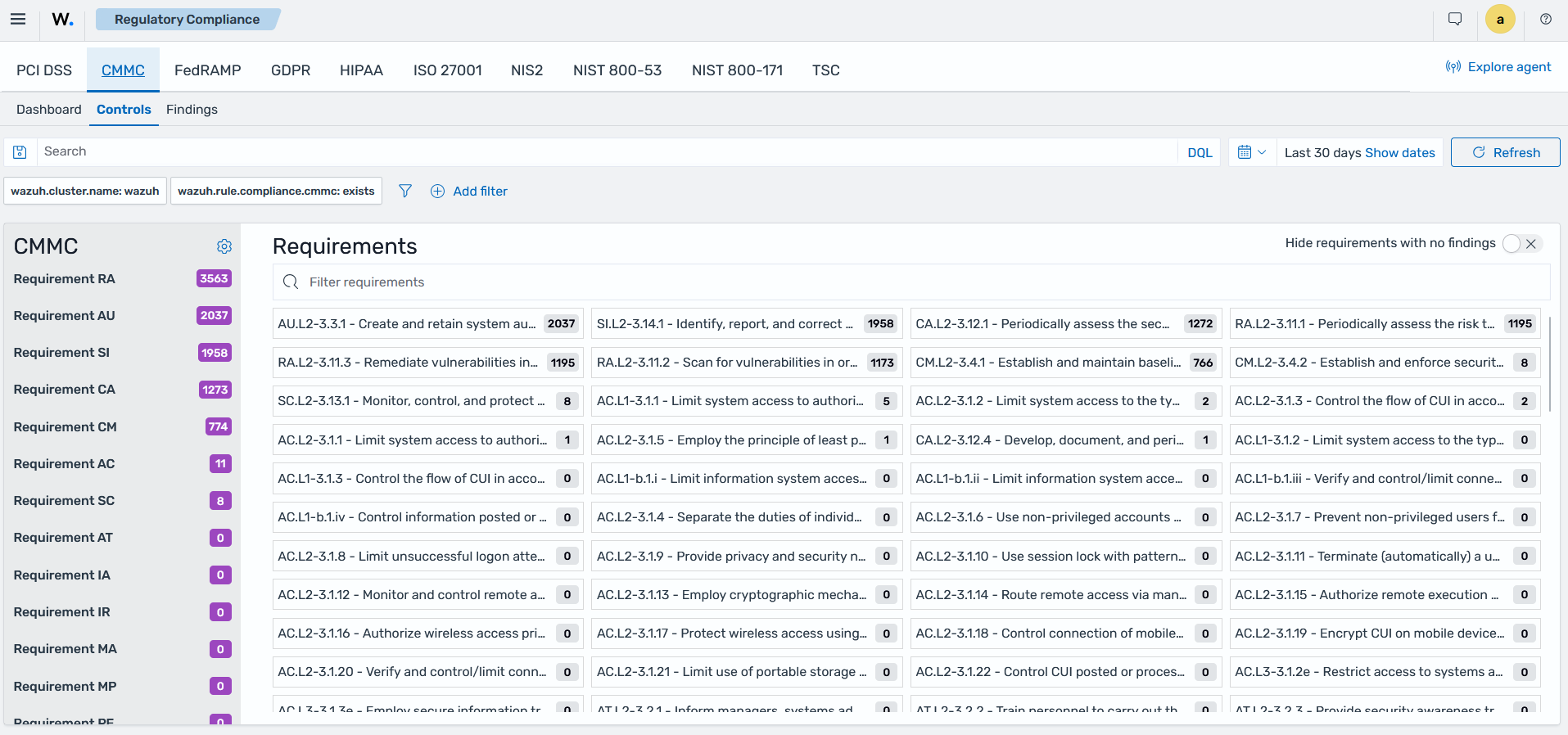
You can drill down to an individual requirement from the Controls tab of the Regulatory Compliance section to discover where the policy violations occurred. For example, the following image shows the CMMC requirements.
The image below shows findings generated for vulnerabilities that violate the CMMC Requirement RA.L2-3.11.2.