How it works
Wazuh combines the following capabilities to detect malware on monitored endpoints:
Threat detection ruleset: Standard and custom integrations decode the events Wazuh collects, including antivirus logs and Sysmon events, and rules turn malware activity into findings.
Threat intelligence: The Wazuh CTI service supplies Indicators of Compromise (IOCs), and Wazuh enriches the events whose values match them.
Rootkit detection: The Rootcheck module detects hidden processes, hidden ports, and other rootkit behavior on monitored endpoints.
File integrity monitoring and threat intelligence: The FIM module reports new and modified files, and Wazuh compares their hashes against the IOC list and your own blocklists.
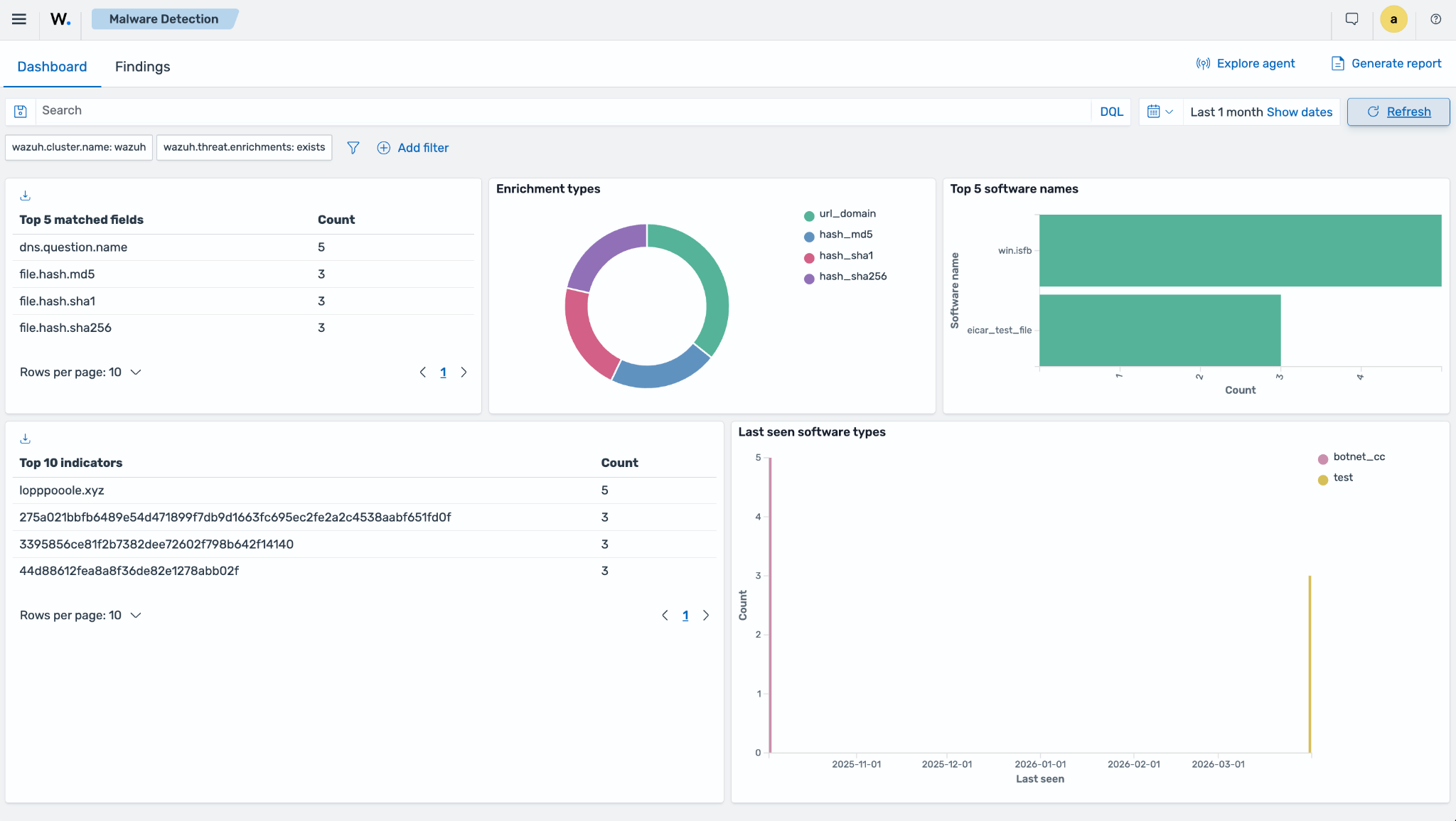
The Wazuh Malware Detection dashboard offers a consolidated interface for monitoring malware Indicators of Compromise (IOCs) across endpoints and servers. It shows events Wazuh enriched with a Wazuh CTI IOC, such as a known malicious file hash, domain, URL, or connection, from any integration. For example, when the File Integrity Monitoring (FIM) module reports a new or modified file, Wazuh compares the file hashes against the IOC list.
Note
Findings from other malware detection sources, such as Rootcheck, ClamAV, and Microsoft Defender, appear in the Threat Hunting dashboard.