GDPR II, Principles
This chapter describes the GDPR requirements for processing personal data.
Chapter II, Article 5, Head 1 (f)
Principles relating to the processing of personal data, Head 1 (f): “Personal data shall be processed in a manner that ensures appropriate security of the personal data, including protection against unauthorized or unlawful processing and against accidental loss, destruction or damage, using appropriate technical or organizational measures (integrity and confidentiality).”
This article requires confidentiality and integrity in the processing of user data. The Wazuh File Integrity Monitoring (FIM) module helps with this requirement by monitoring files and folders. The FIM module generates a finding when it detects a file creation, modification, or deletion event. The module stores the cryptographic checksums and other attributes of a file, and compares them against the current values. The FIM detections are Sigma rules. The file modification and deletion rules map to II_5.1.f through the compliance.gdpr field.
Use case: Detect file changes
In this use case, you configure the Wazuh agent on an Ubuntu 24.04 endpoint to detect changes in the /root/personal_data directory. You then modify a file to trigger a finding.
Ubuntu endpoint
Switch to the
rootuser:$ sudo su
Create the directory
personal_datain the/rootdirectory:# mkdir -p /root/personal_data
Create the file
subject_data.txtin the/root/personal_datadirectory and include some content:# touch /root/personal_data/subject_data.txt # echo "User01= user03_ID" >> /root/personal_data/subject_data.txt
Add the highlighted configuration to the
<syscheck>block of the Wazuh agent configuration file/var/ossec/etc/ossec.conf:<syscheck> <directories realtime="yes" check_all="yes" report_changes="yes">/root/personal_data</directories> </syscheck>
Restart the Wazuh agent to apply the changes:
# systemctl restart wazuh-agent
Modify the file by changing the content of
subject_data.txtfromUser01= user03_IDtoUser01= user02_ID:# echo "User01= user02_ID" > /root/personal_data/subject_data.txt
Confirm the change took effect by viewing the contents of the modified file:
# cat /root/personal_data/subject_data.txt
User01= user02_ID
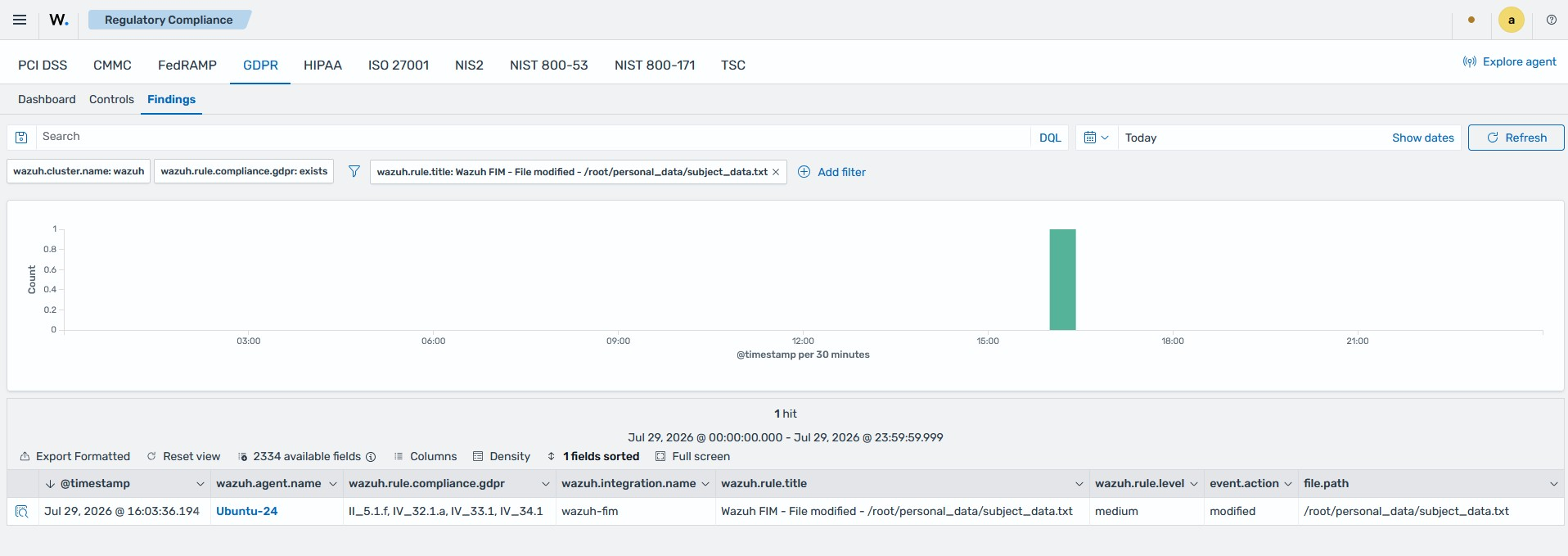
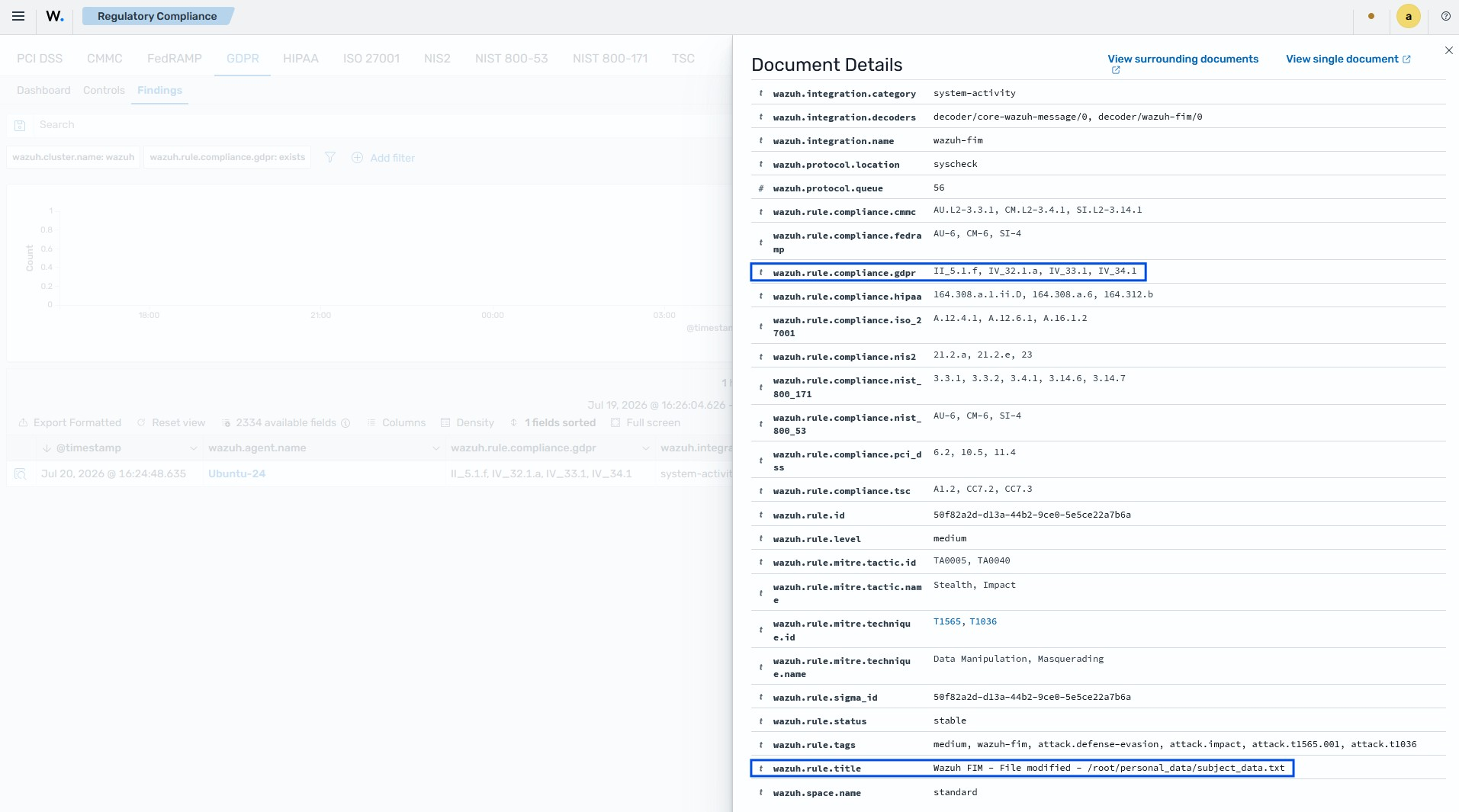
On the Wazuh dashboard, navigate to Threat intelligence > Threat Hunting > Findings tab and filter for file.path is /root/personal_data/subject_data.txt. A finding shows the modification of the subject_data.txt file. The finding is tagged with II_5.1.f.
To revert the configuration, remove the <directories> line for /root/personal_data from the <syscheck> block of /var/ossec/etc/ossec.conf, then restart the Wazuh agent.
Use case: Detect file deletion
In this use case, you configure the Wazuh agent on an Ubuntu 24.04 endpoint to detect file deletion in the /root/personal_data directory. You then delete a file to trigger a finding.
Ubuntu endpoint
Switch to the
rootuser:$ sudo su
Create the directory
personal_datain the/rootdirectory:# mkdir -p /root/personal_data
Create the file
subject_data.txtin the/root/personal_datadirectory and include some content:# touch /root/personal_data/subject_data.txt # echo "User01= user03_ID" >> /root/personal_data/subject_data.txt
If you followed a previous use case on this page, remove its
<directories>line for/root/personal_datafirst. Add the highlighted configuration to the<syscheck>block of the Wazuh agent configuration file/var/ossec/etc/ossec.conf:<syscheck> <directories check_all="yes" realtime="yes">/root/personal_data</directories> </syscheck>
Restart the Wazuh agent to apply the changes:
# systemctl restart wazuh-agent
Delete the file
subject_data.txt:# rm /root/personal_data/subject_data.txt
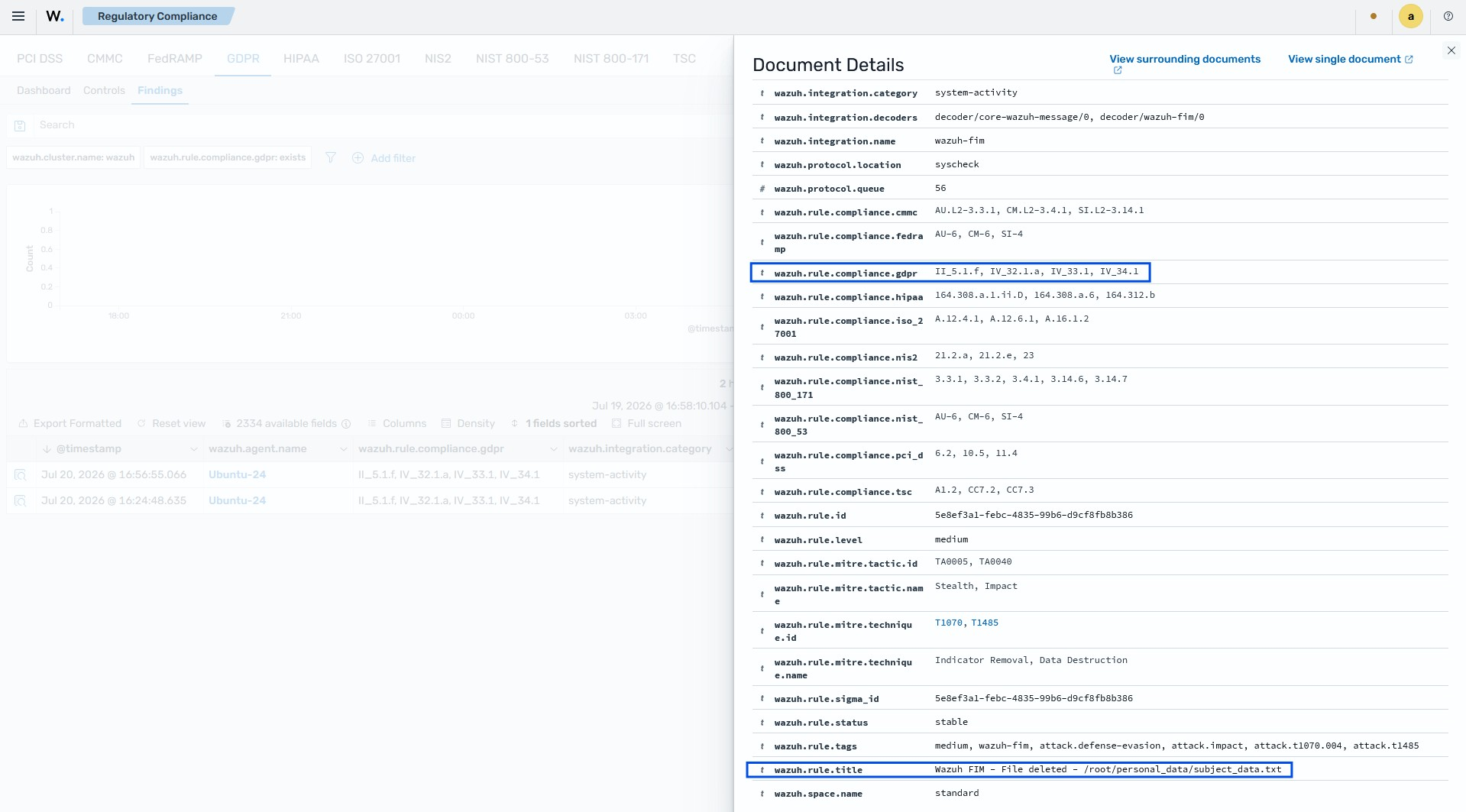
On the Wazuh dashboard, navigate to Threat intelligence > Threat Hunting > Findings tab and filter for file.path is /root/personal_data/subject_data.txt. A finding shows that the subject_data.txt file was deleted.
To revert the configuration, remove the <directories> line for /root/personal_data from the <syscheck> block of /var/ossec/etc/ossec.conf, then restart the Wazuh agent.
Use case: Detect changes to file attributes
In this use case, you configure the Wazuh agent on an Ubuntu 24.04 endpoint to detect changes to /root/personal_data or its attributes, and to identify who made them. To identify who made the changes, you use the FIM who-data feature. You then change the owner of a file to trigger a finding.
Ubuntu endpoint
Switch to the
rootuser:$ sudo su
Create the directory
personal_datain the/rootdirectory:# mkdir -p /root/personal_data
Create the file
subject_data.txtin the/root/personal_datadirectory and include some content:# touch /root/personal_data/subject_data.txt # echo "User01= user03_ID" >> /root/personal_data/subject_data.txt
Install
auditdso that the Linux Auditing System provides information about who made changes in a monitored directory:# apt-get install auditd
For Audit 3.1.1 and later, install the
audispdaf_unix plugin and restart the Audit service.# apt-get install audispd-plugins # service auditd restart
If you followed a previous use case on this page, remove its
<directories>line for/root/personal_datafirst. Add the highlighted configuration to the<syscheck>block of the Wazuh agent configuration file/var/ossec/etc/ossec.conf:<syscheck> <directories check_all="yes" whodata="yes">/root/personal_data</directories> <whodata> <provider>audit</provider> </whodata> </syscheck>
Restart the Wazuh agent to apply the changes:
# systemctl restart wazuh-agent
Change the owner of
subject_data.txtfromrootto a regular user:# chown <YOUR_REGULAR_USER>:<YOUR_REGULAR_USER> /root/personal_data/subject_data.txt
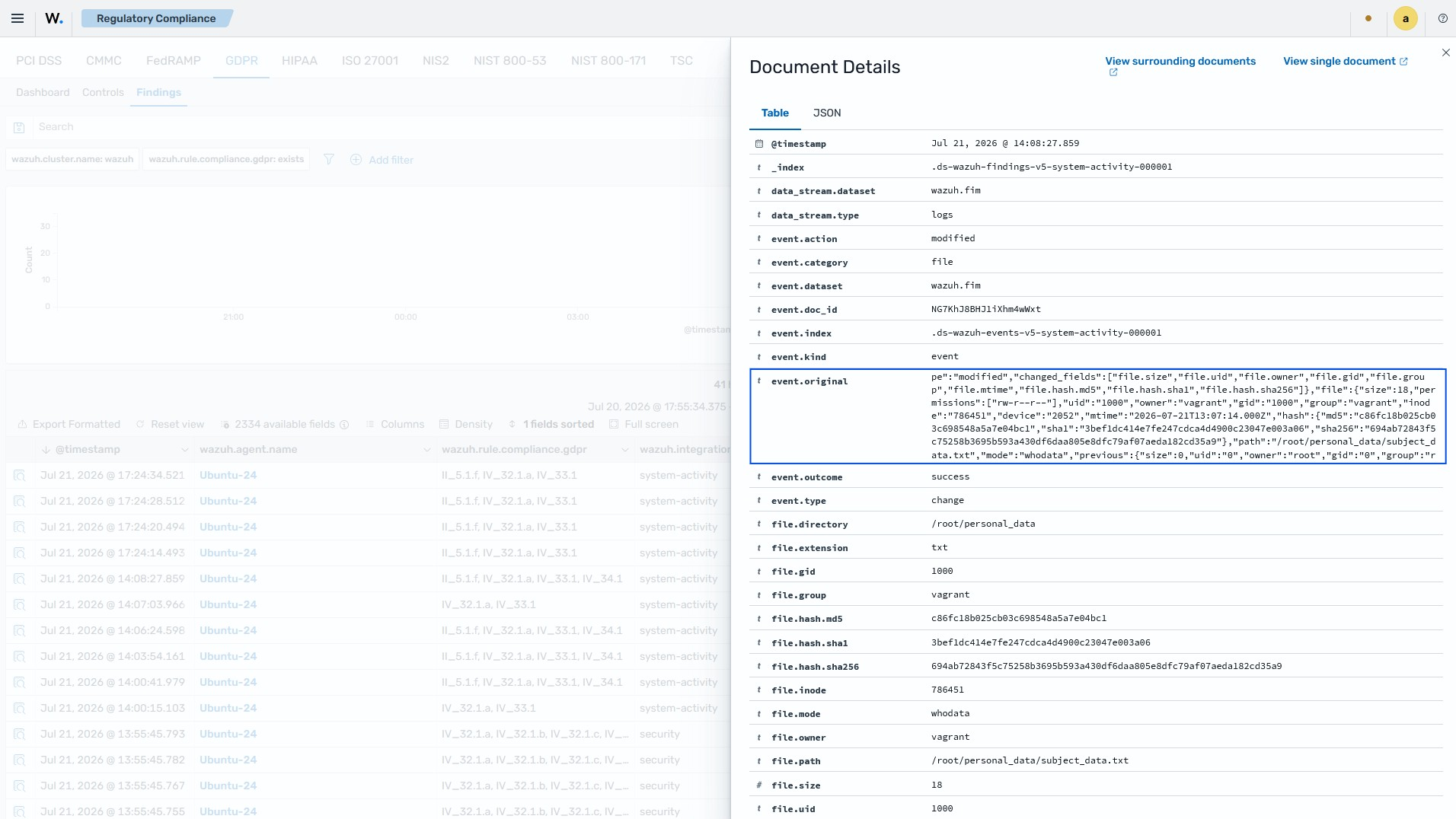
On the Wazuh dashboard, navigate to Threat intelligence > Threat Hunting > Findings tab and filter for file.path is /root/personal_data/subject_data.txt. The following image shows the finding for the ownership change.
To revert the configuration, remove the <directories> line for /root/personal_data and the <whodata> block from the <syscheck> block of /var/ossec/etc/ossec.conf, then restart the Wazuh agent.