Security analytics and reporting
Wazuh provides security analytics and reporting capabilities through the Wazuh dashboard, a web interface for continuous data visualization and analysis. The Wazuh dashboard comes with out-of-the-box modules for security events, regulatory compliance, detected vulnerable applications, file integrity monitoring, configuration assessment results, and cloud infrastructure monitoring. It helps perform forensic and historical finding analyses.
The Wazuh dashboard assists in meeting the following NIST 800-53 controls:
AU-6 Audit record review, analysis, and reporting: "Audit record review, analysis, and reporting covers information security and privacy-related logging performed by organizations, including logging that results from the monitoring of account usage, remote access, wireless connectivity, mobile device connection, configuration settings, system component inventory, use of maintenance tools and non-local maintenance, physical access, temperature and humidity, equipment delivery and removal, communications at system interfaces, and use of mobile code or Voice over Internet Protocol (VoIP). Findings can be reported to organizational entities that include the incident response team, help desk, and security or privacy offices. If organizations are prohibited from reviewing and analyzing audit records or unable to conduct such activities, the review or analysis may be carried out by other organizations granted such authority. The frequency, scope, and/or depth of the audit record review, analysis, and reporting may be adjusted to meet organizational needs based on new information received."
CA-7 Continuous monitoring: "Continuous monitoring at the system level facilitates ongoing awareness of the system security and privacy posture to support organizational risk management decisions. The terms continuous and ongoing imply that organizations assess and monitor their controls and risks at a frequency sufficient to support risk-based decisions. Different types of controls may require different monitoring frequencies. The results of continuous monitoring generate risk response actions by organizations. When monitoring the effectiveness of multiple controls that have been grouped into capabilities, a root-cause analysis may be needed to determine the specific control that has failed. Continuous monitoring programs allow organizations to maintain the authorizations of systems and common controls in highly dynamic environments of operation with changing mission and business needs, threats, vulnerabilities, and technologies. Having access to security and privacy information on a continuing basis through reports and dashboards gives organizational officials the ability to make effective and timely risk management decisions, including ongoing authorization decisions."
The Wazuh dashboard module provides dashboards for continuously monitoring and reviewing security incidents and generating reports of security and audit events. The Wazuh dashboard and its Regulatory Compliance application help you meet the above NIST 800-53 controls.
Use cases
Generate a report of successful authentications
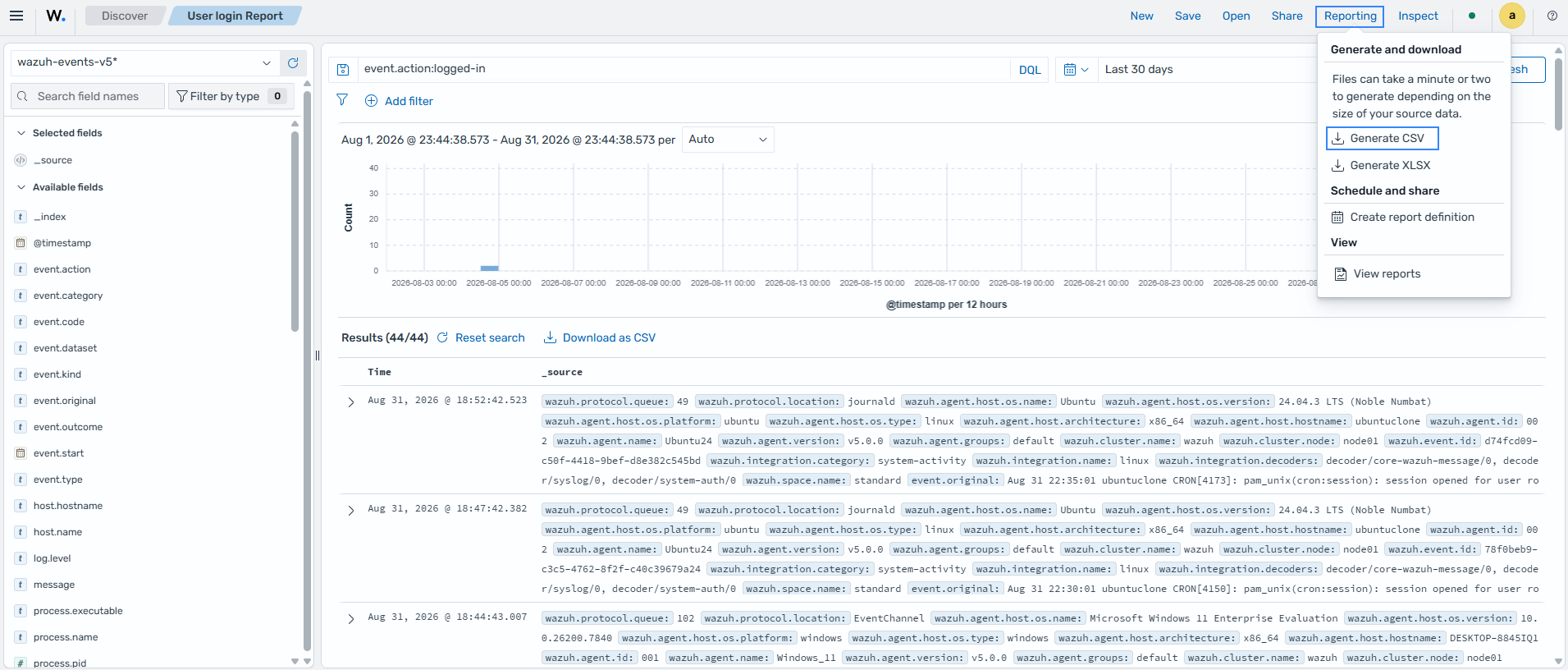
Wazuh helps meet the CA-7 Continuous monitoring NIST requirement by providing security reporting to administrators. Use the Wazuh dashboard to generate a report of all successful authentications in the last 30 days:
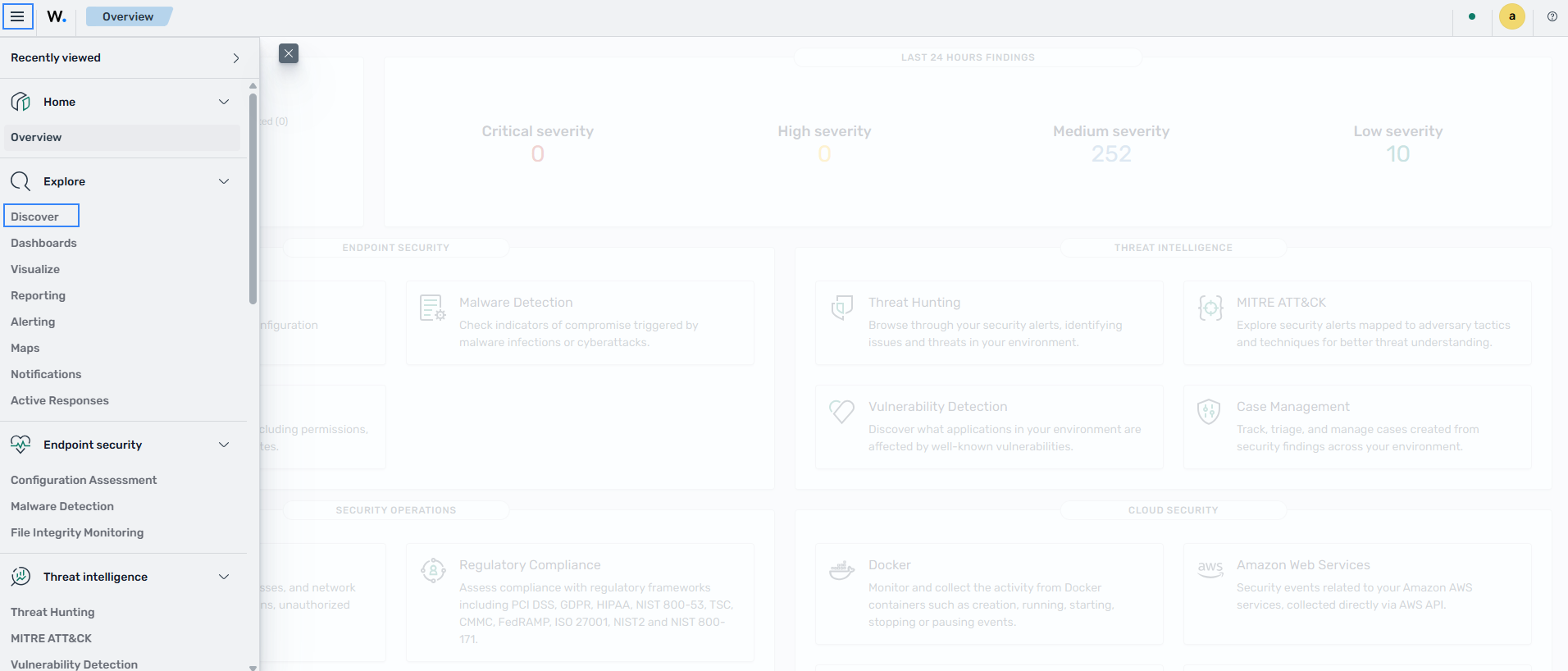
Click the upper-left menu icon (☰) and navigate to Explore > Discover.
Add a query for user login events using the
event.action:logged-infilter and set the time to Last 30 days then click Update.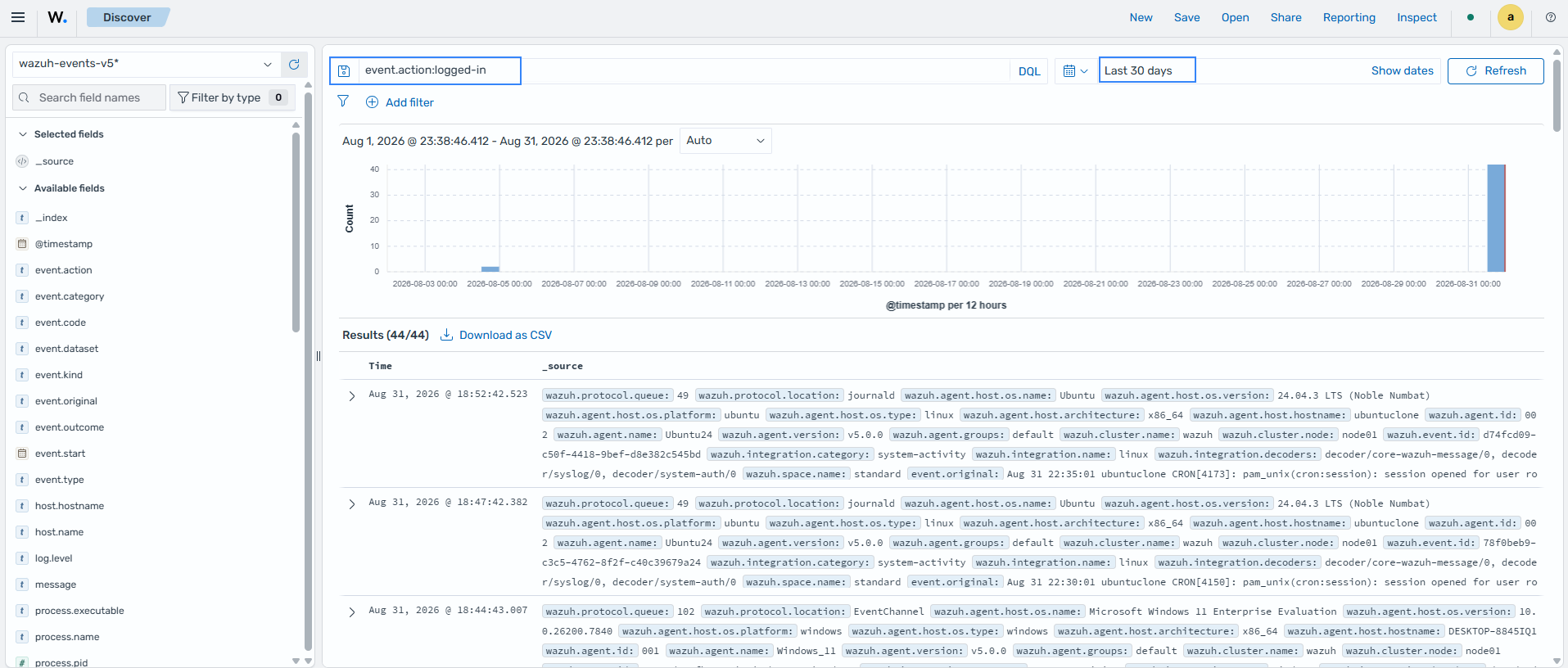
Save the results of the search using any name of your choice.
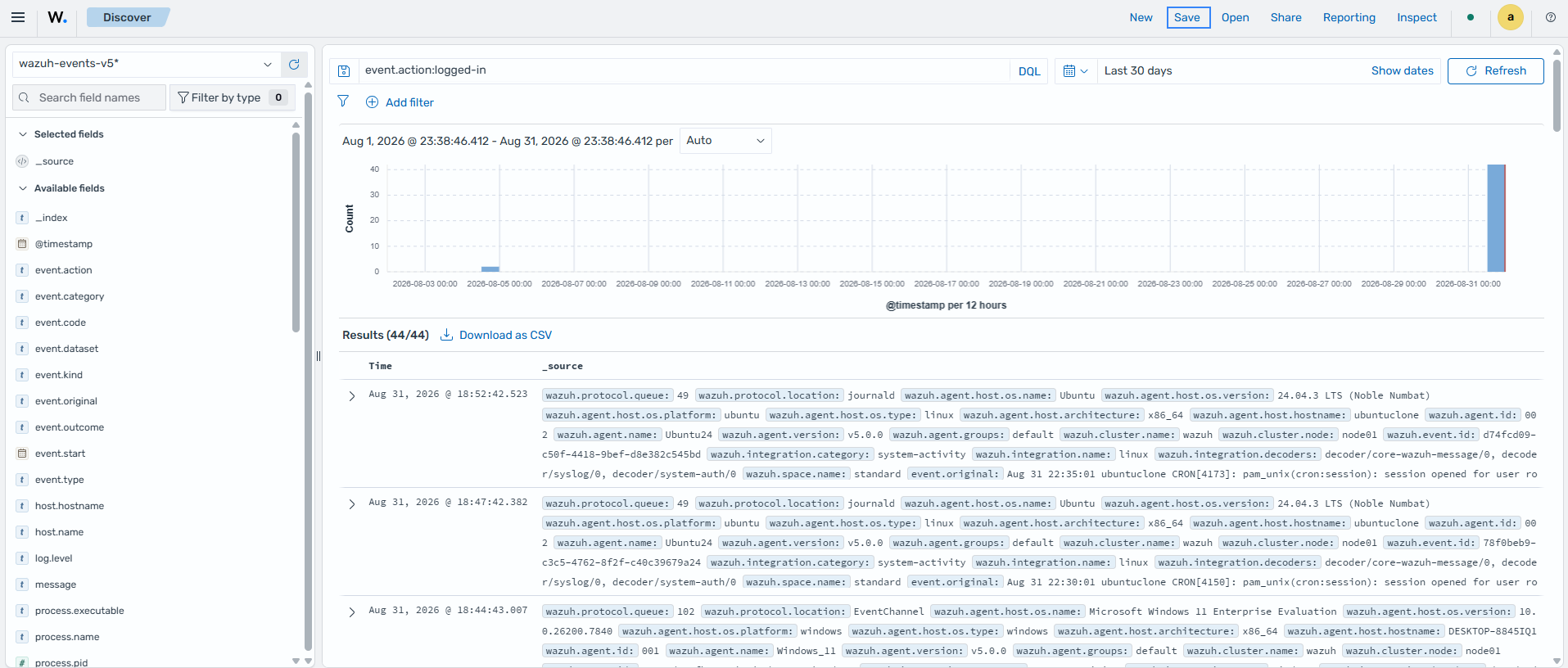
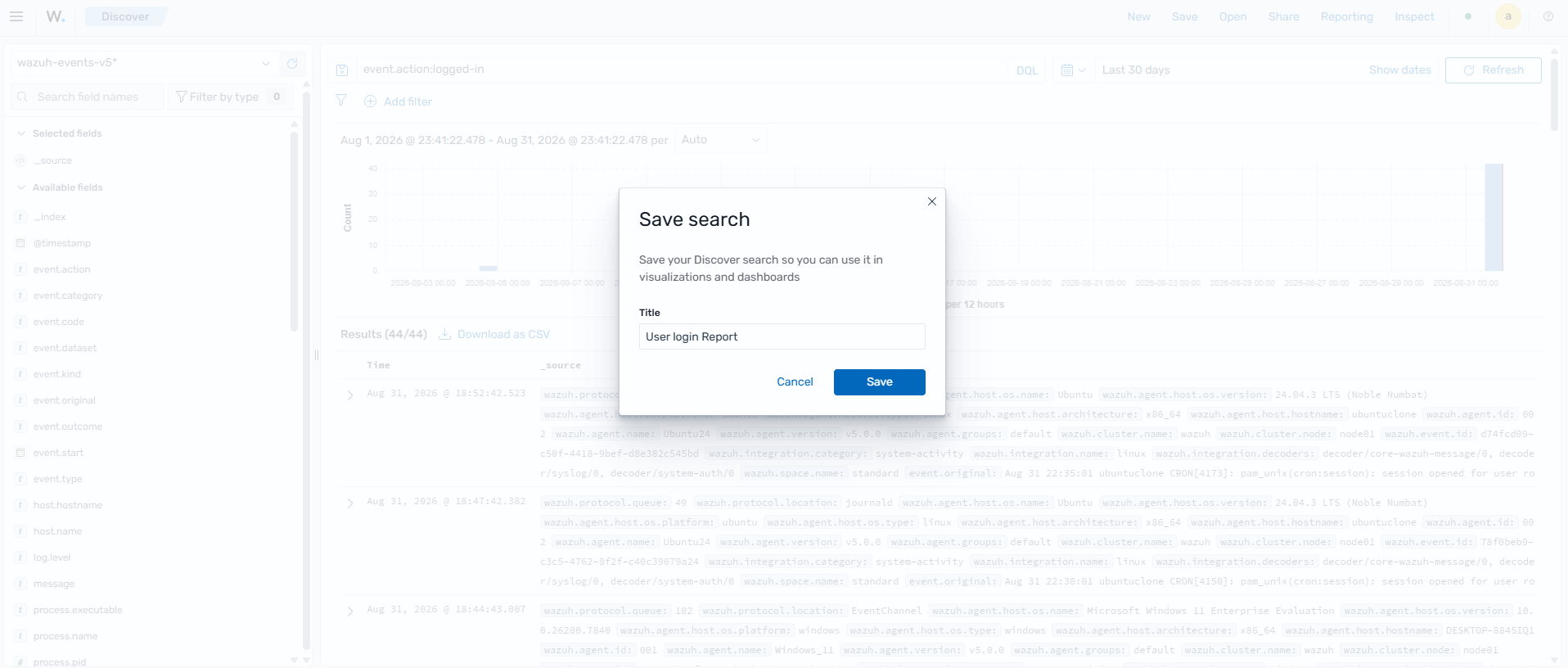
Select Reporting, then click Generate CSV to download a report of all successful authentication events as a CSV file for your review.
Review NIST 800-53 findings
Wazuh helps security administrators meet AU-6 Audit record review, analysis, and reporting by displaying NIST 800-53 compliance findings on the dashboard.
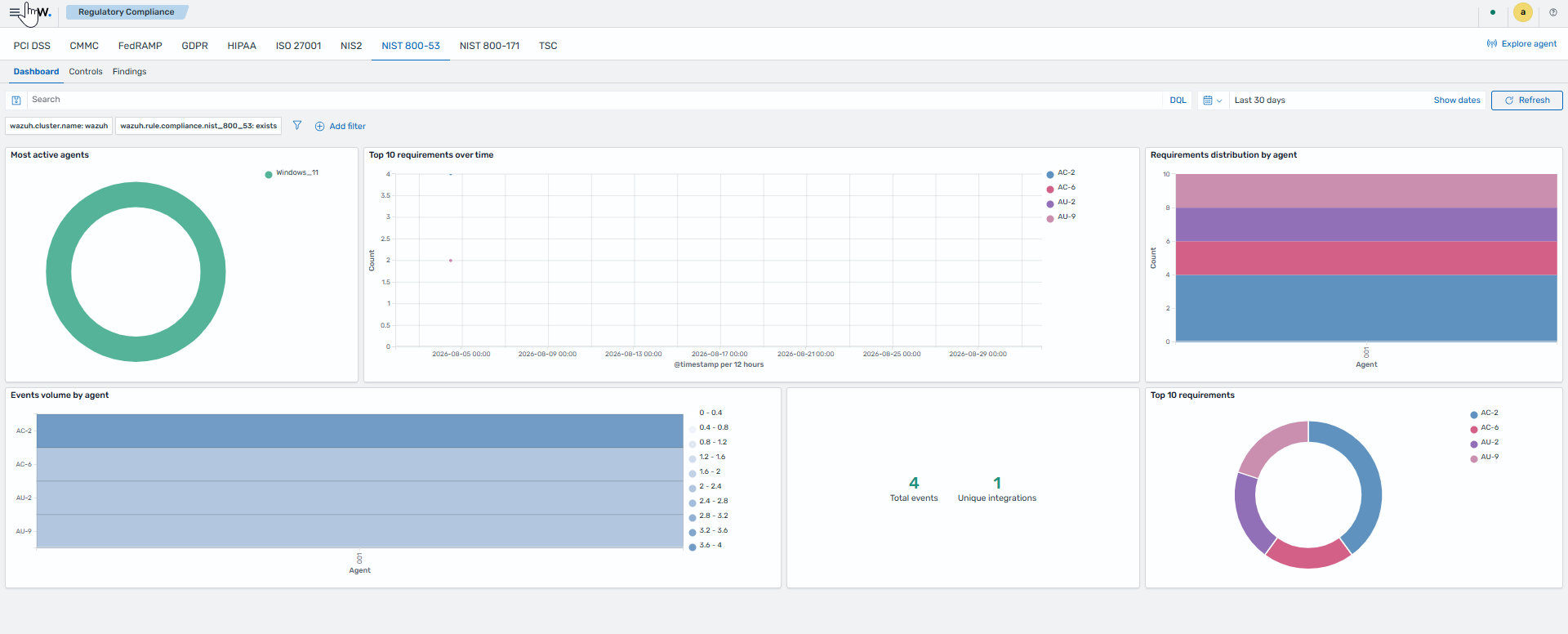
Click the upper-left menu icon (☰) and go to Security operations > Regulatory Compliance, then click the NIST 800-53 tab.
Click the Dashboard tab for a top-line overview: top agents, top NIST 800-53 requirements, and requirements over time.
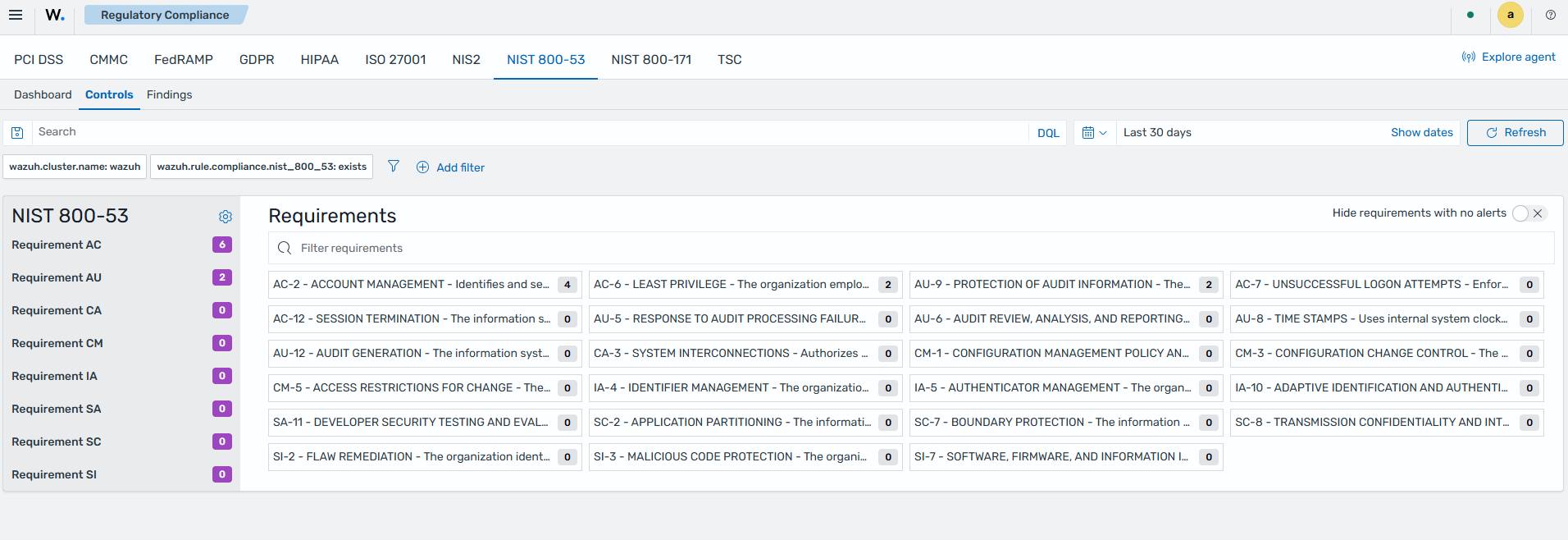
Click the Controls tab to view the NIST 800-53 requirements breakdown.
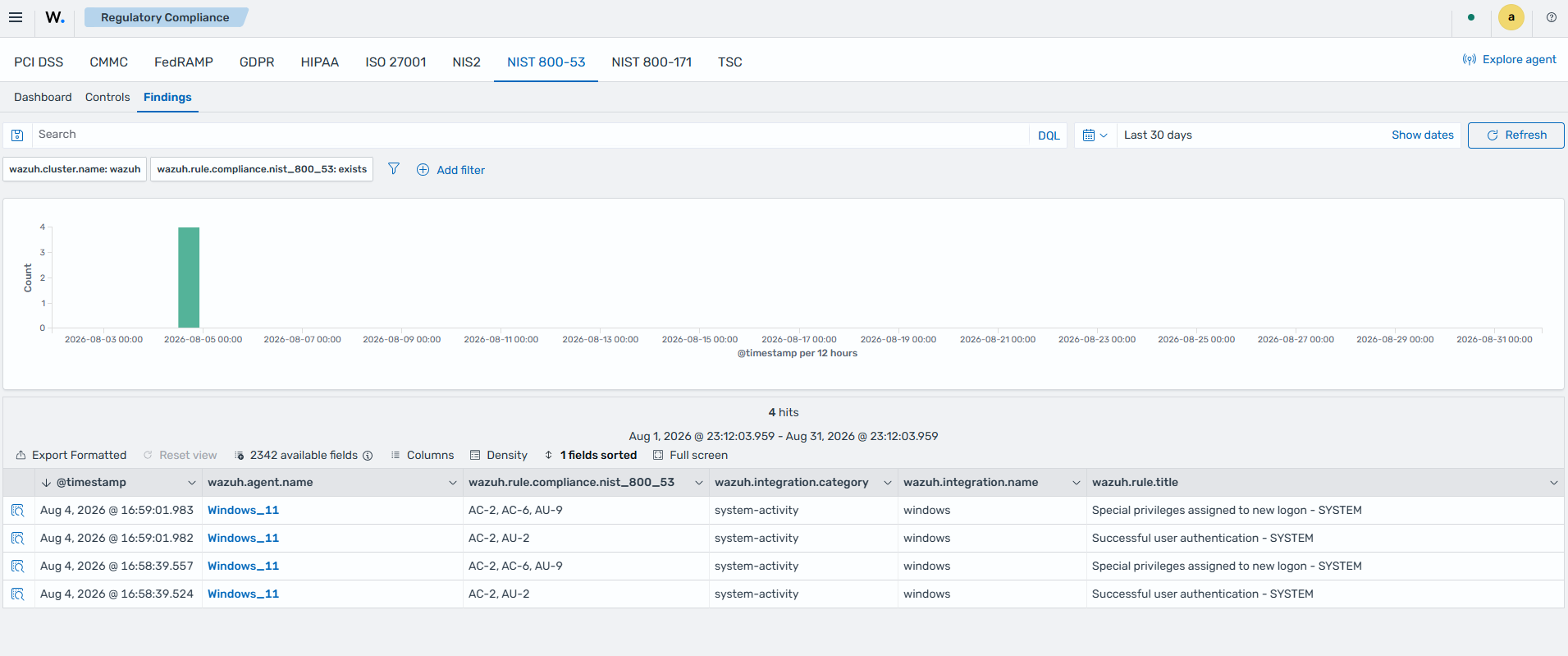
Click the Findings tab to see the individual findings related to NIST 800-53 requirements, generated within your environment regardless of log source.
The Controls tab of the Regulatory Compliance page shows multiple NIST 800-53 controls and the related findings. For ease of navigation, the Wazuh dashboard groups findings according to the NIST 800-53 control they meet or violate.