Log data analysis
Log data analysis helps organizations detect security events, investigate suspicious activity, and understand what is happening across their infrastructure. Logs collected and analyzed from multiple systems give you visibility into authentication activity, application behavior, network events, configuration changes, and other security-relevant operations.
The Wazuh log data collection capability centralizes logs from monitored endpoints, network devices, applications, cloud services, containers, and agentless sources. The Wazuh manager enriches and normalizes this telemetry into the Wazuh Common Schema (WCS) and forwards the processed events to the Wazuh indexer for analysis. Wazuh rules and decoders support log data analysis, threat detection, and response. Centralized logs enable security teams to search, correlate, and investigate security events from a single interface.
Collecting and centralizing security logs
Security events originate from operating systems, applications, network devices, cloud services, and other infrastructure components. Wazuh centralizes log collection across these sources, giving security teams a single location to search, correlate, and investigate security events.
The Logcollector module collects log files on Linux, Windows, and macOS operating systems. It also monitors Windows Event Channels, collects logs from the macOS Unified Logging System (ULS), and reads the systemd journal through the journald collector. The Wazuh agent forwards collected logs to the Wazuh manager. The Wazuh manager normalizes and processes the logs before forwarding them to the Wazuh indexer. The Wazuh indexer analyzes the logs and stores them in dedicated data streams for centralized analysis.
Wazuh also collects logs from syslog-enabled devices, agentless monitored systems, cloud providers, and third-party applications. A new log source requires only a configuration change on the Wazuh agent or Wazuh manager, depending on the integration.
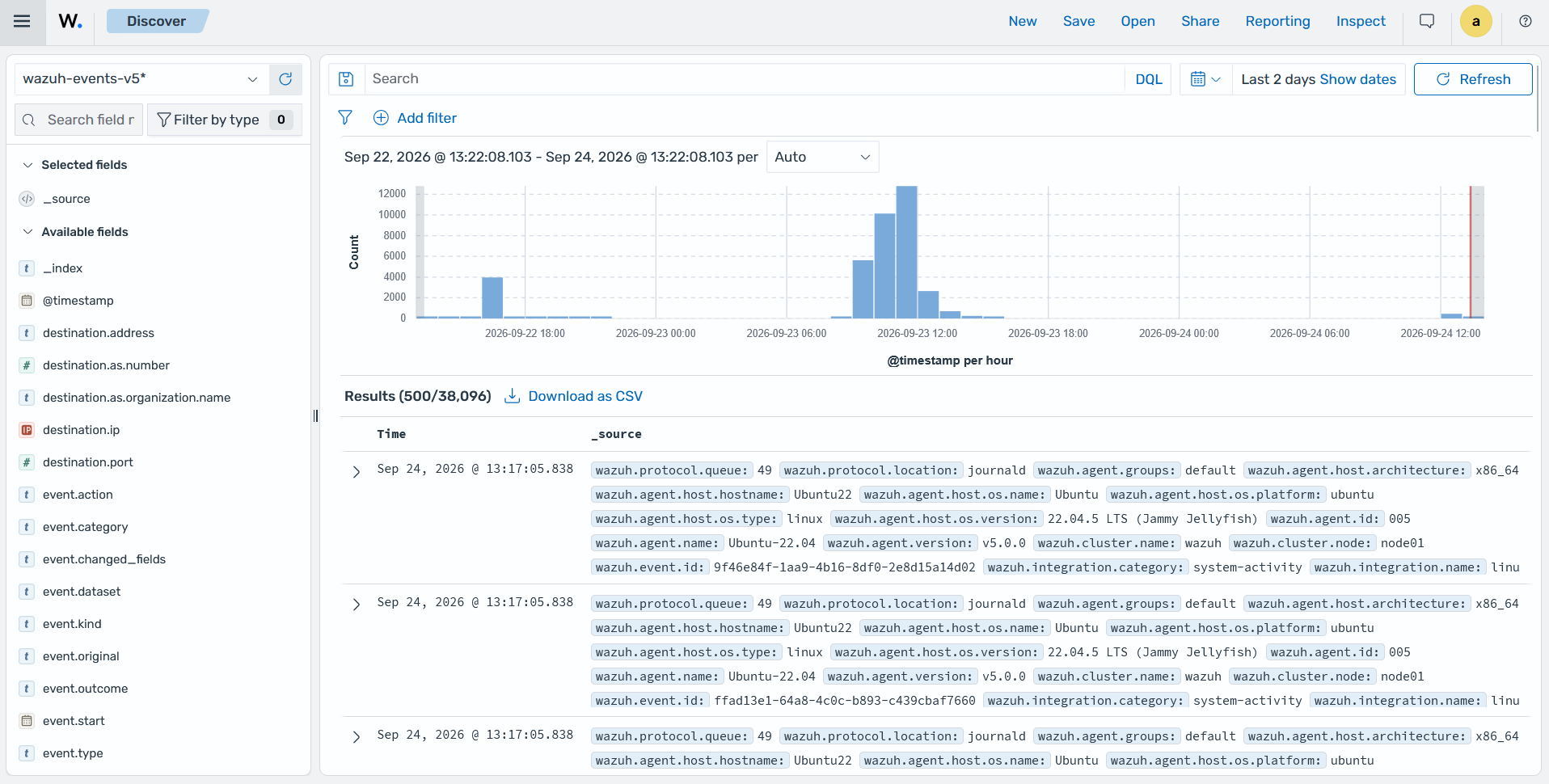
The Discover section of the Wazuh dashboard centralizes security events collected from monitored endpoints, applications, network devices, and cloud services.
Normalizing diverse log formats into a single schema
Different technologies record the same security activity in different log formats. For example, a firewall log, a Windows logon event, and a web server access log represent network activity using different fields and structures. Wazuh normalizes these events into the Wazuh Common Schema (WCS), providing a consistent representation of security data across all supported sources.
The Wazuh normalization engine uses YAML-based decoders to parse raw logs and map their fields to WCS. As a result, common attributes such as source IP address, destination IP address, username, process, and event type use the same field names regardless of the original log source.
A consistent schema simplifies log analysis, threat hunting, and detection engineering. Security teams can use the same search query, dashboard visualization, or detection rule across multiple log sources without adapting it to each log format. For applications with proprietary or custom log formats, Wazuh supports custom decoders that integrate into the same normalization pipeline.
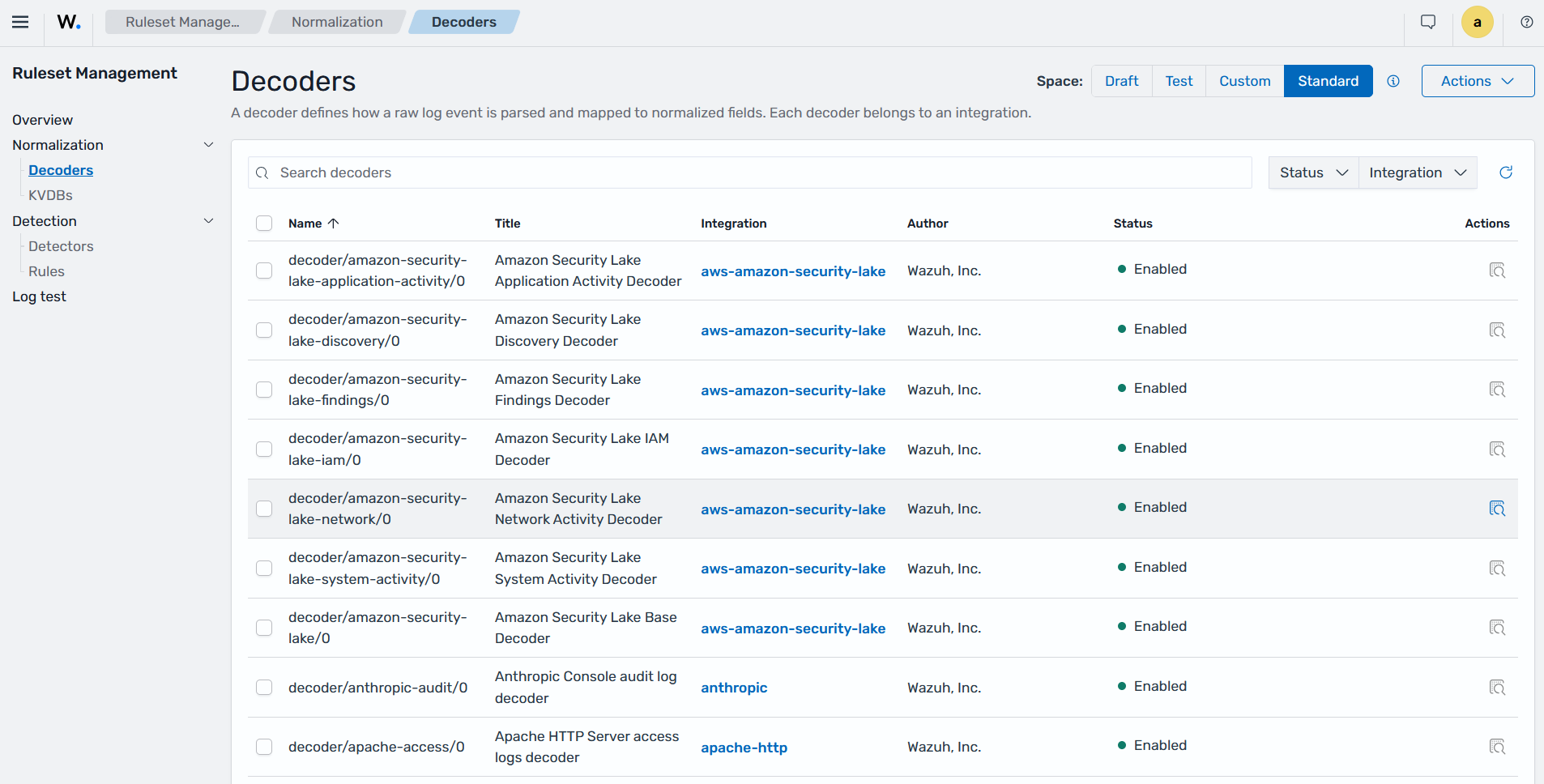
The Decoders sub-section of the Ruleset Management section in the Wazuh dashboard shows the decoders used to normalize log sources into the WCS.
Detecting threats from normalized logs
Wazuh evaluates normalized events against out-of-the-box detection rules in the Wazuh indexer and generates findings when rule conditions match. Each rule matches log fields, values, or patterns that might indicate a security threat. These rules cover detections such as authentication failures, privilege escalation, malware activity, file integrity events, network anomalies, and other security events.
Each finding includes additional context, such as MITRE ATT&CK tactics and techniques, severity, and compliance mappings for supported frameworks. This information helps security teams understand the detected activity and prioritize investigation.
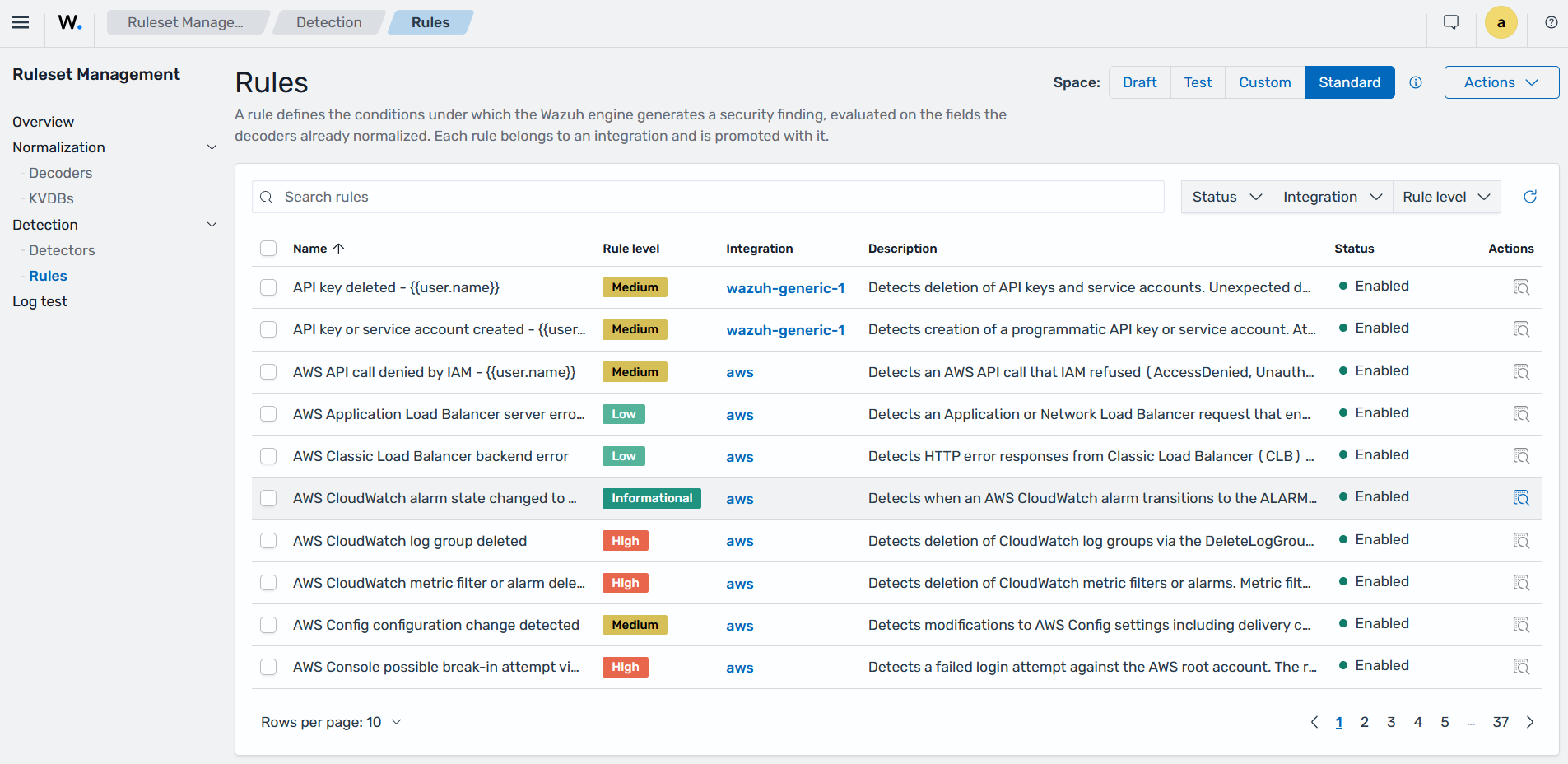
The Wazuh indexer stores generated findings in the wazuh-findings-v5* data stream. Security teams can extend detection coverage by creating custom rules or adding Sigma-based rules without changing how logs are collected or normalized. The Rules sub-section of the Ruleset Management section in the Wazuh dashboard lets you view the default and custom detection rules.
For example, the rule below is triggered when a security audit log or cloud audit trail is cleared. Additionally, rules enrich events with technique identifiers from the MITRE ATT&CK framework and map them to regulatory compliance controls.
{
  "id": "c0260049-054d-4336-8ea9-2434be0c7c80",
  "title": "Security Audit Log Cleared",
  "level": "high",
  "category": "configuration",
  "description": "Detects when a security audit log or cloud audit trail is cleared. Log clearing is a common anti-forensics technique used by attackers to cover their tracks after a compromise.\n",
  "author": "Wazuh, Inc.",
  "status": "stable",
  "detection": "condition: selection\nselection:\n  event.action: security-log-cleared\n  event.category|contains: configuration\n",
  "references": [
    {
      "value": "https://attack.mitre.org/techniques/T1070/"
    }
  ],
  "tags": [
    {
      "value": "attack.defense-evasion"
    },
    {
      "value": "attack.t1070.001"
    }
  ],
  "false_positives": [
    {
      "value": "Authorised log management and archival procedures"
    }
  ],
  "log_source": {
    "category": "configuration",
    "product": "wazuh-core"
  },
  "last_update_time": "2026-04-01",
  "metadata": {
    "author": "Wazuh, Inc.",
    "compatibility": "Integration agnostic - matches any decoder that populates event.action.",
    "date": "2026-04-01",
    "description": "Detects when a security audit log or cloud audit trail is cleared. Log clearing is a common anti-forensics technique used by attackers to cover their tracks after a compromise.\n",
    "documentation": null,
    "modified": "2026-04-01",
    "module": null,
    "references": [
      "https://attack.mitre.org/techniques/T1070/"
    ],
    "title": "Security Audit Log Cleared",
    "versions": null
  },
  "enabled": true,
  "mitre": "subtechnique:\n  - T1070.001\ntactic:\n  - TA0005\ntechnique:\n  - T1070\n",
  "compliance": "cmmc:\n  - AU.L2-3.3.1\n  - AU.L2-3.3.2\n  - IR.L2-3.6.1\nfedramp:\n  - AU-6\n  - AU-9\n  - IR-4\ngdpr:\n  - '32'\n  - '33'\nhipaa:\n  - 164.308.a.1.ii.D\n  - 164.308.a.6\n  - 164.312.b\niso_27001:\n  - A.12.4.1\n  - A.12.4.2\n  - A.16.1.2\nnis2:\n  - 21.2.a\n  - 21.2.e\n  - '23'\nnist_800_171:\n  - 3.3.1\n  - 3.3.2\n  - 3.3.4\nnist_800_53:\n  - AU-6\n  - AU-9\n  - SI-4\npci_dss:\n  - 10.2.6\n  - '10.3'\n  - '11.4'\ntsc:\n  - CC7.2\n  - CC7.3\n  - A1.2\n",
  "rule": "",
  "queries": [],
  "query_field_names": []
}
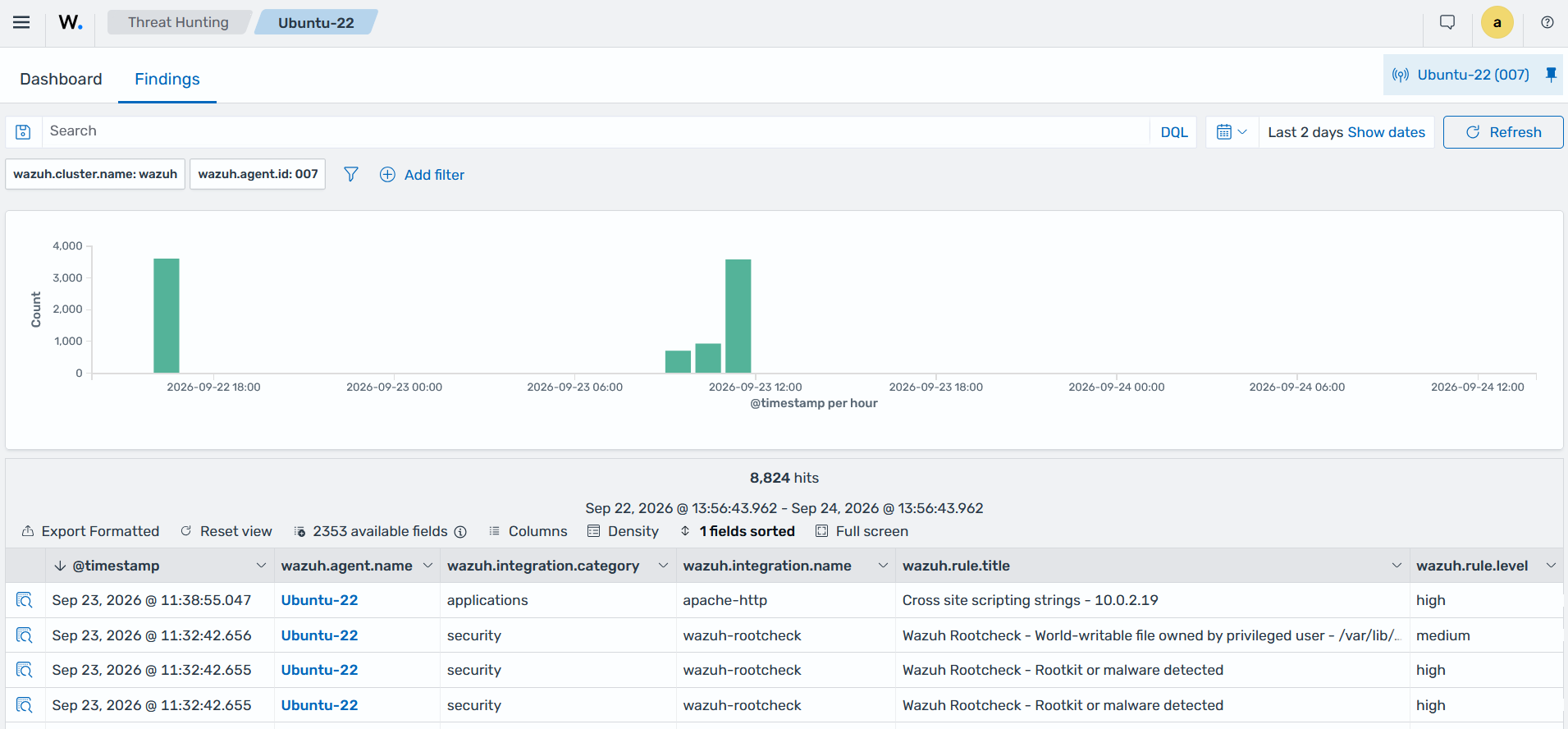
The Findings tab in the Threat Hunting section of the Wazuh dashboard shows the findings generated after normalized logs are evaluated against Wazuh detection rules.
Indexing and storing log data
The Wazuh indexer stores and indexes security events, findings, endpoint state, and other data collected and generated by Wazuh. The Wazuh indexer stores data as JSON documents and provides distributed search and analytics across the Wazuh environment.
The Wazuh indexer organizes data into indices and data streams and distributes their shards across cluster nodes. Replicas provide redundancy for indexed data, while adding nodes can increase storage capacity and support higher query workloads.
Wazuh uses multiple stateful indices and data streams for different types of data. The primary data streams used for log analysis are:
wazuh-events-v5*stores normalized security events collected from monitored endpoints and other sources. The Discover section of the Wazuh dashboard can display these events for searching and analysis. The index pattern is set towazuh-events-v5*by default.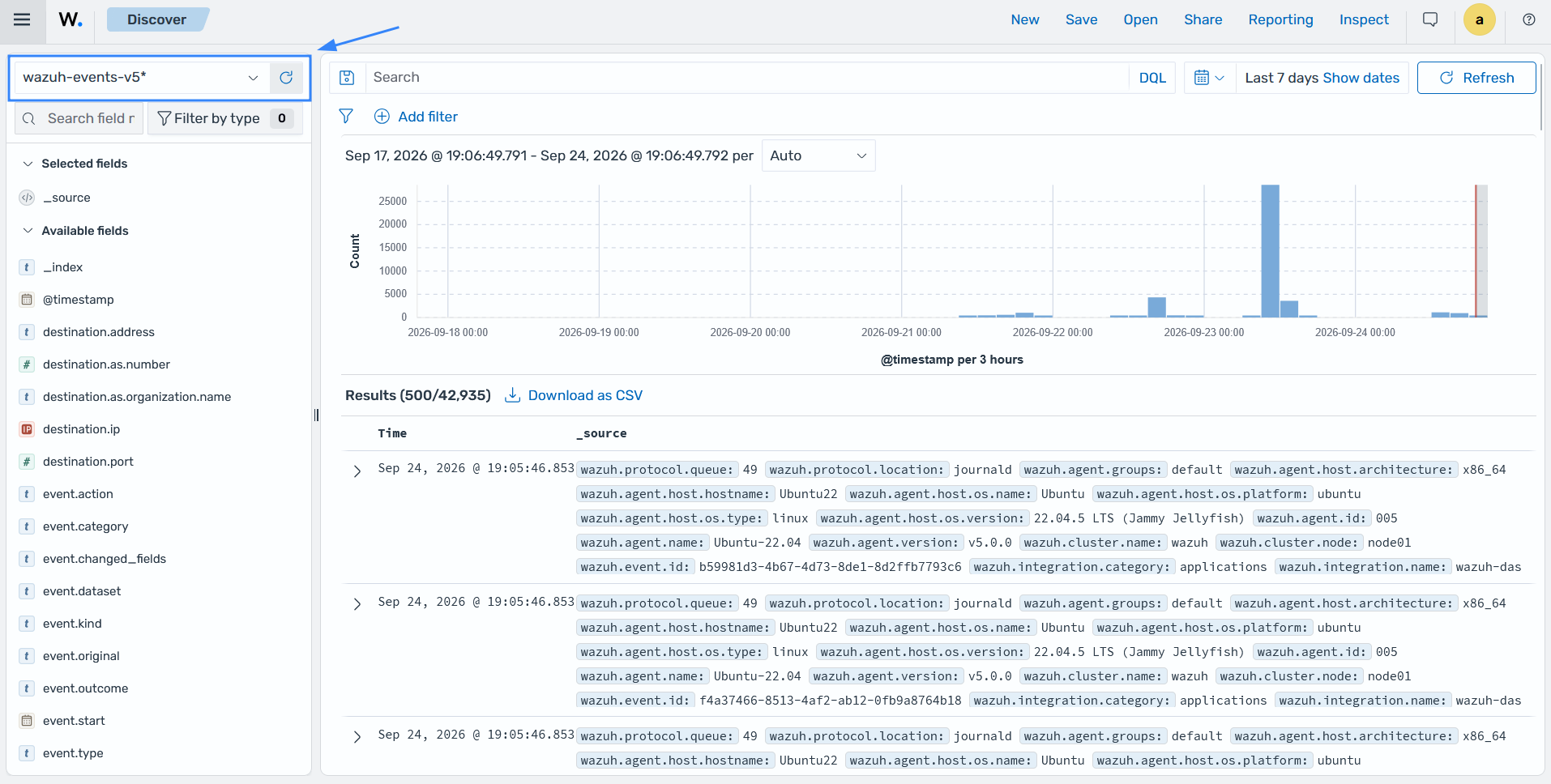
wazuh-events-raw-v5*stores raw events received by the Wazuh manager, including events that do not generate findings. Wazuh uses this data to support long-term log retention and analysis. This data stream is disabled by default because storing all collected events can require significant storage capacity.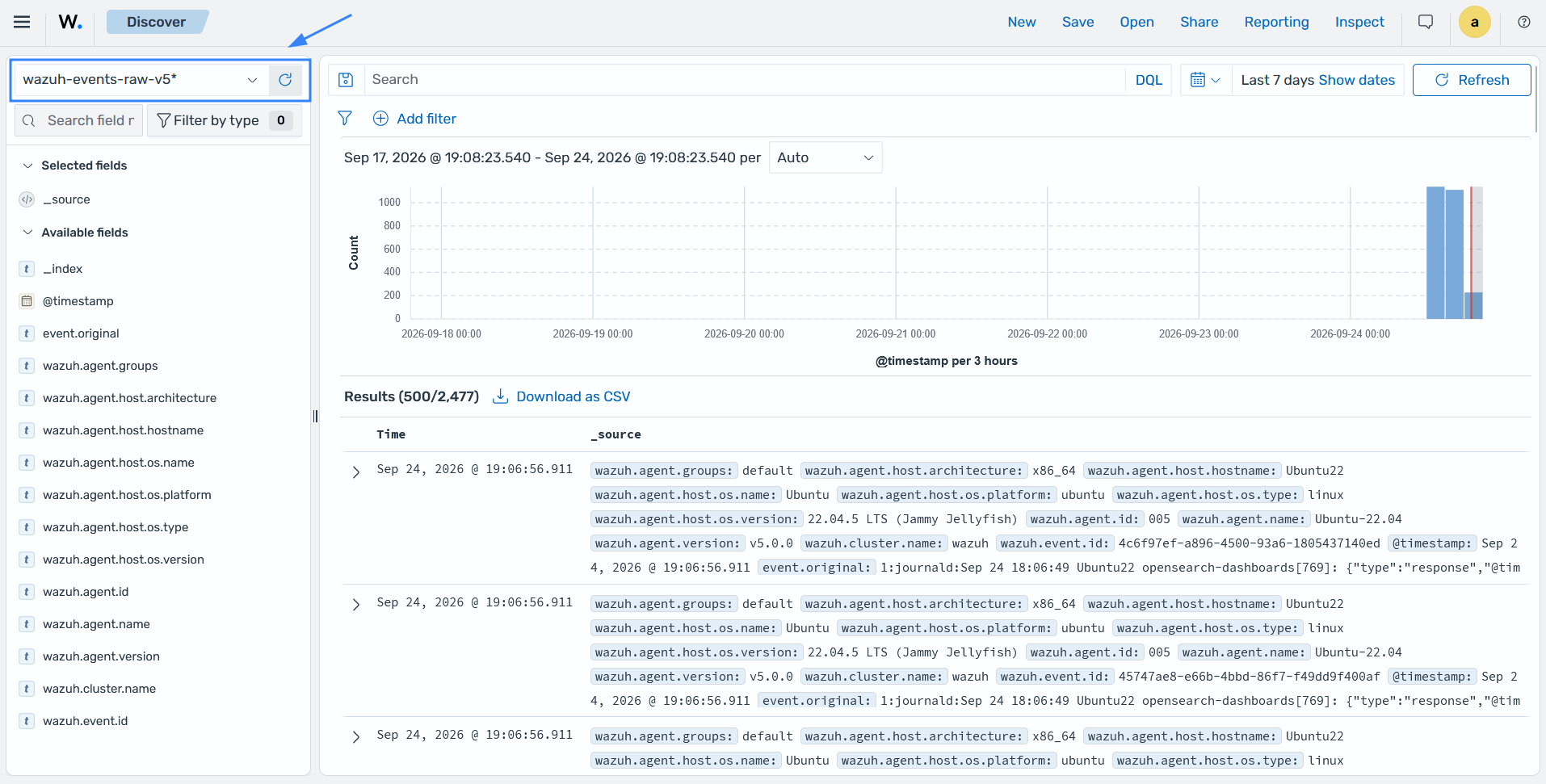
The
wazuh-metrics-agents*data stream stores data about the state of Wazuh agents over a period of time. The state of the Wazuh agent can beactive,disconnected,pending, ornever_connected. Use this information to find Wazuh agents that have stopped reporting to the Wazuh manager and need investigation. The image below shows the connection status of the agents on the Wazuh dashboard.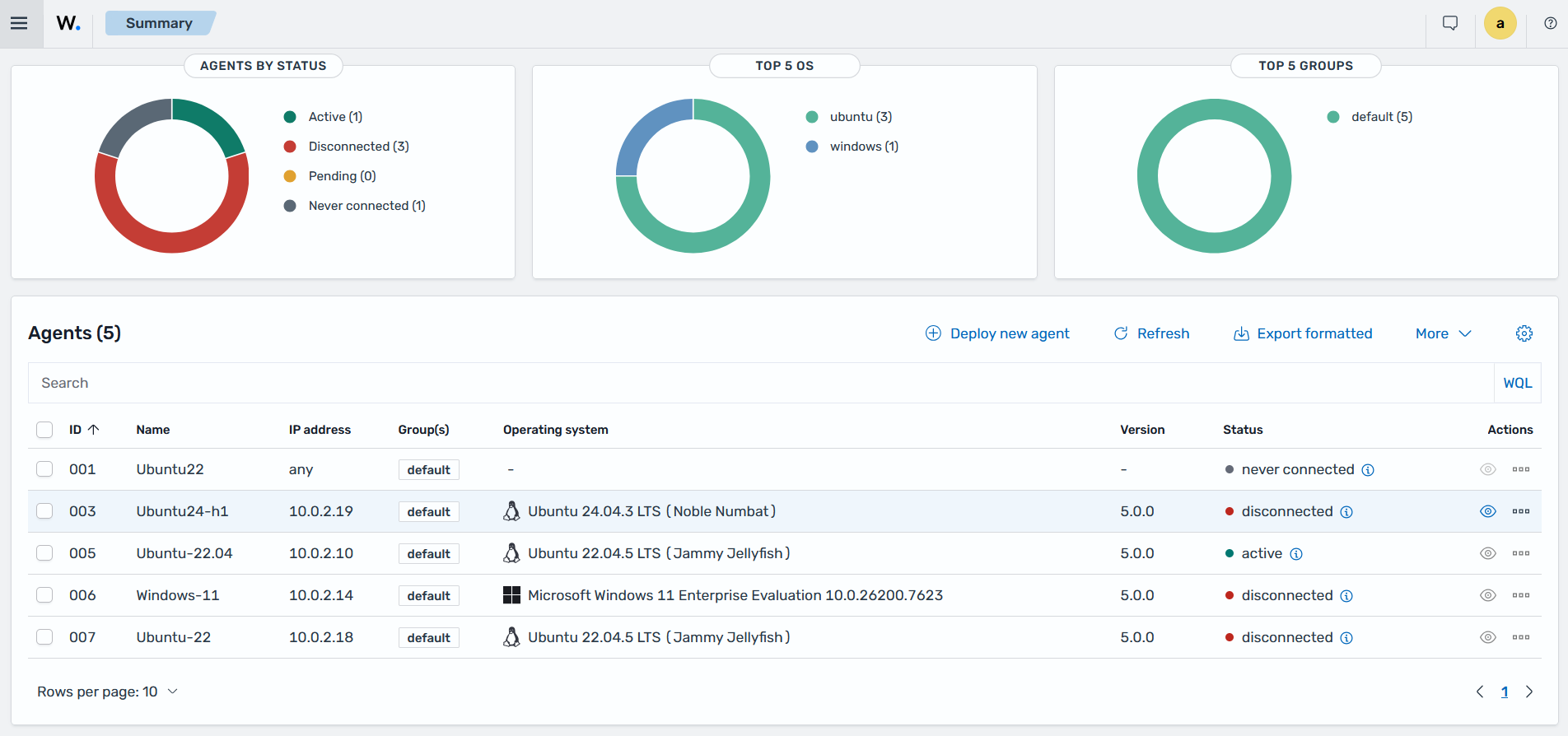
wazuh-metrics-comms*stores agent communication metrics, such as received events, sent and received bytes, queue usage, and TCP sessions.wazuh-findings-v5*stores findings generated when normalized events match detection rules.
Querying and visualizing security telemetry
Wazuh provides querying and visualization capabilities that help security teams analyze security telemetry across monitored endpoints, applications, network devices, cloud services, and other data sources. The Wazuh dashboard supports real-time searches, filtering, and drill-down analysis across collected events and findings, such as failed logins, malware detections, and system anomalies.
Wazuh also includes predefined dashboards for security monitoring, compliance, endpoint security, cloud security, vulnerability detection, and other use cases. These dashboards show security telemetry in charts, tables, timelines, and other widgets. Analysts use them to identify trends, anomalies, and security activity across their environment.
Security teams can create custom dashboards to monitor organization-specific security metrics, key performance indicators (KPIs), and operational telemetry. Custom dashboards provide a centralized view of security events and support continuous monitoring across different environments.
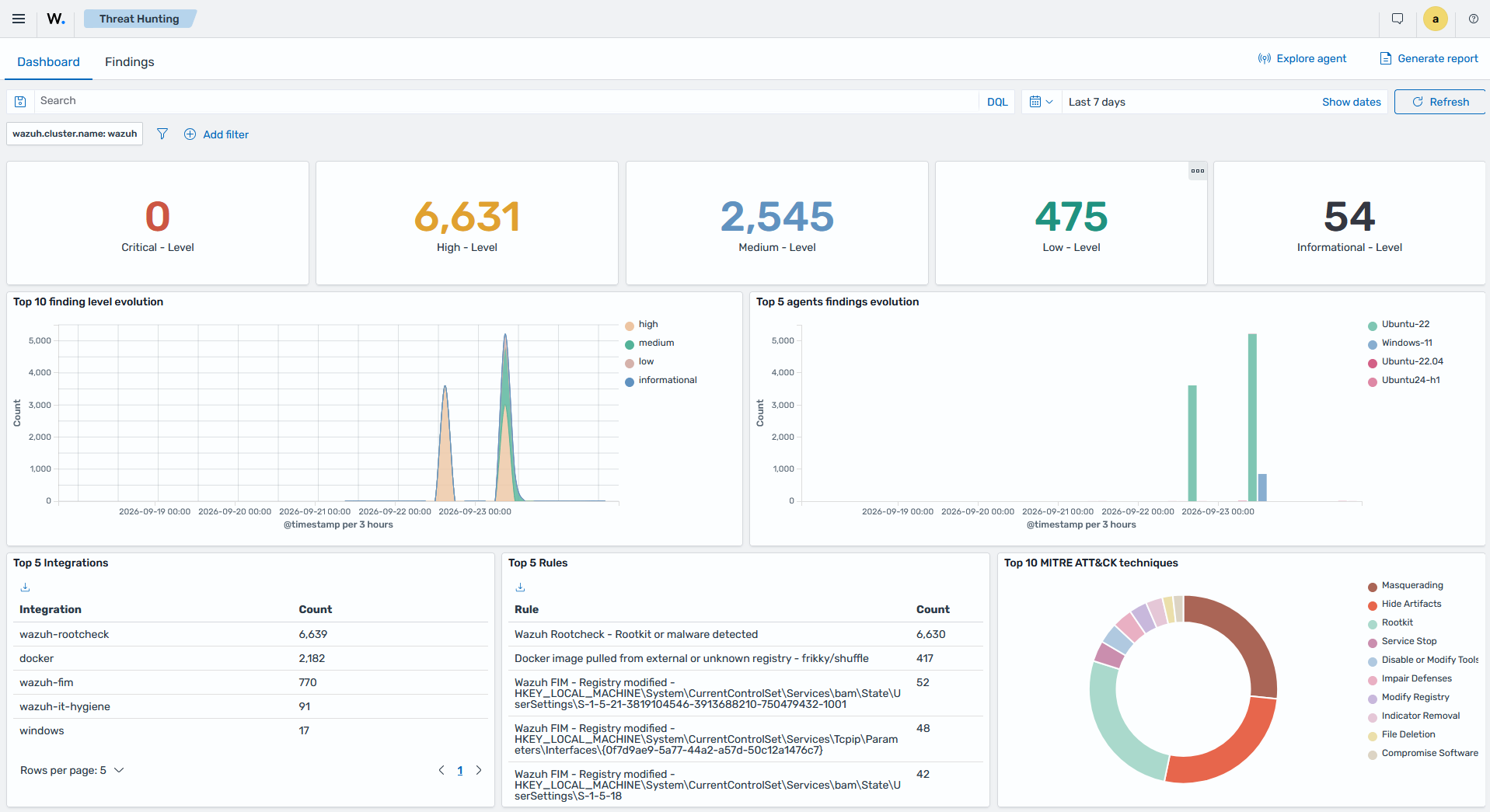
The Threat Hunting dashboard provides a real-time overview of security telemetry, including event trends, compliance summaries, severity distribution, and other security metrics.