Common criteria 6.8
The TSC common criteria CC6.8 states, “The entity implements controls to prevent or detect and act upon the introduction of unauthorized or malicious software to meet the entity's objectives.” This means the entity should be able to detect malicious software on its systems and act on it.
Wazuh helps meet the CC6.8 requirement by detecting malicious files on monitored endpoints. Wazuh matches file hashes against its threat intelligence indicator of compromise (IoC) database and raises a finding when it finds a match. Security personnel can view these findings in the Wazuh dashboard.
Use case: Detecting a malicious file download on a monitored Ubuntu endpoint
Follow the steps below to identify a malicious file downloaded to a monitored Ubuntu 24.04 endpoint.
Ubuntu endpoint
Create the directory to be monitored. Real-time monitoring only attaches to a directory that exists when the agent starts, so this must be done before the agent is restarted:
$ mkdir -p /home/<USER>/Downloads
Add the following configuration to the
<syscheck>block of the/var/ossec/etc/ossec.conffile on the monitored Ubuntu endpoint:<directories realtime="yes">/home/<USER>/Downloads</directories>
Replace
<USER>with the name of the user whoseDownloadsdirectory you monitor.Restart the Wazuh agent:
$ sudo systemctl restart wazuh-agent
Navigate to the monitored folder and download the EICAR test file:
$ cd /home/<USER>/Downloads
$ curl -fL -o eicar.com.txt https://secure.eicar.org/eicar.com.txt
Wazuh dashboard
Open the menu (☰) and go to Threat intelligence > Threat Hunting and switch to the Findings tab.
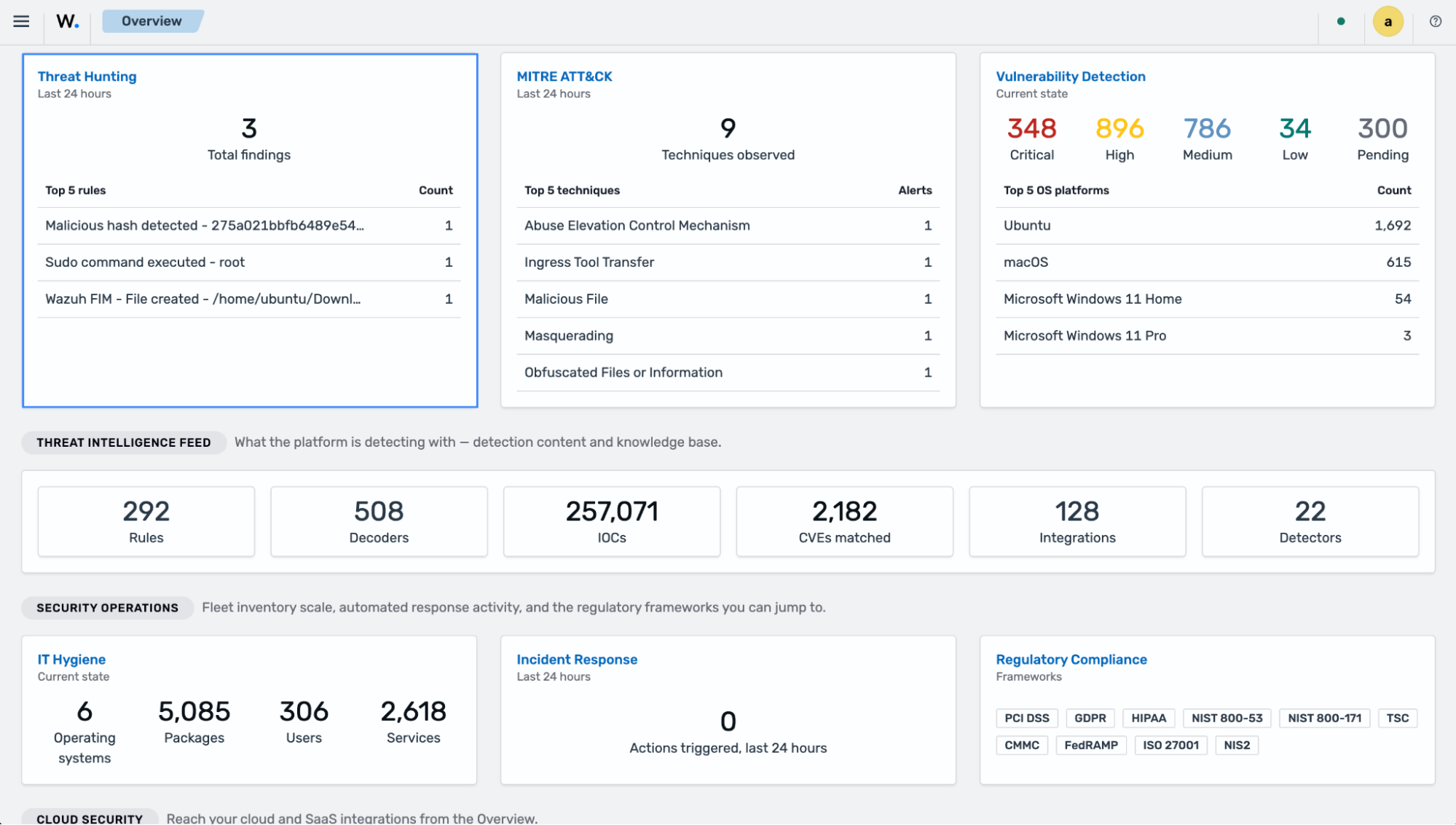
Apply the filter
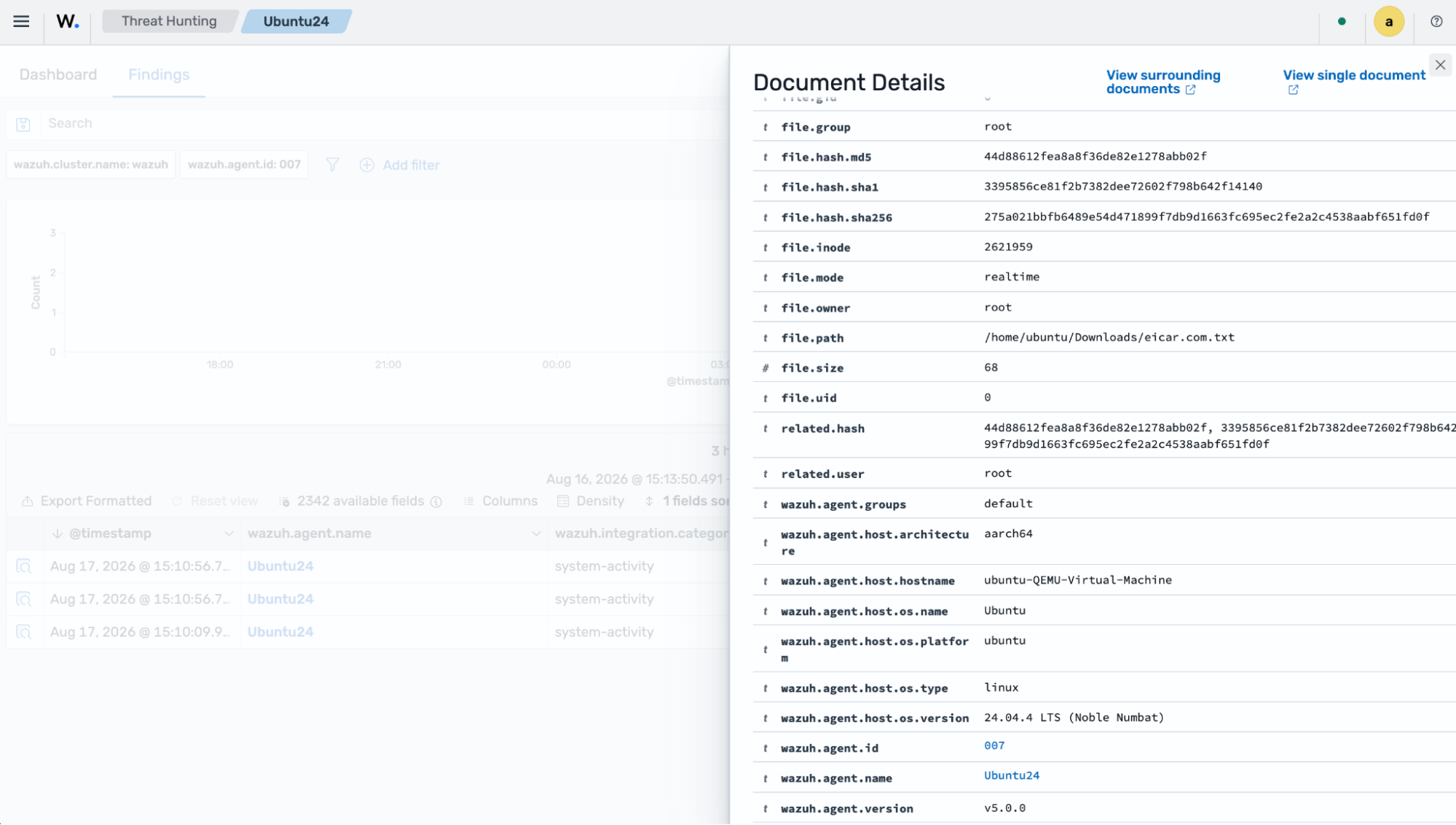
wazuh.rule.id: f6a6bb24-5c6b-5b42-a39a-1d75907f9d9d, the ID of theMalicious hash detectedrule, and select the finding to view its details. The finding can take a few minutes to appear.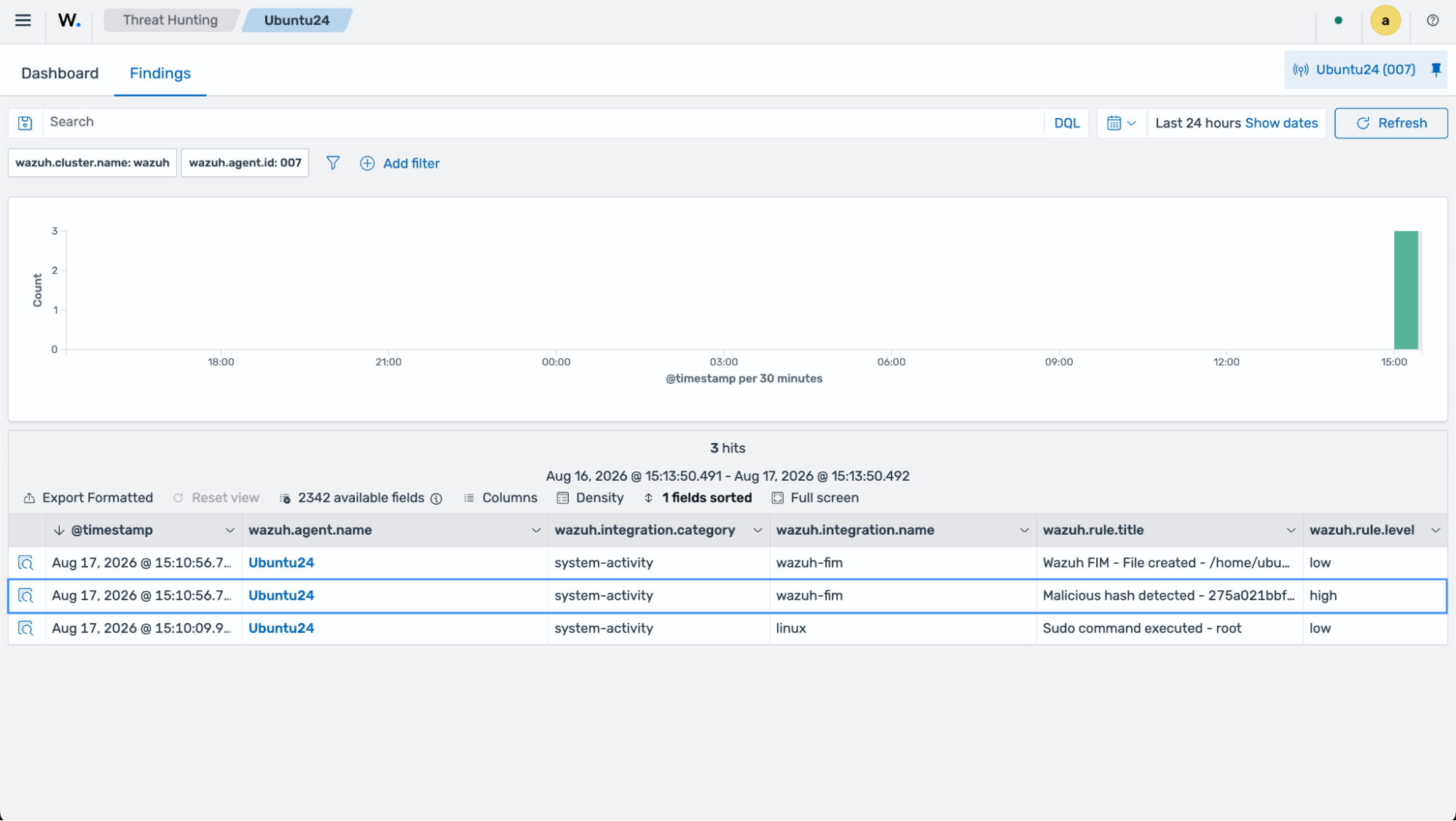
The image below shows the details of the malicious file download. Wazuh classifies the file by matching its hash against the threat intelligence IoC database included with the installation, which contains the EICAR test file; the Malicious hash detected rule raises the finding at high severity.