Threat hunting
Threat hunting is a proactive security practice that searches for malicious activity that has evaded automated detection and preventive controls. Instead of waiting for a security finding, security teams analyze endpoint, network, cloud, and threat intelligence data. They search for indicators of compromise, suspicious behavior, and affected assets across their environment.
Wazuh supports threat hunting by collecting and correlating security telemetry from endpoints, cloud environments, network devices, and threat intelligence sources. Wazuh provides system inventory, log data collection, log data analysis, threat intelligence, vulnerability detection, and search capabilities. Security teams can use these capabilities to investigate suspicious activity, identify affected assets, and respond to threats.
Hunting for indicators of compromise
Wazuh helps security teams proactively search for indicators of compromise (IOCs), including malicious IP addresses, domains, URLs, and file hashes. Wazuh uses information from the Wazuh Cyber Threat Intelligence (CTI) platform and custom Key-Value Databases (KVDBs) to match these indicators against endpoint security events. Matching indicators identify systems that have communicated with known malicious infrastructure.
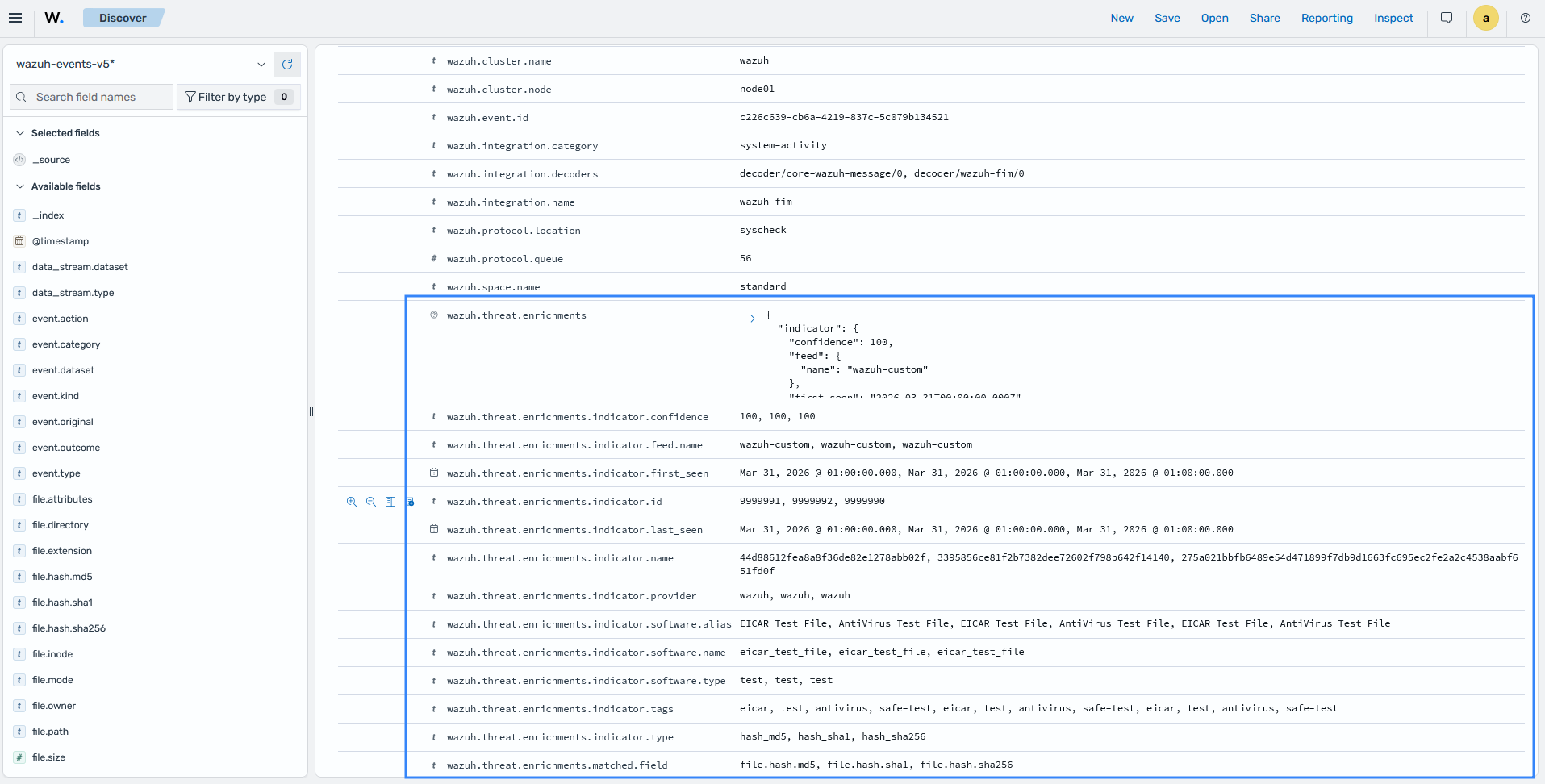
The Wazuh normalization engine enriches events during processing with IOC and GeoIP context. When an event matches an indicator from Wazuh CTI, the resulting finding includes threat enrichment details such as the provider, confidence level, and associated malware family. GeoIP enrichment also adds geolocation information for IP addresses when available.
Security teams can use the Discover section of the Wazuh dashboard to search findings and historical telemetry for matching IOCs. They can identify affected endpoints and investigate potential threats across their environment.
The finding details show IOC enrichment from Wazuh CTI, including the matched indicator, provider, confidence level, and malware family.
Hunting across security telemetry and logs
Effective threat hunting depends on collecting and searching security telemetry from across the environment. Wazuh centralizes logs from monitored endpoints, network devices, applications, cloud services, and agentless sources, giving security teams a single place to investigate suspicious activity.
Wazuh stores collected telemetry in dedicated data streams for security events, endpoint inventory, vulnerability findings, file integrity state, and other security data. This organized storage model allows security teams to hunt across historical and current telemetry without inspecting individual endpoints.
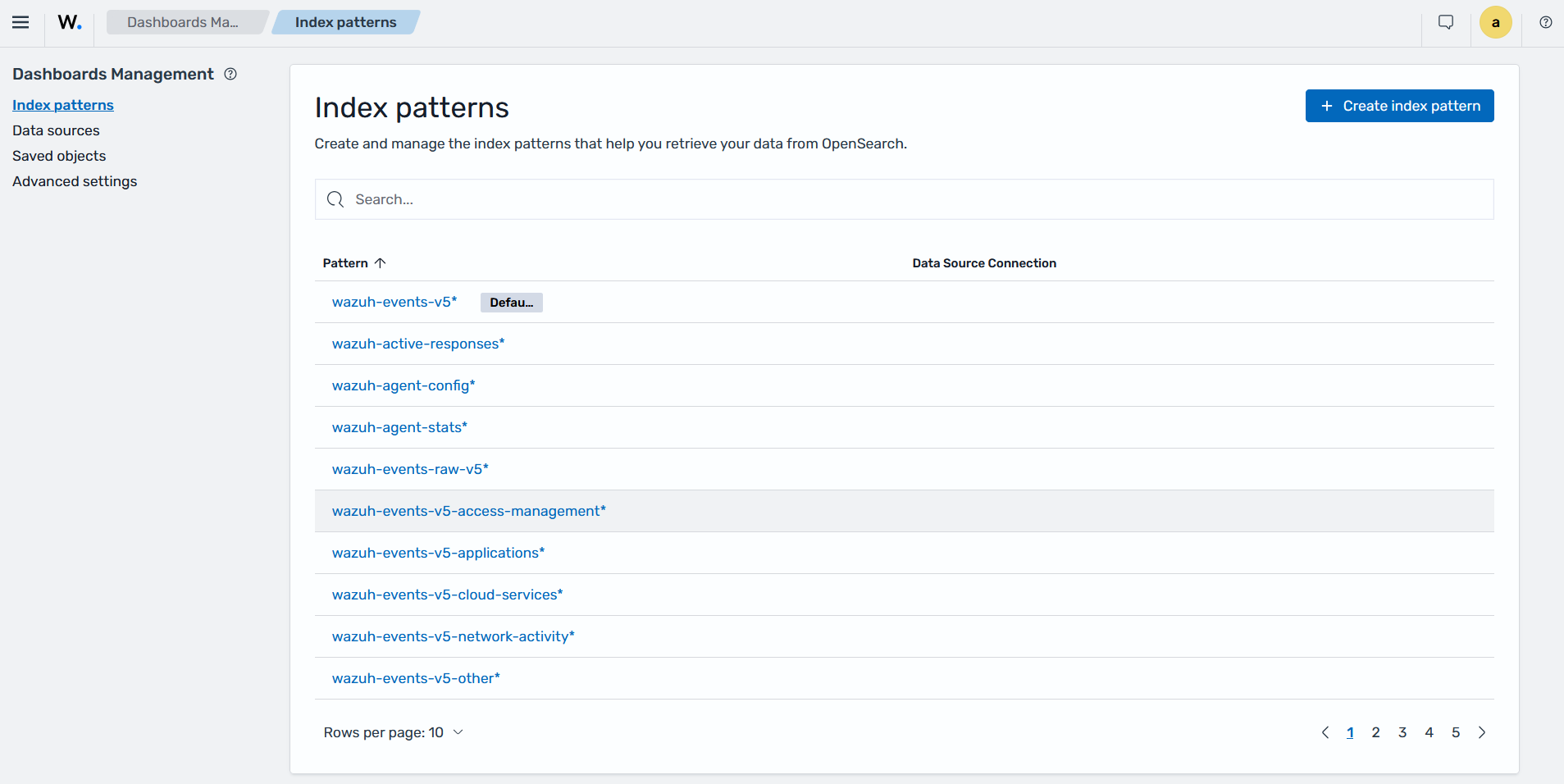
Wazuh normalizes collected logs into the Wazuh Common Schema (WCS), extracting fields such as timestamps, source and destination IP addresses, usernames, processes, and event types. This consistent data model allows threat hunters to search and correlate activity across multiple data streams in the Discover section of the Wazuh dashboard.
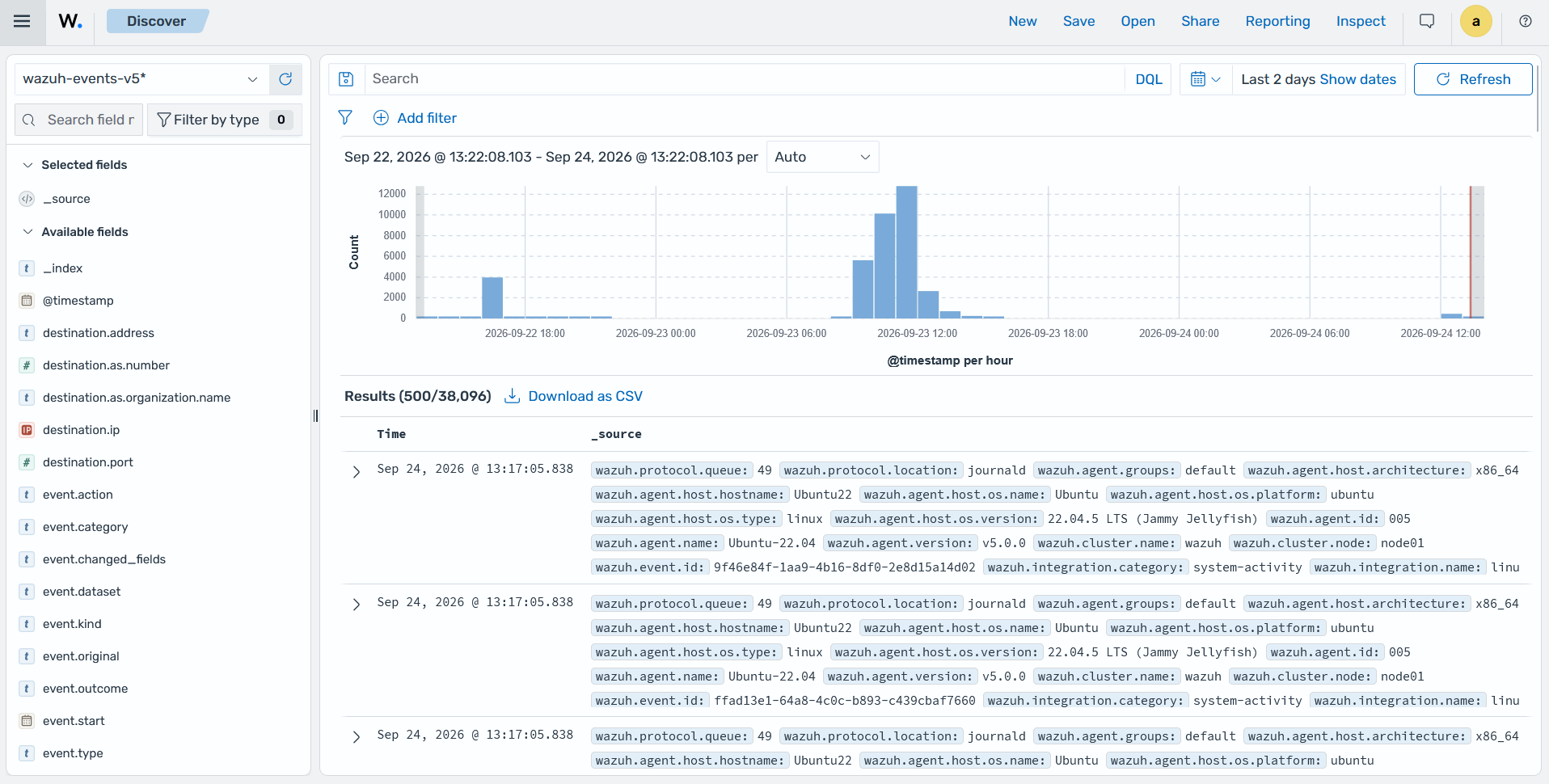
The Discover section of the Wazuh dashboard lets security teams search and correlate data across Wazuh security events, inventory, vulnerability, and other telemetry data streams.
Hunting anomalies against an inventory baseline
Threat hunters need visibility into what is running across their environment. They can compare endpoint inventory against an approved baseline to identify unauthorized software, unexpected services, and other anomalies that might indicate compromise.
The Wazuh agent collects endpoint inventory through the Syscollector module, including installed software, running processes, network ports, users, groups, services, and browser extensions. The Wazuh manager synchronizes this inventory to the wazuh-states-inventory-* indices, providing a queryable view of the current endpoint state.
Security teams can query the inventory from the Wazuh dashboard, Wazuh manager API, or Wazuh indexer API. They can use this information to identify endpoints running software outside the approved baseline, unexpected listening ports, unauthorized services, or user accounts that do not match provisioning records.
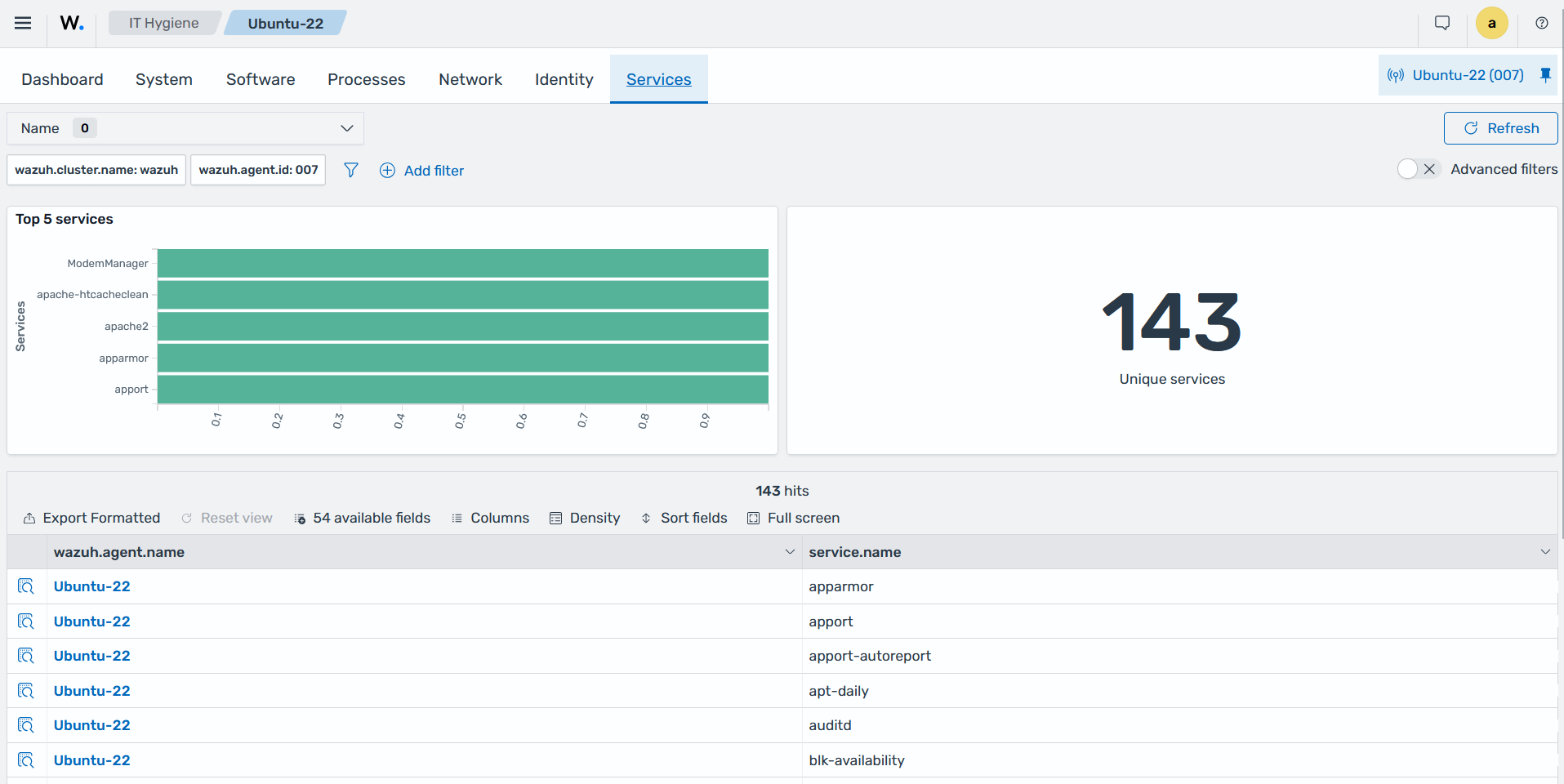
The Services tab in the IT Hygiene section of the Wazuh dashboard displays the installed services on an Ubuntu endpoint.
The Rootcheck module complements inventory-based hunting by detecting anomalies that do not appear in standard inventory data. It can identify processes and network ports hidden from standard operating system tools, helping hunters investigate activity that inventory queries alone might not reveal.
Hunting for unauthorized file and configuration changes
Wazuh File Integrity Monitoring (FIM) helps security teams proactively hunt for unauthorized changes to critical files, directories, and Windows registry keys that attackers commonly modify to establish persistence. The FIM module monitors these locations in real time and records file additions, modifications, deletions, permission changes, and registry changes.
Attackers often establish persistence by modifying startup locations such as the Windows Run and RunOnce registry keys, scheduled tasks, cron entries, and startup folders. They can also modify web-accessible directories to deploy web shells. Wazuh monitors these locations and synchronizes the current file and registry state across monitored endpoints.
Threat hunters can investigate FIM findings in two ways. They can review recent findings to identify new or modified persistence locations and use who-data information to determine the user and process responsible for each change. They can also query the synchronized FIM state to identify persistence artifacts that currently exist across all monitored endpoints, regardless of when they were created.
The report_changes attribute records the content added or modified in monitored text files, helping security teams distinguish legitimate configuration updates from injected payloads or unauthorized changes.
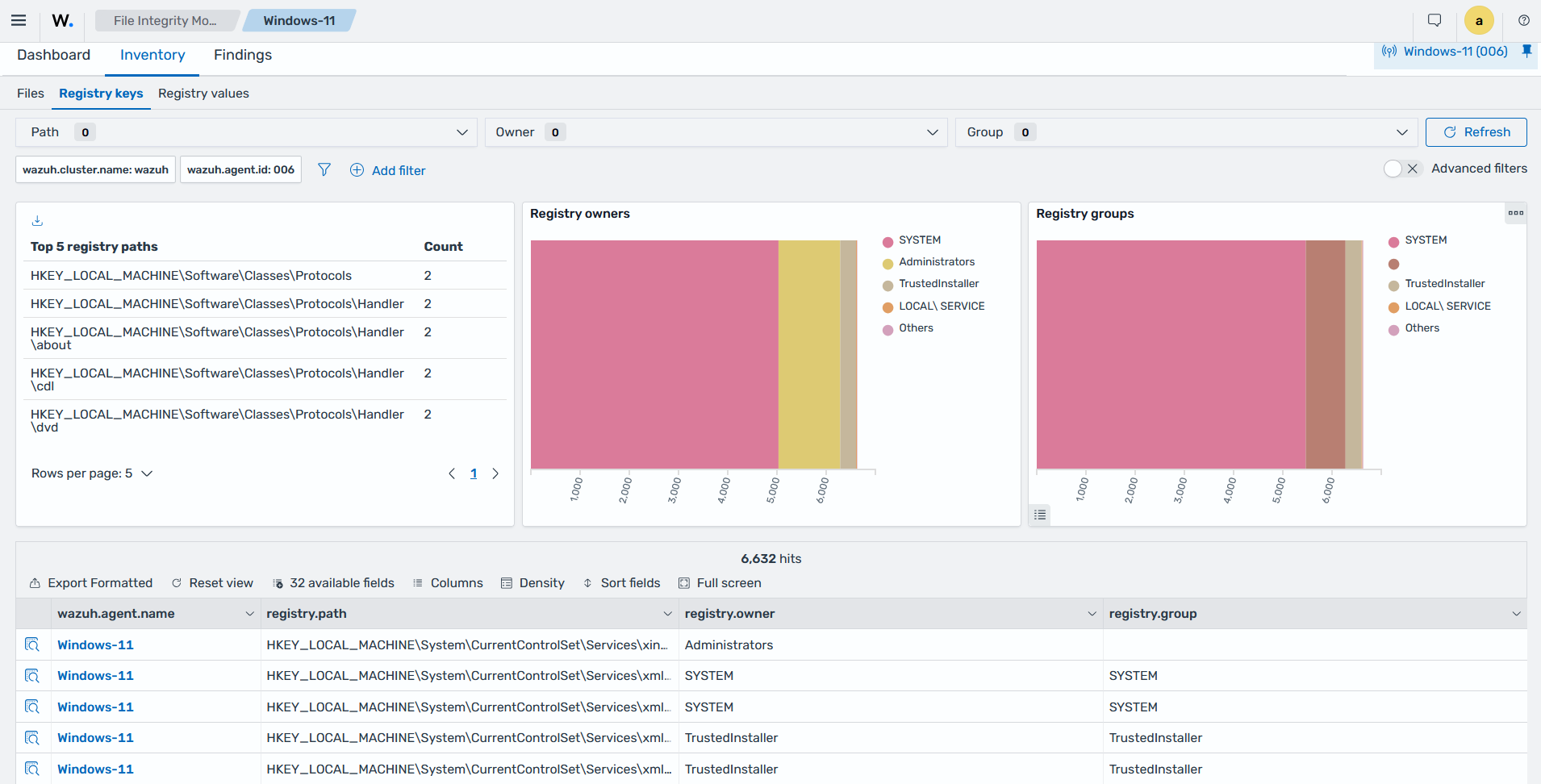
The Wazuh dashboard shows FIM findings for changes to monitored files and registry keys, including the user, process, and modified content recorded by who-data and report_changes.
Hunting adversary techniques with MITRE
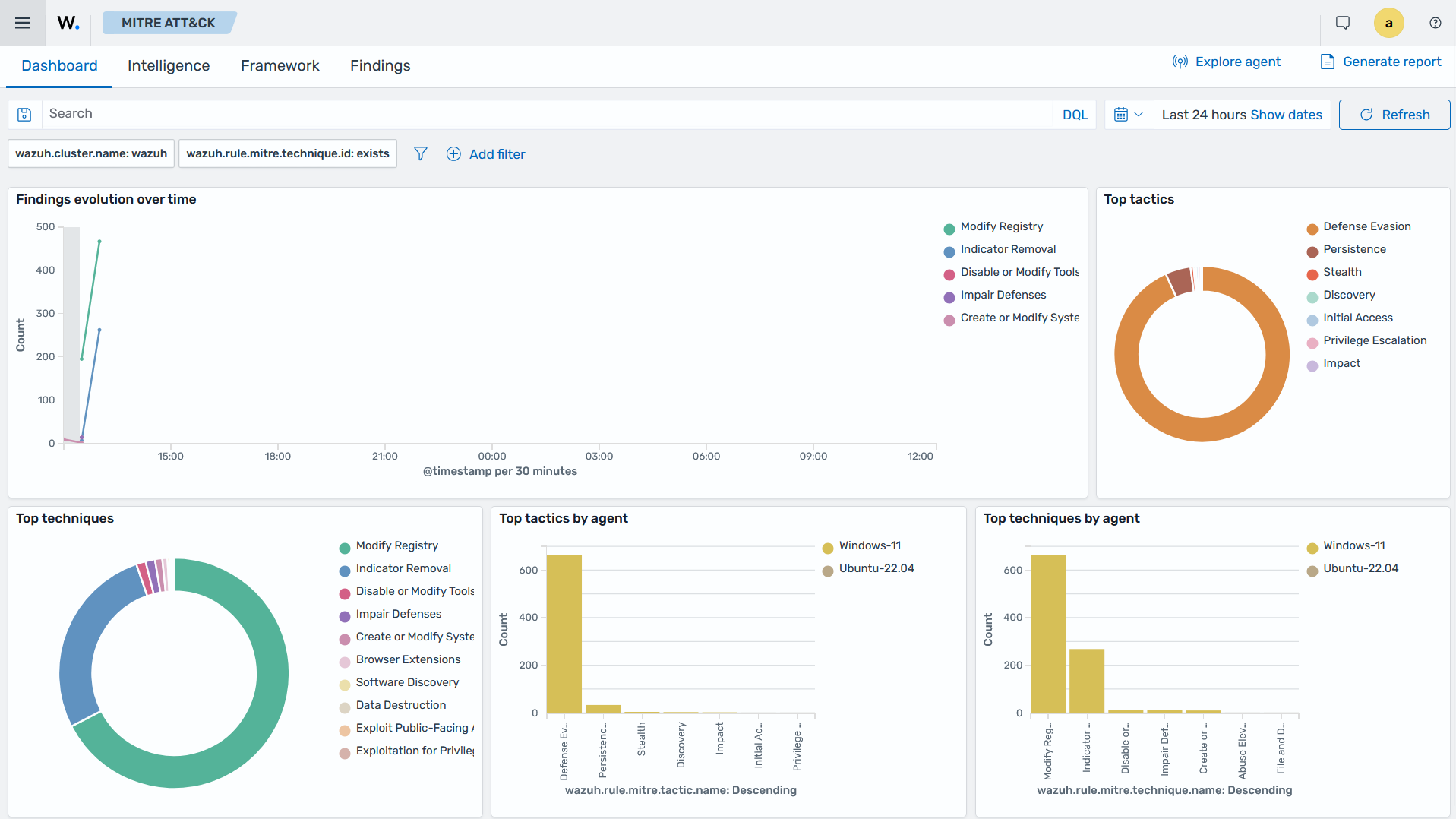
The MITRE ATT&CK framework offers a standardized approach to mapping attack tactics, techniques, and procedures (TTPs). Wazuh detection content carries MITRE ATT&CK metadata, so each finding identifies the technique behind the detected behavior. Instead of starting from raw events, the hunter starts from a technique. For example, a hunt for credential abuse begins by filtering findings mapped to Brute Force and Valid Accounts, then examines which endpoints and accounts concentrate that activity.
Technique frequency analysis extends this approach across time. The Wazuh dashboard shows which techniques appear most in your environment, and a sudden spike in one technique is a hunting lead. A rise in autostart-related findings, for instance, prompts a persistence hunt on the affected endpoints. Technique frequency analysis lets you prioritize hunts by observed attacker behavior rather than by guesswork.
Hunting with decoders and detection rules
Wazuh provides detection content that helps threat hunters investigate suspicious activity and identify attack techniques across collected telemetry. Its decoders and detection rules process diverse log sources and provide the fields and detection logic needed to identify malicious behavior.
Decoders parse incoming logs and extract meaningful fields from different data formats. Detection rules use these fields to identify patterns associated with authentication failures, malware, suspicious system activity, and other security events. Security teams can create custom rules and decoders to adapt detection coverage to their environment and investigate activity that predefined content does not cover.
Wazuh detection rules are Sigma-based, providing a standardized way to define detection logic for log events. Threat hunters can use Sigma-based rules to investigate specific attack techniques without creating detection logic from scratch. Effective rules can then become part of the organization's ongoing detection coverage for continuous monitoring.
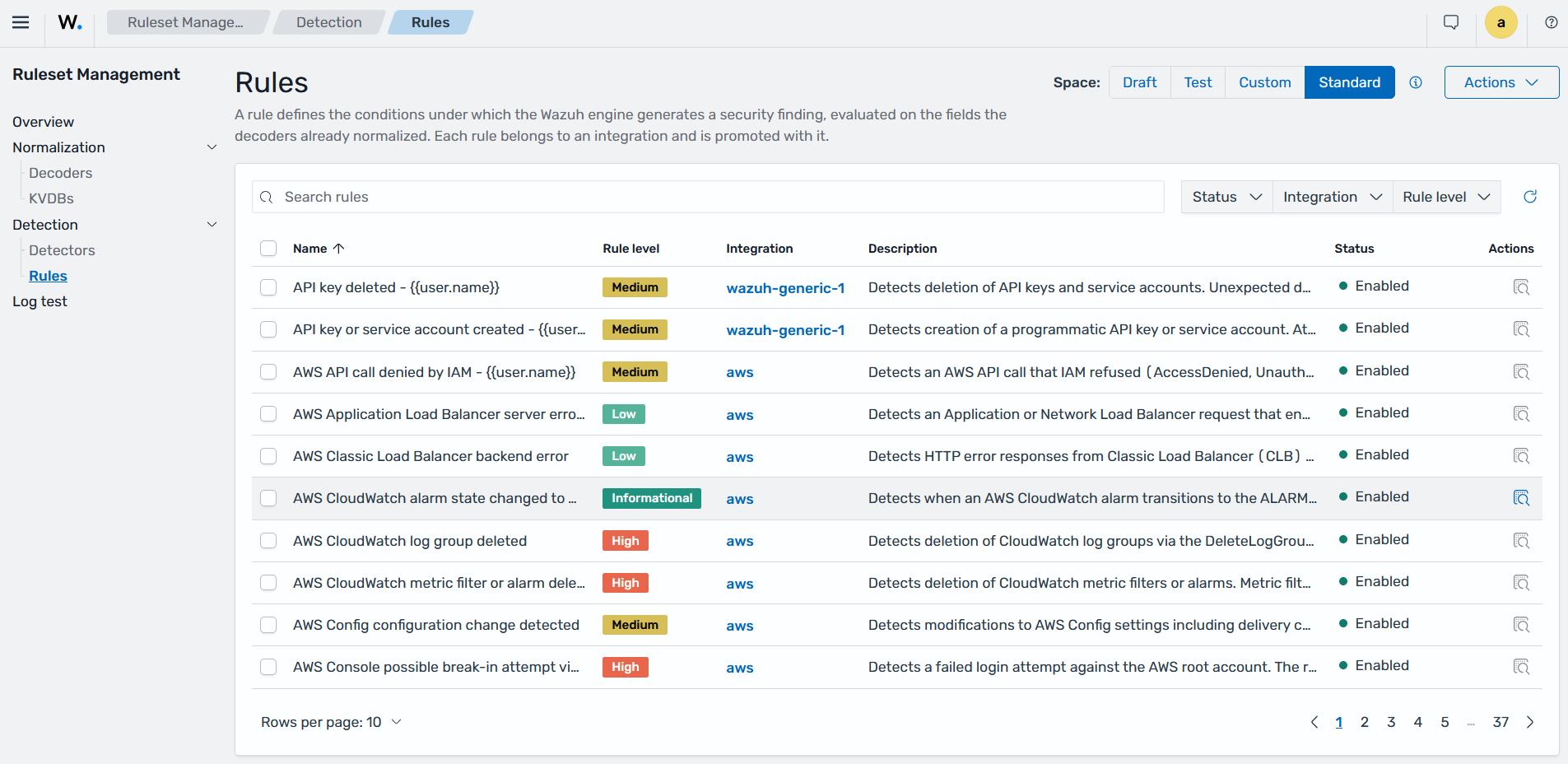
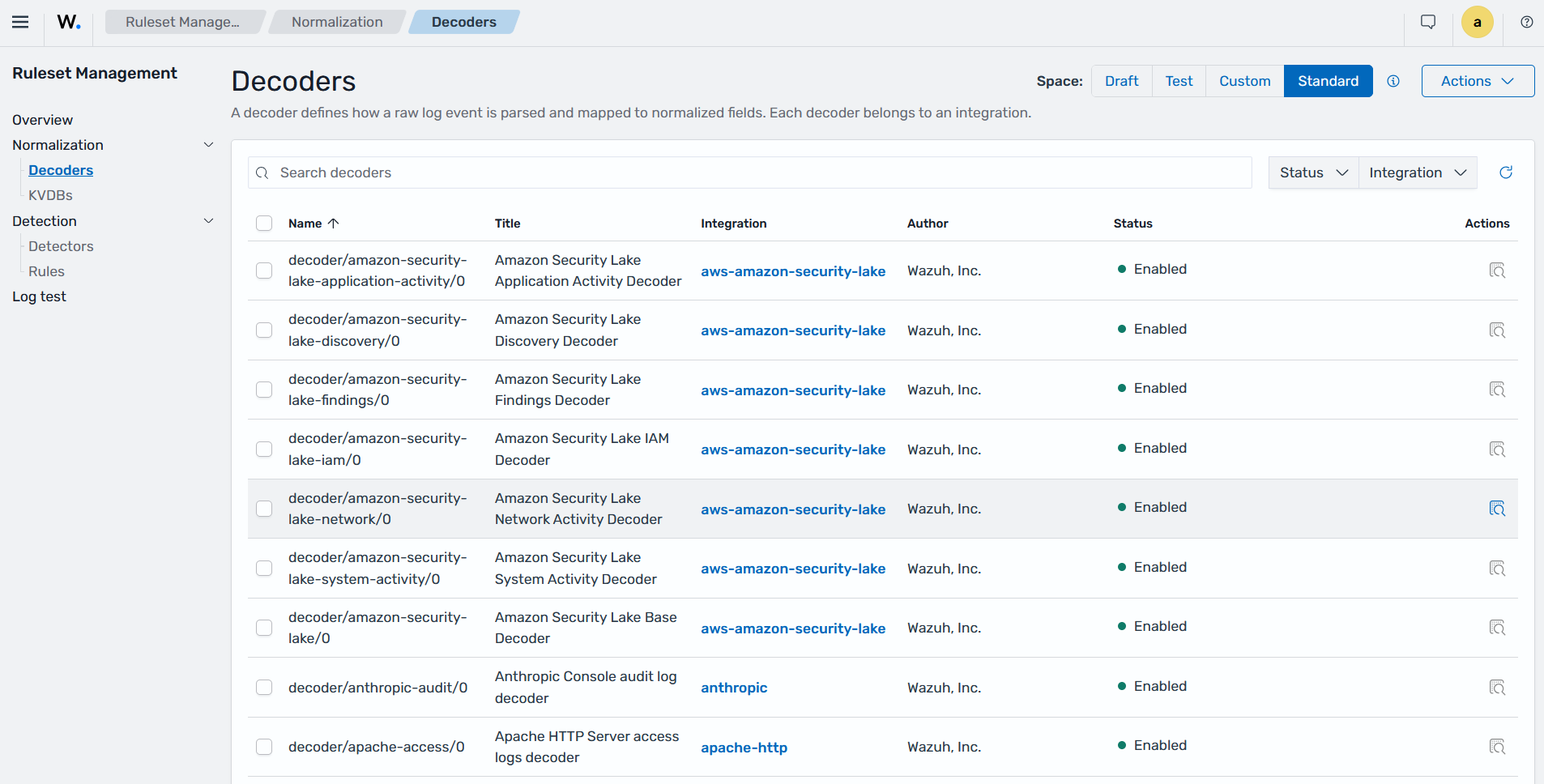
Security teams can use the Rules and Decoders sub-sections of the Ruleset Management section in the Wazuh dashboard to review the detection content available in their environment. The Rules sub-section displays predefined detection rules used to identify suspicious activity.
The Decoders sub-section displays the decoders used to parse and extract fields from different log sources.
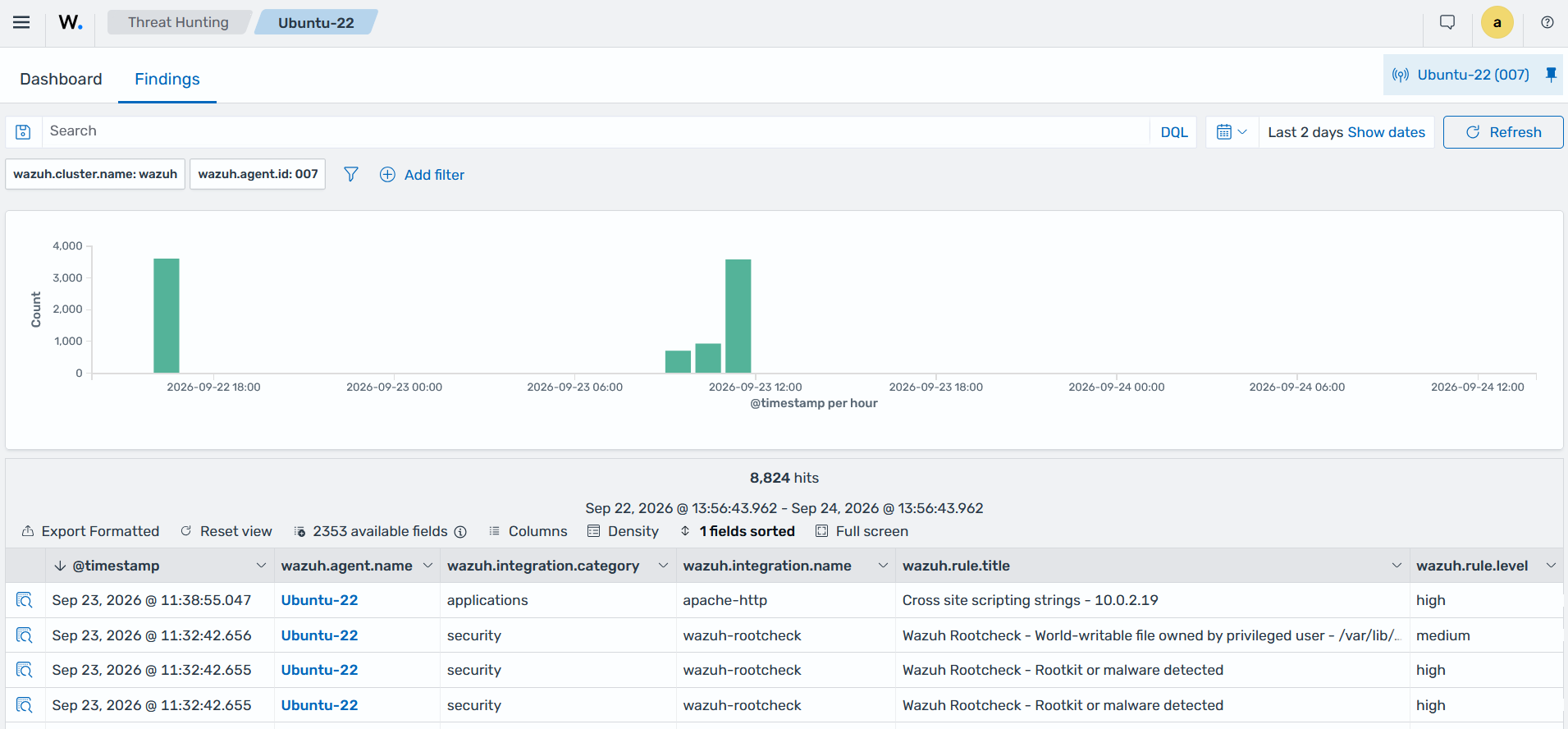
The Threat Hunting section of the Wazuh dashboard shows detection findings generated from a Sigma rule applied to security events.