Detecting changes to critical files with a custom detection rule
Malware often modifies critical system files to persist on an endpoint or to change its behavior. For example, it can add entries to the hosts file to redirect domains to attacker-controlled addresses, or block the update servers of security products. This use case creates a custom detection rule that generates a high-severity finding when the /etc/hosts file changes on an Ubuntu 24.04 endpoint.
Configure the Linux endpoint
Add the following configuration to the Wazuh agent
/var/ossec/etc/ossec.conffile to monitor the/etc/hostsfile in real time:<ossec_config> <syscheck> <directories check_all="yes" realtime="yes">/etc/hosts</directories> </syscheck> </ossec_config>
Restart the Wazuh agent to apply the changes:
# systemctl restart wazuh-agent
Configure the Wazuh dashboard
The standard FIM decoder already extracts the file path and the type of change, so you only need a custom integration with a detection rule. Perform the following steps on the Wazuh dashboard. Make sure the space selector reads Draft.
Go to Ruleset management → Overview → Integrations → Actions → Create, enter the following values, and click Create integration:
Title:
fim-critical-filesCategory: System Activity
Author: Security Team
Go to Ruleset management → Detection → Rules → Actions → Create, select YAML Editor, choose the
fim-critical-filesintegration, paste the following rule, and click Create rule:logsource: product: fim-critical-files level: high status: experimental enabled: true detection: condition: selection selection: event.dataset: wazuh.fim event.action: modified file.path: /etc/hosts metadata: title: Hosts file modified - {{file.path}} author: Security Team description: Detects changes to the hosts file. Malware modifies this file to redirect domains to attacker-controlled addresses or to block security updates. references: - https://attack.mitre.org/techniques/T1565/001/ documentation: '' supports: [] mitre: tactic: id: - TA0040 name: - Impact technique: id: - T1565 name: - Data Manipulation subtechnique: id: - T1565.001 name: - Stored Data Manipulation
To monitor other critical files, add their paths to the
file.pathlist, for example/etc/crontabor/etc/ld.so.preload, and add the same paths to the FIM configuration of the Wazuh agent.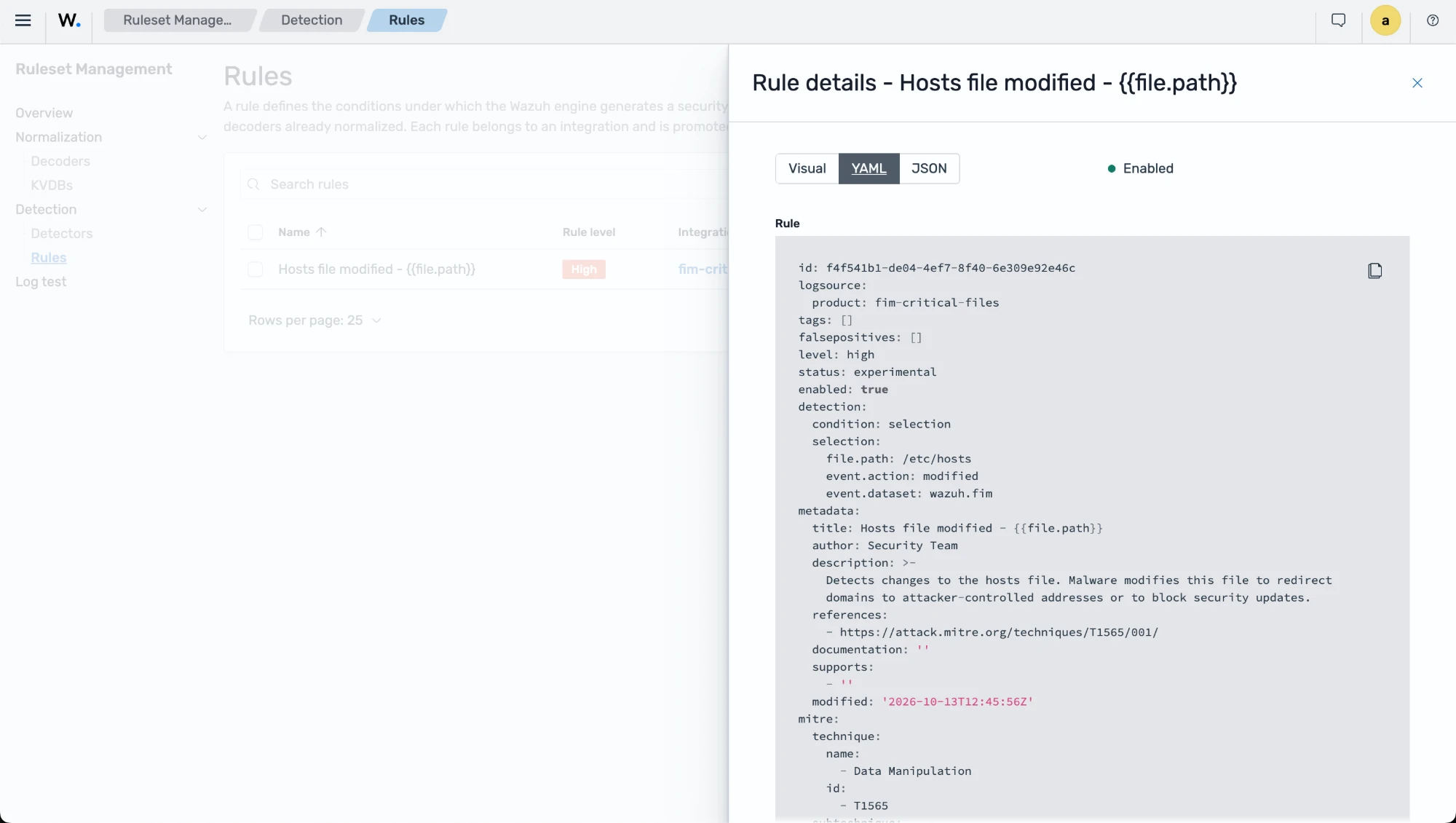
Go to Ruleset management → Overview, click Actions → Promote, type the confirmation message, and click Promote to promote the content from Draft to Test. Switch the space selector to Test and repeat to promote the content to Custom.
Go to Ruleset management → Detection → Detectors → Create detector, enter the following values, and click Create detector:
Name:
fim-critical-files-detectorSelect indexes/aliases:
wazuh-events-v5-system-activitySpace: Custom
Integration:
fim-critical-filesRun every: 1 minute
Test the configuration
Add an entry to the /etc/hosts file on the Linux endpoint, as malware does, to redirect a domain:
# echo "203.0.113.10 c2.attacker.example # WAZUH_MALWARE_SIMULATION" >> /etc/hosts
After the test, remove the line you added from the /etc/hosts file.
Visualize the findings
Navigate to Threat intelligence → Threat Hunting and select the Findings tab. A Hosts file modified - /etc/hosts finding appears with level high, next to the standard Wazuh FIM - File modified - /etc/hosts finding. Add the filter wazuh.rule.title: "Hosts file modified - /etc/hosts" to show only the custom finding.
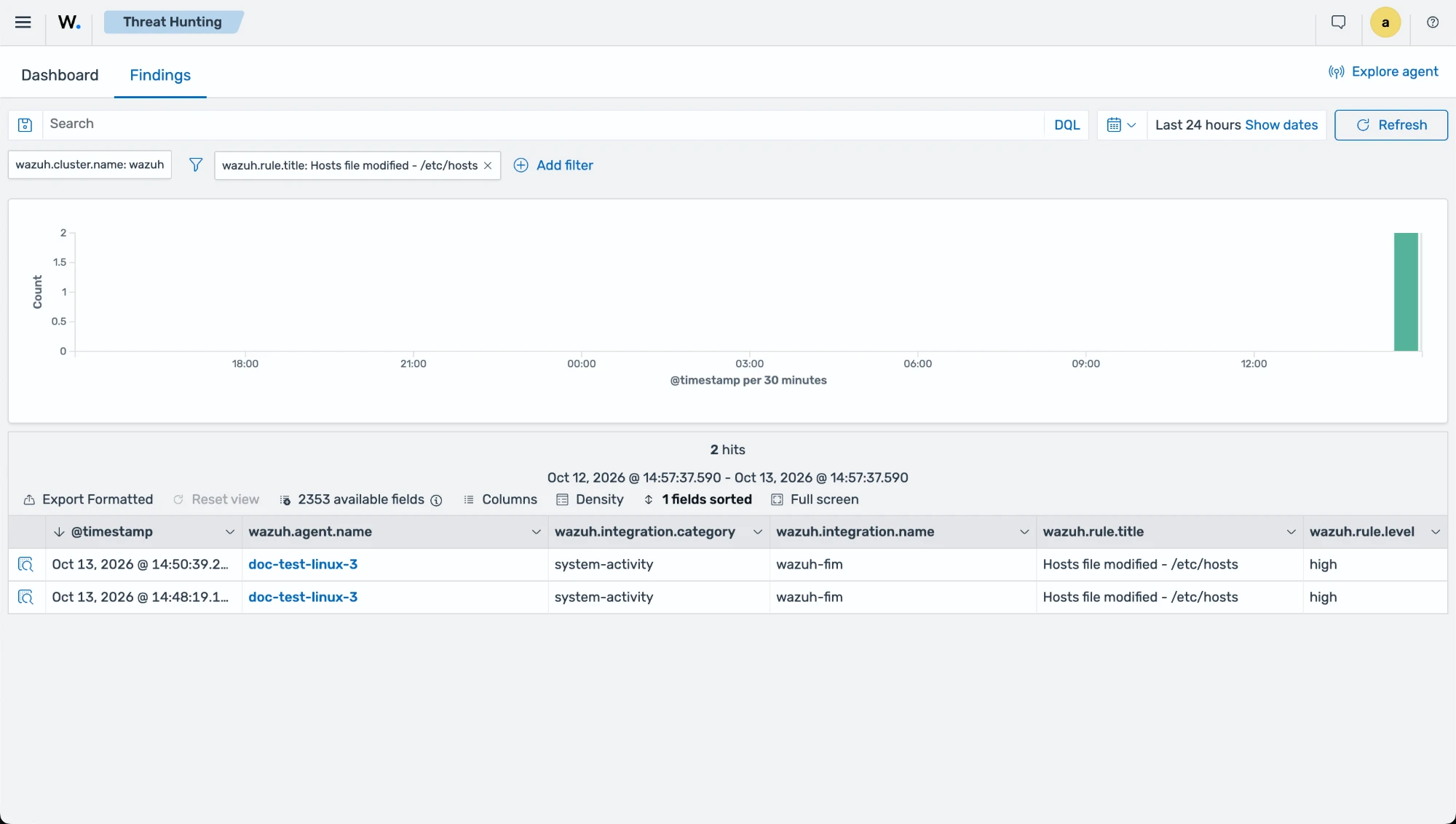
Expand the finding to see the file path, the change type, and the MITRE ATT&CK mapping of the rule. The finding comes from the standard FIM decoders, decoder/core-wazuh-message/0 and decoder/wazuh-fim/0.
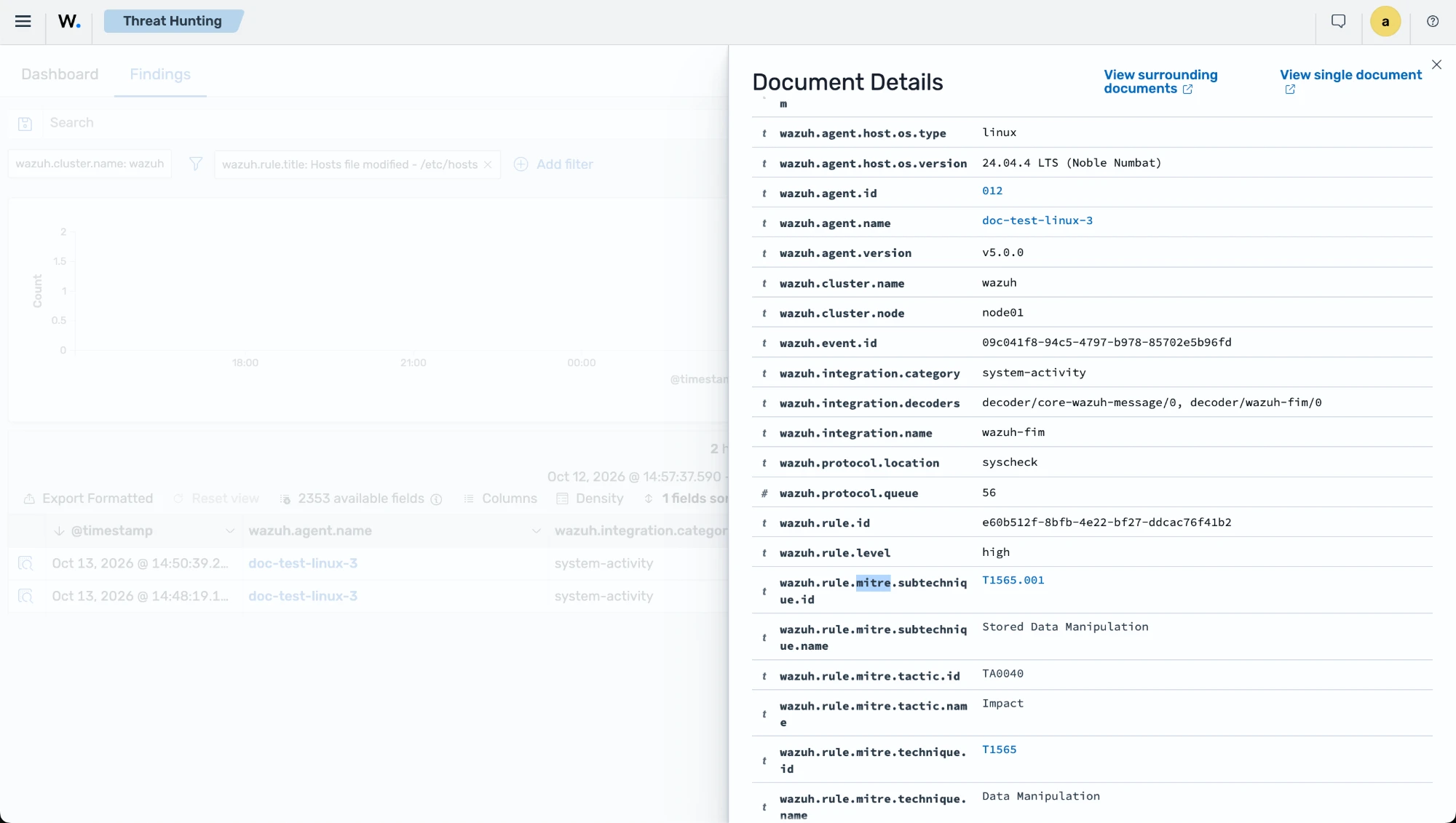
Modifying the /etc/hosts file on a Linux endpoint may indicate malware activity and should prompt further investigation.