GDPR II, Principles
This chapter describes the GDPR requirements for processing personal data.
Chapter II, Article 5, Head 1 (f)
Principles relating to the processing of personal data, Head 1 (f): “Personal data shall be processed in a manner that ensures appropriate security of the personal data, including protection against unauthorized or unlawful processing and against accidental loss, destruction or damage, using appropriate technical or organizational measures (integrity and confidentiality).”
This article requires confidentiality and integrity in the processing of user data. The Wazuh File Integrity Monitoring (FIM) module helps with this requirement by monitoring files and folders. The FIM module generates a finding when it detects a file creation, modification, or deletion event. The module stores the cryptographic checksums and other attributes of a file, and compares them against the current values. The FIM detections are Sigma rules. Each rule maps to II_5.1.f through the compliance.gdpr field.
Use case: Detect file changes
In this use case, you configure the Wazuh agent on an Ubuntu 24.04 endpoint to detect changes in the /root/personal_data. You then modify a file to trigger a finding.
Ubuntu endpoint
Switch to the
rootuser:$ sudo su
Create the directory
personal_datain the/rootdirectory:# mkdir /root/personal_data
Create the file
subject_data.txtin the/root/personal_datadirectory and include some content:# touch /root/personal_data/subject_data.txt # echo "User01= user03_ID" >> /root/personal_data/subject_data.txt
Add the highlighted configuration to the
<syscheck>block of the Wazuh agent configuration file/var/ossec/etc/ossec.conf:<syscheck> <directories realtime="yes" check_all="yes" report_changes="yes">/root/personal_data</directories> </syscheck>
Restart the Wazuh agent to apply the changes:
# systemctl restart wazuh-agent
Modify the file by changing the content of
subject_data.txtfromUser01= user03_IDtoUser01= user02_ID:# echo "User01= user02_ID" > /root/personal_data/subject_data.txt
Confirm the change took effect by viewing the contents of the modified file:
# cat /root/personal_data/subject_data.txt
User01= user02_ID
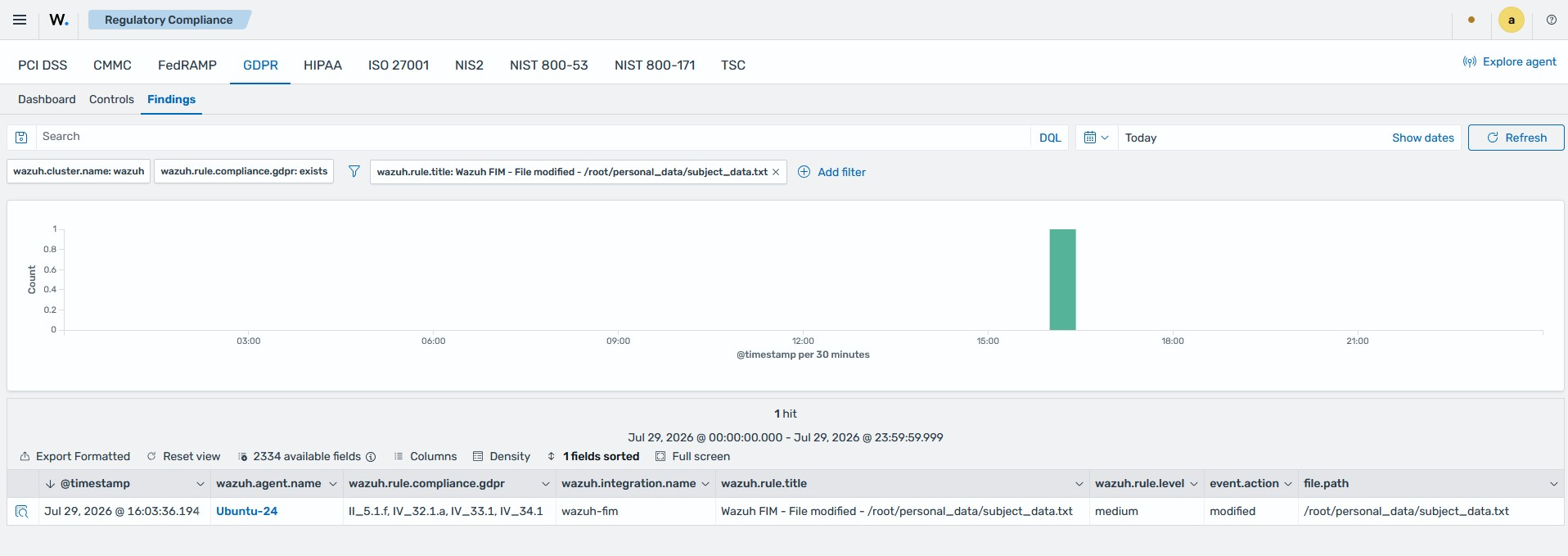
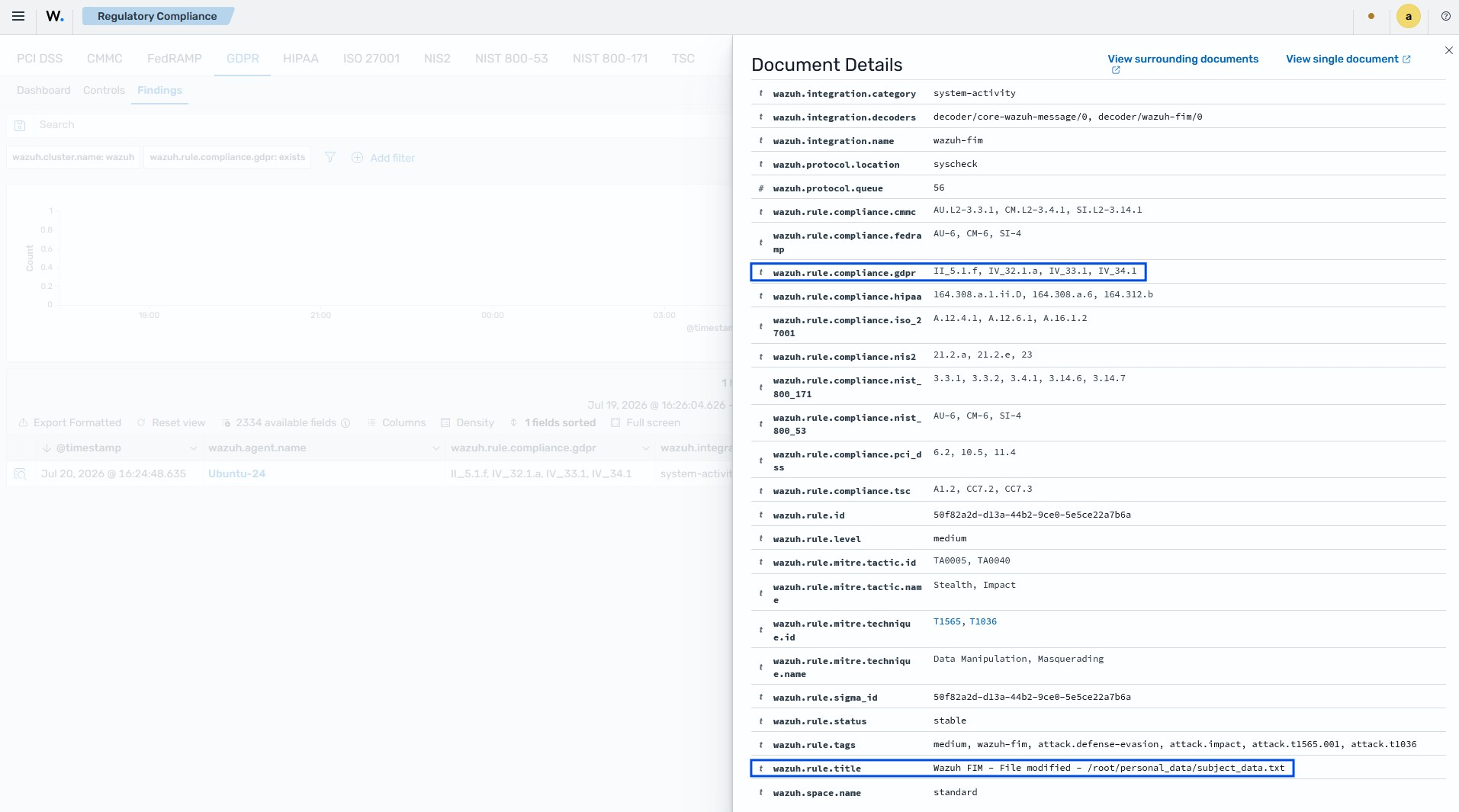
On the Wazuh dashboard, a finding shows the modification of the subject_data.txt file. The finding is tagged with II_5.1.f.