Vulnerability detection
The Wazuh Vulnerability Detection module identifies vulnerabilities in applications and operating systems running on monitored endpoints. This use case shows how Wazuh detects unpatched Common Vulnerabilities and Exposures (CVEs) on the monitored endpoint. For more information on this capability, check the Vulnerability detection section of the Wazuh documentation.
Infrastructure
Endpoint |
Description |
|---|---|
Ubuntu 24.04 |
The Wazuh Vulnerability Detection module scans this Linux endpoint for vulnerabilities in the operating system and installed applications. |
Note
Vulnerabilities tagged with the description unimportant do not appear on the Wazuh dashboard. Visit the Wazuh CTI page for more information. The Compatibility matrix shows the operating systems officially supported by the Vulnerability Detection module.
Configuration
The Wazuh Vulnerability Detection module is enabled by default, and it generates findings when new vulnerabilities are detected or when existing vulnerabilities are resolved through package updates, removal, or system upgrades.
Wazuh manager
Perform the following steps on the Wazuh dashboard to confirm that the Wazuh Vulnerability Detection module is enabled and properly configured.
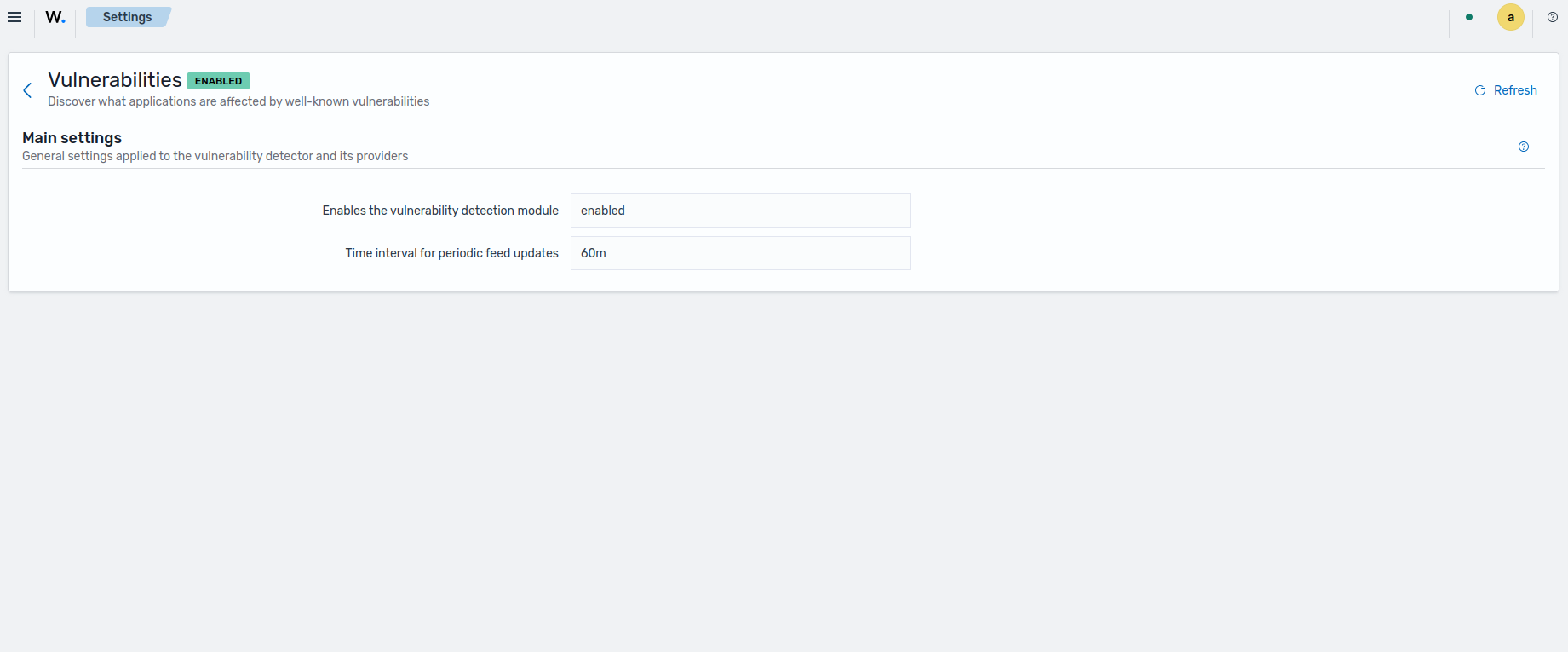
Navigate to Server management > Settings > Vulnerabilities and check that Vulnerability detection is enabled.
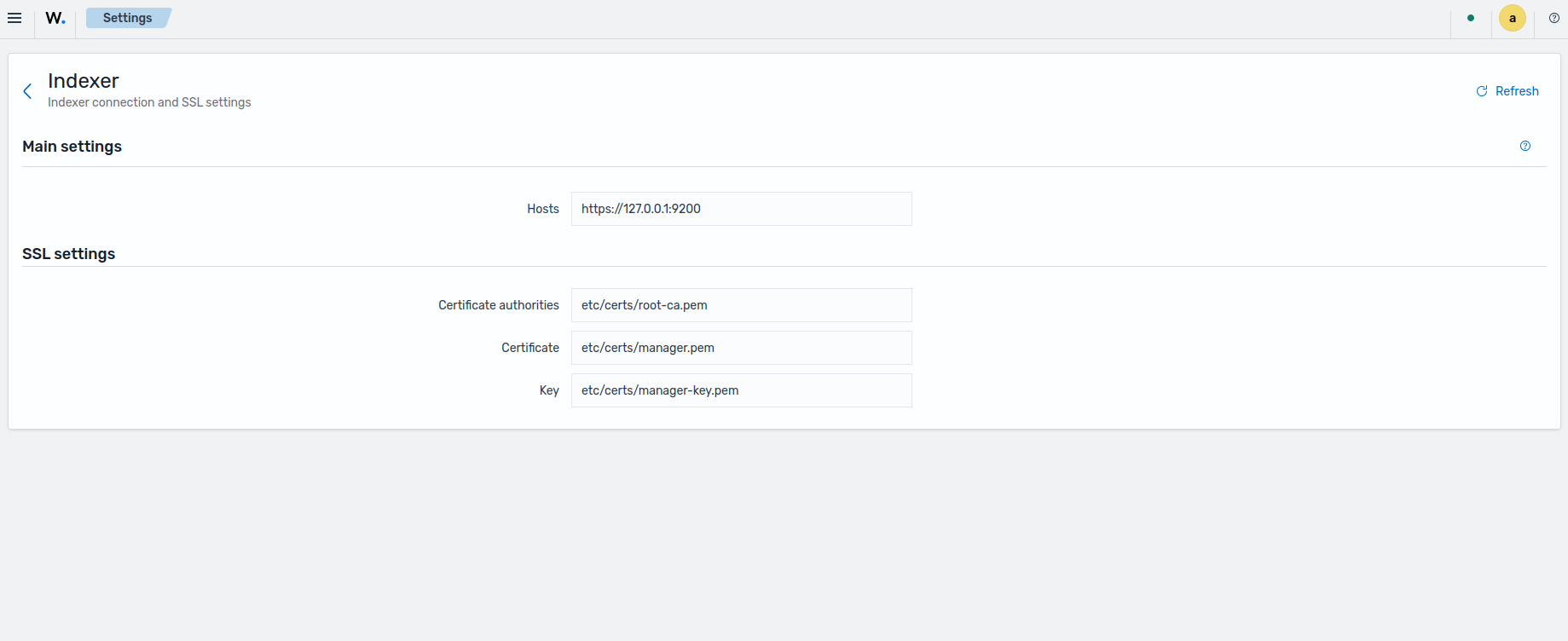
Navigate to Server management > Settings > Indexer and check that the Wazuh indexer connection is properly configured:
Test the configuration
The time it takes to detect vulnerabilities depends on the <interval> value in the Syscollector module, configured in the /var/ossec/etc/ossec.conf file on the Wazuh agent. For this test, we reduce the Syscollector module interval time from 1h to 10m.
<!-- System inventory -->
<wodle name="syscollector">
  <disabled>no</disabled>
  <interval>10m</interval>
  <scan_on_start>yes</scan_on_start>
  <hardware>yes</hardware>
  <os>yes</os>
  <network>yes</network>
  <packages>yes</packages>
  <ports all="yes">yes</ports>
  <processes>yes</processes>
  <users>yes</users>
  <groups>yes</groups>
  <services>yes</services>
  <browser_extensions>yes</browser_extensions>

  <!-- Database synchronization settings -->
  <synchronization>
    <enabled>yes</enabled>
    <interval>5m</interval>
    <max_eps>75</max_eps>
    <integrity_interval>24h</integrity_interval>
  </synchronization>
</wodle>
Restart the Wazuh agent to apply the configuration changes:
$ sudo systemctl restart wazuh-agent
Visualize the vulnerabilities
Visualize the detected vulnerabilities on the Wazuh dashboard. To see a list of active vulnerabilities, perform the following on the Wazuh dashboard:
Run the following commands to install the vulnerable openssh package v1.9
$ sudo apt update
$ sudo apt remove openssh-server openssh-client openssh-sftp-server
$ sudo apt install openssh-client=1:9.6p1-3ubuntu13 openssh-sftp-server=1:9.6p1-3ubuntu13 openssh-server=1:9.6p1-3ubuntu13
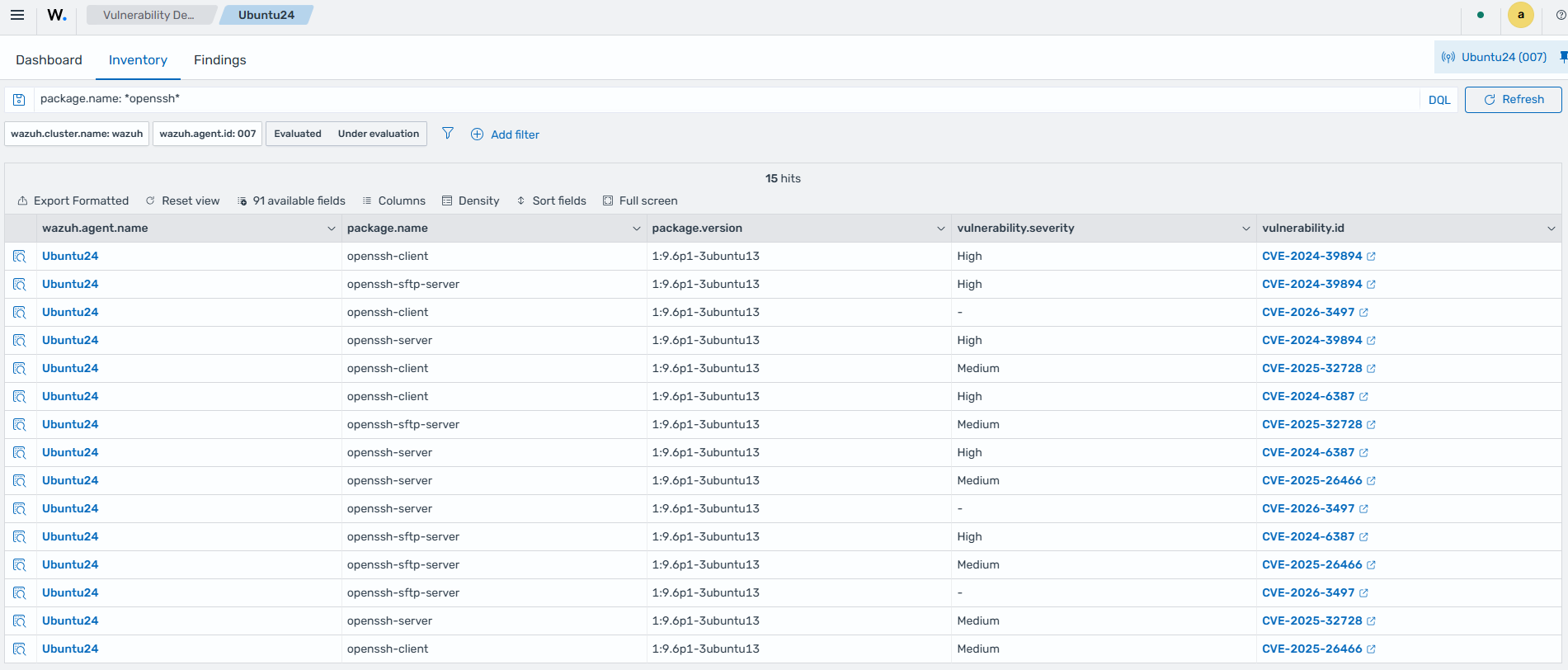
Go to Threat intelligence > Vulnerability Detection and select the Inventory tab.
Add the following filter to the search box
package.name: *openssh*then click Update. This shows vulnerabilities relating to openssh packages version 1.9.Note
Not all vulnerabilities added to or removed from the inventory generate findings. This depends on the event source. See Findings generation for more details.
Remove the vulnerable packages:
$ sudo apt remove openssh-server openssh-client openssh-sftp-server
After removing or updating the vulnerable package from the endpoint, wait a couple of minutes (depending on your <interval> setting) then perform the following steps:
Go to Threat intelligence > Vulnerability Detection and select the Inventory tab.
Add the following filter to the search box
package.name: *openssh*then click Update. The previously listedopensshrelated vulnerabilities are no longer visible.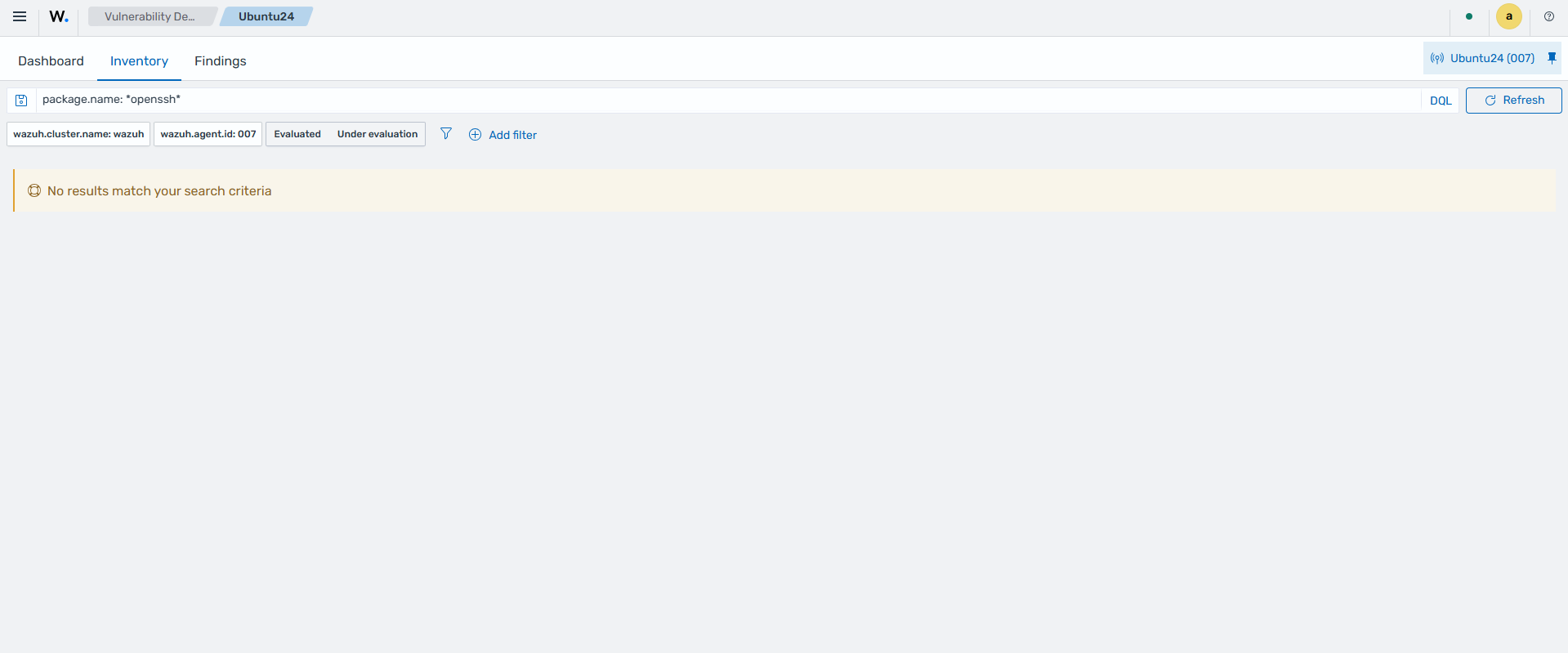
Switch to the Findings tab and confirm the resolved vulnerabilities. Apply the following filter values
package.name: *openssh* AND event.action: vulnerability-resolved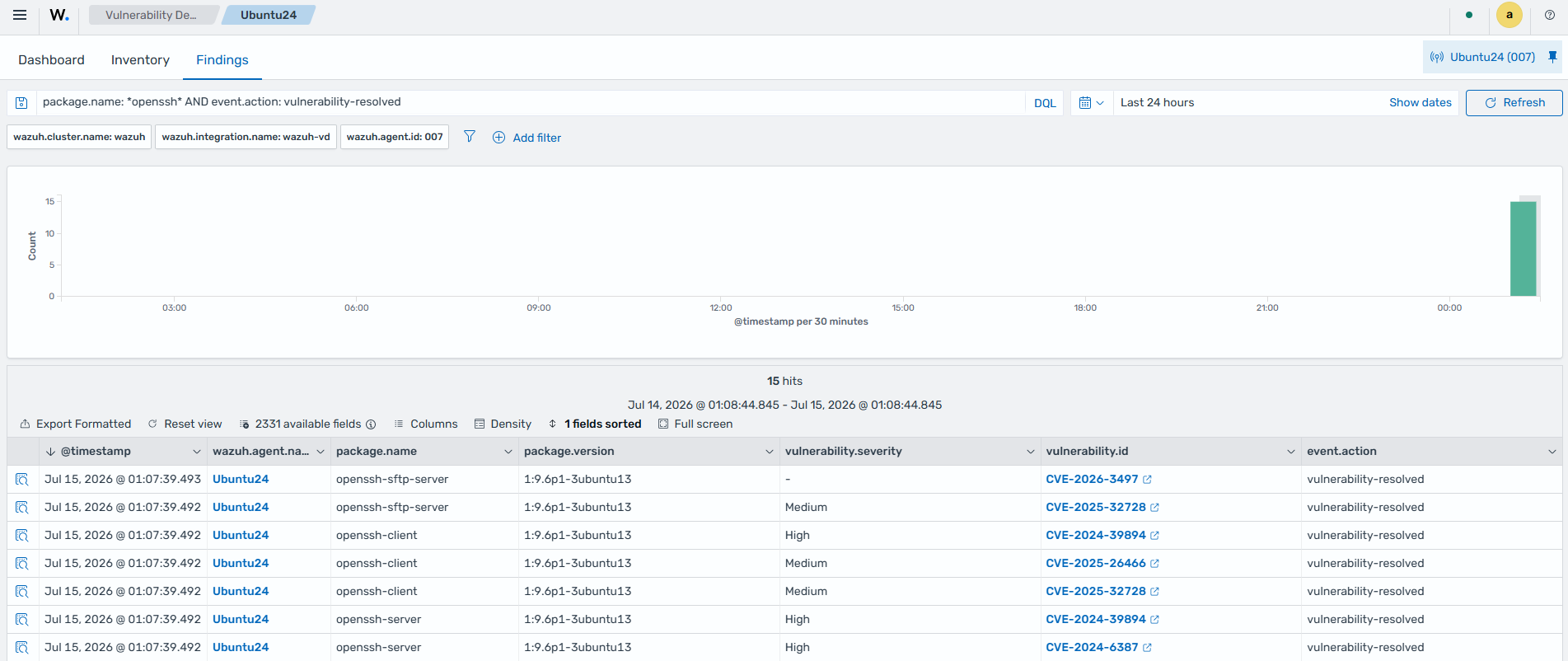
Viewing vulnerability data on Wazuh CTI
Wazuh Cyber Threat Intelligence (CTI) is an online platform that provides detailed information about vulnerabilities, including severity scores, affected packages, and remediation guidance. You can use it to gain deeper context into vulnerabilities detected on your endpoints. To access Wazuh CTI from the Wazuh dashboard, do the following:
Navigate to Threat Intelligence > Vulnerability Detection and select Inventory.
Locate the vulnerability you want to investigate and click it to open the vulnerability details panel.
In the details panel, click the View in Wazuh CTI link. This opens the Wazuh CTI portal in a new browser tab, displaying detailed information about the selected vulnerability.
On the Wazuh CTI portal, you can view the following information about a vulnerability:
CVE identifier: the unique ID assigned to the vulnerability.
CVSS score and severity rating: indicates the criticality of the vulnerability.
Affected software and versions: lists the packages and versions impacted by the vulnerability.
Description: a summary of the vulnerability and its potential impact.
Remediation guidance: recommended steps to resolve or mitigate the vulnerability.
You can also search for any vulnerability directly on the Wazuh CTI portal by entering its CVE identifier in the search bar.