Detect a network interface entering promiscuous mode
This use case demonstrates how Wazuh detects when a network interface enters promiscuous mode. Promiscuous mode allows a network interface to capture all network traffic it receives, regardless of the intended destination. While this mode is commonly used by legitimate network analysis tools, unexpected activation may indicate packet sniffing or unauthorized network monitoring.
Ubuntu endpoint
Perform the following actions to test the configuration:
Identify the network interface:
# ip link show
In this example, the network interface is
ens5.Enable promiscuous mode on the network interface:
# ip link set ens5 promisc on
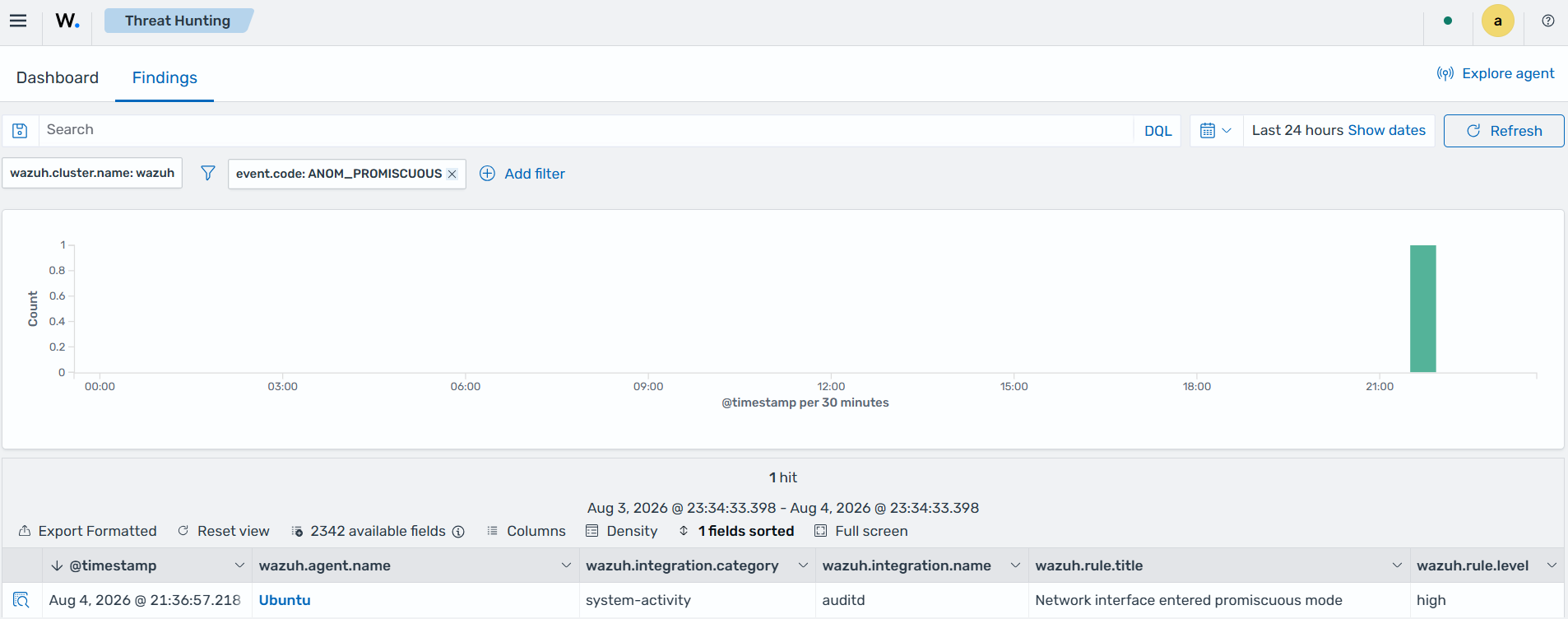
The command enables promiscuous mode on the specified network interface, causing the Linux Audit subsystem to generate an ANOM_PROMISCUOUS audit event.
Navigate to Threat Intelligence > Threat Hunting > Findings on the Wazuh dashboard to view the generated finding: