Monitor files at specific intervals
Compliance with regulatory standards and laws, such as PCI DSS, requires monitoring access and detecting changes to:
Critical files
Configuration files
Content files
This protects an organization's critical assets and data while helping detect potential security breaches.
You can run scheduled scans with the FIM module to detect file modifications. In this example, the file is user_details.txt, and FIM is scheduled to scan it every 5 minutes.
Use case description
Endpoint |
Description |
|---|---|
macOS Tahoe |
The FIM module monitors a file on this endpoint within specific intervals. |
Configuration
Perform the following steps to configure the FIM module to monitor a user_details.txt file every 5 minutes.
Create a text file
user_details.txtand save it in theDocumentsdirectory.Edit the Wazuh agent
/Library/Ossec/etc/ossec.confconfiguration file and add theuser_details.txtfile for monitoring:<syscheck> <frequency>300</frequency> <directories>/Users/*/Documents/user_details.txt</directories> </syscheck>
Note
The
frequencyoption is a global setting that defines the scan interval for all files and directories monitored in scheduled mode.Restart the Wazuh agent to apply the configuration:
/Library/Ossec/bin/wazuh-control restart
Test the configuration
Modify the
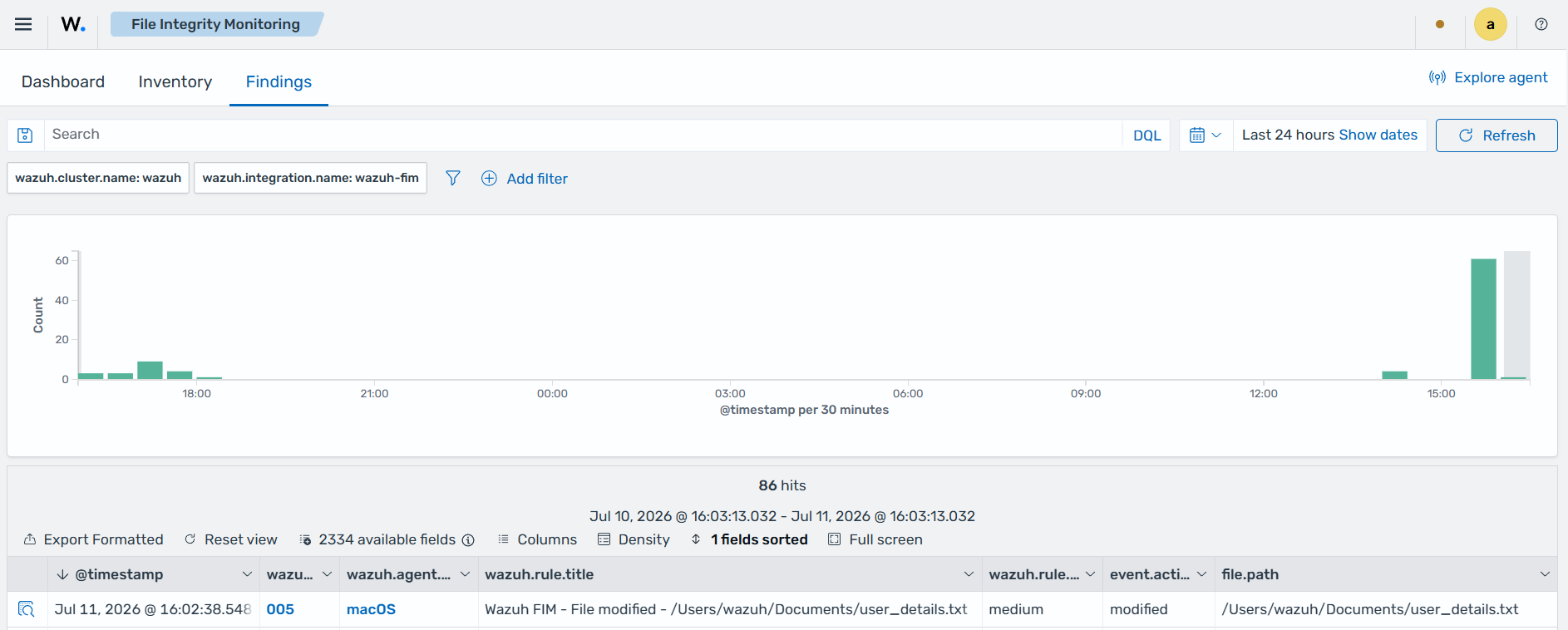
user_details.txtfile and wait for 5 minutes, which is the time configured for the FIM scan.
Visualize the finding
Navigate to Endpoint security → File Integrity Monitoring → Findings on the Wazuh dashboard to view the finding generated when the FIM module detects changes to the user_details.txt file.