HIPAA § 164.312(a)(2)(iii) - Automatic logoff
The HIPAA § 164.312(a)(2)(iii) requirement states, "Implement electronic procedures that terminate an electronic session after a predetermined time of inactivity."
This requirement mandates configuring systems to automatically terminate electronic sessions after a defined period of inactivity.
Wazuh helps meet this requirement through the Security Configuration Assessment (SCA) module, which evaluates monitored endpoints against security configuration policies. One example is SCA check 41646 from the cis_ubuntu26-04 SCA policy file. The check verifies that ClientAliveInterval and ClientAliveCountMax are configured to enforce an SSH idle timeout. The check returns a Failed result when the SSH session timeout is not configured.
Use case: SSH session timeout
In the use case, the Wazuh SCA module runs check 41646 on an Ubuntu 26.04 endpoint to verify that inactive SSH sessions terminate after a defined period.
Wazuh dashboard
Click Configuration Assessment from the Wazuh Overview dashboard:
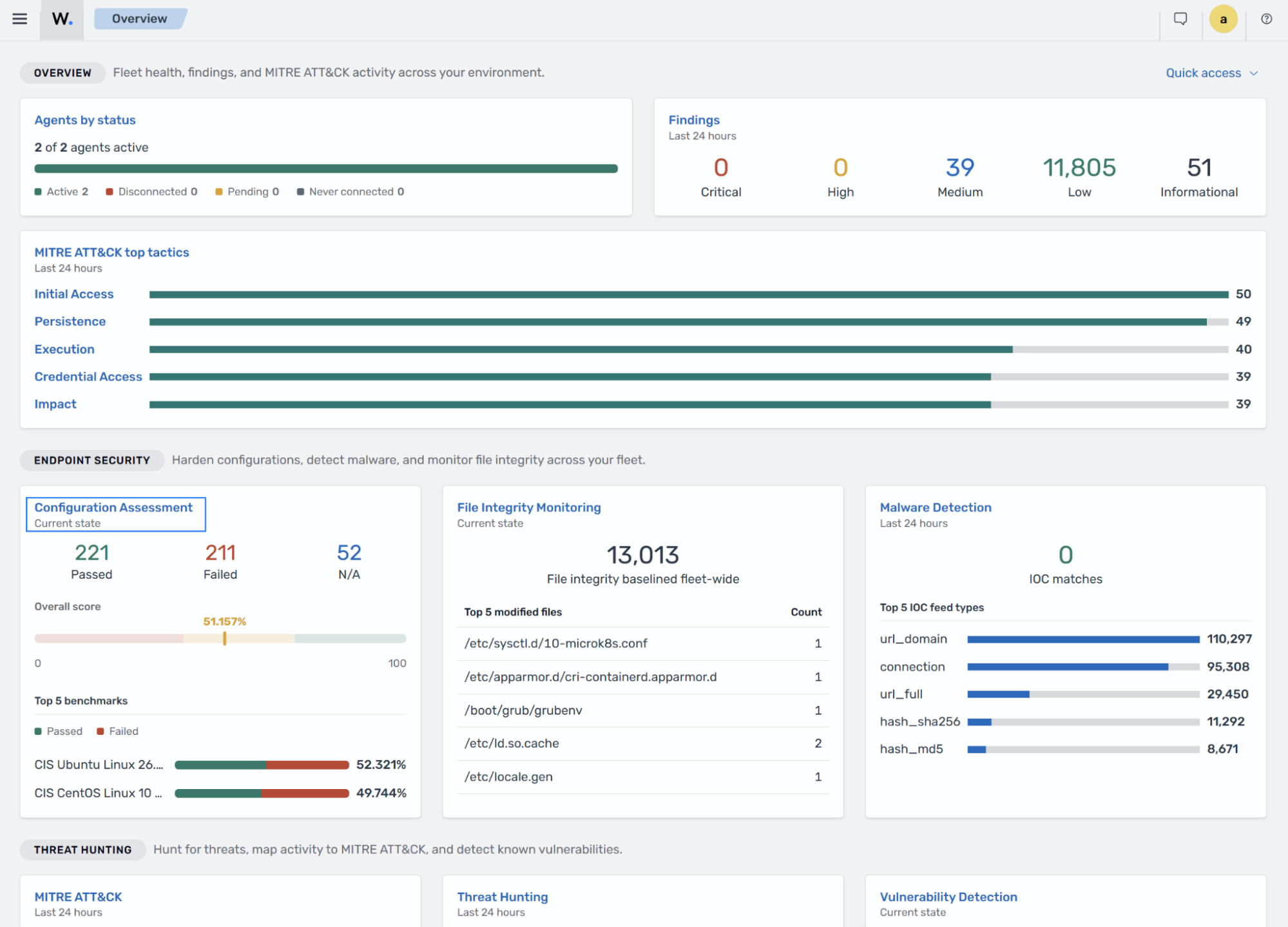
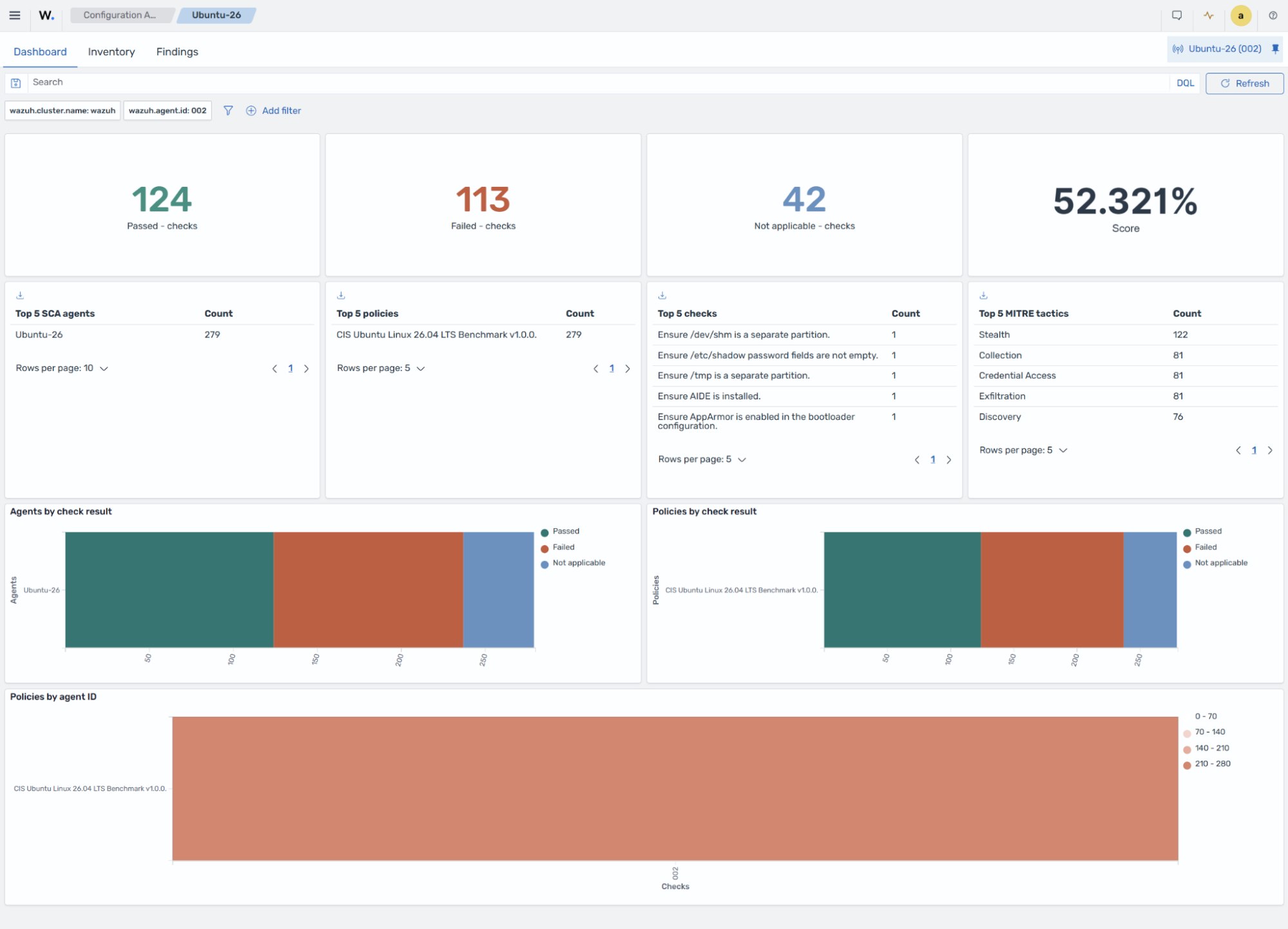
Go to the Inventory tab and apply the
check.id: 41646filter: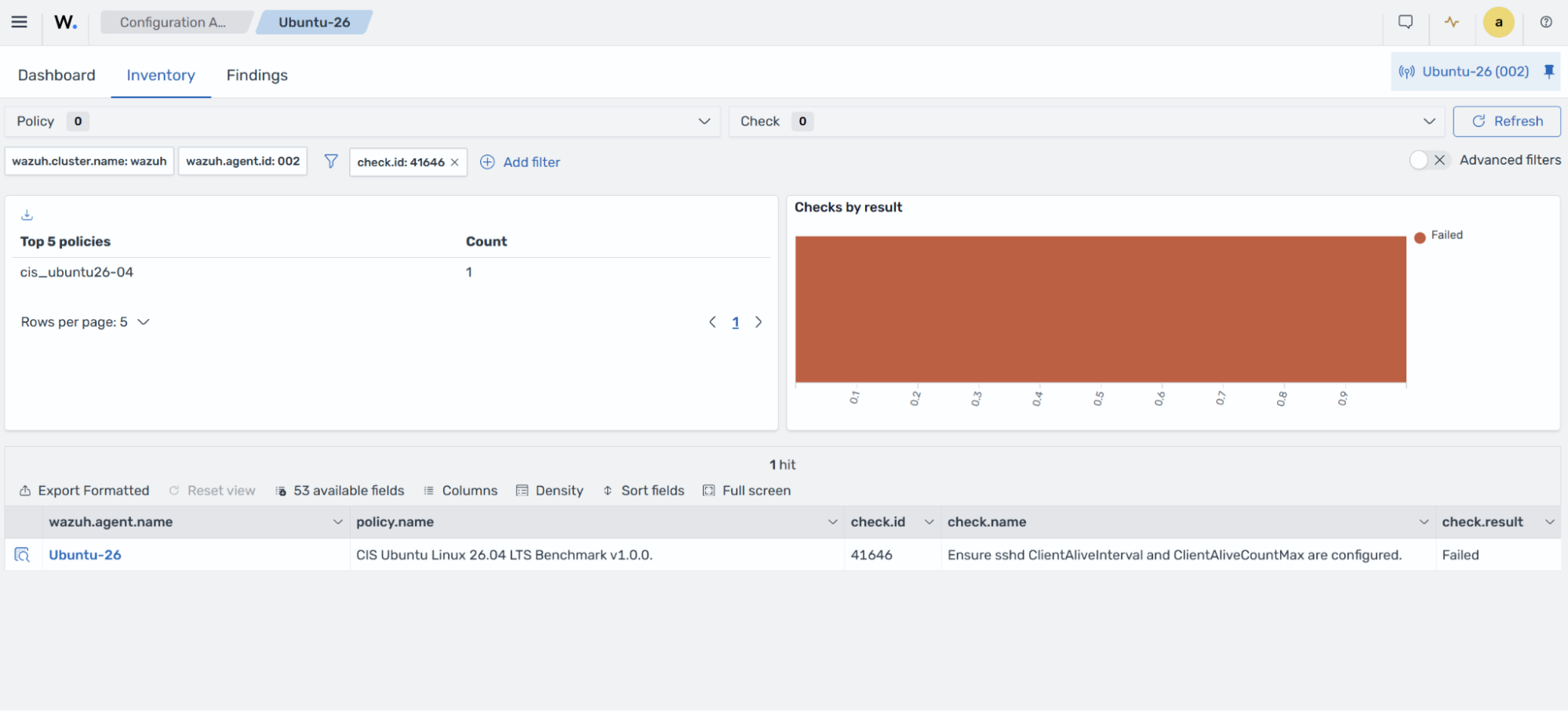
The check fails because
ClientAliveIntervalandClientAliveCountMaxare not configured. Expand the finding to see the check name, description, rationale, compliance mapping, and other information.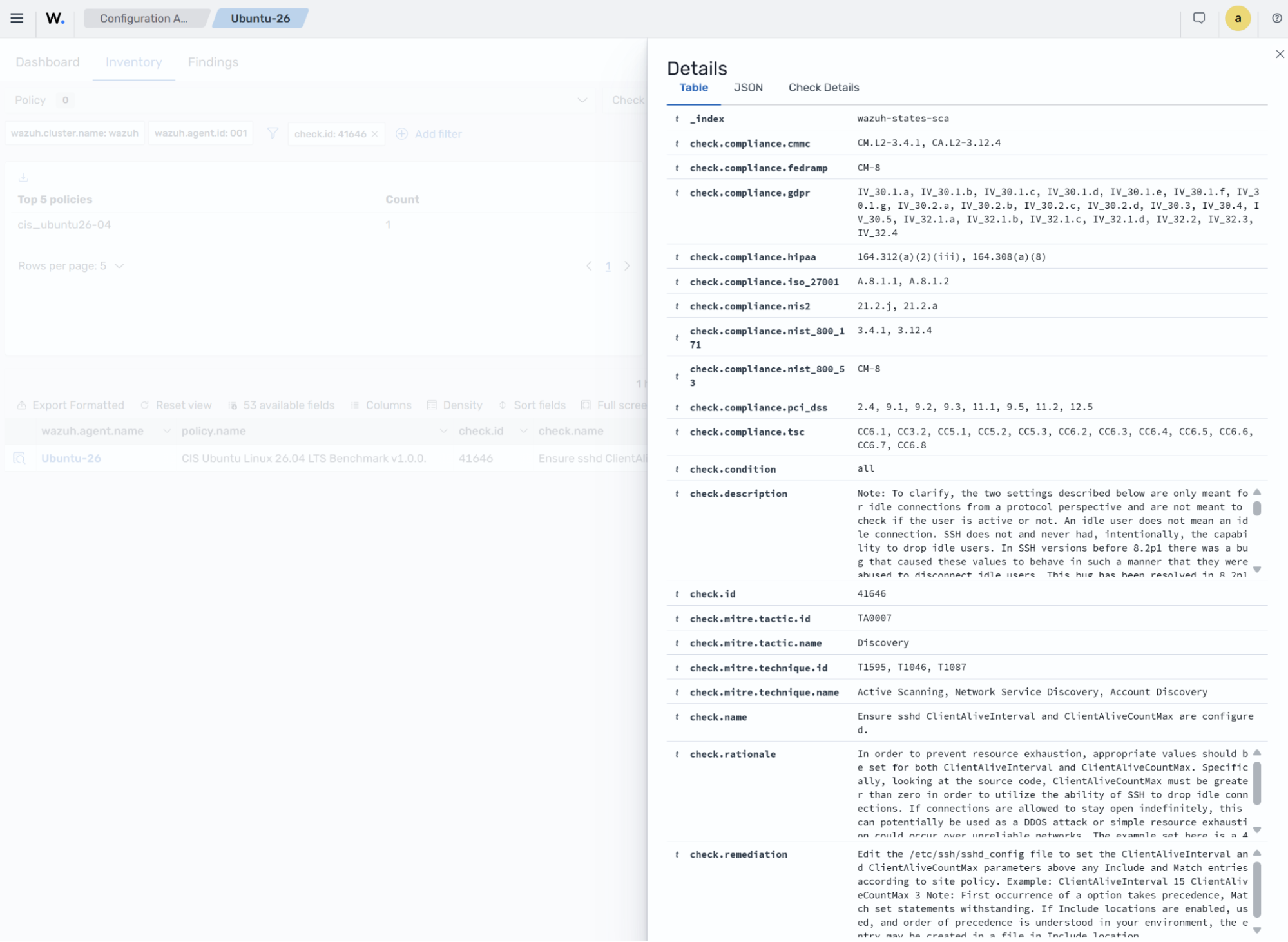
Configure the
ClientAliveIntervalandClientAliveCountMaxoptions in the/etc/ssh/sshd_configfile. In this example, the SSH server sends a probe every 15 seconds and disconnects the client after three consecutive unanswered probes.ClientAliveInterval 15 ClientAliveCountMax 3
Restart the Wazuh agent to force a new SCA scan:
# systemctl restart wazuh-agent
Go to the Findings tab and apply the
check.id: 41646filter.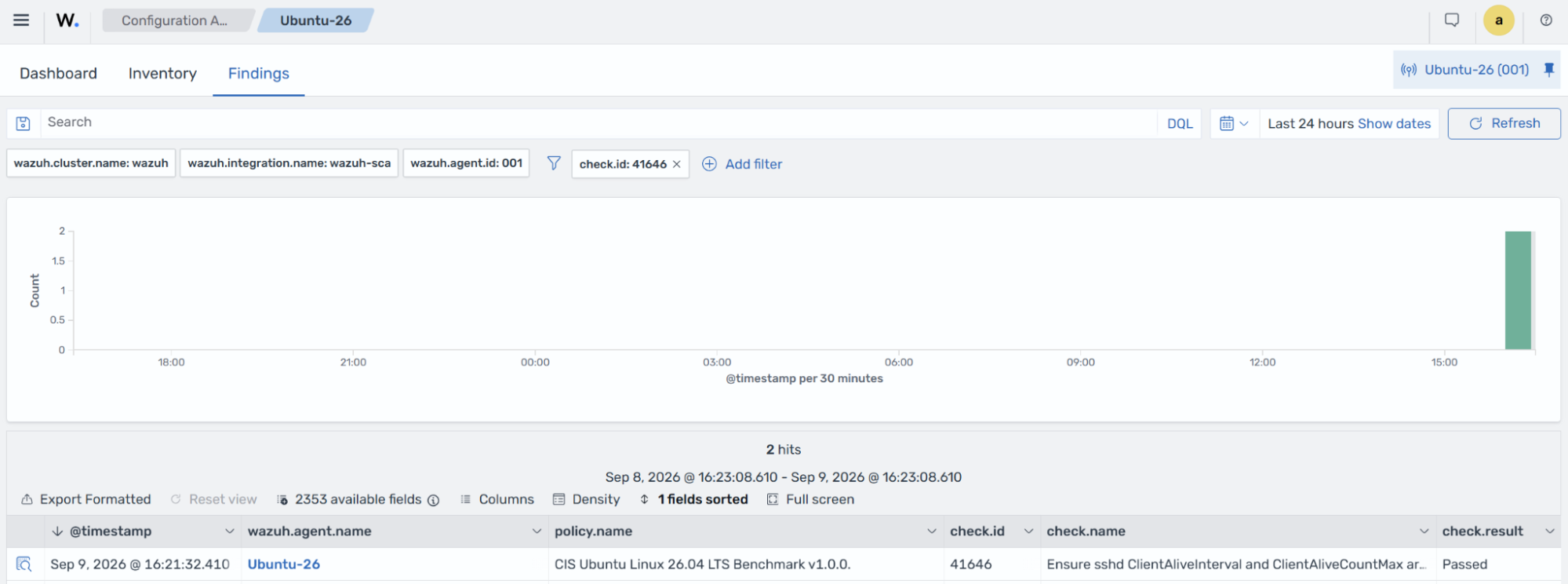
The check now passes after updating the SSH configuration.