Monitoring AWS infrastructure
This use case shows how the Wazuh module for AWS (aws-s3) enables log data collection from different AWS sources. To learn more about monitoring AWS resources, see the Using Wazuh to monitor AWS section of the documentation.
Infrastructure
Cloud service |
Description |
|---|---|
Amazon CloudTrail |
AWS CloudTrail, like all other supported AWS services, requires setting the necessary policies for user permissions and providing a valid authentication method. In this PoC, we use the profile authentication method. |
Configuration
Take the following steps to configure Wazuh to monitor Amazon CloudTrail services and identify security incidents.
CloudTrail
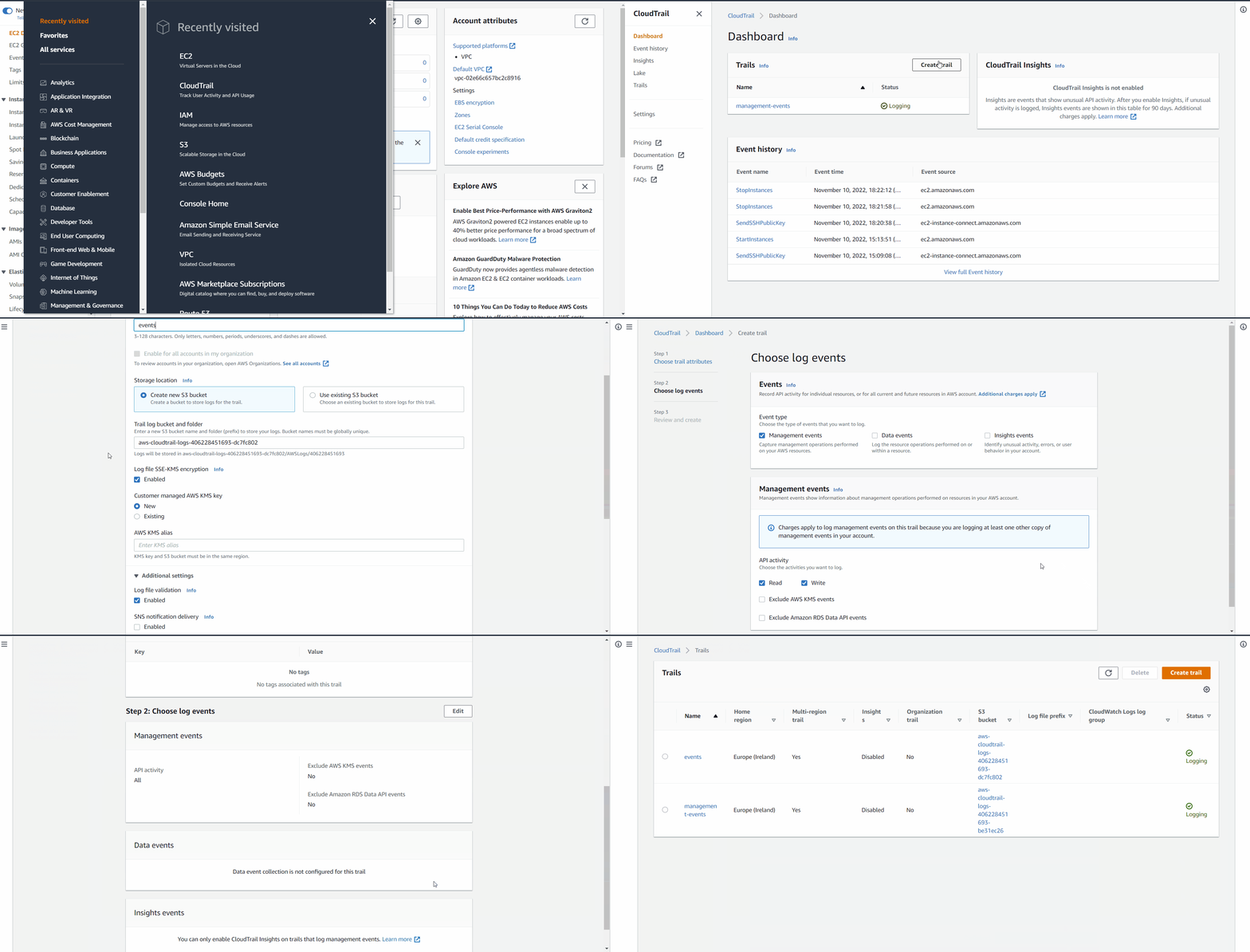
Access the CloudTrail service using the AWS console.
Create a new trail.
Choose whether to create a new S3 bucket or specify an existing one to store CloudTrail logs. Note down the name of the S3 bucket used, as it is necessary to specify it in the Wazuh configuration.
The image below shows how to create a new CloudTrail service and attach a new S3 bucket.
Wazuh agent
Enable the Wazuh AWS module in the
/var/ossec/etc/ossec.confconfiguration file on the Wazuh agent. Add only the AWS buckets of interest. Read our guide on how to configure AWS credentials:<wodle name="aws-s3"> <disabled>no</disabled> <interval>30m</interval> <run_on_start>yes</run_on_start> <skip_on_error>no</skip_on_error> <bucket type="cloudtrail"> <name><AWS_BUCKET_NAME></name> <aws_profile><AWS_PROFILE_NAME></aws_profile> </bucket> </wodle>
Restart the Wazuh agent to apply the changes:
$ sudo systemctl restart wazuh-agent
Test the configuration
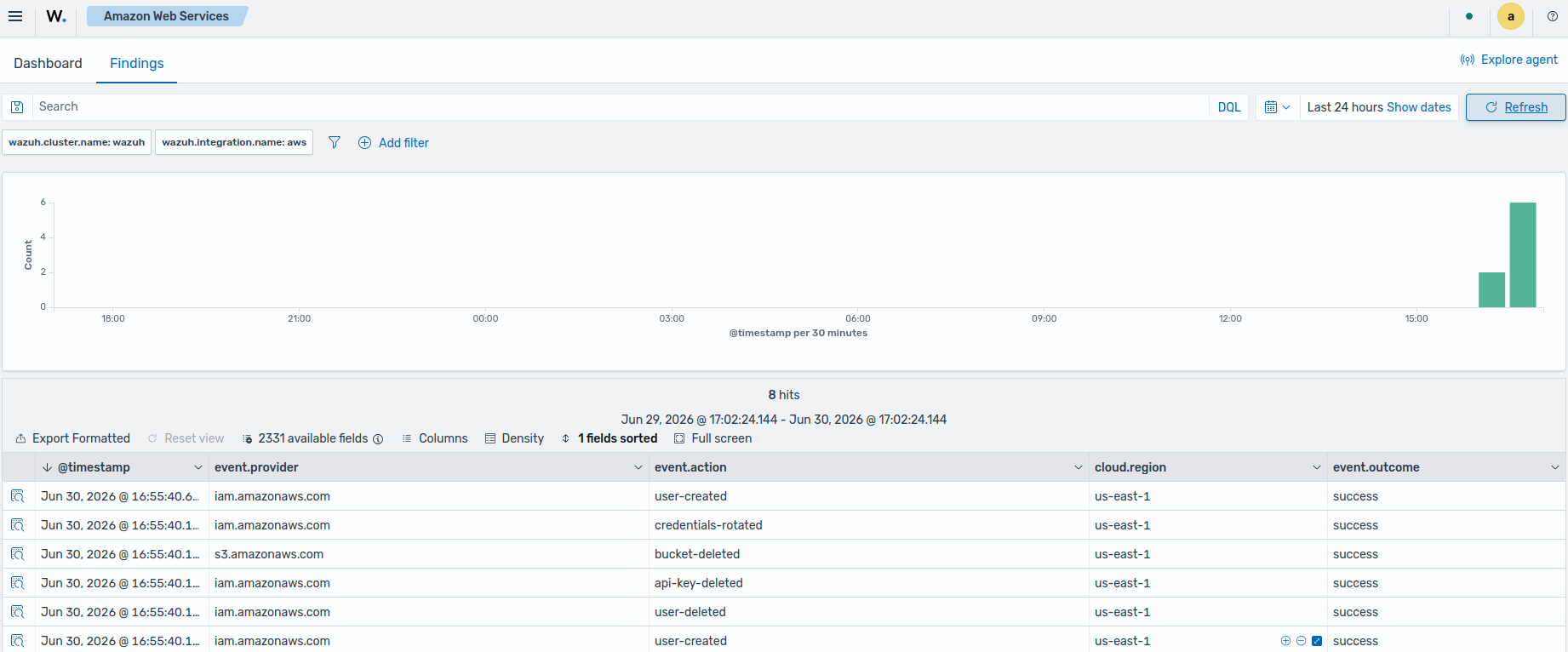
Once you configure CloudTrail, you can generate events by creating a new IAM user account using the IAM service. This generates an event that Wazuh processes. The Wazuh default ruleset parses AWS logs and generates findings automatically. The alerts appear as soon as Wazuh receives the logs from the AWS S3 bucket. You can also find additional CloudTrail use cases in our documentation.
Visualize the findings
You can visualize the findings on the Wazuh dashboard. Go to Cloud security > Amazon Web Services and select Findings.