Log data analysis
Log messages from devices, systems, and applications often carry evidence of an attack. The Wazuh Logcollector module receives logs through text files or Windows event logs. It can also directly receive logs via remote syslog, which is useful for firewalls and other such devices.
Wazuh agents use the Logcollector module to collect events from monitored endpoints and applications. The Wazuh agents forward these events to the Wazuh manager, where the normalization engine processes them. The Wazuh manager then sends the normalized data to the Wazuh indexer for rule matching and indexing. This processed data supports threat detection, prevention, and active response.
The Logcollector module helps to meet the following PCI DSS requirement:
Requirement 10 - Log and Monitor All Access to System Components and Cardholder Data: This control mandates logging and monitoring user activities by employees, contractors, consultants, vendors, third parties, and other authorized users for a specified period.
To help meet this requirement, the Wazuh agent uses the Logcollector module to collect endpoint logs or receive syslog messages from network and other syslog-enabled devices. The Wazuh manager normalization engine decodes the logs to extract the relevant fields, then forwards the normalized events to the Wazuh indexer. The detection engine in the Wazuh indexer evaluates them against the ruleset and triggers a finding when an event matches a rule. Refer to rules for more information.
Wazuh also logs events that do not trigger a finding using the storage of unclassified events feature and the Wazuh indexer's long-term storage. To store events that no rule matched, see enabling unclassified events storage.
Use cases
Below are PCI DSS requirements that the Wazuh Logcollector module can meet.
PCI DSS requirement 10.2.2
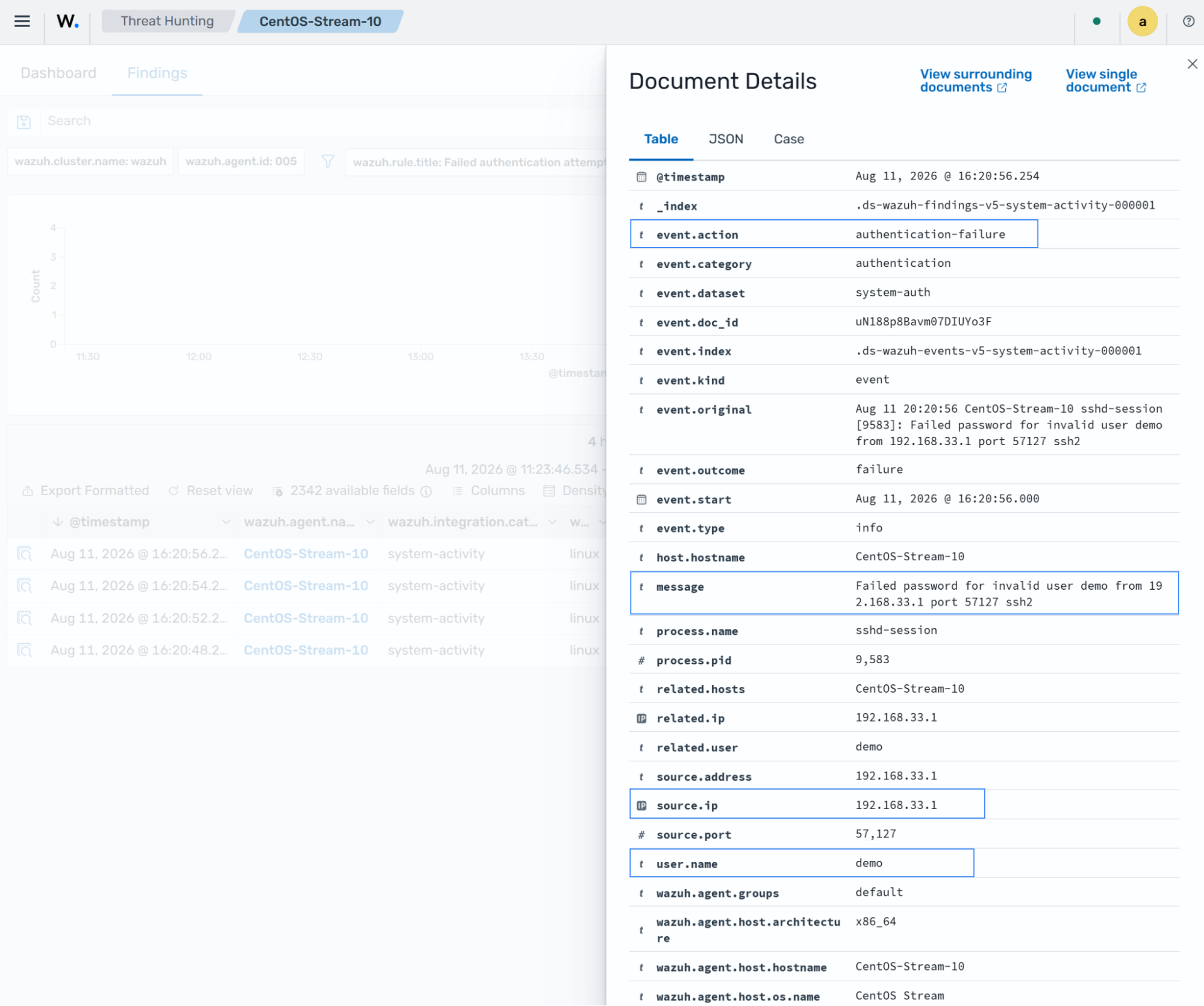
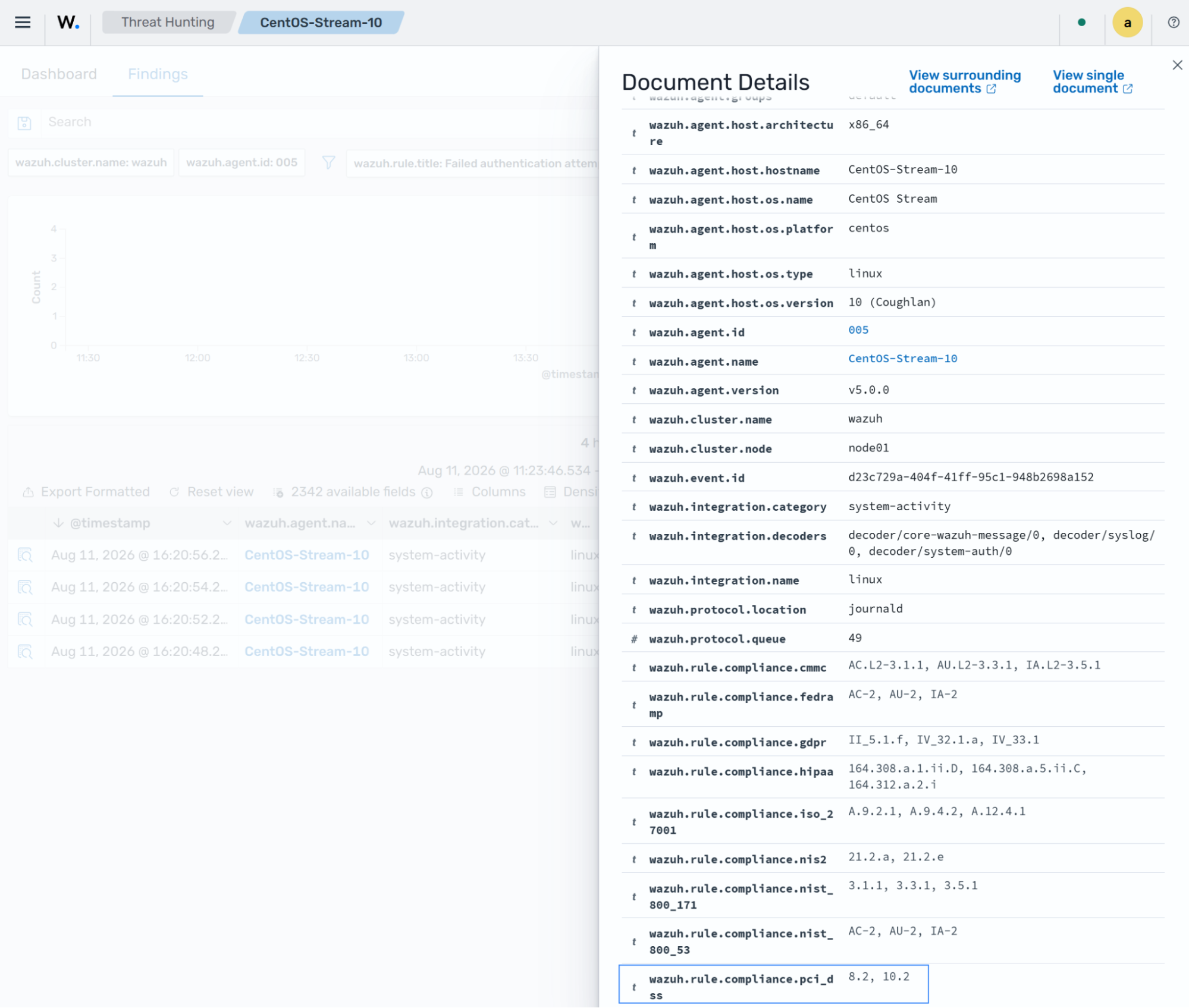
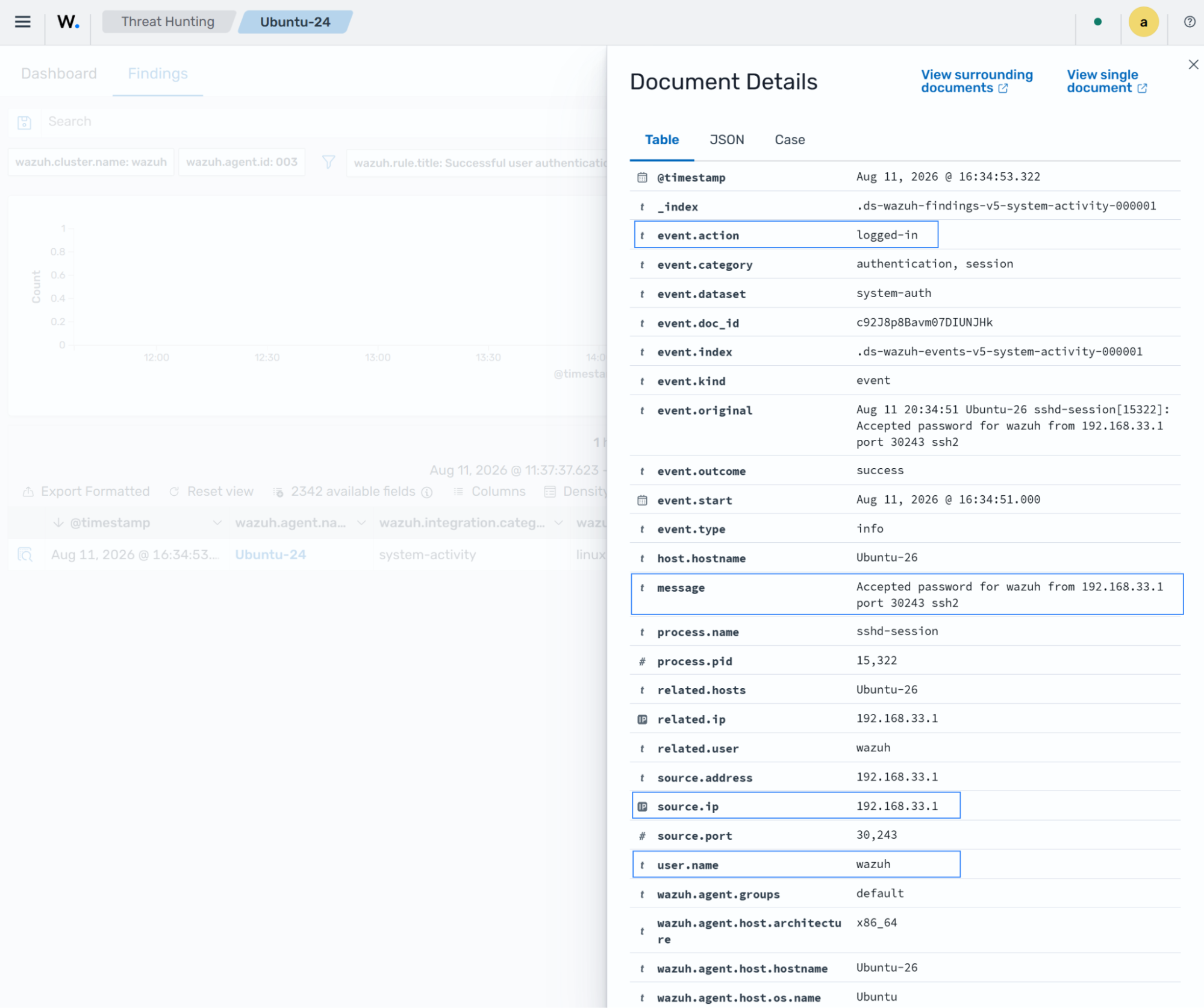
PCI DSS requirement 10.2.2 mandates that audit logs record the following details for each auditable event:
User identification
Type of event
Date and time
Success and failure indication
Origination of the event
Identity or name of affected data, system component, resource, or service (for example, name and protocol)
The following Wazuh rules help achieve this requirement:
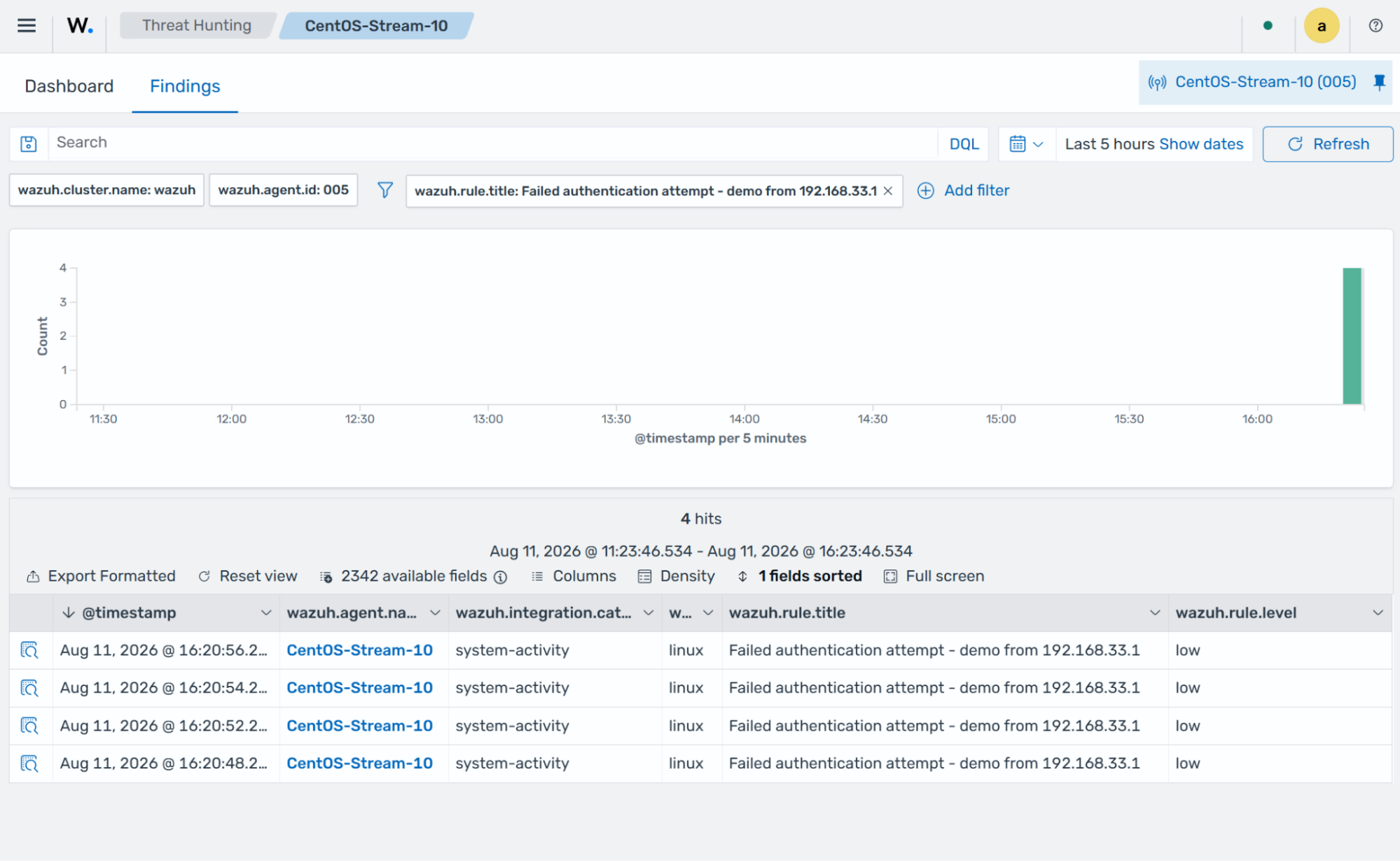
Failed authentication attempt
This rule triggers a finding when a non-existent user tries to log in to a system via SSH. The generated finding contains the information required by PCI DSS requirement 10.2.2. The screenshot below shows the finding generated on the dashboard.
Successful user authentication
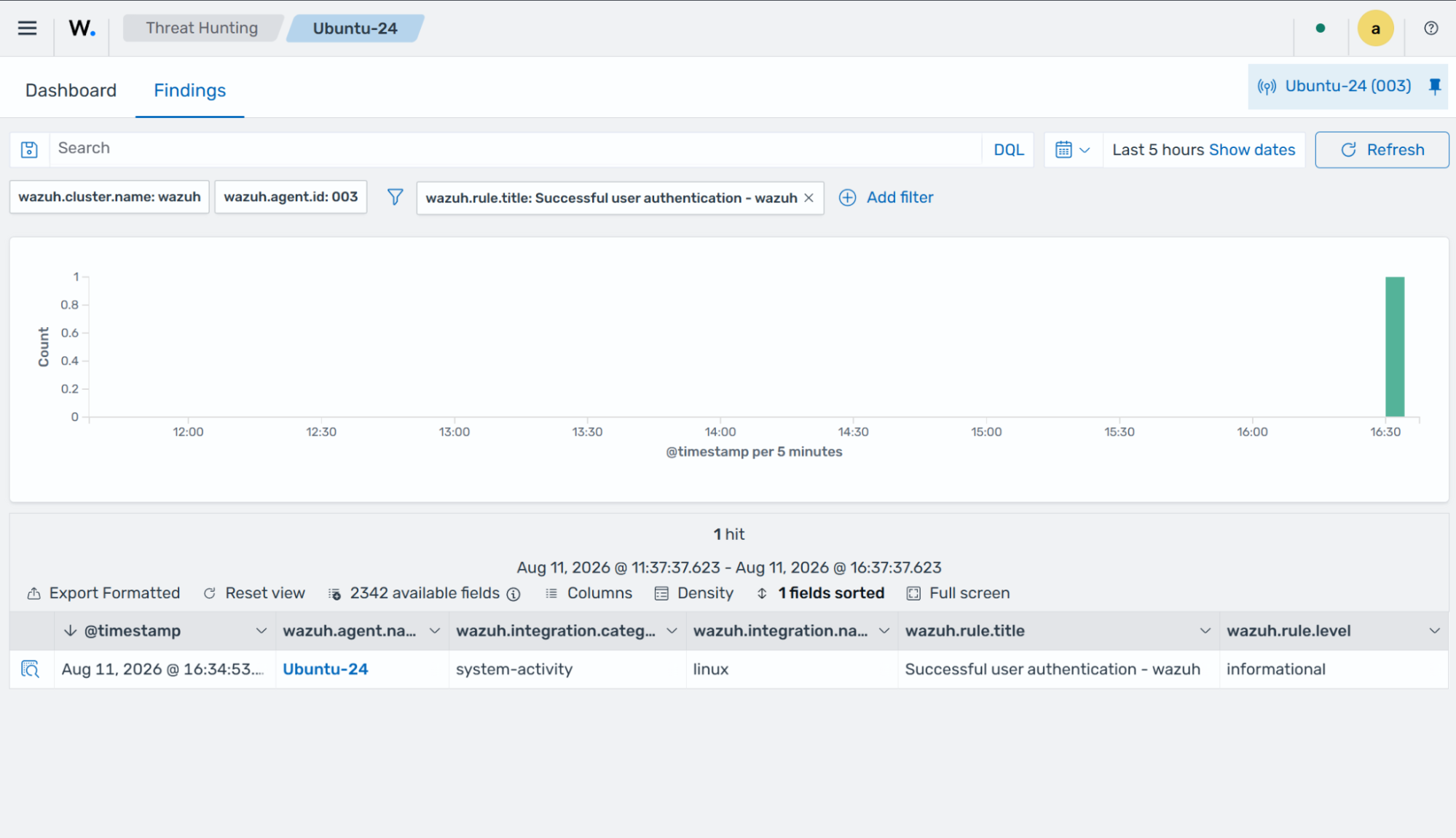
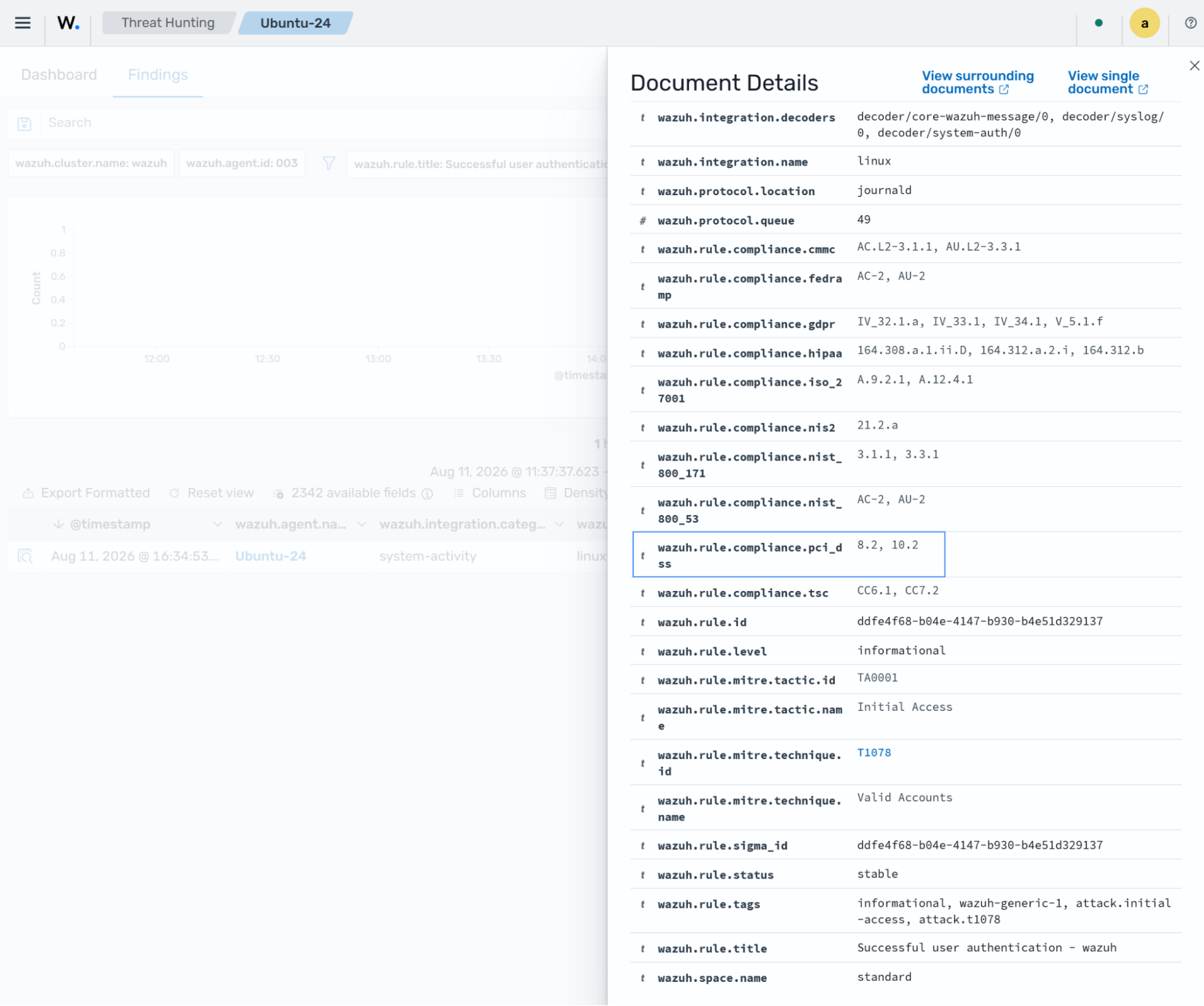
This rule triggers a finding when a user successfully logs in to a system via SSH. The generated finding contains the information required by PCI DSS requirement 10.2.2. The screenshot below shows the finding generated on the dashboard.
PCI DSS requirement 10.4.1
PCI DSS requirement 10.4.1 mandates that the following audit logs be reviewed at least once daily:
All security events
Logs of all system components that store, process, or transmit cardholder data (CHD) and/or sensitive authentication data (SAD)
Logs of all critical system components
Logs of all servers and system components that perform security functions (for example, network security controls, intrusion-detection systems/intrusion-prevention systems (IDS/IPS), and authentication servers)
This requirement mandates that logs are analyzed for indicators of compromise at least once daily. The following Wazuh rules help to meet this requirement:
System service installed
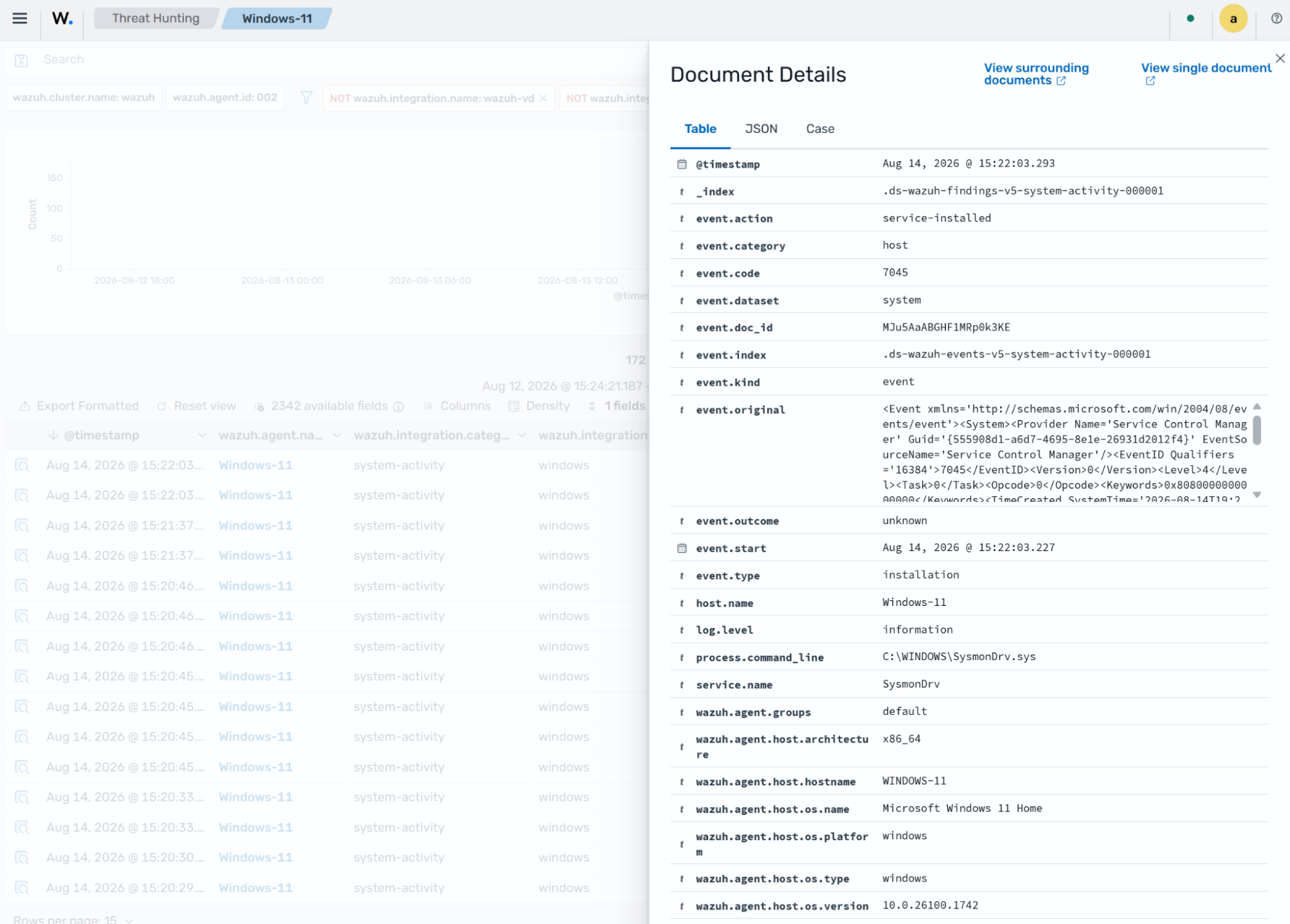
This rule triggers a finding after the detection engine analyzes the system logs from a Windows endpoint and determines that a new service was created. In the finding, you can see the service name, event type, installation time, and other information.
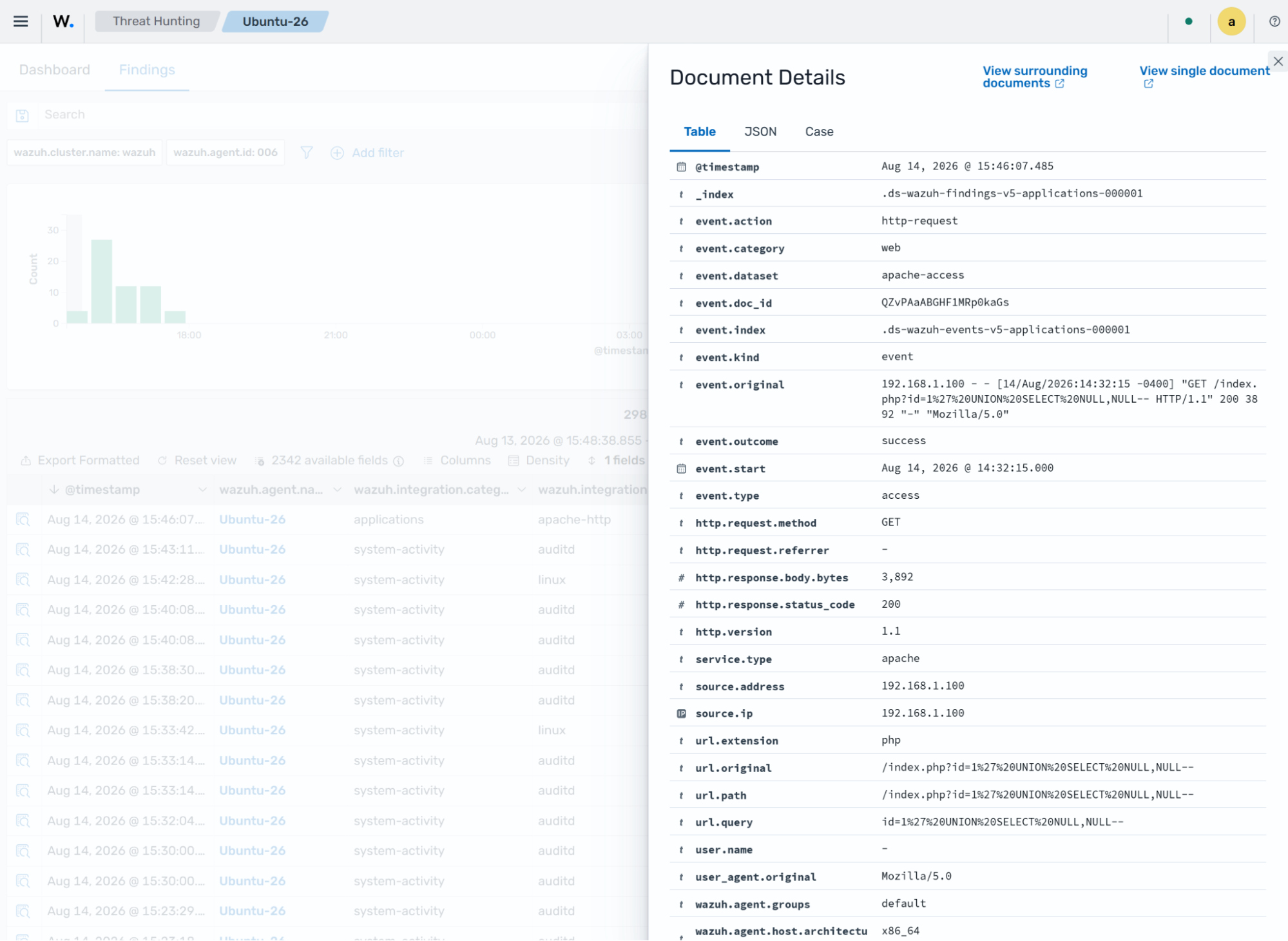
SQL injection strings in URI
This rule triggers a finding when the detection engine analyzes logs indicating a SQL injection attack from a WAF or web application. In the finding, you can see the full event log, event type, HTTP request method, and other information.
PCI DSS requirement 10.5.1
PCI DSS requirement 10.5.1 mandates that you retain audit log history for at least 12 months, with the most recent 3 months immediately available for analysis. You can meet this requirement by enabling storage of unclassified events and configuring data stream lifecycle management.
Enable the storage of unclassified events
Unclassified event indexing keeps events that no rule matched, while data stream lifecycle management controls how long these events remain available for review. Together, these features allow you to retain up to 12 months of log history for investigation and analysis.
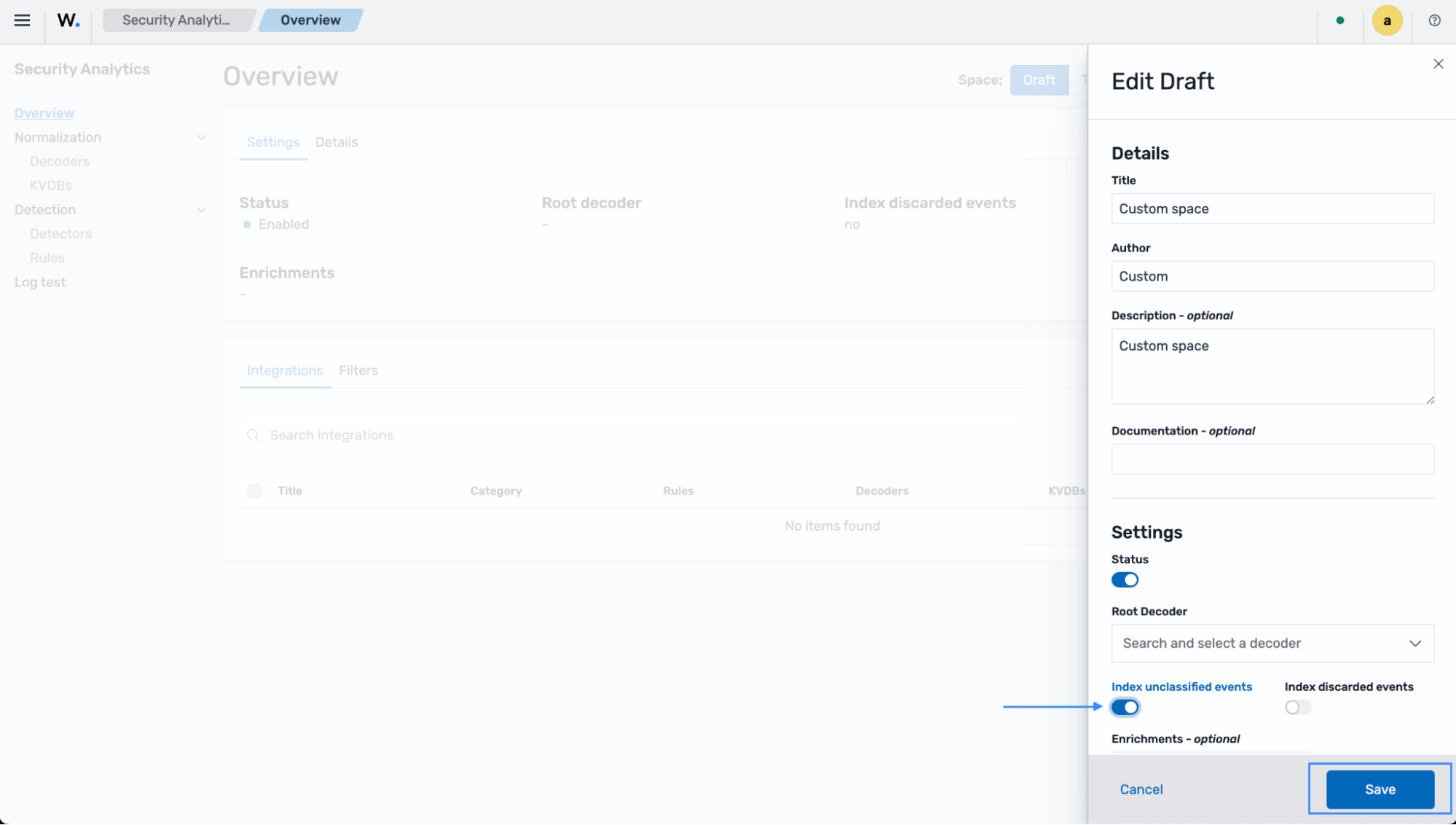
Unclassified event indexing is configured per space. When enabled for the relevant space, events that cannot be decoded or classified are stored in the wazuh-events-v5-unclassified index.
Navigate to the Security Analytics dashboard, select the space you want to enable unclassified events for, select the Actions drop-down menu, and select Edit.
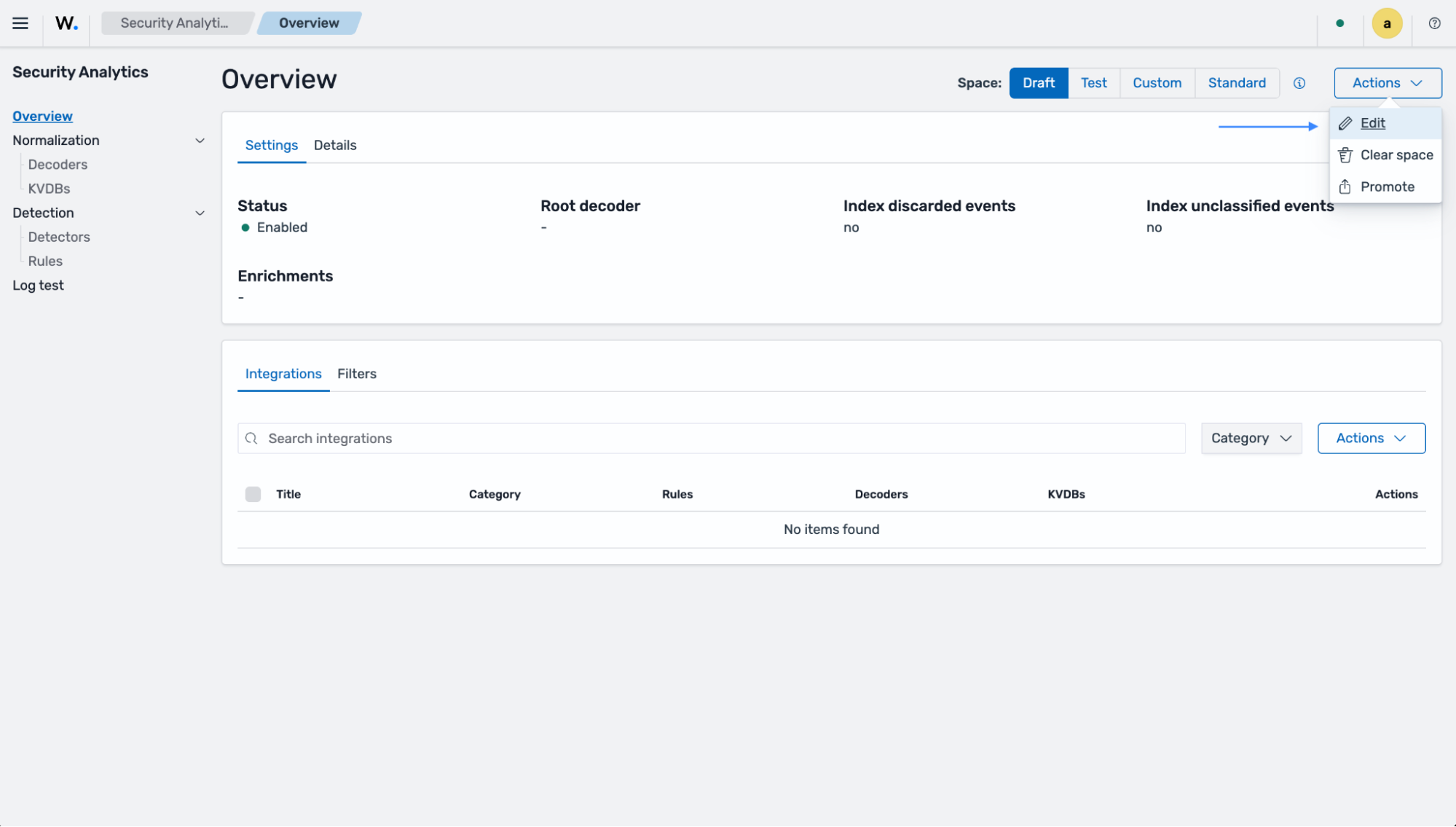
Toggle on Index unclassified events, and click Save.