Interpreting FIM scans
The Wazuh dashboard displays FIM events whenever a monitored file is added, modified, or deleted. To view them, go to Endpoint security → File Integrity Monitoring on the Wazuh dashboard. Results appear in the following tabs:
Dashboard
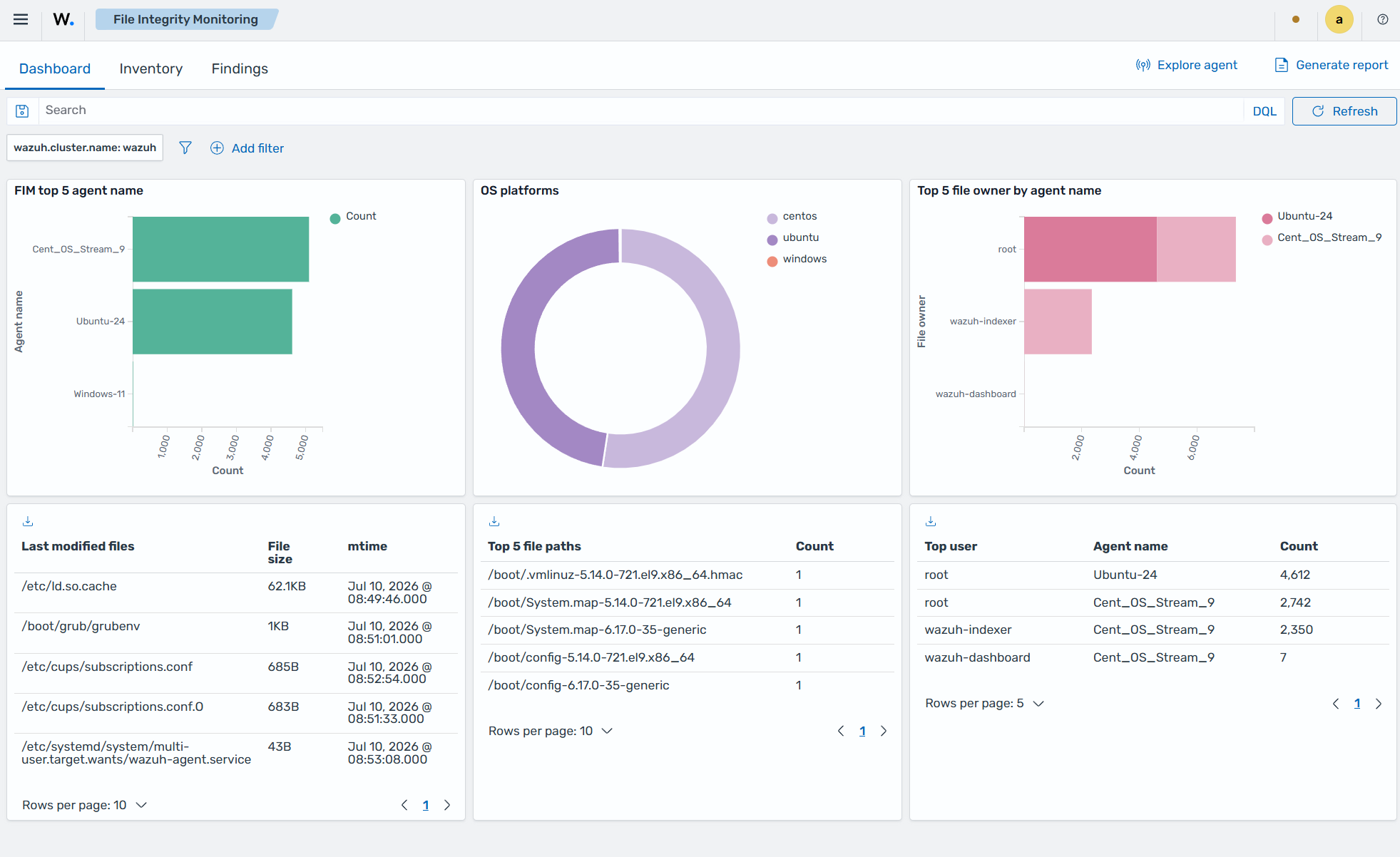
The Dashboard section shows an overview of FIM events across your environment, covering all monitored agents or a single endpoint you select.
The image below shows an overview of FIM events for all monitored endpoints.
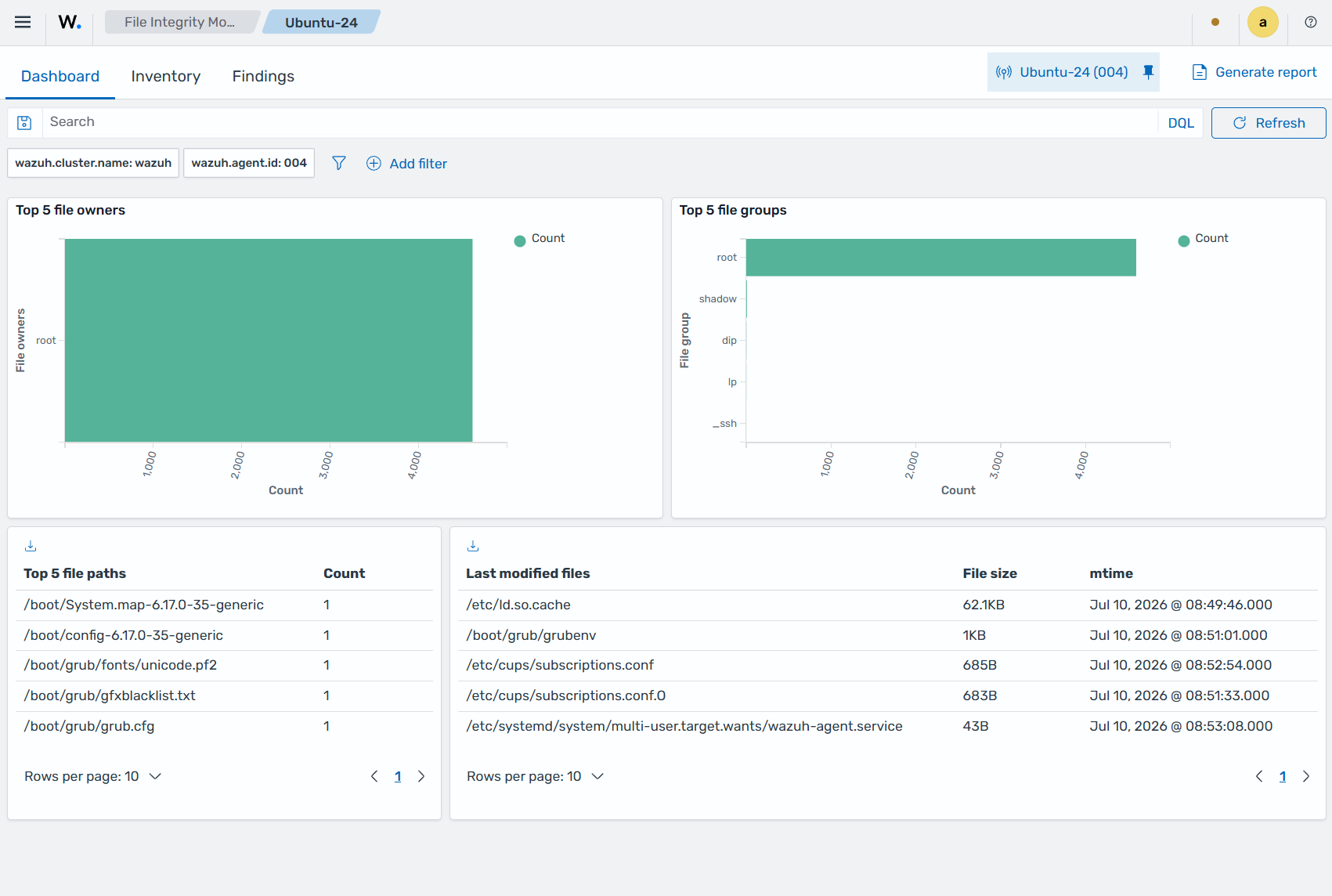
The image below shows an overview of FIM events for an Ubuntu endpoint.
Inventory
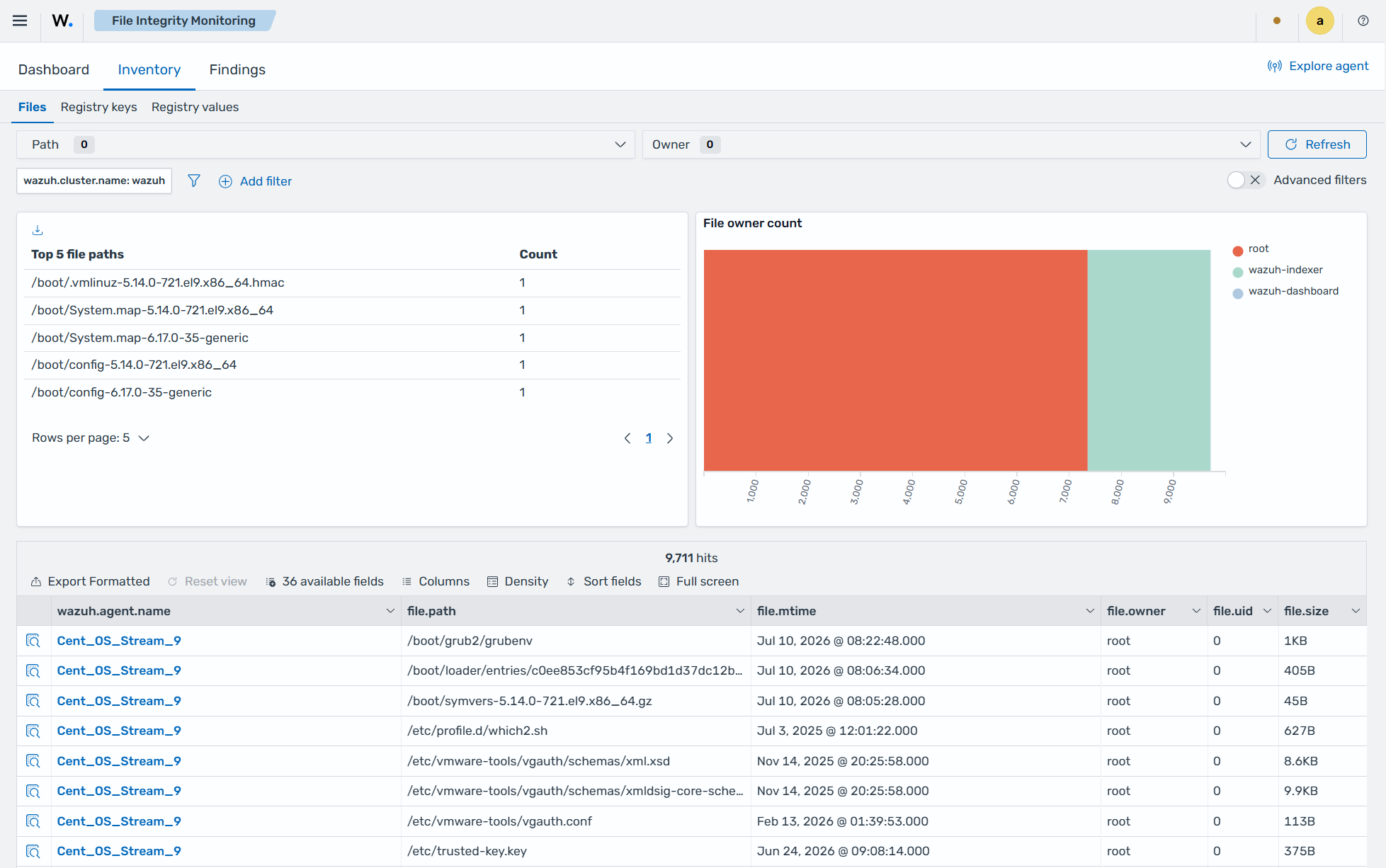
This section displays an inventory of all files the FIM module has indexed, including each file's path, modification date, owner, UID, and size.
The image below shows the file inventory of a CentOS Stream 9 endpoint.
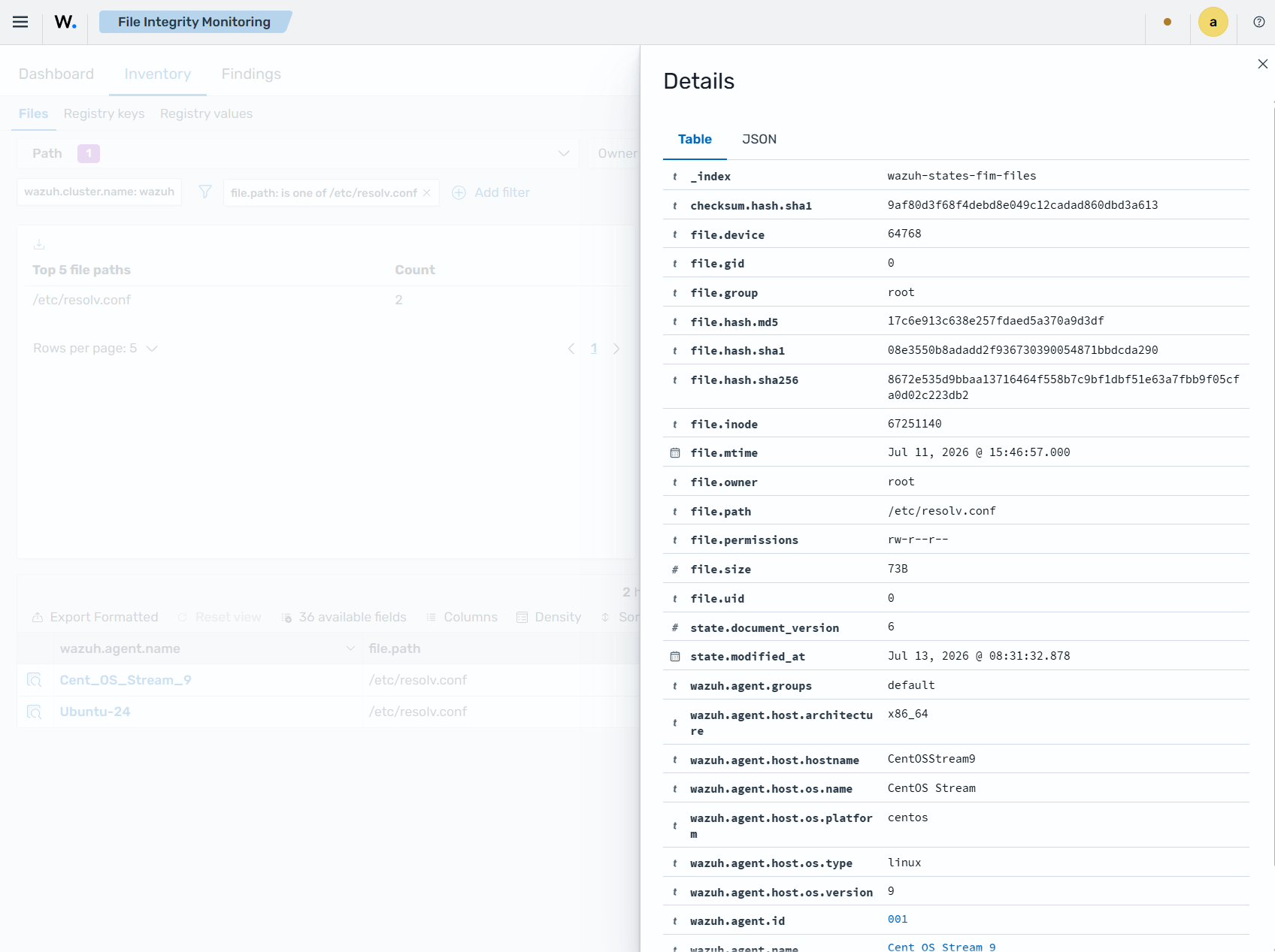
Click a file entry to view its attributes and other details. The image below shows the details for the /etc/resolv.conf file.
Findings
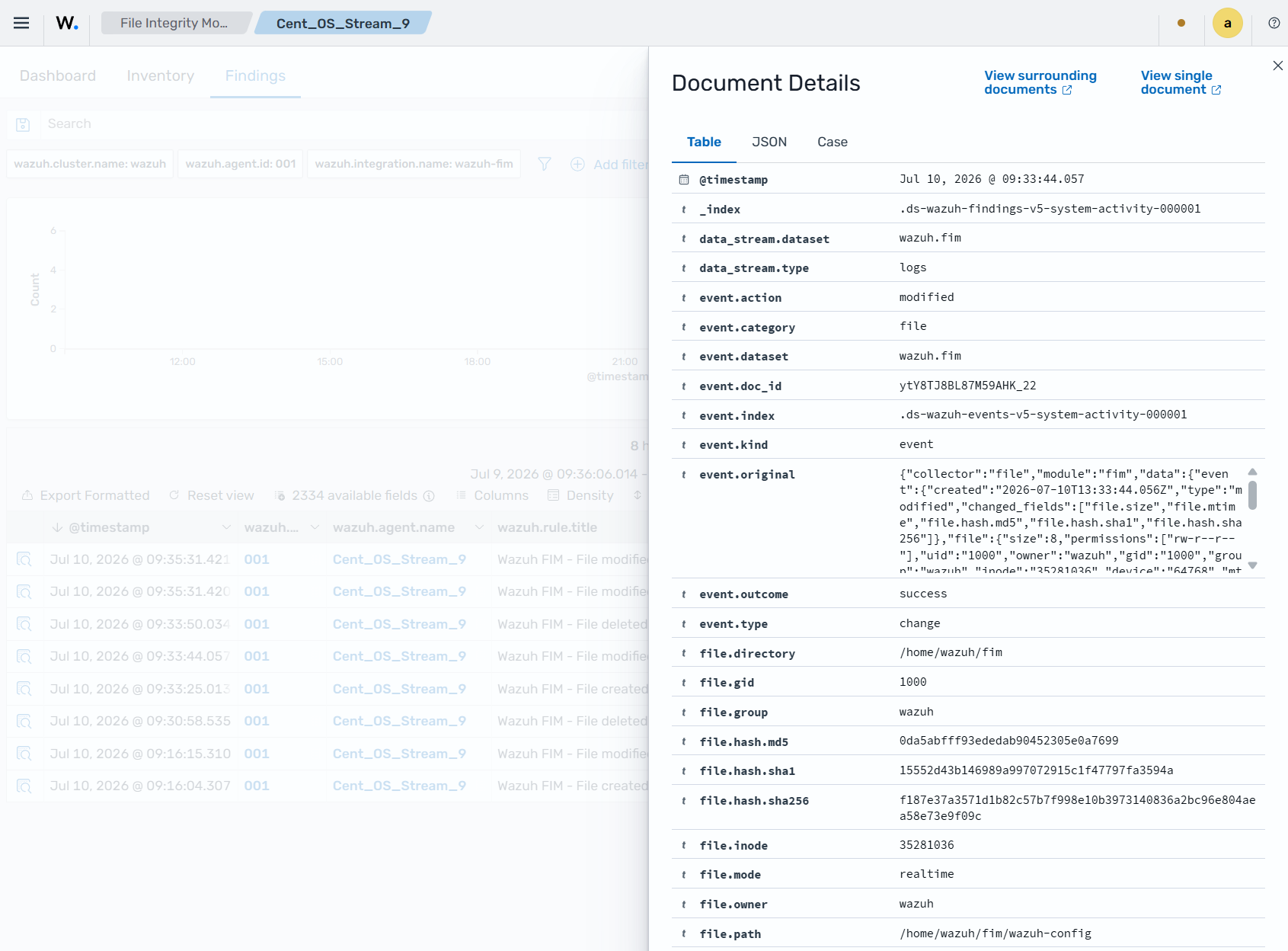
This section displays the Wazuh FIM findings. A finding is generated when a FIM event matches a Wazuh detection rule. It provides details such as the Wazuh agent name, the monitored file path, the type of FIM event, the rule title, and the rule level associated with the finding.
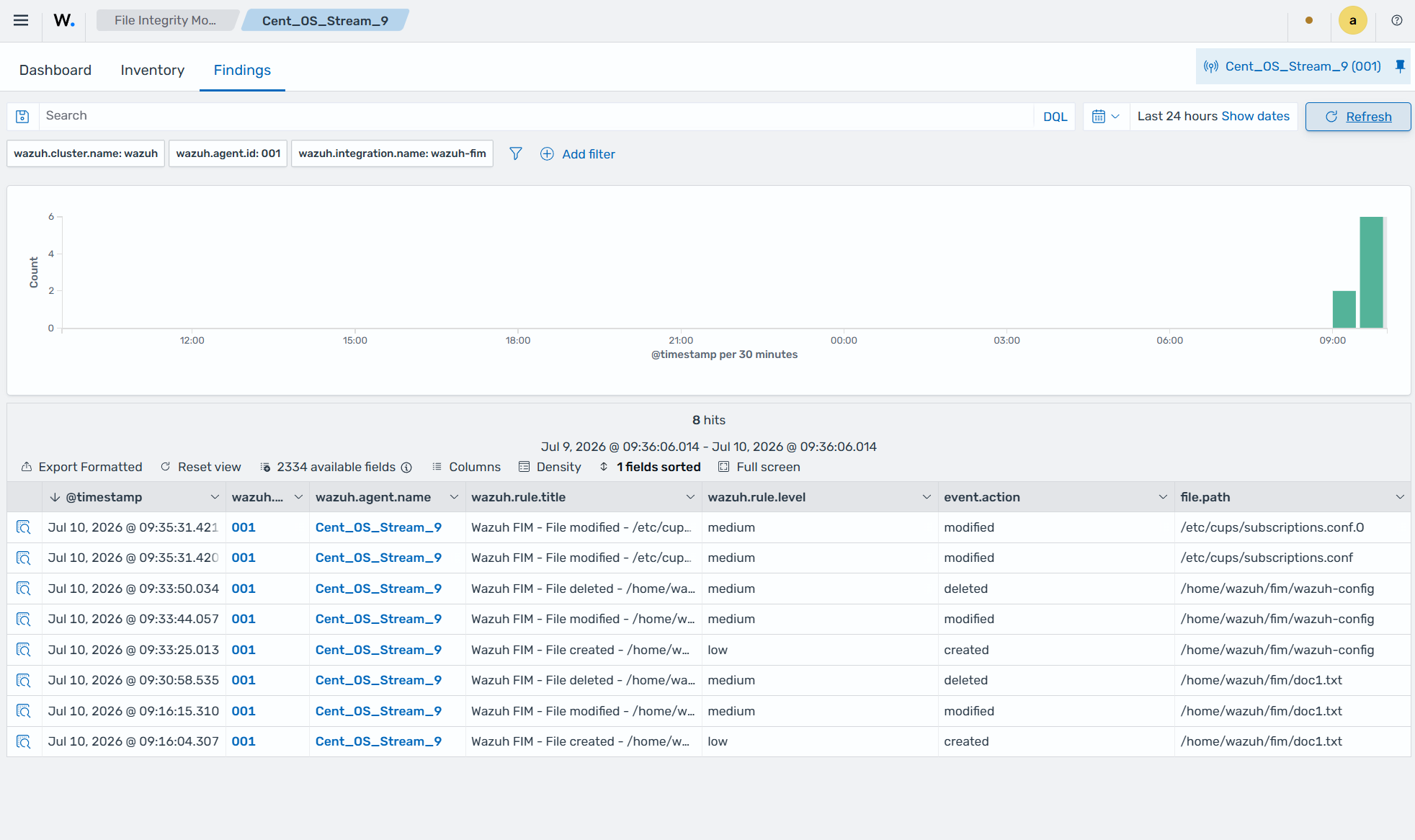
In addition, you can expand each finding entry to display additional information about the event that triggered the finding.