HIPAA § 164.312(c)(2) - Mechanism to authenticate electronic protected health information
The HIPAA § 164.312(c)(2) requirement states, "Implement electronic mechanisms to corroborate that electronic protected health information has not been altered or destroyed in an unauthorized manner."
This requirement specifies monitoring files and directories containing healthcare data. The Wazuh FIM module meets this requirement by monitoring healthcare files and generating findings on modification or deletion. See the Wazuh FIM documentation for details on configuring file integrity monitoring.
Use cases: Detect file changes and deletion
The use cases in this section are performed on an Ubuntu 26.04 endpoint. Use a virtual machine or a dedicated lab environment for these use cases.
Detect file changes
In this use case, the Wazuh agent detects changes made to the patient_data.txt file in the /root/health_data directory. Perform the following steps on the Ubuntu endpoint:
Create the
health_datadirectory in the/rootdirectory:# mkdir /root/health_data
Create the file
patient_data.txtin the/root/health_datadirectory:# touch /root/health_data/patient_data.txt
Add the following configuration to the
syscheckblock of the Wazuh agent configuration file/var/ossec/etc/ossec.confto monitor the/root/health_datadirectory for changes in real time:<directories realtime="yes">/root/health_data</directories>
Restart the Wazuh agent to apply the changes:
# systemctl restart wazuh-agent
Write a line of test data to the file:
# echo "User2 = medication3" > /root/health_data/patient_data.txt
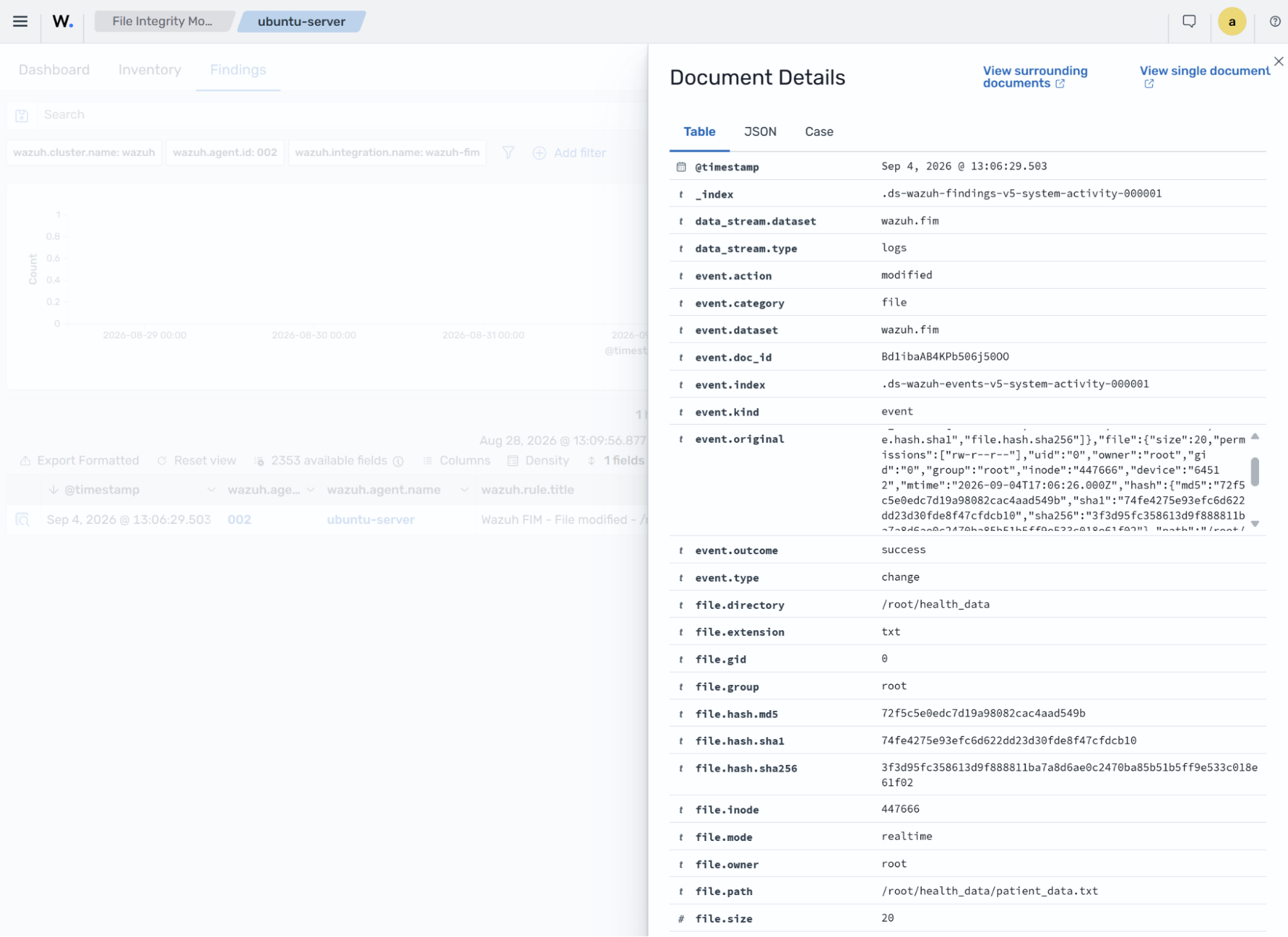
Navigate to Endpoint security > File Integrity Monitoring > Findings to see the file modification finding on the Wazuh dashboard.
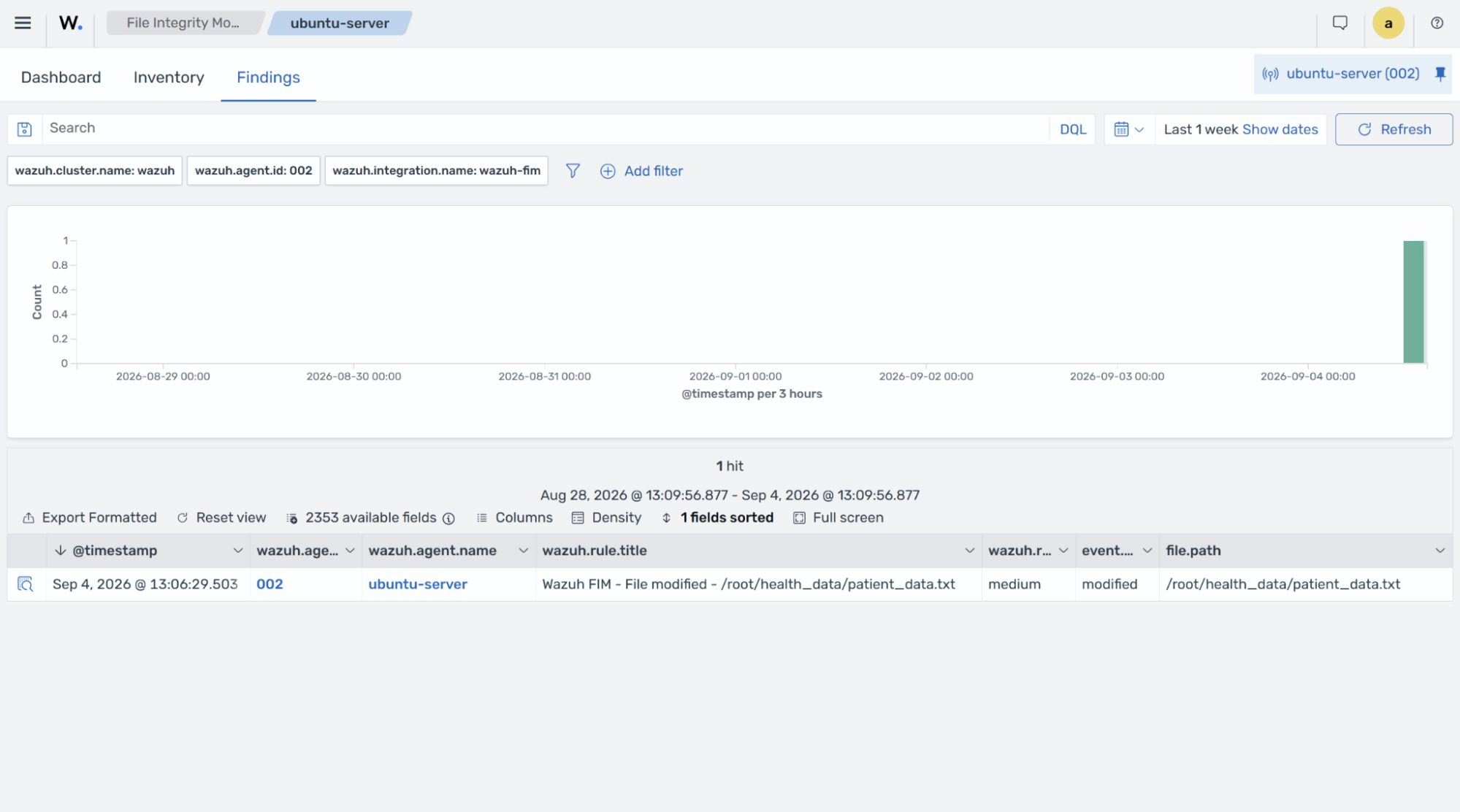
The finding includes differences in the file checksum, the modified file, the modification time, the mapped HIPAA requirement, and other information.
Detect file deletion
In this use case, you configure the Wazuh agent to detect file deletion in a monitored directory. Perform the following steps on the Ubuntu endpoint to configure the FIM module to monitor the /root/health_records directory.
Create the
health_recordsdirectory in the/rootdirectory if it is not present:# mkdir /root/health_records
Create the file
patient_data.txtin the/root/health_recordsdirectory:# touch /root/health_records/patient_data.txt
Add the following configuration to the
syscheckblock of the agent configuration file/var/ossec/etc/ossec.confto monitor the/root/health_recordsdirectory for changes in real time:<directories realtime="yes">/root/health_records</directories>
Restart the Wazuh agent to apply the changes:
# systemctl restart wazuh-agent
Delete the
patient_data.txtfile from the monitored directory:# rm /root/health_records/patient_data.txt
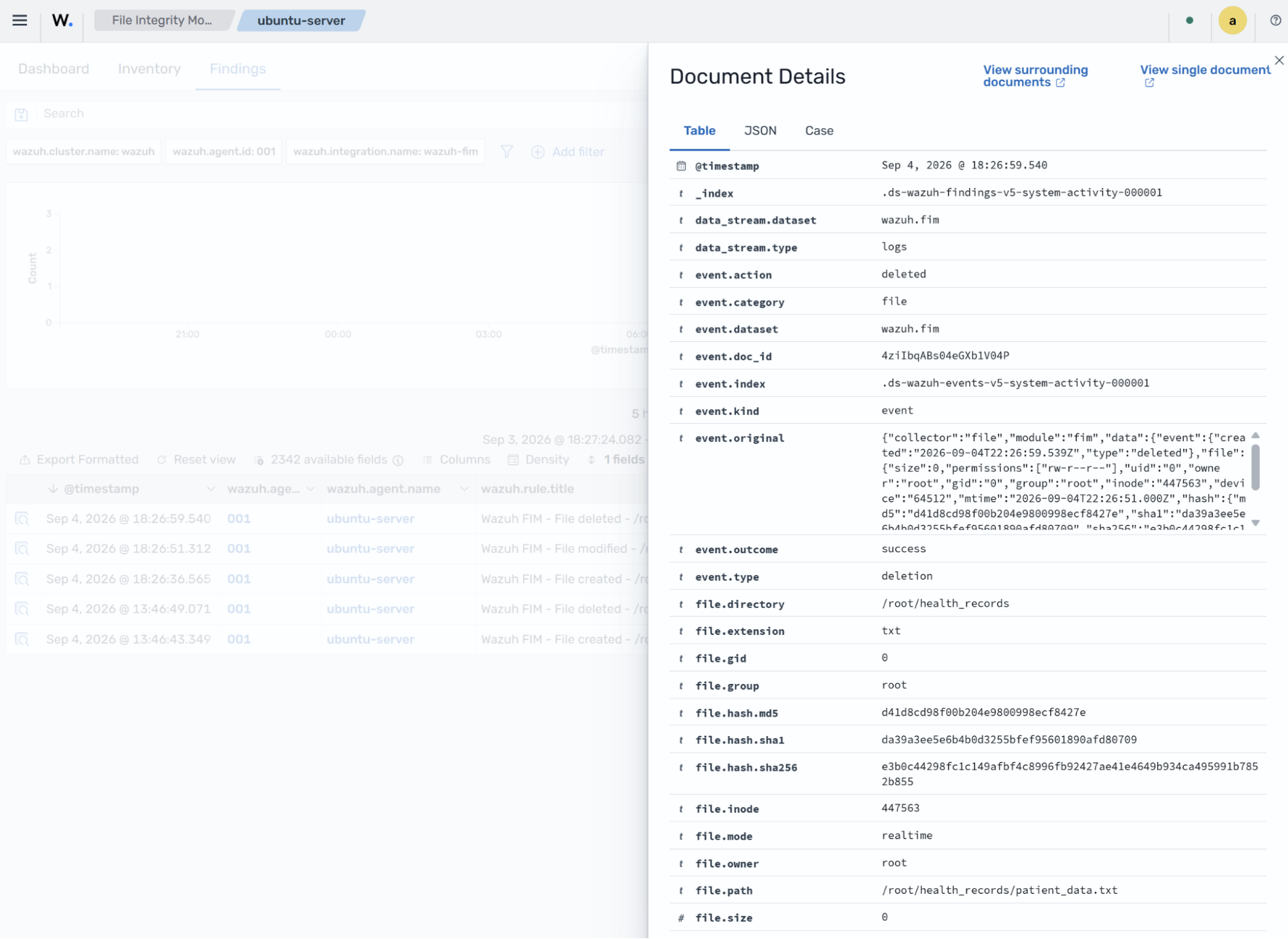
Navigate to Endpoint security > File Integrity Monitoring > Findings to see the file deletion finding on the Wazuh dashboard.
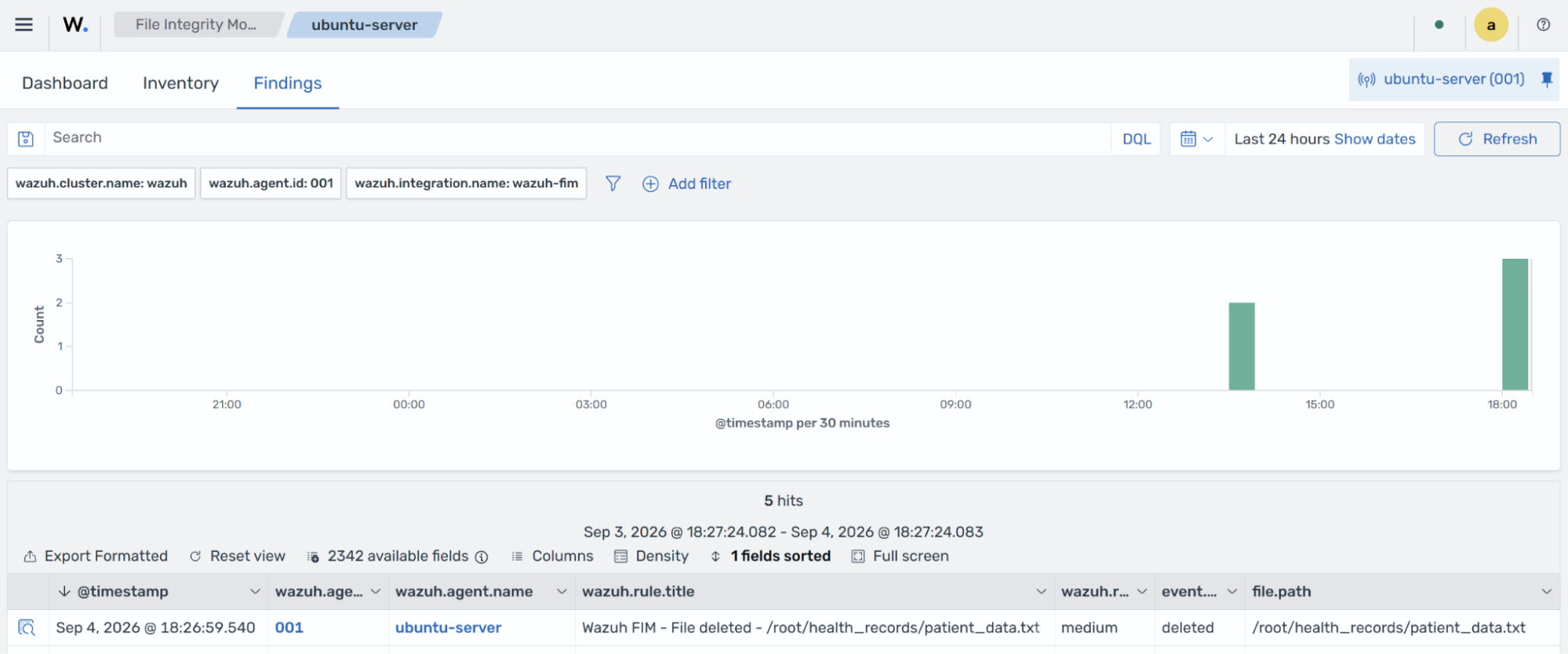
The finding also includes the file deleted, the endpoint where the file was deleted, and other details.