Common Criteria 3.1 (COSO Principle 6)
The TSC common criteria CC3.1: The principle states, “The entity specifies objectives with sufficient clarity to enable the identification and assessment of risks relating to objectives”. In a SOC 2 service‑organization context, this means the entity defines clear, measurable objectives for its systems and services, such as protecting data, maintaining availability, and ensuring processing integrity, so it can systematically identify and assess risks that could prevent those objectives from being met. In practice, the entity should have processes in place to regularly evaluate how well its controls address those risks, identify and remediate deficiencies, and adjust controls as needed to ensure that the objectives are achieved.
CC3.1 requires the entity to define objectives clearly enough to identify and assess the risks that could prevent those objectives from being achieved. Wazuh can support this risk-management process by providing centralized security telemetry for vulnerabilities, threats, and incident records. Security personnel can view this telemetry in the Wazuh dashboard, allowing them to identify, assess, prioritize, and track risks affecting in-scope systems and services.
Use case: Detecting a malicious file download on a monitored Ubuntu endpoint
Follow the steps below to identify a malicious file downloaded to a monitored Ubuntu 24.04 endpoint.
Ubuntu endpoint
Create the directory to be monitored. Real-time monitoring only attaches to a directory that exists when the agent starts, so this must be done before the agent is restarted:
$ mkdir -p /home/ubuntu/Downloads
Add the following configuration to the
<syscheck>block of the/var/ossec/etc/ossec.conffile on the monitored Ubuntu endpoint:<!-- File integrity monitoring --> <syscheck> <disabled>no</disabled> <!-- Frequency that syscheck is executed default every 12 hours --> <frequency>43200</frequency> <!-- Directories to check (perform all possible verifications) --> <directories>/etc,/usr/bin,/usr/sbin</directories> <directories>/boot</directories> <directories realtime="yes">/home/ubuntu/Downloads</directories> . . . </syscheck>
In our scenario, we used the
/home/ubuntu/Downloadsfolder.Restart the Wazuh agent:
$ sudo systemctl restart wazuh-agent
Navigate to the monitored folder and download the EICAR test file:
$ cd /home/ubuntu/Downloads
$ curl -fL -o eicar.com.txt https://secure.eicar.org/eicar.com.txt
Wazuh dashboard
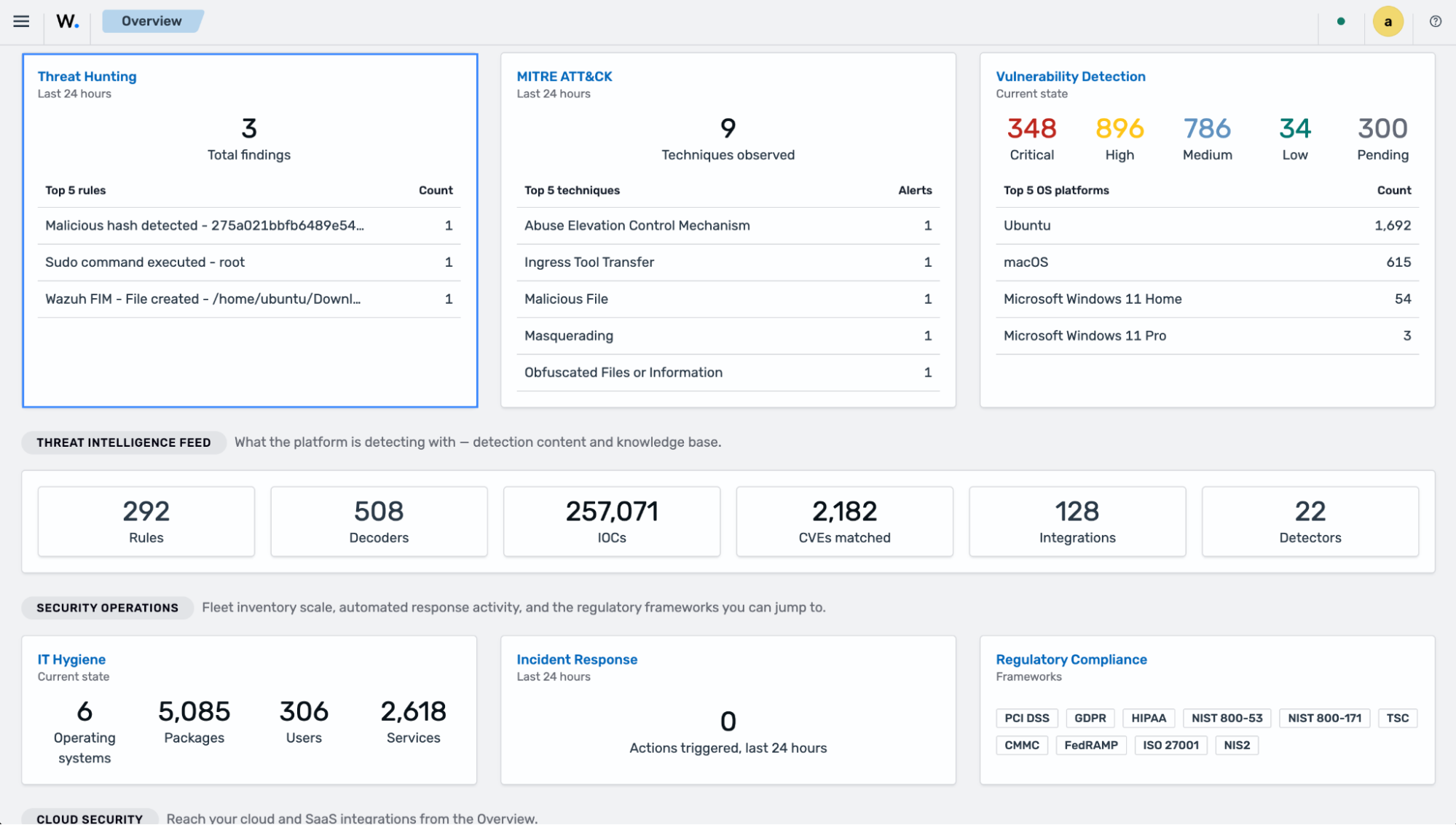
Navigate to Threat Hunting on the Wazuh Overview dashboard.
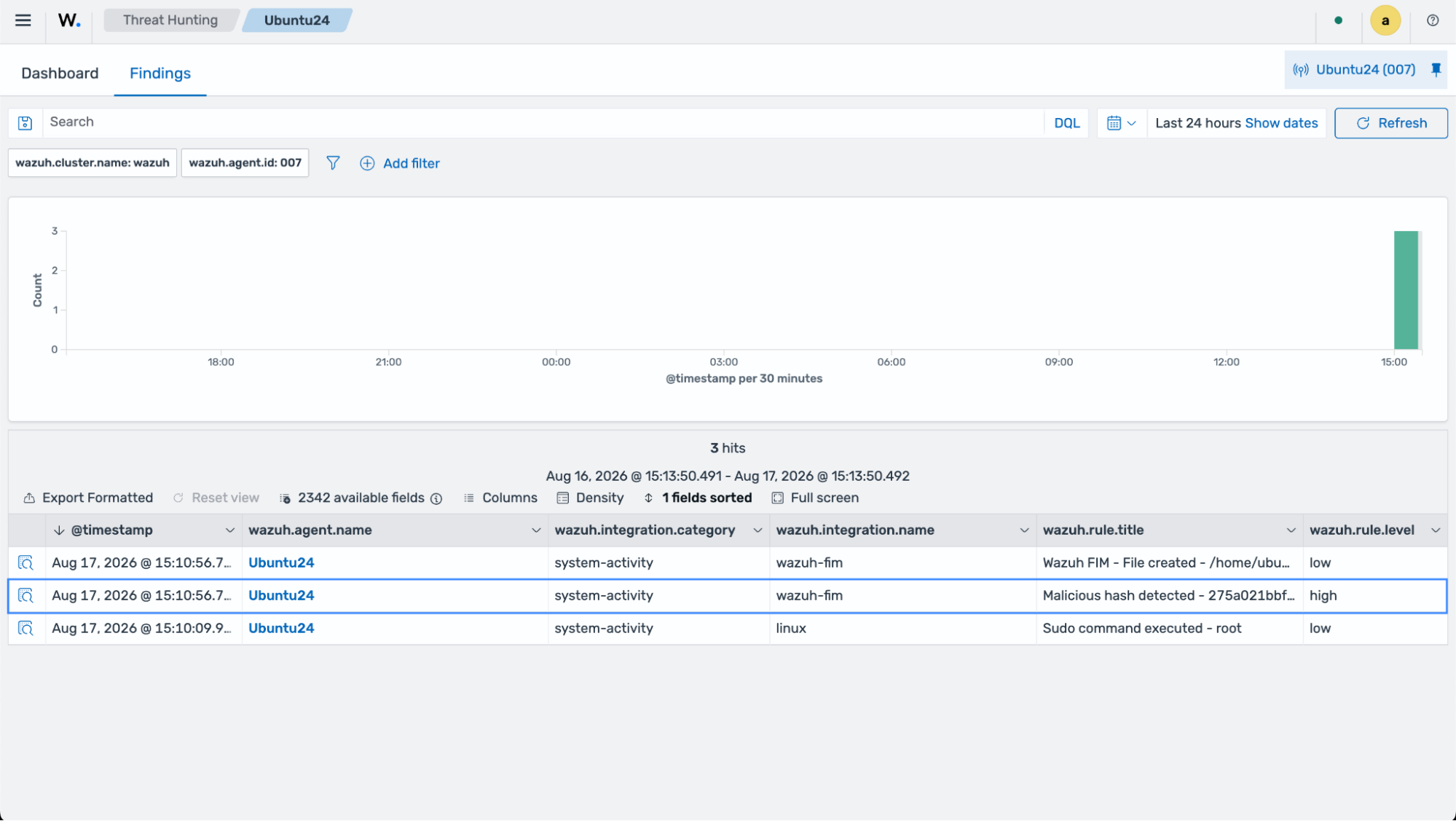
Select the finding.
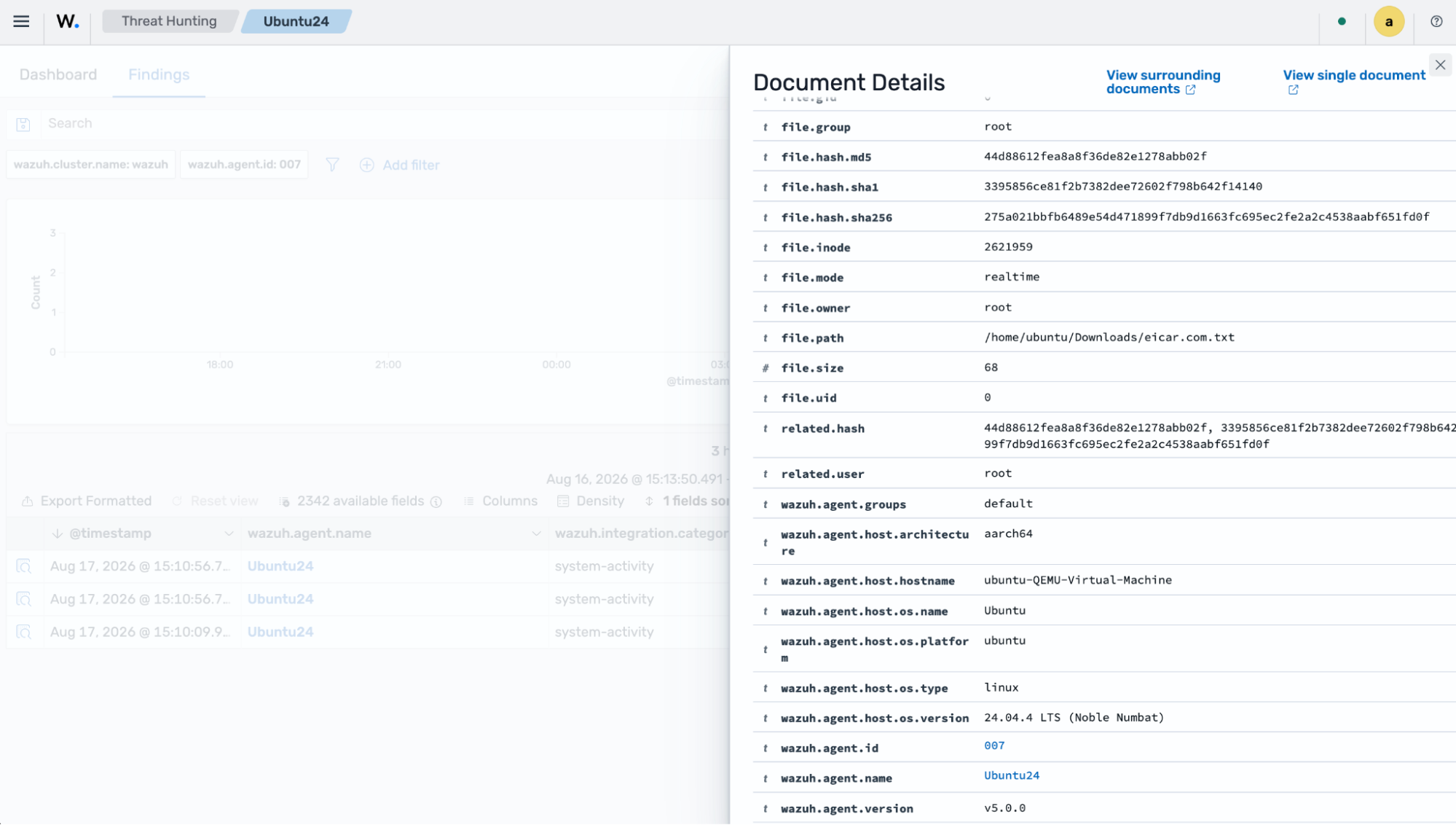
The image below shows the details of the malicious file download. Wazuh classifies the file by matching its hash against the threat intelligence IoC database included with the installation, which contains the EICAR test file; the Malicious hash detected rule raises the finding at high severity.