Syscollector information findings
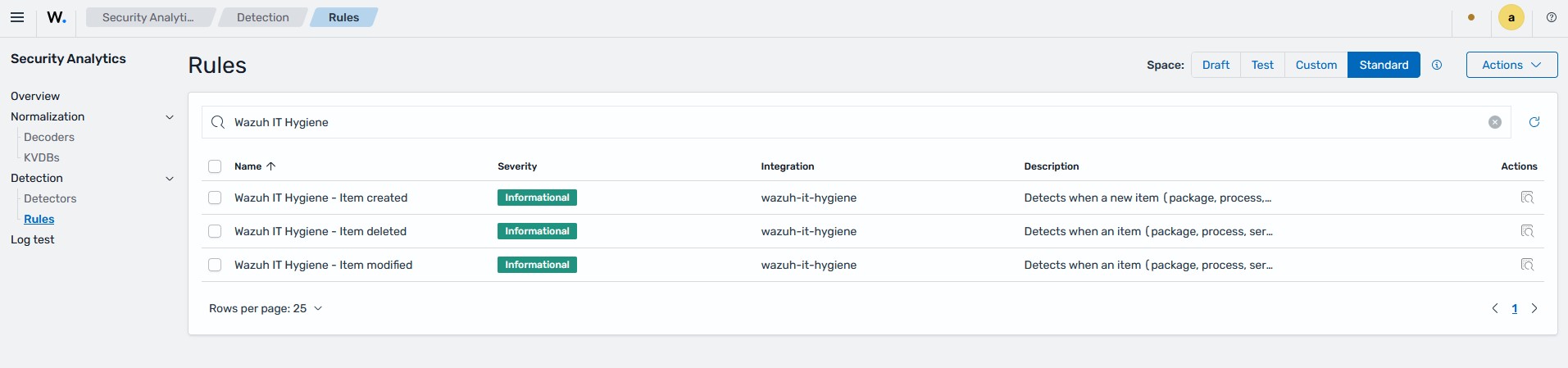
Wazuh generates findings when the system inventory of a monitored endpoint changes. Wazuh ships built-in IT Hygiene rules that detect when an item, such as a package, process, service, network interface, user, or group, is added to, modified in, or removed from the system inventory. These rules are delivered through the Wazuh CTI platform and are enabled by default.
Title |
matched event.action values |
severity |
MITRE mapping |
Description |
|---|---|---|---|---|
Wazuh IT Hygiene - Item created |
|
Informational |
Tactics TA0007 - Discovery
Techniques T1518 - Software Discovery
|
Detects when a new item (package, process, service, network interface, etc.) is added to the IT Hygiene inventory. |
Wazuh IT Hygiene - Item deleted |
|
Informational |
Tactics TA0007 - Discovery
Techniques T1518 - Software Discovery
|
Detects when an item (package, process, service, network interface, etc.) is removed from the IT Hygiene inventory. |
Wazuh IT Hygiene - Item modified |
|
Informational |
Tactics TA0007 - Discovery
Techniques T1518 - Software Discovery
|
Detects when an item (package, process, service, network interface, etc.) is modified in the IT Hygiene inventory. |
Findings appear on the Wazuh dashboard under Threat intelligence > Threat Hunting. Each finding includes the rule metadata, MITRE ATT&CK technique, and regulatory compliance mappings.
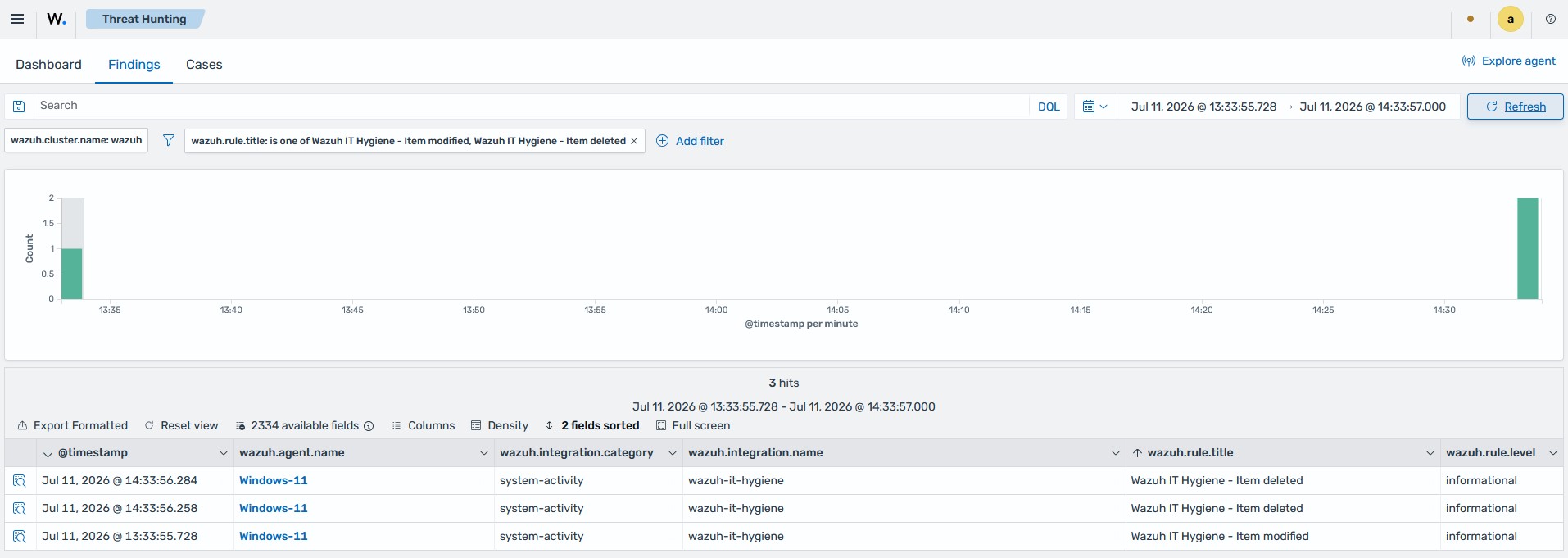
Sample finding. An "Item deleted" finding generated by uninstalling a package from a Windows endpoint:
{
  "_index": ".ds-wazuh-findings-v5-system-activity-000001",
  "_id": "EttmUZ8BW7rm8bj9baQR",
  "_score": null,
  "_source": {
    "wazuh": {
      "cluster": {
        "node": "node01",
        "name": "wazuh"
      },
      "protocol": {
        "location": "syscollector",
        "queue": 100
      },
      "agent": {
        "host": {
          "hostname": "Windows",
          "os": {
            "name": "Microsoft Windows 11 Pro",
            "type": "windows",
            "version": "10.0.26100.3775",
            "platform": "windows"
          },
          "architecture": "x86_64"
        },
        "name": "Windows-11",
        "groups": [
          "default"
        ],
        "id": "001",
        "version": "v5.0.0"
      },
      "integration": {
        "name": "wazuh-it-hygiene",
        "decoders": [
          "decoder/core-wazuh-message/0",
          "decoder/wazuh-it-hygiene/0"
        ],
        "category": "system-activity"
      },
      "rule": {
        "sigma_id": "fd5cbf76-0325-41a8-81bd-514adf087ee5",
        "level": "informational",
        "compliance": {
          "iso_27001": [
            "A.12.4.1",
            "A.12.6.1",
            "A.13.1.3",
            "A.16.1.2"
          ],
          "hipaa": [
            "164.308.a.1.ii.D",
            "164.308.a.6",
            "164.312.b"
          ],
          "pci_dss": [
            "6.2",
            "10.3",
            "11.3"
          ],
          "tsc": [
            "A1.2",
            "CC6.2",
            "CC7.2"
          ],
          "nis2": [
            "21.2.a",
            "21.2.e",
            "23"
          ],
          "nist_800_171": [
            "3.3.8",
            "3.4.1",
            "3.4.2",
            "3.4.7",
            "3.14.1"
          ],
          "fedramp": [
            "AU-6",
            "CA-7",
            "CM-3",
            "SI-4"
          ],
          "nist_800_53": [
            "AU-6",
            "CA-7",
            "CM-3",
            "SI-4"
          ],
          "cmmc": [
            "AU.L2-3.3.1",
            "CA.L2-3.12.1",
            "SC.L2-3.13.1",
            "SI.L2-3.14.1"
          ],
          "gdpr": [
            "II_5.1.b",
            "IV_32.1.a",
            "IV_33.1"
          ]
        },
        "mitre": {
          "technique": {
            "name": [
              "Software Discovery"
            ],
            "id": [
              "T1518"
            ]
          },
          "tactic": {
            "name": [
              "Discovery"
            ],
            "id": [
              "TA0007"
            ]
          }
        },
        "id": "fd5cbf76-0325-41a8-81bd-514adf087ee5",
        "title": "Wazuh IT Hygiene - Item deleted",
        "tags": [
          "informational",
          "wazuh-it-hygiene",
          "attack.discovery",
          "attack.t1518"
        ],
        "status": "stable"
      },
      "event": {
        "id": "c10abc30-3e6e-42d8-a5f3-36010ca15747"
      },
      "space": {
        "name": "standard"
      }
    },
    "@timestamp": "2026-07-11T13:33:56.284Z",
    "package": {
      "license": "Microsoft Corporation",
      "path": "C:\\Program Files\\WindowsApps\\Microsoft.OutlookForWindows_1.2024.529.200_x64__8wekyb3d8bbwe",
      "name": "Outlook (new)",
      "description": null,
      "type": "win",
      "version": "1.2024.529.200"
    },
    "event": {
      "original": "{\"collector\":\"dbsync_packages\",\"data\":{\"event\":{\"changed_fields\":[],\"created\":\"2026-07-11T13:33:55.821Z\",\"type\":\"deleted\"},\"package\":{\"architecture\":\"x86_64\",\"category\":null,\"description\":null,\"installed\":null,\"multiarch\":null,\"name\":\"Outlook (new)\",\"path\":\"C:\\\\Program Files\\\\WindowsApps\\\\Microsoft.OutlookForWindows_1.2024.529.200_x64__8wekyb3d8bbwe\",\"priority\":null,\"size\":0,\"source\":null,\"type\":\"win\",\"vendor\":\"Microsoft Corporation\",\"version\":\"1.2024.529.200\"}},\"module\":\"inventory\"}",
      "kind": "event",
      "action": "package-uninstalled",
      "index": ".ds-wazuh-events-v5-system-activity-000001",
      "type": [
        "info",
        "deletion"
      ],
      "category": [
        "package"
      ],
      "doc_id": "19tiUZ8BW7rm8bj9tKEd",
      "outcome": "success"
    }
  },
  "fields": {
    "@timestamp": [
      "2026-07-11T13:33:56.284Z"
    ]
  },
  "sort": [
    1783776836284,
    "Wazuh IT Hygiene - Item deleted"
  ]
}
Note
The initial scan does not generate findings. Findings are generated after a difference in results between the first and second Syscollector scans is detected. This second scan occurs when the configured interval is reached.
Searchable fields for system inventory findings
Findings follow the Wazuh Common Schema (WCS), aligned with the Elastic Common Schema (ECS). The findings data stream enforces a strict schema. System inventory findings populate a subset of it: a set of fields present in every finding regardless of what changed, plus a category-specific set of fields describing the changed item itself. You can use these fields in Threat Hunting searches, filters, and visualizations.
Fields present in every system inventory finding:
Field group |
Fields |
Notes |
|---|---|---|
Timestamp |
|
Time the finding was generated |
Event |
|
event.action carries the change semantics (package-installed, package-uninstalled, package-updated, user-created, service-deleted, and so on). event.doc_id and event.index reference the raw event document. |
Rule |
|
The IT Hygiene rule that generated the finding |
MITRE ATT&CK |
|
|
Compliance |
|
One array per framework |
Integration |
|
wazuh-it-hygiene / system-activity for this capability |
Agent |
|
The endpoint where the change occurred |
Cluster |
|
Fields describing the changed item itself, which differ by category. Only the fields for the category the finding concerns are present; a package finding has no user.* fields, and a user finding has no package.* fields. The category-specific fields match those of the corresponding states index: package.* for package and browser extension changes (with user_agent.name and file.hash.sha256 for browser extensions), process.* for processes, user.* for users, group.* for groups, service.* for services, interface.* / network.* / source.* / destination.* for network changes, and host.* for hardware and operating system information.
The table below shows the package.* set in detail. The other categories follow the same pattern, populating their own states-index fields.
Field |
Type |
Example |
|---|---|---|
|
keyword |
|
|
keyword |
|
|
keyword |
|
|
keyword |
|
|
keyword |
|
|
keyword |
|
|
keyword |
(browser extension file hash) |
|
keyword |
|
|
keyword |
|
Note
event.original contains the raw agent event as a JSON string, but it is stored without indexing. You cannot search event.original; search the structured fields instead.
Example searches on the Threat Hunting dashboard:
wazuh.rule.title: "Wazuh IT Hygiene - Item deleted"
event.action: package-uninstalled and wazuh.agent.name: "Windows-11"
package.name: "Outlook (new)"
wazuh.rule.mitre.technique.id: T1518
wazuh.rule.compliance.pci_dss: "11.3"