Integration
An integration is a logical grouping of decoders, KVDBs, and rules that belong to a common log source or product. Every decoder must belong to exactly one integration. Integrations are the unit at which content is organized, enabled, and ordered.
Follow these steps to create an integration.
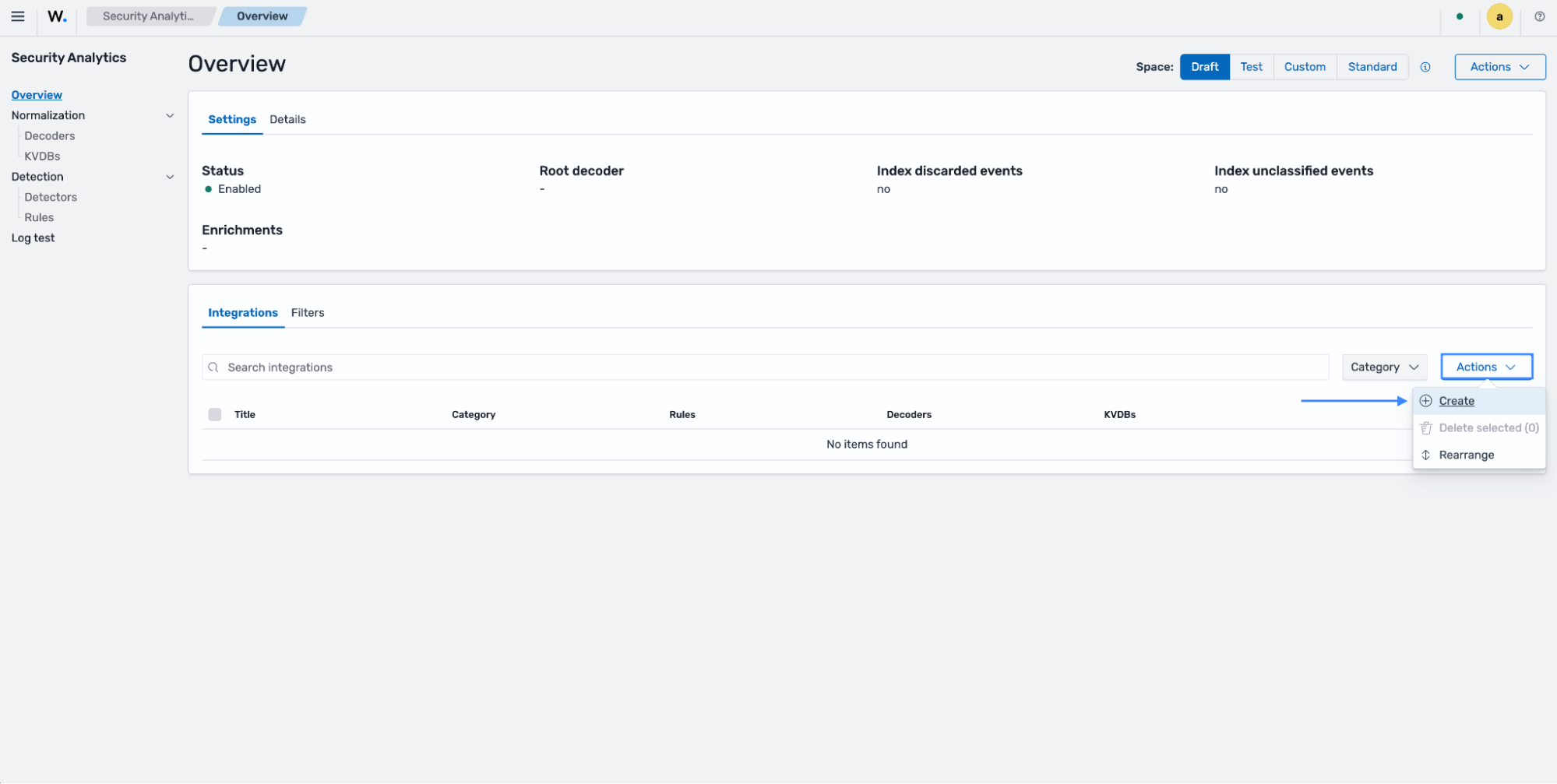
Navigate to the Security Analytics > Overview page and ensure you are in the draft space.
Click the Actions drop-down under Integrations and select Create.
Fill in the information according to your requirements and click Create integration.
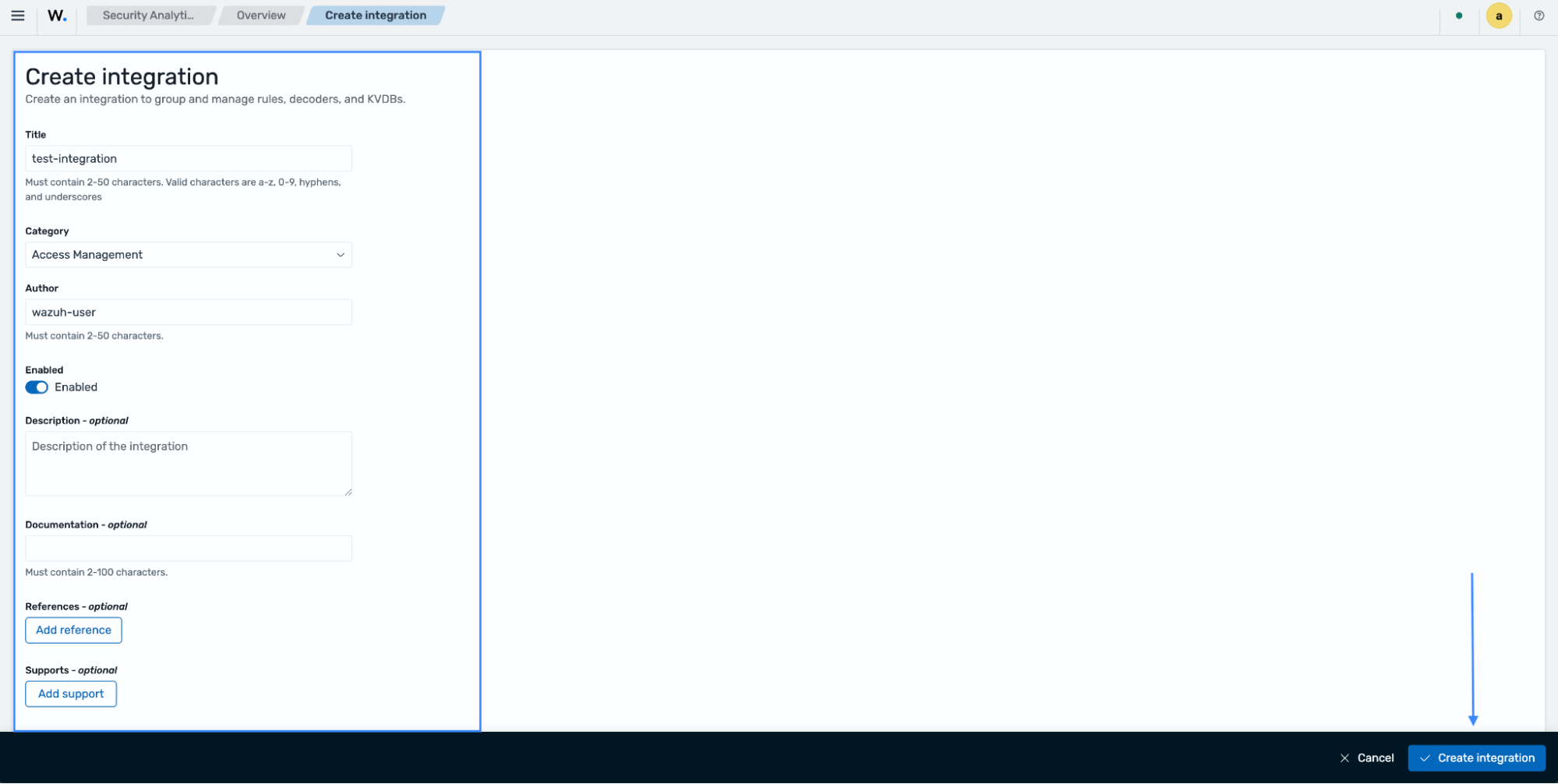
Each integration must be assigned a category. The available categories are described in the following table:
Category |
Description |
|---|---|
access-management |
Authentication, authorization, identity, and access events |
applications |
Application-layer events (web servers, databases, middleware, etc.) |
cloud-services |
Events from cloud provider services (AWS, Azure, GCP, etc.) |
network-activity |
Network-level events (firewalls, proxies, DNS, flow logs, etc.) |
security |
Security platform and tooling events (EDR, SIEM feeds, scanners, etc.) |
system-activity |
Operating system and host-level events (audit logs, syslog, etc.) |
other |
Events that do not fit any of the above categories |
The category assigned to an integration is applied to all events decoded by that integration's decoders. This value is stored in the wazuh.integration.category field for every processed event and used during the output stage to route events to the appropriate data stream, such as wazuh-events-v5-cloud-services.