Configuration
The Linux Audit framework generates events for file access, file attribute changes, command execution, and monitored system calls. Audit rules use the -k argument to assign a descriptive key to each rule. The Linux Audit framework includes this key in matching audit events, allowing Wazuh to identify the activity associated with the generated event.
Wazuh manager
Wazuh normalizes Linux Audit events before evaluating them against the built-in Auditd detection rules. The Wazuh manager uses Key-Value Databases (KVDBs) to map Linux Audit record types and system call names to standardized Wazuh Common Schema (WCS) fields, such as event.category, event.type, and event.action. This normalization provides consistent event classification and enables the built-in detection rules to evaluate audit events independently of the originating Linux Audit event.
The Auditd integration includes built-in KVDBs that cover the most common Linux Audit record types and system calls. For example:
Linux Audit value |
Normalized event fields |
|---|---|
|
event.category: processevent.type: startevent.action: started |
|
event.category: fileevent.type: changeevent.action: permission-changed |
|
event.category: authenticationevent.type: infoevent.action: authentication-failure |
The screenshot below shows the built-in Auditd KVDBs on the Wazuh dashboard.
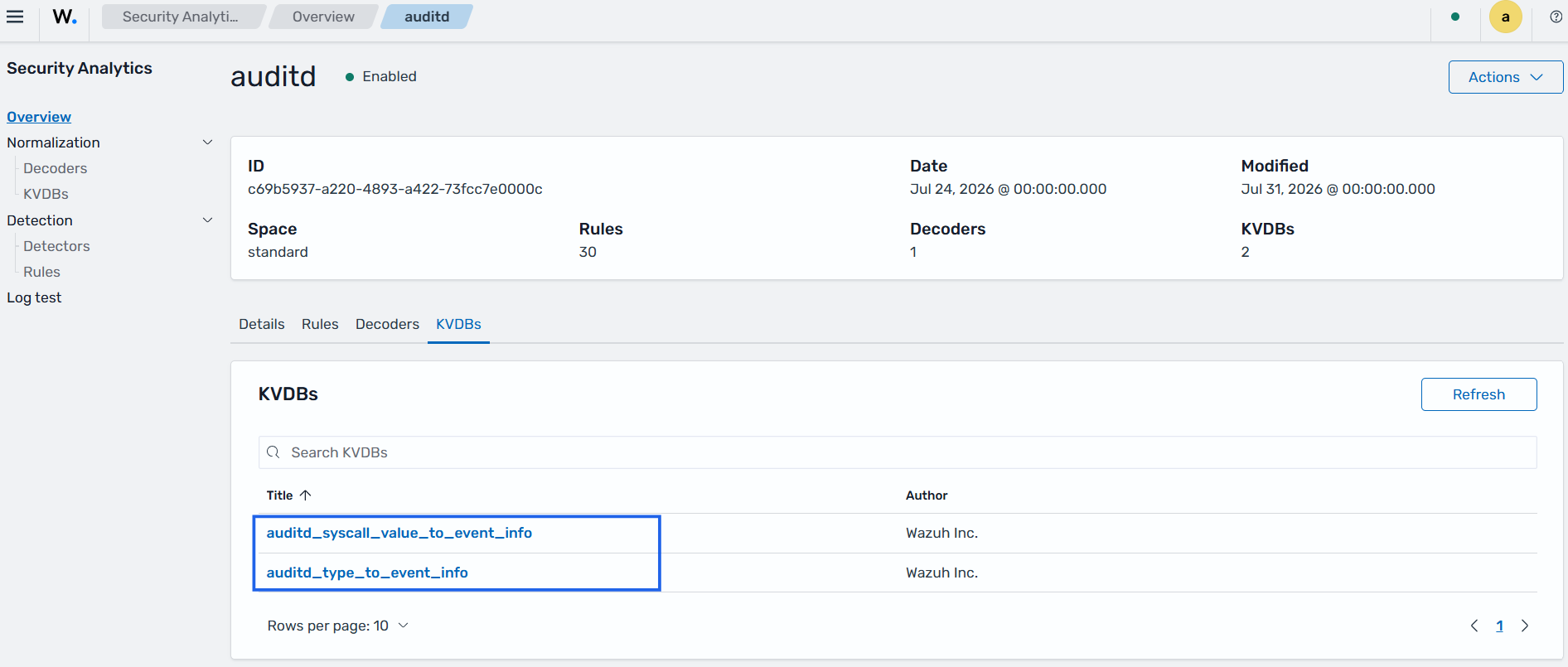
After normalizing the event, the Wazuh manager evaluates it against the built-in Auditd detection rules. These rules detect authentication anomalies, privilege escalation attempts, abnormal process behavior, user account changes, audit subsystem events, SELinux events, and other security-relevant activities. Many of the built-in rules include MITRE ATT&CK mappings, false-positive guidance, and compliance mappings that help analysts investigate findings and meet regulatory requirements.
If your Linux Audit configuration uses custom audit keys, record types, or system call classifications that are not included in the built-in KVDBs, create or extend KVDB entries to normalize those events before evaluating them with custom detection rules. For more information, see the Key-Value Databases documentation.
Monitored endpoint
Install the Linux Audit package on the monitored endpoint if it is not already installed:
# yum install -y audit
# apt install -y auditd
# dnf install -y audit
Note
If the audit package is already present on the endpoint before installing the Wazuh agent, the actions below should not be performed. This configuration will be added by default.
Add the configuration below to the Wazuh agent configuration
/var/ossec/etc/ossec.conffile. This configures Wazuh to read the audit log file to process events the Linux Audit system detects:<localfile> <log_format>audit</log_format> <location>/var/log/audit/audit.log</location> </localfile>
Restart the Wazuh agent to apply the changes:
# systemctl restart wazuh-agent
Optionally create audit rules for the files and system calls you want to monitor, using the
auditctlcommand or the audit rules file.
Linux audit alerts are displayed in the Threat Hunting module of the Wazuh dashboard.