Report file changes
The functionality to report file changes lets you confirm that changes to an application or system were implemented correctly. For example, if you modify an application configuration file, the FIM capability reports the specific changes and shows the file's state before and after.
A record of file changes is useful for troubleshooting and auditing. By providing this visibility, the FIM capability plays an important role in effective change management.
Use case description
Endpoint |
Description |
|---|---|
CentOS Stream 9 |
The FIM module monitors a directory on this endpoint for file changes. It reports the exact changes made to a specified file and hides the changes made to an excluded file. |
Configuration
Perform the following steps to configure the FIM module to report changes made to a file. The configuration reports changes made to files in /appfolder except for the private-file.conf file.
Create a directory
/appfolderto be monitored by the Wazuh FIM module.# mkdir /appfolder
Edit the
/var/ossec/etc/ossec.confconfiguration file and add the configuration below. This sets/appfolderfor monitoring and makes an exception in reporting changes for/appfolder/private-file.confusingnodiff:<syscheck> <directories report_changes="yes" realtime="yes">/appfolder</directories> <nodiff>/appfolder/private-file.conf</nodiff> </syscheck>
Restart the Wazuh agent to apply the configuration changes:
# systemctl restart wazuh-agent
Test the configuration
Create the files
appreport.confandprivate-file.confin the/appfolderdirectory:# touch /appfolder/appreport.conf && touch /appfolder/private-file.conf
Add the value
I added this textto theappreport.confandprivate-file.conffiles:# echo 'I added this text' | tee /appfolder/appreport.conf /appfolder/private-file.conf
Visualize the findings
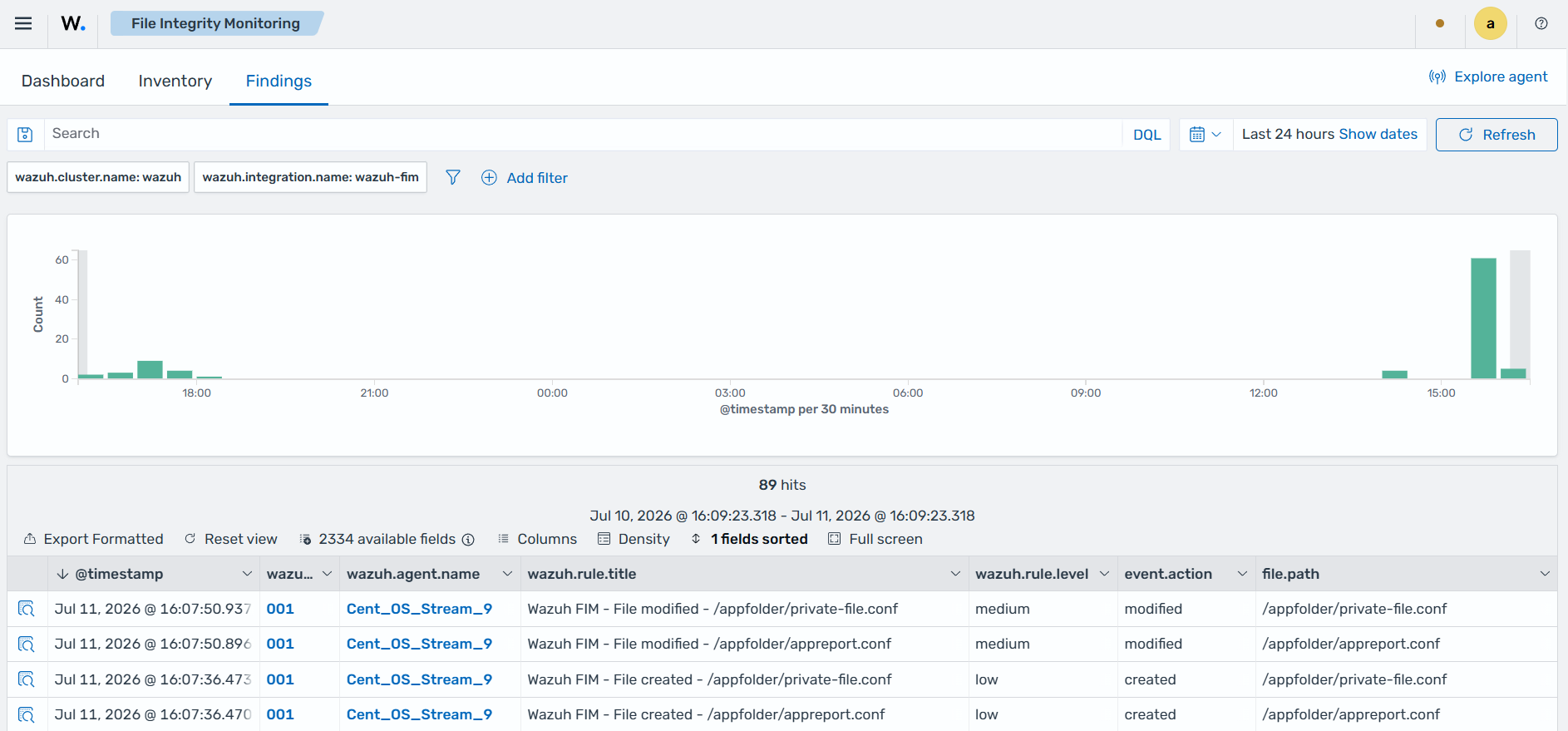
Navigate to Endpoint security → File Integrity Monitoring → Findings on the Wazuh dashboard to view the findings. You can see four findings related to the monitored directory.
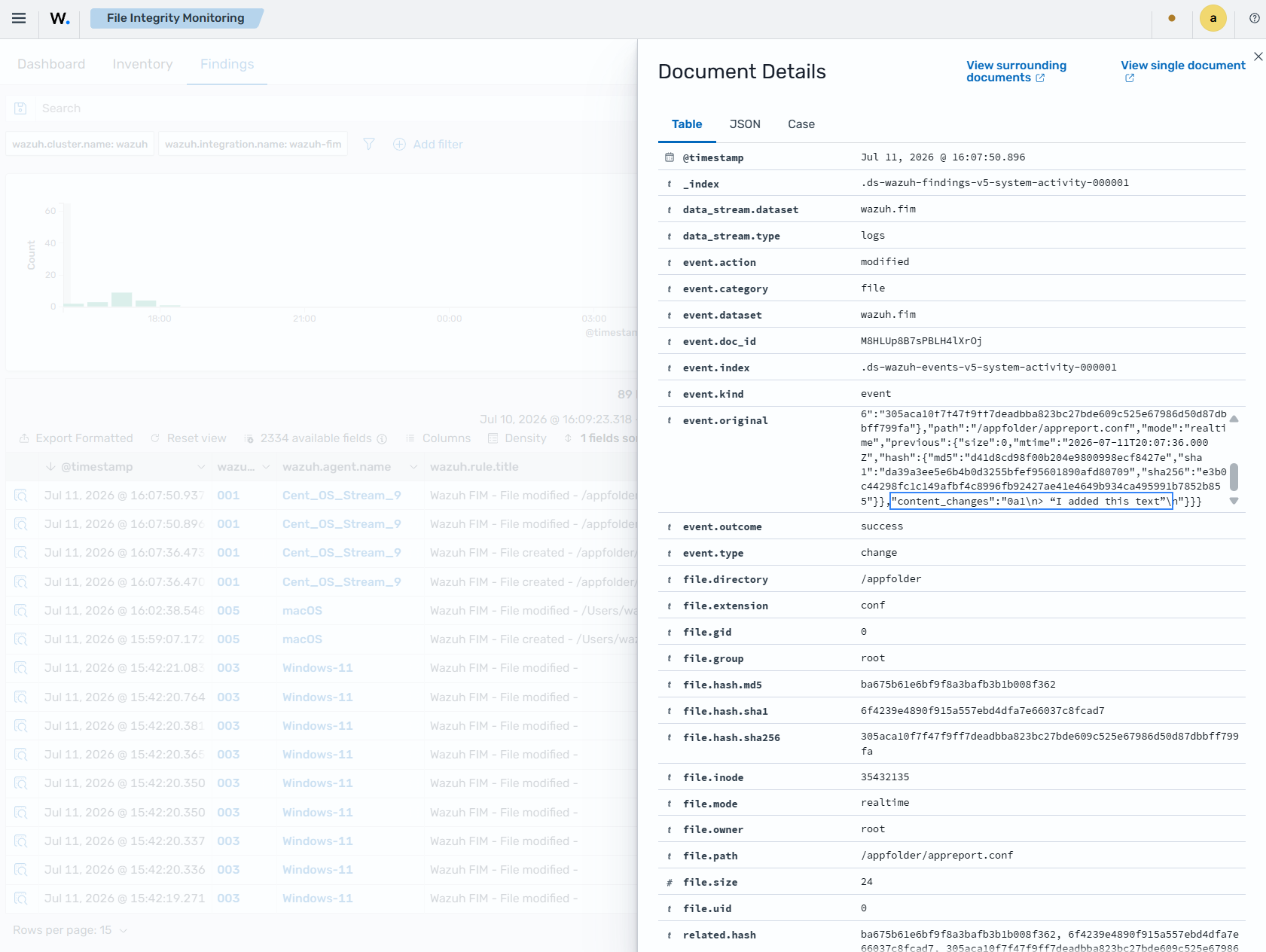
Expand the finding for the appreport.conf to see information about the changes made to the file. In the image below, under the event.original field, you see the content added to the file.
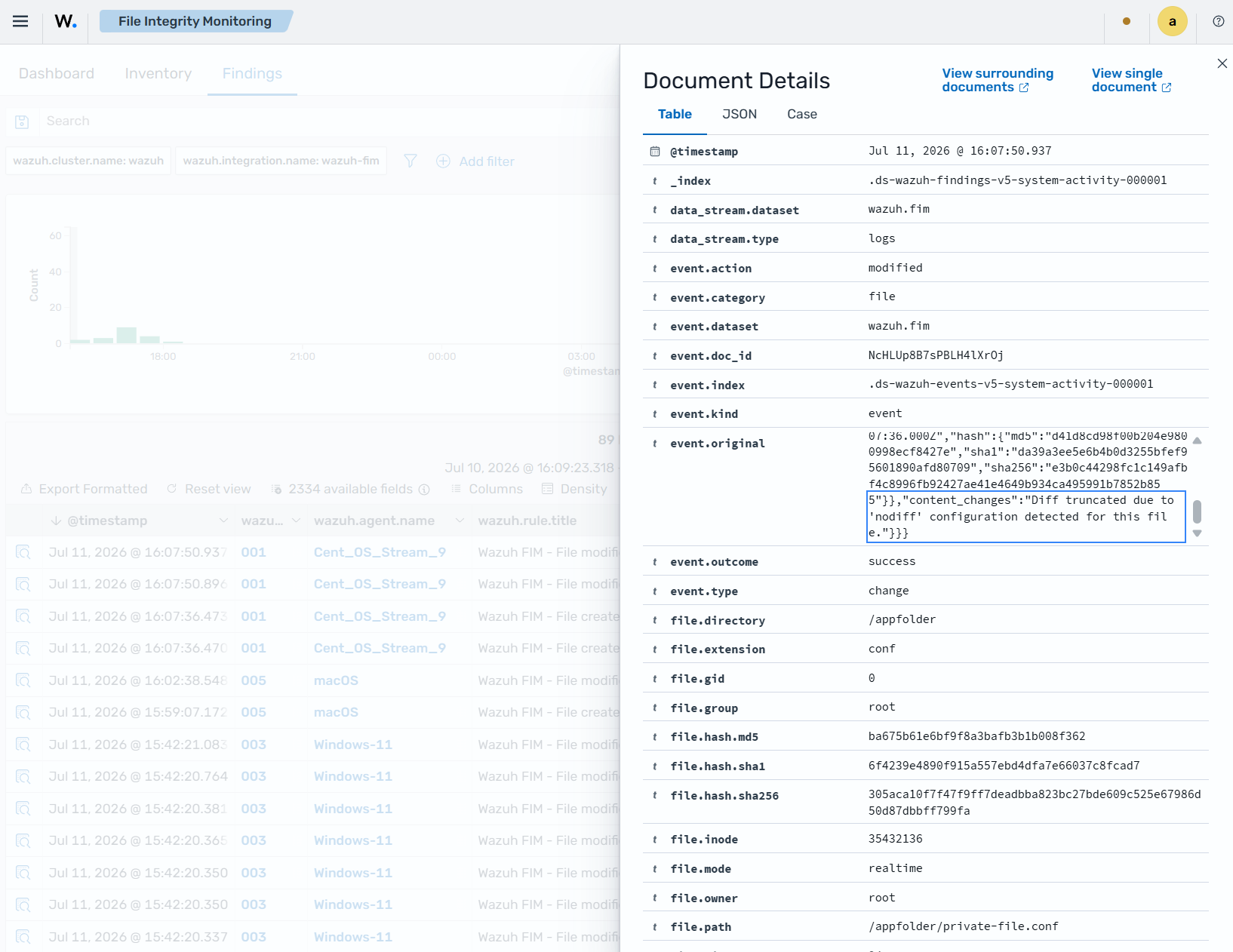
Expand the finding for the private-file.conf file to see information about the changes made to the file. In the image below, under the event.original field, you see that FIM does not report the content added to the file.