Viewing system inventory data
You can query and visualize centralized system inventory data from all monitored endpoints in the IT Hygiene section on the Wazuh dashboard. This section provides a unified view of your environment's status across all monitored endpoints.
The IT Hygiene section organizes data into multiple categories:
Dashboard: Displays an overview of key metrics and a summary of your entire IT environment.
System: Displays operating system and hardware information.
Software: Displays installed packages and software vendors.
Processes: Displays running processes.
Network: Displays network configurations, interfaces, and traffic.
Identity: Displays users and groups.
Services: Displays services related information.
To access the IT Hygiene section, navigate to Security operations > IT Hygiene on the Wazuh dashboard.
Dashboard
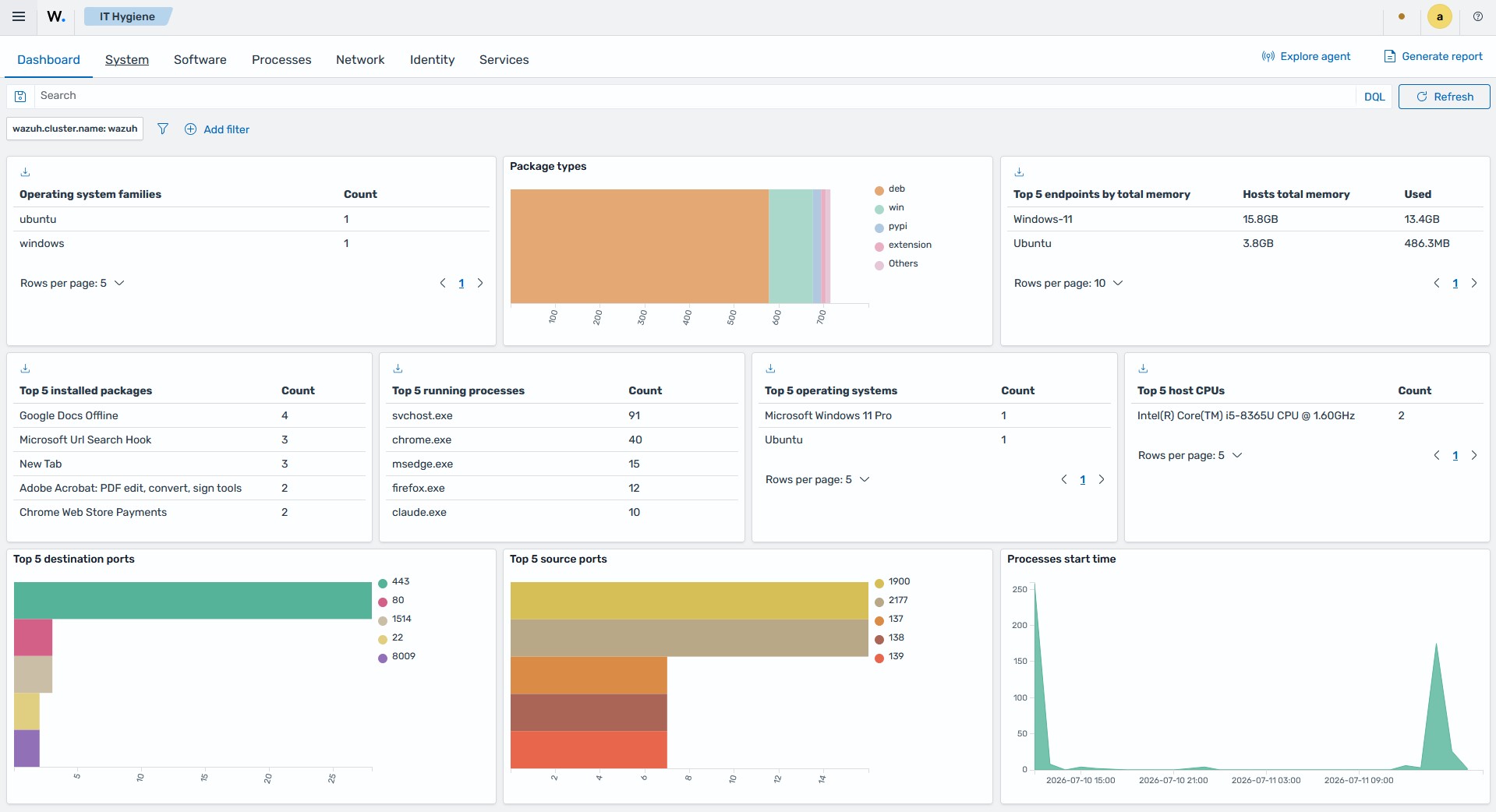
Displays a consolidated view of the system inventory data across multiple or selected monitored endpoints. It visualizes key metrics such as operating system families, package types, endpoints by total memory, installed packages, running processes, operating systems, host CPUs, destination ports, source ports, and process start times.
System
Provides a detailed breakdown of the operating systems and hardware in your environment.
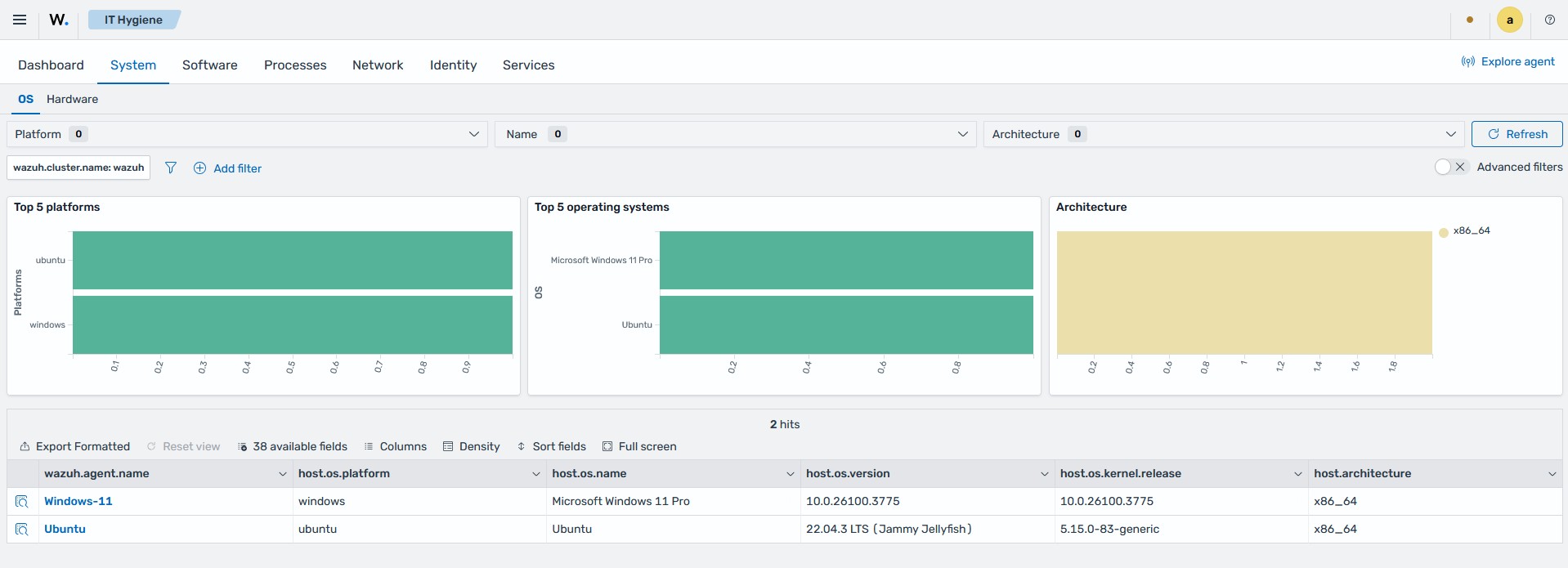
The OS tab provides an operating system and hardware information breakdown across all monitored endpoints.
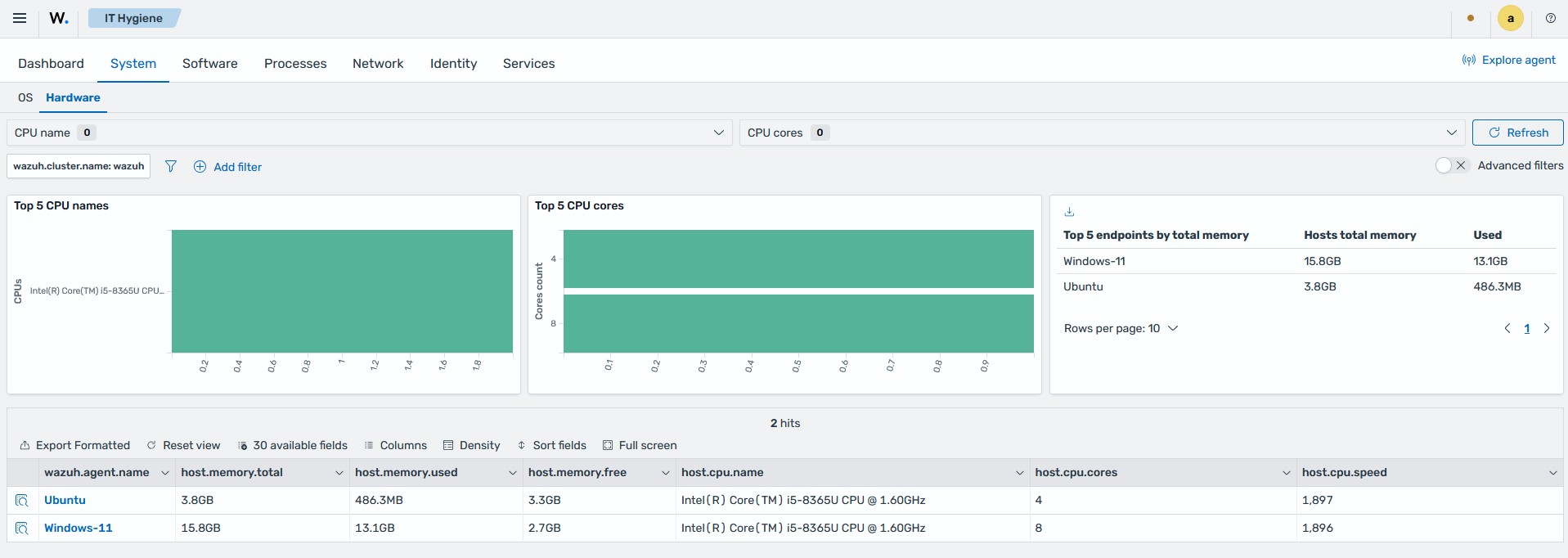
The Hardware tab displays top CPU models, CPU cores, the most used memory, and a summary data table.
Software
Contains an overview of software packages, Windows KBs, and browser extensions on monitored endpoints.
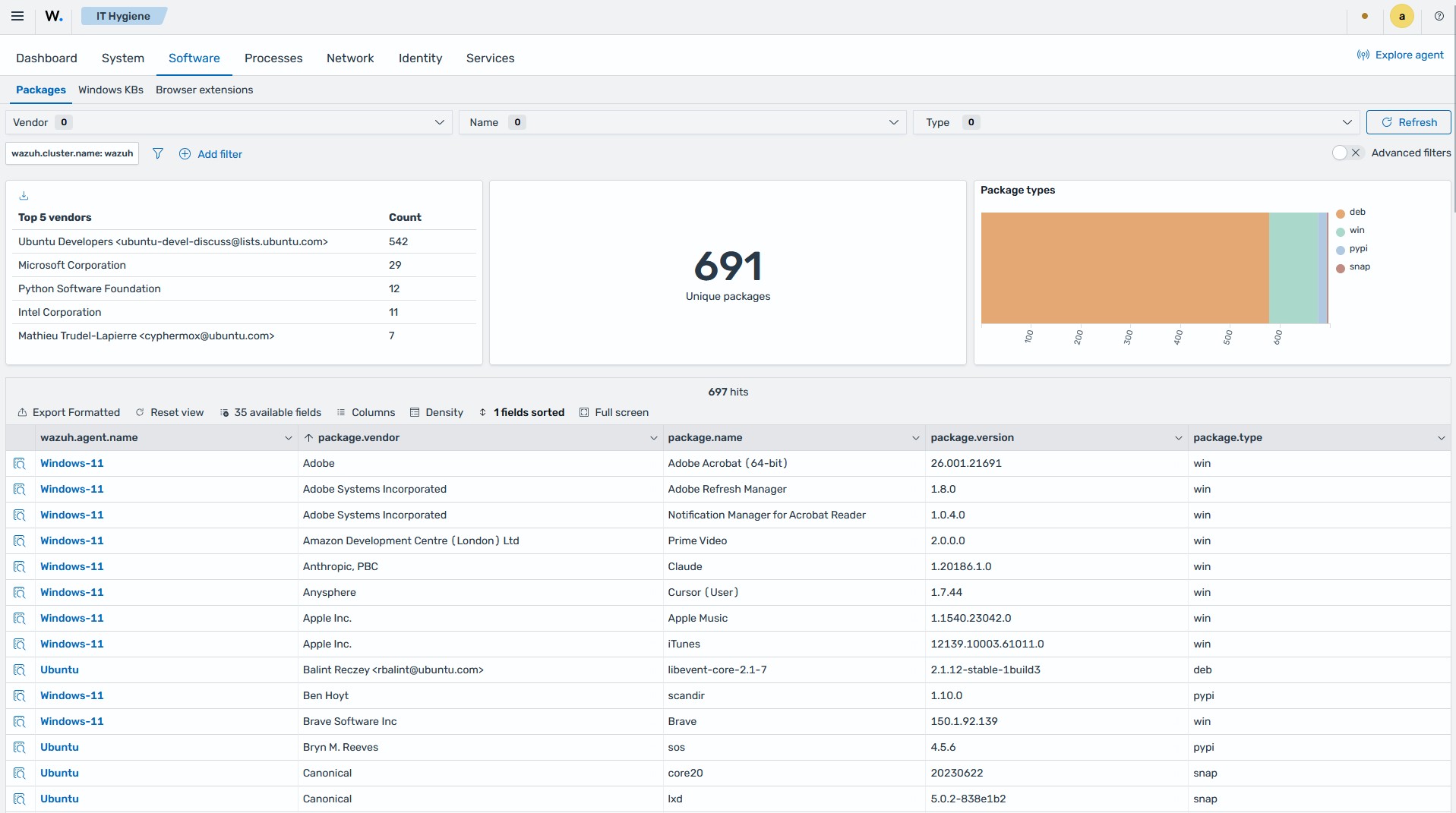
The Packages tab displays package data, including top software vendors, the number of unique packages, the types of packages, and a summary data table.
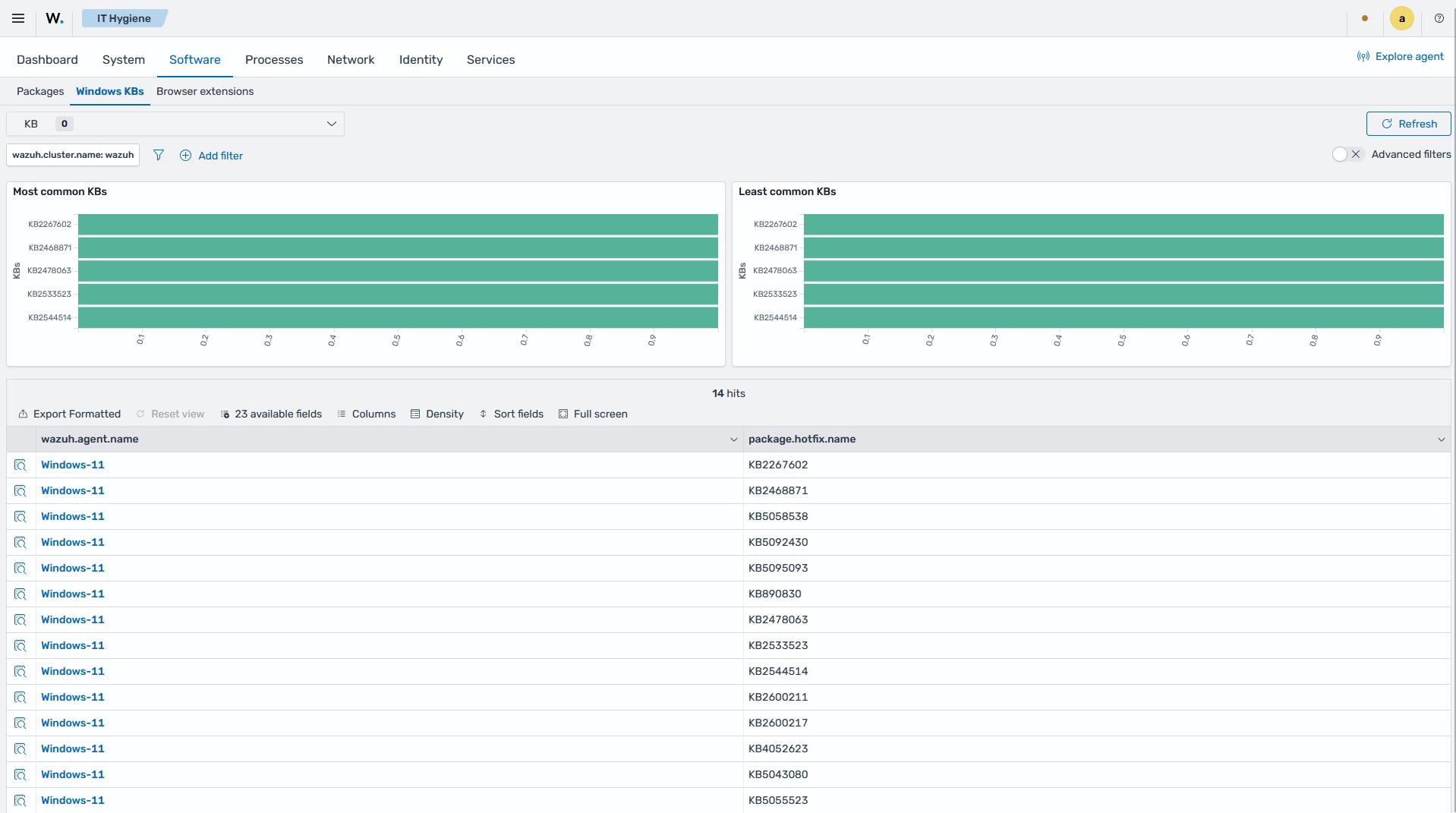
The Windows KBs tab displays the Windows Knowledge Base data, including the most and least common Knowledge Bases.
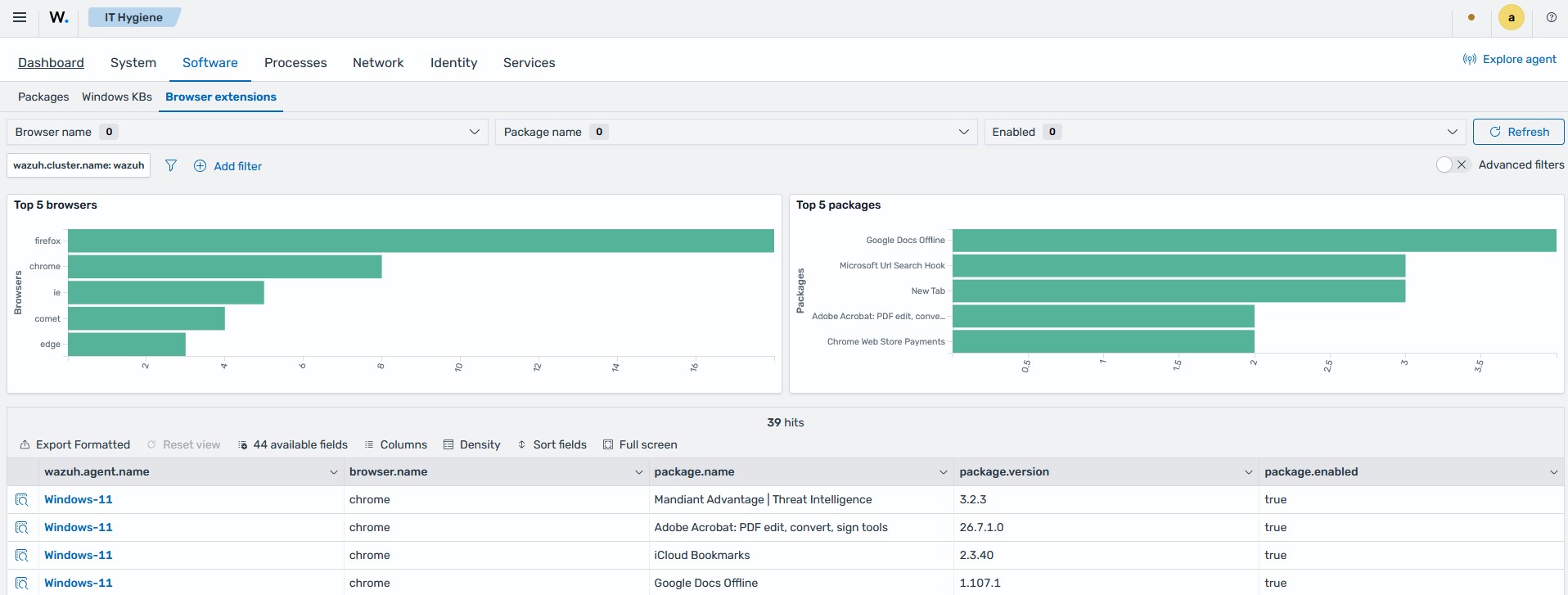
The Browser extensions tab displays top browsers and packages, and a summary data table containing the browser and extension details.
Processes
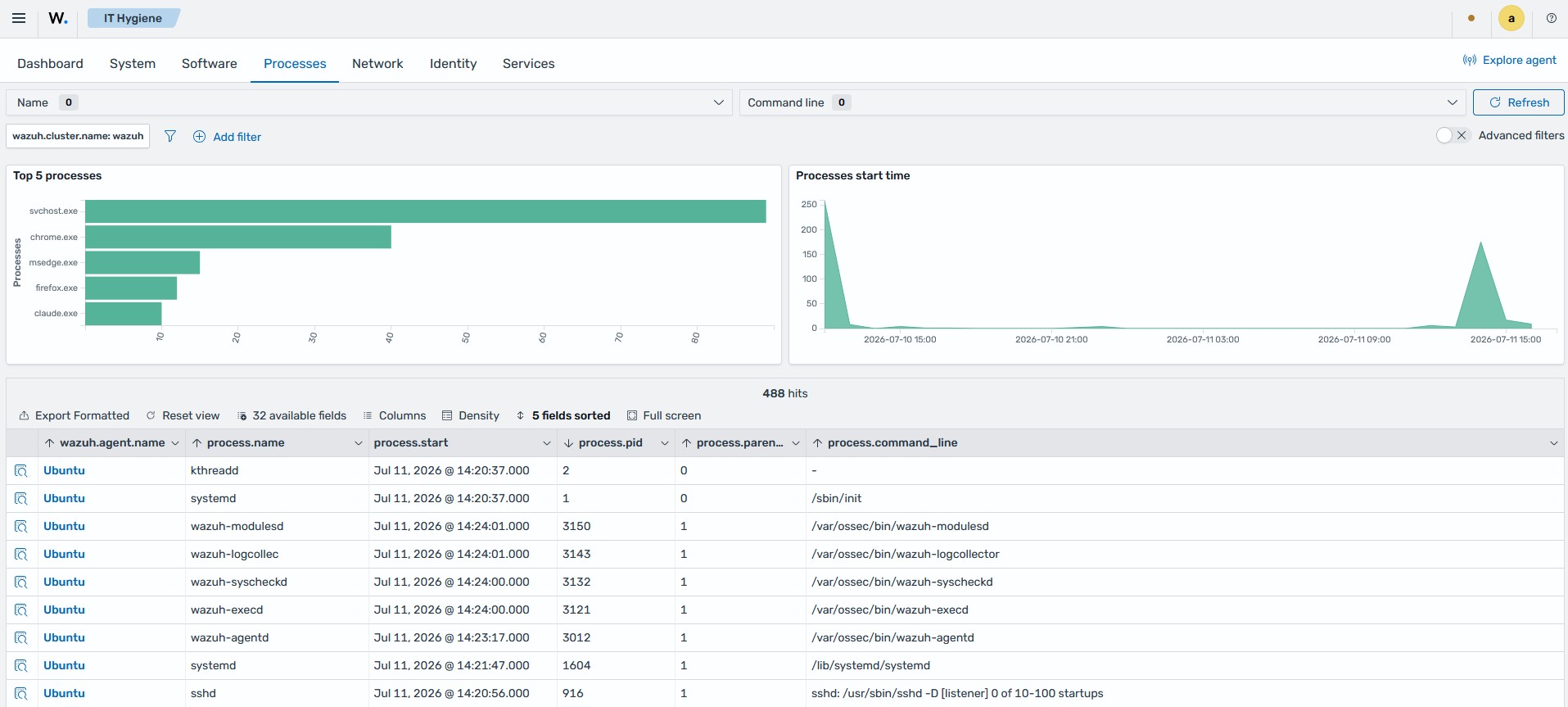
Displays running processes, process start times, and a summary data table containing process details for the monitored endpoints.
Network
Contains the Addresses, Interfaces, Protocols, Listeners, and Traffic tabs.
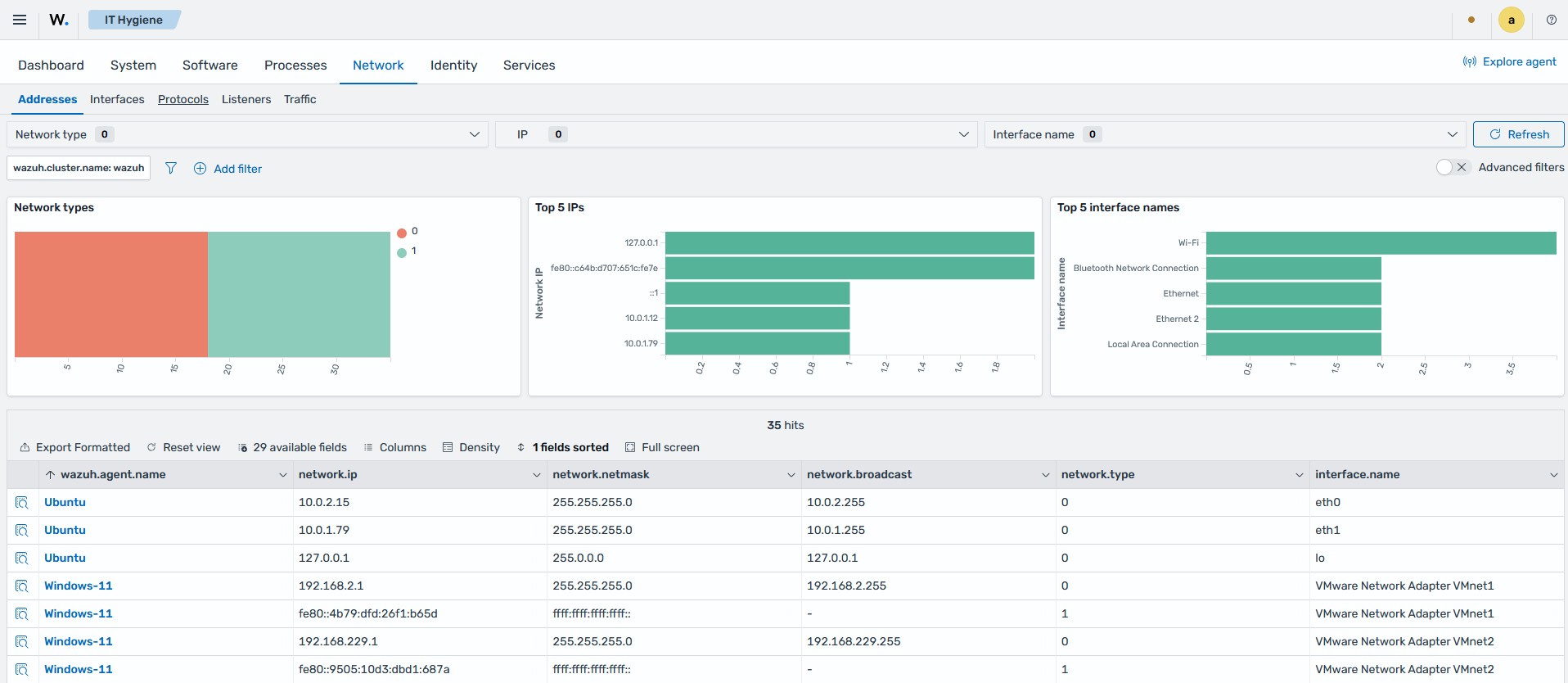
The Addresses tab provides a detailed view of network types, top IP addresses, top interface names, and a summary data table containing detailed network address information.
The Interfaces tab offers a detailed view of network interfaces, displaying the average packet loss rate, interface states, interface types, and a summary data table of interface-level details, including the MTU and MAC address.
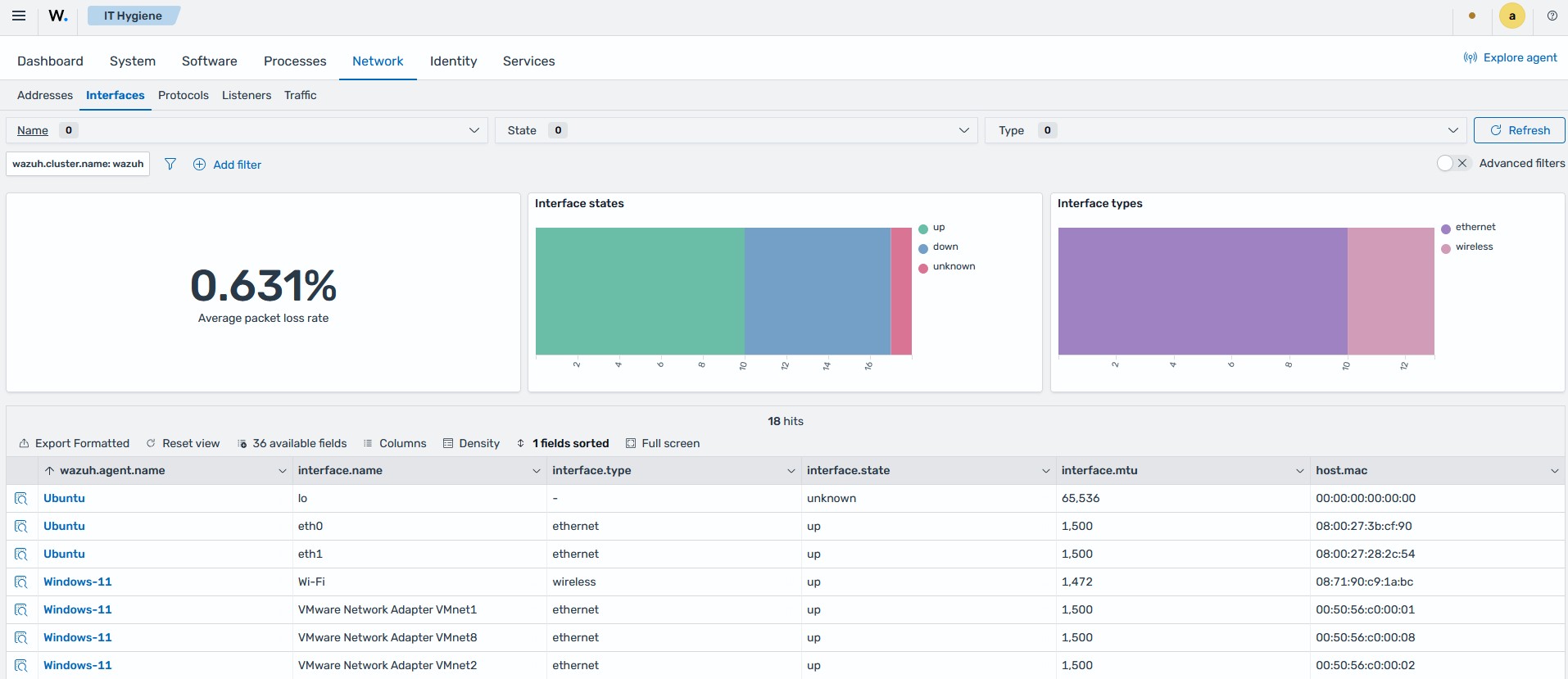
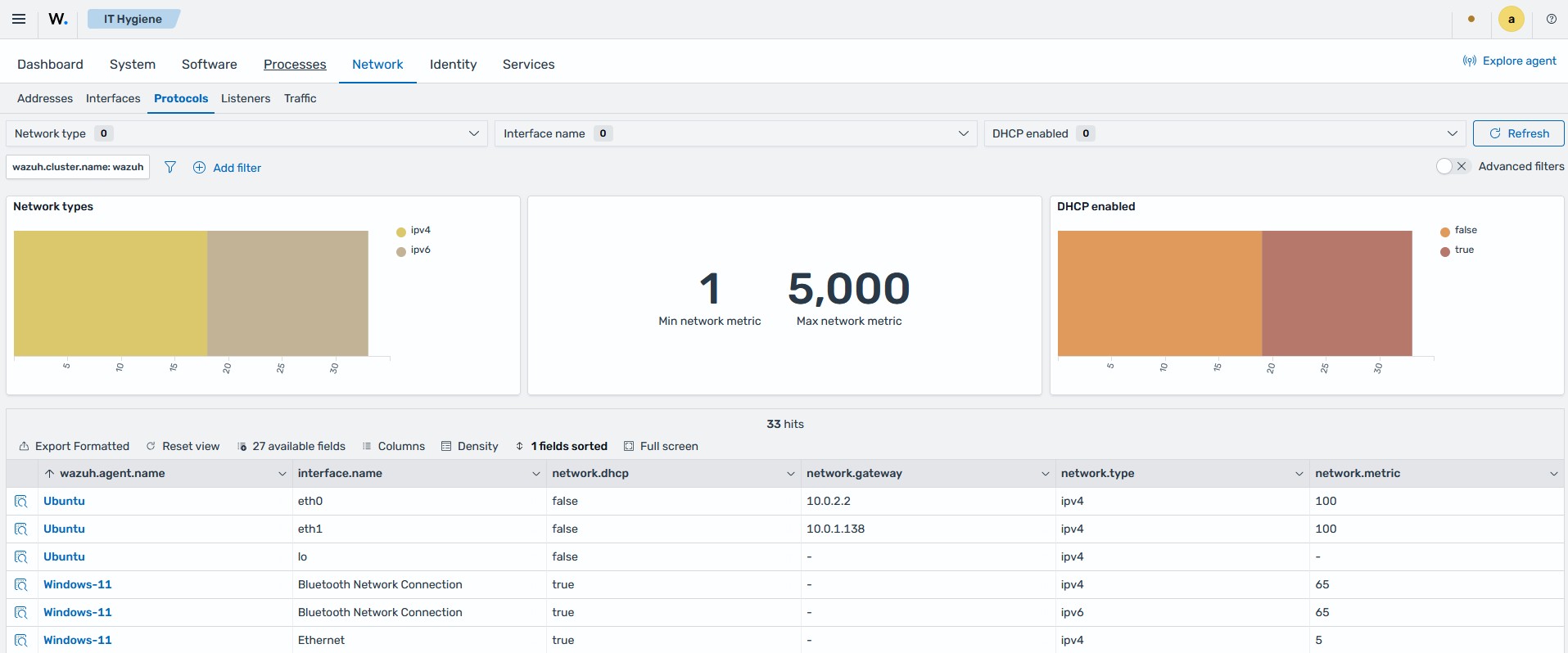
The Protocols tab offers a detailed view of network types, network metrics, and DHCP status, and a summary table with more protocol-level details, including the gateway and routing metric per interface.
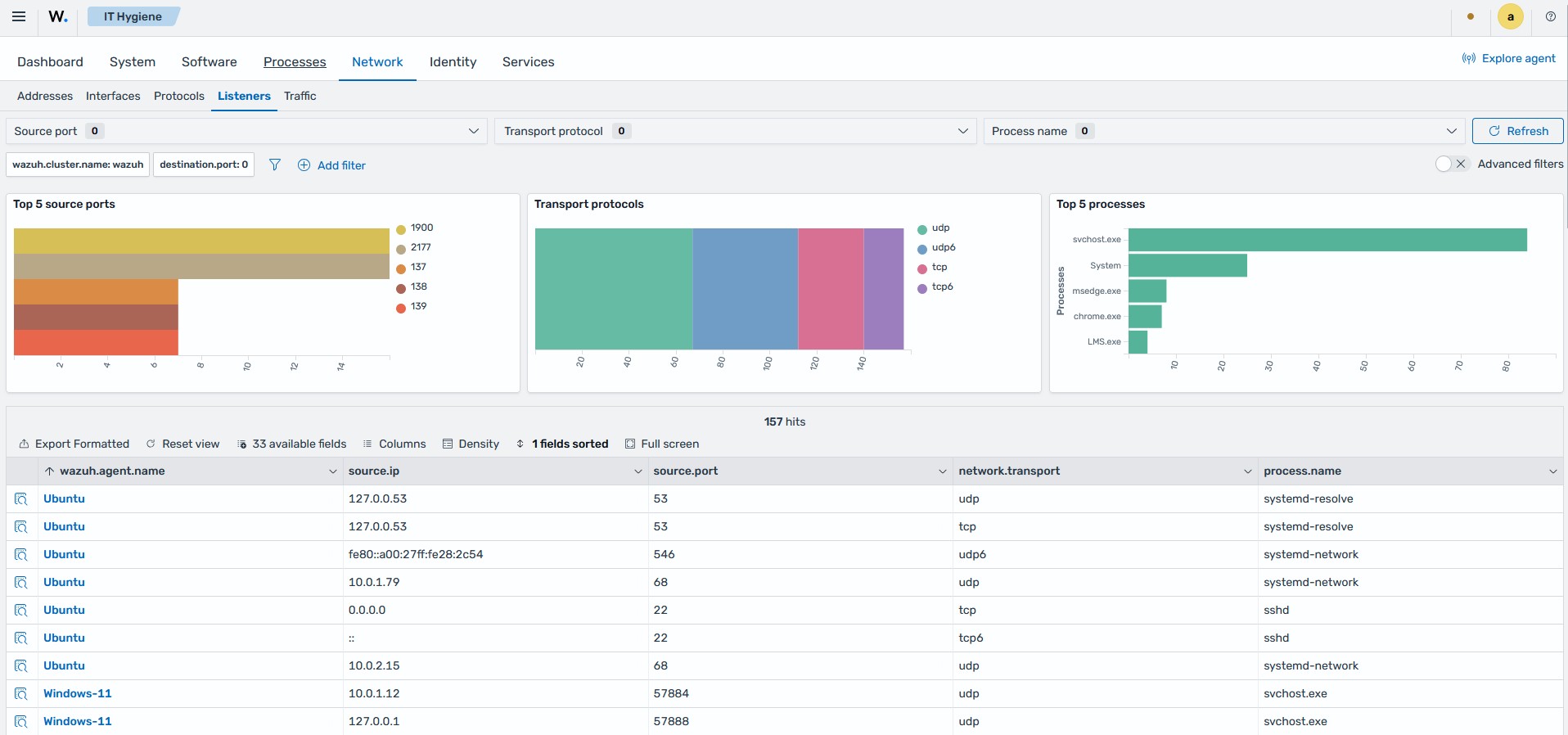
The Listeners tab presents a detailed view of the ports on each endpoint that are open and awaiting connections, with the top source ports, transport protocols, the processes listening on them, and a summary data table.
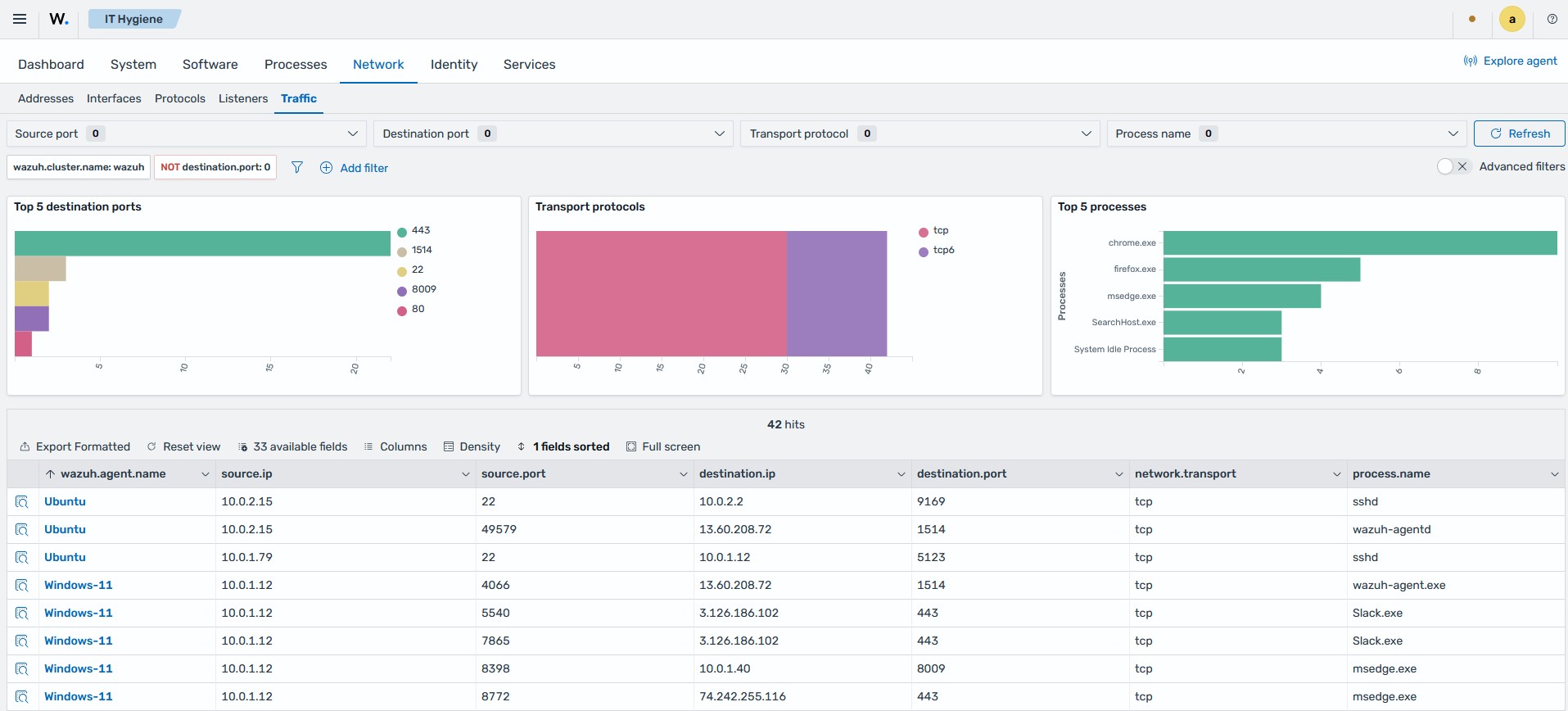
The Traffic tab provides a detailed view of the active network connections on each endpoint, with the top destination ports, transport protocols, the processes that own the connections, and a summary data table listing the source and destination address and port of each connection.
Identity
Provides a detailed breakdown of the users and groups in your environment.
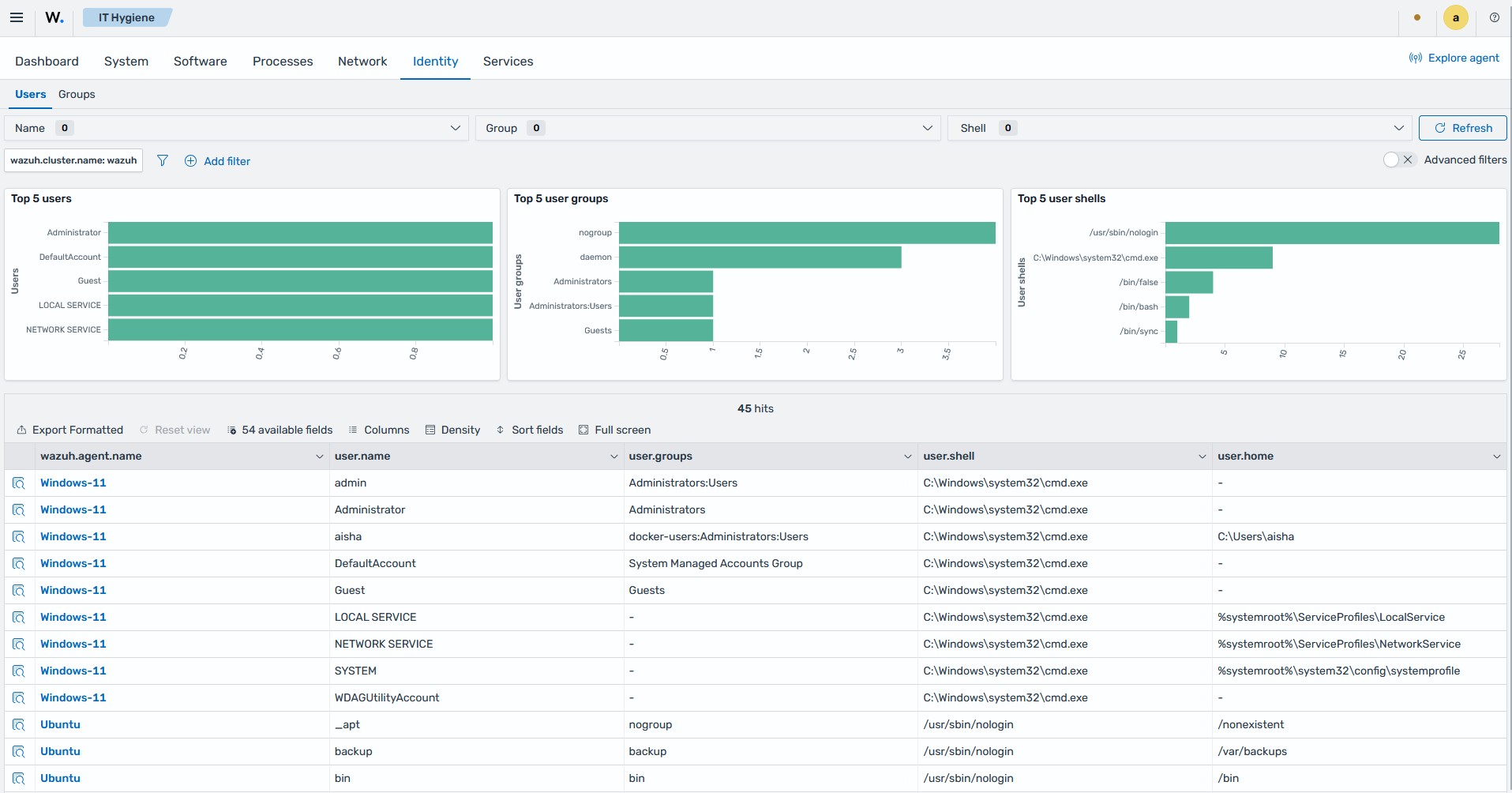
The Users tab displays user account information, including top users, user groups, user shells, and a summary data table.
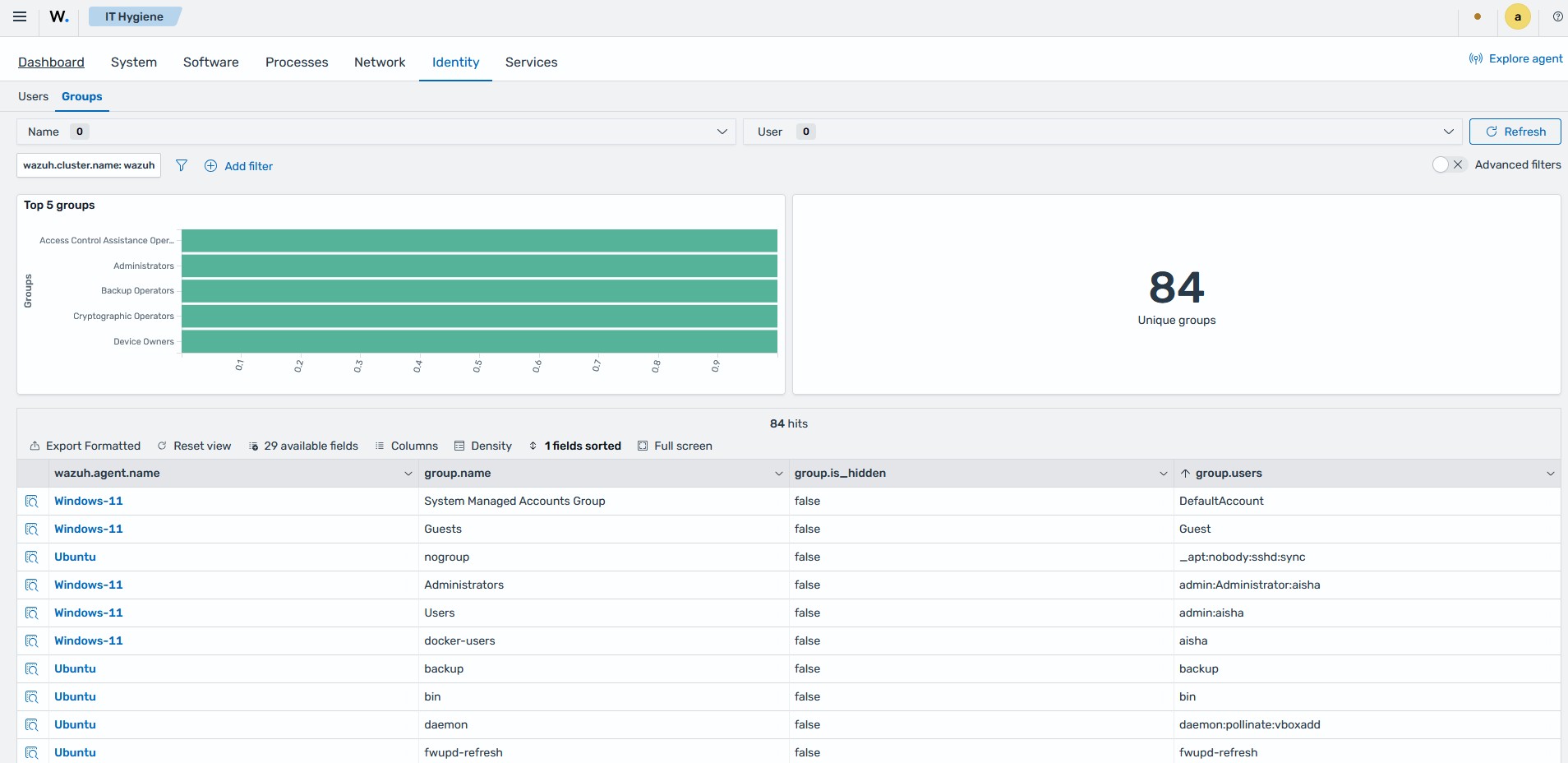
The Groups tab displays information about the user account groups, including top groups, the number of unique groups, and a summary data table.
Services
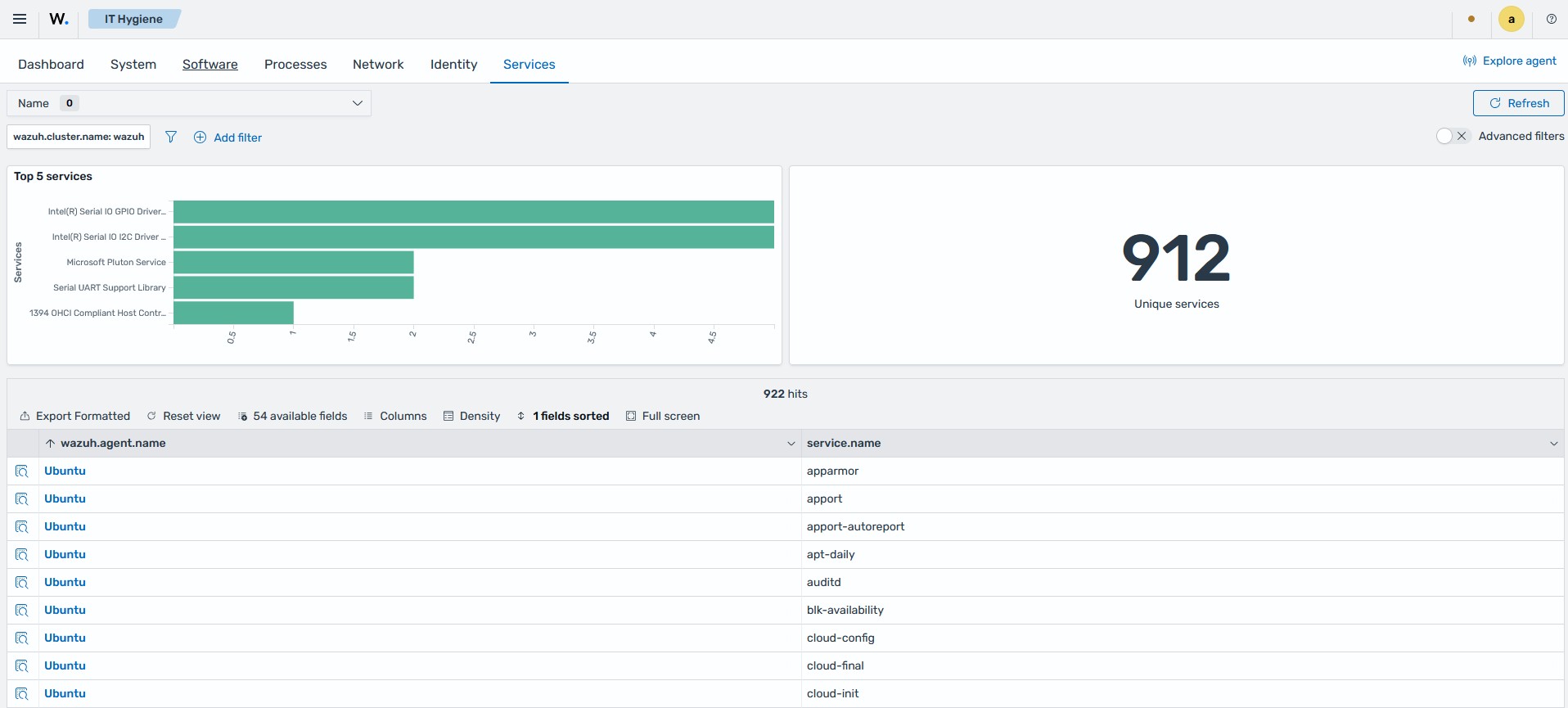
Displays top running services, total unique services, and a summary data table containing service details for the monitored endpoints.
Querying the inventory data
The Wazuh Syscollector module runs periodic scans and sends the updated data to the Wazuh manager. The Wazuh manager processes the data and forwards it to the Wazuh indexer, where it is stored as global state data. You can query the system inventory data for specific information using the Wazuh indexer API.
Using the Wazuh indexer API
The Wazuh indexer API enables you to perform actions such as adding new indices, querying existing indices, and modifying the Wazuh indexer settings. It retrieves system inventory data from global state indices for selected or multiple monitored endpoints and displays it in a human-readable format. You can perform these queries through the Wazuh indexer API interface on the dashboard or by using command-line tools such as cURL.
Wazuh indexer API GUI
Follow these steps to access the Wazuh indexer API from the Wazuh dashboard.
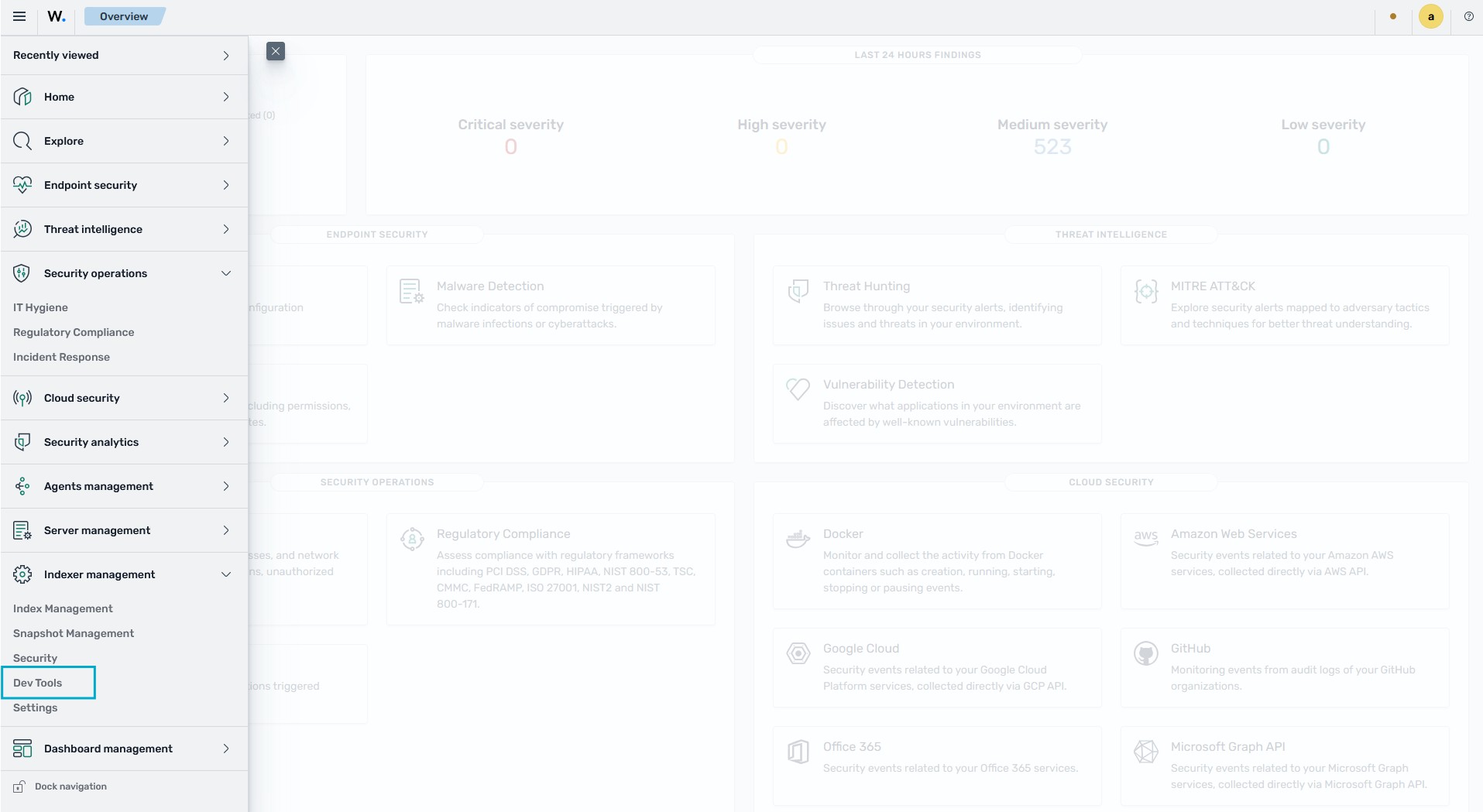
On the Wazuh dashboard, click the menu icon in the upper-left corner and navigate to Indexer management > Dev Tools.
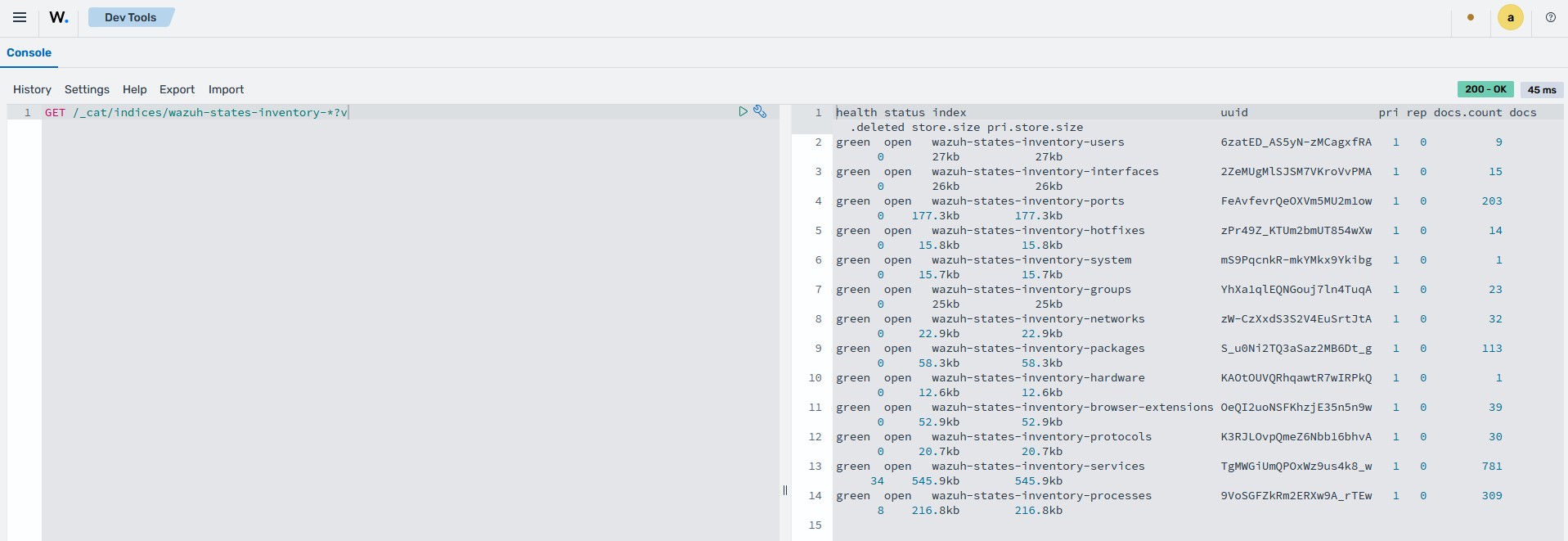
Type the following command in the console and click the play icon to run the query:
GET /_cat/indices/wazuh-states-inventory-*?v
The command retrieves information about the system inventory indices.
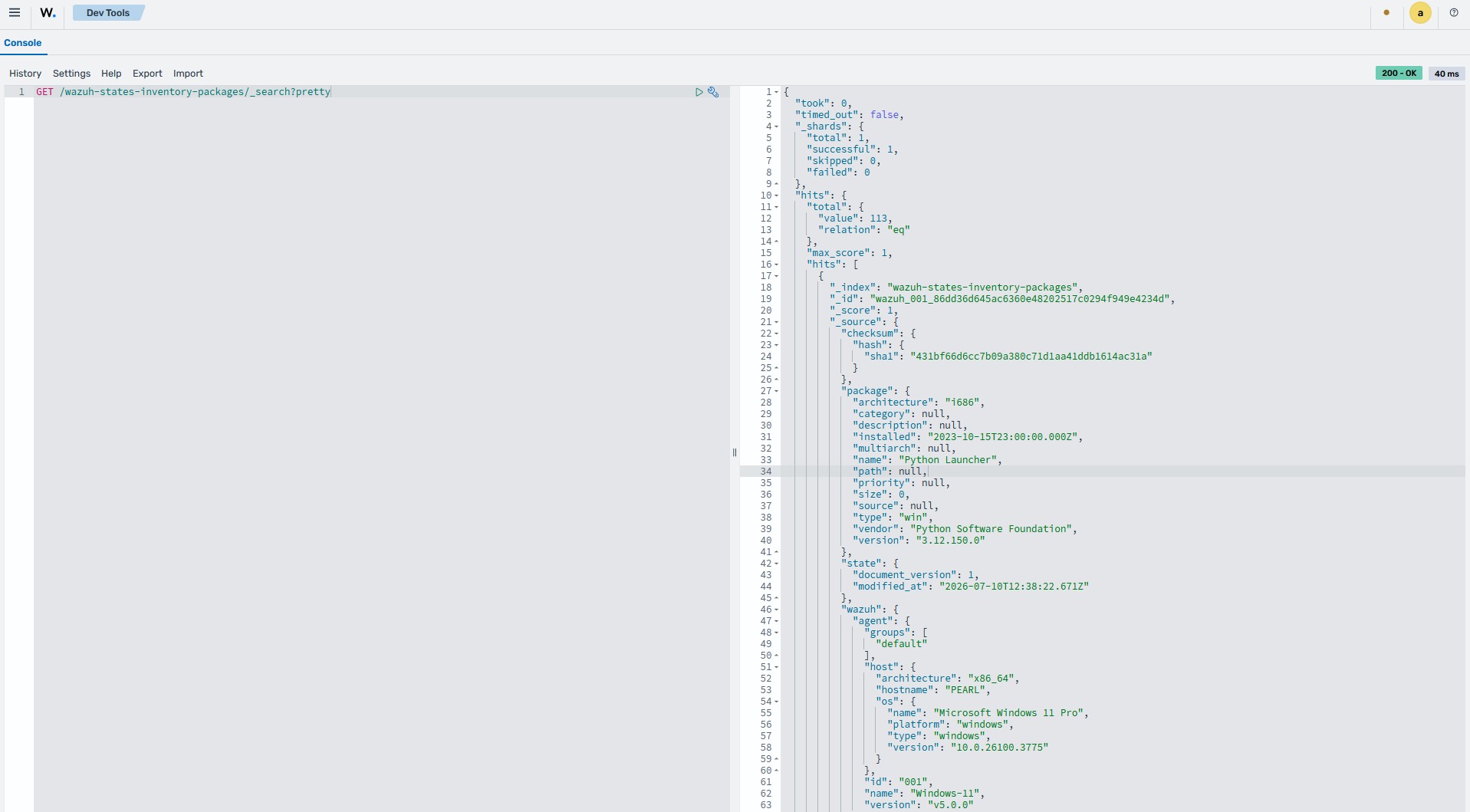
Use the command below to query the system inventory index for installed packages within your infrastructure:
GET /wazuh-states-inventory-packages/_search?pretty
You can query the system inventory index to look up specific details, such as whether a particular package is installed on any monitored endpoints. For example, the following command checks the package inventory for the presence of the Wazuh agent package. On Windows endpoints the package registers as
Wazuh Agent, and on Linux endpoints aswazuh-agent.GET /wazuh-states-inventory-packages/_search?pretty { "query": { "match": { "package.name": "Wazuh Agent" } } }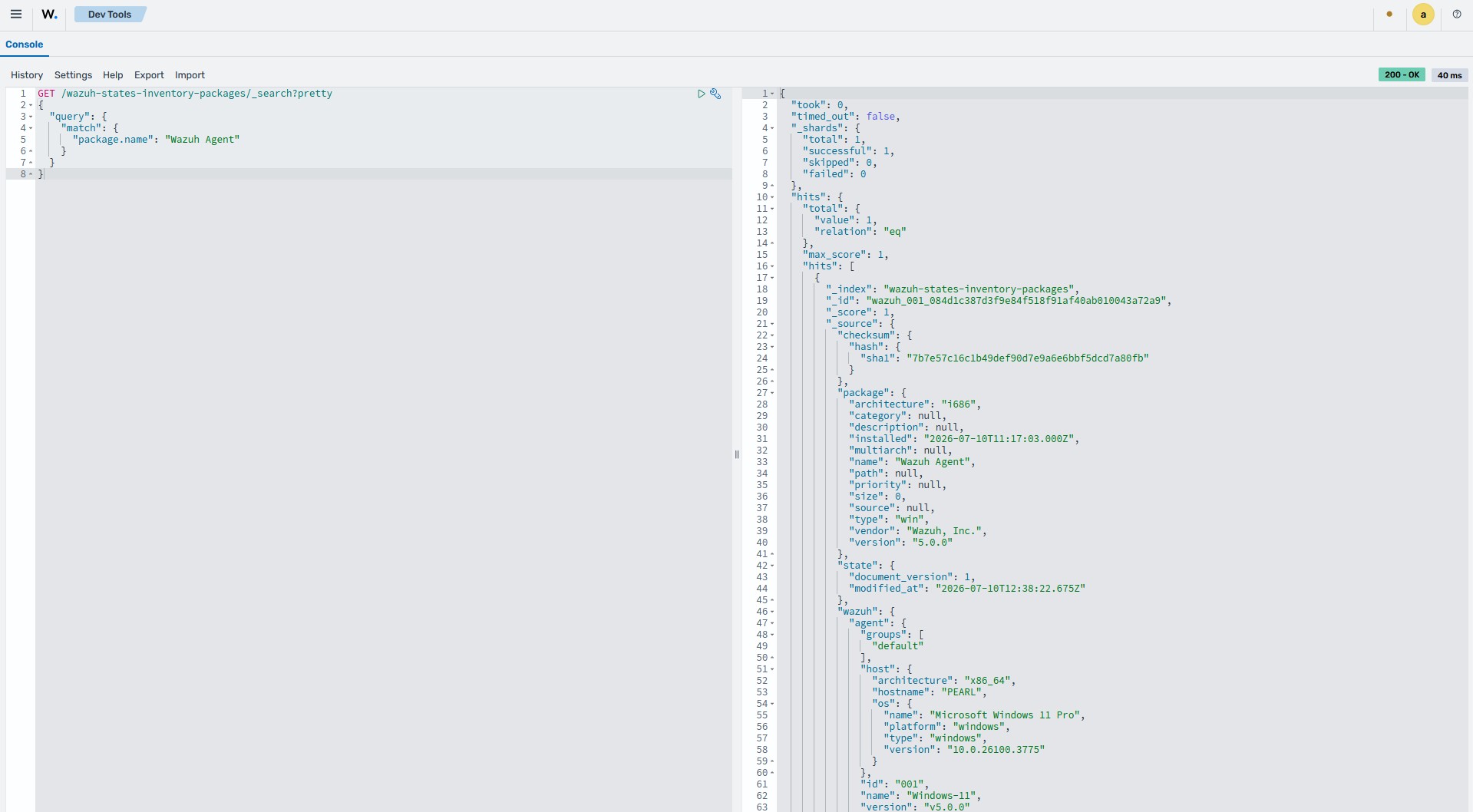
You can also check whether a package is installed on a specific endpoint. The command below checks if the Wazuh agent is installed on a Windows endpoint. Replace
<AGENT_NAME>with the name of the Wazuh endpoint.GET /wazuh-states-inventory-packages/_search?pretty { "query": { "bool": { "must": [ { "term": { "wazuh.agent.name": "<AGENT_NAME>" } }, { "match": { "package.name": "Wazuh Agent" } } ] } } }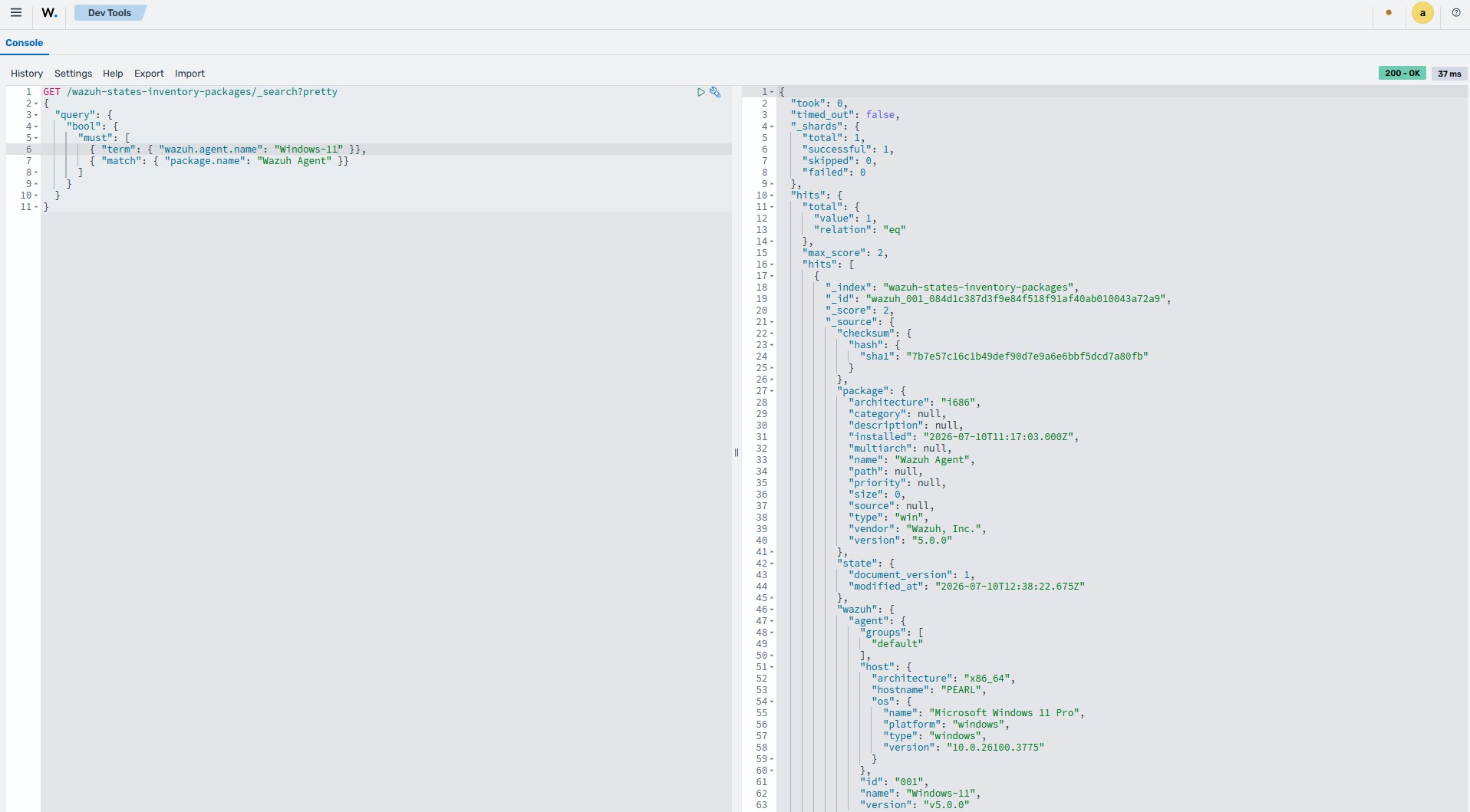
cURL
Follow the steps below to query the system inventory indices from the command line using cURL.
Run the command below to retrieve information about the system inventory indices. Replace
<WAZUH_INDEXER_USERNAME>with the Wazuh indexer username and type the Wazuh indexer password when prompted:# curl -k -u "<WAZUH_INDEXER_USERNAME>" "https://<WAZUH_INDEXER_IP>:9200/_cat/indices/wazuh-states-inventory-*?v"
Sample output:
health status index                                     uuid                   pri rep docs.count docs.deleted store.size pri.store.size
green  open   wazuh-states-inventory-users              6zatED_AS5yN-zMCagxfRA   1   0          9            0       27kb           27kb
green  open   wazuh-states-inventory-interfaces         2ZeMUgMlSJSM7VKroVvPMA   1   0         15            0       26kb           26kb
green  open   wazuh-states-inventory-ports              FeAvfevrQeOXVm5MU2m1ow   1   0        203            0    177.3kb        177.3kb
green  open   wazuh-states-inventory-hotfixes           zPr49Z_KTUm2bmUT854wXw   1   0         14            0     15.8kb         15.8kb
green  open   wazuh-states-inventory-system             mS9PqcnkR-mkYMkx9Ykibg   1   0          1            0     15.7kb         15.7kb
green  open   wazuh-states-inventory-groups             YhXa1qlEQNGouj7ln4TuqA   1   0         23            0       25kb           25kb
green  open   wazuh-states-inventory-networks           zW-CzXxdS3S2V4EuSrtJtA   1   0         32            0     22.9kb         22.9kb
green  open   wazuh-states-inventory-packages           S_u0Ni2TQ3aSaz2MB6Dt_g   1   0        113            0     58.3kb         58.3kb
green  open   wazuh-states-inventory-hardware           KAOtOUVQRhqawtR7wIRPkQ   1   0          1            0     12.6kb         12.6kb
green  open   wazuh-states-inventory-browser-extensions OeQI2uoNSFKhzjE35n5n9w   1   0         39            0     52.9kb         52.9kb
green  open   wazuh-states-inventory-protocols          K3RJLOvpQmeZ6Nbb16bhvA   1   0         30            0     20.7kb         20.7kb
green  open   wazuh-states-inventory-services           TgMWGiUmQPOxWz9us4k8_w   1   0        781           34    545.9kb        545.9kb
green  open   wazuh-states-inventory-processes          9VoSGFZkRm2ERXw9A_rTEw   1   0        309            8    216.8kb        216.8kb
Use the command below to query the system inventory index for the packages on the endpoints. Replace
<WAZUH_INDEXER_USERNAME>with the Wazuh indexer username and type the Wazuh indexer password when prompted.# curl -k -u "<WAZUH_INDEXER_USERNAME>" "https://<WAZUH_INDEXER_IP>:9200/wazuh-states-inventory-packages/_search?pretty"
The command returns output similar to the following example:
{ "took": 0, "timed_out": false, "_shards": { "total": 1, "successful": 1, "skipped": 0, "failed": 0 }, "hits": { "total": { "value": 113, "relation": "eq" }, "max_score": 1.0, "hits": [ { "_index": "wazuh-states-inventory-packages", "_id": "wazuh_001_86dd36d645ac6360e48202517c0294f949e4234d", "_score": 1.0, "_source": { "checksum": { "hash": { "sha1": "431bf66d6cc7b09a380c71d1aa41ddb1614ac31a" } }, "package": { "architecture": "i686", "category": null, "description": null, "installed": "2023-10-15T23:00:00.000Z", "multiarch": null, "name": "Python Launcher", "path": null, "priority": null, "size": 0, "source": null, "type": "win", "vendor": "Python Software Foundation", "version": "3.12.150.0" }, "state": { "document_version": 1, "modified_at": "2026-07-10T12:38:22.671Z" }, "wazuh": { "agent": { "groups": [ "default" ], "host": { "architecture": "x86_64", "hostname": "user1", "os": { "name": "Microsoft Windows 11 Pro", "platform": "windows", "type": "windows", "version": "10.0.26100.3775" } }, "id": "001", "name": "Windows-11", "version": "v5.0.0" }, "cluster": { "name": "wazuh" } } } }, { "_index": "wazuh-states-inventory-packages", "_id": "wazuh_001_fdb22011dc8e3af75cb31de57c5ce85206953bff", "_score": 1.0, "_source": { "checksum": { "hash": { "sha1": "a81ad822ed895bd25512908c8149bc304529ab3f" } }, "package": { "architecture": null, "category": null, "description": "A (partial) reimplementation of pywin32 using ctypes/cffi", "installed": null, "multiarch": null, "name": "pywin32-ctypes", "path": "C:\\Users\\user1\\AppData\\Local\\Programs\\Python\\Python312\\Lib\\site-packages\\pywin32_ctypes-0.2.3.dist-info\\METADATA", "priority": null, "size": 0, "source": "https://github.com/enthought/pywin32-ctypes", "type": "pypi", "vendor": "Enthought Inc.", "version": "0.2.3" }, "state": { "document_version": 1, "modified_at": "2026-07-10T12:38:22.671Z" }, "wazuh": { "agent": { "groups": [ "default" ], "host": { "architecture": "x86_64", "hostname": "user1", "os": { "name": "Microsoft Windows 11 Pro", "platform": "windows", "type": "windows", "version": "10.0.26100.3775" } }, "id": "001", "name": "Windows-11", "version": "v5.0.0" }, "cluster": { "name": "wazuh" } } } }, { "_index": "wazuh-states-inventory-packages", "_id": "wazuh_001_8f7b65bad09d0016f6e552d524eb773f01044654", "_score": 1.0, "_source": { "checksum": { "hash": { "sha1": "305b4b8c6749283c60aec42b59d7f88e21eff19c" } }, "package": { "architecture": "x86_64", "category": null, "description": null, "installed": null, "multiarch": null, "name": "Quick Assist", "path": "C:\\Program Files\\WindowsApps\\MicrosoftCorporationII.QuickAssist_2.0.47.0_x64__8wekyb3d8bbwe", "priority": null, "size": 0, "source": null, "type": "win", "vendor": "Microsoft Corp.", "version": "2.0.47.0" }, "state": { "document_version": 1, "modified_at": "2026-07-10T12:38:22.671Z" }, "wazuh": { "agent": { "groups": [ "default" ], "host": { "architecture": "x86_64", "hostname": "user1", "os": { "name": "Microsoft Windows 11 Pro", "platform": "windows", "type": "windows", "version": "10.0.26100.3775" } }, "id": "001", "name": "Windows-11", "version": "v5.0.0" }, "cluster": { "name": "wazuh" } } } }, { "_index": "wazuh-states-inventory-packages", "_id": "wazuh_001_9ac687597b00fd84d5b35562db41c442b45f2219", "_score": 1.0, "_source": { "checksum": { "hash": { "sha1": "28eb090c192904ae2381271ef949dd6583baaa2f" } }, "package": { "architecture": null, "category": null, "description": "Easily download, build, install, upgrade, and uninstall Python packages", "installed": null, "multiarch": null, "name": "setuptools", "path": "C:\\Users\\user1\\AppData\\Local\\Programs\\Python\\Python312\\Lib\\site-packages\\setuptools-78.1.0.dist-info\\METADATA", "priority": null, "size": 0, "source": null, "type": "pypi", "vendor": null, "version": "78.1.0" }, "state": { "document_version": 1, "modified_at": "2026-07-10T12:38:22.672Z" }, "wazuh": { "agent": { "groups": [ "default" ], "host": { "architecture": "x86_64", "hostname": "user1", "os": { "name": "Microsoft Windows 11 Pro", "platform": "windows", "type": "windows", "version": "10.0.26100.3775" } }, "id": "001", "name": "Windows-11", "version": "v5.0.0" }, "cluster": { "name": "wazuh" } } } }, { "_index": "wazuh-states-inventory-packages", "_id": "wazuh_001_3bd42133a2d3e08320c42ed8f53bbddd6103e6b5", "_score": 1.0, "_source": { "checksum": { "hash": { "sha1": "3bd42133a2d3e08320c42ed8f53bbddd6103e6b5" } }, "package": { "architecture": "x86_64", "category": null, "description": null, "installed": null, "multiarch": null, "name": "Slack", "path": "C:\\Program Files\\WindowsApps\\91750D7E.Slack_4.50.143.0_x64__8she8kybcnzg4", "priority": null, "size": 0, "source": null, "type": "win", "vendor": "Slack Technologies Inc.", "version": "4.50.143.0" }, "state": { "document_version": 1, "modified_at": "2026-07-10T12:38:22.672Z" }, "wazuh": { "agent": { "groups": [ "default" ], "host": { "architecture": "x86_64", "hostname": "user1", "os": { "name": "Microsoft Windows 11 Pro", "platform": "windows", "type": "windows", "version": "10.0.26100.3775" } }, "id": "001", "name": "Windows-11", "version": "v5.0.0" }, "cluster": { "name": "wazuh" } } } }, { "_index": "wazuh-states-inventory-packages", "_id": "wazuh_001_b0108c0e1b165f230b54c63598c1060b943ef4b4", "_score": 1.0, "_source": { "checksum": { "hash": { "sha1": "99fe8494282f969359847630c5b6273f79040ef6" } }, "package": { "architecture": "x86_64", "category": null, "description": null, "installed": null, "multiarch": null, "name": "Solitaire & Casual Games", "path": "C:\\Program Files\\WindowsApps\\Microsoft.MicrosoftSolitaireCollection_4.25.4290.0_x64__8wekyb3d8bbwe", "priority": null, "size": 0, "source": null, "type": "win", "vendor": "Microsoft Studios", "version": "4.25.4290.0" }, "state": { "document_version": 1, "modified_at": "2026-07-10T12:38:22.672Z" }, "wazuh": { "agent": { "groups": [ "default" ], "host": { "architecture": "x86_64", "hostname": "user1", "os": { "name": "Microsoft Windows 11 Pro", "platform": "windows", "type": "windows", "version": "10.0.26100.3775" } }, "id": "001", "name": "Windows-11", "version": "v5.0.0" }, "cluster": { "name": "wazuh" } } } }, { "_index": "wazuh-states-inventory-packages", "_id": "wazuh_001_a91b750cc765380aa07fc44d3f65515615069e33", "_score": 1.0, "_source": { "checksum": { "hash": { "sha1": "e97b4c0973889b43e9e2b5ba0952dc995afb46b1" } }, "package": { "architecture": "x86_64", "category": null, "description": null, "installed": null, "multiarch": null, "name": "Spotify", "path": "C:\\Program Files\\WindowsApps\\SpotifyAB.SpotifyMusic_1.293.667.0_x64__zpdnekdrzrea0", "priority": null, "size": 0, "source": null, "type": "win", "vendor": "Spotify AB", "version": "1.293.667.0" }, "state": { "document_version": 1, "modified_at": "2026-07-10T12:38:22.673Z" }, "wazuh": { "agent": { "groups": [ "default" ], "host": { "architecture": "x86_64", "hostname": "user1", "os": { "name": "Microsoft Windows 11 Pro", "platform": "windows", "type": "windows", "version": "10.0.26100.3775" } }, "id": "001", "name": "Windows-11", "version": "v5.0.0" }, "cluster": { "name": "wazuh" } } } }, { "_index": "wazuh-states-inventory-packages", "_id": "wazuh_001_b06756105b32143ac31a11e9819487e8f3ad40fb", "_score": 1.0, "_source": { "checksum": { "hash": { "sha1": "026f6bb12590b58b64124c13ffecbef9959406a2" } }, "package": { "architecture": "x86_64", "category": null, "description": null, "installed": null, "multiarch": null, "name": "Store Experience Host", "path": "C:\\Program Files\\WindowsApps\\Microsoft.StorePurchaseApp_22605.1401.3.0_x64__8wekyb3d8bbwe", "priority": null, "size": 0, "source": null, "type": "win", "vendor": "Microsoft Corporation", "version": "22605.1401.3.0" }, "state": { "document_version": 1, "modified_at": "2026-07-10T12:38:22.673Z" }, "wazuh": { "agent": { "groups": [ "default" ], "host": { "architecture": "x86_64", "hostname": "user1", "os": { "name": "Microsoft Windows 11 Pro", "platform": "windows", "type": "windows", "version": "10.0.26100.3775" } }, "id": "001", "name": "Windows-11", "version": "v5.0.0" }, "cluster": { "name": "wazuh" } } } } ] } }You can query the system inventory index to look up specific details, such as whether a particular package is installed on any monitored endpoints. For example, the following command checks the package inventory for the presence of the
Wazuh Agentpackage on Windows endpoints. Replace<WAZUH_INDEXER_USERNAME>with the Wazuh indexer username and type the Wazuh indexer password when prompted:# curl -k -u "<WAZUH_INDEXER_USERNAME>" "https://<WAZUH_INDEXER_IP>:9200/wazuh-states-inventory-packages/_search?pretty" \ -H 'Content-Type: application/json' \ -d ' { "query": { "match": { "package.name": "Wazuh Agent" } } }'
The command returns output similar to the following example:
{
  "took" : 0,
  "timed_out" : false,
  "_shards" : {
    "total" : 1,
    "successful" : 1,
    "skipped" : 0,
    "failed" : 0
  },
  "hits" : {
    "total" : {
      "value" : 1,
      "relation" : "eq"
    },
    "max_score" : 1.0,
    "hits" : [
      {
        "_index" : "wazuh-states-inventory-packages",
        "_id" : "wazuh_001_084d1c387d3f9e84f518f91af40ab010043a72a9",
        "_score" : 1.0,
        "_source" : {
          "checksum" : {
            "hash" : {
              "sha1" : "7b7e57c16c1b49def90d7e9a6e6bbf5dcd7a80fb"
            }
          },
          "package" : {
            "architecture" : "i686",
            "category" : null,
            "description" : null,
            "installed" : "2026-07-10T11:17:03.000Z",
            "multiarch" : null,
            "name" : "Wazuh Agent",
            "path" : null,
            "priority" : null,
            "size" : 0,
            "source" : null,
            "type" : "win",
            "vendor" : "Wazuh, Inc.",
            "version" : "5.0.0"
          },
          "state" : {
            "document_version" : 1,
            "modified_at" : "2026-07-10T12:38:22.675Z"
          },
          "wazuh" : {
            "agent" : {
              "groups" : [
                "default"
              ],
              "host" : {
                "architecture" : "x86_64",
                "hostname" : "user1",
                "os" : {
                  "name" : "Microsoft Windows 11 Pro",
                  "platform" : "windows",
                  "type" : "windows",
                  "version" : "10.0.26100.3775"
                }
              },
              "id" : "001",
              "name" : "Windows-11",
              "version" : "v5.0.0"
            },
            "cluster" : {
              "name" : "wazuh"
            }
          }
        }
      }
    ]
  }
}
You can also check whether a package is installed on a specific endpoint. The command below checks if the Wazuh agent is installed on a Windows endpoint. Replace
<WAZUH_INDEXER_USERNAME>with the Wazuh indexer username,<AGENT_NAME>with the name of the Wazuh endpoint, and type the Wazuh indexer password when prompted.# curl -k -u "<WAZUH_INDEXER_USERNAME>" "https://<WAZUH_INDEXER_IP>:9200/wazuh-states-inventory-packages/_search?pretty" \ -H 'Content-Type: application/json' \ -d ' { "query": { "bool": { "must": [ { "term": { "wazuh.agent.name": "<AGENT_NAME>" } }, { "match": { "package.name": "Wazuh Agent" } } ] } } }'
The command returns output similar to the following example:
{
  "took" : 0,
  "timed_out" : false,
  "_shards" : {
    "total" : 1,
    "successful" : 1,
    "skipped" : 0,
    "failed" : 0
  },
  "hits" : {
    "total" : {
      "value" : 1,
      "relation" : "eq"
    },
    "max_score" : 2.0,
    "hits" : [
      {
        "_index" : "wazuh-states-inventory-packages",
        "_id" : "wazuh_001_084d1c387d3f9e84f518f91af40ab010043a72a9",
        "_score" : 2.0,
        "_source" : {
          "checksum" : {
            "hash" : {
              "sha1" : "7b7e57c16c1b49def90d7e9a6e6bbf5dcd7a80fb"
            }
          },
          "package" : {
            "architecture" : "i686",
            "category" : null,
            "description" : null,
            "installed" : "2026-07-10T11:17:03.000Z",
            "multiarch" : null,
            "name" : "Wazuh Agent",
            "path" : null,
            "priority" : null,
            "size" : 0,
            "source" : null,
            "type" : "win",
            "vendor" : "Wazuh, Inc.",
            "version" : "5.0.0"
          },
          "state" : {
            "document_version" : 1,
            "modified_at" : "2026-07-10T12:38:22.675Z"
          },
          "wazuh" : {
            "agent" : {
              "groups" : [
                "default"
              ],
              "host" : {
                "architecture" : "x86_64",
                "hostname" : "user1",
                "os" : {
                  "name" : "Microsoft Windows 11 Pro",
                  "platform" : "windows",
                  "type" : "windows",
                  "version" : "10.0.26100.3775"
                }
              },
              "id" : "001",
              "name" : "Windows-11",
              "version" : "v5.0.0"
            },
            "cluster" : {
              "name" : "wazuh"
            }
          }
        }
      }
    ]
  }
}