System inventory
Wazuh uses the Syscollector module to gather information about a monitored endpoint. This information includes hardware details, OS information, network details, services, browser extensions, running processes, users, and groups. The agent runs periodic scans on the endpoint and sends the information to the manager. The manager then updates the appropriate system information. See the System inventory section for more information about the Wazuh Syscollector module.
The Wazuh Syscollector module helps to meet the following PCI DSS requirement:
Requirement 2 - Apply Secure Configurations to All System Components: This requirement mandates applying secure configurations to system components to reduce exposure to vendor defaults commonly exploited by malicious individuals. Default passwords and settings are widely known and easily obtained. Secure configurations such as changing default credentials, removing unnecessary software and accounts, and disabling unused services reduce the available attack surface.
The Wazuh Syscollector module satisfies this requirement by maintaining an inventory of endpoint configurations. It discovers active processes, system daemons, hardware specifications, operating system details, network settings, and running services. Additionally, it audits installed browser extensions, user accounts, and local groups. This centralized inventory grants organizations complete visibility into PCI DSS-relevant assets, active network ports, and running software. It enables administrators to systematically identify and remove unauthorized services or default configurations.
Use case
Below is a PCI DSS requirement that the Wazuh Syscollector module can meet.
PCI DSS requirement 2.2.4
PCI DSS requirement 2.2.4 mandates keeping only necessary services, protocols, daemons, and functions enabled and removing unnecessary functionality. The Syscollector and SCA modules support the requirement by identifying unnecessary processes, services, and configurations that can increase the attack surface.
The Wazuh Syscollector module collects information about running processes on monitored endpoints. You can use this information to identify unnecessary processes and determine whether they are required for an endpoint's operation. The Wazuh Syscollector module is enabled with all available scans by default in all compatible systems. You can view system inventory information in the IT Hygiene and PCI DSS dashboards on the Wazuh dashboard.
IT Hygiene dashboard
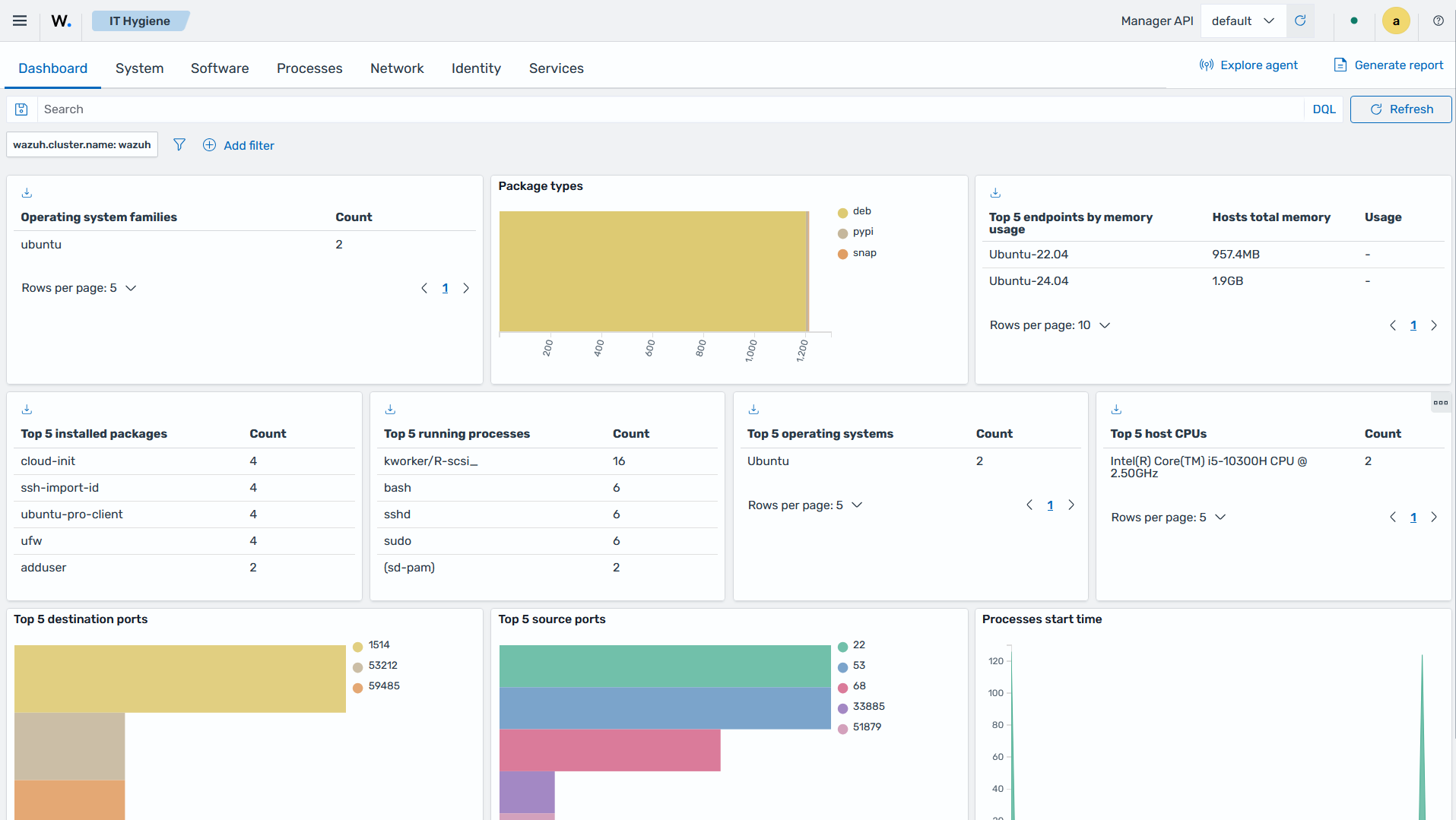
Click the upper-left menu icon ☰ to open the options, and go to Security operations > IT Hygiene. From there, you can review running processes and determine whether unnecessary functionality is enabled on monitored endpoints. The following image shows the IT Hygiene dashboard for a monitored endpoint:
PCI DSS dashboard
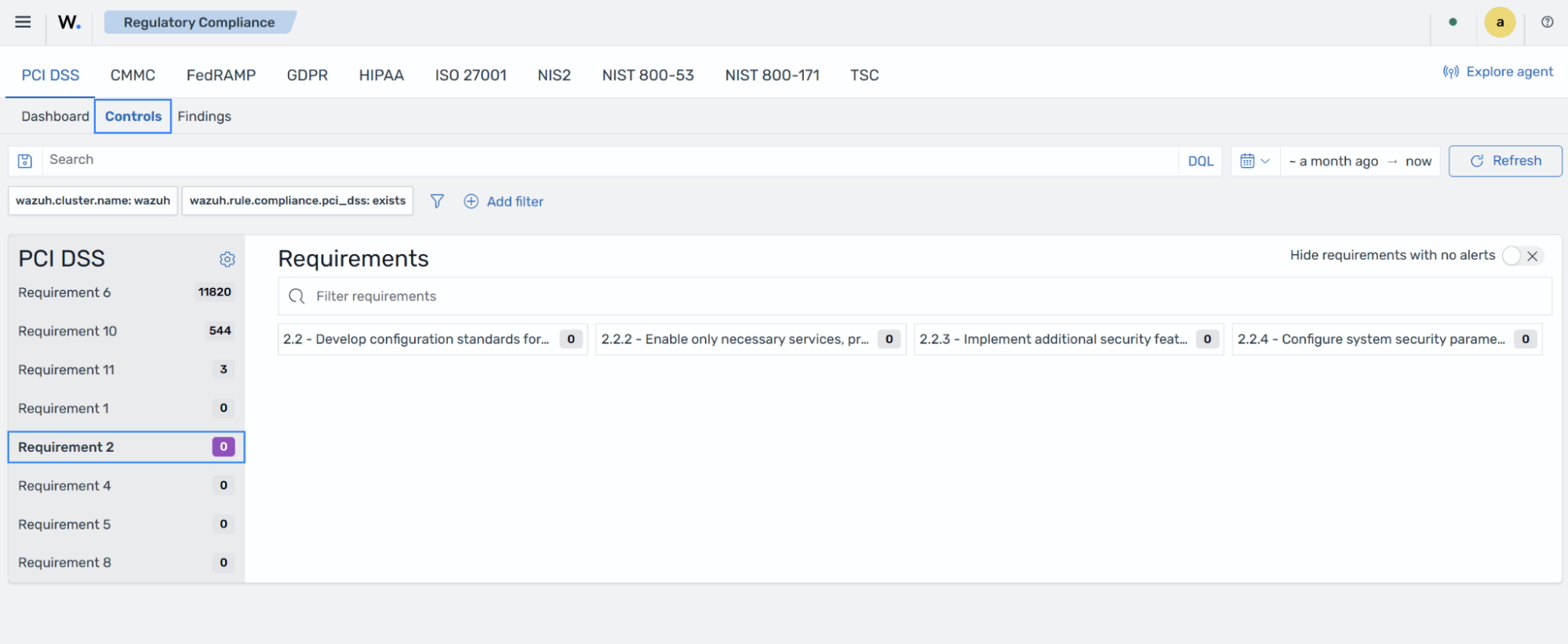
Navigate to Regulatory Compliance from the Wazuh Overview dashboard, click PCI DSS, then click the Controls tab to review findings related to PCI DSS requirement 2.2.4. The following image shows the corresponding PCI DSS finding in the Wazuh dashboard: